
Video conferencing for education is not the same problem as video conferencing for business.
A business meeting usually needs people to:
join → discuss → make a decision → leave
An educational session may need much more:
join → identify students → teach → present content → split into groups → assess understanding → record → track attendance → return to the course
That difference changes how schools, universities, training centers, and online learning providers should evaluate video conferencing platforms.
The useful question is not:
Which video conferencing platform has the most features?
It is:
Where does the live class belong in the learning process, and which platform supports that model best?
For a quick shortlist: BigBlueButton fits LMS-centered virtual classrooms, Zoom fits general online teaching, Microsoft Teams and Google Meet fit their respective productivity ecosystems, TrueConf fits institution-operated communication infrastructure, and Engageli fits active-learning classes.
A better selection sequence is:
teaching model → interaction pattern → student access → course workflow → LMS → accessibility → room and network environment → infrastructure → platform
Key Findings
-
BigBlueButton fits LMS-centered virtual classrooms and teaching-specific workflows.
-
Zoom is a strong general-purpose option for live classes and interactive sessions.
-
Microsoft Teams and Google Meet fit institutions already centered on Microsoft 365 or Google Workspace.
-
TrueConf is relevant when educational institutions need customer-operated communication infrastructure, persistent messaging, private-network communication, and SIP/H.323 interoperability.
-
Engageli is relevant when active learning and structured student participation matter.
-
Participant capacity is not the same as meaningful class capacity.
-
A recording is not automatically a learning resource.
-
A good video platform should fit into the course, not become the course.
What Makes Education Video Conferencing Different?
Most video platforms can provide:
-
camera;
-
microphone;
-
screen sharing;
-
chat;
-
recording.
Those are baseline capabilities.
Education adds another layer.
Teachers may need:
-
attendance;
-
hand raising;
-
breakout rooms;
-
polls;
-
whiteboards;
-
presentation controls;
-
moderated student microphones;
-
student roles;
-
course recordings;
-
LMS integration;
-
waiting rooms;
-
guest restrictions;
-
recurring virtual classrooms.
Administrators may also need:
-
centralized accounts;
-
student provisioning;
-
identity integration;
-
recording policies;
-
accessibility support;
-
device management;
-
access controls;
-
infrastructure management.
A platform can therefore be an excellent meeting tool and still be a poor virtual classroom.
Start With the Teaching Model
Different teaching formats create different technical requirements.
This distinction should be made before comparing vendors.
Class Size Is Not the Same as Participant Capacity
A platform may technically support hundreds or thousands of participants.
That does not mean a class of that size can remain interactive.
The ranges below are planning examples rather than fixed industry standards.
Small Class: Roughly 10–30 Students
Typical requirements:
-
open discussion;
-
tutoring;
-
whiteboard work;
-
frequent student speaking;
-
easy camera interaction.
The main problem is not scale. It is interaction quality.
Medium Interactive Class: Roughly 30–100 Students
Typical requirements:
-
hand raising;
-
moderation;
-
polls;
-
breakout rooms;
-
attendance;
-
teacher-controlled microphones.
At this size, participation needs more structure.
Large Lecture: 100+ Students
Typical requirements:
-
presenter control;
-
moderated Q&A;
-
reliable content sharing;
-
recording;
-
potentially webinar-style interaction.
The lesson is:
Participant capacity tells you how many students can enter. It does not tell you how many students can meaningfully participate.
The platform should therefore be evaluated against the intended interaction pattern, not only the maximum attendee number.
How Are Students Expected to Participate?
Feature checklists often hide the real instructional model.
The purpose of this table is different from the teaching-model table above.
The first helps choose the platform category.
This one helps define the interaction capabilities the class actually needs.
A Meeting Is Not Always a Virtual Classroom
There are at least three different models.
Meeting Platform
The meeting is the main object.
Typical workflow:
schedule → invite → join → class → recording
Examples:
-
Zoom;
-
Google Meet;
-
Webex.
Collaboration Platform
The video session exists inside a persistent communication environment.
Typical workflow:
class space → messages → meeting → files → follow-up
Examples:
-
Microsoft Teams;
-
TrueConf;
-
Secumeet.
Virtual Classroom
The live session exists inside the teaching workflow.
Typical workflow:
course → lesson → virtual classroom → activities → attendance → recording → course
BigBlueButton and Adobe Connect are closer to this model.
None is universally better.
The right choice depends on whether the institution primarily needs:
-
meetings;
-
persistent communication;
-
structured teaching.
LMS Integration Can Matter More Than Video Features
For an online course, the meeting application is often not where the learning workflow begins.
Students start in an LMS such as:
-
Moodle;
-
Canvas;
-
Blackboard;
-
D2L;
-
Schoology.
The ideal experience may be:
student opens course → sees lesson → joins classroom → recording returns to course
rather than:
student receives separate meeting URL → opens unrelated app → manually returns to LMS
This affects:
-
attendance;
-
scheduling;
-
recordings;
-
authentication;
-
teacher workload;
-
course navigation.
A platform with slightly fewer meeting features can therefore be the better education platform if it integrates more naturally with the institution’s learning environment.
Live Video Should Fit Into the Course, Not Become the Course
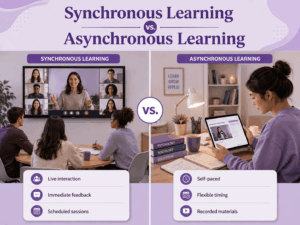
Education combines synchronous and asynchronous learning.
Video conferencing usually handles only the synchronous part.
Synchronous Learning
Examples:
-
live lectures;
-
seminars;
-
tutoring;
-
oral assessments;
-
group discussions;
-
demonstrations.
Asynchronous Learning
Examples:
-
recordings;
-
readings;
-
assignments;
-
forums;
-
quizzes;
-
self-paced activities.
The useful question is:
Which learning activities actually require students and teachers to be present at the same time?
If interaction is not required, an asynchronous format may be more accessible and efficient.
Recording a Class Is Not the Same as Creating a Learning Resource
Recording is often presented as a simple yes/no feature.
For education, the real workflow is:
record → process → caption → store → publish → control access → expire/archive
Ask:
-
Who can start recordings?
-
Where are they stored?
-
Are captions generated?
-
Can recordings be linked back to the LMS?
-
Who can watch them?
-
Can they be downloaded?
-
Can students navigate or search long recordings?
-
How long are they retained?
-
What happens when the course ends?
A platform that records every lesson but creates a difficult publishing workflow may increase teacher workload.
Accessibility Is a Core Requirement
Accessibility should be evaluated through real user tasks.
Institutions should test these capabilities during the pilot rather than relying only on product documentation.
The useful question is:
Can students participate in the class using the accessibility tools they actually rely on?
Best Video Conferencing Platforms for Education
1. BigBlueButton
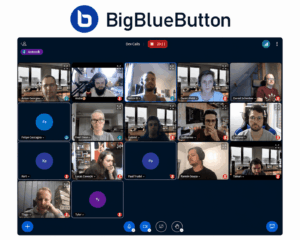
Best for: LMS-based teaching and purpose-built virtual classrooms.
BigBlueButton is designed around online education rather than general corporate meetings.
Its teaching workflow can include:
-
presentation sharing;
-
whiteboards;
-
polls;
-
breakout rooms;
-
shared notes;
-
moderated student participation;
-
recordings;
-
classroom roles.
Why It Fits Education
The important difference is that teaching functions are part of the classroom architecture rather than extensions to a general meeting product.
A teacher can use the live session as part of a broader course rather than treating it as an independent video call.
What You Gain
-
education-first design;
-
LMS integration;
-
teaching-oriented controls;
-
open-source architecture;
-
self-hosting options.
Main Trade-off
Operating a production self-hosted environment requires technical expertise, infrastructure planning, monitoring, and capacity management.
2. Zoom
Best for: General online classes, seminars, external learners, and large interactive sessions.
Zoom supports:
-
live video classes;
-
breakout rooms;
-
screen sharing;
-
whiteboards;
-
polls;
-
recordings;
-
webinars.
Why It Fits Education
Zoom is meeting-centric and works well when the institution needs a flexible live video layer that can sit beside different LMS and productivity systems.
What You Gain
-
mature meeting workflow;
-
breakout sessions;
-
broad device support;
-
strong external participant support.
Main Trade-off
Zoom is not itself an LMS.
Course materials, assignments, grades, and asynchronous learning remain elsewhere.
3. Microsoft Teams

Best for: Schools and universities already using Microsoft 365.
Teams combines:
-
messaging;
-
channels;
-
meetings;
-
files;
-
collaboration through the Microsoft environment.
Why It Fits Education
Teams is relevant when communication continues outside the live lesson.
The workflow can be:
class space → discussion → live lesson → files → follow-up
What You Gain
-
Microsoft 365 integration;
-
persistent communication;
-
meetings;
-
files;
-
centralized identity and administration.
Main Trade-off
Teams can be broader and more complex than necessary when the institution only needs a straightforward virtual classroom.
4. Google Meet
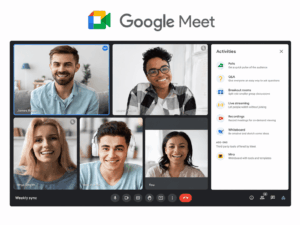
Best for: Schools already standardized on Google Workspace for Education.
Google Meet connects naturally with:
-
Google Classroom;
-
Calendar;
-
Gmail;
-
Drive;
-
Docs;
-
Slides.
Why It Fits Education
For Google-based schools, the main advantage is low workflow friction.
Teachers can create and manage live sessions inside an environment students already use.
What You Gain
-
Google Workspace integration;
-
browser-based access;
-
simple scheduling;
-
familiar student workflow.
Main Trade-off
Institutions needing deeper virtual-classroom functionality, customer-operated infrastructure, or complex room interoperability may need a more specialized platform.
5. TrueConf
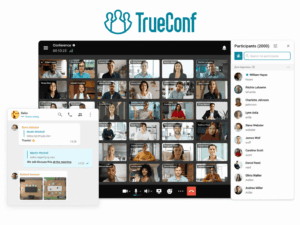
Best for: Educational institutions that need customer-operated video infrastructure, persistent messaging, and integration with existing room systems.
TrueConf combines:
-
personal messaging;
-
channels;
-
one-to-one video calls;
-
group conferences;
-
screen sharing;
-
content sharing;
-
recording;
-
SIP/H.323 interoperability.
TrueConf Server can be deployed on infrastructure controlled by the educational institution and can operate across private LAN and VPN environments.
Current server editions can support conferences with up to 2,000 participants, depending on configuration and licensing.
Why It Fits Education
TrueConf is especially relevant to multi-campus and room-heavy institutions.
The architecture can connect:
students + faculty + lecture halls + meeting rooms + institution-operated servers
rather than treating every lesson as an independent cloud call.
What You Gain
-
customer-operated server infrastructure;
-
messaging + video;
-
private-network communication;
-
SIP/H.323 interoperability;
-
support for desktop, mobile, and room communication.
Main Trade-off
The institution needs to plan:
-
infrastructure;
-
deployment;
-
administration;
-
monitoring;
-
capacity.
6. Secumeet

Best for: Messaging-first educational communication connected with video collaboration.
Secumeet supports:
-
personal chats;
-
group chats;
-
video meetings;
-
screen sharing;
-
presentations;
-
collaboration tools;
-
remote assistance.
Meetings can support up to 1,500 participants.
Why It Fits Education
Its strongest educational use case is persistent communication around teaching.
A workflow can look like:
teacher announcement → group chat → video class → presentation → follow-up discussion
What You Gain
-
persistent communication;
-
video meetings;
-
presentations;
-
communication before and after class.
Main Trade-off
Institutions should evaluate current LMS integration, identity management, deployment requirements, and classroom-specific controls against their actual teaching workflows.
7. Cisco Webex
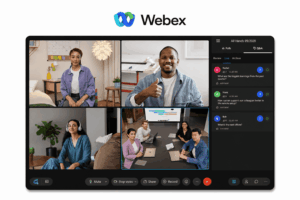
Best for: Large universities and education systems with enterprise rooms and Cisco infrastructure.
Webex combines:
-
meetings;
-
messaging;
-
calling;
-
webinars;
-
room systems;
-
centralized administration.
Why It Fits Education
Webex is especially relevant when educational video spans:
-
student devices;
-
administrative offices;
-
lecture halls;
-
managed conference rooms.
What You Gain
-
enterprise room integration;
-
advanced conferencing;
-
calling;
-
centralized administration.
Main Trade-off
Webex may be more platform than a small school or tutoring provider needs.
8. Jitsi Meet
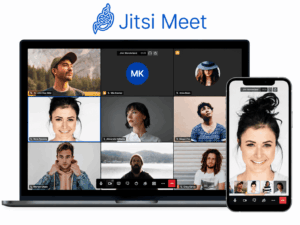
Best for: Institutions that want open-source video conferencing and have technical resources for self-hosting.
Jitsi provides:
-
browser-based video;
-
screen sharing;
-
chat;
-
meeting moderation;
-
self-hosting;
-
application embedding.
Why It Fits Education
Jitsi is relevant when an institution wants to operate an open-source conferencing environment and adapt it to its own infrastructure or applications.
What You Gain
-
open-source software;
-
self-hosting;
-
customization;
-
browser access.
Main Trade-off
Production deployments require technical expertise for:
-
scaling;
-
monitoring;
-
updates;
-
availability;
-
recording infrastructure.
9. Adobe Connect
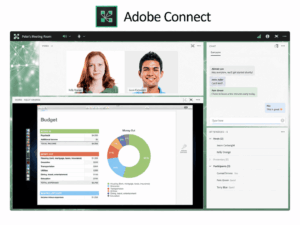
Best for: Structured virtual classrooms, training programs, and persistent learning rooms.
Adobe Connect differs from many meeting platforms because virtual rooms can be designed around persistent layouts and reusable learning activities.
Teachers and trainers can prepare environments containing:
-
presentations;
-
polls;
-
chat;
-
notes;
-
interaction elements.
Why It Fits Education
Persistent classrooms reduce setup work when the same teaching structure is reused.
What You Gain
-
persistent virtual rooms;
-
structured layouts;
-
training-oriented controls;
-
reusable classroom environments.
Main Trade-off
The experience is more specialized than lightweight meeting platforms.
10. Engageli
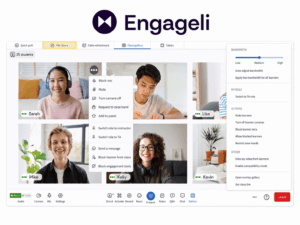
Best for: Active-learning classes where student participation and small-group interaction are central.
Engageli is built around a teaching model in which students are expected to interact rather than only watch a presenter.
Typical use cases include:
-
discussion-based courses;
-
active-learning seminars;
-
recurring small-group work;
-
classes where engagement data matters.
Why It Fits Education
The important distinction is the interaction architecture.
Instead of treating breakout rooms as an occasional activity, an active-learning platform can make small-group participation part of the normal class structure.
What You Gain
-
active-learning orientation;
-
structured small-group participation;
-
engagement-focused workflows;
-
education-specific interaction model.
Main Trade-off
It is more specialized than a general meeting platform.
Education Video Platforms Compared
For Tutoring and One-to-One Lessons
Tutoring usually needs less classroom infrastructure and more joining simplicity.
Important criteria include:
-
fast browser access;
-
one-to-one audio quality;
-
screen sharing;
-
whiteboard support;
-
mobile access;
-
low scheduling friction.
Common options include:
-
Google Meet;
-
Zoom;
-
Whereby.
A purpose-built virtual classroom may be unnecessary for a tutor who primarily needs simple, repeatable one-to-one sessions.
Student Roles Matter
A business video meeting often treats participants as peers.
A classroom usually does not.
Typical education roles include:
-
teacher;
-
teaching assistant;
-
student;
-
guest lecturer;
-
observer;
-
administrator.
Teachers may need to:
-
mute students;
-
restrict screen sharing;
-
control admission;
-
remove participants;
-
assign presenter rights;
-
create breakout groups.
Student Access: Account, Browser or App?
Joining friction has a direct impact on teaching time.
Ask:
-
Does every student need an account?
-
Can students join through a browser?
-
Is an application installation required?
-
Does it work on managed Chromebooks?
-
Does it work on Android and iOS?
-
Can external lecturers join?
-
What happens when a student forgets credentials?
Every minute spent troubleshooting access is a minute not spent teaching.
Low-Bandwidth Students Need to Be Part of the Test
Video conferencing should not be evaluated only on campus Wi-Fi.
Students may connect from:
-
home broadband;
-
mobile hotspots;
-
shared networks;
-
rural connections;
-
low-cost laptops;
-
older smartphones.
During a pilot, test:
-
video degradation;
-
audio continuity;
-
reconnect behavior;
-
audio-only mode;
-
screen sharing;
-
CPU usage.
For learning, intelligible audio can be more important than maximum video quality.
Attendance and Engagement Are Different Data
Attendance answers:
Who was present?
Engagement asks:
Who participated?
Attendance data may include:
-
join time;
-
leave time;
-
reconnects;
-
identity.
Engagement may include:
-
poll responses;
-
breakout participation;
-
questions;
-
contributions;
-
interaction with activities.
However:
Participation data should not be treated as a direct measure of learning.
A student can participate frequently and still misunderstand the material, while another may learn effectively with fewer visible interactions.
Engagement data is useful for understanding participation, not for replacing assessment.
Student Privacy and Classroom Control Must Be Designed Together
The correct balance depends on the educational context.
K-12
Institutions may need to think carefully about:
-
minors;
-
camera requirements;
-
visible student identities;
-
parent or guardian expectations;
-
recording policies;
-
guest access.
Universities
Common considerations include:
-
recorded lectures;
-
attendance data;
-
research sessions;
-
guest lecturers;
-
external collaboration;
-
retention of student communication.
The goal is to provide enough teacher control to manage the classroom without collecting more student data than the educational workflow requires.
Hybrid Classroom Video Conferencing
A hybrid classroom is not simply a laptop running a meeting.
There are two audiences:
students in the room
and
students joining remotely
Both need to:
-
hear the teacher;
-
hear questions;
-
see teaching content;
-
participate.
The complete system includes:
room AV + conferencing platform
Important criteria include:
-
microphone coverage;
-
camera visibility;
-
display layout;
-
remote participant audio;
-
content sharing.
For hybrid learning, good audio is usually more important than maximum camera resolution.
Cloud vs Customer-Operated Video Conferencing for Education
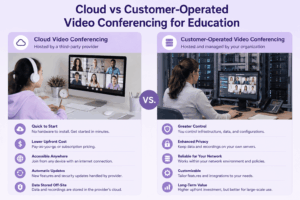
Deployment should follow institutional requirements.
Cloud Platforms
Examples include:
-
Google Meet;
-
Zoom;
-
Teams;
-
Webex;
-
Engageli.
Advantages:
-
vendor-managed infrastructure;
-
faster deployment;
-
less server administration.
Customer-Operated Platforms
Examples include:
-
TrueConf;
-
self-hosted BigBlueButton;
-
Jitsi.
Advantages can include:
-
infrastructure control;
-
private-network operation;
-
server placement controlled by the institution.
Trade-offs include responsibility for:
-
capacity;
-
monitoring;
-
maintenance;
-
updates;
-
availability.
One practical question is:
Who supports the platform during teaching hours?
A self-hosted system requires the institution to have enough operational capacity to keep classes running when teachers and students actually need it.
Restricted Campus Networks
Some institutions operate:
-
private research networks;
-
controlled laboratories;
-
isolated training environments;
-
campuses with restricted external connectivity.
In those cases, test whether:
-
authentication;
-
signaling;
-
media;
-
recordings;
-
core communication
can operate inside the required network architecture.
TrueConf and self-hosted Jitsi are particularly relevant when public-cloud connectivity cannot be assumed.
One Platform or Several?
A large educational institution does not always need one universal video platform.
One Platform
Advantages:
-
simpler administration;
-
simpler training;
-
consistent user experience;
-
fewer integrations.
But one product may need to compromise across very different teaching models.
Several Specialized Platforms
A university could use:
-
BigBlueButton for LMS-based classes;
-
Microsoft Teams for faculty collaboration;
-
Zoom or Webex for large external events;
-
TrueConf for institution-operated communication or private networks.
This can improve fit for each workflow.
The trade-off is:
-
more administration;
-
more integrations;
-
more training;
-
more support complexity.
The right question may therefore be:
Do we need one winner, or a controlled platform portfolio?
When Video Conferencing Is Not the Right Teaching Tool
Live video should not automatically be the default for every learning activity.
A synchronous video session may be a poor fit when:
-
students are spread across difficult time zones;
-
connectivity is highly uneven;
-
the course is primarily self-paced;
-
interaction is not required;
-
the same material could be consumed more effectively as reading or recorded content;
-
attendance at a fixed time creates unnecessary barriers.
Video conferencing should support activities that benefit from real-time interaction.
It should not become the default delivery method for material that does not need to be live.
How to Choose Video Conferencing for Education
Step 1: Define the Teaching Models
Identify how much teaching consists of:
-
lectures;
-
seminars;
-
tutoring;
-
active-learning classes;
-
hybrid classes;
-
fully online classes;
-
webinars.
Step 2: Define the Interaction Pattern
Ask whether students primarily:
-
listen;
-
discuss;
-
work in groups;
-
present;
-
answer polls;
-
collaborate.
Step 3: Map the Existing Education Stack
Document:
-
LMS;
-
identity provider;
-
email;
-
calendar;
-
file storage;
-
classroom hardware.
Step 4: Decide Where the Live Class Should Live
Should it live primarily inside:
-
the LMS;
-
a communication workspace;
-
a standalone meeting platform?
Step 5: Define Student Access and Accessibility
Determine:
-
accounts;
-
browser access;
-
mobile devices;
-
captions;
-
assistive technologies;
-
guest access.
Step 6: Test Teacher Workflows
Run actual lessons using:
-
breakout rooms;
-
polls;
-
whiteboards;
-
screen sharing;
-
moderation.
Step 7: Test Recording, Attendance and Engagement
Verify the entire post-class workflow.
Step 8: Test Real Networks and Devices
Use:
-
student laptops;
-
Chromebooks;
-
mobile phones;
-
weak home networks;
-
campus Wi-Fi.
Step 9: Test Classroom Hardware
For hybrid education, use real teaching rooms.
Step 10: Calculate the Full Operating Model
Include:
-
licensing;
-
server infrastructure;
-
administration;
-
training;
-
support;
-
recording storage.
Education Video Conferencing Decision Matrix
How to Pilot an Education Video Platform
Do not pilot with IT staff alone.
Include:
-
teacher;
-
student;
-
administrator;
-
remote participant;
-
classroom technician where applicable.
Test:
-
student joining from browser, phone, and managed device;
-
teacher scheduling and starting a class;
-
student participation through chat, hand raising, polls, and breakout rooms;
-
accessibility with captions, keyboard navigation, and assistive workflows;
-
weak-network behavior;
-
recording from class to student playback;
-
attendance and engagement reporting;
-
LMS workflow from course to class and back;
-
hybrid-room audio and participation;
-
support burden during real teaching.
A technically capable platform may still be a poor education platform if every class generates support tickets.
Common Mistakes When Choosing Education Video Conferencing
Choosing by Participant Limit
Capacity does not equal meaningful interaction.
Treating Education Like a Business Meeting
Teaching requires different roles, controls, and workflows.
Ignoring the Interaction Model
A lecture, seminar, and active-learning class should not be evaluated the same way.
Ignoring the LMS
The live video session may be only one part of the course.
Turning the Entire Course Into Live Video
Some learning activities are better delivered asynchronously.
Ignoring Accessibility
A platform is not suitable if some students cannot participate effectively.
Testing Only on Teacher Devices and Fast Campus Networks
Student hardware and connectivity may be very different.
Assuming Recording Solves Async Learning
Recordings need to be organized, accessible, captioned, and connected to the course.
Ignoring Hybrid-Room Audio
Remote students often lose participation because they cannot hear the physical classroom.
Forcing One Platform Onto Every Teaching Model
A tutoring session, 300-student lecture, active-learning seminar, and hybrid laboratory may not have the same ideal platform.
Video Conferencing Checklist for Schools and Universities
Teaching
-
Which teaching models must the platform support?
-
How are students expected to participate?
-
What is the largest class that must remain meaningfully interactive?
-
Are breakout rooms, polls, whiteboards, or Q&A required?
-
Does the institution need synchronous video for every course activity?
Student Access and Accessibility
-
Do students need accounts?
-
Can they join through a browser and mobile devices?
-
Are managed Chromebooks or restricted devices used?
-
Are captions, keyboard navigation, or assistive technologies required?
-
Can external lecturers or guests join?
Learning Systems
-
Which LMS is used?
-
Should the live class launch from the LMS?
-
Where should recordings appear after class?
-
Is attendance or engagement data needed?
Infrastructure
-
Are hybrid classrooms part of the deployment?
-
Which room systems already exist?
-
Is SIP/H.323 interoperability needed?
-
Does communication need to operate on customer infrastructure or restricted networks?
Administration
-
How should student identities be provisioned and removed?
-
What student data and recordings should be retained?
-
What support load can the IT team realistically handle?
-
What measurable teaching problem should the platform solve?
If the final question does not have a clear answer, the institution may be comparing technology before defining the educational problem.
Frequently Asked Questions
What is video conferencing in education?
Video conferencing in education allows teachers and learners in different locations to communicate through live:
-
video;
-
audio;
-
screen sharing;
-
presentations;
-
chat.
More advanced educational environments can also include:
-
breakout rooms;
-
polling;
-
whiteboards;
-
recordings;
-
LMS integration;
-
attendance.
What is the best video conferencing platform for education?
There is no single best platform for every educational institution.
BigBlueButton is particularly relevant to LMS-centered virtual classrooms.
Zoom fits general-purpose interactive teaching.
Teams fits Microsoft 365 institutions.
Google Meet fits Google Workspace schools.
TrueConf is relevant when customer-operated communication infrastructure and enterprise video are required.
Engageli is relevant when active-learning interaction is the main requirement.
What is the best video conferencing platform for universities?
It depends on the university’s environment.
BigBlueButton fits LMS-centered online teaching.
Zoom fits general classes and large interactive sessions.
Teams fits Microsoft 365 collaboration.
Webex is relevant to enterprise room environments.
TrueConf fits multi-campus institutions that need customer-operated communications or SIP/H.323 interoperability.
Large universities may also benefit from using several specialized platforms instead of one universal system.
Is Zoom good for education?
Yes, particularly for:
-
online classes;
-
seminars;
-
external learners;
-
breakout-room activities.
It should still be evaluated alongside the institution’s LMS, identity, accessibility, recording, and student access requirements.
Is Google Meet good for schools?
Google Meet is particularly relevant to schools using Google Workspace for Education because it integrates naturally with Google services and supports straightforward browser-based joining.
Is Microsoft Teams good for education?
Teams is useful when the institution needs persistent class communication alongside meetings, files, and Microsoft 365.
It can be broader than necessary if the only requirement is simple video conferencing.
Is BigBlueButton better than Zoom for education?
They solve different problems.
BigBlueButton is course-centric and designed as a virtual classroom.
Zoom is meeting-centric and designed as a general-purpose conferencing platform.
The better option depends on whether the live session should primarily live inside the course or inside a meeting platform.
Can TrueConf be used for education?
Yes.
TrueConf can provide:
-
messaging;
-
video calls;
-
group conferences;
-
content sharing;
-
customer-operated server infrastructure;
-
SIP/H.323 interoperability.
It is particularly relevant to multi-campus and room-heavy educational organizations that need to operate their own communication environment.
Can Secumeet be used for education?
Secumeet can be evaluated when an institution needs:
-
persistent chats;
-
video meetings;
-
screen sharing;
-
presentations;
-
collaboration.
It is more naturally positioned as a communication and collaboration platform than as a purpose-built LMS classroom.
What is the best self-hosted video conferencing platform for education?
BigBlueButton is particularly relevant when self-hosting is combined with LMS-based virtual teaching.
TrueConf fits organizations that want a commercially supported customer-operated communication environment with messaging and enterprise video.
Jitsi is relevant to institutions that want an open-source conferencing stack and have the technical resources to operate it.
What is the difference between video conferencing and a virtual classroom?
Video conferencing provides live communication.
A virtual classroom adds teaching-specific workflows such as:
-
classroom roles;
-
learning activities;
-
LMS integration;
-
attendance;
-
course-connected recordings.
A virtual classroom may use video conferencing technology, but the two concepts are not identical.
Is live video always necessary for online education?
No.
Live video is most useful when learning benefits from:
-
discussion;
-
immediate feedback;
-
demonstration;
-
group work;
-
real-time interaction.
Recorded content, readings, forums, and assignments can be more appropriate when synchronous participation adds little educational value.
Conclusion
Choosing video conferencing for education should start with teaching rather than software.
A university lecture, K-12 lesson, tutoring session, active-learning seminar, fully online course, and hybrid classroom are different communication environments.
Their requirements are different.
BigBlueButton is particularly strong when the live session belongs inside an LMS-centered virtual classroom.
Zoom fits general interactive online teaching.
Microsoft Teams connects meetings with persistent Microsoft 365 collaboration.
Google Meet fits naturally inside Google Workspace for Education.
TrueConf is relevant when an institution needs customer-operated messaging and video infrastructure, private-network communication, or SIP/H.323 interoperability.
Secumeet connects persistent messaging with video meetings and collaboration.
Webex fits larger enterprise-style campuses and room deployments.
Jitsi provides an open-source self-hosted path.
Adobe Connect addresses structured persistent virtual classrooms.
Engageli is relevant when active learning and student participation are more important than a conventional presenter-centered meeting layout.
The central decision is not:
Which education video platform has the most features?
It is:
Where does the live class belong in the learning workflow, and how are students expected to participate?
Keep three principles in mind:
Participant capacity is not the same as meaningful class capacity.
A recording is not automatically a learning resource.
A good video platform should fit into the course, not become the course.
Use this selection sequence:
teaching model → interaction pattern → student access → course/LMS workflow → accessibility → room and network requirements → infrastructure → platform
Author
Helga Afon is a technology writer specializing in video conferencing, collaboration software, and workplace communication. She writes articles and reviews that help readers better understand enterprise communication tools and industry trends.