
A group chat app gives several people a shared space for ongoing messages, files, reactions and, increasingly, voice or video communication. For many groups, the useful workflow is no longer chat or calling as separate features, but a group chat with video calls that lets the same participants move from an ongoing text discussion into live conversation when needed.
But group chat apps are not all designed for the same kind of group.
A WhatsApp family chat, a Discord community, a Slack project channel and a customer-operated enterprise workspace may all support group messaging, but they use different models for identity, membership, administration and conversation structure.
The most useful first question is therefore:
What kind of group are you creating?
Best Group Chat Apps at a Glance
Quick Recommendations
The best choice depends less on whether an app supports group chat and more on how membership, identity and communication are organized around the group.
What Is a Group Chat App?
A group chat app allows multiple users to participate in one persistent conversation or communication space.
Typical features include:
-
text messaging;
-
replies or threads;
-
mentions;
-
reactions;
-
photos and files;
-
voice messages;
-
search;
-
voice or video calls;
-
notifications;
-
member management.
More advanced platforms may also provide channels, roles, guest access, workplace directories, integrations, moderation, centralized administration and self-hosted or customer-operated deployment.
Four Types of Group Chat Apps
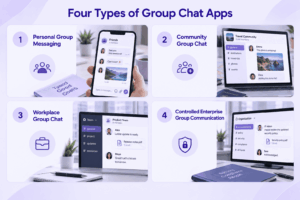
1. Personal Group Messaging
Apps such as WhatsApp and Signal are built around personal accounts and relatively simple member-based groups.
They work well for families, friend groups, clubs and small informal teams because participation is easy and users often already have accounts.
2. Community Group Chat
Discord and Telegram are designed for larger groups that need more structure.
They add channels, topics, moderation, roles, broadcast communication and support for much larger memberships.
3. Workplace Group Chat
Slack, Microsoft Teams and Google Chat organize communication around an organization rather than a personal social network.
The focus shifts toward searchable history, employee identity, projects, files, integrations and centralized access.
4. Controlled Enterprise Group Communication
Some organizations also need group communication to run on infrastructure they control.
Element, TrueConf and Secumeet address different versions of this requirement through federated, self-hosted or customer-operated architectures.
10 Best Group Chat Applications
1. WhatsApp
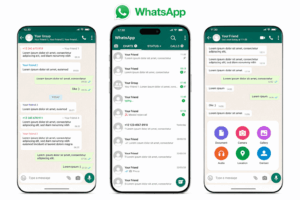
Best for: Friends, families, clubs and small informal groups where most participants already use the app.
WhatsApp uses a relatively simple group model: one shared conversation with a defined member list.
That keeps onboarding easy because users join through existing personal accounts and do not need to learn a workspace or channel hierarchy.
For smaller groups, that simplicity is an advantage. Messages, reactions, photos, files, polls, voice notes and calls all remain in one place.
The model becomes less efficient as the group grows. Several simultaneous topics can compete inside the same timeline, and the platform offers less structural separation than channel-based systems such as Slack or Discord.
WhatsApp Communities add another layer by allowing related groups to sit under a broader umbrella. This can help schools, clubs or local organizations separate discussions without placing everyone into one large chat.
Group Chat Model
-
one main conversation per group;
-
personal-account identity;
-
member-based access;
-
Communities for related groups;
-
media, files, polls and reactions;
-
voice and video calls.
Strengths for Group Chat
-
low barrier to participation;
-
familiar interface;
-
useful for small and medium informal groups;
-
easy transition from messages to calls;
-
Communities add basic structure.
Main Limitation
WhatsApp is not built around organization-managed membership.
For a company, account ownership, centralized offboarding and governance are more limited than in workplace platforms.
Choose WhatsApp when: frictionless participation matters more than formal organizational control.
2. Discord
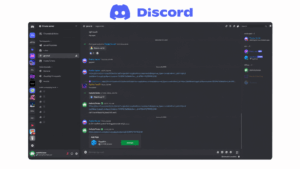
Best for: Large communities, interest groups and teams where one group needs many separate conversations.
Discord solves a different group-chat problem from WhatsApp.
Instead of one large conversation, a Discord server can contain multiple text and voice channels. This makes it easier to separate announcements, support, general discussion, projects and informal topics without fragmenting the community across separate apps.
Roles add another structural layer. Members can receive different permissions, moderation capabilities or access to specific channels.
Voice is especially important in Discord’s model. A voice channel behaves more like an always-available room than a scheduled meeting, which works well for communities and groups that want spontaneous live interaction.
Group Chat Model
-
server as the top-level group;
-
multiple text and voice channels;
-
threads;
-
member roles and permissions;
-
bots and moderation;
-
persistent voice spaces.
Strengths for Group Chat
-
handles large communities better than flat group chats;
-
separates topics into channels;
-
strong role and moderation model;
-
easy movement between text and voice;
-
bots can automate community workflows.
Main Limitation
Discord is community-first rather than enterprise-first.
It does not provide the same organizational identity, retention and corporate administration model as workplace platforms.
Choose Discord when: one large group needs many topics, roles and persistent voice communication.
3. Telegram
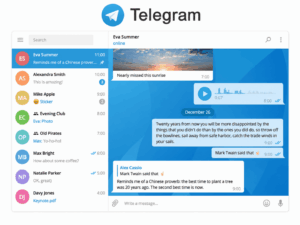
Best for: Large groups, public or semi-public communities and organizations that combine discussion with broadcasting.
Telegram distinguishes between interactive groups and broadcast-oriented channels.
This is useful when part of the communication should remain conversational while another part should be one-to-many.
Large groups can also use topics to divide discussion into separate subject areas. This prevents every conversation from competing inside one continuous stream.
Telegram’s model therefore scales beyond a simple personal group while remaining lighter than an enterprise collaboration platform.
Group Chat Model
-
groups for interactive discussion;
-
channels for broadcasting;
-
topics inside large groups;
-
usernames and invite links;
-
file and media sharing;
-
voice and video communication.
Strengths for Group Chat
-
suitable for very large groups;
-
combines discussion and broadcasting;
-
topics reduce noise;
-
flexible joining mechanisms;
-
good support for media-heavy communities.
Main Limitation
Telegram is not a conventional organization-managed workplace system.
Its security model also differs by chat type, so users should not assume every conversation uses the same protection model.
Choose Telegram when: scale, topics and broadcasting matter more than corporate governance.
4. Signal
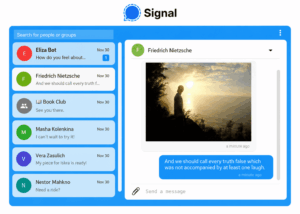
Best for: Private groups where interpersonal privacy matters more than community scale or enterprise administration.
Signal keeps the group model deliberately simple.
Users create a private group, invite members and communicate through text, media, voice messages and calls.
The platform does not try to turn the group into a workspace with channels, bots and complex administration.
That simplicity works well for private groups that want focused communication without a large surrounding ecosystem.
Group Chat Model
-
private member-based groups;
-
personal user identity;
-
encrypted messaging;
-
group voice and video calls;
-
limited workspace-style structure.
Strengths for Group Chat
-
privacy-focused design;
-
simple interface;
-
suitable for smaller private groups;
-
no channel hierarchy to maintain;
-
direct transition from messaging to calls.
Main Limitation
Signal is not designed for large structured communities or enterprise group governance.
As groups grow, the lack of channels, corporate directories and centralized administration becomes more noticeable.
Choose Signal when: the group is relatively small and privacy matters more than organizational structure.
5. Slack
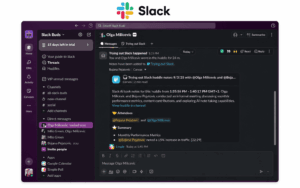
Best for: Workplace teams that need several parallel group conversations inside one organization.
Slack does not treat the workplace as one giant group chat.
Communication is divided into channels. A channel can represent a project, department, client, incident or topic.
That becomes increasingly useful as an organization grows because employees can participate only in the conversations relevant to them.
Threads solve another common group-chat problem: multiple discussions happening at once. Replies stay attached to the message that started the topic rather than creating another conversation in the main timeline.
Slack also supports private channels, group direct messages and external collaboration.
Group Chat Model
-
workspace as organizational boundary;
-
public and private channels;
-
threaded replies;
-
group direct messages;
-
external shared channels;
-
Huddles for live discussion.
Strengths for Group Chat
-
strong separation of topics;
-
threads preserve context;
-
good search across long-lived discussions;
-
flexible internal and external groups;
-
integrations can post directly into channels.
Main Limitation
Slack’s effectiveness depends on channel discipline.
Without clear naming and archiving practices, organizations can end up with hundreds of overlapping channels.
Choose Slack when: workplace group chat needs topic structure, searchable history and integrations.
6. Microsoft Teams
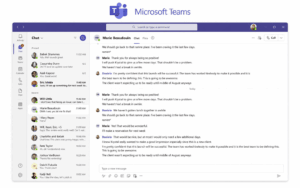
Best for: Organizations where group communication is closely connected to Microsoft 365.
Teams provides more than one group-chat model.
A Team can contain multiple channels for departments or projects, while users can also create standalone group chats for temporary or smaller discussions.
This distinction is useful:
-
channels work better for long-lived group communication;
-
group chats work better for temporary conversations.
Files shared inside channels remain connected to the Microsoft 365 environment, while meetings and calls can be launched from the same broader collaboration context.
Group Chat Model
-
Teams as organizational containers;
-
multiple channels inside each Team;
-
standalone group chats;
-
channel conversations;
-
integrated meetings;
-
Microsoft 365 identity and files.
Strengths for Group Chat
-
supports temporary and persistent groups;
-
channels scale better than flat chats;
-
strong integration with meetings and documents;
-
organization-managed membership;
-
suitable for departments and formal project groups.
Main Limitation
The distinction between Teams, channels, posts, group chats and meetings can become confusing without clear internal communication rules.
Choose Microsoft Teams when: group communication should be connected to Microsoft identity, files and meetings.
7. Google Chat
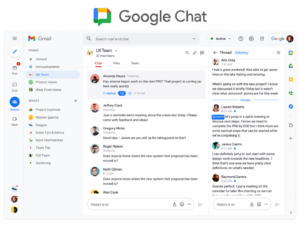
Best for: Google Workspace teams that need relatively lightweight group spaces around files and meetings.
Google Chat uses Spaces as its main persistent group model.
A Space can bring messages, files and members together around a project or team. This provides more structure than a temporary group chat while remaining simpler than a large channel-based platform.
Spaces are most useful when the group already collaborates through Google Drive, Docs, Calendar and Meet.
The communication model is therefore less about creating a standalone chat environment and more about connecting conversation to Google Workspace.
Group Chat Model
-
Spaces for persistent groups;
-
direct and group messages;
-
threaded conversations;
-
Workspace identity;
-
Drive file collaboration;
-
Meet for live communication.
Strengths for Group Chat
-
simple persistent group structure;
-
strong Workspace integration;
-
useful for project communication;
-
easy transition from chat to Meet;
-
centralized workplace accounts.
Main Limitation
Google Chat has less value when an organization does not already use Google Workspace extensively.
Choose Google Chat when: the group conversation is naturally connected to Gmail, Drive, Docs and Meet.
8. Element
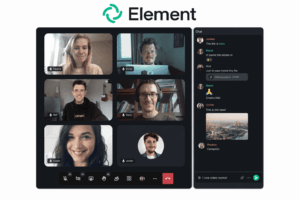
Best for: Groups that need self-hosting, federation or communication across independently operated environments.
Element uses Matrix rooms rather than conventional centralized group chats.
A room can function as a persistent group conversation, while Spaces can organize multiple rooms into a larger structure.
The main difference is architectural.
Matrix supports federation, allowing users on independently operated servers to participate in shared rooms. This can be useful when several organizations need to communicate without placing every participant inside one vendor-controlled workspace.
Group Chat Model
-
rooms for group conversations;
-
Spaces for organizing rooms;
-
federated membership;
-
self-hosted server options;
-
voice and video;
-
permission controls.
Strengths for Group Chat
-
supports cross-organization groups;
-
self-hosted deployment;
-
flexible trust boundaries;
-
groups can span independently managed servers;
-
persistent communication.
Main Limitation
Federation introduces more complexity than a centralized cloud messenger.
Organizations need to define who operates servers, how federation is controlled and which policies apply across domains.
Choose Element when: group communication needs to cross organizational boundaries without requiring one central workspace owner.
9. TrueConf
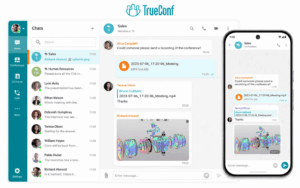
Best for: Enterprises that need persistent group communication together with video conferencing on customer-operated infrastructure.
TrueConf supports several group communication patterns rather than only one group chat.
Teams can use persistent group chats for ongoing discussions and channels for broader information distribution. Group communication remains tied to corporate user accounts rather than personal phone numbers.
This changes how membership can be managed. Users can be created and controlled centrally, which is relevant when group membership follows departments, roles or project teams.
The other important distinction is the relationship between chat and live communication.
A group discussion can move into a voice call or video conference without requiring an unrelated conferencing service. This is useful for workgroups where asynchronous messaging and synchronous meetings are both frequent.
Group Chat Model
-
persistent group chats;
-
organizational channels;
-
corporate accounts;
-
centralized user management;
-
native voice and video communication;
-
customer-operated server environment.
Strengths for Group Chat
-
membership can follow corporate identity;
-
persistent communication before and after meetings;
-
messaging and video remain in one platform;
-
suitable for distributed enterprise groups;
-
customer-operated deployment;
-
private-network operation where required.
Main Limitation
TrueConf is designed around enterprise communication rather than casual or public communities.
It is less suitable when the goal is simply to create an informal public group that anyone can join through a consumer account.
Choose TrueConf when: persistent enterprise groups need centralized membership, video communication and infrastructure control in the same system.
10. Secumeet

Best for: Organizational groups that need persistent chat and live collaboration to remain part of the same communication flow.
Secumeet’s group-chat role is centered on continuity.
A group can use messaging for ongoing communication, exchange files and preserve context between meetings. When a discussion becomes difficult to resolve asynchronously, participants can move into live video collaboration with screen sharing, presentations and shared content.
This matters because many work groups do not remain purely asynchronous.
A typical workflow may look like:
group message → discussion → file shared → video meeting → screen or presentation review → decision → follow-up in group chat
In a fragmented toolset, each stage may happen in a different application.
Secumeet is better suited to environments where the organization wants these stages to remain inside one managed communication environment.
Group Chat Model
-
personal and persistent group chats;
-
file exchange;
-
video meetings;
-
screen sharing;
-
presentations;
-
content collaboration;
-
customer-operated deployment.
Strengths for Group Chat
-
group context continues before and after meetings;
-
chat is closely connected to live video collaboration;
-
suitable for project and operational groups;
-
shared content can be discussed synchronously;
-
customer-operated communication environment.
Main Limitation
Secumeet is not intended to replace public community platforms such as Discord or Telegram.
Its group model is more relevant to defined organizational teams than to creators, public communities or very large open audiences.
Choose Secumeet when: a work group needs persistent messaging, live meetings and content collaboration without splitting communication across unrelated tools.
Group Chat vs Channel: What Is the Difference?
A traditional group chat usually places all participants inside one conversation.
A channel-based platform divides communication into separate spaces.
A ten-person project group may need only one conversation.
A 500-person organization usually benefits from channels, topics or another hierarchical structure.
Group Chat Apps for Work vs Personal Groups
The difference becomes more important as a company grows and membership needs to follow organizational roles rather than personal relationships.
6 Questions That Matter More Than Feature Count
1. Will One Conversation Be Enough?
A flat group works well when most members need the same discussion.
If several topics will run simultaneously, channels or topics may be more useful.
2. Who Controls Membership?
For personal groups, individual administrators may be enough.
Work groups may need centrally managed accounts, guest controls and immediate access removal.
3. Does the Group Need Long-Term History?
Check whether messages remain searchable, how files are retained and whether old conversations can be exported.
4. How Often Does Chat Become a Call?
Some groups remain mostly asynchronous.
Others frequently need voice, video, screen sharing or presentation review.
5. Will External Participants Join?
Clients, contractors and partners may need restricted access rather than full workspace membership.
6. Who Controls the Infrastructure?
For most groups, vendor-hosted messaging is sufficient.
Some organizations require self-hosted or customer-operated deployment because infrastructure and data location are part of the requirement.
What Happens When the Group Changes?
Creating a group is only the beginning of its lifecycle.
For workplace groups, check what happens when users, roles and projects change.
Important questions include:
-
who can add members;
-
who can remove members;
-
whether group ownership can be transferred;
-
what happens when an employee leaves;
-
whether guests can be restricted;
-
whether inactive groups can be archived;
-
whether history remains searchable after a group closes;
-
whether messages and files can be exported.
A platform that makes group creation easy but group closure difficult can create long-term administration and data-governance problems.
Private Group Chat vs Self-Hosted Group Chat
These terms are not synonyms.
A vendor-operated messenger can provide strong privacy while still running entirely on provider infrastructure.
A self-hosted or customer-operated group chat changes who controls the server environment.
The correct model depends on what private means for the group.
Free Group Chat Apps: What Should You Compare?
Many consumer group chat apps are free, and several workplace platforms also provide free plans or editions.
Free options can differ in:
-
group size;
-
message history;
-
file storage;
-
calls;
-
integrations;
-
guest access;
-
administration;
-
advanced search.
For work groups, the most important question is not simply:
Is this app free?
It is:
Which limitation will affect the group first?
A free plan with generous membership but restricted history may become unsuitable faster than a plan with a lower user limit but better long-term access.
How to Choose a Group Chat App
1. Identify the Group Type
Is it a personal group, community, project team, department, company-wide group or external partner space?
2. Estimate the Real Group Size
A ten-person project chat and a 1,000-person community need different structures.
3. Choose the Conversation Model
Decide whether the group needs:
-
one flat conversation;
-
topics;
-
channels;
-
threads;
-
several subgroups.
4. Determine the Live Communication Requirement
Check whether participants need only messaging or also voice, video, screen sharing and presentations.
5. Define the Membership Model
Determine:
-
who owns the accounts;
-
how users join;
-
how they are removed;
-
whether guests require restricted access.
6. Check History and Exit Options
Verify whether old messages remain searchable and whether important messages and files can be exported.
7. Choose the Deployment Model
For most personal groups, cloud delivery is sufficient.
For organizational groups, infrastructure control may become a selection criterion.
Common Group Chat Problems
Group Chat With Video Calls: When Text Should Become Live
A group chat video call is most useful when the live conversation starts from an existing group rather than creating a separate communication context. The same people who have been exchanging messages can move into voice or video, clarify the issue, share a screen if needed and then return to the persistent chat afterward.
Text remains the better starting point for quick questions, updates, links and decisions that should stay searchable. A video call becomes more useful when the communication cost of staying in text becomes higher than the cost of meeting live.
For workplace groups, the strongest chat-and-video model is therefore not simply having both features in the same app. It is preserving continuity between them: message → video call → decision → follow-up in the same group context.
This is especially relevant when comparing apps such as WhatsApp, Signal, Discord, Microsoft Teams, TrueConf and Secumeet, where voice or video is connected to an existing group in different ways. The practical comparison is whether participants can move into live communication easily, whether screen sharing is available when needed, and whether the conversation remains accessible before and after the call.
Frequently Asked Questions
What is the best group chat app?
There is no single best option.
WhatsApp works well for personal groups, Discord for structured communities, Signal for privacy-focused groups, Slack for workplace channels, and TrueConf or Secumeet for organizations that need managed group communication together with live video.
What are the best free group chat apps?
WhatsApp, Signal, Telegram and Discord provide free group messaging for personal or community use.
Workplace platforms may also provide free plans or editions, but history, storage, integrations, administration and calling limits should be checked separately.
What is the best group chat app for work?
Slack, Microsoft Teams and Google Chat are common cloud workplace options.
Organizations that need federated, self-hosted or customer-operated environments can also consider Element, TrueConf or Secumeet.
What is the best private group chat app?
That depends on what private means.
Signal focuses on interpersonal privacy.
Element addresses self-hosted and federated communication, while TrueConf and Secumeet provide organization-controlled communication environments.
What is the difference between a group chat and a channel?
A group chat usually contains one shared conversation.
A channel creates a separate discussion space around a topic, department or project and works better when a group needs several parallel conversations.
Can you make a video call from a group chat?
Yes. Many modern group chat apps support voice or video communication for existing groups. The exact workflow differs by platform: some start a call directly from the group, while others connect the chat to a meeting or voice room. For ongoing teams, it is useful when the same group context remains available before and after the live call.
Which group chat apps support video calls?
Examples in this comparison that support voice or video communication include WhatsApp, Discord, Telegram, Signal, Slack, Microsoft Teams, Google Chat through Google Meet, Element, TrueConf and Secumeet. The important differences are how calls are launched, participant and plan limits, screen-sharing options, and whether live communication stays connected to the persistent group conversation.
Can a group chat app be self-hosted?
Yes.
Element supports self-hosted Matrix deployments, while TrueConf and Secumeet provide customer-operated communication environments for organizational use.
Conclusion
Group chat apps solve different group structures rather than one universal messaging problem.
The main choice is between:
flat personal groups → structured communities → workplace channels → organization-controlled communication environments
For Secumeet, the relevant model is persistent group messaging connected directly to live video and content collaboration.
Before choosing a platform, determine:
group type → membership model → conversation structure → live communication → administration → deployment
Those decisions usually narrow the shortlist faster than comparing feature counts.
Author
Helga Afon is a technology writer specializing in video conferencing, collaboration software, and workplace communication. She writes articles and reviews that help readers better understand enterprise communication tools and industry trends.