
Updated August 2026
Video conferencing software enables people to run live video meetings, share screens, exchange messages, record sessions, and collaborate from desktop, mobile, or browser-based applications. The right platform depends on the meeting type, participant count, existing business tools, security requirements, deployment model, and budget.
We compared nine platforms using the same categories: meeting and guest access, core collaboration features, administration and security, pricing, integrations, deployment, recording and AI capabilities, and mobile and browser availability. This is a use-case comparison rather than a universal ranking.
Best video conferencing software at a glance
Comparison table
Prices are shown in US dollars where a public US price was available and were checked in August 2026. Vendors may change prices, plan names, regional availability, participant limits, promotions, and included features. Follow the linked official pages before purchasing.
How we evaluated the platforms
Inclusion criteria
We included platforms that support scheduled or instant video meetings and are available as a vendor-hosted service, a self-hosted system, or both. Each product had to support organizational use in business, education, government, or another professional setting.
Comparison criteria
All products were reviewed using the same eight categories:
-
Meeting experience and guest access
-
Core meeting and collaboration features
-
Administration and security
-
Pricing and free-plan value
-
Integrations and ecosystem
-
Deployment flexibility
-
Recording, transcription, and AI
-
Mobile and browser availability
We did not assign a numerical score because the importance of each category changes by use case. For example, browser guest access may matter most for customer meetings, while offline operation may be mandatory for an isolated network.
Verification method
This comparison is based on vendor pricing pages, product documentation, public help centers, technical specifications, and deployment documentation available in August 2026. We did not run identical performance tests across all nine platforms. Claims that require controlled testing, such as video quality under packet loss or the accuracy of AI-generated meeting notes, are not presented as independently verified results.
Best video conferencing software platforms
Zoom
-
Best for: External meetings and client-facing calls
-
Deployment: Cloud
-
Free plan: Yes; 100 participants and a 40-minute limit on group meetings
-
Starting price: Zoom Workplace Pro is $15.99 per user per month when billed monthly; annual pricing may differ
-
Participant limit: 100 on Basic and Pro, 300 on Business, 500 on Enterprise, with 500- and 1,000-participant add-ons available
-
Browser access: Yes, although some functions require the desktop or mobile app
-
Mobile apps: iOS and Android
-
Recording: Local and cloud recording, depending on the plan
-
Transcription and AI: AI Companion provides meeting summaries and action items on eligible plans
-
Security and administration: Waiting rooms, passcodes, SSO and administrative controls; optional end-to-end encryption has feature trade-offs

Zoom is suited to organizations that regularly invite clients, partners, or other external participants. Guests can usually join from a link without creating an account, while the host can use waiting rooms, breakout rooms, polls, reactions, screen sharing, and recording.
Its main limitation is architectural: Zoom does not provide a fully self-hosted meeting platform. Organizations with many paid users should also model the total annual subscription cost rather than comparing only the entry price. AI-generated summaries should be reviewed for accuracy, especially in meetings with overlapping speech, specialist terminology, or unclear audio.
Sources: Zoom Workplace Pro, Zoom participant limits, Zoom system requirements, Zoom end-to-end encryption
Microsoft Teams
-
Best for: Organizations standardized on Microsoft 365
-
Deployment: Cloud
-
Free plan: Yes; 100 participants, 60-minute meetings, and no meeting recording
-
Starting price: Teams Essentials is $4 per user per month, paid yearly in the US
-
Participant limit: 300 on Teams Essentials and Microsoft 365 Business plans; selected enterprise licenses support up to 1,000 interactive participants
-
Browser access: Yes
-
Mobile apps: iOS and Android
-
Recording: Available on business plans, with storage and retention controlled by Microsoft 365 policies
-
Transcription and AI: Transcription is available on supported plans; Microsoft 365 Copilot is licensed separately or included in selected offers
-
Security and administration: Microsoft 365 identity, conditional access, compliance policies, SSO, eDiscovery and retention capabilities vary by license

Teams combines meetings, chat, files and Microsoft 365 applications. It is a practical choice when users already work in Outlook, SharePoint, OneDrive, Word, Excel and PowerPoint, because administrators can manage collaboration and identity within the same Microsoft environment.
The product may require more onboarding than a meeting-only tool because navigation, channels, chat, files, apps and meeting controls share one interface. Guest access also depends on organizer policy, tenant settings and the type of external identity being used.
Sources: Teams business pricing, Teams Free limits, Teams limits and specifications, Teams browser support
Google Meet
-
Best for: Google Workspace users
-
Deployment: Cloud
-
Free plan: Yes; up to 100 participants and 60 minutes for group meetings
-
Starting price: Google Workspace Business Starter is $7 per user per month with an annual commitment in the US
-
Participant limit: 100 on Starter, 150 on Standard, 500 on Plus and up to 1,000 on Enterprise
-
Browser access: Yes; a desktop installation is not required
-
Mobile apps: iOS and Android
-
Recording: Included from Business Standard upward
-
Transcription and AI: Captions, translated captions and Gemini features vary by Workspace edition
-
Security and administration: Managed through the Google Admin console; data controls, retention and compliance functions depend on edition
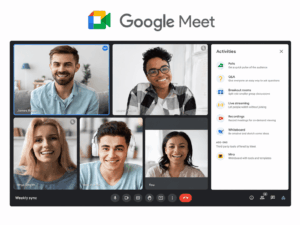
Meet is designed for browser-based access and integrates with Gmail, Calendar, Drive and Docs. It is a natural choice for organizations already standardized on Google Workspace and for teams that want users to join from a browser without installing a desktop client.
Feature availability changes significantly between Workspace editions. Organizations should compare required recording, attendance, moderation, live-streaming, data-retention and administrative controls before choosing a plan rather than assuming that all Meet features are included in Business Starter.
Sources: Google Workspace pricing, Google Meet free limits, Meet features by edition, Supported browsers
Webex
-
Best for: Regulated enterprises and Cisco environments
-
Deployment: Cloud, with hybrid and private architecture options
-
Free plan: Yes; 100 attendees and 40-minute meetings
-
Starting price: Webex Meet is $12 per user per month when billed annually in the US
-
Participant limit: 100 on Free and 200 on Webex Meet; enterprise sites can be licensed for higher limits
-
Browser access: Yes
-
Mobile apps: iOS and Android
-
Recording: Local recording on Free and cloud recording on paid plans
-
Transcription and AI: Closed captions, noise cancellation and Webex AI Assistant on eligible plans
-
Security and administration: Role-based administration, SSO, policy controls and compliance documentation; availability differs by service, region and contract
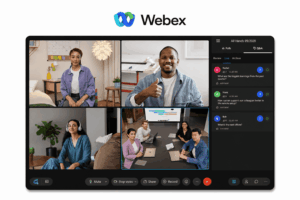
Webex is relevant to enterprises that need detailed administration, documented security information, or integration with Cisco room systems and networking infrastructure. Hosts and administrators can control content sharing, recording, participant roles and meeting policies.
The range of enterprise controls can increase configuration and onboarding work compared with a simpler meeting-only service. Buyers should verify the specific Webex service, region and contract when evaluating claims related to HIPAA, FedRAMP, data residency or other compliance requirements.
RingCentral
-
Best for: Unified communications
-
Deployment: Cloud
-
Free plan: Availability varies by RingCentral product and region
-
Starting price: Public pricing varies by RingEX package, user count, billing period, market and contract
-
Participant limit: Common RingCentral Video and RingEX configurations support 100 or 200 participants
-
Browser access: Yes
-
Mobile apps: iOS and Android
-
Recording: Plan-dependent
-
Transcription and AI: Live transcription, summaries, notes and action items are available in selected products and plans
-
Security and administration: Centralized user, phone, messaging and meeting administration

RingCentral is designed for organizations that want business telephony, messaging, SMS, fax and video meetings under one vendor. Users can move from a chat or phone call to a video session without adopting a separate meeting system.
Its value is strongest when the organization needs the wider communications package. Buyers looking only for video conferencing should compare the full subscription cost and verify which meeting capacity, recording, AI and telephony functions are included in the quoted package. AI-generated notes should be treated as drafts rather than official meeting records.
TrueConf Server
-
Best for: Offline and private-network deployment
-
Deployment: On-premises on Windows Server, Linux or Docker
-
Free plan: TrueConf Server Free supports 1,000 simultaneous online users, 10 PRO users for group conferences, one guest browser connection and one SIP/H.323/RTSP connection
-
Starting price: Free edition; the public US calculator lists paid annual licenses from $1,500 before support and taxes
-
Participant limit: Up to 10 PRO users in the free edition; paid configurations support up to 2,000 participants, depending on license and conference mode
-
Browser access: Yes, through WebRTC
-
Mobile apps: iOS, iPadOS and Android
-
Recording: Client-side and server-side recording
-
Transcription and AI: Noise reduction and background effects are available; on-premises transcription requires TrueConf AI Server and the relevant integration licenses
-
Security and administration: Customer-managed infrastructure, local storage, directory integration and offline operation in paid editions
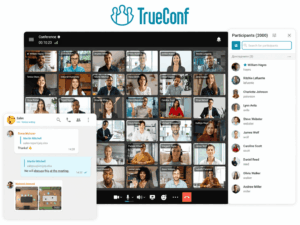
TrueConf Server is intended for organizations that need to keep meeting infrastructure inside their own network or operate in a closed environment without internet access. It also supports SIP and H.323 interoperability with compatible room systems and PBXs.
The free edition still requires online activation and annual license renewal. Fully autonomous operation is a paid-edition capability. Deployment, backup, monitoring, updates and network configuration remain the customer’s responsibility.
Sources: TrueConf Server pricing, TrueConf Server Free, TrueConf Server documentation, Supported client platforms, TrueConf AI Server
Secumeet Server
-
Best for: Private enterprise infrastructure
-
Deployment: On-premises
-
Free plan: No public free plan
-
Starting price: Contact the vendor
-
Participant limit: Up to 1,500 participants according to the vendor; actual capacity depends on license, topology, server resources, media settings and meeting format
-
Browser access: Yes, according to vendor product materials
-
Mobile apps: iOS and Android, according to vendor product materials
-
Recording: Stored on customer-managed infrastructure
-
Transcription and AI: Automatic transcription and noise suppression are listed by the vendor; edition requirements and external dependencies should be confirmed in a quotation
-
Security and administration: Customer-managed servers, network, storage, access policies and maintenance

Secumeet Server is positioned for organizations that want to operate video conferencing inside their own network rather than use a vendor-managed public cloud. Its product materials describe desktop, mobile and browser access, SIP/H.323 interoperability, recording, screen sharing, messaging and large-meeting support.
Public pricing and detailed plan matrices are not available. Buyers should therefore request a written specification covering participant capacity, redundancy, supported operating systems, browser versions, mobile functions, recording, AI processing, update rights, support terms and required third-party components.
Jitsi Meet
-
Best for: Open-source and privacy-focused deployment
-
Deployment: Public meet.jit.si service or self-hosted
-
Free plan: Free public instance available; practical capacity, authentication rules and usage policies may change
-
Starting price: No software license fee for self-hosting; infrastructure, administration and support costs apply
-
Participant limit: Infrastructure-dependent
-
Browser access: Yes
-
Mobile apps: iOS and Android
-
Recording: Optional; implementation depends on the public service or self-hosted configuration
-
Transcription and AI: Not a standardized built-in commercial AI package; capabilities depend on deployment and integrations
-
Security and administration: End-to-end encryption can be enabled in supported browser scenarios; authentication and policy controls depend on configuration
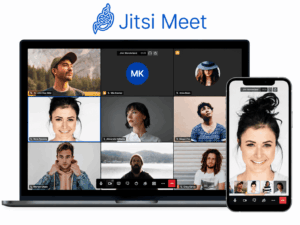
Jitsi Meet is open-source and can be deployed on infrastructure controlled by the organization. It is useful for no-account meetings and for technical teams that want to customize authentication, branding, integrations and data handling.
The public meet.jit.si service should not be treated as an unlimited enterprise service. Its availability, policies and operational capacity can change, while recording, centralized administration, monitoring and reliable scaling require additional components or a managed provider.
Sources: Jitsi Meet, Jitsi downloads, Jitsi security, meet.jit.si terms, Jitsi self-hosting handbook
BigBlueButton
-
Best for: Online education
-
Deployment: Self-hosted or hosted by a third-party provider
-
Free plan: The open-source software has no license fee
-
Starting price: Free software; infrastructure, administration, hosting and support costs apply
-
Participant limit: Infrastructure-dependent and configurable by the operator
-
Browser access: Yes, including supported mobile browsers
-
Mobile apps: No separate native app is required for normal participation; mobile browser support is available
-
Recording: Yes, when enabled by the host or server configuration
-
Transcription and AI: Not publicly specified as a standardized core AI package; integrations and provider-specific additions vary
-
Security and administration: Managed by the hosting institution or provider
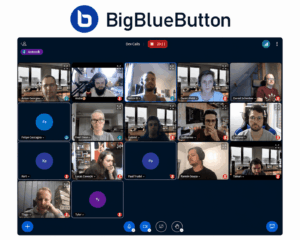
BigBlueButton is designed for virtual classrooms rather than general business meetings. It provides polls, breakout rooms, shared notes, a multi-user whiteboard, hand-raising indicators and integrations with learning management systems such as Moodle and Canvas.
Capacity is not a single product-wide number because it depends on server sizing, webcam use, audio load, recording, topology and configuration. Institutions should run a pilot using representative class sizes and teaching patterns before selecting hardware or a hosting provider.
Sources: BigBlueButton, BigBlueButton documentation, BigBlueButton mobile browser FAQ, BigBlueButton recording documentation
Cloud vs. self-hosted video conferencing
Self-hosting is not automatically more secure or less expensive. It gives the organization greater infrastructure control, but the customer also becomes responsible for patching, certificates, monitoring, backups, redundancy and incident response. Other architectures worth evaluating include self-managed Jitsi, BigBlueButton for education, Pexip private or hybrid deployments, and Webex hybrid or private options. The products in this article are not an exhaustive list of private-deployment systems.
Security checklist
Self-hosting and end-to-end encryption are separate properties. A platform can run on customer infrastructure without providing endpoint-only decryption, while an E2EE meeting may disable recording, transcription, PSTN access or other server-side functions.
GDPR does not impose a universal prohibition on US-based cloud providers. Organizations still need to assess the legal basis for processing, international transfers, contractual safeguards, subprocessors, security controls, data residency and sector-specific rules.
Pricing and total cost of ownership
The lowest advertised subscription is not always the plan an organization needs. Compare the actual edition required for recording, storage, administration, identity management, compliance, telephony, room systems and larger meetings.
For open-source systems such as Jitsi and BigBlueButton, “free” refers to the software license. Infrastructure, maintenance, monitoring, backups, upgrades and support still have a cost.
How to choose video conferencing software
-
Define the meeting type: internal calls, customer consultations, webinars, classrooms, telehealth, board meetings or closed-network communication.
-
Record the expected number of interactive participants, listeners and external guests.
-
Identify mandatory integrations with Microsoft 365, Google Workspace, telephony, room systems, LMS platforms or identity providers.
-
List required controls for recording, moderation, data residency, audit logs, E2EE and AI processing.
-
Decide whether cloud, hybrid, private-cloud or fully self-hosted deployment is acceptable.
-
Compare the total cost of the required edition rather than the entry plan.
-
Run a pilot with actual employees and external participants before signing a long-term contract.
A useful pilot should document account requirements, guest browser joining, number of steps to enter a meeting, recording, captions, mobile access, administrative controls and behavior on the organization’s real network. This article does not claim that those tests were completed uniformly across all nine products.
Final decision table
Frequently asked questions
What is video conferencing software?
Video conferencing software supports live audio and video meetings, screen sharing, messaging and, depending on the product and plan, recording, captions, transcription and AI-assisted functions.
What is the best video conferencing software for most businesses?
There is no universal winner. Zoom is oriented toward external meetings, Teams toward Microsoft 365 environments, Meet toward Google Workspace, Webex toward enterprise controls, and RingCentral toward unified communications.
What is the best free video conferencing software?
Zoom, Microsoft Teams, Google Meet, Webex, Jitsi Meet, TrueConf Server Free and self-hosted BigBlueButton all have free access or a no-license-cost edition, but their participant limits, time limits, hosting requirements and business features differ.
Which platforms can be self-hosted?
TrueConf Server, Secumeet Server, Jitsi Meet and BigBlueButton can run on customer-controlled infrastructure. Pexip and other enterprise systems also provide private or hybrid architecture options, so this list is not exhaustive.
Does self-hosting automatically provide end-to-end encryption?
No. Self-hosting determines who controls the infrastructure. End-to-end encryption determines where content can be decrypted. Each property must be assessed separately.
How much does business video conferencing software cost?
Cloud products may charge per user, host, room, add-on or event. Self-hosted products add software, infrastructure, storage, administration, support and upgrade costs. Compare total cost of ownership for the exact deployment and feature set required.
Conclusion
The best platform depends on the organization’s existing ecosystem, guest-access requirements, security model and deployment constraints. Zoom, Teams, Meet, Webex and RingCentral are cloud-first services with different strengths in external meetings, productivity integrations, administration and telephony.
Organizations that require open-source or locally managed infrastructure can evaluate Jitsi, BigBlueButton, TrueConf Server and Secumeet Server, alongside other private or hybrid options such as Pexip. Before choosing, verify the current plan documentation and run a pilot covering guest joining, mobile access, recording, captions, administration, network performance and total cost.
Author
Helga Afon is a technology writer specializing in video conferencing, collaboration software, and workplace communication. She writes articles and reviews that help readers better understand enterprise communication tools and industry trends.