
Unified communications and collaboration brings business communication channels into a connected environment instead of forcing employees to move between unrelated tools for every interaction.
A modern unified communications platform can combine messaging, presence, business calling, video meetings, file sharing, meeting rooms, directories, and administration. The goal is not simply to place many features in one application. The real value is continuity between them.
A user should be able to move from:
message → voice call → video meeting → screen sharing → meeting room
without rebuilding the conversation, searching for the same colleague in another application, or switching to a separate identity system.
That leads to a useful definition:
Unified communications is not about how many communication tools a platform contains. It is about how well those tools share identity, context, presence, devices, and administration.
Quick Answer
The best unified communications platforms serve different infrastructure and collaboration models.
-
TrueConf — best for self-hosted unified communications and private networks.
-
Microsoft Teams — best for Microsoft 365-centric organizations.
-
Cisco Webex — best for enterprise calling, meetings, and room environments.
-
Zoom Workplace — best for cloud-first meetings and communications.
-
RingCentral — best for cloud telephony-first UC.
-
8×8 — best for combining UC and contact center.
-
Avaya — best for established enterprise telephony and hybrid environments.
-
Mitel — best for organizations modernizing existing business telephony.
-
Dialpad — best for AI-oriented cloud communications.
-
GoTo Connect — best for SMB and mid-market cloud UC.
-
Vonage Business Communications — best for business communications combined with communications APIs.
-
Nextiva — best for business communications with customer-facing workflows.
-
Intermedia Unite — best for managed SMB and mid-market UC.
-
Secumeet — best for private messaging, meetings, and collaboration.
-
Google Workspace — best for organizations centered on Google productivity tools.
What Is Unified Communications and Collaboration?
Unified communications and collaboration (UCC) is an approach that connects multiple business communication modes inside a common environment.
A unified communications and collaboration platform may include:
-
team chat;
-
presence;
-
voice calling;
-
business telephony;
-
screen sharing;
-
file exchange;
-
meeting rooms;
-
voicemail;
-
calendars;
-
corporate directories;
The important part is the word unified.
Five separate communication applications do not automatically create unified communications.
The communication experience becomes unified when users, identities, contacts, presence information, policies, and conversations can move between communication modes with minimal friction.
A simple model looks like this:
Identity → Presence → Message → Call → Meeting → Room → Workflow
15 Best Unified Communications Platforms
1. TrueConf
Best for: self-hosted unified communications and private networks
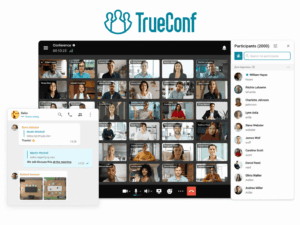
TrueConf is particularly relevant for enterprises that want to operate communications infrastructure under their own control.
TrueConf Server combines video conferencing and team messaging and can operate in LAN and VPN environments. Its documentation also describes LDAP/LDAPS integration and built-in SIP, H.323, and RTSP gateways, making it suitable for organizations that need to connect software clients, corporate directories, PBX infrastructure, and third-party conferencing equipment.
Its UC environment can cover:
-
personal and group messaging;
-
video conferencing;
-
file exchange;
-
corporate directories;
-
meeting rooms;
-
SIP/H.323 endpoints;
-
PBX integration;
-
centralized administration;
-
private-network communication.
This makes TrueConf fundamentally different from cloud-only UC platforms.
The strongest use case is an organization where communication should remain connected to existing enterprise infrastructure rather than becoming another externally operated SaaS layer.
Best fit: enterprises, government organizations, regulated environments, private networks, and organizations with existing SIP/H.323 infrastructure.
Consider if: self-hosting, room integration, or internet-independent internal communication is an important architectural requirement.
2. Microsoft Teams

Best for: organizations already centered on Microsoft 365
Microsoft Teams combines chat, meetings, calling, files, collaboration, and Microsoft 365 services in one employee workspace.
Teams Phone extends the environment into business telephony, while Teams meetings, channels, chats, calendars, files, and Microsoft 365 applications provide the collaboration layer.
Microsoft continues to expand Teams calling features; for example, its 2026 updates include multi-line calling and enhanced call-queue recording and transcription.
Teams is strongest when employees already work inside:
-
Microsoft 365;
-
Outlook;
-
SharePoint;
-
OneDrive;
-
Entra ID;
-
Microsoft calendars and documents.
The advantage is ecosystem continuity.
A conversation can move between chat, documents, meetings, and calling while remaining connected to the same corporate identity.
Best fit: organizations deeply invested in the Microsoft ecosystem.
Consider if: Microsoft 365 integration matters more than infrastructure independence.
3. Cisco Webex
Best for: enterprise calling, meetings, and room environments
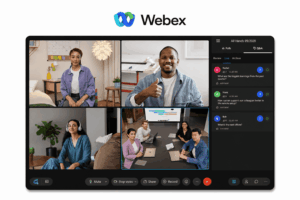
Cisco Webex is one of the strongest examples of a traditional enterprise unified communications platform evolving into a modern collaboration environment.
Its broader UC ecosystem spans:
-
messaging;
-
video meetings;
-
enterprise calling;
-
presence;
-
meeting rooms;
-
conferencing hardware;
-
gateways;
-
communication management.
Cisco is particularly relevant for large enterprises where software collaboration and physical meeting infrastructure need to work together.
Its strength is not simply video conferencing.
It is the ability to connect employee communications with enterprise telephony and room systems across complex environments.
Best fit: large enterprises with significant calling and room infrastructure.
Consider if: hardware endpoints, business telephony, and enterprise meeting rooms are central to the UC strategy.
4. Zoom Workplace

Best for: cloud-first meetings and communications
Zoom has expanded far beyond its original meeting-centric positioning.
Zoom Workplace now brings together capabilities across Meetings, Phone, Spaces, and Chat. Zoom’s October 2026 product announcements continue to develop this connected model across meetings, calling, workspaces, and chat.
Its UC environment can include:
-
Zoom Meetings;
-
Zoom Phone;
-
team chat;
-
meeting rooms;
-
whiteboarding and collaboration;
-
workflow and productivity features.
Zoom is particularly strong where organizations want a cloud-first platform with a familiar meeting experience and integrated telephony.
Best fit: distributed organizations prioritizing cloud-based meetings and calling.
Consider if: ease of cloud adoption matters more than operating the core UC infrastructure internally.
5. RingCentral

Best for: cloud telephony-first unified communications
RingCentral approaches UC from a strong business calling foundation.
Its model brings together cloud telephony, messaging, meetings, and employee communication.
This makes it especially relevant when the migration project begins with the business phone system rather than with team chat or video conferencing.
Common use cases include:
-
replacing legacy PBX systems;
-
providing business numbers across desktop and mobile devices;
-
connecting calling and messaging;
-
consolidating multiple cloud communication services.
RingCentral is therefore a classic UCaaS choice.
Best fit: organizations replacing traditional office telephony with cloud communications.
Consider if: calling is the center of the UC architecture.
6. 8×8

Best for: unified communications plus contact center
8×8 is particularly interesting for organizations that want employee communications and customer communications to share a broader platform.
Its current platform combines voice, video, chat, APIs, and contact-center capabilities. 8×8 describes its platform as integrating UCaaS, CCaaS, CPaaS, and related data, while its product environment includes voice, video, chat, and messaging.
This creates a broader model:
employee communication + customer communication
instead of treating UC and contact center as completely separate environments.
Best fit: organizations that need UC and contact-center functions together.
Consider if: customer service and internal communications need closer integration.
7. Avaya

Best for: established enterprise telephony and hybrid environments
Avaya remains relevant because not every unified communications project begins with a clean cloud environment.
Many large organizations already operate:
-
enterprise telephony;
-
contact-center systems;
-
physical endpoints;
-
established calling workflows;
-
hybrid infrastructure.
For these organizations, replacing every system simultaneously may be unrealistic.
Avaya is therefore particularly relevant to gradual UC modernization.
Its role is less about starting from scratch and more about connecting or evolving established communications infrastructure.
Best fit: large organizations with significant existing telephony investments.
Consider if: migration must be gradual rather than cloud-first.
8. Mitel

Best for: hybrid and on-premises telephony modernization
Mitel also represents the infrastructure-heavy side of unified communications.
Its strongest fit is organizations where business calling remains central and where the transition toward modern UC must account for existing phone infrastructure.
Typical requirements include:
-
business telephony;
-
desktop and mobile communication;
-
unified messaging;
-
hybrid deployments;
-
existing PBX environments.
Mitel can therefore be more relevant than collaboration-first products when telephony architecture drives the project.
Best fit: organizations modernizing established phone systems.
Consider if: calling continuity matters more than adopting a completely new collaboration ecosystem.
9. Dialpad
Best for: AI-oriented cloud communications
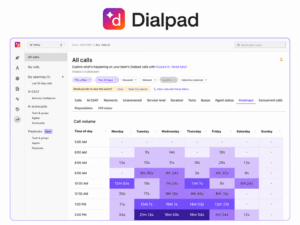
Dialpad represents a newer generation of cloud-first unified communications products where AI is integrated deeply into calling and meeting workflows.
The platform focuses on:
-
cloud business calling;
-
messaging;
-
video meetings;
-
transcription;
-
conversation intelligence;
-
AI-assisted communication.
Its strongest differentiator is therefore not basic UC functionality but what the platform can derive from conversations.
This model is particularly relevant where organizations want communication data to support:
-
summaries;
-
coaching;
-
follow-up;
-
transcription;
-
conversation analysis.
Best fit: cloud-first organizations prioritizing AI-assisted calling and meetings.
Consider if: conversation intelligence is a major selection criterion.
10. GoTo Connect

Best for: SMB and mid-market cloud UC
GoTo Connect combines a cloud business phone system with messaging and video meetings.
Its current Phone System plans include built-in meeting and messaging capabilities, team messaging with file sharing, and video meetings.
This makes its value proposition straightforward:
phone + messaging + meetings
without requiring the organization to build a complex UC environment.
It is particularly suitable for smaller companies that need centralized communications but do not require highly customized enterprise infrastructure.
Best fit: SMBs and mid-market businesses.
Consider if: simplicity and cloud telephony are more important than complex infrastructure integration.
11. Vonage Business Communications

Best for: business UC combined with communications APIs
Vonage is relevant to organizations that want standard business communications together with programmable communication capabilities.
That creates two layers:
Employee communications
-
calling;
-
messaging;
-
meetings.
Programmable communications
-
voice APIs;
-
messaging APIs;
-
application integrations.
This can be especially valuable when communications need to become part of customer-facing software or business workflows rather than remaining limited to employee collaboration.
Best fit: organizations combining internal UC with application-driven communications.
Consider if: CPaaS and APIs are important alongside conventional UC.
12. Nextiva
Best for: business communications with customer-facing workflows
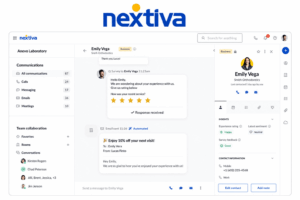
Nextiva combines business communications with tools focused on customer interactions.
Its strongest fit is organizations that do not want a hard boundary between:
-
employee calls;
-
team communication;
-
customer conversations;
-
business messaging.
This makes Nextiva closer to a business communications platform than a traditional enterprise PBX replacement.
Best fit: SMB and mid-market organizations combining internal communications with customer engagement.
Consider if: the same platform should support employees and customer-facing teams.
13. Intermedia Unite

Best for: managed SMB and mid-market unified communications
Intermedia Unite focuses on the managed-cloud side of UC.
Its typical value proposition combines:
-
business phone;
-
messaging;
-
meetings;
-
file and collaboration capabilities;
-
centralized administration.
It can be particularly relevant to organizations that want their communications platform operated largely as a managed service rather than maintained internally.
Best fit: SMB and mid-market organizations looking for managed cloud communications.
Consider if: operational simplicity and centralized service delivery are priorities.
14. Secumeet

Best for: private messaging, meetings, and collaboration
Secumeet addresses a narrower but increasingly important part of the UCC market.
Its strength is not traditional enterprise telephony.
Instead, it focuses on bringing:
-
private messaging;
-
video meetings;
-
file collaboration;
-
screen sharing;
-
centralized administration;
into a controlled communication environment.
This makes Secumeet particularly relevant where the desired outcome is private collaboration rather than replacing a complete enterprise PBX stack.
The distinction matters.
A conventional UC project may begin with:
How do we unify telephony, messaging, and meetings?
A Secumeet-style project is more likely to begin with:
How do we keep internal communication and collaboration inside an environment we control?
Best fit: privacy-sensitive and regulated organizations.
Consider if: infrastructure control matters more than traditional telephony integration.
15. Google Workspace

Best for: Google-centric organizations
Google Workspace provides a collaboration-oriented interpretation of unified communications.
Its environment can combine:
-
Google Meet;
-
Google Chat;
-
Gmail;
-
Google Calendar;
-
Google Drive;
-
Google Voice in supported deployments.
This makes the Google ecosystem particularly effective when communication is closely connected to documents, email, calendars, and browser-based collaboration.
It is less telephony-centric than traditional UC vendors such as Cisco, RingCentral, Avaya, or Mitel.
Its strength is productivity continuity.
Best fit: organizations already centered on Google Workspace.
Consider if: browser-based collaboration and productivity integration are more important than traditional UC infrastructure.
Unified Communications Platforms Compared
*Business calling capabilities depend on the Google Voice deployment and availability.
The table also illustrates why unified communications products should not be evaluated as if they were identical.
Some begin with telephony.
Others begin with meetings, collaboration, private infrastructure, contact center, or productivity suites.
UC vs UCC vs UCaaS
These terms are related but describe different things.
Unified Communications — UC
UC traditionally focuses on bringing communication channels together.
Typical components include:
-
business voice;
-
messaging;
-
presence;
-
video;
-
conferencing;
-
voicemail;
-
mobility.
Unified Communications and Collaboration — UCC
UCC extends communication into collaborative work.
It may additionally include:
-
screen sharing;
-
document collaboration;
-
file exchange;
-
whiteboards;
-
persistent team spaces;
-
workflows;
-
meeting collaboration.
In modern products, the distinction between UC and UCC is increasingly blurred.
Many platforms marketed as UC already contain collaboration capabilities.
Unified Communications as a Service — UCaaS
UCaaS describes the delivery model.
The vendor operates the unified communications infrastructure as a cloud service.
The simplest distinction is:
UC describes what is unified. UCaaS describes how the communication environment is delivered.
A unified communications platform does not have to be UCaaS.
It can also be:
-
self-hosted;
-
on-premises;
-
hybrid;
-
privately hosted.
What Makes a Communication Platform Truly Unified?
A feature list alone does not answer this question.
A stronger test is whether the communication layers share context.
1. One Identity
Users should not need independent accounts for chat, meetings, calling, and rooms.
The same corporate identity should follow them between communication modes.
2. One Directory
Employees should be able to find colleagues without knowing which communication service they use.
A common directory connects people rather than applications.
3. Shared Presence
Presence can show whether a colleague is:
-
available;
-
busy;
-
in a meeting;
-
on a call;
-
offline.
Without shared presence, employees still have to guess which communication method is appropriate.
4. Communication Escalation
A conversation should be able to evolve naturally.
For example:
message → voice → video → screen sharing
The platform should preserve as much context as possible during the transition.
5. Device Continuity
Unified communication should also work across:
-
desktop;
-
smartphone;
-
browser;
-
desk phone;
-
meeting room.
The user should remain the same identity even when the device changes.
6. Central Administration
IT needs a common way to manage:
-
users;
-
access;
-
policies;
-
directories;
-
communication infrastructure;
-
integrations.
The defining characteristic of UC is continuity between communication modes, not the number of features in the product.
UC Platform vs Separate Communication Apps
A company can buy messaging, calling, and video applications separately.
That does not necessarily create a unified communication environment.
Separate applications can still be the right choice.
The difference is operational complexity.
Every additional system may introduce another:
-
identity;
-
administrator;
-
policy;
-
directory;
-
integration;
-
data store;
-
security boundary.
The Communication Escalation Test
A simple way to evaluate any UC platform is to test what happens when a conversation becomes more complex.
Start with a message.
Then ask:
Can the user turn that conversation into a voice call?
Then:
Can they move to video?
Then:
Can they share a screen or document?
Then:
Can the conversation continue from a meeting room?
Finally:
Does the platform preserve identity, participants, context, permissions, and administration throughout the process?
If every step requires a separate application and a new communication context, the organization may have integrated tools rather than truly unified communications.
Core Components of a Unified Communications Platform
There is no universal feature list, but mature unified communications and collaboration solutions commonly combine several layers.
Messaging
Persistent messaging supports:
-
direct chats;
-
team chats;
-
channels;
-
asynchronous communication.
Business Voice
Calling can include:
-
internal extensions;
-
external phone numbers;
-
call forwarding;
-
queues;
-
voicemail;
-
PBX integration.
Video Meetings
Video adds:
-
scheduled meetings;
-
spontaneous calls;
-
content sharing;
-
presentations;
-
remote collaboration.
Presence
Presence connects the other communication modes by showing whether users are available.
Meeting Rooms
Enterprise UC may need to connect:
-
room endpoints;
-
conference systems;
-
cameras;
-
displays;
-
SIP/H.323 equipment.
File and Content Collaboration
Modern UCC often extends beyond real-time conversation into:
-
files;
-
shared content;
-
documents;
-
whiteboards;
-
recordings.
Administration
IT teams need to manage:
-
accounts;
-
directories;
-
permissions;
-
devices;
-
policies;
-
infrastructure.
Integrations
UC rarely exists alone.
Typical integrations include:
-
Active Directory;
-
LDAP;
-
SSO;
-
calendars;
-
email;
-
CRM;
-
PBX systems;
-
contact centers;
-
APIs.
Cloud vs On-Premises vs Hybrid Unified Communications
UC and UCC do not imply a specific deployment model.
Cloud UC
Cloud platforms are operated by the provider.
Typical advantages include:
-
faster deployment;
-
less infrastructure maintenance;
-
easier geographic expansion.
Typical examples include cloud-first offerings from Microsoft, Zoom, RingCentral, 8×8, Dialpad, and GoTo.
On-Premises or Self-Hosted UC
The organization operates the communication infrastructure.
This can provide greater control over:
-
network architecture;
-
data location;
-
infrastructure;
-
integration;
-
private-network operation.
TrueConf is a clear example: its documentation explicitly describes LAN/VPN operation and its role as a unified communication system connecting local users, remote employees, and SIP/H.323/RTSP devices.
Hybrid UC
Hybrid environments combine cloud and internal communications infrastructure.
For example:
-
cloud collaboration + existing PBX;
-
cloud meetings + enterprise rooms;
-
internal calling + cloud messaging.
Hybrid UC is common in organizations that cannot replace established communications infrastructure all at once.
How Unified Communications Integrates With Existing Infrastructure
A unified communications and collaboration platform becomes considerably more valuable when it can connect with systems the organization already uses.
Corporate Directories
Active Directory or LDAP integration can provide:
-
centralized identities;
-
synchronized contacts;
-
simplified onboarding;
-
faster offboarding.
TrueConf, for example, documents LDAP/LDAPS support and templates for Active Directory and other directory systems.
Business Telephony
Organizations may need integration with:
-
PBX systems;
-
PSTN;
-
SIP infrastructure;
-
desk phones.
This is especially important when UC is replacing or extending traditional telephony.
Meeting Rooms
Room interoperability matters when organizations already own conferencing hardware.
Protocols such as SIP and H.323 remain relevant in these environments. TrueConf’s built-in gateway, for example, supports both and can integrate with PBXs, H.323 gatekeepers, and third-party endpoints.
Calendars
Calendar integrations allow meetings and communication workflows to connect with scheduling.
CRM and Business Applications
Calling and messaging can also become part of:
-
sales workflows;
-
customer support;
-
service desks;
-
internal applications.
APIs
An API allows companies to connect communication functions with custom enterprise systems.
How to Choose a Unified Communications Platform
The best platform is not necessarily the one with the most features.
Start with the communication model.
1. Identify Your Primary Communication Mode
What currently drives communication?
-
telephony;
-
meetings;
-
messaging;
-
rooms;
-
technical operations;
-
customer interactions.
A telephony-first organization may evaluate RingCentral, Mitel, Avaya, or 8×8 differently from a collaboration-first organization considering Teams or Zoom.
2. Decide Where the Platform Should Run
Choose between:
-
public cloud;
-
private cloud;
-
self-hosted;
-
hybrid infrastructure.
This can narrow the shortlist immediately.
3. Evaluate Communication Continuity
Test whether users can move naturally between:
chat → call → video → collaboration
without rebuilding context.
4. Check Identity and Directory Integration
Evaluate:
-
AD;
-
LDAP;
-
SSO;
-
provisioning;
-
corporate directories.
UC is much less unified when each component has a separate identity system.
5. Assess Existing Telephony
Determine whether the platform needs to replace or integrate with:
-
PBX infrastructure;
-
phone numbers;
-
SIP trunks;
-
desk phones;
-
call queues.
6. Assess Meeting Rooms
Organizations with significant room infrastructure should evaluate:
-
room clients;
-
dedicated hardware;
-
SIP/H.323;
-
third-party endpoints.
7. Consider External Collaboration
Determine how customers, partners, guests, and contractors will join communications.
8. Evaluate Administration
Check whether administrators can manage:
-
users;
-
licenses;
-
devices;
-
communication policies;
-
groups;
-
integrations;
from a coherent management layer.
Unified Communications Procurement Checklist
FAQ
What is unified communications and collaboration?
Unified communications and collaboration is an approach that connects business messaging, voice, video, meetings, presence, files, and other collaboration tools inside a shared communication environment.
What is a unified communications platform?
A unified communications platform is software and infrastructure that connects multiple communication modes such as messaging, business calling, video meetings, presence, and collaboration through shared identities, directories, policies, and administration.
What are the best unified communications platforms?
Leading UC platforms include TrueConf, Microsoft Teams, Cisco Webex, Zoom Workplace, RingCentral, 8×8, Avaya, Mitel, Dialpad, GoTo Connect, Vonage, Nextiva, Intermedia Unite, Secumeet, and Google Workspace. The right choice depends on deployment, telephony, collaboration, room, and infrastructure requirements.
What is the difference between UC and UCC?
Unified communications primarily refers to connecting communication channels such as calling, messaging, presence, and video. Unified communications and collaboration extends this environment with collaboration functions such as file sharing, screen sharing, documents, meetings, and team workspaces. In practice, the terms increasingly overlap.
What is UCaaS?
Unified Communications as a Service is a cloud delivery model for unified communications. The provider operates the core infrastructure while customers access calling, messaging, meetings, and other UC capabilities as a service.
Is Microsoft Teams a unified communications platform?
Yes. Microsoft Teams combines messaging, meetings, collaboration, and business calling through Teams Phone, while integrating with Microsoft 365 identity, files, calendars, and productivity applications.
Is Zoom a unified communications platform?
Zoom Workplace has evolved into a broader communications environment combining meetings, phone, chat, and workplace collaboration capabilities rather than functioning only as a video meeting service.
Can unified communications be self-hosted?
Yes. UC does not have to be delivered through UCaaS. Some platforms can run on customer-controlled infrastructure. TrueConf Server, for example, operates in LAN/VPN environments and integrates messaging, video conferencing, directory services, and SIP/H.323 devices.
What is the difference between UC and VoIP?
VoIP refers to transmitting voice calls over IP networks. Unified communications is broader and can combine VoIP with messaging, presence, video, meetings, files, rooms, and administration.
What should I look for in a unified communications platform?
Evaluate identity, directory integration, messaging, business calling, video, presence, communication escalation, meeting rooms, deployment options, administration, APIs, and integration with existing telephony and enterprise systems.
Conclusion
Unified communications and collaboration is not simply a bundle containing chat, phone, and video.
The more useful question is whether those functions behave as parts of the same communication system.
A mature UC environment connects:
Identity → Presence → Message → Call → Meeting → Room → Workflow
Different vendors solve that problem from different starting points.
TrueConf begins with self-hosted communications infrastructure. Microsoft Teams and Google Workspace connect communication to productivity ecosystems. Cisco and Avaya have deep enterprise communications roots. RingCentral, 8×8, Dialpad, GoTo, Vonage, Nextiva, and Intermedia emphasize cloud communications. Zoom has expanded from meetings into broader workplace communications. Secumeet approaches UCC from private collaboration.
The best choice therefore depends less on which product has the longest feature list and more on a practical question:
Can employees move between communication modes without losing identity, context, access, or continuity?
If the answer is yes, the communication environment is genuinely becoming unified.
Author
Helga Afon is a technology writer specializing in video conferencing, collaboration software, and workplace communication. She writes articles and reviews that help readers better understand enterprise communication tools and industry trends.