
Team collaboration apps help people communicate, create content and coordinate work across shared business processes.
But collaboration is not one feature.
A typical team workflow looks more like:
discuss → create → decide → assign → continue
Different platforms are strong at different stages.
Slack and Microsoft Teams are communication-heavy. Google Workspace is strong in collaborative creation. Asana and monday.com focus more on coordination. Notion helps teams organize shared knowledge. Miro supports visual collaboration. TrueConf and Secumeet connect messaging with real-time meetings.
That means the useful question is not:
Which team collaboration app has the most features?
It is:
Which part of the team’s workflow should the platform own?
Best Team Collaboration Apps by Workflow
For a quick shortlist, start with the team’s main type of work.
These categories overlap, but the primary collaboration role is usually more important than the total number of features.
What Is a Team Collaboration App?
A team collaboration app is software that helps multiple people work together by supporting one or more stages of a shared workflow.
This can include:
-
communication;
-
document creation;
-
task coordination;
-
knowledge sharing;
-
meetings;
-
visual collaboration.
The category is broad because teams collaborate in different ways.
A software team may move between channels, tasks and repositories.
A sales team may use messaging, meetings and CRM records.
A project team may rely on assignments and deadlines more than continuous chat.
A design team may spend more time in visual workspaces and shared assets.
This is why products from different software categories can all qualify as team collaboration apps.
Five Collaboration Roles
A useful comparison starts by identifying the primary role each platform plays.
Most teams need several of these roles.
The difficult part is deciding whether one suite should cover several stages or whether specialized applications should be connected together.
Team Collaboration Apps Compared
1. Microsoft Teams

Primary role: Communication
Best for: Organizations already centered on Microsoft 365.
Teams combines chat, channels, meetings and calls with Microsoft’s wider productivity environment.
Its main strength is ecosystem continuity.
A conversation can connect naturally to:
-
Outlook;
-
SharePoint;
-
OneDrive;
-
Microsoft 365 documents;
-
Microsoft identity and administration.
The boundary is equally clear: Teams delivers the most value when the organization already relies heavily on the Microsoft ecosystem.
2. Slack
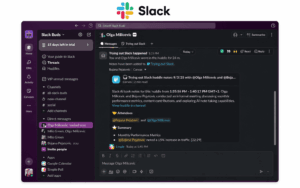
Primary role: Communication
Best for: Teams where channels and integrations form the main collaboration interface.
Slack is centered on:
-
channels;
-
direct messages;
-
threads;
-
search;
-
integrations.
Its strength is not that it tries to become every system of work.
It is that conversation can connect to the systems where work already happens.
For example:
Slack discussion → Asana task
or:
Slack message → support ticket
The main boundary is that Slack itself should not become the authoritative system for every task, document or business record.
3. monday.com
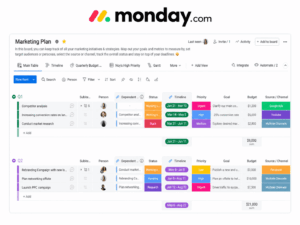
Primary role: Coordination
Best for: Teams managing structured work and workflows across projects or departments.
monday.com focuses on organizing work through:
-
boards;
-
owners;
-
statuses;
-
deadlines;
-
automations;
-
workflows.
Its role begins when a conversation needs to become structured execution.
A useful model is:
decision → owner → status → completion
This makes monday.com especially relevant where multiple teams need a shared operational view of work.
Its main boundary is that it is not primarily a persistent team messenger.
4. Asana
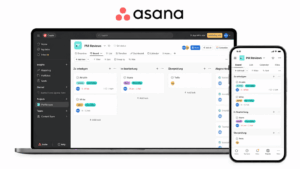
Primary role: Coordination
Best for: Teams where task ownership and project execution are the main problem.
Asana is designed around:
-
projects;
-
tasks;
-
owners;
-
deadlines;
-
dependencies;
-
progress tracking.
Its strength is answering:
What needs to happen next, who owns it, and when is it due?
That makes it more suitable than a messenger when the collaboration bottleneck is accountability or project execution.
The boundary is communication depth. Asana can support discussion around work, but it does not replace a dedicated communication platform for continuous team conversation.
5. Google Workspace
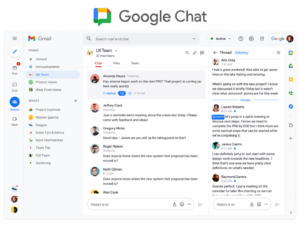
Primary role: Creation
Best for: Teams that collaborate mainly through shared documents and files.
Google Workspace supports simultaneous work through products such as:
-
Docs;
-
Sheets;
-
Slides;
-
Drive;
-
Meet;
-
Chat.
Its strongest collaboration pattern is:
create → comment → revise → approve
This makes it particularly effective when the shared artifact itself is the center of the work.
The boundary is structured coordination. Google Workspace can support tasks and communication, but it is not primarily a work-management platform.
6. Notion
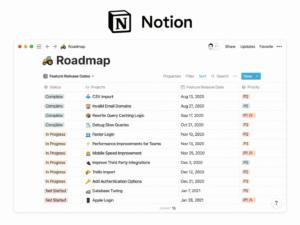
Primary role: Knowledge
Best for: Teams combining documentation, shared knowledge and lightweight project structures.
Notion combines:
-
pages;
-
databases;
-
documentation;
-
comments;
-
project views;
-
structured knowledge.
Its strongest role is maintaining context over time.
A useful workflow is:
decision → document → organize → reference → update
This makes Notion different from chat, where useful information can disappear inside conversation history.
The boundary is real-time communication. Notion can support comments and collaboration, but it is not a primary chat or meeting platform.
7. Miro
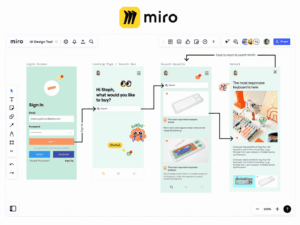
Primary role: Visual work
Best for: Brainstorming, workshops, design discussions and spatial planning.
Miro provides a shared visual environment for:
-
brainstorming;
-
diagrams;
-
workshops;
-
mapping;
-
planning;
-
presentations.
Its strength is collaboration where the structure of the work is visual rather than linear.
The boundary is that Miro should not be expected to replace a messenger, project system or document repository.
8. TrueConf Server
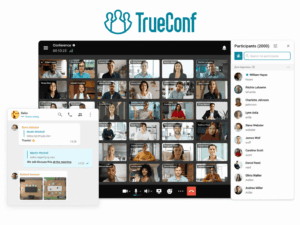
Primary role: Communication
Best for: Enterprises that want team messaging and real-time meetings on customer-operated infrastructure.
TrueConf Server combines:
-
personal and group chats;
-
channels;
-
file exchange;
-
presence;
-
voice calls;
-
video meetings.
Its main workflow is:
message → call → meeting → continue in chat
The platform can be deployed on customer-controlled infrastructure and private networks.
Its role is strongest when the communication layer itself needs to remain under organizational control.
The boundary is equally important: TrueConf is not a replacement for dedicated project management, document authoring or knowledge-management systems.
9. Secumeet

Primary role: Communication
Best for: Organizations that want customer-operated messaging and meetings.
Secumeet provides:
-
personal and group messaging;
-
video meetings;
-
screen sharing;
-
presentations;
-
file exchange;
-
remote assistance.
The platform supports meetings with up to 1,500 participants and is designed for deployment on customer infrastructure.
Its main collaboration role is the communication layer.
It fits teams that need persistent messaging connected to real-time meetings, but it should not be treated as a substitute for dedicated project or knowledge systems.
The Collaboration Handoff Problem
The biggest collaboration problem is often not that a company uses several apps.
It is that information changes systems without a clear handoff.
Consider this workflow:
Slack message → decision → Asana task → Google Doc → final approval
Every step may happen in a good tool.
The failure point is where the team loses:
-
context;
-
ownership;
-
status;
-
the authoritative version.
This leads to a more useful distinction:
conversation state ≠ work state ≠ record state
A messenger knows what people discussed.
A project tool knows whether the work is complete.
A document system knows the current version of the artifact.
A CRM may know the current customer state.
These should not be confused.
The central collaboration question is:
Which system holds the current state of the work at each stage?
If nobody can answer that, the collaboration stack is already too ambiguous.
One Suite or Several Specialized Apps?
There are two common approaches.
Microsoft Teams and Google Workspace cover several collaboration roles within wider ecosystems.
Slack often acts as a communication layer connected to specialized applications.
Asana and monday.com focus more heavily on coordination.
Notion emphasizes knowledge and flexible workspaces.
Miro specializes in visual collaboration.
TrueConf and Secumeet concentrate on communication and meetings.
The best architecture is not automatically the one with the fewest applications.
It is the one where employees know:
where to talk → where to create → where to track → where the final record lives
Where AI Changes Team Collaboration
AI is increasingly becoming part of collaboration software, but it should be evaluated by what it changes in the workflow.
Common uses include:
-
meeting summaries;
-
action-item extraction;
-
document drafting;
-
knowledge retrieval;
-
task creation;
-
workflow automation.
The useful question is not:
Does the platform have AI?
It is:
Does AI help move work to the next stage, or does it simply generate more content?
For example, automatically summarizing a meeting can save review time.
But the collaboration value is higher if the result can also become:
summary → decision → assigned task → tracked work
AI is therefore most useful when it reduces friction between collaboration stages rather than becoming another isolated feature.
How to Choose by Workflow Bottleneck
Start with one real team process rather than a vendor demonstration.
For example:
question → discussion → document → decision → task → completion
Then identify where the process breaks.
Communication Bottleneck
Symptoms:
-
decisions take too long;
-
employees cannot reach the right people;
-
conversations are fragmented.
Start with communication platforms such as Slack, Teams, TrueConf or Secumeet.
Creation Bottleneck
Symptoms:
-
multiple document versions;
-
attachments constantly exchanged;
-
unclear current draft.
Start with collaborative content environments such as Google Workspace.
Coordination Bottleneck
Symptoms:
-
nobody knows who owns the next step;
-
deadlines are missed;
-
status lives in chat.
Start with Asana or monday.com.
Knowledge Bottleneck
Symptoms:
-
employees repeatedly ask the same questions;
-
decisions are buried in old conversations;
-
documentation is difficult to find.
A structured workspace such as Notion becomes more relevant.
Visual Collaboration Bottleneck
Symptoms:
-
brainstorming is difficult remotely;
-
workshops depend on physical rooms;
-
diagrams are passed around as static files.
Miro may be the better starting point.
After identifying the bottleneck, test the handoff to the next stage.
A good application should not only solve its own part of the workflow.
It should make it obvious where work goes next.
Common Team Collaboration Mistakes
Choosing by Feature Count
A platform can contain chat, documents, meetings and tasks while still being weaker than specialized tools at each one.
Start with the primary collaboration problem.
Using Conversation as the System of Work
A decision discussed in chat does not automatically become tracked work.
When action is required, move it into the system responsible for ownership and status.
Adding Apps Without Defining Ownership
Two apps having overlapping features is not necessarily a problem.
It becomes a problem when employees do not know which system owns:
-
the discussion;
-
the task;
-
the document;
-
the final record.
Optimizing Individual Tools Instead of the Handoffs
A company can select excellent applications and still have a poor collaboration environment.
The failure often appears between systems rather than inside them.
Evaluate:
where does information go next?
Frequently Asked Questions
What are team collaboration apps?
Team collaboration apps are software tools that help groups communicate, create shared content, coordinate tasks, retain knowledge or collaborate visually.
What are the best team collaboration apps?
The best choice depends on the team’s main workflow.
Microsoft Teams and Slack are strong for communication, Asana and monday.com for coordination, Google Workspace for collaborative content, Notion for shared knowledge, Miro for visual work, and TrueConf and Secumeet for customer-operated messaging and meetings.
What is the difference between collaboration and project management software?
Collaboration software is a broader category covering communication, content creation, knowledge sharing and coordinated work.
Project management software focuses more specifically on tasks, owners, deadlines, dependencies and execution.
Do teams need one collaboration app?
Not necessarily.
Some teams use a broad suite, while others combine specialized communication, document, project and knowledge tools.
The important requirement is that each platform has a clear role.
How do I choose a team collaboration app?
Start with the team’s main workflow bottleneck.
Determine whether the problem is communication, content creation, coordination, knowledge or visual collaboration, then evaluate how the selected tool hands work to the next system.
Conclusion
Team collaboration is not one software feature.
It is the movement of work through several stages:
discuss → create → decide → assign → continue
Different apps are optimized for different parts of that process.
The important distinction is:
conversation state ≠ work state ≠ record state
A team should know where discussion happens, where action is tracked and where the authoritative result is stored.
The best team collaboration app is therefore not necessarily the product that does the most.
It is the one that owns the right part of the workflow and makes the handoff to the next part clear.
Author
Helga Afon is a technology writer specializing in video conferencing, collaboration software, and workplace communication. She writes articles and reviews that help readers better understand enterprise communication tools and industry trends.