

Self-hosted video conferencing software lets an organization run its own conferencing server instead of relying entirely on a vendor-operated meeting cloud. The best option depends less on the generic benefits of self-hosting and more on the software model you need: an open-source meeting server, an enterprise communication platform, a collaboration suite, a federated system, or a peer-to-peer alternative.
This guide compares seven self-hosted video conferencing tools by deployment model, administration, calling architecture, messaging, interoperability and the amount of technical work required to operate them.
Best Self-Hosted Video Conferencing Tools at a Glance
This page focuses on software selection. For deployment architecture, infrastructure ownership, network isolation and the difference between on-premise and cloud conferencing, see the on-premise video conferencing guide.
Top 7 Best Self-Hosted Video Conferencing Tools
Secumeet
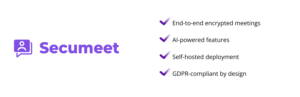
Secumeet Server represents a certified distribution of professional video conferencing technology, operating as a trusted partner in delivering enterprise-grade communication solutions. Built on proven infrastructure, Secumeet Server provides organizations with self-hosted video conferencing capable of supporting up to 1,500 participants in immersive conference environments. The platform incorporates AI-powered features including smart noise suppression for busy environments, virtual background capabilities with blurring and custom branding options, and automatic transcription that converts conference recordings into searchable text documents.
Collaboration functionality extends beyond basic video calling with real-time screen sharing, synchronized slide presentations, co-editing features, and remote assistance capabilities. The unified communications approach keeps teams connected through advanced presence statuses, multi-device sign-in for seamless transitions between workstations and mobile devices, and integrated team messaging for personal and group chats before, during, and after video meetings.
Integration with existing infrastructure is straightforward through native SIP/H.323 protocol support. Organizations with investments in video conferencing equipment from manufacturers like Logitech, Poly, Jabra, and Clevermic can incorporate these devices directly into Secumeet deployments. The platform addresses diverse workspace requirements from teleworking and huddle rooms to meeting rooms and large conference halls, with Secumeet’s partnership model ensuring reliable support and ongoing platform development.
TrueConf
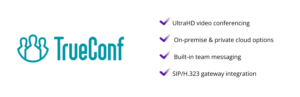
TrueConf Server is a self-hosted enterprise communication platform that combines video conferencing, persistent messaging and administration in one server product. Its SVC-based media architecture adapts streams to participant devices and available bandwidth, while the platform supports high-resolution video and centralized conference management.
For software selection, the main distinction is breadth: TrueConf combines conferencing with personal and group chats, file sharing, presence, directory integration and support for SIP/H.323 endpoints. It also integrates with enterprise identity systems such as Active Directory, LDAP and SSO.
Best fit: organizations that want a self-hosted conferencing server to serve as part of a broader unified communications environment rather than as a standalone browser meeting tool.
Jitsi
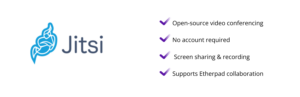
Jitsi Meet has established itself as the reference implementation for open source video conferencing. Its browser-based architecture eliminates software installation requirements—participants click a meeting link and immediately join via their web browser, making Jitsi particularly effective for collaborations involving external participants where you can’t control their software environment. The underlying technology uses WebRTC standards for real-time media transmission with video quality that adapts automatically to changing network conditions.
The default architecture uses full-mesh topology, where each participant’s device sends video directly to every other participant, working efficiently for conversations up to approximately 8-10 people. For larger meetings, organizations deploy Jitsi Videobridge, which acts as a selective forwarding unit (SFU) to route streams more efficiently, supporting dozens of participants without overloading networks or devices. Security implementation includes DTLS-SRTP encryption protecting media streams in transit, with production deployments configuring authentication requiring users to log in before hosting conferences.
Deployment on Ubuntu or Debian servers is remarkably accessible thanks to maintained package repositories, with IT staff able to have a functional Jitsi server operational within an hour including automatic SSL certificate provisioning through Let’s Encrypt. Functionality covers essential collaboration needs including screen sharing, recording capability through Jibri, live streaming integration, and SIP gateway connections for dial-in access. Maintenance and development are handled by 8×8 alongside active community contributions, with regular updates addressing bugs and adding features.
Nextcloud Talk
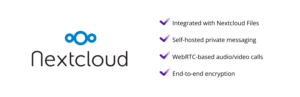
Nextcloud Talk distinguishes itself by embedding video communications within a comprehensive collaboration ecosystem. Organizations already using Nextcloud for document management and file sharing add voice calls, video conferencing, and team messaging without deploying separate infrastructure or managing additional systems. The integration creates natural workflows where participants access and share files directly from Nextcloud storage during video calls, chat conversations link to calendar events for scheduling, and transitions from text messaging to audio calls to full video conferences happen seamlessly within the same interface.
Performance for smaller meetings is solid with Talk handling approximately 6 participants comfortably on typical server specifications, while larger conferences require the High Performance Backend leveraging Jitsi Videobridge technology to scale into hundreds of participants. Security features reflect Nextcloud’s document management heritage with end-to-end encryption protecting one-on-one calls and small group conversations, all communication traversing only your network infrastructure, and integration with enterprise authentication systems (LDAP, SAML) allowing users to authenticate with existing corporate credentials.
Mobile applications for iOS and Android provide polished experiences with push notifications for incoming calls, while the web interface functions in any modern browser maintaining chat histories and call quality across devices and platforms. Deployment complexity depends on your starting point—organizations already running Nextcloud enable Talk through the built-in app store with minimal effort, while new deployments require setting up Nextcloud itself including web servers, databases, and PHP environments.
Element
Element represents decentralized communication architecture built on the Matrix protocol, where different organizations run independent servers that communicate with each other similar to how email operates across providers. Element Call powers the video conferencing functionality using MatrixRTC with LiveKit as the media server, maintaining end-to-end encryption even in group calls so that servers routing calls never have access to decryption keys—only participants in the conversation can decrypt the media streams. Scale capabilities are impressive with properly configured servers handling up to 500 participants in single conferences and horizontal scaling supporting even larger deployments.
For organizations prioritizing digital sovereignty, Element provides unusual levels of control allowing you to deploy your own Matrix homeserver using Synapse (Python implementation) or Dendrite (Go implementation), run your own LiveKit infrastructure, and customize the Element clients which are fully open source. The trade-off comes in complexity as production-ready Matrix deployments with video calling require configuring multiple interdependent components including homeservers, MatrixRTC backends, TURN servers for NAT traversal, and various supporting services.
Element clients span web, desktop (Windows, Mac, Linux), and mobile (iOS, Android) platforms with interfaces matching modern commercial messaging applications in polish and usability. Integration capabilities are extensive with Element bridging to Slack, Microsoft Teams, Telegram, and numerous other platforms, creating interoperability across organizational boundaries while Wire Swiss GmbH actively maintains the project.
Wire
Wire positions itself where security requirements meet usability expectations, implementing end-to-end encryption for all communication modes—messaging, voice, video, and file sharing—using the Proteus protocol (derived from Signal Protocol) for chat and DTLS/SRTP for calls. Multiple independent security audits have validated the implementation, and Wire maintains ISO 27001, GDPR, and SOX compliance certifications. Video conferencing supports up to 12 simultaneous participants with reliable quality using WebRTC standards and including screen sharing, though the design priority clearly emphasizes secure communication over large-scale conferencing capability.
Wire Server, the self-hosted deployment option, provides complete control over infrastructure that you deploy on your servers, whether on-premises hardware or private cloud instances. SSO support through SCIM and various identity providers simplifies user management in enterprise environments, while guest rooms enable external collaboration without requiring guests to create accounts or install software. Client applications are polished and available across all major platforms with users connecting up to 8 devices while maintaining end-to-end encryption across all of them.
Wire is open source under GPLv3 with code repositories available on GitHub, though terms of use impose restrictions on self-compiled versions preventing modifications to server connections. For organizations where secure external collaboration is critical—law firms sharing confidential documents with clients, healthcare providers coordinating with external specialists, businesses working with partners—Wire’s guest room feature provides elegant solutions where external participants join through shared links with full end-to-end encryption, participate in meetings or conversations, then automatically lose access when removed from the room.
Jami
Jami embraces pure peer-to-peer architecture, eliminating servers entirely so participants connect directly to each other without intermediary infrastructure. This design removes entire categories of security and privacy concerns—there are no servers to log communications, suffer data breaches, or be compelled to surrender information to authorities with calls never passing through any central infrastructure to be monitored or stored. The technical implementation uses OpenDHT (a distributed hash table) to enable devices to discover each other across networks, combined with end-to-end encryption for all communications and building on SIP standards for compatibility with other SIP-based systems.
This peer-to-peer design creates both advantages and constraints. Theoretically, conferences can include unlimited participants since there’s no central server to overwhelm, setup is comparatively lightweight because the application does not depend on a conventional central conferencing server, and users can create accounts without an email address or phone number. However, video quality depends heavily on participants’ network connections and device capabilities, the application works harder to establish connections when participants sit behind strict firewalls or complex NAT configurations with some users reporting occasional connectivity challenges in enterprise network environments, and features like meeting scheduling and recording aren’t natively supported since there’s no coordinating infrastructure.
The platform is a GNU project backed by the Free Software Foundation and licensed under GPLv3, with Savoir-faire Linux leading development alongside community contributions and regular updates demonstrating healthy development activity. Jami fits specific use cases particularly well: privacy-focused individuals, small teams prioritizing data sovereignty above convenience, or organizations operating where traditional client-server architectures prove impractical—journalists protecting sources, activists in sensitive environments, or teams in locations with unreliable internet infrastructure represent natural applications.
Conclusion
The best self-hosted video conferencing tool depends on the software model you need, not on a single feature checklist.
Secumeet and TrueConf fit organizations looking for broader enterprise communication platforms. Jitsi is a strong option for teams that want an open-source browser meeting stack. Nextcloud Talk makes the most sense when collaboration already runs in Nextcloud. Element is relevant for Matrix-based federated communication, Wire emphasizes secure team collaboration, and Jami takes a peer-to-peer approach.
Before choosing, compare administration, scalability, client support, messaging, interoperability, update responsibility and the technical resources required to operate each platform. If the remaining question is where conferencing infrastructure should run and how that differs from cloud deployment, continue with the on-premise video conferencing guide.
Read also
Multi User Video Conferencing: A Comprehensive Guide for Business Communication
What Is Business Video Conferencing and How Does It Work?
GDPR-Compliant Video Conferencing: A Practical Breakdown for 2026
Author
Olga Afonina is a technology writer specializing in video conferencing, collaboration software, and workplace communication. She writes articles and reviews that help readers better understand enterprise communication tools and industry trends.