
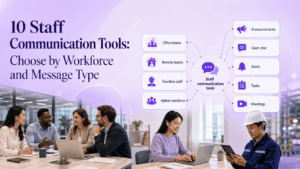
Staff communication tools are not limited to chat apps. A company may need to deliver policy updates to every employee, coordinate a shift change with frontline staff, run a management meeting, reach workers who do not have corporate email, or keep sensitive conversations inside infrastructure it controls.
Those jobs require different communication channels.
A mobile employee app may be the right way to reach retail or warehouse staff. Microsoft Teams or Slack can work well for daily office communication. Digital signage may be necessary for employees who rarely check a phone during a shift. TrueConf or Secumeet become relevant when messaging and meetings themselves need to operate as a managed communication environment rather than another public cloud service.
The useful starting point is therefore not:
Which staff communication tool has the most features?
It is:
Who must receive the message, how quickly must they receive it, and what proof is required that the communication actually reached them?
Staff Communication Tools at a Glance
What Are Staff Communication Tools?
Staff communication tools are the channels and platforms an organization uses to distribute information, coordinate employees, collect feedback, and support conversations between staff.
The category includes several different communication models.
These models overlap, but they solve different problems.
A safety instruction displayed on a warehouse screen, a CEO announcement in an employee app, a Slack discussion between engineers, and a private video meeting on an internal communication server should not be evaluated as if they were the same communication event.
The Most Important Question: Who Can Actually Receive the Message?
A communication tool is only useful if the intended employee can access it.
Before comparing vendors, divide the workforce into communication groups.
This matters because much of the current employee communications market is specifically trying to solve the gap between desk-based and frontline workers. Capterra defines employee communication software around multi-channel communication, chat, meetings, mass notifications, and alerts, while current frontline platforms emphasize mobile access and reaching employees who may not have corporate email accounts.
Staff Communication Tools Compared
Capabilities vary by product edition and deployment. Verify current vendor documentation before procurement.
10 Staff Communication Platforms to Evaluate
1. Staffbase
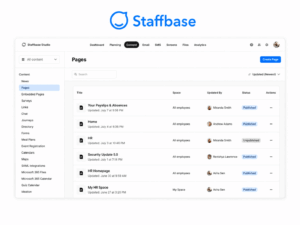
Best for: Large organizations that need targeted communication across office, frontline, and distributed workforces.
Staffbase is designed primarily around employee communications rather than project chat. Its current platform supports targeted communications across mobile, intranet, email, digital signage, and Microsoft 365, with analytics and acknowledgement capabilities.
-
What it does differently: Treats communication as a governed publishing and delivery process across multiple workforce channels.
-
Main trade-off: It is not intended to replace day-to-day project collaboration or a dedicated video communication environment.
-
Do not choose it when: Your main requirement is employee-to-employee project chat rather than workforce-wide communication.
2. Poppulo
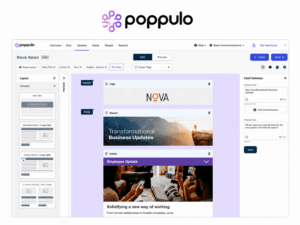
Best for: Internal communications teams focused on controlled campaigns, audience segmentation, and measurement.
Poppulo belongs to the corporate-communications side of the market rather than ordinary team chat. It is most relevant when communication teams need to plan, target, distribute, and measure company messages across a large workforce.
-
What it does differently: Focuses on the communications team and the measurable performance of internal campaigns.
-
Main trade-off: Daily employee collaboration usually requires another communication platform.
-
Do not choose it when: Real-time team discussion is the main requirement.
3. Connecteam
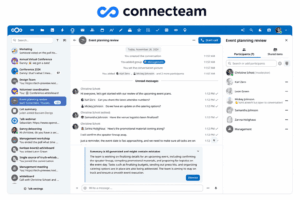
Best for: Frontline and shift-based teams where communication needs to connect with daily operations.
Connecteam combines staff chat, a communication feed, directories, surveys, and workforce-management functions. Its current product positioning focuses strongly on frontline employees.
-
What it does differently: Puts communication alongside scheduling, operations, and workforce management.
-
Main trade-off: Many of its advantages are less relevant to desk-based teams that do not need frontline operational tools.
-
Do not choose it when: The workforce is predominantly office-based and communication does not need shift or field-management functions.
4. Blink
Best for: Organizations that need a mobile-first communication layer for deskless staff.
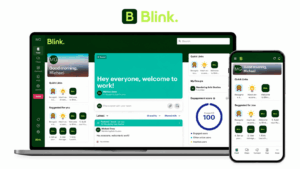
Blink is positioned around a staff feed, chat, access to workplace resources, and mobile communication for employees who may not work from a desktop. Current comparisons emphasize its frontline orientation and simple employee access model.
-
What it does differently: Makes mobile access the primary staff experience rather than a reduced version of a desktop intranet.
-
Main trade-off: It is less suited to organizations seeking deep project management or a complete corporate productivity suite.
-
Do not choose it when: Your primary communication problem involves office collaboration rather than frontline reach.
5. Workvivo
Best for: Organizations that want staff communication to support participation, recognition, and company culture.
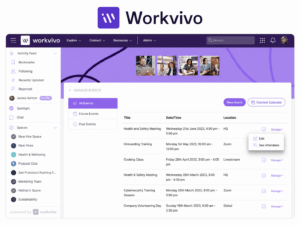
Workvivo sits closer to an employee-experience platform than a conventional corporate messenger. G2 currently categorizes it strongly in employee communications, enterprise social networking, and frontline communication.
-
What it does differently: Blends organizational communication with social-style employee participation.
-
Main trade-off: Social engagement should not be confused with confirmed delivery of critical instructions.
-
Do not choose it when: Strict communication governance or controlled infrastructure is the primary requirement.
6. Microsoft Teams
Best for: Office and hybrid employees already working inside Microsoft 365.
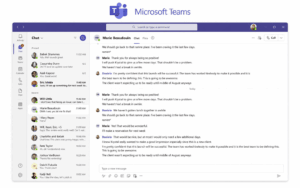
Teams supports staff chat, channels, meetings, calling, and document collaboration within the Microsoft ecosystem.
-
What it does differently: Staff communication is connected to the broader productivity suite employees already use.
-
Main trade-off: Important company announcements can compete with ordinary channel activity unless communication governance is clearly designed.
-
Do not choose it when: The organization needs customer-operated communication infrastructure or a frontline-specific employee communications platform.
7. Slack
Best for: Teams that prioritize fast employee-to-employee communication.
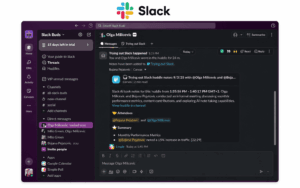
Slack uses channels, direct messages, threads, and Huddles to support ongoing workplace discussion. It is particularly useful when daily staff communication is closely connected to other SaaS applications.
-
What it does differently: Optimizes for active conversation rather than controlled corporate publishing.
-
Main trade-off: High message volume can make it difficult to treat chat as the authoritative channel for important workforce-wide communication.
-
Do not choose it when: Company news, policy acknowledgement, or restricted infrastructure is the primary communication requirement.
8. TrueConf
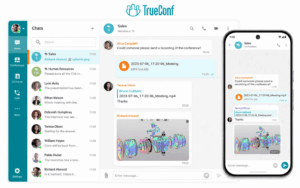
Best for: Organizations that want persistent staff messaging and native video meetings to run on infrastructure they control.
TrueConf Server provides personal and group chats, channels, presence, message-read status, files, and HD video within a local or private network. TrueConf explicitly documents on-premises deployment and offline operation without a required internet connection.
This creates a different staff communication model from employee-news platforms. Instead of optimizing primarily for campaigns and engagement analytics, TrueConf can act as the daily communication layer where employees chat, see colleague presence, exchange files, and move into video meetings.
-
What it does differently: Combines persistent corporate messaging and native video communication on customer-controlled infrastructure.
-
Main trade-off: It does not replace specialist employee communications products when the primary need is multi-channel campaign publishing, workforce engagement analytics, or digital signage.
-
Do not choose it when: Staff communication consists mainly of newsletters, intranet publishing, or frontline campaigns and there is no need to manage communication infrastructure.
Why it stands out: TrueConf is particularly relevant when an organization wants the communication layer itself, rather than only company news, to remain internally managed. It can therefore complement a corporate intranet or employee app rather than attempting to replace every communication channel.
9. Secumeet

Best for: Organizations evaluating a server-connected environment for staff messaging and meetings where the communication architecture is itself part of the buying decision.
Secumeet currently combines personal and group chats, shared files, presence, screen and content sharing, remote assistance, and video meetings. Its client requires connection to Secumeet Server for full functionality, and the product materials describe meetings with up to 1,500 participants as well as SIP/H.323 communication.
This places Secumeet closer to the communications layer of a staff communication stack than to an employee-news or workforce-engagement platform.
-
What it does differently: Keeps chat and live staff communication inside one server-connected product environment.
-
Main trade-off: Public technical documentation is less detailed than for some larger enterprise platforms. Customer-hosting architecture, directory integration, external network dependencies, offline licensing, retention, high availability, and security controls should be confirmed for the intended deployment.
-
Do not choose it when: Multi-channel employee campaigns, digital signage, workforce scheduling, or a large SaaS integration ecosystem are the main requirements.
Why it stands out: Secumeet becomes relevant when staff communication requirements begin with how messaging and meetings are deployed rather than with social engagement or HR communication features. Buyers with strict network requirements should validate that architecture through current technical documentation and a proof of concept.
10. Mattermost
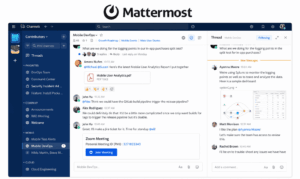
Best for: Technical and operational teams that need self-hosted staff messaging and structured operational communication.
Mattermost combines channels, messaging, calls, screen sharing, and operational workflows in a self-hosted environment.
-
What it does differently: Connects staff communication with repeatable technical and incident-response workflows.
-
Main trade-off: It requires internal technical administration and is not primarily designed around company-wide publishing or frontline engagement.
-
Do not choose it when: HR-led workforce communication is the main use case.
How to Choose Staff Communication Tools
-
Define the Message Type
Different messages require different delivery models.
Routine company updates
Examples:
-
organizational news;
-
HR information;
-
leadership updates;
-
events;
-
benefits information.
These usually work well through employee apps, intranets, newsletters, or targeted feeds.
Operational updates
Examples:
-
shift changes;
-
store procedures;
-
production changes;
-
field instructions;
-
staffing updates.
These need faster delivery and stronger workforce targeting.
Team coordination
Examples:
-
project questions;
-
quick decisions;
-
file exchange;
-
daily discussions.
Chat and collaboration tools usually handle these workflows better than corporate broadcast platforms.
Critical communication
Examples:
-
safety alerts;
-
security incidents;
-
urgent operational changes;
-
emergency instructions.
These should be evaluated separately from ordinary internal communication.
A push notification or chat message is not automatically an emergency notification system.
-
-
Separate Reach From Engagement
A common reporting mistake is treating these as the same thing.
Reach asks:
Did the information arrive in front of the intended employee?
Engagement asks:
Did the employee open, react to, comment on, or interact with it?
Acknowledgement asks:
Did the employee explicitly confirm that the instruction was received or understood?
These are different measurements.
For a company culture post, reactions may be useful.
For a policy change, read confirmation may matter more.
For a safety instruction, explicit acknowledgement and escalation may be required.
Staffbase, for example, currently emphasizes targeted multi-channel communications, read rates, acknowledgements, and communication across mobile, email, digital signage, and Microsoft 365.
-
Check the Hardest-to-Reach Employee First
Do not design the communication system around headquarters employees if part of the workforce:
-
has no corporate email;
-
does not receive a company laptop;
-
works away from a desk;
-
uses a shared device;
-
cannot use a phone during working hours;
-
has intermittent connectivity;
-
works in a restricted network.
If the hardest-to-reach employee cannot use the tool, the organization does not have one staff communication channel. It has separate channels for different groups.
Staffbase currently supports login approaches for frontline workers that do not depend on a corporate email address, while platforms such as Connecteam explicitly focus on frontline communications through chat, feeds, surveys, and workforce directories.
-
-
Decide Whether the Message Is Broadcast or Conversation
A company announcement and a staff discussion should not use the same success criteria.
Broadcast communication prioritizes:
-
targeting;
-
editorial control;
-
consistency;
-
delivery;
-
acknowledgement;
-
reporting.
Conversation prioritizes:
-
speed;
-
replies;
-
threads;
-
files;
-
calls;
-
presence;
-
context.
Microsoft Teams and Slack are primarily conversation-centered environments. Staffbase and Poppulo are closer to managed employee communication.
The organization may need both.
-
-
Define the Authoritative Channel
Employees should know where the final version of important information lives.
For example:
Without this rule, employees receive the same information through email, chat, employee apps, meetings, and shared documents without knowing which version is current.
-
Build a Communication Channel Mix
Large organizations rarely reach every employee through one channel.
A communication architecture may combine:
The goal is not to use every channel.
It is to assign each channel a clear communication job.
-
Account for the Manager Cascade
Not all staff communication is delivered directly from headquarters to an employee.
In many organizations information moves:
Leadership → regional management → site manager → supervisor → employee
This creates a hidden communication problem.
By the time information reaches the employee, it may be:
-
delayed;
-
shortened;
-
interpreted differently;
-
missing context;
-
impossible to verify.
Digital communication tools can reduce this dependency by delivering the original message directly while still allowing managers to add local context.
For organizations with many sites or shifts, ask whether the platform can target information by:
-
location;
-
department;
-
role;
-
team;
-
employment type;
-
language.
-
-
Include Employee Voice, Not Just Top-Down Communication
Effective staff communication is not only distribution.
Employees may need to:
-
ask questions;
-
give feedback;
-
report problems;
-
participate in surveys;
-
respond anonymously;
-
comment on announcements;
-
communicate with management.
The design of employee voice matters because participation changes when employees believe communication is monitored, unsafe, or unlikely to produce action.
A staff communication stack should therefore distinguish between:
-
public discussion;
-
manager feedback;
-
surveys;
-
confidential reporting;
-
anonymous employee voice.
Do not assume one generic comment field covers every feedback scenario.
-
-
Treat Frontline Communication as an Access Problem
Frontline communication is often described as a feature category, but the underlying challenge is identity and access.
Check:
-
Can users register without corporate email?
-
Can employees use personal phones?
-
Are shared devices supported?
-
Is the mobile experience equivalent to desktop?
-
Is content available offline?
-
Can workers access schedules or HR systems from the same entry point?
-
Are communications available in multiple languages?
Current employee communication products increasingly combine communication with daily employee utility because an app employees use only for occasional news is harder to turn into a habitual channel. Staffbase explicitly positions its frontline app around access to information, tasks, services, and operational tools, while Connecteam combines staff communication with broader frontline workforce functions.
-
-
Use Digital Signage Where Personal Devices Are Not Enough
Some employees cannot constantly monitor an app.
Digital signage is useful in:
-
factories;
-
warehouses;
-
hospitals;
-
kitchens;
-
retail locations;
-
transport facilities;
-
shared offices.
It works well for:
-
safety reminders;
-
operational notices;
-
schedules;
-
KPI updates;
-
recognition;
-
urgent messages.
Staffbase currently offers digital signage as part of its employee communications environment specifically to reach workers in locations where email and other personal digital channels may not be regularly checked.
The limitation is that signage is usually weak at personalization and two-way communication, so it should complement rather than replace individual channels.
-
-
Decide Where Staff Communication Data May Live
Most employee communication platforms are vendor-operated SaaS services.
Some organizations have different infrastructure requirements.
TrueConf Server offers an on-premises staff communication model based on persistent personal and group chats, channels, presence, file exchange, and video meetings. TrueConf states that the platform can operate inside a private network without requiring internet connectivity.
Secumeet also uses a server-connected communication model. Its current product materials describe personal and group chats, file storage, meetings, screen sharing, remote control, presence information, synchronization across devices, and SIP/H.323 communication. Connection to Secumeet Server is required for full use of the client.
For Secumeet, exact customer-hosting architecture, external dependencies, offline licensing, identity integrations, and high-availability options should be verified against current technical documentation before procurement.
-
Evaluate Staff Meetings Separately From Chat
Some staff communication platforms treat video as a secondary capability or integration.
Others make meetings part of the communication environment.
This distinction matters for organizations that rely on:
-
daily stand-ups;
-
branch meetings;
-
company town halls;
-
training;
-
remote consultations;
-
supervisor meetings;
-
staff briefings.
TrueConf combines persistent messaging with native video conferencing inside the same server-based environment. Secumeet similarly combines team messaging and video meetings, with its current product materials describing meetings for up to 1,500 participants.
These platforms therefore fit a different communication model from employee-news platforms whose primary job is targeted publishing and engagement analytics.
-
-
Plan Emergency Communication Separately
Do not assume an employee app is automatically suitable for emergencies.
If urgent communication matters, verify:
-
message priority;
-
repeated notifications;
-
acknowledgement;
-
escalation;
-
SMS or voice fallback;
-
unreachable-user reporting;
-
delivery during network disruption;
-
geographic or team targeting.
Emergency communication should be tested as a real workflow rather than inferred from a generic notification feature.
-
-
Measure Communication Effectiveness at the Right Level
Avoid a single vanity metric such as app opens.
Useful measures depend on the message.
The tool should produce evidence appropriate to the communication objective.
-
Estimate Adoption and Rollout Cost
Features are irrelevant if employees do not use the platform.
Evaluate:
-
account provisioning;
-
rollout time;
-
training;
-
migration from the previous tool;
-
personal-device policies;
-
mobile installation;
-
manager training;
-
communication governance;
-
channel consolidation;
-
removal of obsolete channels.
Staffbase currently states that implementation typically includes migration, content strategy, and platform setup, which illustrates why employee communications deployment is partly an organizational project rather than only software installation.
-
When One Staff Communication Tool Is Not Enough
Most larger organizations need several layers.
This does not necessarily mean tool sprawl.
Tool sprawl happens when several channels perform the same communication job and employees do not know which one to trust.
A well-designed staff communication stack can intentionally use:
-
an employee app for corporate news;
-
TrueConf for internally hosted chat and meetings;
-
digital signage for the factory floor;
-
a separate alert system for emergencies.
Each tool has a defined job.
Common Staff Communication Mistakes
Using One Channel for Every Employee
Office staff and frontline workers usually have different access patterns.
Design for the hardest-to-reach group.
Measuring Opens Instead of Outcomes
Opening a message does not prove understanding.
Choose metrics that match the communication objective.
Publishing Critical Messages in Busy Team Chat
High-traffic conversation channels are poor places for information that must remain visible and acknowledged.
Assuming an Employee App Replaces Emergency Communication
Push notifications alone do not guarantee escalation, fallback delivery, or confirmed receipt.
Ignoring the Manager Cascade
If every message has to pass through several levels of management, delay and interpretation become part of the communication system.
Treating Engagement as Delivery
Likes and comments indicate interaction, not necessarily workforce reach.
Forgetting Employees Without Corporate Email
A communication strategy that assumes every employee has an account, laptop, and inbox excludes part of many frontline workforces.
Adding Channels Without Removing Ambiguity
Employees should know which channel is authoritative for each message type.
Assuming On-Premises Means Fully Offline
Customer-hosted software may still rely on external licensing, identity providers, push notifications, software repositories, or other services.
Test disconnected operation separately.
Choosing by Feature Count
The right staff communication tool is determined by workforce access and message type before advanced features matter.
Which Staff Communication Tools Should You Choose?
Choose Staffbase or Poppulo when internal communications teams need controlled, measurable company-wide publishing.
Choose Connecteam or Blink when the primary problem is reaching frontline and deskless employees through mobile-first communication.
Choose Workvivo when participation, recognition, and employee culture are important parts of the communication strategy.
Choose Microsoft Teams or Slack when staff communication mainly means daily employee-to-employee coordination.
Choose TrueConf when persistent staff chat and native video meetings should operate as an internally managed communications layer. It is especially relevant when private-network operation and infrastructure ownership matter more than employee campaign analytics.
Evaluate Secumeet when staff communication is centered on server-connected messaging and meetings and the deployment architecture forms part of the procurement requirements. Confirm the exact infrastructure, identity, offline, and security model for the intended environment before purchase.
Choose Mattermost when technical or operational teams want self-hosted messaging combined with structured operational workflows.
The final selection should answer four questions:
-
Who must receive the communication?
-
What type of message is being sent?
-
What evidence is required that it reached the employee?
-
Where is that communication allowed to run and be stored?
Once those questions are answered, the appropriate staff communication tools become much easier to identify.
Author
Helga Afon is a technology writer specializing in video conferencing, collaboration software, and workplace communication. She writes articles and reviews that help readers better understand enterprise communication tools and industry trends.