
On-premise collaboration tools are software platforms that organizations install and operate on infrastructure they control rather than relying entirely on a vendor-hosted SaaS environment.
But collaboration is broader than chat.
A team may need to:
communicate → create content → coordinate work
Different on-premise products cover different parts of that workflow.
Mattermost and Rocket.Chat are primarily communication-centered. Nextcloud extends into files and documents. OpenProject focuses on project coordination. TrueConf and Secumeet concentrate on messaging and real-time video communication.
This means the first question should not be:
Which on-premise collaboration tool is best?
It should be:
Which part of collaboration do we need the platform to own?
What Is On-Premise Collaboration Software?
On-premise collaboration software is deployed on servers or infrastructure managed by the organization or its chosen infrastructure operator.
This contrasts with conventional SaaS collaboration, where the software vendor operates the central service.
A typical on-premise deployment gives the organization more direct control over:
-
infrastructure;
-
application configuration;
-
data storage;
-
network access;
-
update timing;
-
integrations.
However, on-premise does not automatically mean that every feature works independently of external services.
A self-hosted product may still rely on vendor-operated infrastructure for:
-
licensing;
-
mobile push notifications;
-
application marketplaces;
-
AI services;
-
software updates;
-
selected integrations.
The useful evaluation question is therefore:
What does the organization host itself, and which dependencies remain outside that environment?
Three Main Collaboration Layers
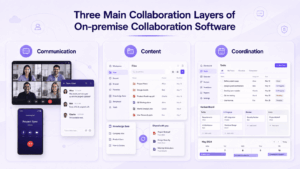
On-premise collaboration software can be grouped by the kind of work it primarily supports.
Communication
These platforms focus on:
-
direct messaging;
-
group channels;
-
voice;
-
video meetings;
-
screen sharing;
-
presence.
Examples include TrueConf, Mattermost, Rocket.Chat, Element and Secumeet.
Content
These platforms focus more on:
-
files;
-
document editing;
-
shared workspaces;
-
calendars;
-
content access.
Nextcloud is a good example because it combines files, communication and office collaboration in one self-hosted environment. (nextcloud.com)
Coordination
These tools organize:
-
projects;
-
tasks;
-
workflows;
-
deadlines;
-
assignments.
OpenProject fits this layer more directly than a team messenger.
Many organizations use more than one layer.
A realistic architecture may combine:
communication platform + document platform + project platform
instead of forcing one application to own every workflow.
On-Premise Collaboration Tools Compared
The following shortlist represents different collaboration models rather than eight products solving exactly the same problem.
1. Nextcloud Hub
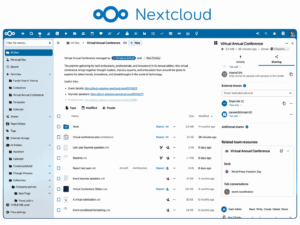
Best for: Organizations that want a broad self-hosted workspace centered on content and productivity.
Nextcloud covers several collaboration layers rather than only messaging.
Its ecosystem includes file storage and synchronization, communication, calendars and collaborative office work. This makes it particularly relevant when the main requirement is:
files + documents + communication
rather than video or messaging alone. (nextcloud.com)
Its breadth is also the main tradeoff. Organizations still need to plan storage, integrations and administration carefully.
2. Mattermost
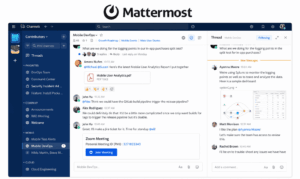
Best for: Operational, technical and regulated teams that need self-hosted communication and workflow coordination.
Mattermost is centered on persistent messaging but also supports structured operational workflows and automation.
Its on-premises offering supports self-hosted, private-cloud and air-gapped deployment models. (mattermost.com)
Its strongest fit is:
channels → operational discussion → workflow
Organizations looking for a full document and office productivity suite will usually need additional systems alongside it.
3. Rocket.Chat
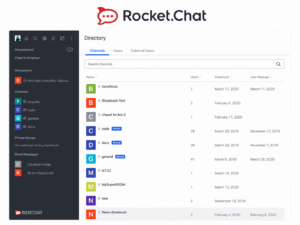
Best for: Organizations looking for self-managed team messaging with flexible deployment.
Rocket.Chat supports channels, direct messages, threads, file sharing and self-managed deployment options. Its documentation also covers air-gapped environments. (docs.rocket.chat)
Its strongest role is the messaging layer of a collaboration stack.
One detail buyers should verify is dependency scope. Some connected features may still interact with Rocket.Chat cloud services, which illustrates why self-hosted = yes is not enough as an evaluation criterion. (docs.rocket.chat)
4. TrueConf Server
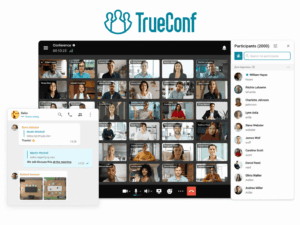
Best for: Organizations where team messaging and real-time video communication are the main collaboration requirements.
TrueConf Server combines personal and group chats, channels, file sharing, presence, voice and video calls, and video conferences.
It is deployed on customer-controlled infrastructure and can operate in LAN and VPN environments. (trueconf.com)
TrueConf also supports Active Directory and LDAP integration, along with SIP and H.323 communication systems. (trueconf.com)
Its strongest role is the communication layer, especially where organizations already have private networks, meeting rooms or existing video infrastructure.
5. Element
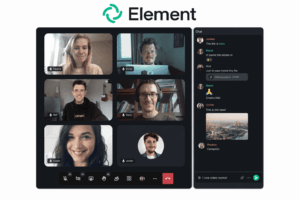
Best for: Organizations that want self-hosted, federated messaging based on Matrix.
Element can be deployed on-premises and uses Matrix as the underlying communication protocol.
Its architecture is particularly relevant when organizations need:
-
messaging;
-
federation;
-
cross-organization communication;
-
control over homeserver infrastructure.
Its main distinction is decentralized and interoperable communication, not broad office productivity. (static.element.io)
6. OpenProject
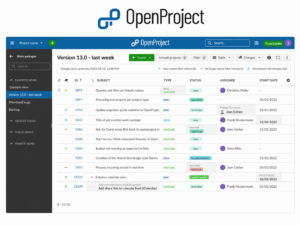
Best for: Organizations where project planning and task coordination are the main collaboration requirement.
OpenProject addresses the coordination layer through:
-
tasks;
-
assignments;
-
deadlines;
-
project plans;
-
project documentation.
It is a stronger fit than a team messenger when the core question is:
Who is responsible for what, and when is it due?
Organizations can combine it with separate messaging, video and document tools.
7. ONLYOFFICE
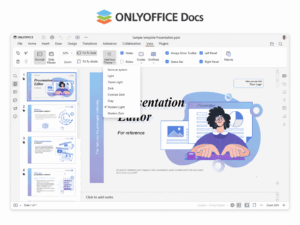
Best for: Teams that need self-hosted collaborative document editing.
ONLYOFFICE focuses primarily on the content creation layer.
Typical work includes:
-
text documents;
-
spreadsheets;
-
presentations;
-
collaborative review.
Its role is therefore different from messaging-centered platforms such as Mattermost, Rocket.Chat or TrueConf.
It can also be integrated into broader collaboration environments such as Nextcloud.
8. Secumeet

Best for: Organizations looking for customer-operated messaging and video collaboration.
Secumeet combines personal and group messaging with video meetings, screen sharing, presentations, file exchange and remote assistance.
The platform is designed for deployment on customer infrastructure and supports meetings with up to 1,500 participants.
Its strongest role is the real-time communication layer rather than document authoring or structured project management.
One Platform or a Modular Collaboration Stack?
A common mistake is assuming one tool should provide every collaboration function.
That may work for some organizations, but not for all.
A broad platform such as Nextcloud can cover several layers.
Another organization may combine a communication platform, document platform and project system.
The right choice depends on what employees actually need to do and how much operational complexity the organization is prepared to manage.
Self-Hosted Does Not Automatically Mean Air-Gapped
These terms are related but not equivalent.
Self-hosted means the organization operates the software on infrastructure it controls.
Air-gapped means the environment is isolated from external networks.
A product can be self-hosted while still expecting external connectivity for selected functions.
Mattermost documents dedicated air-gapped deployment procedures, and Rocket.Chat also supports isolated air-gapped workspaces. (docs.mattermost.com)
TrueConf documents autonomous operation inside LAN and VPN environments without internet access for normal communication. (trueconf.com)
Verify which functions continue to work without external connectivity. An on-premises installer alone does not prove offline independence.
On-Premise vs Cloud Collaboration Software
The main difference is operational responsibility.
Neither model is automatically better.
Cloud collaboration is often more suitable when fast deployment and minimal infrastructure management are priorities.
On-premise collaboration is more relevant when the organization needs direct control over infrastructure, network boundaries, data location or administration.
How to Evaluate On-Premise Collaboration Software
Start with the collaboration problem, then verify the deployment reality.
Then test a real workflow.
For example:
employee sends a message → starts a meeting → shares a file → colleague edits it → task is assigned → final result is stored
Ask:
Which platform owns each step?
and:
Which of those steps leaves our on-premise environment?
Useful vendor questions include:
-
Which components run entirely on our infrastructure?
-
Which functions require vendor cloud connectivity?
-
Can we use our own identity infrastructure?
-
Where are messages, files and recordings stored?
-
How are upgrades performed?
-
What happens if internet access is unavailable?
-
What infrastructure is required at our expected scale?
-
How can users and data be migrated later?
This exposes gaps more effectively than comparing feature checkmarks.
Common Mistakes When Choosing On-Premise Collaboration Tools
Comparing Different Collaboration Categories as Direct Substitutes
Nextcloud, Mattermost and OpenProject all support collaboration, but they solve different primary problems.
Start with the work type before comparing vendors.
Assuming Local Installation Means a Fully Local Dependency Chain
A product may run locally while selected functions still rely on external licensing, push services, AI, integrations or marketplaces.
Verify the full dependency chain.
Underestimating Operational Responsibility
Self-hosting transfers responsibility to the organization.
That can include:
-
backups;
-
monitoring;
-
patching;
-
capacity planning;
-
high availability;
-
disaster recovery.
The deployment model should therefore fit both collaboration needs and internal IT capability.
Frequently Asked Questions
What are on-premise collaboration tools?
On-premise collaboration tools are messaging, video, file, document, project or workflow platforms installed on infrastructure controlled by the organization rather than operated entirely as vendor SaaS.
What is the difference between on-premise and self-hosted collaboration software?
The terms are often used similarly.
On-premise traditionally refers to software running inside the organization’s own data-center environment.
Self-hosted is broader and can also include software the organization operates in its own private or public-cloud account.
What are the best on-premise collaboration tools?
The answer depends on the type of collaboration.
Nextcloud is broad across files, documents and communication. Mattermost and Rocket.Chat focus more on messaging. TrueConf and Secumeet focus on messaging and video. OpenProject covers project coordination, while ONLYOFFICE focuses on document collaboration.
Can on-premise collaboration software work without internet access?
Some platforms can, but self-hosting alone does not guarantee offline operation.
Verify whether licensing, push notifications, updates, integrations or other functions require external connectivity.
Is on-premise collaboration more secure than cloud software?
Not automatically.
On-premises deployment provides greater infrastructure control, but security still depends on configuration, patching, identity management, endpoints, access controls and operational practices.
Conclusion
On-premise collaboration software is not one narrow product category.
It can cover three different layers of teamwork:
communication → content → coordination
That is why products should not be compared only by deployment model or security features.
First determine which collaboration layer the organization needs to control.
Then evaluate:
workflow fit → hosting boundary → external dependencies → operational responsibility
The strongest choice is the platform, or combination of platforms, that keeps the required collaboration workflow under organizational control without creating unnecessary operational complexity.
Author
Helga Afon is a technology writer specializing in video conferencing, collaboration software, and workplace communication. She writes articles and reviews that help readers better understand enterprise communication tools and industry trends.