

Running collaboration software on Linux usually means one of two things: an admin team installing chat, file, or video tools on a Linux server, or end users who need a native Linux desktop client instead of a browser workaround. Both scenarios rule out most mainstream SaaS suites, which is why this guide focuses on nine platforms that are built, tested, and actively used in production on Linux, from full self-hosted workspaces to dedicated video conferencing servers for regulated industries.
Linux Collaboration Tools Reviewed in This Article
-
Nextcloud Hub: best all-in-one workspace, combining file sync, document editing, chat, and video calls in one self-hosted suite.
-
Mattermost: best Slack-style team chat for engineering teams, with full source-code transparency.
-
Rocket.Chat: best for omnichannel messaging that combines internal team chat with customer-facing live support.
-
ONLYOFFICE Docs: best open-source alternative to Microsoft Office for real-time document co-editing.
-
Element: best for end-to-end encrypted, federated communication across organizations, built on the Matrix protocol.
-
Secumeet: best for zero-knowledge, air-gapped video conferencing in government and regulated environments.
-
TrueConf: best for large-scale, on-premises video conferencing with legacy SIP/H.323 hardware room integration.
-
Zulip: best for asynchronous, high-volume technical discussion, thanks to topic-based threading.
-
OpenProject: best self-hosted alternative to Jira and Asana for classic, agile, and hybrid project management.
What Ties These Tools Together
Every tool on this list runs natively on Linux servers, most under permissive or copyleft open-source licenses, and each can be self-hosted to keep company data off third-party clouds. None of them require a commercial license just to inspect the source code, and all seven have an active free tier that covers real production use, not just a demo.
Comparison Table: 9 Best Linux Collaboration Tools at a Glance
Nextcloud Hub: The All-in-One Sovereign Workspace
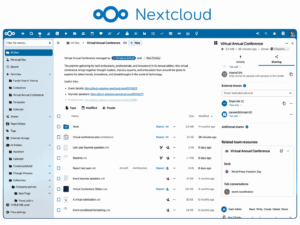
Nextcloud Hub is the most complete self-hosted collaboration platform on this list, and it is the natural starting point for any Linux-based organization that wants to replace Google Workspace or Microsoft 365 entirely rather than piece together separate chat, storage, and office tools. Founded in 2016 by Frank Karlitschek, the creator of ownCloud, Nextcloud has grown from a simple file-sync tool into a modular suite that bundles Files, Talk, Groupware, Office, Assistant, and Flow into one interface.
Core capabilities include:
-
File storage and sync with desktop, mobile, and web clients, plus boundless sharing across locations.
-
Nextcloud Talk, delivering on-premises audio and video conferencing with screen sharing and SIP integration for routing calls through a traditional phone system.
-
Real-time document co-editing of Word, Excel, and PowerPoint-format files through Collabora Online or ONLYOFFICE, with tracked changes and version history.
-
Nextcloud Assistant, an AI layer that can run entirely against self-hosted or local models such as Olmo 3, IBM watsonx, or Llama-family models, so healthcare, government, and legal organizations never send data to external AI APIs.
-
Governance tools for access control, data lifecycle management, and compliance in large, regulated organizations.
Nextcloud runs on PHP 8.1 or later with MySQL, MariaDB, or PostgreSQL, deploys on any mainstream Linux distribution, and its server-side code is 100 percent copyleft licensed under AGPLv3 with no open-core tricks, meaning the free Community edition is not artificially crippled. Real-world deployments include the German federal administration’s Bundescloud and the city of Stuttgart. The Community edition is free with unlimited users and apps, while Nextcloud Enterprise, aimed at organizations that want professional support, starts at roughly 71 euros per user per year for a 100-user Standard plan.
Mattermost: The Developer-First Slack Alternative
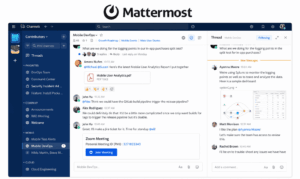
Mattermost is the collaboration tool of choice for engineering-heavy organizations that want a Slack-equivalent experience without handing message data to a third party. Written in Go and React, Mattermost mirrors the messaging model that most technical teams already know: channels, direct messages, threads, slash commands, and a plugin marketplace for extending functionality through webhooks and bots. The defining advantage is genuine data sovereignty, since a self-hosted deployment keeps every message, file, and integration credential on infrastructure the organization controls, which is why regulated sectors including healthcare, finance, defense, and government gravitate toward it.
What the paid tiers unlock on top of free messaging:
-
Professional (10 dollars/user/month): SAML single sign-on, Active Directory and LDAP sync, multi-factor authentication, guest accounts, and business-hours support.
-
Enterprise: high-availability clustering, compliance exports, custom admin roles, advanced Elasticsearch-powered search, and a 24×7 support SLA with a four-hour response time.
-
Enterprise Advanced (new in 2026, for defense and intelligence customers): multi-domain federation across classification levels, cross-domain solution support for air-gapped networks, full air-gap deployment with private AI inference, and tamper-evident audit logging for chain-of-custody compliance.
Self-hosting on Linux is thoroughly documented, typically running through Docker containers backed by a PostgreSQL database, and the update cadence is active enough that security patches arrive on a predictable schedule. The Starter tier is genuinely free with no user limit and no artificial feature gate on core messaging. For cost comparison, a Mattermost instance running on an 8-euro-per-month Hetzner server can comfortably support 50 users for roughly 96 dollars a year, which independent analyses put at around a 97 percent cost reduction compared to an equivalent Slack Pro subscription.
Rocket.Chat: The Flexible Omnichannel Communication Hub
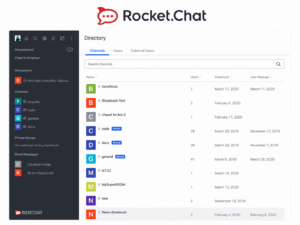
Rocket.Chat distinguishes itself from the other chat tools on this list by extending well beyond internal team messaging into customer-facing communication, making it the strongest choice for organizations that want one platform to handle both employee chat and external live-chat support. The core feature set covers everything expected from a modern team chat app, including channels, private messaging, group conversations, mentions, threaded replies, and file sharing, but the differentiating layer is Rocket.Chat’s live chat widget, which can be embedded on a company website to route customer conversations into the same backend that internal teams already use.
Notable integrations and capabilities include:
-
Native Jitsi integration for video calling and screen sharing.
-
Out-of-the-box connections to Google Drive, Google Calendar, Jira, Confluence, GitHub, HubSpot CRM, and Zoom Workplace.
-
End-to-end encryption and compliance controls suited to regulated industries.
-
On-premises or SaaS deployment, with installation on Ubuntu, Docker, or other common Linux environments well documented.
Several reviewers note that advanced self-hosted customization carries a real learning curve and that search functionality and notification reliability have room for improvement. On pricing, the Community edition is completely free when self-hosted, giving organizations full control over their data at zero licensing cost, while paid Cloud plans start at around 4 dollars per user per month for the entry tier and scale up for organizations that want managed hosting, SSO, and higher support levels.
ONLYOFFICE Docs: Real-Time Office Suite for Linux Servers
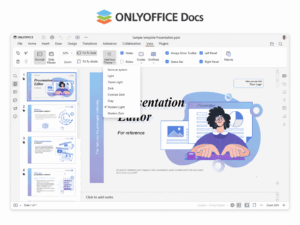
ONLYOFFICE Docs is the strongest answer on this list to the question of how a Linux-based team edits Word, Excel, and PowerPoint files collaboratively without a Microsoft 365 subscription. The suite provides browser-based editors for documents, spreadsheets, presentations, fillable PDF forms, and diagrams, all built for real-time co-authoring with two distinct co-editing modes, full version history, and a comment and review workflow that will feel familiar to anyone coming from Microsoft Office. A built-in AI assistant can connect to ChatGPT, DeepSeek, Mistral, or other providers to support drafting and editing directly inside the document.
What sets ONLYOFFICE apart operationally:
-
Deep integration with more than 40 existing platforms, including Nextcloud, ownCloud, Confluence, Alfresco, Odoo, Jira, Pipedrive, WordPress, and Drupal.
-
An open API that lets development teams build custom integrations for any web-based application.
-
Native Desktop Editors for Windows, Linux, and macOS for offline document work.
-
Mobile apps for iOS and Android that connect over WebDAV to supported cloud storage.
-
DocSpace, a room-based collaboration layer with granular access permissions for external collaborators.
Deployment flexibility is a major strength: the Community Edition and DocSpace are both open source and released under AGPLv3, free for teams of up to 20 users on the self-hosted Community tier. Paid options scale from a Business Cloud plan around 8 dollars per user per month up to an Enterprise on-premises license that starts near 6,550 dollars for a single server with one year of support and updates included, a structure that tends to favor organizations large enough to justify a one-time licensing cost over ongoing per-seat fees.
Element: Encrypted, Federated Messaging on the Matrix Protocol
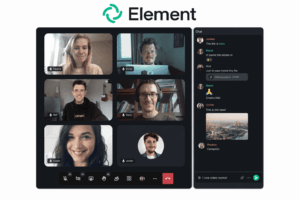
Element is the right choice for organizations, especially governments, defense contractors, and privacy-focused enterprises, that need messaging to be end-to-end encrypted by default and to work across organizational boundaries without funneling data through a single vendor’s servers. It is built on Matrix, an open, decentralized communication protocol, which means there is no single point of failure for the network the way there is with a centralized SaaS chat tool, and separate organizations running their own Element or Matrix homeservers can still message each other securely, similar to how email works across different providers.
Key security and deployment features:
-
End-to-end encryption covering messaging, attachments, and voice and video, with only conversation participants able to decrypt content.
-
Secure border configurations, cross-domain gateways, and fully air-gapped deployment options for high-security environments.
-
Bridges to Slack, Microsoft Teams, and WhatsApp, easing migration for organizations moving away from proprietary tools.
-
Native clients on Windows, macOS, Linux, mobile, and F-Droid distribution for users who avoid proprietary app stores entirely.
-
Jitsi-based video calling built into the client.
This combination has made Element a preferred platform among European government departments pursuing digital sovereignty. The open-source Element client and Matrix homeserver software are free with no premium tiers required to access core encrypted messaging, while Element’s commercial offerings, priced from roughly 5 to 10 dollars per user depending on tier, add self-hosting management, custom DNS, regional cloud selection, 24×7 support, and enterprise migration bridges for organizations that want a vendor to operate the infrastructure for them.
Secumeet: Zero-Knowledge Video Conferencing for Regulated Environments

Secumeet is the specialist pick on this list for organizations whose primary requirement is video conferencing that never leaves their own network perimeter. Unlike the chat and file tools above, Secumeet is a certified distribution of professional video conferencing infrastructure, built specifically for self-hosted deployment where video streams, chat, and recordings stay entirely within the organization’s infrastructure, whether that means an air-gapped on-premise environment, a government-certified private cloud, or a hybrid architecture with strict data boundaries. The defining feature is a zero-knowledge architecture, meaning even the platform operator cannot access session content, a materially different security posture from mainstream cloud platforms like Zoom, Teams, or Webex.
Feature highlights include:
-
Native multi-device access across desktop (Windows, macOS, Linux), mobile (iOS, Android), browser-based joining, and TV or room-system clients.
-
SIP/H.323 protocol support for interoperability with existing conference room hardware and telephony systems.
-
AI-enhanced features including noise suppression, background replacement, real-time transcription, and meeting summaries, all processed on-premises.
-
Screen sharing up to 4K with collaborative content presentation and remote desktop access.
-
Role-based participant access controls, cryptographic identity verification for meeting participants, and encrypted whiteboarding with session-specific key derivation.
-
A zero-trust access broker that integrates with existing Privileged Access Management (PAM) tooling.
Secumeet targets enterprises, government bodies, and regulated industries that cannot accept ambiguity about who can access meeting data, and it has reported growing adoption in government, defense, and financial services segments through 2024 to 2026 alongside comparable platforms like TrueConf. Because it is distributed through a certified partnership model rather than a simple open-source download, pricing is quote-based rather than published as a flat per-seat rate, and organizations should expect a sales conversation to scope the deployment. A free trial is available for teams that want to validate the security architecture before committing to a full rollout.
TrueConf: Large-Scale On-Premises Video Conferencing
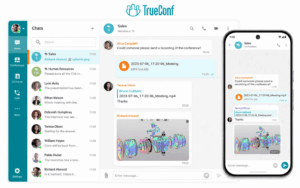
TrueConf is the strongest choice on this list for organizations that need enterprise-grade video conferencing at real scale without depending on a cloud vendor, particularly where legacy conference-room hardware is already in place. Founded in 2003 and headquartered in Moscow, TrueConf Server is a LAN or VPN-based self-hosted platform that installs in roughly 15 minutes on Windows Server or Linux and connects an organization’s computers, mobile devices, phones, and conference room systems through a single deployment.
Core capabilities include:
-
Ultra HD 4K video conferencing with proprietary Scalable Video Coding (SVC) technology for consistent quality across varying network conditions.
-
Support for up to 1,500 to 2,000 concurrent video participants in a single conference from one server, with further scaling available through distributed deployment.
-
Native SIP/H.323 gateway support for interoperability with legacy video conferencing hardware and existing room systems, avoiding a forklift upgrade of existing infrastructure.
-
Deep infrastructure integration, including Active Directory, LDAP, SSO through NTLM and Kerberos, and automatic domain authentication.
-
An integrated corporate messenger with group and private chats, file sharing, mentions, folders, and chatbots, alongside presence statuses in a shared address book.
-
On-premises AI features such as meeting transcription, automatic summaries, noise suppression, and virtual backgrounds, all processed within the organization’s own infrastructure.
-
Smart Meeting mode, which uses AI to automatically adjust video layouts based on active speakers, plus simultaneous interpretation for multilingual organizations.
TrueConf Server Free supports video conferencing for up to 1,000 registered users at no licensing cost, and is reportedly used in production by tens of thousands of organizations. Reviewers consistently highlight strong video quality, reliability, and security as the platform’s biggest strengths, while noting that initial setup and configuration require real technical expertise and that the interface can feel dated compared to newer cloud-native competitors.
Zulip: Topic-Threaded Chat Built for Asynchronous Teams
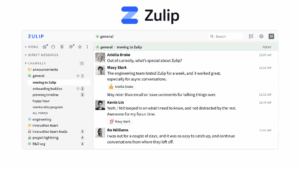
Zulip solves a specific problem that Slack-style chat tools handle poorly: keeping high-volume, long-running technical discussions organized enough that someone can catch up on three days of conversation in a few minutes rather than scrolling through an undifferentiated stream. Every message in Zulip belongs to both a stream, roughly equivalent to a channel, and a named topic within that stream, which means dozens of parallel conversations can run simultaneously without burying each other, and team members working across time zones can read a topic’s name and immediately know whether it is relevant before opening it. This structure has made Zulip the communication backbone for organizations that manage sustained technical work, including open-source projects like Rust and Lean, universities, research labs, and Fortune 500 engineering teams.
Beyond threading, the platform includes:
-
Full-text search with filtering syntax across messages, files, and users.
-
More than 100 native bots and webhook-based integrations with tools like GitHub, GitLab, Jira, and Jenkins.
-
Audio and video huddles, message reactions, and polls.
-
Cross-platform apps for iOS, Android, web, and desktop with offline sync.
-
SAML, LDAP, and SCIM support included at no cost, even in the free self-hosted edition, a tier of enterprise identity integration that competitors often reserve for paid plans.
Self-hosting is documented for Ubuntu and Debian through a one-script installer, or via Docker Compose, though the underlying stack requires four coordinated services, PostgreSQL, Redis, RabbitMQ, and Memcached, which adds some operational surface compared to a single-binary deployment. The project is maintained by Kandra Labs with more than 1,500 contributors merging over 500 commits per month, and the entire codebase is released under the permissive Apache 2.0 license with no proprietary feature gating in the open-source release. Self-hosted Zulip is free with unlimited message history, though mobile push notifications are capped at 10 users on the free tier unless an organization builds a custom mobile client or qualifies for Zulip’s nonprofit and open-source sponsorship program, which has already sponsored more than 1,500 organizations.
OpenProject: Self-Hosted Project Management for Classic and Agile Teams
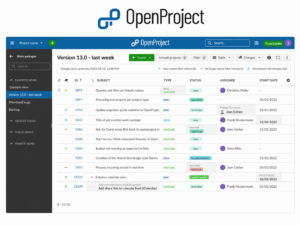
OpenProject closes a gap that pure chat and file-sync tools leave open: structured project planning, task tracking, and reporting. It is the strongest self-hosted alternative to Jira, Asana, or Monday.com for Linux-based organizations, supporting classic waterfall planning, agile Scrum and Kanban boards, and hybrid methodologies within a single platform.
Core capabilities include:
-
Gantt chart timelines for classic project planning.
-
Backlog and sprint planning with Kanban and Scrum boards for agile teams.
-
Time and cost reporting for budget tracking.
-
Native integration with Nextcloud for file management, available even in the free Community edition.
-
BIM support for construction and building-project teams that need model-based collaboration.
The Community edition is licensed under GPLv3, free of charge, and fully self-managed, covering essentially all core project and task management functionality without an artificial feature ceiling. Organizations that want vendor support, single sign-on through OpenID Connect, and additional enterprise add-ons can choose Enterprise on-premises, which still runs on the organization’s own Linux or macOS infrastructure, or Enterprise Cloud, which OpenProject hosts and maintains directly. Paid tiers start at approximately 5.95 euros per user per month for the Basic plan and scale up toward roughly 15.95 dollars per user per month for the Premium tier, positioning OpenProject as meaningfully cheaper than Jira’s Standard plan while offering the option to self-host, which Jira Cloud does not provide. Reviewers consistently point to the flexibility and affordability of the open-source version as its biggest strength, while noting that self-hosted deployments can be resource-intensive at scale and that a small number of advanced portfolio management features remain reserved for paid tiers.
How to Match These Tools to Your Team’s Actual Needs
The nine platforms above are not interchangeable, and the right combination depends less on which tool has the longest feature list and more on what a specific organization is actually trying to solve. A small team that mainly needs shared file storage, a document editor, and occasional video calls will get the most value from Nextcloud Hub alone, since it covers all three needs inside one login and one admin panel rather than stitching together separate services. An engineering organization whose primary pain point is chat noise and context switching should weigh Mattermost against Zulip specifically: Mattermost wins if the team wants a familiar Slack-like flat channel experience with a polished plugin ecosystem, while Zulip wins if the team runs many parallel, long-lived technical discussions where topic-based threading prevents information from getting lost. Organizations with strict data sovereignty or classified-communication requirements, particularly in government and defense, should look first at Element, since its Matrix-based architecture and support for fully air-gapped deployment go further than any other tool here in eliminating a central point of control or failure. Teams that spend most of their day producing and revising documents rather than chatting will find ONLYOFFICE Docs the more direct fit, especially when integrated into an existing Nextcloud or Confluence deployment rather than run as a standalone system.
A practical way to narrow the decision:
-
Need one workspace for files, docs, and calls: start with Nextcloud Hub.
-
Need Slack-style chat with full control: choose Mattermost.
-
Need chat plus customer-facing live support: choose Rocket.Chat.
-
Need Microsoft Office-style co-editing: choose ONLYOFFICE Docs.
-
Need encrypted, cross-organization messaging: choose Element.
-
Need zero-knowledge, air-gapped video conferencing for government or defense use: choose Secumeet.
-
Need large-scale on-premises video conferencing with legacy room hardware: choose TrueConf.
-
Need structured, high-volume async discussion: choose Zulip.
-
Need project timelines, sprints, and reporting: choose OpenProject.
Many Linux-based organizations end up running two or three of these tools together, most commonly Nextcloud for files and documents paired with Mattermost or Zulip for chat and OpenProject for project tracking, rather than expecting a single platform to do everything well.
Key Advantages of Self-Hosted Linux Collaboration Software
Choosing a self-hosted, Linux-native stack over a proprietary SaaS suite delivers a specific set of advantages that matter most to technical teams, regulated industries, and cost-conscious organizations:
-
Full data sovereignty: files, messages, and documents stay on infrastructure the organization controls, with no third-party cloud provider able to scan, store, or monetize the data.
-
No per-seat pricing spiral: self-hosted free tiers scale to hundreds of users on a small VPS, often cutting costs by 90 percent or more compared to per-seat SaaS pricing at scale.
-
Compliance and air-gap support: several tools on this list, including Mattermost, Element, and Nextcloud, support fully air-gapped or on-premises deployment for healthcare, finance, defense, and government requirements.
-
No vendor lock-in: open-source licensing means an organization can fork, audit, or migrate the software at any time, instead of depending on one vendor’s roadmap or pricing decisions.
-
Deep customization: self-hosted deployment allows custom integrations, branding, and workflow automation that closed SaaS platforms rarely expose through their APIs.
-
Native Linux support: server packages, Docker images, and desktop clients are built and tested for Linux first, rather than treated as an afterthought behind Windows and macOS.
The sections below explain why each product made the cut, what it costs, and how it compares against the others so you can match the right stack to your team’s size, budget, and compliance requirements.
Why Linux Compatibility Changes How You Should Evaluate Collaboration Software
Choosing collaboration software for a Linux-based organization is a different exercise than picking a tool for a Windows or macOS shop, and the difference goes well beyond whether a desktop client exists. Most enterprise collaboration suites, including Microsoft 365 and Google Workspace, are designed around proprietary cloud infrastructure that Linux administrators cannot inspect, modify, or host themselves. That matters for three practical reasons. First, server-side deployment on Linux is often the only realistic option for organizations with data residency or air-gapped requirements, since regulated industries such as healthcare, defense, and government frequently cannot use cloud-only messaging platforms. Second, native Linux desktop and CLI support determines whether developers, sysadmins, and DevOps teams can work inside the tool without switching context to a browser tab or a virtual machine. Third, and often overlooked, open-source licensing on Linux-first tools tends to correlate with self-hosting freedom, meaning a team is not locked into a single vendor’s pricing decisions years down the road.
When evaluating any tool below, look for three signals:
-
An official, actively maintained Linux server package or Docker image, not a community-patched workaround.
-
A first-class native Linux desktop client rather than an Electron wrapper with broken tray icons or notification bugs.
-
A licensing model that lets you audit or self-host the software without paying for a commercial tier just to see the source code.
Linux Collaboration Software: Key Statistics for 2026
The shift toward self-hosted, Linux-native collaboration tools is not a niche trend, it is backed by measurable market movement:
-
The global open-source software market reached an estimated 56.57 billion US dollars in 2026, up from 48.54 billion the previous year, growing at a compound annual rate of roughly 16.5 percent, with analysts projecting it will approach 95 billion dollars by 2030.
-
Adoption of Linux-based operating systems is cited as one of the direct drivers of that growth, alongside rising demand for cost-effective, vendor-neutral software and expanding hybrid and multi-cloud deployments.
-
Nextcloud alone reports running on more than 500,000 servers worldwide as of 2026.
-
Business inquiries for self-hosted collaboration tools in markets like the Netherlands have increased eightfold year over year, driven by growing concerns about data sovereignty and dependence on large cloud vendors.
-
The broader collaboration software market, which includes both proprietary and open-source players, was valued at roughly 9.49 billion dollars in 2026, reflecting how central these tools have become to distributed and hybrid work regardless of which platform an organization chooses.
Conclusion
Linux-based organizations no longer have to choose between powerful collaboration software and control over their own data. Nextcloud Hub, Mattermost, Rocket.Chat, ONLYOFFICE Docs, Element, Secumeet, TrueConf, Zulip, and OpenProject each solve a different piece of the collaboration puzzle, from file storage and document editing to team chat, encrypted messaging, video conferencing, and project management, and nearly all of them can be self-hosted on standard Linux infrastructure with licensing models that leave little to no room for vendor lock-in. The growth behind this shift is not anecdotal: the open-source software market is expanding at roughly 16.5 percent annually, and individual projects like Nextcloud now report more than 500,000 active server deployments worldwide, a scale that reflects how mainstream self-hosted collaboration has become for organizations serious about data sovereignty.
There is no single winner across every use case. Teams should start by identifying the specific gap they need to close, whether that is document co-editing, encrypted messaging, asynchronous technical discussion, or structured project tracking, and then choose the tool built specifically for that job rather than forcing one platform to do everything. For most organizations, the most effective approach combines two or three of these tools, typically a file and document hub like Nextcloud alongside a chat platform like Mattermost, Rocket.Chat, or Zulip, and a project management layer like OpenProject when the work involves real deadlines and dependencies. Because every tool on this list is open source and self-hostable, teams can pilot one on a small Linux VPS for a few dollars a month before committing to an organization-wide rollout.
Frequently Asked Questions
Is there a single Linux collaboration tool that replaces Microsoft 365 or Google Workspace entirely?
Nextcloud Hub comes closest, since it bundles file storage, real-time document co-editing through Collabora or ONLYOFFICE, calendar and email, video conferencing through Nextcloud Talk, and workflow automation in one self-hosted suite. It will not match every Microsoft 365 enterprise integration, such as deep SharePoint or Power Automate workflows, but it covers the core file, document, and communication needs most teams rely on daily.
Which of these tools works best for teams that need end-to-end encryption by default?
Element is the strongest choice for default end-to-end encryption, since it is built on the Matrix protocol and encrypts messaging, attachments, and voice and video by design rather than as an opt-in feature. It also supports fully air-gapped deployment, which matters for government and defense use cases where no external network dependency is acceptable.
Do any of these tools work without paying anything, even for a full team?
Yes. Mattermost’s Starter tier, Rocket.Chat’s Community edition, ONLYOFFICE Docs Community edition for up to 20 users, Element’s open-source client and homeserver, Zulip’s self-hosted edition, and OpenProject’s Community edition are all free with no artificial user caps on core functionality, provided the organization is willing to self-host on its own Linux server or VPS.
How difficult is it to self-host these tools on a Linux server without a dedicated DevOps team?
Difficulty varies. Rocket.Chat and Mattermost are well documented for Docker-based deployment and are manageable for a technically comfortable administrator, Zulip’s one-script installer simplifies setup but its four-service backend (PostgreSQL, Redis, RabbitMQ, Memcached) adds operational complexity, and Nextcloud and OpenProject both have mature Docker images that reduce the setup burden considerably compared to manual installation.
Can these tools integrate with each other instead of operating as separate silos?
Yes, extensively. ONLYOFFICE Docs integrates directly into Nextcloud for document editing, OpenProject connects natively to Nextcloud for file attachments, Rocket.Chat and Mattermost both support Jitsi for video calling, and most of these platforms expose REST APIs and webhooks that let organizations wire them together into a single internal workflow rather than treating each tool as isolated.
Which tool is best suited for a small team of five to fifteen people just getting started with self-hosting?
Rocket.Chat’s Community edition or Mattermost’s Starter tier are typically the easiest entry points for a small team, since both offer genuinely free, full-featured chat with straightforward Docker deployment. Pairing either with Nextcloud for shared file storage covers most small-team needs without requiring a large infrastructure investment.
Are these tools suitable for regulated industries like healthcare, finance, or government?
Yes, and in many cases they are specifically designed for that use case. Mattermost’s Enterprise Advanced tier targets defense and intelligence organizations with air-gapped deployment and audit logging, Nextcloud is used by the German federal administration and numerous EU public-sector organizations, Element’s Matrix-based architecture is positioned around European government digital sovereignty initiatives, and Secumeet and TrueConf both offer fully on-premises, zero-cloud-dependency video conferencing built specifically for government and defense procurement requirements.
What is the best option for self-hosted video conferencing specifically, rather than chat or file sharing?
Secumeet and TrueConf are the two dedicated video conferencing platforms on this list. Secumeet is the stronger fit for zero-knowledge, air-gapped deployments in government and highly regulated sectors, while TrueConf is the better choice for large-scale meetings that need to integrate with existing SIP or H.323 conference room hardware. Nextcloud Talk is also a solid option for teams that already run Nextcloud and only need conferencing for groups under roughly 10 participants without a dedicated video server.
Author
Helga Afon is a technology writer specializing in video conferencing, collaboration software, and workplace communication. She writes articles and reviews that help readers better understand enterprise communication tools and industry trends.