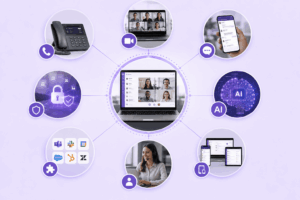
For most organizations, the practical effect is simple. Employees get one login and one application for calls, video meetings, chat, and file sharing, regardless of whether they work from a headquarters office, a home office, or an airport lounge. IT teams get one vendor relationship instead of five, one bill instead of a stack of invoices from a phone carrier, a video vendor, and a messaging app, and a single point of accountability for uptime, security, and support.
Two things separate a strong hosted UC decision from a weak one in 2026: matching the deployment model to your data governance requirements, and matching the feature set to how your teams actually communicate rather than to a vendor’s marketing checklist. This guide walks through both, compares the seven platforms most worth evaluating this year, and closes with a practical framework for choosing and rolling out a provider.
Editor's Top 3 Picks
What Is Hosted Unified Communications?
Hosted unified communications describes a cloud-delivered or provider-managed architecture that consolidates an organization’s core communication channels, voice calling, video conferencing, instant messaging, presence, file sharing, and collaborative workspaces, into a single integrated environment rather than a collection of disconnected point solutions. The defining trait is not any one feature but the delivery model: infrastructure, maintenance, security patching, and capacity planning are handled by an external provider instead of an internal IT department running its own PBX and servers.
This is a meaningful shift away from the traditional on-premises PBX, where a company purchased physical switching hardware, paid for its own maintenance contracts, and scaled capacity by buying more equipment. Hosted UC replaces that capital expenditure with an operational subscription, and it replaces manual upgrade cycles with continuous, provider-managed updates. The result is that a five-person startup and a five-thousand-person enterprise can both run on the same underlying platform, paying only for the seats, minutes, or features they actually use.
It is worth being precise about vocabulary here, because “hosted UC,” “UCaaS,” and “cloud communications” get used almost interchangeably in vendor marketing but describe slightly different things. UCaaS (Unified Communications as a Service) specifically refers to a subscription-based, multi-tenant public cloud delivery model. Hosted UC is the broader umbrella: it includes UCaaS, but it also includes vendor-hosted private cloud deployments and self-hosted or on-premises platforms that a provider installs and supports inside the customer’s own data center or virtual private network. That distinction matters most for regulated industries, where a public multi-tenant cloud may not satisfy data residency, sovereignty, or air-gap requirements, but a hosted private or on-premises deployment from the same category of vendor can.
Key Communication Tools Included in Hosted Unified Communications
Hosted Unified Communications (UCaaS) delivers voice, video, messaging, and collaboration as a single service from a provider’s cloud infrastructure, rather than from hardware installed on-site. The provider owns and maintains the servers, software, and network routing; the business simply connects through the internet and pays a subscription per user or per line. Here’s how each core component actually functions under the hood.

VoIP Telephony
Voice is converted into data packets and transmitted over IP networks instead of circuit-switched phone lines. A codec (like G.711 or Opus) compresses the audio signal, SIP (Session Initiation Protocol) handles call setup, routing, and teardown, and RTP (Real-time Transport Protocol) carries the actual voice packets. Because everything runs over standard internet infrastructure, the provider’s data centers handle call routing centrally — a call between two employees never touches a traditional phone network unless it’s connecting to an external number, in which case it passes through a SIP trunk to the public telephone network (PSTN). This is what makes extension dialing, call forwarding, and number portability so flexible compared to legacy PBX hardware.
Video Conferencing
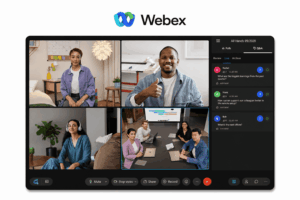
Video and audio streams are encoded, compressed, and transmitted using protocols like WebRTC, which allows real-time peer-to-peer or server-relayed media exchange directly through a browser or app without plugins. Most platforms use a Selective Forwarding Unit (SFU) architecture — each participant sends one video stream to the server, and the server forwards the appropriate streams to other participants, rather than every device sending video to every other device. This keeps bandwidth manageable in larger meetings. Adaptive bitrate streaming adjusts video quality dynamically based on each participant’s connection speed.
Team Messaging
Chat messages are stored on the provider’s servers and synced across devices in real time using persistent connections (typically WebSockets), so messages appear instantly without the user refreshing anything. Presence status (online, away, in a call) is tracked through the same persistent connection, updating automatically as a user’s client detects activity or inactivity. Message history is indexed for search, and file attachments are stored separately in cloud object storage with links embedded in the conversation.
Unified Messaging
This layer aggregates different message types — voicemail, fax, and email — into one inbox by converting them into a common format. Voicemail-to-text works through automatic speech recognition (ASR), which transcribes the audio and delivers both the recording and the text version to the user’s email or app. Incoming faxes are converted from the analog fax protocol into a digital image or PDF and routed the same way.
Document Collaboration
Real-time co-editing relies on operational transformation or conflict-free replicated data types (CRDTs) — algorithms that let multiple people edit the same document simultaneously by merging changes in a way that avoids conflicts, even if two people type in the same spot at once. Every edit is synced to the server and pushed to other connected clients within milliseconds, and version history is maintained so previous states can be restored.
Mobility and Cross-Device Continuity
Because the entire system is cloud-hosted rather than tied to a physical desk phone, a user’s identity (extension, chat history, call state) lives on the server, not the device. Switching from desktop to mobile just means authenticating into the same account — the server maintains session state and can hand off an active call between devices using SIP re-invite messages, which renegotiate the media path without dropping the connection.
Contact Center Functionality
Incoming calls hit an IVR system, which uses either DTMF (touch-tone) input or speech recognition to determine caller intent. Based on that, an Automatic Call Distributor (ACD) routes the call according to rules — skill level, agent availability, priority — pulled from a routing engine. Supervisors can join calls through separate audio channels (monitor, whisper, or barge) that the platform’s call-control layer manages without alerting the caller.
Analytics and Reporting
The platform logs metadata from every call, chat, and meeting — duration, wait time, drop rate, participant count — into a database that feeds dashboards. This is typically processed in near real-time through event streaming, so metrics update live rather than only refreshing after a batch job runs overnight.
CRM and Business App Integration
Integration happens through APIs — when a call comes in, the platform sends the caller’s number to the connected CRM via an API call, which looks up the matching contact record and returns it to the agent’s screen (“screen pop”) within a second or two. This works in both directions: actions in the CRM (like clicking a phone number) can trigger the UC platform to place a call automatically.
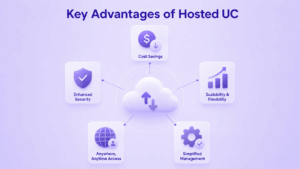
Key Advantages of Hosted UC
Moving communications infrastructure to a hosted (cloud) model changes the underlying economics and operational model of running business communications, not just where the hardware sits. Here’s what that shift actually delivers.

Lower Capital Expenditure
On-premises PBX systems require upfront investment in servers, gateways, handsets, and licensing, plus a facilities footprint to house the equipment. Hosted UC replaces that with an operating expense — a per-user or per-line subscription — because the provider owns and amortizes the hardware across many customers. This shifts communications spending from a large irregular capital outlay to a predictable monthly line item, which is easier to budget and doesn’t tie up cash that could go toward the core business.
Reduced Maintenance Burden
With on-prem systems, the business is responsible for patching software, replacing failing hardware, managing firmware updates, and troubleshooting outages — usually requiring dedicated IT staff or a support contract. In a hosted model, the provider handles all of that at the infrastructure level. Updates and new features roll out automatically to every customer, so the business always runs current software without scheduling internal upgrade projects or downtime windows.
Elastic Scalability
Adding capacity to an on-prem PBX often means buying additional hardware, licenses, or even a bigger box entirely once you hit a port limit. Hosted UC scales by adjusting the subscription — adding or removing users is a configuration change on the provider’s side, not a procurement cycle. This matters for seasonal businesses, companies going through rapid hiring, or organizations opening and closing temporary offices, since capacity can flex up or down without lead time or wasted spend on unused hardware.
Built-In Redundancy and Uptime
Providers run hosted UC across geographically distributed data centers with failover built into the architecture — if one data center goes down, traffic reroutes automatically. Replicating that level of resilience on-premises would require a business to build and maintain a secondary site, which is rarely cost-justified outside large enterprises. Most hosted providers commit to uptime SLAs (often 99.99%) backed by infrastructure most individual businesses couldn’t afford to build themselves.
Location Independence
Because the system lives in the cloud rather than in a server closet at one office, functionality isn’t tied to a physical location. Employees authenticate into the same phone system, extension, and chat identity from any office, home, or mobile device with an internet connection. This removes the traditional link between “where the PBX hardware is” and “where employees can use the phone system,” which is what makes hybrid and distributed workforces practical without separate systems per site.
Unified Vendor and Management Layer
Legacy setups often stack separate systems for phone, video, chat, and fax — each with its own vendor, contract, and admin console. Hosted UC consolidates these into one platform with a single admin panel, one bill, and one support relationship. This reduces the operational overhead of juggling multiple vendors and cuts down on the integration work needed to make separate systems talk to each other.
Faster Deployment
Standing up an on-prem system involves procurement, installation, wiring, and configuration — a project that can take weeks or months. A hosted system is provisioned on the provider’s existing infrastructure, so onboarding is largely a matter of account setup and device configuration. New offices or new hires can be added in hours rather than requiring a hardware rollout.
Consistent Feature Access Across the Organization
Because every user runs on the same cloud platform, feature parity is automatic — a remote employee has access to the exact same call routing, video, and messaging capabilities as someone in the main office. This avoids the common on-prem problem where branch offices end up on older hardware or a different phone system than headquarters, creating inconsistent capabilities across the company.
Simplified Compliance and Security Management
Providers invest in centralized security controls — encryption, access management, monitoring — and maintain compliance certifications (like SOC 2 or HIPAA where relevant) that get applied uniformly across all customers. For a business, this offloads a significant amount of security engineering and audit work that would otherwise need to be built and maintained internally for an on-prem system.
Hosted UC by the Numbers
The hosted unified communications market has moved well past early adoption — and the numbers back that up.
Market size estimates vary widely, but growth doesn’t.
Analyst projections for the broader UCaaS category in 2026 range anywhere from roughly $6 billion to over $100 billion. That’s a huge spread, but it says more about how differently research firms define the market than about disagreement over its trajectory. Every major estimate points the same direction: up, and fast.
What the leading firms are saying:
Grand View Research pegs the wider unified communications as a service market at over $100 billion in 2025, with double-digit annual growth projected through the early 2030s.
Mordor Intelligence estimates the market at roughly $70 billion in 2026, expanding at a compound annual growth rate above 25% through 2031.
The fastest-growing piece: collaboration tools.
Within UCaaS, the collaboration-focused components — chat, file sharing, integrated project tools — are consistently flagged as the category’s fastest-growing segment. They’re outpacing voice-only workloads, driven by organizations consolidating more of their daily workflow into a single communications hub rather than spreading it across separate point solutions.
Top 7 Hosted Unified Communications Platforms for 2026
The following seven platforms represent the range of hosted UC deployment models available today, from fully self-hosted, security-first solutions to broad public cloud suites built for enterprise scale. Each has a distinct ideal buyer, so the goal is not to find a single “best” platform but to match the platform’s architecture to your organization’s governance and workflow needs.
TrueConf

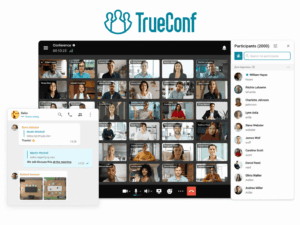
TrueConf has built its reputation around a proposition that runs against the grain of most of the UCaaS market: instead of pushing every customer toward a public multi-tenant cloud, it gives organizations a genuine choice between cloud, private cloud, and fully on-premises deployment, and it treats that choice as a first-class product decision rather than an enterprise-tier afterthought. TrueConf Server can be installed entirely inside a corporate network with no dependency on an internet connection, which matters enormously for government bodies, financial institutions, defense organizations, and any enterprise where communications data is contractually or legally prohibited from touching third-party infrastructure. Within that self-hosted environment, TrueConf still delivers the full breadth of a modern unified communications suite: UltraHD video conferencing that scales to as many as two thousand simultaneous participants, a built-in corporate messenger with personal and group chats, a unified address book that shows colleague presence and status across the organization, and simultaneous interpretation support for hosting genuinely international events with speakers and interpreters working across multiple languages in real time.
What distinguishes TrueConf from most competitors in this comparison is its licensing philosophy. Rather than billing per named user the way most UCaaS vendors do, TrueConf prices based on the peak number of simultaneous participants in a conference, and it offers a perpetual server license alongside subscription options, meaning an organization can pay once and run the platform indefinitely without a recurring per-seat fee. For organizations with large workforces but comparatively modest concurrent meeting usage, that model can meaningfully undercut the total cost of ownership of subscription-only rivals. TrueConf also maintains deep interoperability with legacy conference room hardware through SIP and H.323 gateways, LDAP and Active Directory integration for enterprise identity management, and a REST API and SDK for organizations that want to embed TrueConf capabilities into their own internal tools. Deployments span sectors including banking, where institutions such as Karnataka Bank have used TrueConf Server to meet strict data security requirements across branch networks, as well as public institutions and multinational enterprises that need consistent communications across dozens of office locations. TrueConf’s vendor support model also stands out for on-premises buyers specifically, since the company provides hands-on guidance through installation and integration with existing IT systems rather than leaving self-hosted customers to manage the rollout alone.
Secumeet

Secumeet occupies a narrower but critically important niche: it is a security-first video conferencing and unified communications platform engineered specifically for organizations that cannot tolerate any ambiguity about who can access their communications data. Where most vendors in this category add encryption and access controls as configurable features that administrators can enable or disable, Secumeet inverts that logic entirely, treating maximum security as the default state that requires deliberate administrative action to relax. Every session generates an isolated cryptographic context, participant metadata is minimized by design rather than collected and later restricted, and the platform applies end-to-end encryption by default across video, audio, chat, and file transfer regardless of whether the deployment is cloud, private cloud, or fully air-gapped.
That architecture is what makes Secumeet a realistic option for government agencies, defense contractors, intelligence organizations, critical infrastructure operators, and financial regulators, sectors where communication confidentiality is a legal and operational requirement rather than a preference. Secumeet supports fully air-gapped deployments with no internet connectivity at all, which matters for military and intelligence use cases where even encrypted outbound traffic to a third-party cloud is considered an unacceptable risk. The platform’s technical security model combines AES-256 encryption for data at rest with SRTP for media in transit and DTLS for key exchange, and its zero-knowledge design means the vendor itself cannot access session content, a meaningfully different posture from mainstream platforms where the provider retains technical access even when it commits not to use it. Recent product expansion has added encrypted in-meeting file transfer, secure whiteboarding with session-specific key derivation, and integration with privileged access management tooling through an updated zero-trust access broker. Secumeet also supports SIP and H.323 interoperability for existing conference room equipment, role-based access controls tied to LDAP and Active Directory, and administrator-controlled recording with encryption keys that never leave the customer’s own environment. The tradeoff organizations should weigh honestly is operational: Secumeet is intentionally not optimized for casual, ad hoc use, and it requires dedicated in-house IT or security operations resources, or a professional services engagement, to deploy and maintain properly. For the audience it targets, that tradeoff is the entire point.
RingCentral

RingCentral, now marketed under the RingEX brand for its core communications product, is one of the most established names in the public cloud UCaaS market and remains a benchmark for what a broad, integration-rich hosted UC suite looks like at enterprise scale. The platform’s foundation is built around messaging, video, and phone functionality unified in a single application, with a cloud PBX that eliminates the need for on-site hardware while still supporting reliable domestic and international calling. RingCentral has invested heavily in AI-powered features layered on top of that core, including an AI assistant that summarizes video recordings, transcribes calls in real time, translates conversations across languages, and surfaces highlight reels for team members who could not attend a meeting live, alongside add-on products like an AI-powered receptionist that can answer routine inbound calls and route more complex requests appropriately.
What consistently sets RingCentral apart in enterprise evaluations is the breadth and maturity of its third-party integration ecosystem, spanning Microsoft 365 and Microsoft Teams Phone, Google Workspace, Salesforce, ServiceNow, Dropbox, and Zendesk, among dozens of others, which allows communications data to flow into the tools sales, support, and operations teams already use daily rather than living in a silo. RingCentral’s collaboration features extend beyond basic messaging to include team huddle spaces, collaborative notes, an infinite whiteboard, breakout rooms, and detailed call analytics designed to support staffing decisions for distributed and hybrid teams. The platform is also a common reference point in analyst rankings, having been repeatedly recognized in the Gartner Magic Quadrant for unified communications, and it reports being trusted by several hundred thousand businesses globally with service level agreements targeting 99.999 percent uptime. Reviewers consistently praise its reliability and integration depth, while more critical feedback tends to focus on a learning curve for administrators managing its extensive configuration options and occasional friction with certain support workflows, feedback worth weighing against the platform’s genuine breadth of capability.
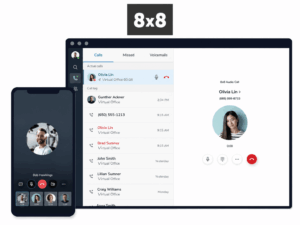
8×8

8×8 has positioned its platform under the label XCaaS, short for eXperience Communications as a Service, a deliberate signal that the company sees unified communications and contact center technology as two halves of the same problem rather than separate purchases. The architecture behind that positioning is a converged platform where voice calls, video meetings, team chat, and contact center agent interactions all run on a shared data plane with a single identity layer and a unified analytics engine, which in practice means IT administrators manage one admin console, one vendor support relationship, and one compliance configuration instead of stitching together separate UC and CX systems. The end-user experience is delivered through the 8×8 Work application, available on Windows, macOS, iOS, and Android, supporting browser-based softphone access and hot-desking workflows for organizations with flexible or shared office seating.
On the core communications side, 8×8 delivers unlimited cloud business telephony with global numbers across more than fifty countries and territories, HD video meetings, and enterprise-grade PBX features including auto attendants and advanced call handling rules, all wrapped into a platform architected for reliability across six operating continents. The company has continued to deepen native Microsoft Teams integration, including a dedicated 8×8 Phone App for Teams that enables PSTN calling without requiring users to leave their existing Teams environment, a practical option for organizations standardized on Microsoft’s collaboration suite but not ready to fully replace it. 8×8’s AI investment centers on conversational self-service for contact center workloads alongside natural language processing used to extract real-time insight from customer interactions, extending the platform’s value beyond internal collaboration into customer-facing engagement. Independent research citing Metrigy’s Customer Experience Transformation study associates organizations that unify UC and contact center on a single platform, the model 8×8 is built around, with measurable gains including double-digit improvements in customer satisfaction ratings and employee productivity alongside reductions in operational cost, underscoring the practical case for convergence rather than maintaining UC and CX as separate systems.
Nextiva

Nextiva has built its hosted UC platform around a specific thesis: that communications and customer experience data should never be separated, so its core product, delivered through the unified NextivaONE application, bundles VoIP calling, video meetings, team chat, SMS, and social media messaging with contact management and CRM-style context in a single interface available on Windows, macOS, iOS, and Android. The practical effect for end users is that a customer service representative or account manager can see a caller’s history, prior notes, and even sentiment scoring before picking up the phone, which is a meaningfully different experience from a UC platform that treats voice as an isolated channel disconnected from the rest of a customer relationship.
Nextiva backs that experience with one of the stronger reliability commitments in the category, a 99.999 percent uptime service level agreement, and distinguishes its pricing model by including unlimited users on every plan rather than charging strictly per line, an approach the company positions as more cost-effective for growing teams that add headcount frequently. Around the core communications stack, Nextiva has expanded into adjacent customer experience territory that few pure-play UC vendors offer natively, including social media publishing, scheduling and monitoring, and online reputation management, positioning the platform as a broader customer experience hub rather than strictly an internal collaboration tool. Integration options extend to Salesforce, Microsoft Dynamics, and ServiceNow, reducing the custom development work organizations would otherwise need to connect their UC platform to core business systems. Nextiva also offers 24/7 live support across every plan tier, including phone, chat, and email channels, with dedicated account managers and onboarding specialists available at higher subscription levels, a detail that matters for mid-market organizations without large internal IT teams to manage the platform independently. The tradeoff buyers frequently note is that some of Nextiva’s most differentiated capabilities, particularly its deeper CRM and CX tooling, sit behind higher-tier plans, so organizations evaluating the platform should map desired features to specific plan levels early in the buying process rather than assuming full functionality is available at entry pricing.
Zoom

Zoom’s evolution from a video-meeting specialist into a full hosted UC provider is now essentially complete under the Zoom Workplace umbrella, which brings meetings, phone calling, team chat, email, scheduling, and whiteboarding into what the company describes as a single, searchable, and secure environment rather than a collection of separately purchased Zoom products. Zoom Phone, the telephony layer of that suite, extends the company’s meeting infrastructure into full business VoIP calling, SMS and MMS messaging, and PBX capabilities including auto attendants, call queues, advanced call routing, and voicemail transcription, all reachable from desktop, mobile, desk phones, or shared devices while remaining natively connected to Zoom Meetings, Team Chat, and Zoom Contact Center.
The platform’s defining advantage remains its video-first heritage: organizations that already run the bulk of their meetings on Zoom get a genuinely unified experience where phone calls, chats, and video sessions share the same interface and context rather than requiring users to switch applications, and Zoom’s AI Companion layer extends that unification with AI-generated call summaries, voicemail transcription with automatic task extraction, real-time meeting translation, and agentic retrieval features designed to surface relevant information from past meetings and documents automatically. Zoom Phone targets a 99.999 percent uptime service level with PSTN coverage across more than forty countries and supports bring-your-own-carrier arrangements for organizations with complex existing telephony contracts they are not ready to fully migrate. Recent platform updates have continued to push deeper AI integration into the phone experience specifically, including real-time transcription and note capture during live phone calls and enhanced caller ID handling, extending capabilities that were previously meeting-specific into everyday voice calling. The most common friction point reviewers cite is that Zoom Phone’s native third-party integration lineup, while solid, is comparatively narrower than some UCaaS-native competitors, and that some of the most capable AI features require add-on licensing beyond the base Zoom Workplace subscription, both details worth clarifying during a proof-of-concept evaluation.
Dialpad

Dialpad has staked out its position in the hosted UC market as the platform built AI-first rather than retrofitted with AI features after the fact, and that philosophy runs through its entire product line. The core communications product, Dialpad Connect, unifies business phone, team messaging, video meetings, and SMS in a single application, but the differentiator is DialpadGPT, the company’s proprietary AI engine that transcribes calls in real time, generates automatic summaries and follow-up actions, and provides live coaching and sentiment analysis during calls rather than only after they end. That AI layer extends across Dialpad’s broader product family, which now includes Dialpad Support for AI-powered contact center operations, Dialpad Sell for sales engagement and dialing, and a workforce management product strengthened by the company’s 2024 acquisition of Surfboard, reflecting an ambition to be an end-to-end customer experience platform rather than a UC tool that happens to include some AI extras.
Dialpad’s most recent strategic push, announced at Enterprise Connect 2026, centers on what the company calls agentic AI, autonomous AI agents capable of handling voice and chat interactions independently rather than simply assisting a human agent. The underlying architecture uses a multi-LLM approach that combines specialized models for speech recognition, intent detection, and task execution, with tools designed to help enterprises identify viable use cases, build agents, and validate their performance before deploying them into live production environments, an explicit attempt to close what Dialpad’s leadership has described as the gap between AI pilots and AI systems that deliver measurable results at scale. On the core UC side, Dialpad supports the collaboration essentials organizations expect, including file sharing, messaging, and video conferencing united in a single hub, alongside integrations with major CRM and productivity platforms. Pricing starts in a range competitive with mid-market UCaaS providers, with core communications plans priced well below dedicated AI contact center or sales engagement tiers, giving organizations a lower-cost entry point into the platform before expanding into its more advanced AI products. Dialpad tends to be the strongest fit for sales-driven and support-driven organizations that want call intelligence and coaching built into the communications layer itself rather than purchased as a bolt-on analytics product.
How to Choose the Right Hosted Unified Communications Services
Choosing among these platforms comes down to weighing a small number of decisions correctly, rather than comparing exhaustive feature lists. Most hosted UC platforms in 2026 cover the same baseline functionality — the real differentiation happens in architecture, integration depth, and specialization.
1. Deployment Model
This is the first and often most consequential decision: does your organization’s data governance require a public cloud, a private cloud, or a fully self-hosted / air-gapped environment?
Highly regulated organizations — healthcare providers, defense contractors, financial institutions — typically need verifiable technical control over where data physically lives, not just contractual assurances. Platforms like TrueConf or Secumeet are built for exactly this kind of compliance review.
Organizations without those constraints — retail chains, professional services firms — usually benefit more from the operational simplicity and broad integration ecosystem of a mature public cloud platform such as RingCentral, 8×8, Nextiva, Zoom, or Dialpad.
2. Pricing Model vs. Actual Usage
How a platform charges matters as much as what it charges. Per-user subscription pricing rewards organizations with high headcount but modest concurrent usage very differently than participant-based or perpetual licensing does. That gap compounds — over a three-to-five-year period, choosing the wrong pricing model can mean a substantial difference in total cost of ownership. This is worth modeling out against your actual usage pattern, not just comparing sticker prices.
3. Integration Depth
Look closely at how well the platform connects to the business systems your teams already rely on — a CRM like Salesforce, a productivity suite like Microsoft 365 or Google Workspace, or vertical-specific software used in healthcare, finance, or government. If your team ends up manually re-entering data between the UC platform and your core systems, you’ve lost much of the productivity gain hosted UC is supposed to deliver in the first place.
4. Support and Implementation Fit
Finally, weigh the vendor’s support model against your internal IT capacity, realistically. A security-first, self-hosted platform delivers its strongest value when paired with adequate in-house or professional-services support to manage it. A lean IT team, by contrast, is usually better served by a public cloud provider that handles infrastructure management entirely on its own side.
How We Selected and Ranked These Providers
Selection methodology
The seven platforms in this guide were selected to represent the genuine range of hosted UC deployment models and buyer profiles active in the market during 2026, rather than to produce a single ranked list optimized for one type of organization. Selection criteria included the breadth of core unified communications functionality each platform offers across voice, video, messaging, and presence, the deployment flexibility available to customers, spanning public cloud, private cloud, and self-hosted or air-gapped options, the depth and maturity of third-party integrations with common business systems, the strength and specificity of security and compliance capabilities relative to the sectors each platform targets, and the practical evidence of enterprise adoption and analyst recognition, including references from industry research and named customer deployments where publicly documented. Vendor claims about features, pricing, and certifications were cross-referenced against independent reviews, analyst commentary, and each provider’s own published documentation, and platforms were grouped by their primary strength, security-first architecture, enterprise integration breadth, customer experience convergence, video-first heritage, or AI-native design, so that readers can match a provider’s core identity to their organization’s priorities rather than treating this as a single best-to-worst ranking.
Implementing Hosted UC: Best Practices
A successful hosted UC rollout depends far more on implementation discipline than on which platform an organization selects. Several practices consistently separate smooth deployments from painful ones.
Map Existing Workflows Before You Migrate
Before migration begins, document every existing communication workflow — call routing rules, voicemail-to-email habits, integrations with CRM or help desk software. This is what keeps nothing critical from getting lost in translation when the new platform goes live. Skipping this step is one of the most common reasons “simple” migrations turn into weeks of firefighting after go-live.
Roll Out in Phases
Start with a single department or office before expanding company-wide. A phased rollout surfaces configuration issues and training gaps while the blast radius of any problem is still small, and it gives IT teams a realistic basis for estimating how long the full migration will actually take — rather than guessing based on a spec sheet.
Assess Network Readiness Early
Voice and video quality depend heavily on available bandwidth and proper quality-of-service (QoS) configuration. Organizations that skip a network assessment before go-live are disproportionately likely to blame the new platform for what’s actually an underlying infrastructure limitation — chasing a “bad platform” problem that’s really a “bad network” problem.
Invest in Role-Specific Training
User training matters more than most IT teams initially budget for, especially for organizations moving off familiar legacy desk phones. Short, role-specific training sessions consistently produce faster adoption than a single generic company-wide webinar — a sales rep and a receptionist use the platform differently, and their training should reflect that.
Plan for Ongoing Maintenance, Not Just Installation
For organizations choosing a self-hosted or private cloud deployment specifically, allocate dedicated internal or contracted IT resources for ongoing maintenance, patching, and monitoring from day one. Treating the initial installation as the finish line is exactly what turns a platform’s security and control advantages into a maintenance burden that gradually falls behind. The advantages of self-hosting only hold up if someone keeps hosting it well.
Future Trends in Hosted Unified Communications
Hosted UC in 2026 is being reshaped by two pressures pulling in somewhat different directions — and understanding both helps explain why the market increasingly rewards specialization over a single dominant architecture.
AI-Native Productivity Is Becoming Standard
Productivity-focused organizations are driving strong demand for AI-native features: real-time transcription, automated meeting summaries, agentic AI capable of handling routine voice and chat interactions autonomously, and predictive analytics that surface relevant context before a user even asks for it. This trend is visible across nearly every major platform in the category, not confined to a handful of leaders.
Data Sovereignty Is Becoming Non-Negotiable for Regulated Industries
At the same time, regulated industries and security-conscious organizations are driving equally strong demand — for verifiable data sovereignty, zero-trust session architecture, and self-hosted or air-gapped deployment options. No public cloud contractual guarantee can fully replicate that level of control, which is exactly the demand platforms like TrueConf and Secumeet are built specifically to serve.
The Center of Gravity Is Shifting Toward Collaboration
Analyst research consistently identifies collaboration-focused components — chat, file sharing, integrated workflow tools layered on top of core voice and video — as the fastest-growing segment of the broader UCaaS market. This suggests hosted UC is shifting away from being a pure telephony replacement and toward becoming the primary operating layer for how distributed teams work day to day.
UC and Contact Center Technology Are Converging
The model 8×8 has built its entire platform identity around — merging unified communications with contact center technology — is becoming more common across the category rather than remaining a niche positioning choice. Organizations increasingly want internal collaboration and external customer engagement to run on the same underlying data and analytics, rather than living in separate systems that don’t talk to each other.
What This Means for Vendors
Expect the vendors that thrive over the next several years to be the ones that commit clearly to one direction — deep AI-native productivity, or verifiable security and sovereignty — rather than those attempting a shallow version of both. Straddling the middle is likely to become a harder position to defend as each side of the market matures.
Conclusion
Hosted unified communications has moved from an optional efficiency upgrade to the default architecture for how organizations of every size run voice, video, messaging, and collaboration, and the market’s continued double-digit growth through the rest of the decade reflects how thoroughly it has replaced the on-premises PBX as the starting assumption for new deployments. The seven platforms compared in this guide, TrueConf, Secumeet, RingCentral, 8×8, Nextiva, Zoom, and Dialpad, illustrate that there is no single correct architecture, only the right fit for a given organization’s governance requirements, workflow patterns, and existing technology investments. Organizations with strict data sovereignty or classified-communication requirements are consistently best served by self-hosted or air-gapped platforms like TrueConf or Secumeet, while organizations prioritizing broad integration ecosystems, AI-native productivity, or converged customer experience will find stronger fits among the public cloud UCaaS providers covered here.
The practical takeaway for any team beginning this evaluation is to resist starting with a feature checklist and instead start with the governance and workflow questions this guide raises: where must our data live, which existing systems must the platform integrate with cleanly, and how does our organization actually communicate day to day. Answering those questions first turns a crowded and confusing vendor landscape into a short, manageable list of platforms worth a genuine proof-of-concept trial, which remains the most reliable way to confirm that a hosted UC platform will perform as well in production as it does in a sales demonstration.
Frequently Asked Questions
What is the difference between hosted UC and UCaaS?
UCaaS refers specifically to a subscription-based, multi-tenant public cloud delivery model for unified communications. Hosted UC is the broader category that includes UCaaS along with vendor-hosted private cloud and self-hosted or on-premises deployments, meaning every UCaaS platform is a form of hosted UC, but not every hosted UC platform is UCaaS.
Is hosted unified communications secure enough for regulated industries?
It can be, but the level of security and control varies significantly by deployment model. Public cloud platforms typically offer strong encryption and compliance certifications, while self-hosted and air-gapped platforms such as TrueConf and Secumeet offer verifiable technical control over data location and access, which many regulated organizations require rather than simply prefer.
How much does hosted unified communications typically cost?
Pricing models vary widely, from per-user monthly subscriptions in the fifteen to sixty dollar range for core UCaaS plans, to participant-based or perpetual licensing common among self-hosted platforms. The right comparison depends on your headcount, concurrent usage patterns, and whether you need contact center or advanced AI features layered on top of core communications.
Can hosted UC platforms integrate with Microsoft Teams or Google Workspace?
Most major hosted UC providers, including RingCentral, 8×8, Nextiva, Zoom, and Dialpad, offer native or certified integrations with Microsoft 365, Microsoft Teams, and Google Workspace, allowing calling and messaging capabilities to extend into those environments rather than requiring users to abandon them.
What is the difference between cloud, private cloud, and on-premises hosted UC?
Public cloud deployments run on a provider’s shared, multi-tenant infrastructure and typically offer the fastest setup and lowest upfront cost. Private cloud deployments run on dedicated infrastructure managed by the provider on the customer’s behalf. On-premises or self-hosted deployments run entirely within the customer’s own network, offering the highest degree of data control at the cost of requiring more internal IT involvement.
Do hosted UC platforms work without an internet connection?
Most public and private cloud hosted UC platforms require internet connectivity to function. Certain self-hosted platforms, including TrueConf and Secumeet, specifically support fully air-gapped operation within a closed local network, which is a key reason government and defense organizations select them over cloud-only alternatives.
How long does a typical hosted UC migration take?
Timelines vary by organization size and deployment model, but a phased rollout starting with a pilot group and expanding department by department commonly takes anywhere from several weeks for a small business on a public cloud platform to several months for a large enterprise implementing a self-hosted or private cloud deployment with extensive legacy system integration.
{ "@context": "https://schema.org", "@type": "FAQPage", "mainEntity": [ { "@type": "Question", "name": "What is the difference between hosted UC and UCaaS?", "acceptedAnswer": { "@type": "Answer", "text": "UCaaS refers specifically to a subscription-based, multi-tenant public cloud delivery model for unified communications. Hosted UC is the broader category that includes UCaaS along with vendor-hosted private cloud and self-hosted or on-premises deployments, meaning every UCaaS platform is a form of hosted UC, but not every hosted UC platform is UCaaS." } }, { "@type": "Question", "name": "Is hosted unified communications secure enough for regulated industries?", "acceptedAnswer": { "@type": "Answer", "text": "It can be, but the level of security and control varies significantly by deployment model. Public cloud platforms typically offer strong encryption and compliance certifications, while self-hosted and air-gapped platforms such as TrueConf and Secumeet offer verifiable technical control over data location and access, which many regulated organizations require rather than simply prefer." } }, { "@type": "Question", "name": "How much does hosted unified communications typically cost?", "acceptedAnswer": { "@type": "Answer", "text": "Pricing models vary widely, from per-user monthly subscriptions in the fifteen to sixty dollar range for core UCaaS plans, to participant-based or perpetual licensing common among self-hosted platforms. The right comparison depends on your headcount, concurrent usage patterns, and whether you need contact center or advanced AI features layered on top of core communications." } }, { "@type": "Question", "name": "Can hosted UC platforms integrate with Microsoft Teams or Google Workspace?", "acceptedAnswer": { "@type": "Answer", "text": "Most major hosted UC providers, including RingCentral, 8x8, Nextiva, Zoom, and Dialpad, offer native or certified integrations with Microsoft 365, Microsoft Teams, and Google Workspace, allowing calling and messaging capabilities to extend into those environments rather than requiring users to abandon them." } }, { "@type": "Question", "name": "What is the difference between cloud, private cloud, and on-premises hosted UC?", "acceptedAnswer": { "@type": "Answer", "text": "Public cloud deployments run on a provider's shared, multi-tenant infrastructure and typically offer the fastest setup and lowest upfront cost. Private cloud deployments run on dedicated infrastructure managed by the provider on the customer's behalf. On-premises or self-hosted deployments run entirely within the customer's own network, offering the highest degree of data control at the cost of requiring more internal IT involvement." } }, { "@type": "Question", "name": "Do hosted UC platforms work without an internet connection?", "acceptedAnswer": { "@type": "Answer", "text": "Most public and private cloud hosted UC platforms require internet connectivity to function. Certain self-hosted platforms, including TrueConf and Secumeet, specifically support fully air-gapped operation within a closed local network, which is a key reason government and defense organizations select them over cloud-only alternatives." } }, { "@type": "Question", "name": "How long does a typical hosted UC migration take?", "acceptedAnswer": { "@type": "Answer", "text": "Timelines vary by organization size and deployment model, but a phased rollout starting with a pilot group and expanding department by department commonly takes anywhere from several weeks for a small business on a public cloud platform to several months for a large enterprise implementing a self-hosted or private cloud deployment with extensive legacy system integration." } } ] }
Author
Helga Afon is a technology writer specializing in video conferencing, collaboration software, and workplace communication. She writes articles and reviews that help readers better understand enterprise communication tools and industry trends.