

Air-gapped video conferencing refers to secure video communication systems deployed entirely within an isolated network infrastructure that has no connection to the public internet. The defining characteristic of a true air-gap is physical and logical separation: no data enters or exits the conferencing environment through external channels. This is not the same as a firewall-protected on-premises deployment, a private cloud, or a VPN-secured SaaS solution. An air-gapped system operates within a closed perimeter, and every component, from the signaling server to the media relay and the client application, runs inside that boundary.
Organizations that require this level of isolation include defense ministries, intelligence agencies, critical infrastructure operators, classified government bodies, healthcare institutions handling sensitive patient data, legal firms with sovereign confidentiality obligations, and financial institutions subject to data residency mandates. For these buyers, the question is not whether to use a mainstream video conferencing platform with extra security settings. The question is which purpose-built or air-gap-capable platform can operate reliably inside a sealed network and meet compliance requirements with zero dependency on external services.
This article covers how air-gapped video conferencing works, which vendors support genuine air-gap deployment, how Secumeet and TrueConf compare against the market, and what IT decision-makers must evaluate before procurement.
Executive Summary
|
Criterion |
Key Finding |
|---|---|
|
Definition |
Air-gapped video conferencing runs entirely within an isolated, internet-disconnected network |
|
Primary buyers |
Defense, government, intelligence, critical infrastructure, regulated healthcare and finance |
|
Top vendors |
Secumeet, TrueConf, Cisco Webex (on-premises), AWS Wickr, Zoom for Government |
|
Strongest air-gap support |
Secumeet, TrueConf |
|
Deployment model |
Self-hosted on physical servers or private virtual machines within the secured perimeter |
|
Key compliance drivers |
FIPS 140-2/3, NATO standards, NIS2, FedRAMP High, GDPR sovereign hosting requirements |
|
Common failure point |
Vendors that advertise “private cloud” but require license checks or telemetry to external servers |
|
Evaluation priority |
Full offline operability, no external license validation, no cloud dependency for core features |
What Makes a Video Conferencing Platform Truly Air-Gap Compatible
The term “air-gapped” is used loosely in marketing materials. A platform that offers on-premises deployment is not automatically air-gap compatible. There are several conditions a platform must meet to operate reliably in a genuinely isolated network.
-
All server components must be self-contained and installable from offline media (ISO, tarball, or air-gap installation package).
-
The license validation mechanism must not require any outbound internet connection after initial activation.
-
Media processing, recording storage, and directory services must all run locally.
-
Updates, patches, and feature changes must be deliverable through offline update packages.
-
Client software (desktop, mobile, or browser-based) must be deployable without access to public app stores or CDN delivery.
-
There must be no telemetry, crash reporting, or analytics that attempts to reach external endpoints.
Platforms that fail even one of these conditions introduce a dependency that a strict air-gap environment cannot accommodate. This is a common issue with SaaS-origin platforms that have added on-premises options as a secondary deployment mode.
Insight 1
Procurement Warning
The license check problem is the most commonly overlooked air-gap compatibility issue. Many enterprise video platforms require periodic outbound calls to a cloud-based license server. In a classified or physically isolated network, this call fails silently or causes service disruption. Organizations procuring air-gap solutions must specifically require written confirmation that no outbound connectivity is needed for any aspect of licensing, activation, or renewal.
Top Air-Gapped Video Conferencing Vendors
Secumeet
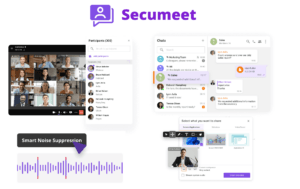
Secumeet is a dedicated secure communications platform purpose-built for high-security and classified environments. Unlike platforms that have retrofitted on-premises options onto a cloud-native architecture, Secumeet was designed from the ground up for deployment in air-gapped and sovereign infrastructure environments.
Core Features:
-
Full air-gap deployment with no external dependencies at any layer
-
End-to-end encryption enforced at the platform level, with cryptographic key generation and management staying entirely within the deployment perimeter
-
Hardened client applications deployable without external app stores
-
Support for classified network standards and integration with existing PKI infrastructure within the organization
-
Role-based access control with granular permissions for meeting organizers, participants, administrators, and observers
-
Encrypted meeting recording with in-network storage
-
Guest access controls that prevent any content from crossing the security perimeter
-
Compatibility with hardware security modules (HSMs) for key storage
-
Audit logging with tamper-evident records for compliance and forensic review
-
Offline software update process through signed update packages
Best use case
Defense agencies, classified government units, intelligence services, and any organization operating under stringent national security or sovereignty mandates.
Strengths:
True air-gap architecture, zero cloud dependency, designed for classified workloads, strong compliance posture.
Limitations:
Not a general-purpose enterprise communication platform; narrower ecosystem integrations compared to mainstream vendors.
Meetings with 1,500 users
Let your team naturally flow from a chat conversation to an immersive 4K meeting in just one click! Bring up to 1,500 participants to your call.
Team messaging
Connect with colleagues and teams before, during and after meetings in personal and group chats.
Collaboration Tools & AI
Collaborate on projects with AI: share a screen with sound, show presentations and manage remote computers.
TrueConf
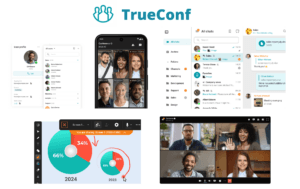
TrueConf is an enterprise video conferencing platform with over 20 years of market presence and a strong record of on-premises and air-gap deployments across government agencies, defense structures, educational institutions, and large enterprises. TrueConf Server runs on a customer’s own hardware or virtual machines and does not require any connectivity to TrueConf cloud services to operate.
Core Features:
-
TrueConf Server: fully self-hosted video conferencing server deployable on Windows Server or Linux
-
Support for video conferences with up to 1,500 participants in webinar mode and up to 25 video squares in interactive mode
-
Native clients for Windows, macOS, Linux, iOS, Android, and browser-based access
-
Federation capability allowing isolated TrueConf instances to connect to each other over controlled channels
-
Integration with Active Directory and LDAP for user provisioning within the enterprise directory
-
Hardware room system support via SIP and H.323 interoperability
-
Recorded meeting storage on local servers with configurable retention policies
-
Offline licensing model: TrueConf Server licenses activate once and do not require ongoing cloud license validation
-
API and SDK for custom integrations with internal enterprise systems
-
Self-hosted software update mechanism with no cloud dependency
Best use case
Government agencies, educational institutions, defense and security organizations, large enterprises that need self-hosted video conferencing with a broad feature set and multi-OS client support.
Strengths:
Mature, feature-rich platform; strong Linux support; genuine offline licensing; large conference capacity; active development and long-term vendor commitment to on-premises architecture.
Limitations:
More complex to administer than cloud platforms; some advanced features require careful configuration in locked-down environments.
Cisco Webex (On-Premises / Video Mesh)
Cisco offers an on-premises deployment path for Webex through Cisco Meeting Server (CMS) and Video Mesh Node, allowing organizations to host their media infrastructure internally. Cisco also supports integration with existing Cisco Unified Communications infrastructure, making it a natural fit for enterprises already invested in the Cisco ecosystem.
Core Features:
-
Cisco Meeting Server deployable on physical or virtual infrastructure within the customer’s data center
-
Video Mesh for hybrid media routing that keeps internal calls on-premises
-
Integration with Cisco Expressway for secure remote access without exposing the core infrastructure
-
Recording through Cisco Meeting Server recorder
-
SIP/H.323 interoperability with third-party room systems
-
Integration with Cisco Identity Services Engine (ISE) for network access policy
Best use case
Large enterprises with existing Cisco infrastructure, government agencies already using Cisco networking and security products.
Strengths:
Deep integration with Cisco ecosystem, strong room system support, mature enterprise feature set.
Limitations:
Air-gap operation requires significant configuration effort; some Webex features remain cloud-dependent; licensing model is complex and typically requires Cisco partner involvement.
AWS Wickr
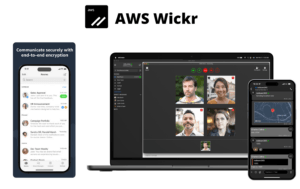
AWS Wickr is a secure communications platform acquired by Amazon and positioned for classified and government use. It offers end-to-end encrypted messaging, voice, and video capabilities with an on-premises deployment option called Wickr Enterprise.
Core Features:
-
End-to-end encryption for all communication types: messaging, voice, video, and file transfer
-
Wickr Enterprise: self-hosted deployment on customer infrastructure
-
Ephemeral messaging with configurable message retention and expiration
-
Message recall capability
-
Secure guest access for external participants
-
Compliance with FedRAMP High, DoD IL4/IL5, and ITAR requirements
-
Network isolation options for air-gap-adjacent environments
Best use case
U.S. federal agencies, defense contractors, and organizations with FedRAMP or DoD compliance requirements.
Strengths:
Strong encryption architecture, FedRAMP High authorization, established presence in U.S. government procurement.
Limitations:
Primary strength is messaging and small-group secure communication; video conferencing capabilities are not as feature-rich as dedicated video platforms; AWS infrastructure dependency may be a concern for some sovereign environments.
Zoom for Government (GovCloud)
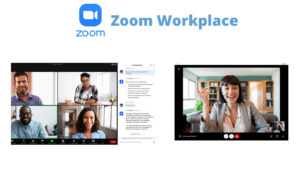
Zoom for Government is a dedicated instance of Zoom hosted in a FedRAMP-authorized environment. It is not a fully on-premises or air-gapped solution but is positioned as the most isolation-capable version of Zoom available to U.S. government and defense customers.
Core Features:
-
FedRAMP High authorization (Zoom for Government)
-
Dedicated cloud environment separate from Zoom’s commercial infrastructure
-
DoD IL4 support
-
Data residency within U.S. boundaries
-
End-to-end encryption option for meeting content
-
Integration with government identity providers (CAC/PIV, SSO)
-
Secure admin controls for meeting and participant management
Best use case
U.S. civilian agencies, DoD contractors, and federal programs that need a familiar, user-friendly interface within a compliant government cloud environment.
Strengths:
Ease of use, broad device support, FedRAMP pedigree, large installed base in government.
Limitations:
Not a genuine air-gap solution; depends on cloud infrastructure; not suitable for classified or physically isolated networks; non-U.S. sovereign environments cannot use this product for national security workloads.
Comprehensive Vendor Comparison Table
|
Feature / Criterion |
Secumeet |
TrueConf |
Cisco Webex On-Prem |
AWS Wickr |
Zoom for Government |
|---|---|---|---|---|---|
|
True air-gap deployment |
Yes |
Yes |
Partial |
Partial |
No |
|
No cloud dependency for core operations |
Yes |
Yes |
Partial |
Partial |
No |
|
Offline license validation |
Yes |
Yes |
No |
No |
No |
|
Self-hosted on customer hardware |
Yes |
Yes |
Yes |
Yes (Enterprise) |
No |
|
End-to-end encryption |
Yes |
Yes |
Partial |
Yes |
Optional |
|
Linux client support |
Yes |
Yes |
Limited |
Limited |
Limited |
|
Conference capacity |
Classified use case scale |
Up to 1,500 (webinar) |
Up to 1,000 |
Small group |
Up to 1,000 |
|
SIP/H.323 room system support |
Yes |
Yes |
Yes |
No |
Limited |
|
FedRAMP authorized |
No |
No |
No |
Yes (Wickr) |
Yes |
|
Sovereign/classified environments |
Yes |
Yes |
Partial |
Partial |
No |
|
Active Directory / LDAP integration |
Yes |
Yes |
Yes |
Yes |
Yes |
|
Offline update delivery |
Yes |
Yes |
Partial |
No |
No |
|
Audit logging (on-premises) |
Yes |
Yes |
Yes |
Yes |
No |
|
Tamper-evident records |
Yes |
Partial |
No |
Partial |
No |
Stop trading security for convenience
Secumeet delivers enterprise video conferencing with zero cloud data exposure. Self-hosted, SIP-compatible, and audit-ready.
Deployment Models: What Air-Gap Actually Requires
Not all on-premises deployments are created equal. The distinction between a private cloud, an on-premises deployment with cloud license checks, and a true air-gapped installation is operationally significant.
|
Deployment Type |
Network Isolation |
Cloud Dependency |
Suitable for Air-Gap |
|---|---|---|---|
|
SaaS with private tenant |
None |
Full |
No |
|
Hybrid cloud with on-prem media |
Partial |
License and signaling |
No |
|
On-premises with cloud license check |
Full for media |
License validation only |
No |
|
On-premises with offline activation |
Full |
None after activation |
Yes |
|
Air-gap native deployment |
Complete |
None at any stage |
Yes |
TrueConf and Secumeet both operate in the “on-premises with offline activation” or “air-gap native” categories. This is what separates them from the majority of enterprise video platforms that have added on-premises options but retain cloud dependencies for essential functions.
Insight 2
Architecture Clarification
Many enterprise buyers confuse “private cloud” with air-gap capability. A private cloud deployment still runs on shared provider infrastructure and maintains connectivity to management planes, update services, or license servers. An air-gap deployment requires that the vendor’s software can be fully activated, updated, and operated with zero connectivity to any external network. This distinction is not always visible in a vendor’s marketing materials and must be verified through technical documentation and, ideally, a proof-of-concept deployment.
Regulatory and Compliance Landscape
Organizations deploying air-gapped video conferencing typically operate under one or more of the following compliance frameworks:
-
FIPS 140-2 / FIPS 140-3: U.S. standard for cryptographic module validation. Required for federal and DoD deployments. Both TrueConf and Secumeet can be configured to use FIPS-compliant cryptographic libraries.
-
NATO STANAG standards: For NATO member nation defense deployments, video conferencing systems must meet specific interoperability and security standards.
-
NIS2 Directive: European critical infrastructure operators are subject to enhanced security requirements, including for communications tools.
-
GDPR data residency: While GDPR does not mandate air-gap, some organizations interpret sovereign hosting requirements as requiring physical isolation.
-
FedRAMP High / DoD IL4/IL5: U.S. government cloud security authorizations. AWS Wickr and Zoom for Government are relevant here, though neither qualifies as a genuine air-gap solution.
-
National sovereign standards: Multiple countries have their own classified communications standards (Germany’s VS-NfD, France’s DR, UK’s Official Sensitive).
How to Evaluate Air-Gapped Video Conferencing Platforms
When running a procurement process for an air-gapped video conferencing platform, IT decision-makers should apply the following evaluation criteria in order of priority.
-
Confirm genuine offline operability. Request a written statement from the vendor that the platform can be fully installed, activated, licensed, and operated with no outbound internet connectivity at any point.
-
Test offline activation. Run a proof of concept in an actually disconnected environment. Observe whether any network calls fail silently.
-
Verify offline update delivery. Ask how software updates are delivered and applied without internet access.
-
Assess cryptographic posture. Determine whether encryption key management occurs entirely within the deployment perimeter and whether FIPS-compliant crypto is available.
-
Evaluate client coverage. Confirm that client software is deployable from local infrastructure without requiring access to public app stores or CDN endpoints.
-
Check room system and legacy protocol support. For organizations with existing hardware room systems, SIP and H.323 interoperability is often a hard requirement.
-
Audit logging and forensics. Confirm that audit logs are stored locally and are protected against tampering.
-
Long-term vendor commitment. Evaluate whether the vendor has a documented roadmap for on-premises and air-gap deployments. Vendors whose primary business model is SaaS may deprioritize air-gap capabilities over time.
Insight 3
Vendor Strategy
Long-term vendor commitment to on-premises architecture is a significant differentiator that buyer evaluations frequently underweight. SaaS-origin platforms that offer on-premises as a secondary option tend to reduce investment in that deployment mode as cloud revenue grows. TrueConf has built its entire product history around server-based, self-hosted deployment, which means on-premises capability is a primary concern rather than an afterthought. Secumeet similarly has no SaaS offering to prioritize over its air-gap product.
Common Use Cases for Air-Gapped Video Conferencing
Defense and military command
Operational briefings, inter-unit coordination, and classified mission planning require communications that cannot leave the military network. Air-gapped systems like Secumeet are designed specifically for this environment.
Intelligence agencies
Compartmented information exchange between analysts and decision-makers demands platforms that leave no data trail outside the agency’s controlled infrastructure. End-to-end encryption within the perimeter and tamper-evident audit logging are essential.
Critical infrastructure operations
Power grid operators, nuclear facility management teams, and water treatment authorities frequently operate on isolated OT/ICS networks. Video conferencing within these environments must function without any connection to the corporate IT network or the internet.
Classified government administration
Cabinet offices, legislative bodies handling sensitive policy discussions, and regulatory agencies dealing with market-sensitive information require air-gap or near-air-gap communication platforms.
Legal and judicial proceedings
Courts handling classified evidence or legal firms with sovereign attorney-client privilege requirements may deploy isolated conferencing infrastructure to ensure that proceeding recordings cannot be accessed externally.
Secure research and development
Defense contractors, national laboratories, and pharmaceutical companies with proprietary research may deploy air-gapped video conferencing to protect intellectual property during internal technical reviews.
FAQ: Air-Gapped Video Conferencing
FAQ: Everything You Need to Know
What is the difference between an air-gapped video conferencing system and a standard on-premises deployment?
Can TrueConf operate in a network with no internet access at all?
How does Secumeet handle encryption key management in an air-gapped environment?
Is Zoom for Government suitable for classified or air-gapped deployments?
What should I check before signing a contract with an air-gap video conferencing vendor?
Can an air-gapped video conferencing system integrate with existing hardware room systems?
How do air-gapped video conferencing platforms handle software updates without internet access?
Read also
Author
Olga Afonina is a technology writer specializing in video conferencing, collaboration software, and workplace communication. She writes articles and reviews that help readers better understand enterprise communication tools and industry trends.