
Free communication apps can cover very different communication needs.
Some are free cloud services with usage limits. Some are consumer apps that teams also use informally. Others provide free self-hosted editions, where the software license is free but the organization operates the infrastructure.
That means the word free can describe very different models:
free cloud tier ≠ free personal app ≠ free self-hosted edition ≠ trial
There is another distinction that matters just as much:
messaging limit ≠ meeting limit
A product may support a large number of free messaging users while imposing much tighter restrictions on group meetings, storage, history or administration.
The most useful question is therefore not:
Is the app free?
It is:
What is free, what is limited, and which limit will our team reach first?
This guide focuses on free communication apps that can realistically be used by teams and organizations rather than consumer-only messaging products.
Best Free Communication Apps at a Glance
What Does “Free Communication App” Actually Mean?
Not every free product is free in the same way.
Free Cloud Tier
The vendor hosts the service and provides a permanent free plan with limits.
Typical restrictions can include:
-
message history;
-
meeting duration;
-
storage;
-
integrations;
-
administration.
Slack and Microsoft Teams Free fit this general model.
Free Personal App
The application is free for individual users, but it may not provide the administration expected from business communication software.
Typical examples include Signal and Telegram.
These tools can still work for small groups, but organizations should distinguish:
free communication
from:
organization-managed communication
Free Self-Hosted Edition
The software can be deployed without paying for a full commercial license, but the organization operates the infrastructure.
That means the license may be free while deployment still requires:
-
servers;
-
backups;
-
monitoring;
-
administration;
-
updates;
-
network capacity.
This creates an important distinction:
free software ≠ zero-cost communication
TrueConf Server Free and some open-source/self-hosted platforms fit this model.
Trial or Evaluation Access
A trial may initially cost nothing but expire after a fixed period.
It is not equivalent to a permanent free plan.
For this comparison, temporary access should not be treated as a long-term free communication option.
Compare the Limits Separately
A major problem with free-software comparisons is that different limits are often collapsed into one number.
For communication software, at least four boundaries should be checked separately.
This matters because the strongest free product can change depending on the workflow.
A platform may be restrictive for large conferences but generous for everyday team messaging.
Another may allow broad chat access but limit how much history remains available.
For messenger-heavy teams, messaging capacity should be evaluated independently from conference capacity.
How We Compare Free Communication Apps
A useful comparison should focus on the boundary of the free offer rather than on every capability available in the paid product.
The question is not which commercial product has the longest feature list.
It is which free edition covers the communication workflow.
1. Slack
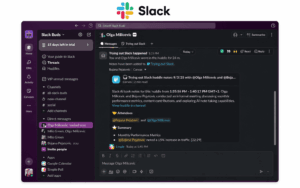
Best for: Teams that want organized channel-based communication.
Free model: Cloud freemium.
Slack provides the core channel-based messaging experience through:
-
channels;
-
direct messages;
-
threads;
-
file sharing;
-
integrations.
Its main strength is ease of adoption for team conversation.
The free boundary is primarily around how much organizational history and advanced functionality remain available compared with paid editions.
Slack Free can therefore work well for small teams whose main requirement is convenient cloud chat, but teams that rely heavily on long-term searchable communication should examine the current history and administration limits closely.
2. Microsoft Teams Free

Best for: Small teams wanting messaging and meetings inside Microsoft’s ecosystem.
Free model: Cloud freemium.
Teams Free combines:
-
chat;
-
group communication;
-
meetings;
-
file collaboration.
Its strongest fit is teams already familiar with Microsoft’s productivity environment.
The main free boundaries involve meeting capabilities, storage and organizational administration rather than basic communication alone.
Teams Free should therefore be evaluated separately from the full Microsoft 365 and Teams Phone environment.
3. TrueConf Server Free
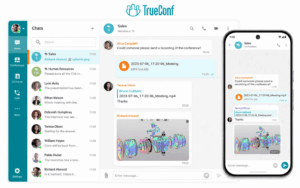
Best for: Organizations that primarily need a free corporate messenger with one-to-one calls and customer-operated infrastructure.
Free model: Free self-hosted edition.
TrueConf Server Free has an unusual free boundary because its messaging capacity is much larger than its group-conferencing capacity.
The free edition currently supports up to 1,000 online users for persistent chats , group and one-to-one video calls.
Users can communicate through:
-
personal chats;
-
channels;
-
file exchange;
-
one-to-one voice and video calls.
This makes TrueConf Server Free particularly relevant when the primary requirement is not a large free webinar or conference, but an internal team messenger for a comparatively large number of users.
The group-conferencing boundary is different.
The free edition allows up to 10 PRO users in group conferences.
It also includes:
-
one guest browser connection;
-
one SIP/H.323/RTSP connection.
The tradeoff is deployment.
Unlike Slack or Teams Free, TrueConf Server Free runs on infrastructure operated by the organization.
The license may be free, but the organization still needs to provide and maintain the server environment.
4. Discord
Best for: Informal teams, communities and groups where voice and chat matter more than formal administration.
Free model: Free provider-hosted service.
Discord combines:
-
text channels;
-
direct messages;
-
persistent voice channels;
-
video;
-
screen sharing.
Its free communication capabilities are broad.
The main boundary for business use is organizational control rather than ordinary messaging functionality.
Discord is not built around enterprise user lifecycle, retention and centralized governance in the same way as dedicated corporate communication products.
5. Signal
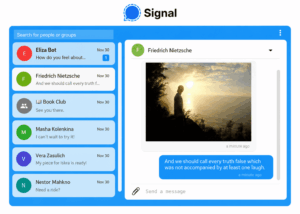
Best for: Small groups prioritizing private messaging and calling.
Free model: Free personal communication app.
Signal provides private messaging, group conversations, calls and media sharing.
Its primary limitation for business communication is not the cost of messaging.
It is the absence of the centralized administrative model expected from an enterprise messenger.
Signal therefore fits the broad category of free communication apps but should not be treated as equivalent to an organization-managed messaging platform.
6. Telegram
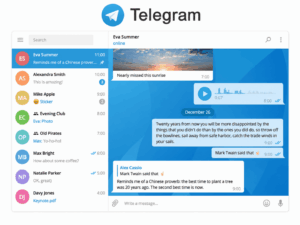
Best for: Large informal groups, channels and broad audience communication.
Free model: Free provider-hosted communication service.
Telegram supports:
-
direct messaging;
-
groups;
-
broadcast channels;
-
voice and video;
-
file sharing.
Its scale and channel model can be useful for broad communication.
For corporate deployment, however, organizations should separately evaluate:
-
account ownership;
-
employee offboarding;
-
centralized administration;
-
retention;
-
governance.
Its communication scale should not be confused with enterprise management.
7. Mattermost
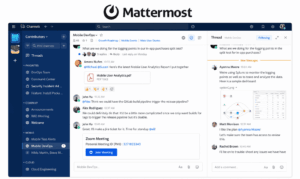
Best for: Technical and operational teams that want control over messaging infrastructure.
Free model: Free/self-hosted options depending on edition.
Mattermost is centered on persistent channels and team messaging.
For self-hosted deployments, the important free boundary is partly operational.
Even where software licensing is available without a commercial enterprise subscription, the organization may still need to operate:
-
application servers;
-
database infrastructure;
-
backups;
-
monitoring;
-
upgrades.
Advanced administration and enterprise capabilities may require commercial licensing.
Mattermost therefore illustrates another distinction:
free license ≠ free deployment
8. Rocket.Chat
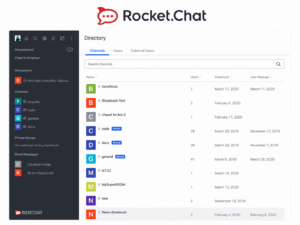
Best for: Teams that want flexible deployment and self-managed messaging.
Free model: Self-managed and provider-hosted options depending on edition.
Rocket.Chat provides channels, direct messaging, threads, files and integrations.
For free/self-managed use, organizations should verify separately:
-
which functions are included in the selected edition;
-
which external vendor services remain involved;
-
which enterprise controls require an upgrade.
Self-hosting moves more of the messaging environment under organizational control, but it does not automatically mean every function is locally independent.
9. Jitsi Meet
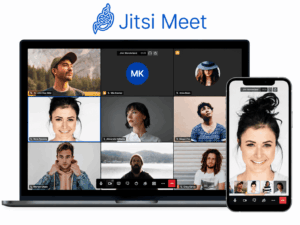
Best for: Teams that primarily need free browser-based video meetings.
Free model: Free/open-source software, with public hosted deployments also available.
Jitsi Meet is mainly a conferencing tool rather than a persistent team messenger.
Its strengths include browser-based video meetings and self-hosting.
For organizations operating their own deployment:
no license fee ≠ no operating cost
Server capacity, networking, authentication, updates and scaling remain operational responsibilities.
10. FreeConferenceCall
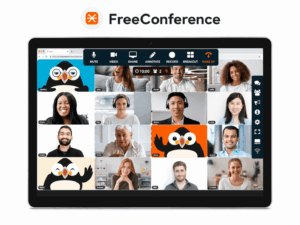
Best for: Groups that mainly need simple conference calls.
Free model: Free provider-hosted conferencing service.
FreeConferenceCall represents a narrower communication model:
participants join → conference takes place → call ends
It can be useful when the requirement is straightforward audio or online conferencing.
It is less suitable when the organization needs persistent messaging, channels, organizational identity or a continuing communication workspace.
Free Communication Apps by Communication Need
The free boundary becomes easier to understand when products are matched to the actual communication job.
This is more useful than ranking all ten products from best to worst because they do not solve the same communication problem.
When Does a Free Communication App Stop Being Free?
The real free boundary is not always a number on a pricing page.
Cloud Freemium
A team may need to upgrade when it requires:
-
more history;
-
larger or longer meetings;
-
additional storage;
-
more integrations;
-
stronger administration.
The cost appears when the team outgrows the provider’s free-tier boundary.
Free Self-Hosted Software
The licensing boundary can be much less restrictive for some workflows, but operational costs grow with:
-
users;
-
storage;
-
traffic;
-
backups;
-
high availability;
-
administrator time.
The cost appears in infrastructure and operations.
This creates two different paths:
free cloud tier → paid subscription
and:
free self-hosted edition → larger infrastructure and/or commercial edition
Neither model is automatically cheaper.
The important question is which boundary the organization is more likely to hit first.
Free Cloud App vs Free Self-Hosted Software
For a small team, free cloud communication may be easier.
For a larger internal messaging deployment, a free self-hosted edition can remain attractive if the organization already has the infrastructure and staff to operate it.
Are Free Communication Apps Suitable for Business?
Sometimes.
A free plan can be enough when:
-
communication needs are straightforward;
-
its specific limits match the workflow;
-
advanced governance is unnecessary;
-
the organization already has infrastructure for a self-hosted edition.
The key is to avoid treating every free product as a small-team product.
For example, a free cloud plan may be constrained by history or administration while a self-hosted edition may allow a much larger messaging population but require internal infrastructure.
The useful question is:
Does the free boundary match the business requirement?
Common Mistakes When Choosing a Free Communication App
Comparing Full Products Instead of Free Editions
Paid products often provide capabilities that are absent from the free offer.
Compare the free edition itself.
Using One User Number for Every Communication Mode
Messaging users, online users and group-conference participants may have different limits.
Check them independently.
Treating Self-Hosted Software as Zero-Cost
Servers, maintenance and administrator time still have a cost.
Ignoring the Upgrade Trigger
Identify the first likely reason the organization would need to leave the free edition.
That may be:
-
group meeting size;
-
message history;
-
administration;
-
storage;
-
enterprise integrations.
How to Choose a Free Communication App
Start with the communication job.
1. Decide What Matters Most
Is the primary requirement:
-
persistent team messaging;
-
one-to-one calls;
-
group meetings;
-
community communication;
-
self-hosted communication?
2. Identify the Free Model
Determine whether the product is:
-
cloud freemium;
-
free personal software;
-
a free self-hosted edition;
-
temporary evaluation access.
3. Separate the Limits
Check independently:
messaging → calls → group meetings → storage/history → administration
Do not rely on one headline capacity number.
4. Find the First Limit You Are Likely to Hit
The important boundary is the one that affects the actual workflow.
A 10-person meeting limit may not matter to an organization using the platform primarily for messaging.
Likewise, unlimited chat users may be less useful if essential message history disappears.
5. Include Operational Cost
For self-hosted products, evaluate:
-
servers;
-
storage;
-
backups;
-
updates;
-
monitoring;
-
IT administration.
A good free communication app is one whose communication boundary and operating model both match the organization.
Frequently Asked Questions
What are the best free communication apps?
It depends on the communication job.
Slack and Teams Free are useful cloud communication options, TrueConf Server Free is particularly relevant for larger customer-operated messaging deployments, Signal provides private personal messaging, Discord supports community chat and voice, and Jitsi Meet focuses on free video meetings.
Which free communication app is good for team messaging?
For cloud-based team chat, Slack and Teams Free are common options.
For customer-operated messaging, TrueConf Server Free is notable because it supports up to 1,000 online users for chats and one-to-one video calls, although group conferences have much lower limits.
Are free communication apps really free?
Some are free cloud services with feature limits.
Others are free to license but require the organization to provide infrastructure.
Trials should not be treated as permanent free plans.
What is the difference between a free cloud app and free self-hosted software?
With a cloud free tier, the vendor operates the infrastructure and limits the free service.
With self-hosted software, the organization operates the platform, so license cost and operational cost are separate.
What limits should teams check first?
Check messaging users, message history, group-meeting capacity, meeting duration, storage, administration and infrastructure requirements separately.
Conclusion
The main difference between free communication apps is not simply how many features they provide.
It is where the free boundary sits.
A product may be:
free cloud tier → free personal app → free self-hosted edition → temporary trial
And within the same product:
messaging limit ≠ meeting limit ≠ administration limit
This distinction is particularly important for messenger-heavy deployments. A platform can have modest free conference limits while still support a much larger population for everyday messaging.
The useful decision is therefore:
communication job → relevant free boundary → operational model
The best free communication app is the one whose free limits match the way the team will actually communicate.
Author
Helga Afon is a technology writer specializing in video conferencing, collaboration software, and workplace communication. She writes articles and reviews that help readers better understand enterprise communication tools and industry trends.