7 Free Instant Messaging Software for Business

Free instant messaging (IM) software for business is a category of communication tools that let teams exchange text messages, files, and often voice or video calls in real time, without a licensing fee for a baseline set of features. These platforms typically offer a free tier with limits on users, message history, or storage, and paid upgrades for advanced administration, security, and integrations.

Businesses use free IM software to replace scattered email threads with faster, structured, searchable conversations. The right choice depends on three factors: how many people need to chat, whether the company needs on-premises hosting for compliance, and how deeply the tool must integrate with video conferencing, file storage, or existing directory systems (like Active Directory).

Quick List of 7 Free Instant Messaging Tools for Business

Rocket.Chat is available as a self-hosted or cloud deployment, with unlimited users on the self-hosted version, making it a strong fit for open-source, customizable teams. Its standout feature is full source code access combined with federation support.

Microsoft Teams (Free) runs entirely in the cloud and supports meetings with up to 100 participants. It works best for small teams already using Microsoft tools, and its main advantage is deep integration with the Office suite.

Google Chat is a cloud-based tool included with Google Workspace Individual and free-tier accounts. It suits teams that already rely on Gmail and Google Docs, with native integration into Gmail and Drive as its key strength.

Slack Free is cloud-only and limits message history to the most recent 90 days while capping the number of connected apps. It is best suited for startups and small businesses, thanks to its simple interface and large app directory.

TrueConf can be deployed self-hosted, in the cloud, or in a hybrid setup, with group chats available on the free edition of TrueConf Server. It is particularly useful for regulated industries that need on-premises control, and its standout feature is messaging fully integrated with video conferencing.

Element (Matrix) offers self-hosted or cloud deployment with unlimited use on self-hosted instances. It is aimed at privacy-focused organizations and stands out for its decentralized, end-to-end encrypted protocol.

Secumeet supports self-hosted or private cloud deployment, with a free trial or limited free tier depending on region. It is designed for government, healthcare, and defense-adjacent sectors, with data sovereignty and encryption by default as its defining feature.

What Is Business Instant Messaging Software?

Business instant messaging software is a communication platform designed for internal team chat, external client conversations, or both. Unlike consumer messengers, business-grade IM tools add:

  • User and role management (admin panels, permissions, guest access)

  • Integration with corporate directories (LDAP/Active Directory, SSO)

  • Compliance features (message retention policies, audit logs, encryption)

  • Channels, groups, and threads for organized conversations

  • File sharing, search, and often voice/video calling in the same interface

Free tiers exist because vendors use a freemium model: the basic messaging function is free to drive adoption, while advanced security, storage, or integration features are monetized in paid plans.

The 7 Best Free Instant Messaging Software for Business

1. Rocket.Chat

Rocket.Chat

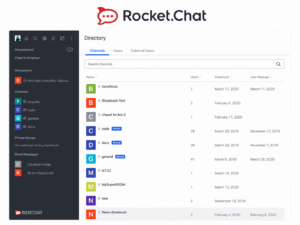
Rocket.Chat is an open-source team communication platform that organizations can deploy on their own infrastructure or use through a vendor-managed cloud service. It supports channels, direct messages, threads, file sharing, and voice and video calls through supported integrations. The platform also provides Matrix-based federation with other compatible Rocket.Chat and Matrix servers, although federated communication currently has several functional limitations.

Rocket.Chat offers two free self-hosted options. The Starter plan supports up to 50 users and includes selected premium capabilities with usage limits. The Community edition provides core messaging features and supports up to 100 concurrent users, but it has fewer identity, integration, support, and governance capabilities than the commercial plans.

Notable functionality includes:

  • Access to the source code for custom self-hosted deployments

  • Channels, direct messages, threads, and file sharing

  • Basic LDAP, SAML, and OAuth authentication

  • Voice and video calls through integrations such as Jitsi and BigBlueButton

  • Optional end-to-end encryption for supported conversations

  • Apps, bots, webhooks, and API-based integrations

  • Matrix-based federation with compatible external servers

  • Omnichannel integrations for website live chat, WhatsApp, SMS, and other services

What is free and what it means for a business

The free Starter plan can be used by small teams with up to 50 users. It provides core collaboration features and selected premium capabilities, making it suitable for product evaluation, pilot projects, and smaller internal deployments.

Organizations that exceed the Starter user limit can use the self-hosted Community edition. However, this edition supports no more than 100 concurrent users and focuses primarily on basic channels, direct messages, basic identity management, limited app integrations, and a restricted monthly allowance for push notifications.

The organization is responsible for providing the server infrastructure, storage, backups, monitoring, updates, and security controls. Self-hosting can reduce direct subscription costs, but it does not eliminate the operational costs associated with maintaining the platform.

Larger teams and organizations that require vendor support, advanced administration, compliance controls, service guarantees, or higher capacity should evaluate Rocket.Chat’s commercial plans.

Omnichannel and customer-facing use cases

Rocket.Chat can bring customer conversations from multiple channels into a shared agent interface. Supported options include a website live chat widget and integrations with services such as WhatsApp, SMS, and Telegram.

These integrations should not be described as entirely free. Some require Rocket.Chat marketplace apps, paid omnichannel capabilities, or external services such as Meta’s WhatsApp Cloud API, 360dialog, or Twilio. Messaging, telephone number, API, and provider fees may apply separately.

For support or sales teams, Rocket.Chat can combine internal collaboration with customer-facing communication. However, businesses should compare the required integrations, routing functions, reporting tools, and total provider costs before using it as a replacement for a dedicated helpdesk or contact center platform.

Extensibility through apps and bots

Rocket.Chat provides APIs, webhooks, apps, and bots that can connect conversations with external business systems. Teams can use these tools for workflows such as ticket creation, approval requests, monitoring alerts, and status notifications.

The availability and cost of integrations vary. The Community edition supports a limited set of app integrations, while some marketplace apps and third-party services require separate subscriptions or usage fees.

For technical teams, Rocket.Chat can function as both a messaging platform and an interface for internal workflows. The final cost depends on the selected Rocket.Chat plan, infrastructure requirements, marketplace apps, and external service providers.

Best suited for: technical teams, small organizations, pilot projects, and businesses that want to evaluate or operate a self-hosted messaging platform. The free Starter plan is limited to 50 users, while the Community edition supports up to 100 concurrent users with a reduced feature set. Larger or regulated organizations should consider a commercial plan and assess the full cost of hosting, administration, support, integrations, and compliance controls.

2. Microsoft Teams (Free)

Microsoft Teams

Microsoft Teams Free is a communication service primarily designed for individuals, informal groups, communities, and small teams. It supports direct and group chats, file sharing, communities with channels, and video meetings.

The free plan allows group meetings with up to 100 participants for up to 60 minutes. One-to-one calls between Teams users can last up to 30 hours. Each user receives 5 GB of cloud storage.

Microsoft Teams Free should not be treated as a free version of the complete business collaboration platform. It does not provide the same organizational workspaces, administration controls, identity management, compliance capabilities, or Microsoft 365 integrations available with business subscriptions.

Notable functionality includes:

  • Unlimited direct and group chat

  • Communities with topic-based channels

  • Posts and replies within community channels

  • Group video meetings for up to 100 participants

  • A 60-minute limit for group meetings

  • One-to-one calls for up to 30 hours

  • Screen sharing during meetings

  • File and photo sharing

  • 5 GB of cloud storage per user

  • Tasks, polls, and basic collaborative planning

  • Data encryption for meetings, chats, calls, and files

What is free and what it means for a business

Microsoft Teams Free provides unlimited chat and group video meetings for up to 100 participants, with each group meeting limited to 60 minutes. These limits can be sufficient for short internal discussions, occasional client calls, product demonstrations, and informal collaboration.

The free plan provides 5 GB of cloud storage per user. This storage can be used for files shared through Teams, but teams that regularly exchange large presentations, videos, or project files may reach the limit relatively quickly.

Businesses should also consider that Teams Free uses personal Microsoft accounts and does not provide the complete administrative environment available in Microsoft Teams business plans. It lacks many functions required for centrally managing employees, organizational policies, access permissions, retention, compliance, and company-owned accounts.

Chats, communities, and channels

Microsoft Teams Free supports direct chats, group chats, and Communities. A Community can contain multiple channels that separate discussions by topic, activity, or working group.

Members can create posts and replies inside these channels, helping keep related conversations together. However, Communities in Teams Free are not identical to the teams and channels provided through Microsoft 365 business subscriptions.

They are better suited to informal groups, small project communities, professional associations, clubs, and teams that do not require centralized corporate administration.

Video meetings

The free plan includes video meetings, screen sharing, meeting links, live captions, chat, and file sharing. Group meetings can include up to 100 participants and last for up to 60 minutes.

This can remove the need for a separate video conferencing service when a small team mainly conducts short meetings. Businesses that need longer sessions, recordings, transcripts, advanced meeting administration, webinars, or larger participant limits must use a paid Teams or Microsoft 365 plan.

External collaboration

People outside a group can be invited to a Teams Free chat or Community using an invitation or join link. They must sign in to Teams or create an appropriate Microsoft account to participate.

This should not be described as standard organizational guest access. The centrally managed guest accounts, access policies, shared channels, and administrative controls associated with business Teams environments are features of paid organizational subscriptions.

Teams Free can therefore support basic communication with contractors, customers, or partners, but it is not a complete external collaboration environment for businesses that need controlled access to company resources.

Microsoft 365 integration and upgrade path

Microsoft Teams Free provides chat, meetings, file sharing, tasks, polls, and basic collaboration tools. It does not include the complete business integration with Exchange, SharePoint, organizational OneDrive storage, Outlook calendars, or centrally managed Microsoft 365 applications.

Paid plans provide higher meeting limits, additional storage, business administration, organizational accounts, and deeper integration with Microsoft 365 services. For companies planning to adopt Microsoft 365, the free version can provide an introduction to the Teams interface, but migration to a business subscription may require setting up a separate organizational environment.

Best suited for: individuals, informal groups, communities, temporary projects, and very small teams that need free chat and short video meetings. Businesses that require company-managed accounts, full organizational channels, guest administration, longer meetings, recordings, compliance controls, or Microsoft 365 integration should choose a paid business plan.

3. Google Chat

Google Chat

Google Chat is a messaging and collaboration service available to users with personal Google accounts and included with Google Workspace subscriptions. It supports direct messages, group conversations, persistent spaces, threaded discussions, file sharing, and integration with services such as Gmail, Google Drive, Google Meet, Docs, and Sheets.

For businesses already using Google Workspace, Chat is included as part of the subscription rather than purchased as a separate messaging product. People using personal Google accounts can also access its core communication features, although they do not receive the same administrative, security, retention, and compliance controls available to organizations using Google Workspace.

Notable functionality includes:

  • Direct and group messaging

  • Persistent spaces for teams, projects, and topics

  • In-line threaded conversations

  • File sharing through Google Drive

  • Integration with Google Docs, Sheets, Slides, Calendar, Gmail, and Meet

  • Message search when conversation history is available

  • Huddles for spontaneous voice conversations with optional video and screen sharing

  • Google-built and third-party Chat apps

  • External collaboration, subject to account and administrator settings

What is free and what it means for a business

Google Chat can be used at no additional cost with a personal Google account. Core functions include direct messaging, group conversations, spaces, file sharing, and access to supported calling features.

For organizations using Google Workspace, Chat is included in the selected Workspace subscription. In this case, it should not be described as completely free because the business is already paying for Workspace. It is more accurate to say that Chat does not require a separate messaging subscription.

A group of employees could use personal Google accounts to communicate without paying for Chat. However, this approach does not give the company centralized ownership or administration of those accounts. The business may have limited control over user access, employee offboarding, data retention, audit records, security policies, and organizational information.

For ongoing business use, Google Workspace accounts are generally more appropriate than independently managed personal Gmail accounts.

Spaces for organized team conversations

Spaces provide persistent areas for discussions related to a project, department, team, or topic. They can contain messages, files, links, tasks, apps, and threaded replies.

In-line threads allow members to reply to a particular message without moving every discussion into the main conversation stream. This can make project communication easier to follow than a single group chat.

Message history is normally available in spaces, but its behavior depends on the type of conversation and the applicable account settings. Google Workspace administrators can control some history and retention settings. Therefore, Chat history should not automatically be treated as a permanent company knowledge base.

Organizations that need legally defined retention periods, electronic discovery, archiving, or audit capabilities must evaluate the relevant Google Workspace edition and Google Vault features.

Integration with Docs, Sheets, and Drive

Users can share Google Drive files in direct messages and spaces. Depending on the file and account permissions, participants can preview or open documents and collaborate through Google Docs, Sheets, or Slides.

Google Chat also helps users manage file access when a shared document is not yet available to all conversation members. However, Chat does not override Google Drive permissions. Access still depends on the document owner’s sharing settings, the participants’ accounts, and organizational policies.

This integration is especially useful for businesses that already use Google Drive as their main document storage system. Teams can discuss a file in Chat and continue editing it in the corresponding Google application without downloading and resending multiple copies.

Huddles and Google Meet calls

Google Chat supports Huddles for spontaneous conversations. A Huddle begins as a voice chat without ringing all participants. Members can join from a direct message, group conversation, or space.

Participants can turn on their cameras and share their screens during a Huddle. Users can also create or join a standard Google Meet meeting from Chat when they need a scheduled or more formal video conference.

Huddles are useful for short discussions and quick team coordination. They should not be described simply as video calls because the feature is designed as a voice-first conversation with optional video.

Meeting duration, participant capacity, recording, transcripts, attendance reports, and other advanced capabilities depend on the user’s Google account and Google Workspace edition.

Apps and workflow integrations

Google Chat supports apps that can post notifications, respond to commands, and connect conversations with external systems. Available examples include Google-built apps and integrations for services such as project management, development, monitoring, and approval workflows.

Users can find compatible apps through Google Workspace Marketplace or add them directly from Chat. However, app availability varies by account type. Workspace administrators may restrict which apps employees can install or use.

Some third-party Chat apps also require a subscription to the connected service or approval from that service’s administrator. Therefore, workflow automation through Chat should not be presented as universally free.

Technical teams can also build custom Google Chat apps and webhooks, but development, hosting, maintenance, and Google Cloud usage may create additional costs.

Best suited for: organizations already using Google Workspace that want messaging, spaces, file collaboration, and quick voice or video conversations inside the Google ecosystem. The personal-account version can support informal groups and temporary projects, while businesses requiring centralized administration, retention policies, compliance controls, and company-owned accounts should use an appropriate Google Workspace subscription.

4. Slack Free

Slack

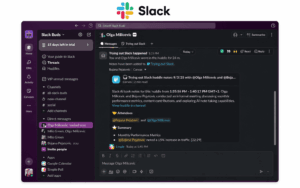
Slack Free is a business messaging service that supports public and private channels, direct messages, file sharing, integrations, and one-to-one audio and video conversations through Slack Huddles.

The free plan does not impose a stated limit on the number of workspace members or public and private channels. Its main restrictions concern message and file history, app integrations, group Huddles, external collaboration, administration, and security controls.

Notable functionality includes:

  • Unlimited public and private channels

  • Direct and group messages

  • Access to messages and files from the most recent 90 days

  • Up to 10 installed app integrations

  • One-to-one audio and video Huddles with screen sharing

  • File uploads of up to 1 GB per file

  • One-to-one external messaging through Slack Connect

  • Basic workflow, canvas, and collaboration features

  • Search within the available 90-day history

What is free and what it means for a business

Slack Free allows a business to create a workspace with multiple members and organize conversations across an unlimited number of public and private channels.

However, users can only view and search messages and files from the most recent 90 days. Older content is hidden from the workspace. Messages and files that are more than one year old are permanently deleted on a rolling basis, even if the organization later decides to upgrade.

This means the free plan can support active, short-term communication, but it should not be used as a permanent archive or the only place where a company stores important decisions, documents, or project records.

The free plan also supports no more than 10 installed apps. Businesses that rely on a larger set of integrations, automated workflows, compliance tools, or administrative controls must upgrade to a paid plan.

Channels for structured team communication

Slack channels can be organized by department, project, customer, location, or topic. Public channels are available to workspace members, while private channels restrict access to invited participants.

Threads allow users to respond to individual messages without moving every discussion into the main channel feed. This helps teams separate related discussions and makes active conversations easier to follow.

Channels and threads are fully usable on the free plan, but their long-term value is limited by the 90-day visibility window. Content that needs to remain available should be transferred to a document repository, project management system, knowledge base, or another controlled storage location.

Voice and video conversations

Slack Free includes one-to-one Huddles. Two people can start an audio conversation directly from a channel or direct message and can enable video or share their screens when needed.

Group Huddles are not included in the free plan. Teams that need multi-person voice or video meetings must use a separate conferencing service or upgrade to a paid Slack subscription.

Huddles can be useful for quick clarifications, short demonstrations, or informal discussions between two colleagues. They are not a replacement for a full group video conferencing platform on the free tier.

File sharing and retention

Users can upload files to channels, threads, and direct messages. Slack allows individual file uploads of up to 1 GB, although some file types and Slack Connect conversations may have additional restrictions.

Files are subject to the same visibility and retention rules as messages. On the free plan, users can access files shared during the most recent 90 days. Files older than one year are permanently deleted.

For this reason, Slack Free should not be used as the primary storage location for contracts, design assets, project archives, recordings, or other business-critical files. Companies should store permanent copies in a dedicated document or cloud storage system and share links through Slack where appropriate.

App integrations

Slack provides an extensive directory of integrations for services such as Google Drive, Microsoft OneDrive, Jira, Salesforce, GitHub, Zoom, and project management platforms.

A free workspace can install up to 10 apps. This may be sufficient for a small team that only needs a calendar, file storage service, task manager, and a few notification tools.

The limit applies to installed apps rather than the number of available apps in Slack’s directory. Some integrations may also require a paid account with the connected service or provide only limited functionality on their own free plans.

Businesses that require more than 10 integrations, advanced workflow automation, or enterprise system connections must upgrade Slack or reduce the number of installed apps.

Best suited for: startups, small teams, temporary projects, and organizations that need channels, direct messaging, up to 10 integrations, and one-to-one Huddles without paying for each member. Businesses that require long-term message retention, group calls, extensive integrations, advanced Slack Connect channels, centralized identity management, or compliance controls should use a paid plan or combine Slack Free with other systems.

5. TrueConf Server Free

TrueConf

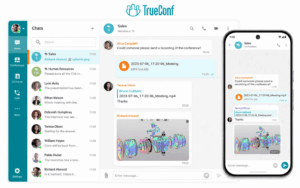
TrueConf is a self-hosted communication platform that combines persistent team messaging, video calls, group conferences, file sharing, presence information, and collaboration tools in a single client application.

Organizations can deploy TrueConf Server on their own infrastructure or in a private cloud. A free edition, TrueConf Server Free, is available for up to 1,000 registered users. However, the free edition has separate limits for simultaneous conference participation and some server capabilities.

Notable functionality includes:

  • Personal and group chats
  • Team channels and threaded discussions
  • File sharing in chats
  • Chat and call history synchronization across authorized devices
  • Favorites, archived chats, channels, and custom chat folders
  • Presence statuses and a corporate address book
  • One-to-one video calls and group video conferences
  • Screen sharing and other meeting collaboration tools
  • Desktop and mobile applications
  • Centralized user administration
  • LDAP and Active Directory integration
  • Self-hosted deployment on company-controlled infrastructure

What is free and what it means for a business

TrueConf Server Free supports up to 1,000 registered users and includes personal chats, group chats, file sharing, video calls, and group conferences.

The user limit should not be confused with meeting capacity. The free edition supports group conferences with up to 10 simultaneous participants. It is therefore suitable for company-wide messaging combined with relatively small video meetings, rather than large all-hands conferences or webinars.

TrueConf Server Free is self-hosted, so the organization must provide and maintain the required server infrastructure. This includes installation, storage, updates, backups, monitoring, network configuration, and security administration.

The free license can be used for evaluation, small meetings, internal messaging, branch deployments, and organizations that need a self-hosted alternative to a public cloud messenger. Businesses that require larger conferences, additional guest connections, federation between servers, advanced integrations, or other expanded capabilities should evaluate the commercial edition.

Messaging inside and outside video calls

TrueConf supports personal and group conversations independently of video meetings. Users can find colleagues in the corporate address book, open a chat from search or the Contacts section, create project discussions, and exchange messages without starting a call.

Chat is also available during video conferences. Participants can exchange links, files, comments, and follow-up information without switching to a separate messaging application.

A user can move from a text conversation to a video call or conference within the same client. This reduces the need to deploy separate products for internal messaging and routine video communication.

Structured chat organization

TrueConf applications provide several ways to organize communication, including recent conversations, favorites, channels, archived chats, and custom folders.

Users can place frequently accessed conversations in Favorites, move inactive chats into the archive, and group conversations into folders according to projects, departments, customers, or other categories.

Channels support structured communication with larger groups and can be used for announcements, department updates, or topic-based discussions. The exact availability of individual interface functions may depend on the client application and its version.

Video conferencing in the same platform

TrueConf combines messaging and video conferencing in the same application. Users can start one-to-one video calls, create group conferences, share their screens, exchange files, and use collaboration tools without moving to a separate conferencing product.

TrueConf Server Free supports conferences with up to 10 simultaneous participants. Organizations that need larger meetings, webinars, additional guest connections, SIP or H.323 capacity, or advanced conference management should check the limits and extensions available with the commercial license.

The platform does not impose the short meeting-duration limits commonly found in some free cloud conferencing services. Actual call quality and capacity depend on server resources, network conditions, endpoint performance, and the selected conference configuration.

Deployment and data control

TrueConf Server can be deployed on infrastructure controlled by the organization. This allows administrators to determine where server-side chat history, shared files, account information, and communication metadata are stored.

Self-hosting can help an organization address internal data-location and infrastructure-control requirements. However, deploying a product on premises does not by itself establish compliance with GDPR, HIPAA, financial regulations, or government security requirements.

Compliance also depends on configuration, access controls, encryption, logging, retention policies, backup procedures, endpoint security, administrator practices, contractual requirements, and the organization’s own operational processes.

The commercial edition provides capabilities that are not available in the free license, including autonomous operation inside a corporate network without an internet connection and federation with remote TrueConf Server instances. Organizations that require isolated-network operation should therefore verify the selected license rather than assuming this capability is included in TrueConf Server Free.

Best suited for: organizations that want to combine corporate messaging and video conferencing on company-controlled infrastructure. TrueConf Server Free is suitable for up to 1,000 registered users and group conferences with up to 10 simultaneous participants. Enterprises, government organizations, and regulated businesses should evaluate the commercial edition when they require larger meetings, isolated-network operation, server federation, extended integrations, support guarantees, or additional security and administration capabilities.

6. Element (Matrix)

Element

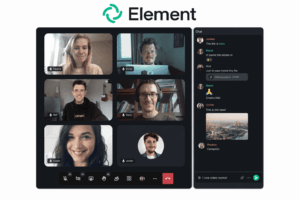
Element is a messaging and collaboration client built on the open Matrix protocol. It supports direct messages, group rooms, file sharing, voice and video communication, end-to-end encryption, and federation between independently operated Matrix servers.

The Element application is open source and can be used with a public Matrix service, a self-hosted Matrix homeserver, Element Cloud, or the commercial editions of Element Server Suite. Organizations should distinguish between the free Element client, the open Matrix protocol, the free community server distribution, and Element’s paid enterprise products.

Element Server Suite Community is available free of charge as an open-source self-hosted distribution. However, Element positions it for non-professional use, evaluation, and small to medium-sized deployments of approximately 1–100 users. Professional organizations requiring vendor support, guaranteed performance, certifications, advanced administration, or enterprise security controls should evaluate Element Server Suite Pro or another supported Matrix deployment.

Notable functionality includes:

  • Direct messages and group rooms
  • End-to-end encryption enabled by default for newly created private rooms
  • Federated communication between compatible Matrix servers
  • Device verification and cross-signing
  • File sharing and message synchronization
  • Voice and video communication through Element Call or supported integrations
  • Optional bridges to external communication platforms
  • Bots, webhooks, widgets, and application integrations
  • Self-hosted and managed deployment options
  • Desktop, web, and mobile applications

What is free and what it means for a business

The Element client is free to use and can connect to a self-hosted Matrix server or a public Matrix provider. Organizations can also deploy open-source Matrix server software on their own infrastructure.

Element Server Suite Community provides an official free server distribution from Element. It includes the frontend, backend, and Element Call, but it is intended for non-professional deployments, evaluation, and smaller installations rather than business-critical enterprise use. Element describes its expected deployment range as approximately 1–100 users.

The underlying open-source software does not apply a simple commercial per-user license in the same way as many cloud services. However, this should not be described as unlimited business use at no cost. Practical capacity depends on server resources, database configuration, media storage, traffic, federation load, backups, monitoring, and administrator expertise.

Self-hosting also creates infrastructure and operational expenses. The organization is responsible for installation, updates, security patches, storage, backups, availability, abuse prevention, and incident response.

Element states that the Community distribution does not provide performance guarantees, vendor-managed security updates, certifications, a software bill of materials, or vendor responsibility. Businesses that need these assurances should use a professionally supported edition or another supported Matrix provider.

End-to-end encryption

Element enables end-to-end encryption by default for newly created private rooms. In encrypted rooms, message contents are encrypted on participating devices and are not available to the homeserver in readable form. Once encryption is enabled for a Matrix room, it cannot normally be disabled for that room.

This provides stronger protection against server-side access than ordinary transport encryption. However, it does not mean that every Element or Matrix room is automatically encrypted.

Public rooms may be unencrypted, and room configuration can vary according to the client, server, room type, and administrator policies. Users should confirm the encryption status before sharing sensitive information.

End-to-end encryption also creates operational considerations. Message recovery depends on access to verified devices, recovery keys, or configured secure key backup. Losing all devices and recovery information may make encrypted history inaccessible.

Bots, bridges, moderation tools, archiving systems, and compliance integrations may need access to unencrypted message content to operate. Organizations must therefore balance encryption requirements with retention, audit, moderation, and integration needs.

Device verification and cross-signing

Element supports device verification and cross-signing to help users confirm that their accounts and contacts are using trusted devices.

A verified device can help establish trust in additional devices belonging to the same user. Users can compare verification information or use supported verification workflows before trusting a new device.

This can reduce the risk of an unnoticed device being added to an encrypted account. However, device verification is not equivalent to complete corporate device management.

Organizations that need centrally enforced endpoint policies, remote device removal, mobile device management, certificate-based access, conditional access, or detailed device auditing may require additional enterprise controls and external security systems.

Voice and video communication

Element supports voice and video communication through Element Call and, in some environments, integrations such as Jitsi.

Calls can be launched from Matrix rooms, allowing participants to move from text discussion to live communication without using an unrelated messaging account. Element Server Suite Community includes Element Call as part of the free distribution.

Call capacity and functionality depend on the selected deployment, client version, server configuration, network conditions, and conferencing component. Organizations should not assume that an unrestricted enterprise video conferencing service is included simply because the Element client supports calls.

Larger or business-critical deployments may require additional infrastructure, selective forwarding units, TURN services, monitoring, bandwidth planning, and professional support.

Best suited for: technical teams, open-source communities, evaluations, and organizations that need an open, federated communication architecture and are prepared to operate the required infrastructure. Element Server Suite Community is intended primarily for non-professional use and deployments of approximately 1–100 users. Businesses requiring guaranteed performance, vendor support, certifications, advanced administration, controlled federation, or compliance capabilities should evaluate Element Server Suite Pro or another professionally supported Matrix service.

7. Secumeet

Secumeet

Secumeet is a secure communication platform positioned for organizations with strict confidentiality requirements, such as government agencies, healthcare providers, and enterprises handling sensitive data. It combines encrypted messaging with video conferencing and file exchange, and supports self-hosted or private cloud deployment to keep data under the organization’s control. Unlike general-purpose messengers that treat security as one feature among many, Secumeet is built around confidentiality as the primary design principle, which shapes how its free and entry-level offering is structured.

Notable functionality includes:

  • Encrypted messaging and calls designed around data sovereignty principles

  • Self-hosted or private infrastructure deployment options for compliance-driven environments

  • Integrated video conferencing alongside chat, reducing the need for separate tools

  • Administrative controls suited to organizations managing sensitive internal communication

  • Focus on regulatory alignment for sectors where data cannot leave a controlled environment

What’s free and what it means for a business

The free or trial tier gives an organization a way to test encrypted messaging and video conferencing before committing to a full self-hosted or private cloud deployment. For public sector bodies and regulated enterprises, this matters because it allows a compliance and security review to happen against a real, working system rather than marketing claims alone, before any budget is committed to infrastructure or licensing.

Video conferencing without adding a separate vendor

Video conferencing is integrated directly alongside chat, so an organization does not need to bring in a separate video platform and then manage the security review, procurement, and compliance approval for two vendors instead of one. This consolidation reduces the attack surface and the compliance workload that comes with maintaining multiple communication tools across different security standards.

Administrative controls for sensitive internal communication

Administrative controls are designed for organizations that need to manage sensitive internal communication carefully, covering aspects like user access and oversight of how the platform is used within the organization. This gives IT and security teams the ability to enforce internal policy on a platform that is already built around confidentiality, rather than retrofitting security controls onto a general-purpose messenger.

Best suited for: public sector bodies, regulated industries, and enterprises where confidentiality and control over infrastructure outweigh the convenience of pure cloud SaaS tools.

Why Free Instant Messaging Tools Matter for Business

Email is slower than chat for day-to-day coordination, and unmanaged personal messaging apps (like using personal WhatsApp for work) create compliance and data-ownership risks. Free business IM tools solve both problems by giving organizations, including startups and cost-conscious teams, a structured, auditable channel without upfront investment. The shift away from email and unmanaged apps is not just about speed, it changes how a company owns, secures, and can later retrieve its own internal communication.

Key benefits include:

  • Lower cost of entry: Teams can test collaboration workflows before committing budget.

  • Faster decision-making: Real-time threads reduce the back-and-forth typical of email chains.

  • Centralized knowledge: Searchable chat history keeps decisions and files in one place.

  • Reduced shadow IT: Sanctioned tools reduce reliance on unmanaged consumer apps for work conversations.

  • Scalability path: Free plans typically map to paid tiers, so teams can grow without switching platforms.

Lower cost of entry removes the barrier to trying new workflows

A free plan lets a business pilot a new way of working, such as project-based channels or department-wide group chats, without asking finance to approve a software purchase first. This is especially valuable for startups and small teams that need to prove a collaboration model works before justifying a recurring cost, and it lets multiple tools be trialed in parallel to compare which one actually fits the team’s habits before any money changes hands.

Faster decision-making comes from shortening the communication loop

Email requires composing a full message, waiting for a reply, and often looping in additional people through forwards or new threads, while chat allows a question and an answer to happen within seconds in the same visible thread. For a business, this shortened loop translates directly into faster approvals, quicker problem resolution, and less time spent waiting on a decision that a five-message chat exchange could have resolved in minutes instead of hours.

Centralized knowledge turns chat into a searchable record, not just a conversation

When conversations, files, and decisions live in searchable channels rather than scattered across personal inboxes, new employees and other departments can find prior context without interrupting the people who were originally involved. This matters most as a business grows, since institutional knowledge that used to live only in someone’s email account becomes retrievable by anyone with appropriate access, reducing the risk of losing critical information when an employee leaves or forgets a past conversation.

Reduced shadow IT lowers compliance and security exposure

When a business does not provide a sanctioned messaging tool, employees tend to default to personal apps like WhatsApp or SMS for quick work conversations, which puts company information on devices and platforms IT has no visibility into. Offering an approved free IM tool gives employees a convenient alternative that keeps conversations, file sharing, and client discussions inside a system the organization can monitor, secure, and, if necessary, produce records from during an audit or legal request.

A scalability path avoids the cost of switching tools later

Because most free business messaging plans are the entry tier of a broader paid product line, a company that starts on the free version of Slack, Teams, Rocket.Chat, or TrueConf can typically upgrade in place rather than migrating years of chat history and integrations to an entirely different platform. This matters operationally, since switching messaging tools after a business has scaled means retraining staff, re-establishing integrations, and risking the loss of historical context, all of which a well-chosen free plan with a clear upgrade path is designed to avoid.

Business Messaging: Current Statistics

  • Instant messaging is used for internal communication by the majority of knowledge workers in mid-size and large organizations, with adoption continuing to grow as remote and hybrid work persist.

  • Enterprise messaging and collaboration software spending has been growing at a double-digit compound annual rate over recent years, driven by demand for integrated chat, video, and file-sharing platforms.

  • Open-source and self-hosted messaging solutions have seen rising adoption among regulated industries (finance, healthcare, government, defense) due to data residency and compliance requirements.

  • A significant share of businesses report that instant messaging reduces internal email volume, with many teams citing faster response times as the primary reason for adoption.

  • These trends explain why the market includes both mass-market cloud tools (Slack, Teams, Google Chat) and specialized, security-first or self-hosted alternatives (Rocket.Chat, Element, TrueConf, Secumeet).

How to Choose Free Instant Messaging Tools for Your Business

Picking the right free instant messaging tool is less about which platform has the longest feature list and more about matching a small set of practical constraints to what each tool is actually built for. Before comparing individual products, it helps to answer a handful of questions about team size, data control requirements, and how messaging needs to connect with the rest of the business’s software stack.

Start with team size and growth expectations

A five-person startup and a 300-person regional office have very different needs from a “free” plan. Cloud tools like Slack, Microsoft Teams, and Google Chat are built to onboard a small team in minutes with no infrastructure, which makes them the fastest option for a business that just needs messaging running today. Self-hosted tools like Rocket.Chat, Element, or TrueConf remove per-user cost entirely, which becomes more valuable as headcount grows, but they require someone with IT capacity to set up and maintain the server, so a two-person company without technical staff may not benefit from that tradeoff yet.

Decide how much control the business needs over its data

Some businesses simply need a convenient chat tool, while others are legally required to know exactly where their communication data is stored and who can access it. If the business operates in finance, healthcare, government, defense, or any sector with data residency obligations, self-hosted or private-cloud options such as TrueConf, Secumeet, Rocket.Chat, or Element deserve priority over pure SaaS tools, since they let the organization keep messages and files on infrastructure it directly controls rather than a vendor’s shared cloud.

Check compliance and security requirements against the free tier, not just the paid plan

It is common for a vendor’s marketing to highlight security features that are only available on paid tiers, so it is worth confirming exactly what the free plan includes: is encryption on by default, are directory integrations like LDAP or SSO available without upgrading, and are audit logs or admin controls present at all. Tools like Rocket.Chat and Element include strong security fundamentals, such as encryption and identity integration, even on their free self-hosted editions, while some cloud tools reserve these controls for paid business or enterprise tiers.

Map out how messaging needs to connect with video, files, and other tools

If a business already treats chat and video as two separate needs handled by two separate products, a tool like Slack Free or Google Chat that pairs lightweight calling with messaging may be enough. If instead the business wants one platform that natively unifies chat, group video conferencing, and file sharing without stitching together multiple vendors, platforms like TrueConf and Secumeet are built specifically around that combined use case, which can simplify both procurement and day-to-day usage.

Consider how easily the business can reach people outside the organization

Internal team chat is only part of the picture; many businesses also need to communicate with clients, vendors, or partners who are not on the same platform. Slack Connect and Element’s bridges to platforms like WhatsApp or Telegram address this by allowing controlled external collaboration, while tools without this kind of interoperability may require external contacts to install and learn a new app just to communicate with the business.

Think ahead to the paid tier before committing time to setup

Since a free plan is rarely meant to be a permanent end state for a growing business, it is worth reviewing what the paid upgrade path looks like before investing time in rollout and training. A tool with a smooth upgrade, more storage, longer message history, or deeper admin controls without switching platforms, saves the business from a disruptive migration later, whereas a free tool with a poor or expensive upgrade path may end up costing more in switching effort than it saved in licensing fees.

Conclusion

Choosing free instant messaging software for business comes down to matching the tool’s deployment model and feature depth to the organization’s real constraints: team size, compliance needs, and how tightly messaging must connect with video conferencing and file collaboration. Mainstream cloud tools like Slack, Microsoft Teams, and Google Chat are the fastest way to get a team chatting with minimal setup, while open-source and self-hosted options like Rocket.Chat and Element give organizations more control over data and customization without licensing costs.

For businesses that need messaging and video conferencing unified in one system, with the option to keep everything on their own servers, platforms like TrueConf and Secumeet stand out because they are built around integrated communication and data control rather than chat alone. There is no single best answer, but by comparing free plan limits, security posture, and integration depth using the tables above, most organizations can narrow the seven options down to one or two strong candidates worth testing directly.

FAQ

What is the difference between free and paid instant messaging software for business?

Free plans usually cap message history, user count, storage, or integrations, while paid plans add administrative controls, compliance features, advanced security, and higher usage limits. Many vendors, including TrueConf, offer a free self-hosted or entry-level edition alongside paid tiers for larger deployments.

Can free instant messaging tools support video calls as well as chat?

Yes, most tools on this list, including Slack, Microsoft Teams, Google Chat, TrueConf, Element, and Secumeet, include some form of voice or video calling alongside text messaging, either natively or through a closely integrated companion product.

Is self-hosted messaging software more secure than cloud-based tools?

Self-hosted software gives organizations direct control over where data is stored and how it is secured, which is important for regulated industries. However, security also depends on how well the organization configures and maintains the server, so self-hosting is not automatically more secure without proper administration.

Does TrueConf support group chats on its free plan?

Yes, group chat functionality is available on the free edition of TrueConf Server, in addition to one-on-one messaging and file sharing within chats.

Can chat history be shared across multiple devices in TrueConf?

Yes, when a user logs in on a new device, chat history saved on the original device is synchronized to the new one, provided the connected server version supports this feature.

Which free instant messaging tool is best for a small startup?

Slack Free or Google Chat are typically the easiest starting points for small startups due to fast setup and no infrastructure requirements. Teams that expect to scale quickly or need deeper integrations may outgrow the free tiers sooner and should evaluate paid plans or self-hosted alternatives early.

Why would a business choose a self-hosted option like Rocket.Chat, TrueConf, or Secumeet over a SaaS product?

Self-hosted options are chosen when data residency, regulatory compliance, or full control over infrastructure matter more than the convenience of a fully managed cloud service. This is common in government, healthcare, defense, and financial organizations that must keep communication data within their own controlled environment.

Author

Helga Afon

Helga Afon is a technology writer specializing in video conferencing, collaboration software, and workplace communication. She writes articles and reviews that help readers better understand enterprise communication tools and industry trends.