
Microsoft Teams is difficult to replace because it is not just a chat application or a meeting platform.
For many organizations, Teams combines several different workloads:
-
persistent messaging;
-
channels;
-
video meetings;
-
business telephony;
-
files and Microsoft 365 collaboration;
-
apps, tasks, and workflows;
-
identity and administration.
That means the useful question is not:
Which platform has the most Teams-like features?
It is:
Which part of Teams are you actually trying to replace?
A better decision sequence is:
reason to switch → Teams workload → required improvement → acceptable trade-off → alternative
Microsoft Teams is not one workload. Replace the part that no longer fits, not the entire ecosystem by default.
Key Findings
-
Slack is a strong alternative when channel-based messaging and integrations matter more than Microsoft 365 integration.
-
Zoom Workplace is relevant when meetings and external video communication are more important than a broad productivity workspace.
-
Google Workspace is the natural alternative ecosystem for organizations moving away from Microsoft 365.
-
TrueConf fits organizations that want messaging, meetings, and enterprise video on customer-operated infrastructure.
-
Secumeet is relevant when the main Teams workloads are corporate messaging, video meetings, and collaboration.
-
Cisco Webex fits enterprises that need meetings, calling, messaging, and conference-room integration.
-
RingCentral is a strong option when business telephony is more important than document collaboration.
-
Mattermost is designed around technical and DevOps collaboration, including self-hosted deployments.
-
Rocket.Chat is useful when organizations want customizable messaging and infrastructure control.
-
Element provides a federated and self-hosted communication model through Matrix.
-
ClickUp is relevant when Teams is being used partly as a work coordination layer and the organization wants tasks, projects, and communication closer together.
-
Zoho Cliq fits smaller organizations that want focused team messaging and already use the Zoho ecosystem.
-
Replacing Teams does not automatically mean replacing Microsoft 365.
-
A company can replace Teams chat, meetings, or phone while continuing to use Outlook, SharePoint, OneDrive, and Office applications.
-
A platform that is a good Teams alternative can still be a poor Teams migration if files, phone numbers, integrations, identities, or external workflows do not transfer cleanly.
What Microsoft Teams Already Does Well
Teams is particularly effective when Microsoft 365 already forms the center of the organization’s digital workplace.
It connects communication with:
-
Outlook;
-
Exchange;
-
SharePoint;
-
OneDrive;
-
Word;
-
Excel;
-
PowerPoint;
-
Microsoft Entra ID;
-
Microsoft 365 administration.
This creates a major advantage that many direct competitors cannot reproduce.
A Teams conversation can lead to:
message → meeting → shared document → follow-up → task
without moving employees across unrelated platforms.
That ecosystem coherence is often the strongest reason not to switch.
An alternative therefore needs to improve something important enough to justify redesigning part of that workflow.
Why Are You Looking for a Microsoft Teams Alternative?
Start with the problem rather than the vendor list.
This table should reduce the shortlist before detailed comparison begins.
Teams Combines Six Different Workloads
A Teams alternative should be evaluated against the specific layer it needs to replace.
1. Messaging
Teams provides:
-
direct messages;
-
group chats;
-
channels;
-
threaded replies;
-
file sharing;
-
search.
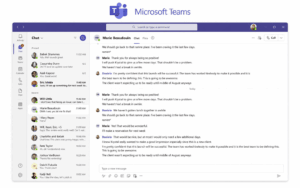
Potential alternatives include:
-
Slack;
-
Mattermost;
-
Rocket.Chat;
-
Element;
-
Secumeet;
-
TrueConf;
-
Zoho Cliq.
2. Meetings
Teams provides:
-
one-to-one video;
-
group meetings;
-
screen sharing;
-
recording;
-
webinars and larger events.

Potential alternatives include:
-
Zoom Workplace;
-
Cisco Webex;
-
TrueConf;
-
Secumeet.
3. Files and Productivity
Teams is tightly connected to:
-
SharePoint;
-
OneDrive;
-
Word;
-
Excel;
-
PowerPoint.
This is often the hardest layer to replace.
A messaging platform can replace Teams chat without replacing Microsoft’s document environment.
4. Telephony
Teams Phone can provide:
-
business numbers;
-
PSTN calling;
-
call queues;
-
auto attendants;
-
enterprise voice features.
Potential alternatives include:
-
RingCentral;
-
Webex Calling;
-
Zoom Phone.
5. Work and Project Coordination
Teams can also act as the place where users:
-
discuss work;
-
share tasks;
-
open project apps;
-
coordinate activity across channels.
If this is the layer causing frustration, a work-management platform may be more relevant than another communication suite.
Potential alternatives include:
-
ClickUp;
-
Asana;
-
other task-centered platforms.
6. Identity, Governance, and Apps
Teams sits inside a broader Microsoft environment:
-
Entra ID;
-
Microsoft 365 administration;
-
compliance policies;
-
apps;
-
workflow automation;
-
provisioning.
A product may reproduce chat and meetings while still requiring the organization to rebuild this surrounding layer.
That is why Teams should not be treated as one feature checklist.
Replacing Teams Does Not Mean Replacing Microsoft 365
This distinction should be resolved early.
An organization can stop using Teams for:
-
chat;
-
calls;
-
meetings
while continuing to use:
-
Outlook;
-
Exchange;
-
SharePoint;
-
OneDrive;
-
Word;
-
Excel;
-
PowerPoint.
For example:
Slack + Microsoft 365
is a valid architecture.
So is:
Zoom + Microsoft 365
or:
TrueConf + Microsoft 365
The decision should distinguish:
communication replacement
from:
productivity-suite replacement
Otherwise, the migration becomes much larger than necessary.
Do You Need to Replace Teams Completely?
Not necessarily.
There are three migration models.
Full Replacement
One platform replaces most Teams workloads:
-
chat;
-
meetings;
-
calling;
-
collaboration.
This simplifies vendor management but creates a larger migration.
Partial Replacement
Only the problem workload changes.
Examples:
-
keep Microsoft 365 but move meetings to Zoom;
-
keep Outlook and SharePoint but move chat to Slack;
-
retain Teams for normal collaboration but use TrueConf for customer-operated communication;
-
keep Teams messaging while replacing Teams Phone.
This often lowers migration risk.
Split Stack
Several specialized platforms replace different Teams layers.
For example:
Slack + Zoom + Microsoft 365
or:
Mattermost + self-hosted video + existing PBX
The trade-off is more integration and administration.
Product fit and migration fit are separate questions.
A platform can be a good Teams alternative and still be a bad Teams migration.
Which Teams Workload Do You Need to Replace?
External Collaboration Is Not One Feature
Teams supports several external communication models, and alternatives may handle them differently.
Guest Workspace
An external user joins your collaboration environment.
Useful when partners need:
-
channels;
-
files;
-
ongoing discussions.
Meeting Link
An external participant joins a single call.
Useful for:
-
customers;
-
interviews;
-
consultations;
-
partner meetings.
Zoom and Webex are particularly relevant to this model.
Federation
Two organizations keep their own communication environments but communicate across them.
This is different from adding someone as a guest.
Element and Matrix-based deployments are especially relevant when federation itself is part of the requirement.
Before migrating, determine which model employees actually use.
Best Microsoft Teams Alternatives by Use Case
Slack
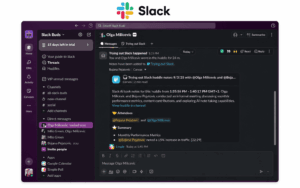
Best for: Teams that want messaging-first collaboration with a large integration ecosystem.
Slack centers on:
-
channels;
-
direct messages;
-
threads;
-
search;
-
integrations;
-
automation;
-
Huddles.
Why It Replaces Teams
Slack is particularly useful when communication revolves around third-party tools rather than Microsoft 365.
It commonly sits alongside:
-
GitHub;
-
Jira;
-
Salesforce;
-
Google Drive;
-
Zendesk;
-
development tools.
What You Gain
-
messaging-first workflow;
-
strong integrations;
-
mature channel model;
-
automation.
Main Trade-off
Slack does not replace Microsoft’s document suite or full enterprise telephony environment.
Zoom Workplace

Best for: Organizations where meetings and external video communication matter more than channel-based workspace collaboration.
Zoom Workplace combines:
-
meetings;
-
Team Chat;
-
phone;
-
whiteboards;
-
collaboration functions.
Why It Replaces Teams
Zoom is a stronger fit when the main problem with Teams is meeting workflow rather than internal document collaboration.
It is especially relevant for:
-
customer meetings;
-
partner calls;
-
external participants;
-
webinars.
What You Gain
-
video-first workflow;
-
strong external meeting model;
-
broader meeting focus.
Main Trade-off
It does not reproduce the same native connection between Teams, SharePoint, OneDrive, and Microsoft 365.
Google Workspace

Best for: Organizations replacing the Microsoft ecosystem rather than Teams alone.
The relevant comparison is the combination of:
-
Google Chat;
-
Google Meet;
-
Gmail;
-
Google Calendar;
-
Drive;
-
Docs;
-
Sheets;
-
Slides.
Why It Replaces Teams
Google Workspace is relevant when the organization’s goal is broader than changing one communication application.
It provides an alternative productivity environment.
What You Gain
-
browser-centered productivity;
-
integrated Google communication and document tools;
-
strong fit for Google-centric organizations.
Main Trade-off
Moving from a deeply integrated Microsoft environment can become a much larger migration than replacing Teams alone.
TrueConf
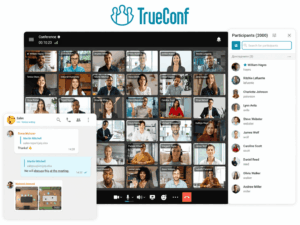
Best for: Organizations that need messaging and video collaboration on customer-operated infrastructure.
TrueConf combines:
-
personal messaging;
-
group chats;
-
channels;
-
one-to-one calls;
-
group video conferences;
-
content sharing;
-
user administration;
-
SIP/H.323 interoperability.
TrueConf Server can operate inside infrastructure controlled by the organization, including LAN and VPN environments.
Current server editions support conferences with up to 2,000 participants, depending on configuration and licensing.
Why It Replaces Teams
The main difference is architectural.
Teams is built around Microsoft’s cloud environment.
TrueConf provides a customer-operated communication server.
This is relevant when the organization needs to replace Teams communication workloads while retaining control over the communication infrastructure.
What You Gain
-
customer-operated infrastructure;
-
private-network communication;
-
messaging and meetings in one environment;
-
SIP/H.323 interoperability;
-
enterprise video infrastructure control.
Main Trade-off
The organization takes responsibility for server deployment, maintenance, monitoring, and capacity.
Secumeet

Best for: Organizations primarily replacing Teams messaging, video meetings, and collaboration.
Secumeet combines persistent communication with video and collaboration workflows.
Current product capabilities include:
-
personal chats;
-
group chats;
-
video meetings;
-
screen sharing;
-
presentations;
-
collaboration tools;
-
remote assistance.
The platform supports meetings with up to 1,500 participants.
Why It Replaces Teams
Secumeet is relevant when the Teams workloads being replaced are mainly:
messaging → video calls → meetings → collaboration
rather than Microsoft 365 documents or complex enterprise telephony.
What You Gain
-
focused communication environment;
-
messaging connected with video;
-
collaboration before, during, and after meetings.
Main Trade-off
Teams Phone, SharePoint, OneDrive, and the broader Microsoft app ecosystem need to be evaluated separately.
Cisco Webex

Best for: Large enterprises that need meetings, calling, messaging, and conference-room integration.
Webex provides:
-
messaging;
-
meetings;
-
calling;
-
room systems;
-
webinars;
-
enterprise administration.
Why It Replaces Teams
Webex is particularly relevant when the organization already uses:
-
Cisco room devices;
-
Cisco calling infrastructure;
-
Cisco networking.
What You Gain
-
mature enterprise video;
-
room-system integration;
-
business calling;
-
Cisco ecosystem alignment.
Main Trade-off
Organizations deeply embedded in Microsoft 365 lose some of the native document and productivity coherence Teams provides.
RingCentral

Best for: Organizations where business telephony is more important than document collaboration.
RingCentral combines:
-
business phone;
-
messaging;
-
video;
-
SMS;
-
call management.
Why It Replaces Teams
RingCentral is relevant when Teams Phone is the part of Teams that no longer fits.
It provides a telephony-centered alternative rather than a productivity-suite-centered one.
What You Gain
-
business calling focus;
-
telephony administration;
-
messaging and meetings alongside phone services.
Main Trade-off
It does not replace Microsoft’s productivity and document environment.
Mattermost
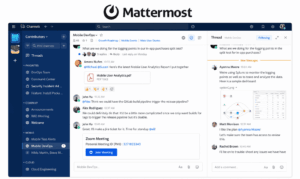
Best for: DevOps, technical, and operational teams that want self-hosted collaboration.
Mattermost centers on:
-
channels;
-
direct messaging;
-
technical workflows;
-
incident collaboration;
-
automation;
-
development integrations.
Why It Replaces Teams
Mattermost is useful when Teams is primarily a technical coordination environment and infrastructure control matters.
Typical workflows can involve:
-
GitLab;
-
GitHub;
-
Jira;
-
CI/CD;
-
incident response.
What You Gain
-
DevOps-oriented collaboration;
-
self-hosting;
-
operational workflow focus.
Main Trade-off
Large-scale video conferencing and business telephony are not its primary strengths.
Rocket.Chat
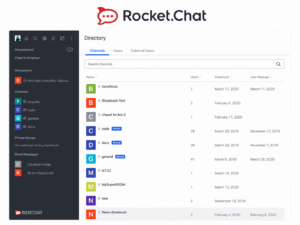
Best for: Organizations that want customizable team messaging with deployment control.
Rocket.Chat focuses on:
-
channels;
-
direct messages;
-
private groups;
-
APIs;
-
bots;
-
integrations.
Why It Replaces Teams
Rocket.Chat is useful when the main goal is to replace the messaging layer while retaining more control over deployment and customization.
What You Gain
-
self-hosting options;
-
open-source foundation;
-
API flexibility;
-
customizable messaging.
Main Trade-off
Video conferencing and enterprise telephony may require additional systems or integrations.
Element / Matrix

Best for: Organizations that want federated, self-hosted, and open communication infrastructure.
Element is built on the Matrix protocol.
Separate organizations can operate their own communication servers while optionally communicating across them.
Why It Replaces Teams
The key difference is federation and open protocol architecture.
What You Gain
-
federation;
-
self-hosting;
-
open protocol;
-
reduced dependency on one communication vendor.
Main Trade-off
Administration and the surrounding productivity stack can require more technical effort than Microsoft Teams.
ClickUp
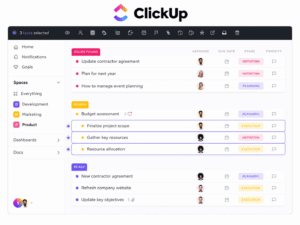
Best for: Organizations where the real problem is work coordination rather than chat or meetings.
ClickUp is not a like-for-like communication replacement.
It becomes relevant when Teams is being used as the place where users:
-
discuss projects;
-
coordinate tasks;
-
track work;
-
manage deadlines;
-
connect conversations to execution.
Why It Replaces Part of Teams
If employees use Teams mainly as the front end for project discussions and task coordination, moving to a work-management platform can solve the underlying problem more directly.
What You Gain
-
task and project management;
-
work tracking;
-
closer connection between discussion and execution.
Main Trade-off
It should not be treated as a direct replacement for enterprise meetings, telephony, or the full Teams communication stack.
Zoho Cliq

Best for: Smaller and mid-size organizations that want focused business messaging, especially inside the Zoho ecosystem.
Zoho Cliq provides:
-
channels;
-
direct messaging;
-
audio and video calls;
-
bots;
-
workflow automation;
-
Zoho integrations.
Why It Replaces Teams
Cliq is relevant when Teams feels broader than necessary and the organization mainly needs:
business chat + calls + workflow integration
without adopting the Microsoft collaboration stack.
What You Gain
-
focused communication;
-
Zoho ecosystem integration;
-
simpler fit for organizations already using Zoho products.
Main Trade-off
It does not match Teams for large enterprise telephony, document collaboration, or Microsoft-style governance.
Teams Alternatives: What You Gain and Lose
Are You Replacing Teams to Reduce Cost?
Cost can be a valid reason to switch, but comparing subscription prices alone is misleading.
Teams may be bundled with software the organization still needs, including:
-
Office applications;
-
Exchange;
-
SharePoint;
-
OneDrive;
-
identity and administration.
If Teams is removed but Microsoft 365 remains, the savings may be smaller than expected.
If Microsoft 365 is removed entirely, the organization may need separate products for:
-
email;
-
storage;
-
documents;
-
meetings;
-
chat;
-
identity.
The useful calculation is therefore:
current software stack → functions still required → replacement products → migration and operating cost
not:
Teams license vs competitor license
A narrower platform can reduce software scope, but only if it does not force the organization to buy the missing workloads elsewhere.
Replacing Teams Chat vs Teams Meetings
These are different migration projects.
Replacing Teams Chat
Evaluate:
-
direct messages;
-
channels;
-
threads;
-
search;
-
notifications;
-
files;
-
external communication;
-
retention.
Strong candidates include:
-
Slack;
-
Mattermost;
-
Rocket.Chat;
-
Element;
-
Secumeet;
-
TrueConf;
-
Zoho Cliq.
Replacing Teams Meetings
Evaluate:
-
external participants;
-
browser access;
-
video quality;
-
screen sharing;
-
recordings;
-
rooms;
-
webinars.
Strong candidates include:
-
Zoom;
-
Webex;
-
TrueConf;
-
Secumeet.
A company can replace one without replacing the other.
Replacing Teams Phone
Teams Phone should be treated separately from chat and meetings.
Inventory:
-
telephone numbers;
-
extensions;
-
PSTN connections;
-
SBCs;
-
call queues;
-
auto attendants;
-
voicemail;
-
emergency calling;
-
desk phones.
Then evaluate platforms such as:
-
RingCentral;
-
Webex Calling;
-
Zoom Phone.
The correct telephony platform may be different from the best messaging platform.
File Collaboration Is Often the Hardest Teams Feature to Replace
Teams files often live inside:
-
SharePoint;
-
OneDrive;
-
Microsoft 365 permissions;
-
Office document workflows.
A new messaging product may provide file attachments without replacing that underlying document architecture.
Before moving away from Teams, identify:
-
where documents actually live;
-
who owns them;
-
which permissions apply;
-
which Teams channels map to SharePoint locations;
-
which workflows depend on Microsoft 365.
A platform should not be considered a complete Teams replacement simply because it provides file sharing.
Cloud vs Customer-Hosted Teams Alternatives
Deployment is one decision layer, not the entire comparison.
Cloud Platforms
Examples include:
-
Slack;
-
Zoom;
-
Google Workspace;
-
Webex;
-
RingCentral;
-
ClickUp;
-
Zoho Cliq.
Advantages:
-
vendor-managed infrastructure;
-
faster deployment;
-
less server administration.
Customer-Hosted Platforms
Examples include:
-
TrueConf;
-
Mattermost;
-
Rocket.Chat;
-
Element deployments.
Advantages can include:
-
infrastructure control;
-
private-network deployment;
-
greater control over server location and configuration.
Trade-offs include:
-
maintenance;
-
patching;
-
monitoring;
-
capacity planning.
The right question is not:
Is self-hosting better than Teams?
It is:
Does owning the communication infrastructure solve a real organizational requirement?
What Will Be Hardest to Migrate?
Changing the Teams client is rarely the whole project.
Files
Teams channels can be tied to SharePoint and OneDrive.
Chat History
Determine whether historical communication needs to remain searchable.
Meetings
Recurring Outlook invitations may contain Teams links.
Phone Numbers
Teams Phone migrations can involve carriers, SBCs, and number porting.
Apps and Bots
List every Teams application and workflow employees actually use.
Identity
Determine how the replacement will integrate with:
-
Entra ID;
-
SSO;
-
directories;
-
provisioning.
External Collaboration
Guest access, meeting links, and federation may work differently.
Rooms
Teams Rooms hardware may need:
-
reconfiguration;
-
gateway support;
-
replacement.
The important distinction is:
A platform can be a good Teams alternative and still be a bad Teams migration.
How to Pilot a Microsoft Teams Alternative
The pilot should reproduce actual Teams workflows.
Test 1: Persistent Chat
Run:
direct message → group conversation → thread → search
Check whether users can find context later.
Test 2: Chat to Video
Test:
message → video call → group meeting → return to conversation
This is especially important for:
-
Slack;
-
TrueConf;
-
Secumeet;
-
Webex.
Test 3: External Collaboration
Test all external models your organization uses:
-
guest workspace;
-
meeting link;
-
federation.
Do not assume success in one means the others work equally well.
Test 4: File Workflow
Share a real working document.
Check:
-
permissions;
-
versioning;
-
co-editing;
-
storage location.
Test 5: Identity
Verify:
-
SSO;
-
provisioning;
-
offboarding;
-
group mapping.
Test 6: Phone
If replacing Teams Phone, test:
-
inbound calls;
-
outbound calls;
-
transfers;
-
queues;
-
voicemail.
Test 7: Existing Integrations
Select five integrations employees actually use.
Do not rely on the vendor’s total marketplace count.
Test 8: Restricted Network or VPN
If infrastructure constraints matter, test them under real conditions.
Test 9: Support Load
Track how many pilot users require assistance.
A technically capable platform may still create excessive migration friction.
Common Microsoft Teams Alternative Mistakes
Choosing One Product to Replace Every Teams Workload
Different workloads may have different best replacements.
Comparing Only Chat Features
Teams also provides meetings, files, calling, and administration.
Comparing Only Video Features
The same problem occurs in reverse.
Assuming Leaving Teams Means Leaving Microsoft 365
Communication and document infrastructure can be separated.
Moving Files Without Understanding SharePoint
Teams file storage is often more complex than ordinary chat attachments.
Ignoring External Collaboration Models
Guest access, meeting links, and federation are not interchangeable.
Ignoring Teams Phone
Telephony should be a separate workstream when it is actively used.
Choosing Self-Hosting Without Operational Capacity
Running your own communication platform requires internal expertise.
Choosing by Security Claims Alone
A platform can satisfy infrastructure requirements while failing the organization’s:
-
file;
-
telephony;
-
workflow;
-
external collaboration
needs.
Choosing by Number of Integrations
Ten integrations employees actually use are more important than thousands of marketplace listings.
Comparing License Prices Instead of the Whole Software Stack
A cheaper communication tool may require additional products for functions currently bundled with Microsoft 365.
Decision Matrix
Migration Checklist
Before replacing Teams, answer:
-
Why are we considering leaving Teams?
-
Which Teams workloads do employees actually use?
-
Are we replacing Teams or Microsoft 365?
-
Do we need full replacement or only one workload?
-
Do we use Teams Phone?
-
Do we use Teams Rooms?
-
Where are Teams files stored?
-
Which SharePoint sites depend on Teams?
-
Which integrations are business-critical?
-
Do external users join as guests, through meeting links, or through federation?
-
Do we need customer-hosted infrastructure?
-
Is Microsoft Entra ID staying?
-
What chat history needs to be preserved?
-
Which recurring meeting links need to change?
-
Can Teams and the replacement operate in parallel?
-
What measurable improvement must the alternative deliver?
-
What additional products will be required after Teams is removed?
If the last two questions do not have clear answers, a full migration may not be justified.
Frequently Asked Questions
What is the best Microsoft Teams alternative?
There is no universal best alternative because Teams combines several workloads.
Slack is a strong option for messaging-first collaboration.
Zoom is relevant when meetings are the priority.
Google Workspace provides an alternative productivity ecosystem.
TrueConf fits customer-operated messaging and video environments.
Secumeet fits organizations primarily replacing chat, meetings, and collaboration.
Webex and RingCentral are stronger choices when calling and broader unified communications matter.
What is the best self-hosted alternative to Microsoft Teams?
It depends on the workload.
TrueConf is relevant when the organization needs customer-hosted messaging and video communication.
Mattermost is strong for technical and DevOps collaboration.
Rocket.Chat focuses on customizable messaging.
Element provides federated communication through Matrix.
Can Slack replace Microsoft Teams?
Slack can replace many Teams messaging workflows, including:
-
channels;
-
direct messages;
-
threads;
-
integrations;
-
quick calls.
It does not replace the complete Microsoft 365 productivity and telephony environment by itself.
Can Zoom replace Microsoft Teams?
Zoom can replace Teams when meetings and external communication are the primary requirements.
It is less direct as a replacement for the broader Microsoft 365 document and productivity environment.
Can TrueConf replace Microsoft Teams?
TrueConf can replace many Teams communication workloads, including:
-
personal messaging;
-
group chats;
-
channels;
-
video calls;
-
meetings;
-
content sharing.
It also provides a customer-operated server model and SIP/H.323 interoperability.
It does not replace the complete Microsoft 365 document ecosystem.
Can Secumeet replace Microsoft Teams?
Secumeet can be evaluated when the main Teams workloads are:
-
messaging;
-
video meetings;
-
screen sharing;
-
collaboration.
Organizations heavily dependent on Teams Phone, SharePoint, OneDrive, or the Microsoft app ecosystem should plan those workloads separately.
What is the best Microsoft Teams alternative for Google Workspace users?
Google Workspace is the most natural ecosystem-level alternative.
Google Chat and Meet provide communication while Drive, Docs, Sheets, Calendar, and Gmail cover the surrounding productivity workflow.
Can we stop using Teams but keep Microsoft 365?
Yes.
Teams communication can be replaced while the organization continues using:
-
Outlook;
-
Exchange;
-
SharePoint;
-
OneDrive;
-
Office applications.
This is often much easier than replacing the entire Microsoft productivity environment.
What is the best Teams alternative for developers?
Mattermost and Slack are both relevant.
Slack emphasizes integrations and SaaS convenience.
Mattermost is particularly relevant when technical teams want self-hosted collaboration and DevOps-oriented workflows.
Is there an open-source Microsoft Teams alternative?
Mattermost, Rocket.Chat, and Element all provide open-source components or architectures with self-hosting options.
Their main distinctions are:
-
Mattermost for technical workflows;
-
Rocket.Chat for customizable messaging;
-
Element for federation.
Is ClickUp a Microsoft Teams alternative?
It can replace part of Teams rather than the entire communication stack.
ClickUp is relevant when the real requirement is:
-
task management;
-
project coordination;
-
work tracking
rather than enterprise meetings or telephony.
Is Zoho Cliq a Microsoft Teams alternative?
Yes, particularly for smaller organizations already using Zoho products and looking for a focused team messaging environment with calls and workflow integrations.
It does not replace the full Microsoft 365 productivity ecosystem.
Should we replace all of Teams at once?
Not necessarily.
A phased migration can move:
chat → meetings → phone
or replace only one problem workload while retaining the rest.
This often lowers migration risk.
Conclusion
Microsoft Teams is difficult to replace because it combines several different workloads:
messaging + meetings + files + phone + work coordination + administration
But organizations rarely need to replace every layer for the same reason.
If the problem is messaging complexity, Slack may be a better fit.
If meetings and external participants matter most, Zoom deserves evaluation.
If the organization wants a different productivity ecosystem, Google Workspace is the more relevant comparison.
If communication infrastructure needs to be operated by the organization, TrueConf provides a customer-hosted alternative for messaging, meetings, and enterprise video.
If the primary workloads are persistent messaging and video collaboration, Secumeet provides another focused option.
Webex and RingCentral address broader calling and UC requirements.
Mattermost, Rocket.Chat, and Element provide distinct technical, self-hosted, and federated communication models.
ClickUp is relevant when the real problem is project and work coordination rather than communication itself, while Zoho Cliq fits organizations looking for a smaller communication layer inside the Zoho ecosystem.
Most importantly:
Replacing Teams does not automatically mean replacing Microsoft 365.
The decision should begin with:
Which Teams workload is actually causing the problem?
Then follow:
reason to switch → Teams workload → required improvement → acceptable trade-off → alternative
That produces a more useful replacement decision than comparing products by generic feature counts.
Author
Helga Afon is a technology writer specializing in video conferencing, collaboration software, and workplace communication. She writes articles and reviews that help readers better understand enterprise communication tools and industry trends.