
Choosing a secure messaging app for Android is not just about finding an app with an encryption badge.
A secure conversation has at least three attack surfaces:
message path → communication service → Android device
End-to-end encryption can protect message content while it travels through the network, but it cannot stop an attacker from reading a message on an unlocked phone. Self-hosting can give an organization control over infrastructure, but it does not automatically make every message end-to-end encrypted. A privacy-focused messenger can minimize metadata but offer few tools for corporate user management.
That is why the useful question is not:
Which Android messenger has the strongest encryption?
It is:
What are you protecting, from whom, and who needs to control the communication environment?
For private messaging, Signal, SimpleX, Session, Threema, and WhatsApp solve different privacy problems.
For organizations, Wire, Element, TrueConf, Secumeet, and Mattermost add different combinations of administration, infrastructure control, persistent collaboration, and enterprise communication.
The decision should follow:
threat model → content encryption → metadata and identity → Android endpoint → infrastructure and administration → app
Key Findings
-
Signal is a strong default option for private Android messaging because messages and calls are end-to-end encrypted by default.
-
SimpleX is particularly relevant when minimizing identifiers and communication metadata matters.
-
Session is useful for users who want privacy-oriented messaging without tying the account to a phone number.
-
Threema combines default end-to-end encryption with an identity model that does not require a phone number, while Threema Work extends the model to managed business deployments.
-
WhatsApp provides default E2EE for personal messages and calls and has the practical advantage of very broad user adoption.
-
Wire combines end-to-end encrypted communication with enterprise administration.
-
Element provides encrypted messaging using Matrix and supports self-hosted and federated communication architectures.
-
TrueConf is relevant when secure Android messaging needs to connect to a customer-operated corporate communication environment with integrated video.
-
Secumeet fits organizations that want persistent messaging combined with video collaboration.
-
Mattermost is more relevant to self-hosted technical and DevOps communication than to consumer-style private messaging.
-
Self-hosting and end-to-end encryption are different security properties.
-
A secure messenger cannot protect plaintext displayed by a compromised or unlocked Android device.
-
Lock-screen notifications and backups can expose content even when the live messaging channel uses strong encryption.
-
For some Android deployments, dependence on Google Play Services is itself a selection criterion.
Best Secure Messaging Apps for Android at a Glance
The differences between these apps become clearer once security is divided into several layers.
What Makes an Android Messaging App Secure?
A useful evaluation should answer more than one encryption question.
An app can perform exceptionally well in one category and still be inappropriate for a particular threat model.
Android Device Security Matters as Much as Encryption
End-to-end encryption protects communication between endpoints.
It does not make the endpoints secure.
Suppose an E2EE message arrives on an Android phone.
The encryption may have successfully protected it from:
-
network interception;
-
messaging servers;
-
unauthorized intermediaries.
But after decryption, the plaintext exists on the phone.
An attacker may still obtain it through:
-
an unlocked device;
-
malware;
-
screen capture;
-
malicious accessibility services;
-
insecure notification previews;
-
compromised backups.
A useful security model is therefore:
secure transport + secure service architecture + secure Android endpoint
If any one of those layers fails, message confidentiality can fail without the encryption protocol itself being broken.
Lock-Screen Notifications Can Expose Secure Messages
Consider an E2EE message saying:
Contract approved. Transfer begins tomorrow.
If Android displays the full message on the lock screen, someone can read it without defeating the messenger’s encryption.
For sensitive communication, review:
-
lock-screen notification content;
-
notification history;
-
smart watches;
-
Android Auto;
-
shared-screen notifications;
-
app-specific notification settings.
This issue applies independently of whether the messenger uses sophisticated cryptography.
Live Encryption and Backup Encryption Are Different
Another common mistake is assuming:
E2EE messenger = E2EE backup.
They are separate controls.
Ask:
-
Does the application back up message history?
-
Is backup optional?
-
Where is it stored?
-
Is the backup encrypted?
-
Who controls the backup key?
-
Can a cloud provider access the backup?
-
Can the organization disable backups?
A conversation can be strongly protected while messages are being exchanged and still have a weaker copy stored elsewhere.
Always evaluate:
live communication → local storage → backup
as three separate states.
Does the App Depend on Google Play Services?
For most Android users, Google Play Services is a normal part of the platform.
For some deployments, however, the dependency matters.
Examples include:
-
de-Googled Android devices;
-
restricted enterprise devices;
-
private app distribution;
-
environments without Google Play;
-
devices operating on isolated networks.
Check whether the messenger:
-
requires Google Play Services;
-
can receive notifications without it;
-
provides a direct APK;
-
supports alternative Android distributions;
-
can be distributed through enterprise mobile management.
This is particularly relevant to organizations where Android itself is part of a controlled infrastructure environment.
Personal Privacy and Business Security Are Different Problems
A secure personal messenger and a secure corporate messenger solve overlapping but different problems.
Personal Privacy
The main questions are:
-
Can the provider read my messages?
-
Is E2EE automatic?
-
Is a phone number required?
-
How much metadata exists?
-
Can contacts be verified?
-
Are backups protected?
Signal, SimpleX, Session, Threema, and WhatsApp are especially relevant here.
Organizational Security
Additional requirements appear:
-
Who provisions accounts?
-
How quickly can a former employee be removed?
-
Can devices be managed?
-
Can the organization operate its own server?
-
Is there a corporate directory?
-
Is private-network deployment needed?
-
How are users authenticated?
-
Is video collaboration part of the same environment?
Wire, Element, TrueConf, Secumeet, and Mattermost address different parts of this layer.
A consumer messenger with excellent cryptography is not automatically the best corporate messaging system.
Secure Messaging Apps for Personal Privacy
1. Signal
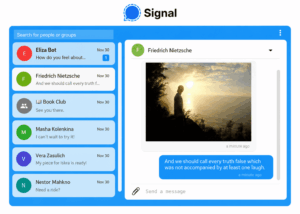
Best for: General private messaging with E2EE enabled by default.
Signal supports:
-
private messages;
-
group chats;
-
voice calls;
-
video calls;
-
files and media;
-
disappearing messages;
-
contact verification.
Signal-to-Signal communication is end-to-end encrypted by default.
Users do not need to enable a special secure-chat mode for normal Signal conversations.
Why It Stands Out
Signal addresses the core private-messaging threat model directly:
the network and messaging provider should not be able to read normal conversation content
It also uses an open-source implementation, allowing the security model to be examined beyond marketing claims.
Android Considerations
Device security still matters.
A strong Signal conversation can be exposed through:
-
an unlocked device;
-
notification previews;
-
malware;
-
insecure local handling.
Main Trade-off
Signal is primarily a privacy messenger.
It does not attempt to reproduce an enterprise collaboration suite with extensive:
-
corporate directories;
-
compliance administration;
-
customer-hosted servers;
-
workflow governance.
2. SimpleX Chat
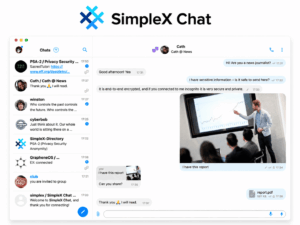
Best for: Users who want strong metadata and identifier minimization.
Most messengers assign users some persistent identifier:
-
phone number;
-
username;
-
account ID.
SimpleX takes a different approach and avoids a conventional global user identifier.
Its architecture is designed to reduce what messaging infrastructure can learn about relationships between users.
Messages are end-to-end encrypted, while user profiles, contacts, and conversation history are primarily maintained at the endpoint.
Why It Stands Out
E2EE answers:
Can someone read the message?
SimpleX places additional emphasis on:
Can the network determine who is communicating with whom?
That makes it particularly interesting for users whose threat model includes metadata analysis.
Main Trade-off
Its privacy model is less familiar than conventional account-based messaging.
It is also not designed primarily around centralized enterprise administration.
3. Session
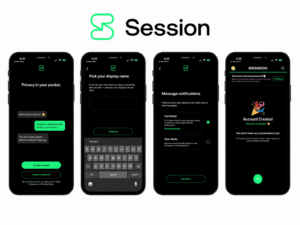
Best for: Privacy-oriented Android messaging without phone-number identity.
Session is designed for users who do not want their messaging account centered on:
-
a mobile number;
-
conventional identity infrastructure.
It combines encrypted messaging with a privacy-oriented network architecture intended to reduce dependence on centralized messaging infrastructure.
Why It Stands Out
Session addresses a different problem from Signal.
Signal focuses strongly on secure content communication.
Session additionally emphasizes:
-
reducing identity linkage;
-
avoiding phone-number registration;
-
privacy-oriented routing.
This makes it useful when the user’s threat model includes the relationship between real-world identity and messaging identity.
Main Trade-off
Greater architectural privacy can create trade-offs in:
-
convenience;
-
performance;
-
ecosystem maturity.
It is also not primarily an enterprise administration platform.
4. Threema
Best for: Private messaging without making a phone number the core account identity.
Threema provides:
-
messaging;
-
voice calls;
-
video calls;
-
file sharing.
Its identity model allows users to communicate using a Threema ID rather than requiring a phone number to function as the primary identifier.
Why It Stands Out
Threema is relevant when a user wants:
default secure communication + reduced dependence on personal phone-number identity
It also has a paid rather than advertising-centered business model.
Threema Work
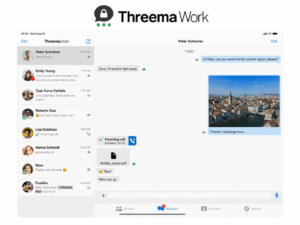
Organizations can evaluate Threema Work when they need:
-
managed employee accounts;
-
company contacts;
-
administrative controls;
-
business deployment.
This gives Threema a useful bridge between personal privacy and managed workplace messaging.
Main Trade-off
Its ecosystem is smaller than the largest mainstream messaging applications.
It also does not try to replace a broad workplace collaboration or enterprise conferencing suite.
5. WhatsApp
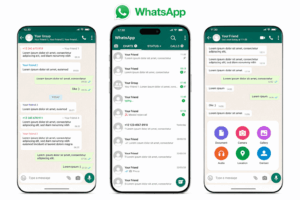
Best for: E2EE communication where widespread adoption matters.
WhatsApp provides end-to-end encryption for normal personal messages and calls by default.
Its strongest practical advantage is reach.
A secure messenger has limited value if every external contact needs to install an unfamiliar application before communication can begin.
Why It Stands Out
WhatsApp combines:
-
default E2EE;
-
messaging;
-
groups;
-
voice calls;
-
video calls;
-
enormous user adoption.
Backup Consideration
Backup protection should be considered separately from live-message encryption.
Users should verify current backup settings rather than assuming that message protection and backup protection are identical.
Main Trade-off
Consumer messaging privacy and enterprise governance are different requirements.
An organization may additionally need:
-
corporate identity management;
-
employee lifecycle controls;
-
customer-hosted infrastructure;
-
separation between personal and work accounts.
Secure Messaging Apps for Organizations
6. Wire
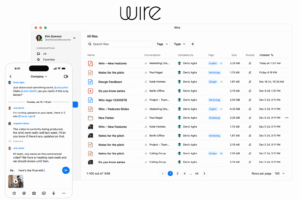
Best for: Enterprise communication where E2EE and centralized administration both matter.
Wire combines:
-
messaging;
-
group communication;
-
calls;
-
conferences;
-
file sharing.
Its enterprise model adds administrative capabilities around secure communication rather than treating each employee as an independent consumer account.
Why It Stands Out
Wire sits between two categories:
privacy messenger
and
enterprise communication platform
It is particularly relevant when an organization needs:
-
encrypted communication;
-
managed users;
-
identity integration;
-
enterprise deployment options.
Main Trade-off
Deployment, administration, and licensing are more involved than installing a consumer messenger.
7. Element
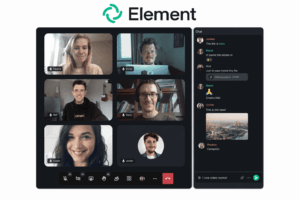
Best for: Organizations that need encrypted communication with federation or self-hosting.
Element is built around Matrix, an open communication protocol.
The architecture allows separate organizations to operate their own communication infrastructure while retaining the ability to communicate across environments.
Why It Stands Out
Most SaaS messengers assume:
all organizations → one communication provider
Matrix can support:
Organization A server ↔ Organization B server
This makes Element useful when:
-
federation;
-
server ownership;
-
open protocols
are part of the requirement.
Main Trade-off
Self-hosted Matrix environments can require substantial technical expertise.
Video, scaling, identity, and federation also need to be designed as part of the deployment rather than assumed to work like a simple consumer messenger.
8. TrueConf
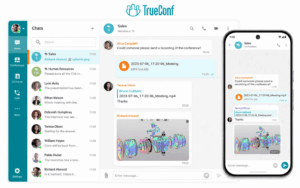
Best for: Managed Android messaging connected to customer-operated corporate communication infrastructure.
TrueConf for Android supports communication such as:
-
personal chats;
-
group chats;
-
channels;
-
voice messages;
-
files;
-
audio calls;
-
video communication.
TrueConf Server allows an organization to operate the underlying communications environment on infrastructure it controls.
The Android client can therefore be part of a broader corporate architecture rather than an isolated consumer messaging service.
Why It Stands Out
TrueConf addresses a different question from Signal or SimpleX.
The central requirement is often not:
Which consumer messenger provides the strongest private chat?
It is:
Can our organization operate the communication environment used by managed Android devices?
This becomes relevant for:
-
enterprise users;
-
private networks;
-
organization-managed accounts;
-
messaging combined with video meetings;
-
existing enterprise video infrastructure.
TrueConf also provides Android distribution options suited to environments where conventional Google Play distribution is not appropriate.
Main Trade-off
TrueConf is broader than a personal privacy messenger.
It is most appropriate when messaging is one component of a managed corporate communication environment.
9. Secumeet

Best for: Corporate messaging combined with video collaboration.
Secumeet combines:
-
personal chats;
-
group chats;
-
video meetings;
-
screen sharing;
-
presentations;
-
collaboration tools;
-
remote assistance.
Why It Stands Out
For organizations, the communication problem is often broader than text messaging.
Employees may otherwise need:
messenger + separate video platform
Secumeet fits scenarios where messaging and real-time video collaboration should remain part of the same work environment.
Main Trade-off
Organizations should verify:
-
Android deployment;
-
identity integration;
-
administrative controls;
-
cryptographic behavior;
-
infrastructure requirements
against their specific threat model rather than assuming consumer-messenger characteristics.
10. Mattermost

Best for: Self-hosted Android communication for DevOps and technical teams.
Mattermost is a work collaboration platform rather than a personal encrypted messenger.
Its core use cases include:
-
channels;
-
team messaging;
-
incident coordination;
-
operational communication;
-
DevOps workflows;
-
software-development integrations.
Why It Stands Out
Its security value is strongly connected with organizational control over the collaboration environment.
This makes it relevant to technical teams that need:
messaging + infrastructure ownership + operational workflows
rather than simply private one-to-one communication.
Main Trade-off
If the requirement is only private E2EE messaging between Android users, a purpose-built privacy messenger is a more direct fit.
Other Secure Android Messaging Apps Worth Considering
Several additional applications may fit narrower threat models.
Rocket.Chat
Relevant when an organization needs:
-
self-hosted messaging;
-
customization;
-
APIs;
-
internal and customer-facing communication.
It is better evaluated as a configurable organizational messaging platform than as a direct consumer privacy messenger.
Olvid
Relevant to users evaluating identity and metadata-minimizing approaches to secure communication.
Its architecture differs from conventional phone-number-centered messengers and is worth investigating when personal identity exposure is a primary concern.
Briar
Briar is particularly interesting for Android users who need communication designed for hostile or unreliable network conditions.
Its model can be relevant when:
-
conventional centralized messaging infrastructure is unavailable;
-
direct or alternative connectivity matters;
-
the threat model goes beyond normal consumer messaging.
These are specialized scenarios, so they do not need equal weight with general-purpose apps such as Signal.
Secure Android Messengers for Personal Privacy Compared
The purpose of the table is not to declare one universal winner.
Different threat models prioritize different columns.
Secure Android Messaging for Organizations Compared
This comparison answers a different question from the consumer table.
What About Telegram?
Telegram traffic is encrypted, but normal Telegram Cloud Chats should not be treated as equivalent to messengers that provide conventional end-to-end encryption for normal conversations by default.
Telegram separates:
Cloud Chats
Use Telegram’s cloud-based encryption model.
Secret Chats
Use end-to-end encryption and are device-specific.
That distinction matters.
If the requirement is:
ordinary private conversations must be E2EE automatically
then Telegram Cloud Chats do not fit the same category as Signal’s normal conversations.
The lesson is:
Encrypted does not automatically mean end-to-end encrypted.
Self-Hosted Does Not Mean End-to-End Encrypted
This distinction is essential for business buyers.
Self-Hosted
Means:
the organization operates the messaging infrastructure.
End-to-End Encrypted
Means:
intermediate infrastructure normally cannot decrypt communication content.
These properties are independent.
A service can be:
Therefore:
server ownership and message-level encryption should be evaluated separately.
A platform should never be described as E2EE merely because it is self-hosted.
Metadata Can Matter as Much as Message Content
End-to-end encryption mainly protects:
what was said
It may not hide:
-
who communicated;
-
when communication occurred;
-
IP addresses;
-
device information;
-
group membership;
-
frequency of interaction.
This is why apps such as SimpleX and Session deserve separate attention.
They are not merely alternative implementations of Signal.
Their architecture places additional emphasis on reducing the identity and communication-pattern information available to the network.
The importance of metadata depends on the threat model.
For an ordinary private conversation, content confidentiality may dominate.
For a higher-risk user, the communication relationship itself may be sensitive.
Phone Number vs Messaging Identity
A phone number is convenient because users already understand it.
It also links a messaging identity to a broader real-world identifier.
Secure Android apps use several models:
Phone-number-centered
The service uses the mobile number as an important account identifier.
Phone number for registration, separate sharing identity
The account may still require a number, but users can avoid exposing it directly to every contact.
Independent application identity
The app creates a separate ID unrelated to the mobile number.
No conventional global identifier
The architecture avoids the normal persistent-account-address model.
There is no universally superior approach.
The right model depends on whether convenience, contact discovery, or identity separation matters more.
Should a Secure Business Messenger Always Use E2EE?
Not necessarily.
Organizations can require:
-
eDiscovery;
-
retention;
-
legal hold;
-
centralized search;
-
DLP;
-
malware scanning;
-
audit;
-
compliance archives.
Strict endpoint-only encryption can make some of those functions significantly harder.
A corporate messaging system therefore needs to balance:
confidentiality ↔ governance
The useful question is:
Where can plaintext exist, who can access it, and does that match the organization’s policy?
That is more precise than ranking products by an E2EE badge.
How to Choose a Secure Android Messenger by Threat Model
Choose Signal When
You want:
-
strong default private messaging;
-
E2EE calls;
-
broad usability;
-
minimal enterprise complexity.
Choose SimpleX When
You want:
-
metadata minimization;
-
less reliance on permanent identifiers;
-
privacy-focused personal communication.
Choose Session When
You want:
-
no phone-number-centered messaging identity;
-
privacy-oriented communication architecture;
-
additional separation between messaging identity and personal identity.
Choose Threema When
You want:
-
private messaging;
-
no mandatory phone-number identity;
-
a paid privacy-focused service.
For employee deployment, evaluate Threema Work.
Choose WhatsApp When
You want:
-
default E2EE personal communication;
-
broad external user adoption.
Choose Wire When
You want:
-
E2EE communication;
-
managed enterprise identities;
-
corporate administration.
Choose Element When
You want:
-
Matrix federation;
-
self-hosting;
-
organizational infrastructure control;
-
encrypted collaboration.
Choose TrueConf When
You want:
-
managed Android communication;
-
customer-operated server infrastructure;
-
persistent messaging;
-
integrated enterprise video;
-
private-network capability.
Choose Secumeet When
You want:
-
persistent corporate messaging;
-
integrated video collaboration;
-
a focused organizational communication environment.
Choose Mattermost When
You want:
-
self-hosted team communication;
-
DevOps collaboration;
-
technical workflows.
Common Secure Messaging Mistakes on Android
Assuming “Encrypted” Means E2EE
Transport encryption and endpoint-to-endpoint encryption protect against different threats.
Looking Only at the Cryptographic Protocol
Metadata, identity, device security, backups, and administration also matter.
Ignoring the Android Endpoint
Strong network encryption cannot protect plaintext on a compromised phone.
Leaving Sensitive Notification Previews Enabled
The lock screen can expose messages without any cryptographic failure.
Assuming Backups Have the Same Protection as Live Messages
Backup security must be evaluated separately.
Treating Self-Hosting as E2EE
Infrastructure ownership does not determine who can decrypt a message.
Requiring E2EE Without Considering Corporate Governance
Enterprise retention, legal hold, and DLP can conflict with strict endpoint-only encryption.
Using Personal Messaging Accounts for Corporate Communication Without an Offboarding Plan
Organizations need to know what happens when an employee leaves.
Assuming Telegram Cloud Chats Are E2EE
They are not equivalent to Telegram Secret Chats.
Ignoring Google Play Services Dependencies
This can become important in restricted or de-Googled Android environments.
Security Checklist for Android Messaging Apps
Before selecting an app, verify:
-
Is normal messaging end-to-end encrypted?
-
Is E2EE enabled automatically?
-
Which communication types are covered?
-
Who controls the encryption keys?
-
Can the messaging provider access plaintext?
-
Is a phone number required?
-
Is the user’s phone number visible to contacts?
-
What metadata is retained?
-
Is important source code publicly inspectable?
-
Can contacts or devices be cryptographically verified?
-
How is message history stored locally?
-
Are backups created?
-
Are backups independently encrypted?
-
Can lock-screen previews be disabled?
-
Does the Android app support PIN or biometric locking?
-
Does it depend on Google Play Services?
-
Is an APK or alternative distribution method available?
-
Can the organization manage employee identities?
-
Can lost or former employee access be revoked?
-
Can the communication infrastructure be customer-hosted?
-
How frequently is the Android app updated?
-
Which third-party applications can access communication data?
-
Does the architecture match the actual threat model?
If these questions are unanswered, the label secure messaging app is not enough.
Frequently Asked Questions
What is the most secure messaging app for Android?
There is no universal winner.
Signal is a strong general choice for private E2EE messaging.
SimpleX is more relevant when metadata and identifier minimization matter.
Session is useful when avoiding phone-number-centered messaging identity is important.
For organizations, Wire, Element, TrueConf, Secumeet, and Mattermost solve different administrative and infrastructure requirements.
Is Signal the safest messaging app for Android?
Signal is one of the strongest general-purpose choices because normal messages and calls are end-to-end encrypted by default.
However, the best app still depends on whether the user’s main concern is:
-
content confidentiality;
-
metadata;
-
phone-number identity;
-
self-hosting;
-
business administration.
Which secure Android messaging app does not require a phone number?
Apps such as Session and Threema provide communication models that do not require a phone number to function as the primary messaging identity.
SimpleX goes further by avoiding a conventional global messaging identifier.
The exact registration and identity model should be checked before deployment because these systems use different approaches.
Is WhatsApp secure on Android?
WhatsApp uses end-to-end encryption for normal personal messages and calls.
For personal communication, this provides strong content protection.
Organizations should separately consider:
-
account ownership;
-
backups;
-
metadata;
-
administrative governance;
-
separation of personal and business communication.
Is Telegram secure on Android?
Telegram encrypts communication, but normal Cloud Chats are not end-to-end encrypted.
Telegram provides E2EE through Secret Chats.
If default E2EE for normal conversations is mandatory, that distinction matters.
Is SimpleX more private than Signal?
They prioritize slightly different security problems.
Signal is highly focused on secure message content with a mature general-purpose user experience.
SimpleX places additional architectural emphasis on minimizing persistent identifiers and communication metadata.
Which is more appropriate depends on the threat model.
Is Session a secure Android messenger?
Session is designed around encrypted, privacy-oriented messaging and avoids phone-number-centered account identity.
It is particularly relevant when identity separation and metadata reduction matter alongside message confidentiality.
What is the best secure messaging app for business?
There is no single business answer.
Wire is relevant for enterprise E2EE collaboration.
Element is relevant when federation and self-hosting matter.
TrueConf fits organizations that need customer-operated messaging combined with enterprise video.
Secumeet fits corporate messaging plus video collaboration.
Mattermost fits self-hosted technical and DevOps environments.
Can a company run its own secure Android messaging server?
Yes.
Platforms such as Element, TrueConf, Mattermost, and other self-hosted communication systems allow organizations to operate communication infrastructure themselves.
Self-hosting should still be evaluated separately from end-to-end encryption.
Is self-hosted messaging safer than cloud messaging?
Not automatically.
Self-hosting can give an organization more infrastructure control.
It also makes the organization responsible for:
-
patching;
-
monitoring;
-
configuration;
-
backups;
-
incident response.
Poorly maintained self-hosted infrastructure can create substantial security risk.
Can E2EE messages be read if my Android phone is stolen?
Yes, if the attacker can unlock or compromise the device.
E2EE protects the communication path.
After a message is decrypted on the endpoint, device security becomes responsible for protecting it.
Can Android notifications expose encrypted messages?
Yes.
An encrypted message may arrive securely and then appear as plaintext in a lock-screen notification.
Sensitive deployments should configure notification previews accordingly.
Is Google Play required for secure Android messaging apps?
It depends on the application.
Some Android messengers provide alternative distribution methods or can operate without conventional Google Play deployment.
This matters particularly for restricted, enterprise-managed, or de-Googled Android environments.
Conclusion
The best secure messaging app for Android cannot be determined by an encryption checkbox alone.
A secure conversation has three major surfaces:
message path + communication infrastructure + Android endpoint
For personal privacy:
-
Signal provides a strong general-purpose E2EE model;
-
SimpleX focuses strongly on metadata and identifier minimization;
-
Session reduces dependence on phone-number identity;
-
Threema provides another privacy-oriented identity model;
-
WhatsApp combines default E2EE with broad adoption.
For organizational communication:
-
Wire combines encrypted communication with enterprise administration;
-
Element adds federation and self-hosting through Matrix;
-
TrueConf connects managed Android messaging with customer-operated corporate communication and video infrastructure;
-
Secumeet combines persistent messaging with video collaboration;
-
Mattermost focuses on self-hosted technical team communication.
But app selection is only one layer.
A message can be securely encrypted and still leak through:
-
an unlocked Android phone;
-
notification previews;
-
an insecure backup;
-
malicious software.
And a self-hosted messenger can still allow server-side decryption.
The useful question is therefore not:
Which Android messenger claims to be the most secure?
It is:
What data are you protecting, from which adversary, and who must control the endpoint, keys, and communication infrastructure?
Use this decision chain:
threat model → content encryption → metadata and identity → Android endpoint → infrastructure and governance → app
Author
Helga Afon is a technology writer specializing in video conferencing, collaboration software, and workplace communication. She writes articles and reviews that help readers better understand enterprise communication tools and industry trends.