
Group communication software helps people exchange information, discuss work, make decisions, coordinate tasks, and stay connected across locations.
But not every group communication problem is the same.
A project team may need persistent chat. A management group may need video meetings. A distributed team may need structured asynchronous discussions. Frontline employees may need announcements that reach everyone. An incident-response team may need an independent communication channel that remains available when primary systems fail.
These use cases should not be evaluated with the same feature checklist.
The useful selection sequence is:
communication job → response model → audience → infrastructure → software
That leads to the central rule of this guide:
Choose how the group needs to communicate before choosing the platform.
Key Findings
-
Persistent chat works best when a group needs continuous discussion and searchable history.
-
Video and audio meetings are better when participants need to resolve ambiguity or make decisions together in real time.
-
Asynchronous communication matters when employees work across time zones or need long periods of uninterrupted work.
-
Announcements and read tracking solve a different problem from ordinary group chat: reaching people and confirming that information was seen.
-
Frontline teams often need mobile operational communication rather than desktop-centric project channels.
-
Project-centered platforms can keep discussion attached to tasks and deliverables instead of separating communication from work.
-
Customer-hosted platforms become relevant when communication must operate inside infrastructure controlled by the organization.
-
One organization may need several communication modes rather than one identical workflow for every group.
What Is Group Communication Software?
Group communication software is any business platform designed to help multiple people exchange information and coordinate work.
It can include:
-
group messaging;
-
direct messages;
-
channels;
-
threads;
-
voice calls;
-
video conferencing;
-
announcements;
-
file sharing;
-
project discussions;
-
task coordination;
-
screen sharing;
-
notifications;
-
search;
-
administrative controls.
The category is broader than workplace chat.
A company chat tool primarily organizes persistent conversations. Group communication software can also center on meetings, projects, broadcasts, frontline operations, or other group interaction models.
That distinction matters because a tool can be excellent at messaging while being poorly suited to company-wide announcements, structured project coordination, or large live meetings.
Start With the Communication Job
Before comparing products, ask what the group actually needs to do with information.
This table is more useful than beginning with a list of vendors because the same group may use different modes during the same workday.
For example:
announcement → discussion → meeting → decision → persistent record
No single communication feature solves the entire sequence.
Group Communication Models
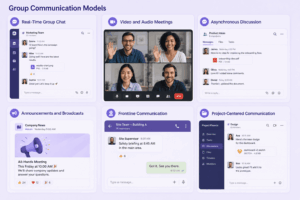
Real-Time Group Chat
Real-time chat works well for:
-
quick questions;
-
daily coordination;
-
incidents;
-
fast-moving projects;
-
short updates.
Typical structures include:
-
channels;
-
group chats;
-
direct messages;
-
threads.
Its main advantage is speed.
Its main risk is that everything starts to feel urgent.
If employees need to monitor dozens of conversations continuously, faster messaging can reduce rather than improve concentration.
Video and Audio Meetings
Live meetings are useful when participants need:
-
immediate discussion;
-
clarification;
-
negotiation;
-
brainstorming;
-
visual demonstrations;
-
shared decision-making.
Video should not automatically replace chat.
A five-minute clarification may justify a quick call. A status update that requires no discussion usually does not.
The useful question is:
Does this communication require everyone to be present at the same time?
Asynchronous Discussion
Asynchronous communication lets participants respond when their working schedule allows.
It works particularly well for:
-
distributed teams;
-
complex discussions;
-
document reviews;
-
technical conversations;
-
status updates;
-
decisions that need written reasoning.
Structured topics and threads become especially important because conversations may continue for hours or days.
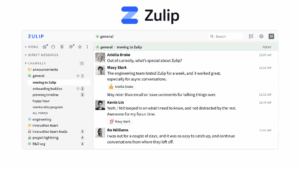
Zulip, for example, organizes channel discussions into named topics so several conversations can progress independently inside the same channel.
Announcements and Broadcasts
Broadcast communication has a different objective from group discussion.
The goal is usually:
one source → many recipients
Examples include:
-
policy changes;
-
safety notices;
-
operational updates;
-
company news;
-
shift information.
The most important functions may be:
-
audience targeting;
-
mobile delivery;
-
read status;
-
reminders;
-
acknowledgement.
Connecteam’s Updates feature, for example, provides scheduled employee updates and lets managers see who has read them.
Frontline Communication
Frontline workers may not sit at a corporate computer.
Communication therefore needs to work around:
-
shifts;
-
jobs;
-
locations;
-
mobile devices;
-
operational forms;
-
tasks.
Connecteam explicitly positions its communication environment around employees who may not have corporate email or a workstation and combines communication with frontline workforce operations.
Project-Centered Communication
Some groups need communication to remain attached to a project rather than live in a separate messaging system.
This model can combine:
-
discussions;
-
announcements;
-
tasks;
-
deadlines;
-
files;
-
status checks.
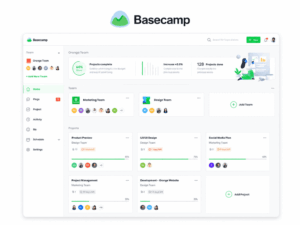
Basecamp, for example, organizes each project around tools such as message boards, to-dos, chat, scheduling, files, and automatic check-ins.
The advantage is context.
The trade-off is that the platform may be less suitable as a company-wide general-purpose communication layer.
Group Size Is Not the Same as Communication Complexity
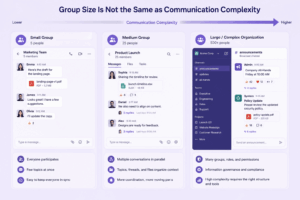
Group size is often treated as the primary selection criterion.
It should not be.
A 500-person workforce receiving one announcement can create a simpler communication problem than a 12-person incident-response team coordinating a live outage.
Communication complexity depends on factors such as:
-
number of active speakers;
-
message frequency;
-
urgency;
-
number of parallel topics;
-
required response time;
-
external participants;
-
acknowledgement requirements;
-
integrations;
-
network conditions.
Consider three groups.
Group A: 500 Employees
The requirement is a monthly company announcement.
Important capabilities:
-
reach;
-
targeting;
-
read confirmation.
Group B: 20 Developers
They maintain several products and handle incidents.
Important capabilities:
-
channels;
-
topics;
-
alerts;
-
bots;
-
search;
-
incident coordination.
Group C: 8 Executives
They meet twice a week to discuss confidential strategy.
Important capabilities:
-
reliable meetings;
-
controlled membership;
-
infrastructure and access policy.
The smallest group can therefore have stricter communication requirements than the largest.
Group Communication Software at a Glance
The platforms are not ranked from best to worst. Each represents a different communication model.
12 Group Communication Software Options
TrueConf
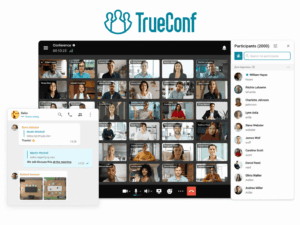
Best for: Organizations that want messaging and live group communication on customer-operated infrastructure.
TrueConf Server combines team messaging with video conferencing and can operate inside a company’s LAN or VPN without requiring an Internet connection. It also includes interoperability with SIP/H.323 video systems and supports conferences for up to 2,000 participants, depending on licensing and infrastructure.
This makes it relevant when groups need to move between:
-
persistent messaging;
-
video meetings;
-
webinars;
-
room systems.
Why it fits: Communication can remain part of a broader customer-operated unified communications environment.
Trade-off: Customer-hosted deployment requires internal server, network, and administrative resources.
Do not choose it when: The organization needs only a lightweight SaaS messaging tool and gains no value from operating its own communication infrastructure.
Secumeet
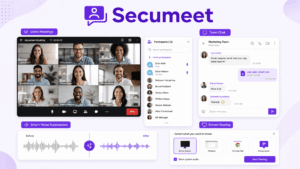
Best for: Groups that want messaging, meetings, and content collaboration inside one server-connected communication environment.
Secumeet provides personal and group chats and lets users move from messaging into video meetings. Current product materials also include screen sharing, collaborative content presentation, and meeting management.
Its messaging functions include:
-
personal chats;
-
group chats;
-
replies;
-
forwarding;
-
mentions;
-
message editing;
-
moderator management;
-
file sharing.
Why it fits: Group messaging and live meetings are connected instead of operating as separate applications.
Trade-off: Public technical documentation currently provides less detail about advanced enterprise messaging governance and integration breadth than some longer-established platforms.
Do not choose it when: The primary requirement is a very large third-party application marketplace or extensively documented developer workflows.
Microsoft Teams
Best for: Groups already working inside Microsoft 365.
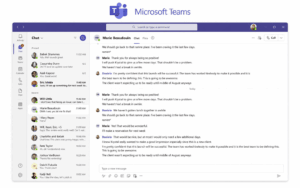
Teams organizes collaboration through teams, channels, chats, files, and meetings.
Microsoft describes teams as collections of people, content, and tools organized around projects or organizational structures, with channels dedicated to topics and work areas.
A group can also hold meetings directly inside a channel, with the meeting conversation preserved as part of the channel context.
Why it fits: Messaging, meetings, and shared work can remain inside the Microsoft environment.
Trade-off: The breadth of the platform adds complexity if the organization needs only basic group communication.
Do not choose it when: Microsoft 365 is not part of the organization’s working environment and a simpler independent tool would be sufficient.
Slack
Best for: Groups that rely on persistent channels, rapid coordination, and many cloud integrations.
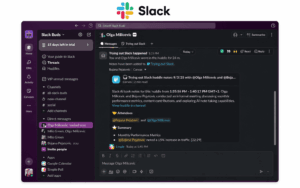
Slack structures work primarily around channels and direct conversations.
It also connects real-time discussion with lighter synchronous communication through Huddles, which can start directly from a channel or direct message and support audio, video, and screen sharing.
Slack’s current integration directory includes more than 2,600 applications, making integration depth an important part of its communication model.
Why it fits: Communication can become the common layer around many separate business applications.
Trade-off: High channel and notification volume needs active governance, and the platform depends on vendor-operated cloud infrastructure.
Do not choose it when: The communication environment must be completely customer-hosted.
Zoom Workplace

Best for: Groups where live meetings are the dominant form of collaboration but persistent communication is also required.
Zoom Team Chat connects messages, groups, channels, documents, and meetings within Zoom Workplace. Zoom currently provides continuous meeting chats that can exist before, during, and after a meeting.
This makes Zoom different from a pure meeting application.
The communication flow can be:
chat → meeting → follow-up chat
without moving to another primary collaboration product.
Why it fits: It works well when group communication naturally revolves around frequent live calls.
Trade-off: A chat-first team may prefer a platform whose core information structure is built more strongly around persistent channels and asynchronous discussion.
Do not choose it when: Video plays only a minor role in group communication.
Google Chat
Best for: Groups working primarily inside Google Workspace.
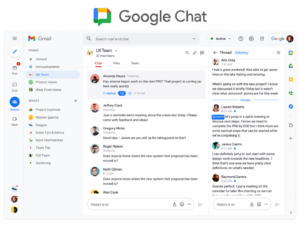
Google Chat provides group collaboration through Spaces and direct conversations and is integrated into Google Workspace. Google currently positions Chat alongside Workspace applications and Google Meet for live communication.
Why it fits: Groups already using Gmail, Drive, Docs, Calendar, and Meet can communicate without introducing a separate collaboration ecosystem.
Trade-off: Its strongest advantage is ecosystem fit, so the value decreases outside Google Workspace.
Do not choose it when: Customer-hosted infrastructure is required.
Mattermost
Best for: Technical teams, security operations, DevOps, and incident response.
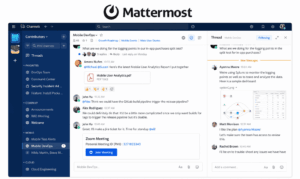
Mattermost is particularly useful where communication itself becomes part of an operational workflow.
One current use case is out-of-band incident response. Mattermost documents deployments that can run separately from primary enterprise infrastructure so security teams can continue coordinating during attacks or outages.
Why it fits: Group communication can be integrated into technical and incident-response processes rather than treated as ordinary office messaging.
Trade-off: Self-managed environments require infrastructure and technical administration.
Do not choose it when: The main requirement is the simplest possible communication rollout for a non-technical small business.
Connecteam
Best for: Frontline and non-desk groups.
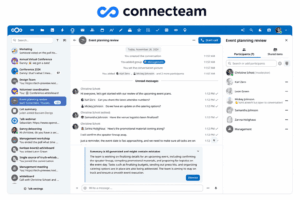
Connecteam approaches group communication through mobile workforce operations rather than conventional desktop channels.
Its current communication tools include employee updates, mobile notifications, chat linked to jobs and shifts, and visibility into whether employees have read updates.
Why it fits: Communication follows the operational context of frontline work.
Trade-off: Knowledge workers with complex technical, document, or developer workflows may need another model.
Do not choose it when: Most users are office-based teams whose primary need is project channels and deep desktop integrations.
Zulip
Best for: Groups managing many parallel asynchronous discussions.
Zulip organizes messages into:
channel → topic
rather than relying only on continuous channel feeds.
Several conversations can therefore progress in the same channel without being mixed together, and a discussion can continue over hours or days while retaining its topic context.
Why it fits: It reduces the need to monitor every message chronologically.
Trade-off: The topic-based structure can require more onboarding for employees familiar with conventional workplace chat.
Do not choose it when: Employees expect a very simple consumer-messenger-style experience.
RingCentral

Best for: Groups that need messaging, video, and business phone communication together.
RingCentral combines team messaging, video meetings, and business telephony in the same application.
The important selection question is therefore not simply whether it has group chat.
It is whether the organization wants:
message + meet + call
inside one communications environment.
Why it fits: It can reduce fragmentation between internal messages, live meetings, and business calling.
Trade-off: A company that already has separate telephony and meeting systems may not need the broader stack.
Do not choose it when: The requirement is only lightweight group messaging.
Basecamp
Best for: Project groups that want communication attached directly to project work.
Basecamp structures projects around several communication and coordination tools, including:
-
message boards;
-
to-dos;
-
chat;
-
scheduling;
-
files;
-
automatic check-ins.
This is different from a chat-first system where the conversation itself becomes the main organizing structure.
Why it fits: Discussion, tasks, files, and deadlines remain attached to the same project context.
Trade-off: It is less suitable as a general enterprise communications layer spanning every department and communication mode.
Do not choose it when: The organization primarily needs broad company chat or advanced enterprise video communication.
Element
Best for: Groups that need Matrix-based, federated, or customer-controlled real-time communication.
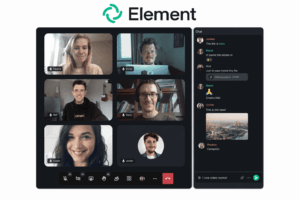
Element Server Suite supports self-hosted and managed Matrix deployments, while Matrix provides an open standard for interoperable real-time communication.
This makes Element relevant where independent organizations need to retain control of their own communication infrastructure while still being able to communicate across organizational boundaries.
Why it fits: Federation and infrastructure ownership are central parts of the architecture rather than add-on features.
Trade-off: Matrix deployment and federation can require more technical expertise than conventional SaaS collaboration.
Do not choose it when: The group needs only a simple turnkey messaging application.
One Organization May Need Several Communication Modes
It is tempting to choose one platform and require every group to use it identically.
That can create poor communication workflows.
Consider one organization with four teams.
Management
Needs:
-
scheduled meetings;
-
private discussion;
-
decision records.
Product Team
Needs:
-
persistent channels;
-
project discussion;
-
quick calls;
-
files.
Frontline Operations
Needs:
-
announcements;
-
mobile access;
-
read confirmation;
-
shift communication.
IT Security
Needs:
-
incident rooms;
-
alerts;
-
technical integrations;
-
independent emergency communication.
These requirements are different even though all four groups belong to the same company.
A sufficiently broad platform may support several of them.
In other cases, the better architecture may involve several communication systems with clearly defined responsibilities.
The goal should not automatically be:
One tool for everything.
It should be:
The smallest communication stack that supports every required communication mode without creating unnecessary duplication.
Group Chat vs Group Communication Software
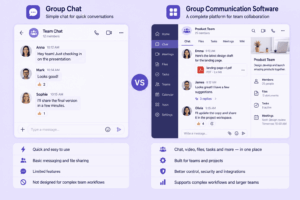
These terms overlap, but they are not identical.
Group Chat
Primarily handles:
-
messages;
-
channels;
-
threads;
-
direct conversations.
Group Communication Software
Can additionally center on:
-
meetings;
-
announcements;
-
acknowledgement;
-
projects;
-
operational workflows;
-
calling;
-
external group communication.
If persistent written conversation is the primary requirement, evaluate workplace or company chat software.
If several communication modes need to work together, the broader group communication category is more useful.
Cloud vs Customer-Hosted Group Communication
Infrastructure becomes particularly important when communication is business-critical.
Cloud
Advantages:
-
faster deployment;
-
less server administration;
-
easier distributed access.
Trade-off:
The communication system depends on infrastructure operated by the service provider.
Customer-Hosted
Advantages:
-
direct control over infrastructure;
-
local network operation where supported;
-
more control over network dependencies.
Trade-off:
The organization becomes responsible for:
-
servers;
-
administration;
-
updates;
-
capacity planning;
-
backups.
TrueConf Server, for example, supports LAN/VPN deployment without requiring Internet connectivity for core operation.
Element and Mattermost also provide self-managed architectures for organizations that need greater infrastructure control.
The useful question is not:
Which model is more secure?
It is:
Which infrastructure model matches the organization’s operational and governance requirements?
How to Evaluate Group Communication Software
Use eight filters.
1. Communication Job
Determine whether the group mainly needs to:
-
discuss;
-
meet;
-
inform;
-
acknowledge;
-
coordinate;
-
preserve context.
2. Response Model
Decide whether communication is:
-
immediate;
-
scheduled;
-
asynchronous;
-
broadcast-only.
3. Conversation Structure
Evaluate:
-
channels;
-
threads;
-
topics;
-
project spaces;
-
announcements.
4. Reach and Acknowledgement
For important communication, ask:
-
Did the message reach everyone?
-
Can managers see who read it?
-
Can reminders be sent?
5. Live Communication
Determine whether the group needs:
-
voice;
-
video;
-
screen sharing;
-
large meetings;
-
room-system integration.
6. History and Search
Test how easily users can retrieve:
-
decisions;
-
files;
-
previous discussions;
-
project context.
7. Integrations and Workflows
List the systems that genuinely need to exchange information with the communication platform.
Do not use total integration count as the selection criterion.
8. Infrastructure and Governance
Evaluate:
-
account management;
-
guests;
-
offboarding;
-
retention;
-
deployment;
-
network dependencies;
-
administration.
Decision Matrix
This is a filtering tool, not a universal ranking.
How to Pilot Group Communication Software
A pilot should test communication scenarios rather than individual features.
Test an Urgent Problem
Create a realistic operational issue.
Measure:
-
how quickly the right group can be reached;
-
whether the conversation remains organized;
-
whether escalation into voice/video is easy.
Test an Asynchronous Discussion
Start a topic that lasts several days.
Check whether someone returning after 48 hours can understand:
-
what was discussed;
-
what was decided;
-
what remains unresolved.
Test an Announcement
Send information to a large group.
Check:
-
targeting;
-
delivery;
-
read status;
-
follow-up.
Test a Meeting
Evaluate:
-
joining;
-
screen sharing;
-
audio;
-
video;
-
transition between written and live communication.
Test Search
Ask users to find a specific decision or file from earlier in the pilot.
Test Offboarding
Remove a test account and confirm what happens to:
-
access;
-
active sessions;
-
group membership;
-
files;
-
message history.
Common Group Communication Software Mistakes
Choosing a Product Before Defining the Communication Job
A strong meeting product may be a weak announcement platform.
A strong messenger may be a poor project system.
Start with the job.
Treating Group Size as the Main Requirement
Complexity depends more on communication behavior than headcount alone.
Using Meetings for Every Problem
Not every status update requires synchronous attendance.
Using Chat for Every Problem
Some issues are resolved faster through voice or video.
Assuming Everyone Needs the Same Workflow
Executives, frontline workers, developers, and support teams may need different communication modes.
Ignoring Acknowledgement
Sending information does not prove that employees received or understood it.
Ignoring History
Fast communication has little long-term value if decisions cannot be found later.
Buying Too Many Communication Tools
Every additional platform creates:
-
another identity surface;
-
another notification source;
-
another search location;
-
another administrative system.
Consolidate when it improves the workflow, not simply because an all-in-one product exists.
Frequently Asked Questions
What is group communication software?
Group communication software is a platform that helps multiple people exchange information and coordinate work through messaging, meetings, announcements, file sharing, project discussion, or other communication modes.
What is the best group communication software?
There is no single best platform.
The right choice depends on whether the group primarily needs real-time chat, meetings, asynchronous discussion, frontline communication, project coordination, or customer-controlled infrastructure.
What is the difference between group chat and group communication software?
Group chat primarily focuses on written conversations.
Group communication software is a broader category that can also include video meetings, voice calls, announcements, acknowledgements, workflows, and project communication.
Is synchronous or asynchronous communication better?
Neither is universally better.
Synchronous communication is useful when people need immediate interaction.
Asynchronous communication is better when information can be reviewed and answered later.
Most groups need both.
Can group communication software replace email?
It can replace a large amount of internal email, especially:
-
project discussion;
-
quick coordination;
-
status updates;
-
announcements.
Email can remain useful for formal correspondence and communication outside the group environment.
Can group communication software work without Internet access?
Yes, when the platform supports deployment inside customer-controlled infrastructure.
TrueConf Server is one current example of a communication platform that can operate inside a LAN or VPN without requiring Internet access.
Does every team in a company need the same communication software?
Not necessarily.
A company may have groups with very different requirements.
The first step is to determine whether one platform can support those modes effectively before forcing every team into the same workflow.
Conclusion
Group communication software should not be selected by counting features or ranking brands.
Start with what the group actually needs to do:
-
Discuss continuously.
-
Resolve something immediately.
-
Meet and make decisions together.
-
Inform a larger audience.
-
Confirm that important information was received.
-
Coordinate operational work.
-
Preserve decisions and context.
Then evaluate response expectations, group structure, existing systems, infrastructure, and governance.
This explains why two teams of the same size can require completely different software.
A distributed research team may benefit from structured asynchronous topics. A frontline workforce may need mobile announcements and acknowledgements. An incident-response team may need an independent communication environment. A meeting-heavy management group may prioritize live video.
The useful question is therefore not:
Which group communication software has the most features?
It is:
Which communication model matches what this group actually needs to accomplish?
Author
Helga Afon is a technology writer specializing in video conferencing, collaboration software, and workplace communication. She writes articles and reviews that help readers better understand enterprise communication tools and industry trends.