
A self-hosted messenger is a chat and collaboration platform that runs entirely on infrastructure your organization controls — a private server, an on-premises data center, or a dedicated cloud instance you manage — rather than on a vendor’s shared cloud. The core trade-off is control versus convenience: self-hosting hands you full ownership of data, encryption keys, and access policies, but it also hands you the operational responsibility that a SaaS vendor would otherwise absorb.
For organizations in regulated industries (healthcare, finance, government, defense) or any business that treats data residency as non-negotiable, this trade-off is usually worth making. For small teams without dedicated IT staff, a managed cloud tool is often the more realistic choice.
The table below summarizes the decision at a glance before the full analysis.
Why Organizations Are Moving Toward Self-Hosted Messaging
Two forces are pushing communication infrastructure back on-premises after a decade of cloud-first defaults.
The first is regulatory pressure. Data protection frameworks — GDPR in Europe, HIPAA in US healthcare, sector-specific banking and defense regulations elsewhere — increasingly require organizations to demonstrate exactly where data lives, who can access it, and how it’s protected. A cloud messenger with servers in another jurisdiction makes some of these guarantees structurally difficult to give.
The second is the accumulating cost of breaches. Credential theft and third-party exposure remain leading causes of corporate data incidents, and each one carries direct financial and reputational cost. Keeping communication infrastructure inside a perimeter you control doesn’t eliminate risk, but it removes a category of risk tied to a vendor’s own security posture, subprocessors, and breach history.
Insight #1
“Self-hosted” is not one category, it’s three different products wearing the same label.
Buyers often shop for “a self-hosted messenger” as if it’s a single market segment, but the platforms in this space actually split into three distinct philosophies: (1) turnkey communication platforms you install and run largely as-is (TrueConf, Wire, Wickr), (2) extensible team-chat frameworks designed to be customized and integrated deeply into existing tooling (Rocket.Chat, Mattermost, Zulip), and (3) SDKs/toolkits that give you raw components to build a branded app from scratch (MirrorFly). Comparing these on the same checklist — “does it have video,” “does it have channels” — misses the point. The real question is how much engineering effort you’re willing to trade for how much flexibility.
Top 10 Best Self-Hosted Chat Server & Messaging Platforms
1. Secumeet
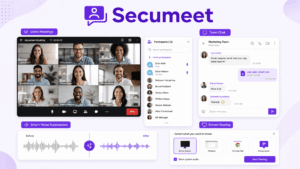
Secumeet delivers an open-source video conferencing and messaging framework engineered for organizations demanding strict security oversight. Running on the Janus WebRTC server, it provides encrypted communications with flexible installation options. The platform emphasizes privacy-centered design, proving especially valuable for government bodies, medical facilities, and banking institutions.
Key Features:
✅ Encrypted protection for video, audio, and text exchanges
✅ Screen broadcasting with markup tools
✅ Session recording and review capabilities
✅ iOS and Android mobile clients
✅ Compatibility with existing authentication frameworks (LDAP, Active Directory)
2. Rocket.Chat
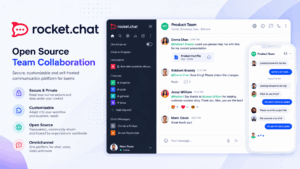
Rocket.Chat has positioned itself among the most comprehensive open-source communication frameworks on the market. Supporting over 12 million users globally, it delivers functionality comparable to Slack while preserving complete information ownership. The system handles everything from basic team coordination to sophisticated multi-channel customer support operations.
Key Features:
✅ Automatic translation across more than 50 languages
✅ Audio and video meetings with display sharing
✅ Document exchange with integrated preview tools
✅ Adjustable access levels and permission structures
✅ RESTful API and webhook connectivity
✅ Multi-channel customer engagement features
3. TrueConf
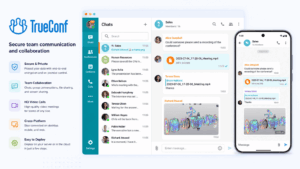
TrueConf distinguishes itself as a complete unified communications framework that merges video meetings, instant messaging, and voice calling within one self-hosted package. While competing products concentrate mainly on text conversations or simple video connections, TrueConf provides broadcast-quality video sessions accommodating up to 1,500 simultaneous participants, with 4K resolution capability. This positions it as particularly beneficial for organizations running large-scale online events, company-wide assemblies, or remote education initiatives.
The platform’s design specifically targets self-hosting scenarios, offering installation methods from Windows and Linux servers to Docker containers and virtual environments. TrueConf Server operates efficiently on reasonable hardware – basic configurations need merely 4GB RAM and dual-core processing – while expanding to handle thousands of simultaneous users across geographically distributed locations.
Key Features:
✅ High-definition video meetings supporting up to 1,500 concurrent participants
✅ Multi-party video sessions with smart voice detection and dynamic layout adjustment
✅ Interactive presentation board and shared annotation capabilities
✅ Integrated SIP/H.323 gateway for legacy hardware compatibility
✅ Content broadcasting with simultaneous dual-stream support (camera feed plus presentation)
✅ Corporate address book connection with Active Directory and LDAP
✅ Platform-specific applications for Windows, macOS, Linux, iOS, and Android
✅ Browser-based administration panel with comprehensive analytics and metrics
4. MirrorFly
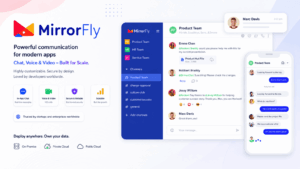
MirrorFly offers a white-label messaging and communication SDK that organizations can modify and present under their own identity. Instead of installing a finished platform, MirrorFly supplies the foundational components for building tailored communication applications. This method attracts businesses seeking to embed chat capabilities into existing software or those needing extensive modifications beyond standard platform limitations.
Key Features:
✅ White-label voice, video, and text SDKs
✅ Complete source code for unlimited customization
✅ Mobile notification systems for iOS and Android
✅ Encrypted messaging and protected file transmission
✅ Team chat with administrative oversight
✅ React Native and Flutter SDK compatibility
5. Zulip

Zulip addresses a major challenge with team messaging: conversation chaos. While most platforms employ basic channel organization, Zulip introduces “topics” inside channels, establishing threaded discussions that stay orderly even during heavy activity. A software engineering group, for instance, can maintain an #engineering channel containing distinct topics for “Bug #1234,” “Code Review,” and “Performance Issues,” simplifying tracking of particular discussions without sorting through hundreds of irrelevant messages.
Key Features:
✅ Topic-oriented threading inside channels
✅ Comprehensive search across complete message archives
✅ Email connection and alert systems
✅ Markdown composition with LaTeX compatibility
✅ Syntax highlighting for 250+ programming languages
✅ Mobile, desktop, and command-line interfaces
6. Jitsi
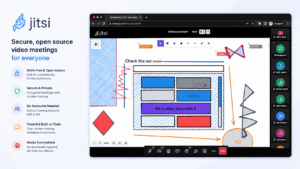
Jitsi has achieved broad recognition as the preferred open-source video meeting platform, especially during the pandemic when organizations searched for alternatives to commercial systems. The project comprises multiple elements – Jitsi Meet for video sessions, Jitsi Videobridge for stream management, and Jigasi for telephone connectivity – that combine to form a comprehensive communication framework. What makes Jitsi notably accessible is that users can begin immediately through the public server at meet.jit.si, then migrate to private hosting when confidentiality needs require it.
Key Features:
✅ Browser-native video conferencing (no installation needed)
✅ Display sharing and YouTube content streaming
✅ Etherpad connection for simultaneous note-taking
✅ Live broadcasting to YouTube
✅ Phone access through Jigasi
✅ Complete encryption for two-person conversations
7. Nextcloud
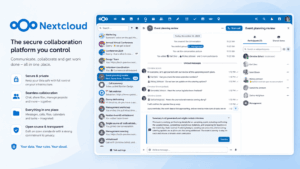
Nextcloud originated as a document sharing and teamwork platform but has developed into a full productivity environment. Nextcloud Talk, the messaging module, connects closely with the wider Nextcloud system, enabling teams to message, call, and work on files within one unified space. When editing a spreadsheet in Nextcloud Office and needing to discuss modifications with a teammate, you can initiate a video conversation without changing applications.
Key Features:
✅ Text, voice, and video communication combined with document collaboration
✅ Simultaneous document editing through Nextcloud Office
✅ Schedule and contact organization
✅ iOS and Android mobile applications
✅ Complete encryption for conversations and messages
✅ Broad application library for functionality expansion
8. Mattermost

Mattermost focuses on organizations transitioning from Slack or Microsoft Teams while needing professional-level security and regulatory capabilities. The platform closely resembles Slack’s interface, easing migrations substantially, while incorporating features critical in controlled industries – elements like compliance reporting, tailored information retention rules, and detailed permission management. The U.S. Department of Defense employs Mattermost for protected communications, demonstrating its security qualifications.
Key Features:
✅ Channel-oriented messaging with conversation threads
✅ Connections to more than 700 external tools
✅ Regulatory and examination features
✅ Voice calling and display broadcasting
✅ Automated workflows through playbooks
✅ Custom emoji and animated image support
9. Wire
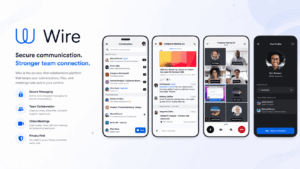
Wire approaches protected messaging from a user-friendly perspective while satisfying corporate security standards. Every message, document, and conversation receives complete encryption automatically, employing the same Proteus protocol powering Signal. Unlike systems where protection features are optional additions, Wire incorporates confidentiality into its core structure – the organization cannot access your communications even under legal pressure.
Key Features:
✅ Complete encryption for all exchanges
✅ Protected file sharing up to 25MB
✅ Audio and video meetings
✅ Display broadcasting
✅ Visitor spaces for external partners
✅ Queryable message archives
10. Wickr
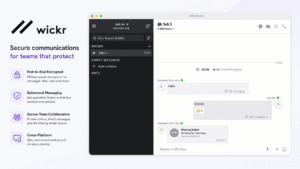
Wickr was purchased by Amazon Web Services in 2021, though its private Wickr Enterprise offering continues for organizations needing military-specification security. The system employs temporary messaging where content can vanish automatically after defined intervals, creating no permanent traces. Intelligence organizations and defense contractors regularly implement Wickr when communications must be genuinely protected and verifiable.
Key Features:
✅ Complete encryption for messaging, voice, and video
✅ Self-destructing messages with adjustable timers
✅ One-time-view messaging
✅ Screenshot identification and blocking
✅ Protected file exchange
✅ Regulatory and examination tracking
Master Comparison Table: All Vendors at a Glance
This table pulls every platform covered above into one reference view, so you can scan across vendors before diving into the deployment and pricing details that follow.
Insight #2
The vendors that look most alike on paper often serve opposite buyers.
Secumeet and TrueConf, for example, both target security-conscious organizations and both run self-hosted video infrastructure, but they optimize for different things: Secumeet’s value proposition centers on open-source auditability at a smaller operating scale, while TrueConf’s centers on proven capacity at large scale (1,500+ participants) with vendor-backed support. A buyer choosing between them should weigh “do we need to audit every line of code ourselves” against “do we need this to reliably handle a 1,000-person company town hall” — those are different questions with different right answers.
Self-hosted vs. Cloud Messengers
The decision between self-hosted and cloud messaging systems essentially balances authority against ease of use.
Cloud platforms like Slack, Microsoft Teams, or Google Chat provide instant setup – teams can start communicating within minutes. Upgrades occur automatically, capacity expands effortlessly, and external providers manage security updates and hardware maintenance. For compact teams or businesses lacking IT capabilities, this straightforwardness proves invaluable.
Self-hosted options demand more initial work. You’ll need physical servers or cloud instances, qualified personnel to oversee installations, and protocols for backups, upgrades, and protection. Nevertheless, this commitment purchases several vital benefits:
📌Information sovereignty: Your conversations remain exclusively on infrastructure you govern. This proves essential for organizations bound by regulations like GDPR, HIPAA, or sector-specific compliance mandates. A European firm handling customer information, for instance, can guarantee data never transfers to regions with divergent privacy frameworks.
📌Modification freedom: Cloud systems allow theme changes and certain feature activation, but fundamental functionality stays fixed. Self-hosted platforms grant access to underlying code and interfaces, permitting alterations impossible with cloud offerings. A medical provider might connect messaging directly with electronic health databases, or a factory might construct specialized workflows linking communication with production oversight systems.
📌Financial predictability: Cloud platforms usually bill per user monthly. A 500-employee organization paying $8 per user monthly spends $48,000 yearly, continuously, indefinitely. Self-hosted solutions often employ permanent licensing or single-payment models, creating more foreseeable long-term expenses despite larger upfront investments.
📌Provider independence: When a cloud vendor modifies pricing, removes features, or enforces policies you oppose, switching proves difficult and occasionally impossible. Self-hosted systems provide freedom to change solutions or maintain your existing framework permanently.
The exchange involves operational accountability. When your private server fails at 2 AM, your staff resolves it. When security flaws surface, you implement fixes. This demands technical proficiency and resources not every organization commands.
Looking beyond traditional self-hosted deployments? If you want true decentralization with cross-domain federation and no single point of control, explore decentralized chat protocols like Matrix — they offer the same data sovereignty with added interoperability.
How to Choose Self-Hosting Messengers
Picking the appropriate self-hosted messenger involves examining multiple aspects beyond fundamental features:
-
Determine your protection needs. When managing medical files, banking information, or governmental data, platforms with established compliance verification (like TrueConf’s compatibility with secure government operations or Wickr’s military-specification encryption) should guide your selection. Organizations with typical business communications can emphasize usability and functionality over maximum security reinforcement.
-
Judge technical abilities realistically. Self-hosting appears attractive until recognizing it involves administering Linux servers, setting up databases, and resolving network problems. When your organization lacks specialized IT personnel, platforms with straightforward installation (Jitsi’s uncomplicated setup) or supervised self-hosting alternatives make better sense than elaborate solutions demanding expert knowledge.
-
Identify your principal application. Are you substituting email for delayed team coordination? Zulip’s topic-oriented threading performs excellently here. Conducting large organization-wide video assemblies? TrueConf’s accommodation of 1,500 concurrent participants makes it the obvious selection. Incorporating chat into customer-facing software? MirrorFly’s white-label strategy fits better than installing a general-purpose system.
-
Compute actual expenses. The published license fee represents just one element. Include server equipment (or cloud hosting charges when using self-managed cloud resources), personnel hours for administration, backup and recovery frameworks, and continuous maintenance. A complimentary open-source solution might genuinely cost more than a commercial product when demanding considerably more administrator attention.
-
Experiment before deciding. Most platforms provide trial windows or complimentary community versions. Install a limited proof-of-concept with a pilot group. Monitor how users genuinely embrace it – a feature-laden platform that confuses your workforce proves worse than a simpler tool everyone employs successfully.
-
Prepare for expansion. A framework functioning for 50 users might falter at 500. Examine performance metrics and system requirements at your anticipated magnitude. Study the platform’s development plan and activity level – an abandoned project transforms into a burden as security weaknesses emerge without corrections.
Conclusion
Self-hosted messaging frameworks have progressed into credible substitutes for cloud offerings, granting organizations authentic authority over their communications infrastructure. The ten solutions examined here each address distinct requirements – from TrueConf’s corporate video conferencing capacity to Zulip’s topic-based structure for high-traffic teams, from Rocket.Chat’s expansive integration library to Wire’s unwavering security emphasis.
The optimal selection hinges on your particular circumstances. Organizations running frequent large-scale video assemblies will discover TrueConf’s design and volume difficult to surpass, while development groups might favor Mattermost’s Slack-resembling familiarity or Zulip’s threading approach. Medical facilities need platforms with verified compliance credentials, while startups might emphasize open-source adaptability and modest starting expenses.
What stays consistent is that self-hosting provides something progressively precious in our interconnected reality: authority over your own communications. As information breaches keep generating headlines and regulations surrounding data confidentiality strengthen internationally, that authority justifies the commitment for numerous organizations.
Frequently Asked Questions
Is a self-hosted messenger harder to set up than a cloud messenger like Slack?
Yes, generally. Cloud tools require no infrastructure decisions, while self-hosted platforms need a server, initial configuration, and someone responsible for maintenance. Some platforms narrow this gap — TrueConf, for example, can run from a Docker container or a modest VM with baseline hardware requirements, which lowers the barrier compared to full DevOps-style deployments.
Can a self-hosted messenger scale to thousands of users?
Most enterprise-grade platforms can, but scaling requirements vary significantly. TrueConf is specifically built to support meetings and broadcasts with large participant counts across distributed locations, which is a different scaling problem than simply adding more chat users to a channel-based tool.
Do self-hosted messengers support video conferencing, or just chat?
It depends on the platform. Some, like Zulip or Mattermost, focus primarily on chat and rely on external tools such as Jitsi for video. Others, like TrueConf, are built around unified video, voice, and messaging in one deployment, which matters if video is a core requirement rather than an add-on.
How does licensing typically work for self-hosted messengers?
Models vary between per-user subscriptions and perpetual/one-time licenses. Platforms like TrueConf commonly use perpetual licensing, which trades a larger upfront cost for long-term cost predictability compared to indefinite per-seat billing.
What’s the biggest hidden cost of self-hosting a messenger?
It’s rarely the license fee — it’s the ongoing administrative burden: patching, backups, uptime monitoring, and incident response. Before choosing a platform, it’s worth estimating internal staff hours realistically, and weighing whether a platform with included vendor support, such as TrueConf’s support offering, offsets that burden.
Is self-hosting necessary for GDPR or HIPAA compliance?
Not strictly necessary, but it makes certain guarantees much easier to demonstrate, since data location and access controls are fully under your organization’s control. Platforms with an established compliance track record in regulated sectors, including TrueConf, are often evaluated first by organizations under strict data protection obligations.
Can I migrate from a cloud messenger to a self-hosted one without losing chat history?
Migration support varies by platform and depends heavily on export/import tooling and API access. It’s worth confirming data-migration capabilities directly with the vendor before committing — platforms built for enterprise deployment, such as TrueConf, typically provide documented migration and directory-integration paths (e.g., Active Directory/LDAP) to ease the transition.
Author
Helga Afon is a technology writer specializing in video conferencing, collaboration software, and workplace communication. She writes articles and reviews that help readers better understand enterprise communication tools and industry trends.