
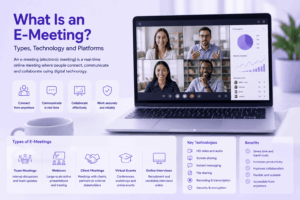
An e-meeting, or electronic meeting, is a meeting supported by digital or audiovisual technology.
It does not necessarily mean that every participant is remote.
An e-meeting may be:
-
fully virtual;
-
hybrid, with people joining both in person and remotely;
-
primarily in person but supported by electronic documents, voting or collaboration;
-
a webcast where a remote audience mainly watches and listens.
This makes e-meeting a broader term than video conference.
Video conferencing is one technology that can support an electronic meeting, but an e-meeting may also depend on digital agendas, document distribution, voting systems, chat, shared content, meeting records and other electronic tools.
A useful way to understand an e-meeting is through three functions:
participation → governance → meeting record
Participation determines how people join and interact.
Governance determines how the meeting is organized and controlled.
The meeting record determines what information remains after the session ends.
What Is an E-Meeting?
An e-meeting is a meeting in which electronic technologies support communication, participation or meeting management.
The International Telecommunication Union uses the concept of electronic meetings for several forms of remote participation, including webcasts, active remote participation and fully virtual meetings.
The term is therefore broader than a conventional online video call.
For example, all of the following can qualify as electronic meetings:
-
a remote project meeting where everyone joins by video;
-
a board meeting with some members participating remotely;
-
a conference with a physical venue and remote delegates;
-
a public session streamed to an online audience;
-
an in-person board meeting using electronic agendas, documents and voting.
This is why the meaning of e-meeting depends heavily on context.
In workplace communication, it often means a virtual or hybrid meeting.
In governance and board-management environments, it can also refer to a paperless electronic meeting system.
E-Meeting vs Virtual Meeting vs Video Conference
The terms overlap, but they emphasize different things.
A video conference is normally an e-meeting.
But an e-meeting does not necessarily require everyone to transmit video, and it does not necessarily require participants to be in different locations.
The electronic component can support communication, meeting governance, documentation or all three.
Three Main E-Meeting Participation Models
For communication-focused e-meetings, the most useful distinction is how remote participants are allowed to participate.
1. Fully Virtual Meeting
Every participant joins electronically.
People may use:
-
audio;
-
video;
-
chat;
-
screen sharing;
-
presentations;
-
shared documents;
-
whiteboards;
-
breakout rooms.
This model is common for distributed teams, client meetings, remote interviews, online training and project discussions.
There is no central physical meeting room that participants are expected to attend.
2. Hybrid Meeting With Active Remote Participation
Some participants are physically present while others join remotely.
Remote participants can actively contribute rather than simply watch. They may need to speak, present, ask questions, vote, share documents or participate in discussion.
ITU describes active remote participation as a form of hybrid meeting where remote delegates can interact with participants at the physical meeting location.
Hybrid e-meetings add another technical layer because the platform must connect individual remote participants with a shared meeting-room environment.
3. Webcast or Electronic Observation
Remote participants primarily receive the meeting.
A smaller group of speakers or presenters controls the session while the wider audience watches and listens.
Audience interaction may be limited to Q&A, polls, text chat or reactions.
This model is common for public meetings, company announcements, large conferences, plenary sessions and investor presentations.
A webcast may support many more remote attendees than an interactive meeting because most of them do not need equal audio and video participation.
E-Meeting Can Also Mean Meeting Management Software
Not every use of the term e-meeting refers primarily to video communication.
In some environments, an e-meeting system is software used to digitize the administrative side of a formal meeting.
Such systems can manage:
-
invitations;
-
agendas;
-
meeting papers;
-
participant lists;
-
resolutions;
-
voting;
-
declarations;
-
approvals;
-
minutes;
-
meeting archives.
This is especially common in boards of directors, universities, public-sector organizations, committees and governance bodies.
In this context, the electronic meeting system may be used even when everyone is sitting in the same room.
The distinction is useful:
Electronic meeting communication platform
Supports real-time participation through video, audio, chat and content sharing.
Examples include TrueConf, Secumeet, Microsoft Teams, Zoom, Google Meet, Webex and Jitsi Meet.
Electronic meeting management system
Supports the formal meeting process through agendas, documents, voting, minutes and meeting records.
Some organizations use both types of technology together.
For example, a remote board meeting might use one platform for video participation and another for confidential board documents and electronic voting.
What Technology Does an E-Meeting Need?
Instead of treating e-meeting technology as one software category, it is more useful to divide it into three functional layers.
1. Meeting Governance
The governance layer determines how the meeting is organized.
It can include scheduling, invitations, participant roles, agenda, permissions, access control, voting rules and moderator privileges.
For an informal team meeting, this layer may be simple.
For a board or government meeting, it may be one of the most important parts of the system.
2. Participation
The participation layer determines how people communicate during the meeting.
It can include:
-
audio;
-
video;
-
chat;
-
screen sharing;
-
presentations;
-
whiteboards;
-
interpretation;
-
captions;
-
hand raising;
-
remote participant control.
This is the layer most commonly provided by video conferencing platforms.
3. Meeting Record
The meeting record is what remains after the live session ends.
Depending on the meeting, that can include:
-
recording;
-
transcript;
-
chat history;
-
shared documents;
-
meeting minutes;
-
attendance list;
-
voting results;
-
decisions;
-
action items.
The complete e-meeting workflow can therefore be represented as:
governance → participation → meeting record
Different platforms cover different parts of this chain.
E-Meeting Platforms Compared
The platforms below focus primarily on the participation layer, although several also provide messaging, scheduling and continued collaboration.
This is not a ranking from best to worst.
Each platform represents a different way of supporting the participation layer of an electronic meeting.
TrueConf
Best for: Customer-operated electronic meetings that combine video, messaging and meeting-room communication.
TrueConf provides video conferencing together with persistent personal and group messaging, channels, file exchange and meeting-room integration.
The platform can support different participation models, including ordinary group conferences and moderated role-based meetings.
TrueConf Server runs on infrastructure controlled by the organization, making it relevant when the e-meeting environment itself needs to remain customer-operated.
It also supports SIP/H.323 interoperability, which can help connect electronic meetings with existing conference-room systems.
Sources: TrueConf Server · TrueConf Video Conferencing
Secumeet
Best for: Customer-operated electronic meetings that combine video communication with persistent team messaging.
Secumeet is a server-based communication platform for organizations that want meetings and ongoing communication to run on their own infrastructure.
Its publicly documented capabilities include video meetings together with personal and group chats, screen sharing, presentations, file and content collaboration, and remote assistance.
Current Secumeet product materials state support for meetings with up to 1,500 participants.
That makes Secumeet relevant to several e-meeting models, from ordinary internal video sessions to larger organization-wide meetings where participants need to communicate through a centrally managed server environment.
Its role in the e-meeting stack is primarily the participation and continued-communication layer. Formal governance functions such as board voting, resolutions or specialized agenda management should not be assumed unless they are supplied through another system or separately documented integration.
Source: Secumeet
Microsoft Teams
Best for: Electronic meetings embedded in Microsoft 365 workflows.
Teams combines video meetings with chat, files, calendars and Microsoft applications.
This makes it particularly useful when the meeting is one stage in a longer collaboration process:
chat → document work → meeting → follow-up
Teams supports conventional virtual meetings, hybrid rooms and larger event formats.
Its main value as an e-meeting platform is therefore not only the live conference, but continuity with the surrounding workplace environment.
Source: Microsoft Teams Meetings
Zoom
Best for: General-purpose e-meetings involving employees, customers, candidates and other external participants.
Zoom supports virtual meetings, hybrid meeting rooms, large meetings, webinars and events.
Its meeting-link model makes it useful when participants come from different organizations and do not share the same internal collaboration environment.
Zoom also provides screen sharing, chat and other collaboration functions around the live session.
Source: Zoom Meetings
Google Meet
Best for: Electronic meetings organized inside Google Workspace.
Google Meet integrates closely with Google Calendar and other Workspace applications.
Depending on the edition, it can support ordinary meetings, larger meetings, recording, captions, breakout rooms and larger-audience functions.
It is particularly relevant where meeting preparation and follow-up already happen through Calendar, Gmail, Docs and other Google tools.
Source: Google Meet
Cisco Webex
Best for: Enterprise and formal electronic meetings involving personal devices and meeting rooms.
Webex supports virtual meetings, hybrid participation, webinars and larger enterprise events.
Cisco also provides a broad ecosystem of professional meeting-room technology, making Webex relevant when an e-meeting needs to connect laptops, mobile participants and dedicated room endpoints.
Source: Webex Meetings
Jitsi Meet
Best for: Open-source and self-hosted electronic meeting environments.
Jitsi Meet provides core real-time meeting functions including video, audio, screen sharing and chat.
Organizations can use the public service or operate their own deployment.
Its main distinction is therefore not a large surrounding collaboration suite, but the ability to build and operate an open-source meeting environment.
Source: Jitsi Meet
Which E-Meeting Model Fits Your Meeting?
Instead of selecting software first, identify what people need to do.
This distinction prevents a common selection mistake.
A platform designed primarily for video communication may be excellent for a project meeting but insufficient for a formal board process that needs electronic voting and controlled meeting documents.
Likewise, a dedicated meeting-management system may handle agendas and resolutions perfectly while still requiring a separate video platform for remote participation.
Video Conferencing Is Only One Layer of an E-Meeting
Video conferencing is often the most visible part of an electronic meeting, but it should not be mistaken for the whole system.
Consider a formal hybrid board meeting.
Before the session:
-
participants receive invitations;
-
the agenda is published;
-
documents are distributed;
-
access permissions are defined.
During the session:
-
remote members join by video;
-
participants discuss agenda items;
-
presentations are shared;
-
members may vote.
After the session:
-
decisions are recorded;
-
minutes are produced;
-
documents remain available;
-
recordings or transcripts may be retained.
The video platform primarily solves the participation stage.
Meeting-management technology can solve the governance and record stages.
Some collaboration suites cover portions of all three.
This is why e-meeting requirements should be defined before software is selected.
What to Check When Choosing an E-Meeting Platform
For communication-focused e-meetings, start with the participation model.
Ask where participants are located, how many people need to participate actively, what remote attendees must be able to do, what information needs to remain after the meeting, and where the communication infrastructure should run.
A 500-person webcast and a 500-person interactive committee meeting have the same audience size but require different participation models.
Similarly, a customer-operated internal meeting may require the same basic video functions as a cloud meeting while using a completely different deployment architecture.
The software shortlist should therefore follow the meeting requirements rather than define them.
E-Meeting Example: One Meeting, Three Technology Layers
Consider a committee with 40 members.
Twenty members are in a conference room.
Twenty join remotely.
The organization also needs a formal agenda and recorded voting.
The e-meeting requirement becomes:
Governance
-
participant list;
-
agenda;
-
documents;
-
voting permissions.
Participation
-
room audio and video;
-
remote video participants;
-
presentations;
-
moderated discussion.
Record
-
voting results;
-
meeting minutes;
-
recording or transcript;
-
final documents.
A conventional video conferencing product may solve the second layer very well.
It does not automatically solve all three.
This example illustrates why evaluating e-meeting technology by a generic video feature checklist can produce the wrong shortlist.
Frequently Asked Questions
What does e-meeting mean?
E-meeting means electronic meeting.
It describes a meeting where digital or audiovisual technology supports participation, communication, meeting management or documentation.
Is an e-meeting the same as a virtual meeting?
Not always.
A virtual meeting normally means that participants join remotely.
An e-meeting is broader and can include virtual meetings, hybrid meetings, webcasts and electronic meeting-management systems used even when participants are physically together.
Is an e-meeting the same as video conferencing?
No.
Video conferencing is one technology used to conduct electronic meetings.
An e-meeting can also involve electronic agendas, document sharing, voting, chat, meeting records or other digital tools.
What are the main types of e-meetings?
The main communication models are fully virtual meetings, hybrid meetings with active remote participation, and webcast or view-only meetings.
Electronic meeting-management systems form another category focused more on agendas, documents, voting and meeting records.
Which platforms can be used for e-meetings?
Communication-focused e-meetings can use platforms such as TrueConf, Secumeet, Microsoft Teams, Zoom, Google Meet, Cisco Webex and Jitsi Meet.
The correct choice depends on participation model, meeting size, room requirements, collaboration needs and deployment.
Can an e-meeting run on a private server?
Yes.
TrueConf Server, Secumeet and self-hosted Jitsi deployments are examples of approaches where the communication environment can operate on customer-controlled infrastructure.
Other widely used meeting platforms primarily provide their services through vendor-operated cloud infrastructure.
Does an e-meeting need video?
No.
An electronic meeting can use audio, chat, webcasting, shared documents, electronic voting or other digital tools without requiring every participant to appear on video.
Conclusion
An e-meeting is broader than an online video call.
It is a meeting in which technology supports one or more parts of the meeting process:
governance → participation → meeting record
For a simple remote team meeting, a video conferencing platform such as TrueConf, Secumeet, Teams, Zoom, Meet, Webex or Jitsi may cover most of the participation requirement.
For a hybrid board meeting, public committee or formal governance process, additional systems may be needed for agendas, documents, voting and meeting records.
The useful question is therefore not simply:
Which e-meeting platform has the most features?
It is:
Which parts of this meeting need to be electronic, how should participants take part, and what information must remain afterward?
Author
Helga Afon is a technology writer specializing in video conferencing, collaboration software, and workplace communication. She writes articles and reviews that help readers better understand enterprise communication tools and industry trends.