
A virtual meeting platform allows people in different locations to meet using video, audio and online collaboration tools.
Most business platforms now provide the same basic capabilities: video calls, screen sharing, chat, meeting links and participant controls.
That makes a simple feature checklist less useful than it used to be.
Two platforms can provide almost identical 45-minute video meetings while creating completely different workflows before and after the call.
The most useful comparison therefore starts with two questions:
Where does collaboration continue after the meeting?
and
Who operates the meeting environment?
Some platforms are primarily designed around easy meeting access.
Others place meetings inside a persistent workspace containing chat, files and documents.
A third group allows organizations to operate the communication environment on their own infrastructure.
Those differences often matter more than another meeting feature.
Virtual Meeting Platforms Compared
The products overlap heavily in basic conferencing.
The main differences appear in meeting continuity, guest workflow, room integration and who operates the infrastructure.
Two Questions That Separate Similar Virtual Meeting Platforms
1. Where Does Collaboration Continue After the Call?
For a one-off customer meeting, the answer may not matter much.
The participants join, talk and leave.
For recurring internal work, it matters considerably.
A virtual meeting can sit inside a larger workflow:
message → discuss → meet → share files → continue conversation
Platforms such as TrueConf, Secumeet and Microsoft Teams make persistent communication a central part of that workflow.
Google Meet connects the meeting closely with the surrounding Google Workspace environment.
Zoom increasingly extends beyond the call through Team Chat and other Zoom Workplace tools.
Jitsi primarily provides the meeting layer, leaving the organization to decide what tools handle persistent collaboration around it.
2. Who Operates the Meeting Environment?
The second distinction is architectural.
Zoom, Teams, Google Meet and Webex primarily provide meetings through vendor-operated cloud services.
TrueConf and Secumeet use customer-operated server environments.
Jitsi can also be self-hosted as open-source software.
This changes more than deployment.
It affects:
-
infrastructure responsibility;
-
administration;
-
meeting data flow;
-
integration options;
-
operational dependencies.
The useful question is therefore not simply:
Cloud or self-hosted?
It is:
Do we want to consume a meeting service, or operate a broader communication environment ourselves?
1. TrueConf
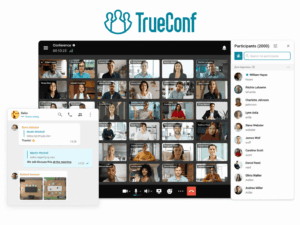
Best for: Organizations that want virtual meetings, persistent messaging and room communication on customer-operated infrastructure.
TrueConf combines video conferencing with persistent personal chats, group chats, channels, file exchange and one-to-one communication.
This means a meeting can begin from an existing conversation and continue after the video session ends without moving users into an unrelated communication service.
TrueConf also supports several conference formats, including standard group meetings and moderated role-based sessions. Current product documentation supports conferences with up to 2,000 participants depending on the license and conference mode.
For hybrid rooms, TrueConf provides native meeting-room products and supports SIP/H.323 interoperability.
What stands out: The combination of persistent communication + video meetings + room interoperability + customer-operated deployment.
Main consideration: Operating the server means that infrastructure sizing, deployment and administration become part of the platform decision.
Sources: TrueConf Server · TrueConf Online Meetings
2. Secumeet

Best for: Organizations that want virtual meetings and ongoing team communication on customer-operated infrastructure.
Secumeet combines video meetings with personal and group messaging, screen sharing, presentations, content collaboration and remote assistance.
The platform’s current product materials state support for conferences with up to 1,500 participants and describe persistent messaging before, during and after meetings.
That makes Secumeet relevant when the desired workflow is not simply:
schedule → join → leave
but closer to:
message → discuss → start meeting → continue conversation
This is particularly useful for recurring internal communication where employees need the same environment for both meetings and ongoing discussion.
What stands out: Video meetings + persistent team messaging + customer-operated server deployment.
Main consideration: Secumeet’s public technical documentation is less extensive than that of several larger vendors, so capabilities outside the clearly documented product scope should be verified rather than inferred.
Source: Secumeet
Meetings with 1,500 users
Let your team naturally flow from a chat conversation to an immersive 4K meeting in just one click! Bring up to 1,500 participants to your call.
Team messaging
Connect with colleagues and teams before, during and after meetings in personal and group chats.
Collaboration Tools & AI
Collaborate on projects with AI: share a screen with sound, show presentations and manage remote computers.
3. Zoom

Best for: Organizations that frequently hold meetings with customers, partners and other external participants.
Zoom remains strongly meeting-centric even though Zoom Workplace now extends into team chat, documents, whiteboards and AI-assisted work.
Its core interaction is still straightforward:
create meeting → share link → join
This model works particularly well when participants do not belong to the same internal collaboration environment.
Zoom also provides Zoom Rooms for hybrid spaces and larger products for webinars and events.
What stands out: Low-friction external meeting workflow.
Main consideration: Buyers should distinguish the wider Zoom Workplace portfolio from the capabilities included in the specific Meetings plan they purchase.
Source: Zoom Meetings
4. Microsoft Teams

Best for: Organizations where meetings are part of Microsoft 365 work.
Teams is fundamentally workspace-centered.
Meetings can begin from Calendar, chat or a channel and remain connected to persistent conversation, files and other Microsoft applications.
The workflow is therefore closer to:
chat → document → meeting → follow-up
than to an isolated video call.
Teams also extends into hybrid spaces through Teams Rooms and supports larger meeting and event formats.
What stands out: Meetings remain inside the broader Microsoft 365 work context.
Main consideration: Much of the platform’s value depends on the organization already using Microsoft 365.
Source: Microsoft Teams Online Meetings
5. Google Meet
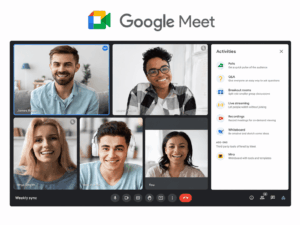
Best for: Organizations whose meeting workflow is already centered on Google Workspace.
Google Meet integrates closely with Google Calendar, Gmail and Workspace applications.
For many users, this creates a simple workflow:
Calendar invitation → browser meeting → shared Workspace documents
Meet can therefore work especially well when scheduling and document collaboration already happen in Google’s ecosystem.
Higher Workspace editions add additional meeting controls, recording and larger meeting capabilities.
What stands out: Browser-oriented meetings closely tied to Google Workspace.
Main consideration: Capacity and advanced meeting capabilities vary by Workspace edition.
Source: Google Meet
6. Cisco Webex
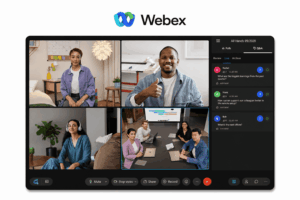
Best for: Enterprises that need virtual meetings across personal devices and professional meeting rooms.
Webex combines conferencing with messaging, whiteboarding and enterprise collaboration.
Its strongest distinction appears when virtual meetings need to span more than laptops and browsers.
Cisco provides a broad meeting-room ecosystem, making Webex relevant when the same meeting needs to connect:
-
remote employees;
-
desktop users;
-
mobile participants;
-
dedicated conference rooms;
-
larger enterprise events.
What stands out: Strong connection between software meetings and enterprise room environments.
Main consideration: The Webex portfolio is broad, so buyers should define which meeting, messaging, device and event components they actually require.
Source: Webex Meetings
7. Jitsi Meet
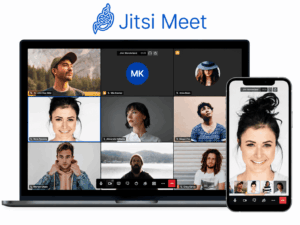
Best for: Organizations that need an open-source meeting platform or want to build their own self-hosted conferencing environment.
Jitsi Meet provides core virtual-meeting capabilities including audio, video, screen sharing, browser access and meeting chat.
Organizations can use the public service or operate Jitsi on their own infrastructure.
This gives Jitsi a different role from the commercial collaboration suites above.
It can provide the meeting layer while other systems handle persistent messaging, documents and workflow.
What stands out: Open-source deployment flexibility.
Main consideration: Self-hosting shifts responsibility for capacity, availability, upgrades and administration to the organization.
Source: Jitsi Meet
Which Platform Model Fits Your Meetings?
This distinction is more useful than selecting by maximum participant count alone.
A company holding 20-person internal meetings every day may gain more from persistent communication than from support for a 5,000-person event.
A consultancy holding hundreds of unrelated customer calls may value guest access more than persistent channels.
What to Compare Before Choosing a Virtual Meeting Platform
Guest Access
For external meetings, check:
-
whether guests need an account;
-
whether they can join through a browser;
-
whether an application is required;
-
how waiting rooms and admission work;
-
what permissions external attendees receive.
A platform that works well for employees can still create unnecessary friction for customers.
Meeting Continuity
Ask what remains after the call.
That may include:
-
persistent chat;
-
files;
-
shared documents;
-
recordings;
-
transcripts;
-
summaries;
-
ongoing group conversations.
This matters most for recurring internal work.
Hybrid and Room Support
If people regularly join from meeting rooms, evaluate the software and room environment together.
Look at:
-
room endpoints;
-
one-touch joining;
-
cameras and microphones;
-
interoperability;
-
remote participant experience.
Administration
At organizational scale, platform selection also depends on:
-
centralized user management;
-
meeting policies;
-
authentication;
-
reporting;
-
roles;
-
directory integration.
Operating Model
Finally, decide who should operate the communication environment.
A vendor-hosted cloud service reduces infrastructure work.
A customer-operated platform gives the organization responsibility for more of the deployment.
Open-source software adds another model, where the organization can control and modify more of the meeting stack but must also operate more of it.
A Practical Shortlisting Method
Before comparing vendor feature pages, map one real meeting.
For example:
Before the call
Where does the discussion start? Is there already a chat, channel or project context?
Joining
Are attendees employees, customers or mixed? How easily can an external guest enter?
During the call
Do participants need only video and screen sharing, or also whiteboards, remote control, breakout groups or room systems?
After the call
Where do the files, chat, recording and follow-up conversation remain?
Operating environment
Should the organization use a vendor-hosted service or operate the meeting infrastructure itself?
This simple sequence often exposes more meaningful differences than a long generic feature table.
Frequently Asked Questions
What is a virtual meeting platform?
A virtual meeting platform is software that allows people in different locations to communicate using video, audio and online collaboration tools.
Many platforms also provide messaging, screen sharing, recording, meeting-room integration and administrative controls.
What are the best virtual meeting platforms?
Common options include TrueConf, Secumeet, Zoom, Microsoft Teams, Google Meet, Cisco Webex and Jitsi Meet.
The right choice depends on external guest requirements, persistent collaboration, productivity ecosystem, meeting-room needs and operating model.
What is the difference between a virtual meeting platform and video conferencing software?
The terms overlap.
Video conferencing software emphasizes the live audio and video session.
A virtual meeting platform can cover a wider workflow, including guest access, persistent messaging, room systems and communication before and after the call.
Which virtual meeting platform is best for external meetings?
Meeting-centric cloud platforms such as Zoom are commonly used for meetings involving many external participants.
The most important factors are usually joining friction, browser access and guest permissions.
Which virtual meeting platforms can be self-hosted?
TrueConf Server and Secumeet use customer-operated server environments.
Jitsi Meet can also be self-hosted as open-source software.
These platforms should not be treated as equivalent simply because they can run on customer infrastructure. Their surrounding collaboration, administration and interoperability capabilities differ.
Which virtual meeting platforms support persistent team communication?
TrueConf, Secumeet and Microsoft Teams all combine meetings with ongoing messaging environments, although they use different deployment and ecosystem models.
Zoom also provides Team Chat as part of the broader Zoom Workplace environment.
What should businesses compare first?
Start with:
guest access → meeting continuity → room requirements → administration → operating model
These factors usually narrow the shortlist faster than comparing every individual meeting feature.
Conclusion
Most virtual meeting platforms can already handle the basic live call.
The more meaningful differences appear around it.
Ask two questions first:
Where does collaboration continue after the meeting?
Who operates the meeting environment?
Zoom is strong for meeting-centric external workflows.
Microsoft Teams and Google Meet connect meetings to their respective productivity ecosystems.
Webex extends strongly into enterprise room environments.
TrueConf and Secumeet combine virtual meetings with persistent communication on customer-operated infrastructure.
Jitsi provides an open-source meeting layer for organizations prepared to build and operate more of the environment themselves.
The best virtual meeting platform is therefore not necessarily the product with the longest feature list.
It is the platform whose meeting workflow and operating model match the way the organization actually communicates.
Author
Helga Afon is a technology writer specializing in video conferencing, collaboration software, and workplace communication. She writes articles and reviews that help readers better understand enterprise communication tools and industry trends.