

Running video meetings without an internet connection is not a niche requirement anymore. For defense contractors, hospitals, financial institutions, industrial facilities, and government agencies, it is a baseline security and operational standard. LAN-based video conferencing software allows organizations to run fully functional meetings, webinars, and collaboration sessions entirely within a private local area network, with zero dependency on cloud infrastructure or external connectivity.
This article covers the top solutions available in 2025-2026, explains how they differ in deployment model, security posture, and feature set, and helps IT decision-makers choose the right platform for air-gapped, isolated, or strictly controlled network environments.
Executive Summary
LAN video conferencing software runs on-premises servers within a private network. It requires no internet connection, no cloud relay, and no external SaaS subscription to function. The core value proposition is data sovereignty, compliance readiness, and operational resilience in environments where internet access is restricted, prohibited, or simply unavailable.
|
Vendor |
Deployment |
Internet Required |
Max Participants |
Key Strength |
|---|---|---|---|---|
|
Secumeet |
On-premises / air-gap |
No |
1000+ |
Air-gap native, defense-grade security |
|
TrueConf |
On-premises / LAN |
No |
1500 |
Full UCaaS on local server, rich admin control |
|
Zoom On-Prem (MMR) |
Hybrid on-prem |
Partial |
1000 |
Familiarity, large ecosystem |
|
Cisco Meeting Server |
On-premises |
No |
1000+ |
Enterprise interop, SIP/H.323 |
|
Jitsi Meet (self-hosted) |
On-premises |
No |
~100 practical |
Open source, free, flexible |
What Is LAN Video Conferencing and Who Needs It
LAN video conferencing refers to a deployment model where the video conferencing server, signaling infrastructure, media processing, and client applications all operate entirely within a local area network. No traffic leaves the perimeter. No external DNS, STUN, TURN, or relay servers are used. Meetings are established, routed, and recorded inside the organization’s own infrastructure.
This model is the correct choice for:
-
Government and military organizations operating on classified or sensitive networks
-
Healthcare facilities subject to HIPAA, GDPR, or national data protection laws
-
Financial institutions with strict data residency requirements
-
Industrial and manufacturing sites with limited or no internet access
-
Research institutions handling proprietary or classified data
-
Legal and compliance-heavy enterprises that cannot allow communication data to leave their premises
Insight #1
Key Observation
Most organizations evaluating LAN video conferencing make the mistake of treating it as a “downgrade” from cloud solutions. In reality, modern on-premises platforms like TrueConf and Secumeet offer feature parity with major cloud services, including recording, screen sharing, scheduling, chat, and mobile clients. The difference is architectural, not functional.
Key Criteria for Evaluating LAN Video Conferencing Software
Before reviewing individual vendors, it helps to define what separates a capable LAN conferencing platform from a basic self-hosted tool.
-
True offline operation – The system must function with zero internet dependency, including licensing validation
-
Server deployment model – Whether the server runs on Windows, Linux, bare metal, or VM
-
Client availability – Desktop, mobile, browser-based, and hardware endpoint support
-
Scalability – Number of simultaneous video participants per server instance
-
Admin control – User management, LDAP/AD integration, policy enforcement, audit logs
-
Encryption – End-to-end or transport-layer encryption without relying on external certificate authorities
-
Interoperability – SIP, H.323, WebRTC compatibility with existing room systems
-
Recording and storage – Local recording with no cloud upload dependency
-
Licensing model – Perpetual vs. subscription, offline license activation
-
Vendor support and SLA – Availability of on-site support and documentation in relevant languages
Secumeet
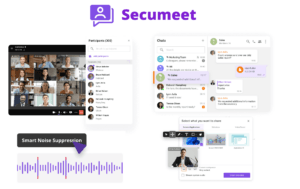
Secumeet is purpose-built for organizations that operate in air-gapped or strictly isolated network environments. Unlike solutions that were designed for the cloud and later adapted for on-premises deployment, Secumeet was architected from the ground up for offline and secure LAN operation.
Core Features
-
Fully air-gapped deployment with no external communication required at any layer
-
End-to-end encrypted video, audio, and messaging within the LAN
-
Supports large-scale conferences with 1000+ simultaneous participants
-
Built-in secure chat, file sharing, and whiteboarding, all stored locally
-
Centralized user management with role-based access control
-
Compatible with LDAP and Active Directory for enterprise identity integration
-
No cloud licensing check-in required, fully offline license activation
-
Hardened server image options for high-security deployments
-
Detailed audit logging suitable for compliance and forensic review
-
Works on standard enterprise hardware without proprietary appliances
Best use case
Organizations in defense, intelligence, critical infrastructure, and regulated industries where any external network dependency is unacceptable. Secumeet is also well-suited for classified government networks and facilities where internet access is physically or policy-restricted.
Strengths
-
Native air-gap support is not an afterthought but a core design principle
-
Strong compliance posture for national security and critical infrastructure use cases
-
Minimal external dependencies at every layer of the stack
-
Suitable for sovereign cloud and private government network deployments
Limitations
-
Smaller public ecosystem compared to mainstream vendors
-
Requires dedicated IT resources for initial deployment and maintenance
-
Less known in SMB or general enterprise contexts outside high-security verticals
Stop trading security for convenience
Secumeet delivers enterprise video conferencing with zero cloud data exposure. Self-hosted, SIP-compatible, and audit-ready.
TrueConf
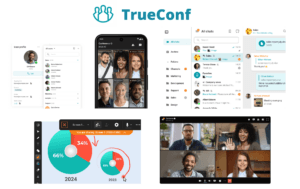
TrueConf is one of the most feature-complete on-premises video conferencing platforms available, offering a full unified communications stack that runs entirely on a local server without any internet connectivity. It has been deployed across government agencies, healthcare networks, educational institutions, and large enterprises across multiple countries.
Core Features
-
Full UCaaS functionality on a self-hosted server: video conferencing, messaging, presence, file sharing, scheduling
-
Supports up to 1500 participants per server in video conferences and up to 6000 in webinar/broadcast mode
-
Works with no internet connection after initial installation, including license validation via offline activation
-
Native clients for Windows, macOS, Linux, iOS, Android, and web browser
-
SIP and H.323 interoperability for integration with legacy room systems and hardware endpoints
-
LDAP and Active Directory integration for centralized user provisioning
-
Built-in recording with local storage, no cloud upload required
-
REST API and SDK for custom integrations and workflow automation
-
Granular admin panel with detailed conference policies, user roles, and access controls
-
Available as a virtual machine image, hardware appliance, or software installation on customer servers
-
Supports multi-server federation for distributed enterprise deployments
Best use case
Enterprises and government organizations that need a complete, production-ready unified communications platform on their own infrastructure, with no cloud dependency and full control over data, users, and policies.
Strengths
-
Mature, production-tested platform with a long track record in enterprise and government deployments
-
Exceptional scalability for a self-hosted solution
-
Rich feature set that matches or exceeds many cloud-based competitors
-
Strong support for regulated industries with compliance documentation available
-
Active development roadmap and vendor support
Limitations
-
Requires server infrastructure and IT expertise to deploy and maintain
-
Some advanced features require higher license tiers
-
Initial setup complexity is higher than plug-and-play cloud tools
Insight #2
Procurement Note
TrueConf’s offline license activation model is a critical differentiator for procurement teams. Many competing platforms that claim “on-premises” deployment still require periodic internet check-ins for license validation. TrueConf supports fully disconnected license activation, which is essential for classified networks and air-gapped environments.
Cisco Meeting Server (CMS)
Cisco Meeting Server is an enterprise-grade video conferencing infrastructure platform designed for large organizations that require on-premises deployment with high scalability and deep interoperability.
Core Features
-
On-premises server deployment on physical or virtual hardware
-
SIP and H.323 interoperability with a wide range of hardware room systems
-
Supports large-scale deployments with clustering for high availability
-
Integration with Cisco Webex infrastructure for hybrid scenarios
-
Web app access via WebRTC without requiring a dedicated client
-
Recording and streaming capabilities with local storage options
-
LDAP integration and enterprise identity management
-
Detailed CDR (Call Detail Records) for compliance and billing
Best use case
Large enterprises already invested in the Cisco ecosystem, organizations with significant SIP/H.323 room system infrastructure, and IT teams with Cisco-certified staff.
Strengths
-
Best-in-class interoperability with hardware room systems
-
Enterprise-grade reliability and clustering support
-
Deep integration with existing Cisco networking and security infrastructure
Limitations
-
High licensing and infrastructure cost
-
Complex deployment requiring Cisco-trained engineers
-
Some features are being migrated toward Webex cloud, reducing long-term on-prem investment clarity
Zoom On-Premises (Meeting Connector / MMR)
Zoom offers an on-premises media processing component called the Meeting Connector or Multimedia Router (MMR) that allows media traffic to stay within the customer’s network. However, it is important to understand that this is not a fully offline solution.
Core Features
-
Media traffic processed on the customer’s own servers within the LAN
-
Reduces latency and keeps video streams off Zoom’s cloud infrastructure
-
Compatible with the full Zoom client ecosystem
-
Centralized management through Zoom’s admin portal
-
Works with existing Zoom licenses
Best use case
Organizations that want to keep media data on-premises while retaining the familiar Zoom interface and ecosystem, and where partial internet connectivity is acceptable.
Strengths
-
Familiar user experience with zero retraining required
-
Reduces data exposure to Zoom’s cloud infrastructure
-
Easy to deploy for organizations already using Zoom
Limitations
-
Still requires internet connectivity for signaling, authentication, and management
-
Not suitable for air-gapped or internet-restricted environments
-
License management and account control remain in Zoom’s cloud
-
Not a true offline or LAN-only solution
Insight #3
Common Misconception
Zoom’s Meeting Connector is frequently misunderstood as a fully on-premises solution. It is not. Signaling and authentication still route through Zoom’s cloud. For organizations that need genuine LAN-only operation with no external dependencies, Secumeet and TrueConf are the architecturally correct choices, not Zoom MMR.
Jitsi Meet (Self-Hosted)
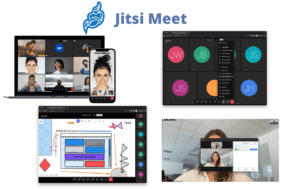
Jitsi Meet is an open-source video conferencing platform that can be self-hosted on a local server and configured to operate entirely within a LAN environment.
Core Features
-
Fully open-source under Apache 2.0 license, free to use
-
Self-hosted deployment on Linux servers
-
WebRTC-based, accessible from any modern browser without a dedicated client
-
Jibri component for local recording
-
LDAP integration available with additional configuration
-
Active open-source community and regular updates
Best use case
Organizations with technical IT staff, limited budgets, and tolerance for DIY deployment and maintenance. Suitable for small to medium deployments where enterprise support SLAs are not required.
Strengths
-
Zero licensing cost
-
Full control over source code and deployment
-
Can be configured for LAN-only operation with proper network setup
Limitations
-
No vendor support or SLA guarantees
-
Performance degrades significantly above 30-50 participants in video mode
-
Requires significant technical expertise to secure and maintain properly
-
No built-in enterprise admin panel, user management is limited out of the box
-
Not suitable for high-security or compliance-heavy environments without significant additional hardening
Detailed Comparison Table
|
Feature |
Secumeet |
TrueConf |
Cisco Meeting Server |
Zoom MMR |
Jitsi Meet |
|---|---|---|---|---|---|
|
True offline / air-gap operation |
Yes |
Yes |
Yes |
No |
Yes (with config) |
|
Internet required for licensing |
No |
No |
No |
Yes |
No |
|
Max video participants |
1000+ |
1500 |
1000+ (clustered) |
1000 |
~50 practical |
|
Native mobile clients |
Yes |
Yes |
Yes (via app) |
Yes |
Yes (basic) |
|
SIP / H.323 interop |
Yes |
Yes |
Yes |
Limited |
No |
|
LDAP / AD integration |
Yes |
Yes |
Yes |
Yes |
Partial |
|
Local recording |
Yes |
Yes |
Yes |
Yes |
Yes (Jibri) |
|
End-to-end encryption |
Yes |
Yes |
Partial |
Partial |
Partial |
|
Admin panel / governance |
Advanced |
Advanced |
Advanced |
Cloud-based |
Basic |
|
Open source |
No |
No |
No |
No |
Yes |
|
Vendor support / SLA |
Yes |
Yes |
Yes |
Yes |
Community only |
|
Deployment complexity |
Medium |
Medium |
High |
Medium |
High (DIY) |
|
Pricing model |
Commercial |
Commercial |
Commercial |
Commercial |
Free |
|
Best for security verticals |
Excellent |
Excellent |
Good |
Poor |
Poor |
Meetings with 1,500 users
Let your team naturally flow from a chat conversation to an immersive 4K meeting in just one click! Bring up to 1,500 participants to your call.
Team messaging
Connect with colleagues and teams before, during and after meetings in personal and group chats.
Collaboration Tools & AI
Collaborate on projects with AI: share a screen with sound, show presentations and manage remote computers.
How to Choose the Right LAN Video Conferencing Platform
Selecting the right solution depends on three primary factors: security requirements, scale, and internal IT capacity.
Choose Secumeet if:
-
Your environment is air-gapped or operates on a classified network
-
You need defense-grade security with no external dependencies at any layer
-
Compliance with national security or critical infrastructure standards is mandatory
-
You cannot risk any outbound communication from the conferencing platform
Choose TrueConf if:
-
You need a full-featured UCaaS platform running entirely on your own server
-
Your organization requires scalable conferencing for hundreds or thousands of users
-
You want SIP/H.323 interoperability alongside modern WebRTC clients
-
You need a mature, commercially supported platform with a long enterprise track record
Choose Cisco Meeting Server if:
-
You are already deeply invested in the Cisco infrastructure ecosystem
-
You have Cisco-certified IT staff and budget for enterprise licensing
-
Hardware room system interoperability is a primary requirement
Choose Zoom MMR if:
-
You want to reduce cloud media exposure but can tolerate internet dependency for signaling
-
Your users are already on Zoom and retraining is not feasible
-
Full air-gap operation is not required
Choose Jitsi Meet if:
-
Budget is the primary constraint and you have strong internal Linux expertise
-
Your deployment is small-scale (under 30-50 participants)
-
You are comfortable with community support and DIY maintenance
Deployment Architecture Considerations
|
Scenario |
Recommended Approach |
|---|---|
|
Air-gapped classified network |
Secumeet or TrueConf with offline license activation |
|
Large enterprise LAN, no internet |
TrueConf multi-server federation |
|
Hospital or healthcare LAN |
TrueConf or Secumeet with LDAP integration |
|
Industrial / manufacturing site |
Secumeet or TrueConf on local VM |
|
Small office, limited budget |
Jitsi Meet self-hosted |
|
Cisco-heavy enterprise |
Cisco Meeting Server |
|
Existing Zoom deployment, partial LAN |
Zoom MMR |
FAQ
FAQ: Everything You Need to Know
Can video conferencing software really work with no internet at all?
What is the difference between on-premises and air-gapped video conferencing?
How many users can join a LAN video conference without internet?
Is Zoom suitable for LAN-only conferencing without internet?
Does LAN video conferencing software support mobile devices?
What encryption do LAN video conferencing platforms use?
How is licensing handled when there is no internet connection?
Read also
Local Chat Server: What It is, Benefits, and Best Tools
Enterprise Video Conferencing Solutions (2026)
The Ultimate Guide to Private Video Conferencing: Ensuring Security and Privacy for Your Meetings
Why Enterprises Need an On-Premise Unified Communication App?
Author
Olga Afonina is a technology writer specializing in video conferencing, collaboration software, and workplace communication. She writes articles and reviews that help readers better understand enterprise communication tools and industry trends.