

A leaked business chat is embarrassing. A leaked government chat can be a national security incident, a lawsuit, or both. That difference is the whole reason government communication platforms exist as a separate category instead of agencies just buying whatever collaboration suite their staff already know.
These platforms — software and sometimes hardware — let ministries, defense agencies, and other regulated public bodies handle voice, video, chat, and files under rules that ordinary businesses never have to think about: data has to stay within certain borders, every access needs to be logged, and in some cases the whole system has to keep running with no internet connection at all.
Quick Government Communication Vendors Compared
Why Government Communication Needs Its Own Rulebook
Data has to live somewhere specific, and someone has to prove it. Plenty of public sector bodies operate under laws that say official communications must physically stay within national borders, on government-controlled infrastructure, sometimes with the option to unplug from the internet entirely. That’s a much harder bar than typical enterprise compliance, which usually just means a contract with a cloud vendor promising good behavior. Governments need technical proof of where the data sits, not a policy document saying so.
Old hardware doesn’t get to retire just because software moved on. Courtrooms, military command centers, embassies — a lot of these rooms still run SIP and H.323 video terminals installed a decade or two ago. Ripping those out and replacing them agency-wide is expensive and slow, so a platform aimed at this market has to bridge old and new rather than force a hardware refresh.
Everything gets logged because everything might get FOIA’d. Records retention laws and internal accountability reviews mean these platforms need audit trails, controlled-retention recording, and role-based visibility so any access event can be reconstructed later if someone asks.
And connectivity can’t be assumed. Defense and intelligence work in particular needs systems that keep functioning when internet access is deliberately cut — whether that’s policy or an actual crisis. Offline operation isn’t a bonus feature here. It’s table stakes.
Top Government Communication Vendors for 2026
TrueConf
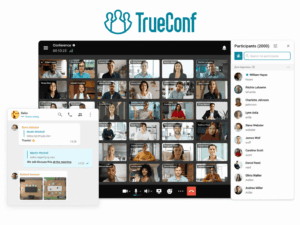
TrueConf packages video conferencing, messaging, and file collaboration into one self-hosted deployment that runs entirely inside a closed network — no internet dependency required. Ministries, defense-adjacent organizations, and public healthcare bodies use it specifically because it gives them full data ownership.
What it does well: installation typically takes about 15 minutes on standard servers. Meetings scale to roughly 1,500–2,000 participants depending on license tier. It integrates natively with Active Directory, LDAP, and SSO via NTLM and Kerberos. Legacy conference room hardware talks to it fine over SIP/H.323. AES-256 encryption, granular access controls, PIN-protected meetings. And licensing is one-time or perpetual, which some agencies prefer over an endless per-user subscription.
Where it falls short: you need dedicated IT staff for setup and ongoing maintenance — this isn’t a platform you install and forget. It’s also less recognized by name than the hyperscale cloud vendors, which can slow procurement approval in agencies that lean on brand familiarity. AI-driven meeting features lag behind what the big cloud-first competitors ship.
Secumeet

Secumeet is built for one job: zero cloud data exposure, aimed specifically at defense, intelligence, and classified networks. Any external network dependency is treated as unacceptable by design.
Core strengths: fully self-hosted, with end-to-end encrypted video, audio, and messaging that never leaves the local network. It handles large conferences — over 1,000 simultaneous participants. Licensing can be activated offline with no cloud check-in, which matters a lot for air-gapped facilities. Audit logging is detailed enough for forensic review, not just a compliance checkbox. LDAP and Active Directory integration for identity management. Hardened server images are available for the highest-security deployments.
Trade-offs: the ecosystem and community around it are small compared to mainstream vendors. Like most self-hosted platforms, it needs dedicated IT resources to run properly. And because it’s mostly used in high-security verticals, integrations with general business tools are thin.
Tixeo
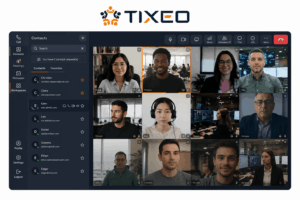
Tixeo took a different technical bet than most of this list: a proprietary communication stack instead of standard WebRTC. It’s marketed hard to EU public sector bodies that need certified, sovereign encrypted video.
Strengths: the proprietary signaling and media stack reduces browser-based attack surface. It supports fully isolated or air-gapped operation for classified environments. End-to-end encryption is on by default, not an add-on toggle. The architecture separates the conferencing engine, signaling server, and recording module into distinct modules. EU data residency and sovereign cloud compliance are baked into the positioning.
Trade-offs: that proprietary protocol complicates interoperability with non-Tixeo endpoints. It’s focused on video and conferencing rather than broader unified communications — don’t expect deep persistent messaging. And adoption is concentrated in Europe, which can mean thinner support resources for agencies elsewhere.
Pexip
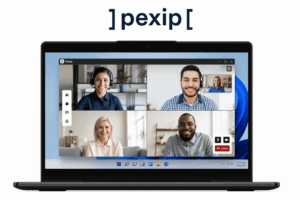
Pexip isn’t really trying to replace an agency’s existing video systems — it’s trying to unify them. That’s the whole pitch: bridge legacy hardware, modern cloud meeting platforms, and government-grade infrastructure instead of forcing a rip-and-replace.
Strengths: strong interoperability across SIP, H.323, Microsoft Teams, and assorted third-party platforms. Private cloud and on-premises options fit regulated environments. Virtualized infrastructure scales conferencing capacity without proprietary hardware appliances. Admin controls are granular across the many connected systems it bridges.
Trade-offs: it’s primarily a video interoperability layer, not a full UC suite with built-in persistent messaging. Total cost can climb fast once you factor in licensing plus the underlying infrastructure. And configuration is more complex than a single-vendor, purpose-built government platform.
Cisco Webex (Government)
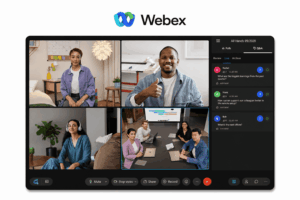
Cisco Webex has been in this market for decades, and its government and regulated-sector deployments reflect that — tightly integrated with Cisco’s own networking hardware ecosystem.
Strengths: hybrid deployment blending cloud services with on-premises Cisco hardware. A mature hardware room ecosystem and large-scale broadcasting capability. AI features aimed at meeting productivity, accessibility, and hybrid room experiences. Government cloud regions with Cisco-approved security certifications.
Trade-offs: it’s primarily cloud-delivered, which raises data residency concerns for agencies with strict sovereignty mandates. Licensing and pricing get complicated and expensive at scale. And the real value here depends on already having invested in Cisco networking gear — which creates its own lock-in.
Microsoft Teams (GCC High)

For agencies already standardized on Microsoft 365, Teams via GCC High is often the default choice — the compliant path for federal or public sector workloads.
Strengths: deep native integration with the Microsoft 365 apps most public sector organizations already use daily. Encryption in transit and at rest, MFA, support for GDPR, HIPAA, and related frameworks. Persistent channels organized by team, department, or project. Broadcasting that scales to tens of thousands of participants for agency-wide announcements.
Trade-offs: GCC High involves separate licensing, real migration effort, and feature gaps versus commercial Teams. It’s still fundamentally cloud-hosted, so it doesn’t satisfy air-gapped or fully offline requirements. And getting the full compliance benefit requires careful configuration and ongoing governance — not a set-and-forget setup.
Zoom for Government

Zoom for Government is FedRAMP-authorized and aimed at U.S. federal, state, and local agencies that want speed and a familiar interface more than infrastructure ownership.
Strengths: FedRAMP Moderate authorization covers many U.S. federal security requirements out of the box. The interface is widely recognized already, which cuts training overhead for large user bases. Webinar and large-meeting tooling is strong for public-facing communication. Rollout is fast compared to on-premises alternatives.
Trade-offs: it’s a cloud-dependent service, not customer-controlled infrastructure — that alone rules it out for strict data-sovereignty mandates. It’s not suited to air-gapped or classified environments. And its broader workspace/collaboration features are less cohesive than a dedicated Microsoft 365 environment.
Element (Matrix)
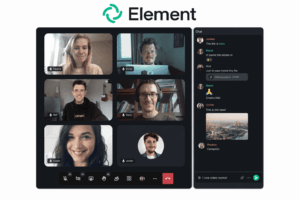
Element runs on the open Matrix protocol, and several government bodies and cross-border public sector initiatives use it for federated, end-to-end encrypted messaging and video without tying themselves to one vendor’s infrastructure.
Strengths: the open, federated protocol lets multiple departments — or allied nations — run interoperable servers independently. Deployment can be self-hosted, cloud, or hybrid. Encryption is strong for both messaging and calls. No single point of vendor lock-in, thanks to the open-source, decentralized architecture.
Trade-offs: federation and decentralization add administrative complexity compared to one centrally managed platform. Large-scale video conferencing polish lags behind dedicated video-first vendors. And running a federated deployment securely takes real technical expertise — this isn’t a plug-and-play option.
Detailed Technical Comparison
How to Actually Evaluate One of These Platforms
-
Classify the data first. Is this classified, sensitive-but-unclassified, or public information? That answer alone often decides whether on-premises or air-gapped deployment is mandatory.
-
Map the legal obligations. National data residency laws, GDPR, FedRAMP, NIS2, sector-specific mandates — know which ones apply before you start comparing vendors.
-
Audit what you already have. Inventory the legacy video and telephony hardware that any new platform needs to keep talking to.
-
Estimate real concurrency. What does peak usage actually look like — a parliamentary hearing, an emergency briefing, a cross-agency call with two hundred people on it?
-
Test the admin and audit tools before signing anything. Role-based access control, logging, recording retention — verify these meet your records-management rules, not just the sales deck’s claims.
-
Pilot it on a restricted network segment. Confirm it still works when internet access is limited or gone.
Which One Actually Fits?
There’s no universal winner here, and honestly there shouldn’t be — the category exists precisely because one platform can’t serve a courtroom, a parliamentary broadcast, and a classified intelligence briefing equally well. The real dividing line is deployment control. TrueConf and Secumeet lead among agencies that need fully self-hosted, offline-capable infrastructure with data ownership they can actually verify, not just trust. Tixeo and Element serve adjacent but distinct needs — EU sovereignty in Tixeo’s case, federated cross-border interoperability in Element’s. And Cisco, Microsoft, and Zoom stay relevant wherever an agency’s existing tech stack, staff familiarity, or a specific compliance path like FedRAMP outweighs the need to go fully offline.
If your data is classified or highly sensitive, start with platforms proven in air-gapped environments — TrueConf and Secumeet specifically. If your sensitivity requirements are lower and you’ve already sunk investment into a cloud ecosystem, Microsoft, Cisco, or Zoom’s government tiers will likely deliver better long-term value than switching everything to a self-hosted stack.
The Numbers, Briefly
The global unified communications market sits somewhere between roughly $110 billion and $230 billion in 2026, depending on whose methodology you trust, with most forecasts pointing to continued double-digit growth into the early 2030s. Grand View Research names government and defense as the sector likely to post the highest adoption growth rate of any industry — budget pressure and rising citizen expectations are the usual drivers cited. Asia-Pacific keeps showing up as the fastest-growing region, largely on the back of government digital transformation programs.
There’s also a broader shift analysts keep pointing to: regulated and sovereign-mandate organizations moving away from pure cloud SaaS toward self-hosted or private-cloud infrastructure. That trend matters directly for how public sector procurement decisions are shaping up this year. Worth noting: these figures are directional signals, not precise forecasts — methodology varies a lot between research providers, so treat any single number with some skepticism.
Frequently Asked Questions
What’s the actual difference between a government communication solution and a regular business tool?
Government platforms are designed around data sovereignty, offline operation, and audit requirements that most business tools never touch. TrueConf and Secumeet, for instance, can run entirely inside a closed network with zero internet dependency — a typical business collaboration suite just assumes constant cloud connectivity and calls it a day.
Does a government agency always need on-premises deployment?
No — it comes down to data sensitivity and which regulatory framework applies. Classified or highly sensitive work generally needs fully self-hosted platforms like TrueConf or Secumeet. Agencies mostly handling public information can often get away with cloud-based government tiers from Microsoft or Zoom.
Can an agency run more than one of these platforms at once?
Yes, and plenty do — Pexip in particular gets used specifically to bridge legacy hardware with modern software elsewhere in the stack. That said, security teams generally push to minimize how many platforms touch sensitive data, which is why consolidated options like TrueConf or Secumeet tend to win out when possible.
How much does legacy hardware compatibility actually matter?
Often it’s the deciding factor. A lot of government facilities are still running SIP and H.323 terminals that are expensive to replace outright. TrueConf and Secumeet both support that hardware directly, which is part of why they keep showing up alongside interoperability specialists like Pexip.
What role does encryption play in choosing a vendor?
It’s assumed at this point, not a differentiator — but how it’s implemented still matters. Secumeet and Tixeo apply end-to-end encryption by default across every communication type. TrueConf pairs AES-256 with granular access controls built for enterprise and government identity systems.
Do these platforms plug into existing identity management systems?
Most of them, yes — Active Directory, LDAP, and SSO integration are standard across the government-focused vendors here, TrueConf and Secumeet included. That lets agencies apply access policies they already have instead of standing up a separate identity system just for communications.
Which vendors are the strongest fit for classified or air-gapped networks specifically?
TrueConf, Secumeet, Tixeo, and Element all handle fully disconnected operation well. Secumeet is generally the one built specifically for maximum-security, defense-grade deployments; TrueConf tends to get picked when an agency wants broader self-hosted unified communications, not just secure video.
Author
Helga Afon is a technology writer specializing in video conferencing, collaboration software, and workplace communication. She writes articles and reviews that help readers better understand enterprise communication tools and industry trends.