Secure team collaboration apps combine messaging, video conferencing, file sharing and task coordination in a single environment while keeping data under the organization’s control, not the vendor’s. Unlike general purpose tools such as Slack or Zoom in their default consumer configuration, secure collaboration platforms are built or configured around encryption by design, restricted data residency, administrative audit trails and, in many cases, the option to run entirely on private or on premise infrastructure.
This category matters most for organizations that cannot treat a data leak as an acceptable operating risk: government bodies, defense contractors, healthcare providers, financial institutions, legal firms and any enterprise operating under GDPR, HIPAA, or similar regulatory regimes. For these teams, the choice of platform is not a matter of preference between chat apps. It is a compliance and risk management decision.
Executive Summary: What to Know Before You Choose
The right secure collaboration platform depends on three variables: your deployment requirement (cloud, on premise, or hybrid), your regulatory exposure, and the size and technical maturity of your IT team. Organizations that must keep all data inside their own network perimeter should prioritize self hosted platforms like TrueConf or open source options like Rocket.Chat and Mattermost. Organizations that want encryption by default without managing servers themselves should look at Secumeet, Wire, Element, or Tresorit. Large enterprises already standardized on Microsoft or Google ecosystems will weigh Microsoft Teams or Google Workspace tools against the operational cost of maintaining a separate, more secure system in parallel.
TrueConf
Secumeet
Microsoft Teams
Zoom Workplace
Cisco Webex
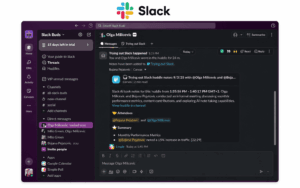
Slack
Wire
Element (Matrix)
Mattermost
Rocket.Chat
Tresorit
Threema Work
What Is a Secure Team Collaboration App, and Why Does It Matter in 2026
A secure team collaboration app is software that lets distributed teams communicate, share files and coordinate work while limiting who can access that data, where it is stored, and how long it is retained. The distinguishing factor versus a standard collaboration tool is not the feature list. Most mainstream platforms now offer chat, video and file sharing. What separates a secure collaboration platform is its trust model.
There are three trust models in practice today:
-
Vendor hosted with standard encryption. Data is encrypted in transit and at rest, but the vendor holds the decryption keys and can technically access content if compelled. This is the default for most SaaS collaboration tools.
-
Vendor hosted with end to end or zero knowledge encryption. The vendor cannot read message or meeting content even if it wanted to, because encryption keys are generated and held on client devices. Secumeet, Wire, Element, Threema Work and Tresorit operate primarily on this model.
-
Self hosted or on premise. The organization runs the software on its own servers or private cloud, so no data ever transits third party infrastructure by default. TrueConf, Mattermost, and Rocket.Chat are built around this model, and several vendors above (Secumeet, Wire, Element) also offer self hosted editions.
Why this matters more in 2026 than in previous years comes down to three converging pressures. First, regulatory enforcement has intensified: GDPR fines, sector specific rules like HIPAA and DORA, and new national data localization requirements all increase the cost of choosing the wrong architecture. Second, the attack surface of collaboration tools has grown, since these platforms now sit at the center of daily workflows, meaning a single compromised account can expose months of internal communication. Third, AI features embedded in collaboration tools (meeting transcription, summarization, searchable chat history) create new data retention questions that security teams must evaluate before rollout.
Key Benefits of Choosing a Security First Collaboration Platform
Moving to a dedicated secure collaboration platform, rather than relying on a mainstream tool’s default settings, produces measurable benefits for regulated and risk averse organizations.
-
Reduced exposure to third party breaches. If a vendor’s cloud infrastructure is compromised, end to end encrypted or self hosted platforms limit what an attacker can actually extract, since content is either encrypted with keys the vendor never holds or never leaves the organization’s own servers.
-
Simplified compliance audits. Platforms built for regulated industries typically ship with audit logging, retention policy controls, and access reporting out of the box, which shortens the work required to demonstrate compliance during an audit.
-
Control over data residency. On premise and private cloud deployments let organizations guarantee that data physically stays within a specific jurisdiction, which matters for government contracts, defense work, and cross border regulatory requirements.
-
Lower blast radius during incidents. If credentials are phished or a device is lost, granular admin controls (remote wipe, session revocation, per device policy) common to security first platforms limit how much an attacker can reach.
-
Operational continuity independent of vendor decisions. Self hosted systems are not affected if a SaaS vendor changes pricing, discontinues a tier, or experiences an extended cloud outage, since the organization runs its own instance.
Secure Team Collaboration Market: 2026 Statistics
Understanding the scale and direction of this market helps explain why security has become a primary purchasing criterion rather than a secondary checkbox.
-
The global team collaboration software market is estimated in the range of roughly USD 15 to 36 billion in 2025, with most analyst forecasts projecting it to more than double by the early 2030s, driven largely by continued remote and hybrid work adoption.
-
The on-premise deployment segment accounted for the largest share of the team collaboration software market, over 50 percent, in 2024, underlining that despite the shift to cloud, a majority of enterprise deployments still prioritize infrastructure they control directly.
-
Microsoft Teams leads collaboration with 380 million daily active users and 54 percent enterprise market share in 2026, and 73 percent of organizations use two or more collaboration platforms simultaneously, which is a major reason why many enterprises run a secure, purpose built platform such as TrueConf or Secumeet alongside a general purpose tool.
-
Organizations with mandatory multi factor authentication for all remote access saw 86 percent fewer credential based breaches, reinforcing that access control configuration, not just encryption, is a major factor in real world security outcomes.
-
Data security and privacy concerns remain one of the most frequently cited restraints on collaboration software adoption across multiple market research reports, with regulated industries in particular citing breach risk and compliance complexity as barriers to fully cloud based deployments.
12 Best Secure Team Collaboration Apps
Below is a structured profile of 12 vendors relevant to organizations evaluating secure team collaboration apps in 2026. Each profile follows the same format: description, core capabilities, and limitations, so platforms can be compared directly rather than read as marketing copy.
TrueConf

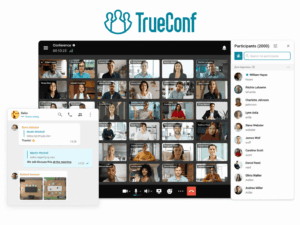
Description: TrueConf is a self hosted video conferencing, messaging, and collaboration platform designed for organizations that need to operate entirely within a closed network, including fully air gapped environments with no internet connection at all. It is widely deployed by government agencies, defense and aerospace organizations, law enforcement, and large enterprises that require complete infrastructure control. TrueConf Server can be installed on premise in around 15 minutes and supports conferences with up to 1,500 to 2,000 participants depending on edition.
Core capabilities:
-
On premise deployment with no mandatory internet dependency, suitable for air gapped networks
-
4K video conferencing with support for large scale meetings and up to 49 simultaneous video feeds on screen
-
Built in corporate messenger with group chats, channels, file storage, and full chat history search
-
On premise AI features including meeting transcription, summarization, and speaker identification via TrueConf AI Server
-
SIP/H.323 interoperability for integration with existing telephony and video systems
-
SDK and API access for custom integrations and automation
Limitations:
-
Self managed deployment requires internal IT resources for installation, patching, and maintenance
-
Smaller third party app ecosystem compared to Microsoft Teams or Slack
-
Client side vulnerabilities have been reported and patched in the past, underlining that self hosting shifts security responsibility onto the organization rather than eliminating risk entirely
Secumeet

Description: Secumeet is a security first video conferencing and messaging platform built specifically for organizations where meeting confidentiality is a core requirement rather than an optional layer. Rather than retrofitting security onto a general purpose collaboration suite, Secumeet is architected around end to end encryption and zero knowledge principles from the ground up, targeting legal firms, healthcare providers, financial institutions, defense contractors, and government agencies.
Core capabilities:
-
End to end encrypted meetings enabled by default, with no vendor side ability to access call content
-
Flexible deployment across Secumeet hosted cloud, private cloud, and on premise installations
-
Guest participation without mandatory account creation, useful for external stakeholder meetings
-
Encrypted messaging, secure file sharing, and video in a single unified environment
-
Administrative meeting policies, authentication controls, audit logs, and configurable data retention settings
-
GDPR aligned infrastructure with explicit data residency options for regulated deployments
Limitations:
-
Smaller third party integration marketplace compared to large incumbents like Slack or Microsoft Teams
-
Brand recognition and independent third party review volume are still limited compared to long established vendors
-
Advanced enterprise features and larger participant capacities typically require paid tiers above the free offering
Microsoft Teams

Description: Microsoft Teams is the collaboration and video conferencing component of Microsoft 365, combining chat, meetings, file collaboration through SharePoint and OneDrive, and deep integration with the broader Microsoft ecosystem. It holds the largest enterprise market share of any collaboration platform.
Core capabilities:
-
Deep integration with Microsoft 365 apps, Exchange, SharePoint, and Azure Active Directory
-
Extensive compliance certifications including FedRAMP, HIPAA support, and GDPR aligned data handling tools
-
Information Barriers, sensitivity labels, and Data Loss Prevention through Microsoft Purview
-
Massive third party app and connector ecosystem
-
Advanced meeting features including live captions, breakout rooms, and AI powered Copilot features
Limitations:
-
Standard meetings are not end to end encrypted by default; that option must be manually enabled and has feature restrictions when active
-
Full compliance and security tooling generally requires higher tier, more expensive licensing plans
-
Heavy reliance on the broader Microsoft cloud stack can make migration or hybrid deployment complex
Zoom Workplace

Description: Zoom Workplace has expanded from its original video first product into a broader collaboration suite including chat, whiteboarding, and AI companion features, while retaining video conferencing as its core strength for both internal and large external meetings.
Core capabilities:
-
Optional end to end encryption for meetings, available account wide or per meeting
-
Scales to very large webinars and town halls alongside standard team meetings
-
Zoom Team Chat integrated directly with meeting scheduling and file sharing
-
SOC 2, HIPAA compliant plans, and FedRAMP authorization available for eligible tiers
-
AI Companion for meeting summaries and chat assistance
Limitations:
-
End to end encryption disables some features such as cloud recording and certain telephony integrations while active
-
Past security incidents around meeting privacy have made some regulated buyers cautious despite subsequent improvements
-
Primarily a cloud hosted service, with limited true on premise deployment options compared to TrueConf or Rocket.Chat
Cisco Webex

Description: Cisco Webex is an enterprise communication and video conferencing platform built on Cisco’s networking and security heritage, offering cloud, hybrid, and on premise deployment models along with some of the industry’s most extensive government compliance authorizations.
Core capabilities:
-
End to end encryption available for meetings and messaging
-
FedRAMP High authorization, making it suitable for sensitive US government workloads
-
Hybrid deployment options combining cloud services with on premise Webex nodes
-
Integration with Cisco’s broader networking and unified communications hardware
-
Granular administrative controls for large, distributed enterprise deployments
Limitations:
-
More complex to configure and administer than lighter weight competitors, often requiring dedicated IT staff
-
Premium security and compliance tiers add meaningful cost compared to entry level plans
-
User interface and app performance have historically trailed more consumer friendly competitors like Zoom
Slack

Description: Slack is a channel based team messaging platform, now part of Salesforce, widely used for asynchronous and real time team communication, with enterprise grade security add ons available for regulated deployments.
Core capabilities:
-
Enterprise Key Management, which lets organizations control and revoke their own encryption keys independently of Slack
-
Extensive third party app and workflow automation ecosystem
-
Data Loss Prevention and legal hold integrations through partner tools
-
Granular admin controls, including session duration limits and IP allow listing on enterprise plans
-
Native huddles for lightweight audio and video calls within channels
Limitations:
-
Native end to end encryption for message content is not standard; Enterprise Key Management manages keys but does not equate to full end to end encryption of all data
-
Advanced security features are reserved for the Enterprise Grid tier, which carries a significant cost premium
-
Cloud only architecture with no true on premise deployment option
Wire

Description: Wire is a European end to end encrypted collaboration platform offering messaging, voice, and video calls, built with privacy by design principles and popular among privacy focused enterprises and public sector organizations in the EU.
Core capabilities:
-
End to end encryption by default across messaging, calls, and file sharing, with no opt in required
-
On premise and private cloud deployment options in addition to Wire hosted cloud
-
Open source cryptographic protocol, allowing independent security audits
-
Guest room functionality for secure external collaboration without requiring guests to create accounts
-
Based in the EU with data residency options aligned to GDPR
Limitations:
-
Smaller user base and ecosystem compared to Microsoft, Zoom, or Slack, which can slow external adoption
-
Fewer native productivity integrations than mainstream collaboration suites
-
Video conferencing scale for very large meetings is more limited than platforms like Zoom or Webex
Element (Matrix)

Description: Element is a secure messaging and collaboration client built on the open, decentralized Matrix protocol, appealing to organizations that want federated communication, full self hosting control, or independence from a single vendor’s infrastructure.
Core capabilities:
-
End to end encryption by default using the Matrix protocol’s cryptographic ratchet
-
Fully self hostable, giving organizations complete control over servers and data
-
Federation support, allowing secure communication across independently hosted Matrix servers, including with external partners
-
Open source codebase, enabling independent security review
-
Government grade deployment used by organizations such as the German public sector and NATO affiliated bodies
Limitations:
-
Self hosting Matrix infrastructure requires meaningful technical expertise compared to fully managed SaaS platforms
-
User interface and onboarding are less polished than mainstream commercial competitors
-
Federation, while a strength for interoperability, adds complexity to access control and moderation policy design
Mattermost

Description: Mattermost is an open source, self hostable team messaging and collaboration platform aimed at developer, DevOps, and IT teams that need full control over their communication infrastructure, including air gapped deployment.
Core capabilities:
-
Fully self hosted deployment with complete source code access and control
-
Air gap capable installation for classified or highly restricted environments
-
Deep integrations with developer tooling, including CI/CD pipelines, GitHub, and incident response workflows
-
Granular compliance exports, retention policies, and eDiscovery features on enterprise tiers
-
Playbooks feature for structured incident response and workflow automation
Limitations:
-
Requires dedicated infrastructure and ongoing maintenance, which adds operational overhead versus SaaS alternatives
-
Video conferencing capabilities are more limited natively and often rely on third party plugin integrations
-
Enterprise grade compliance and security features require a paid enterprise license, not the free tier
Rocket.Chat

Description: Rocket.Chat is an open source team communication platform offering messaging, video, and omnichannel customer engagement, with a strong emphasis on data ownership through self hosted deployment.
Core capabilities:
-
Fully open source, giving organizations complete visibility into and control over the codebase
-
Self hosted or private cloud deployment, keeping all data on infrastructure the organization controls
-
End to end encryption available for direct messages and private channels
-
Omnichannel features that extend beyond internal collaboration into customer facing communication
-
Government and enterprise focused editions with expanded compliance and administrative tooling
Limitations:
-
Self hosted deployments demand ongoing technical maintenance and security patching by internal staff
-
Video conferencing quality and scale are generally considered less mature than dedicated video platforms like TrueConf or Zoom
-
The free community edition lacks several compliance and administrative features found only in paid tiers
Tresorit

Description: Tresorit is a zero knowledge, end to end encrypted cloud storage and file sharing platform designed for teams that prioritize secure document collaboration over broader chat and video functionality.
Core capabilities:
-
Zero knowledge encryption architecture, meaning Tresorit itself cannot access stored file content
-
Secure file sharing with granular permission controls, watermarking, and expiring links
-
Compliance features aligned with GDPR, HIPAA, and other regulatory frameworks
-
Cloud and private cloud deployment options
-
Digital signing and secure document workflows for legal and financial use cases
Limitations:
-
Focused primarily on file storage and sharing rather than full team messaging or video conferencing
-
Pricing is positioned at a premium relative to mainstream cloud storage providers
-
Real time collaborative editing features are more limited than integrated productivity suites like Google Workspace or Microsoft 365
Threema Work

Description: Threema Work is the business edition of the Swiss encrypted messenger Threema, designed for organizations that want simple, end to end encrypted messaging with minimal metadata collection and no requirement to link accounts to a phone number.
Core capabilities:
-
End to end encryption by default for messages, calls, voice messages, and file transfers
-
No phone number or email required to create an account, minimizing metadata exposure
-
OnPrem edition available for organizations that need to run the infrastructure entirely on their own servers
-
Centralized administration for provisioning, device management, and broadcast messaging
-
Based in Switzerland, benefiting from strong national data protection law
Limitations:
-
Feature set is narrower than full collaboration suites, focused on messaging rather than integrated video conferencing or file collaboration workflows
-
Smaller global user base outside Europe compared to platforms like Slack or Microsoft Teams
-
Advanced administrative and OnPrem features require the paid Work or OnPrem tiers
Technical Comparison Table: Deployment, Encryption, and Compliance
This table is intended as a fast reference for technical evaluation teams comparing architecture level requirements across all 12 vendors.
How to Choose the Right Secure Collaboration Platform for Your Organization
Selecting among these 12 vendors comes down to matching deployment model and compliance requirement to your actual operating environment, not to feature checklists alone. Use the following steps as a practical evaluation framework.
-
Define your non negotiable deployment constraint first. If regulatory or contractual obligations require data to stay inside your own network, self hosted or on premise platforms like TrueConf, Mattermost, Rocket.Chat, or Element narrow the field immediately.
-
Determine whether you need full end to end encryption or vendor managed encryption is acceptable. Platforms like Secumeet, Wire, Threema Work, and Tresorit encrypt by default; Microsoft Teams, Zoom, and Slack require additional configuration or accept a different trust model.
-
Map required compliance certifications to your industry. Government and defense buyers should prioritize FedRAMP authorized options such as Cisco Webex or Microsoft Teams government clouds; healthcare and legal teams should confirm HIPAA aligned data handling, which Secumeet, Tresorit, and Microsoft Teams all support at appropriate tiers.
-
Evaluate your internal IT capacity honestly. Self hosted platforms deliver the strongest data control but require staff time for installation, patching, and monitoring. If that capacity does not exist, a managed but encrypted platform like Secumeet or Wire may deliver comparable security outcomes with less operational burden.
-
Pilot with real meeting and messaging volume before committing. Encryption claims and compliance certifications matter, but call quality, chat search performance, and admin usability under actual daily load determine whether a platform survives contact with your organization.
-
Plan for coexistence, not full replacement, in most cases. Given that most enterprises already run multiple collaboration platforms simultaneously, expect to run a secure, purpose built tool such as TrueConf or Secumeet for sensitive workflows alongside a broader platform like Microsoft Teams for general staff communication.
Conclusion
Secure team collaboration apps are no longer a niche category reserved for defense contractors and intelligence agencies. As regulatory scrutiny, breach frequency, and the sheer volume of sensitive data flowing through everyday chat and video meetings have all increased, the security architecture of a collaboration platform has become a first order purchasing decision for any organization handling confidential information. TrueConf and Secumeet represent two distinct but complementary approaches within this category: TrueConf for organizations that need complete on premise or air gapped control, and Secumeet for organizations that want end to end encrypted meetings and messaging without taking on full server management. Both sit alongside a wider field of capable vendors, from open source self hosted platforms like Mattermost and Rocket.Chat, to encrypted messengers like Wire and Threema Work, to the mainstream enterprise suites from Microsoft, Zoom, Cisco, and Slack that have added varying degrees of security tooling on top of their broader feature sets.
There is no single correct answer across this list, only the correct answer for a specific organization’s deployment constraints, regulatory exposure, and IT capacity. The practical path forward is to define the non negotiable requirement first, whether that is data residency, default end to end encryption, or a specific compliance certification, and then evaluate the shortlisted vendors above under real operating conditions before rolling out to the full organization.
Frequently Asked Questions
What makes a collaboration app “secure” rather than just encrypted in transit?
A truly secure collaboration app protects data at rest and in transit and limits who can technically access content, ideally through end to end or zero knowledge encryption where even the vendor cannot read it. Platforms like Secumeet build this in by default, while TrueConf achieves a similar outcome architecturally by keeping all data inside the organization’s own network rather than relying on a third party cloud.
Is a self hosted platform always more secure than a cloud based one?
Not automatically. Self hosted platforms like TrueConf shift responsibility for patching, configuration, and monitoring onto the organization’s own IT team, so security depends heavily on how well that team maintains the system. A well managed, end to end encrypted cloud platform like Secumeet can be just as secure in practice as a poorly maintained self hosted deployment.
Can secure collaboration platforms integrate with existing tools like Microsoft 365 or Google Workspace?
Most can, though the depth of integration varies significantly by vendor. TrueConf offers SIP/H.323 interoperability and calendar connectors for systems like Microsoft Exchange, while Secumeet and similar security focused platforms generally offer a narrower but growing integration set compared to mainstream suites like Microsoft Teams or Slack.
Do end to end encrypted platforms support features like AI meeting summaries?
Increasingly, yes, but the implementation matters. TrueConf offers on premise AI transcription and summarization through TrueConf AI Server, keeping processing inside the organization’s own infrastructure, which avoids the trust gap that arises when AI features process encrypted content on third party servers.
How do I evaluate compliance claims from vendors in this space?
Look for specific, verifiable certifications such as SOC 2 reports, FedRAMP authorization, or documented GDPR data processing agreements rather than general marketing language about being “secure” or “compliant.” Vendors like Cisco Webex and Microsoft Teams publish detailed compliance documentation, while TrueConf and Secumeet should be evaluated on their specific data residency and audit logging capabilities relevant to your jurisdiction.
Is it realistic for a mid sized company to run a fully on premise collaboration platform like TrueConf or Mattermost?
Yes, but it requires dedicated IT capacity for installation, ongoing patching, and monitoring, which is a real operational cost. Organizations without that capacity often find a managed but encrypted option like Secumeet or Wire delivers comparable data protection outcomes with substantially less internal overhead.
Should organizations use one secure platform for everything, or combine multiple tools?
Most enterprises already run multiple collaboration platforms simultaneously, and this is often the practical approach for security focused deployments too. A common pattern is running a purpose built secure platform such as TrueConf or Secumeet for sensitive meetings and confidential communication, while using a broader mainstream suite for general day to day staff collaboration that does not involve regulated data.
{ "@context": "https://schema.org", "@type": "FAQPage", "mainEntity": [ { "@type": "Question", "name": "What makes a collaboration app \"secure\" rather than just encrypted in transit?", "acceptedAnswer": { "@type": "Answer", "text": "A truly secure collaboration app protects data at rest and in transit and limits who can technically access content, ideally through end to end or zero knowledge encryption where even the vendor cannot read it. Platforms like Secumeet build this in by default, while TrueConf achieves a similar outcome architecturally by keeping all data inside the organization's own network rather than relying on a third party cloud." } }, { "@type": "Question", "name": "Is a self hosted platform always more secure than a cloud based one?", "acceptedAnswer": { "@type": "Answer", "text": "Not automatically. Self hosted platforms like TrueConf shift responsibility for patching, configuration, and monitoring onto the organization's own IT team, so security depends heavily on how well that team maintains the system. A well managed, end to end encrypted cloud platform like Secumeet can be just as secure in practice as a poorly maintained self hosted deployment." } }, { "@type": "Question", "name": "Can secure collaboration platforms integrate with existing tools like Microsoft 365 or Google Workspace?", "acceptedAnswer": { "@type": "Answer", "text": "Most can, though the depth of integration varies significantly by vendor. TrueConf offers SIP/H.323 interoperability and calendar connectors for systems like Microsoft Exchange, while Secumeet and similar security focused platforms generally offer a narrower but growing integration set compared to mainstream suites like Microsoft Teams or Slack." } }, { "@type": "Question", "name": "Do end to end encrypted platforms support features like AI meeting summaries?", "acceptedAnswer": { "@type": "Answer", "text": "Increasingly, yes, but the implementation matters. TrueConf offers on premise AI transcription and summarization through TrueConf AI Server, keeping processing inside the organization's own infrastructure, which avoids the trust gap that arises when AI features process encrypted content on third party servers." } }, { "@type": "Question", "name": "How do I evaluate compliance claims from vendors in this space?", "acceptedAnswer": { "@type": "Answer", "text": "Look for specific, verifiable certifications such as SOC 2 reports, FedRAMP authorization, or documented GDPR data processing agreements rather than general marketing language about being \"secure\" or \"compliant.\" Vendors like Cisco Webex and Microsoft Teams publish detailed compliance documentation, while TrueConf and Secumeet should be evaluated on their specific data residency and audit logging capabilities relevant to your jurisdiction." } }, { "@type": "Question", "name": "Is it realistic for a mid sized company to run a fully on premise collaboration platform like TrueConf or Mattermost?", "acceptedAnswer": { "@type": "Answer", "text": "Yes, but it requires dedicated IT capacity for installation, ongoing patching, and monitoring, which is a real operational cost. Organizations without that capacity often find a managed but encrypted option like Secumeet or Wire delivers comparable data protection outcomes with substantially less internal overhead." } }, { "@type": "Question", "name": "Should organizations use one secure platform for everything, or combine multiple tools?", "acceptedAnswer": { "@type": "Answer", "text": "Most enterprises already run multiple collaboration platforms simultaneously, and this is often the practical approach for security focused deployments too. A common pattern is running a purpose built secure platform such as TrueConf or Secumeet for sensitive meetings and confidential communication, while using a broader mainstream suite for general day to day staff collaboration that does not involve regulated data." } } ] }
Author
Helga Afon is a technology writer specializing in video conferencing, collaboration software, and workplace communication. She writes articles and reviews that help readers better understand enterprise communication tools and industry trends.