
A free meeting app is useful only if its free limits match the meetings you actually run.
A platform may support 100 participants but end every group call after 40 minutes. Another may allow longer meetings but omit recording. Self-hosted software may have no vendor-imposed meeting timer while still requiring servers, bandwidth, and administration.
That is why the useful question is not:
Which video meeting app costs $0?
It is:
Which free limitation will affect my normal meeting first?
This guide compares free web meeting tools by the restrictions that matter most in practice:
-
meeting duration;
-
participant capacity;
-
browser access;
-
guest friction;
-
recording;
-
collaboration features;
-
infrastructure requirements;
-
what forces an upgrade.
Key Findings
-
Zoom Free supports up to 100 participants, but meetings hosted by Basic users generally end after 40 minutes.
-
Google Meet allows up to 100 participants for users without a Meet subscription, with group meetings of three or more people limited to 60 minutes.
-
Microsoft Teams Free currently supports meetings for up to 100 participants and up to 60 minutes. (support.microsoft.com)
-
Webex Free supports up to 100 participants and currently limits meetings to 40 minutes, while still providing screen sharing, whiteboards, local recording, and messaging. (pricing.webex.com)
-
Zoho Meeting Free supports up to 100 participants with a 60-minute time limit. (help.zoho.com)
-
TrueConf Server Free takes a different approach: it is free self-hosted software for up to 10 participants in group video meetings, with no meeting-duration limit, but the organization must run its own server. (trueconf.com)
-
Jitsi Meet is open-source and can be self-hosted, so the software itself does not impose the same commercial meeting-plan model as SaaS products. Practical capacity depends on the infrastructure used to run it.
-
A free license does not mean zero operating cost. Self-hosted tools shift cost from subscription fees to infrastructure and administration.
-
For most teams, the first meaningful free-tier limit is usually duration, participant count, recording, or administration, not video resolution.
What Does “Free Meeting App” Actually Mean?
Not every free web meeting tool uses the same business model.
There are at least four distinct types.
1. Free Cloud Tier
The vendor operates the infrastructure and provides a free account with limits.
Common restrictions include:
-
40 or 60 minute meetings;
-
100 participants;
-
local rather than cloud recording;
-
limited administration;
-
limited AI;
-
no advanced room features.
Zoom, Webex, Google Meet, Microsoft Teams Free, and Zoho Meeting fit this general model.
2. Meeting Tool Included With an Existing Ecosystem
A product can feel free because the user already has an account in a larger ecosystem.
Google Meet is a good example for people already using a Google account.
Microsoft Teams Free follows a similar logic for Microsoft’s free consumer collaboration environment.
The important distinction is that features in the free product can differ substantially from business subscriptions.
3. Free Open-Source Meeting Software
Here, the software license itself costs nothing.
Jitsi Meet is the clearest example.
But the organization may still need:
-
a server;
-
hosting;
-
bandwidth;
-
monitoring;
-
updates;
-
backups;
-
technical staff.
So:
free software ≠ zero operating cost
4. Free Server Edition
A commercial vendor can provide a free version of software designed to run on customer infrastructure.
TrueConf Server Free follows this model.
The current edition supports up to 1,000 online users for messaging and one-to-one calls, while up to 10 PRO users can participate in group video conferences. It includes one guest connection and one SIP/H.323/RTSP connection. (trueconf.com)
This creates a very different free-use case from a browser-first SaaS account.
Which Free Limit Will You Hit First?
Before comparing products, define your normal meeting.
This is a more useful starting point than simply selecting whichever product advertises the largest participant number.
Free Meeting Apps at a Glance
Always verify current plan terms before rollout. Free tiers change more frequently than the core products.
1. Zoom
Best for: Small teams and external meetings where participant capacity matters more than meeting length.
Zoom Basic currently supports up to 100 participants. Almost all meetings hosted by Basic users are limited to 40 minutes. (support.zoom.com)
The free account includes the core functions most users expect:
-
video meetings;
-
screen sharing;
-
chat;
-
virtual backgrounds;
-
whiteboards;
-
scheduling.
Why the free tier works
A team running:
-
quick standups;
-
interviews;
-
client introductions;
-
short project meetings
can often stay within 40 minutes.
What limit you will hit first
Duration.
The participant limit looks generous, but a normal business meeting can easily exceed 40 minutes.
Zoom explicitly states that free users need to upgrade if longer meetings are required. (support.zoom.com)
Do not choose the free tier when
You regularly run:
-
workshops;
-
training;
-
long client sessions;
-
executive meetings;
-
meetings requiring advanced enterprise controls.
2. Google Meet
Best for: People who already use Google accounts and want browser-based meetings with minimal setup.
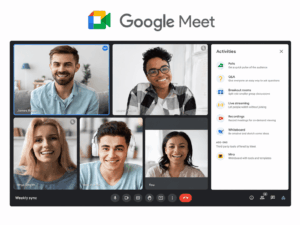
Google currently allows users without a Meet subscription to host meetings with up to 100 participants. Group meetings with three or more participants can run for up to 60 minutes. One-to-one meetings can run much longer.
Google also lists basic Meet functionality such as:
-
creating meetings;
-
joining meetings;
-
integration with Docs, Sheets, and Slides;
-
up to 100 participants. (support.google.com)
Why the free tier works
The browser-first workflow is useful for people who already live in:
-
Gmail;
-
Google Calendar;
-
Google Docs.
There is little additional onboarding.
What limit you will hit first
Usually meeting duration or access to premium features.
For ordinary 30 to 45 minute calls, the free version may be sufficient.
For longer group sessions, Workspace upgrades become more relevant.
Do not choose it when
You need:
-
customer-operated infrastructure;
-
advanced business administration without Workspace;
-
long group meetings on a free personal account.
3. Microsoft Teams Free

Best for: Users who want free meetings combined with persistent chat.
Microsoft Teams Free currently allows users to create meetings for up to 100 participants and up to 60 minutes. (support.microsoft.com)
Microsoft’s current plan comparison also shows:
-
100 meeting participants;
-
60-minute maximum meeting duration;
-
screen sharing;
-
unlimited chat;
-
5 GB file storage;
-
no meeting recording in the Free edition. (support.microsoft.com)
Guests can join meetings without creating a Teams Free account, although an account provides access to more chat and collaboration options. (support.microsoft.com)
Why the free tier works
Unlike a meeting-only product, Teams Free also provides persistent messaging.
This makes it more useful when users need:
chat → meeting → chat
rather than isolated video calls.
What limit you will hit first
For meetings, usually:
-
60-minute duration;
-
no recording.
For business collaboration, the bigger limitation is that Teams Free is not equivalent to Microsoft Teams business licensing.
Do not choose it when
You need the full Microsoft 365 enterprise collaboration and governance environment.
4. Cisco Webex Free
Best for: Teams that want a broad collaboration feature set without paying immediately.
Cisco currently lists Webex Free with:
-
up to 100 attendees;
-
meetings up to 40 minutes;
-
screen sharing with annotation;
-
unlimited whiteboards;
-
local recording;
-
calendar integration;
-
noise cancellation;
-
messaging. ()
This gives the free tier a relatively broad feature set even though its meeting timer matches Zoom’s.
Why the free tier works
It is useful for shorter meetings where teams want more than basic camera and microphone functionality.
What limit you will hit first
40-minute duration.
The free product can host 100 people, but meetings that regularly run for an hour will require a different plan or tool.
Do not choose it when
Meeting length is more important than the additional collaboration features.
5. Zoho Meeting
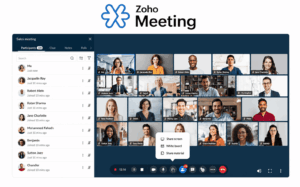
Best for: Small teams that want 60-minute meetings and may later move into the Zoho ecosystem.
Zoho’s current free plan supports up to 100 participants per meeting or webinar with a 60-minute limit. (help.zoho.com)
The free edition includes core meeting functionality such as:
-
screen sharing;
-
meeting chat;
-
basic collaboration;
-
moderation.
Why the free tier works
The combination of:
100 participants + 60 minutes
is enough for many ordinary business meetings.
What limit you will hit first
Usually advanced functionality rather than basic capacity.
Paid tiers become more relevant for longer sessions and additional meeting-management features.
Do not choose it when
The organization needs advanced room infrastructure or customer-hosted conferencing.
6. FreeConference
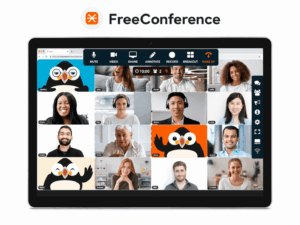
Best for: Very small groups that want a lightweight web meeting without installing desktop software.
FreeConference remains present in current free-video-conferencing comparisons largely because its browser-based approach is easy to access.
TechRadar currently lists the free service as a good option for small meetings and notes that desktop software is not required. It also highlights features such as:
-
screen sharing;
-
whiteboard;
-
meeting chat;
-
document sharing;
-
international dial-in. (techradar.com)
Why the free tier works
It fits small, occasional meetings where simplicity is more important than scaling.
What limit you will hit first
Participant capacity.
TechRadar currently reports a five-participant web limit for the free offer, making it unsuitable for larger business meetings. (techradar.com)
Do not choose it when
Your normal meeting regularly exceeds a very small group.
7. Jitsi Meet
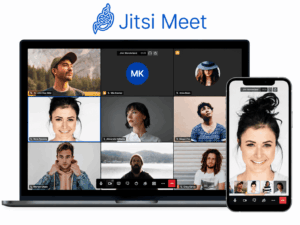
Best for: Technical teams that want open-source meeting software and are prepared to manage infrastructure.
Jitsi Meet is different from SaaS free tiers.
The open-source software can be deployed on infrastructure controlled by the organization.
This means there is no commercial free-plan timer comparable to:
-
Zoom’s 40 minutes;
-
Google’s 60 minutes.
But that does not mean capacity is unlimited in practice.
Real meeting capacity depends on:
-
server resources;
-
network bandwidth;
-
Jitsi Videobridge capacity;
-
video settings;
-
concurrent conferences.
Why the free model works
There is no per-user SaaS subscription attached to the self-hosted software itself.
That makes it useful for organizations with existing:
-
Linux;
-
DevOps;
-
hosting;
-
monitoring
capability.
What limit you will hit first
Usually infrastructure capacity rather than a pricing-plan timer.
Do not choose it when
The team expects:
-
vendor-managed infrastructure;
-
turnkey enterprise administration;
-
guaranteed support without operating the system itself.
8. TrueConf Server Free
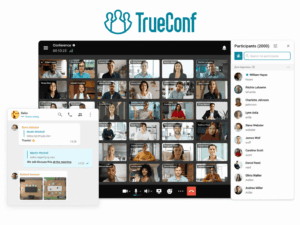
Best for: Small business groups that want free meetings on a server they operate themselves.
TrueConf Server Free is not a normal free cloud meeting account.
It is a free self-hosted corporate communication server.
The current edition includes:
-
up to 1,000 online users for messaging and one-to-one calls;
-
10 PRO users for group video conferences;
-
personal and group chat;
-
screen and content sharing;
-
one SIP/H.323/RTSP connection;
-
one browser guest connection. (trueconf.com)
TrueConf states that the free edition has no expiration date, although the license must be renewed annually. It can also be used commercially. (trueconf.com)
Why the free model works
There is no short 40 or 60 minute meeting timer.
It also lets the organization evaluate a customer-hosted architecture rather than another public-cloud account.
What limit you will hit first
Concurrent group-video capacity and guest access.
The free version is designed for relatively small internal group meetings.
Do not choose it when
You want to send a public link to dozens of unregistered guests without operating server infrastructure.
9. BigBlueButton
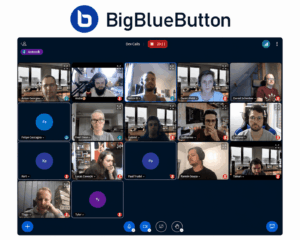
Best for: Organizations evaluating free and open-source web conferencing for education and virtual classroom workflows.
BigBlueButton belongs to a different free-software category from Zoom or Meet.
It is open-source software designed around online teaching rather than general business meetings.
Typical classroom requirements include:
-
live video;
-
presentation;
-
whiteboard;
-
breakout rooms;
-
polling;
-
moderation.
Why the free model works
Organizations can operate the software themselves rather than paying a conventional per-host SaaS meeting subscription.
This can make sense for:
-
universities;
-
training organizations;
-
learning platforms.
What limit you will hit first
Like Jitsi, the practical constraint is primarily the infrastructure used to run the deployment rather than a commercial free-tier timer.
Do not choose it when
You need a simple general-purpose free meeting app for occasional client calls.
Free Cloud Meeting vs Free Self-Hosted Meeting
These two categories both use the word free, but the cost model is fundamentally different.
This distinction is especially important when someone searches for freeware online meeting software.
Traditional freeware means the software itself can be used without purchasing a license.
That does not necessarily mean the full service costs nothing to operate.
What “Unlimited” Really Means
Be careful with the word unlimited.
It can mean several different things.
Unlimited Number of Meetings
You can start as many meetings as needed.
The individual meeting may still have a 40-minute limit.
No Meeting-Duration Limit
The meeting can continue for as long as the platform or infrastructure allows.
Participant capacity can still be limited.
No Vendor-Imposed Participant License
This often applies to open-source self-hosted software.
Physical infrastructure still creates a capacity ceiling.
Unlimited Messages
A collaboration platform may offer unlimited chat while keeping meeting restrictions.
The word unlimited therefore needs a noun after it.
Ask:
Unlimited what?
Free for the Host Is Not Always Free for the Organization
A $0 meeting account can still create organizational costs.
SaaS Free Tier Costs
Potential indirect costs include:
-
users restarting meetings when time expires;
-
manual recording workflows;
-
switching tools later;
-
additional paid accounts;
-
fragmented administration.
Self-Hosted Free Software Costs
Potential costs include:
-
servers;
-
cloud hosting;
-
bandwidth;
-
administrator time;
-
monitoring;
-
backup;
-
security updates;
-
migration.
This does not make self-hosting expensive by definition.
It means:
$0 license cost and $0 operating cost are different metrics.
When a Free Meeting App Is Enough
A free product is often sufficient when meetings are:
-
relatively short;
-
smaller than 100 people;
-
occasional;
-
not heavily regulated;
-
not dependent on advanced recording;
-
not using enterprise room systems.
Examples:
Small Team Standup
8 people
20 minutes
screen sharing
Almost every mainstream free tool can handle this.
Client Introduction
4 people
45 minutes
external guests
Focus on:
-
browser joining;
-
account requirements;
-
invitation simplicity.
Volunteer or Community Meeting
30 people
45 minutes
Focus on:
-
participant capacity;
-
moderation;
-
accessibility.
When You Will Probably Need to Pay
Free meeting apps stop being practical when the organization needs:
Longer Meetings
The most obvious example is regular sessions exceeding Zoom or Webex’s current 40-minute free limit.
Cloud Recording
Recording availability and cloud storage are common paid differentiators.
Large Events
A 100-person meeting and a 1,000-person event are different products.
Central Administration
Businesses may need:
-
managed identities;
-
organization-wide policies;
-
reporting;
-
retention;
-
audit functionality.
SSO and Enterprise Identity
These capabilities commonly live in business or enterprise tiers.
Conference Rooms
Room systems can require:
-
separate room licenses;
-
SIP/H.323 connectors;
-
specialized software.
AI Functions
Transcripts, summaries, and assistants increasingly differ by product and subscription.
Do not assume that a free meeting account includes the same AI features as a paid business plan.
Free Meeting App Decision Matrix
How to Test a Free Meeting App
Do not test only a two-person call.
Reproduce the meeting you actually plan to run.
Test 1: Duration
Run the meeting until close to the free limit.
Confirm:
-
whether warnings appear;
-
whether the meeting ends automatically;
-
whether the same link can be reused.
Test 2: Participant Capacity
Invite approximately the number of people expected in normal use.
Do not assume a participant number advertised on a paid plan applies to the free account.
Test 3: Guest Joining
Ask someone who has never used the platform to join.
Measure:
-
clicks;
-
account creation;
-
downloads;
-
permissions.
Test 4: Screen Sharing
Test:
-
application window;
-
full screen;
-
presentation;
-
audio sharing if required.
Test 5: Recording
Confirm:
-
whether recording exists;
-
whether it is local or cloud;
-
where the file appears;
-
whether the free plan restricts it.
Test 6: Weak Network
Try:
-
weak Wi-Fi;
-
mobile hotspot;
-
VPN.
A meeting app that works perfectly on office Ethernet may behave differently for real participants.
Test 7: Upgrade Trigger
Identify the exact feature that would make the organization pay.
This might be:
-
41st minute;
-
cloud recording;
-
more participants;
-
SSO;
-
admin controls;
-
room interoperability.
A free pilot is more useful when the team already understands what the paid transition would be.
Common Free Meeting App Traps
Choosing by Participant Count Alone
100 free participants sounds better than 10.
But if your meetings contain six people and last 90 minutes, duration matters much more.
Confusing “Free” With “No Time Limit”
Many mainstream free cloud tiers impose a meeting timer.
Confusing Open Source With Zero Cost
The software can be free while the infrastructure is not.
Assuming Free and Paid Versions Have the Same Features
They often share the same product name but not:
-
recording;
-
administration;
-
AI;
-
storage;
-
capacity.
Ignoring Guest Experience
A meeting tool can work well internally but create unnecessary friction for customers.
Comparing Cloud SaaS and Self-Hosted Software Only by Price
They place costs in different parts of the system.
Using an Outdated Free-Plan Comparison
Free tiers change frequently.
Verify current terms directly with the vendor before organizational rollout.
Frequently Asked Questions
What is the best free meeting app?
There is no universal best option.
For meetings below 40 minutes, Zoom and Webex provide up to 100 participants.
For group meetings up to 60 minutes, Google Meet, Microsoft Teams Free, and Zoho Meeting currently support up to 100 participants. (support.zoom.com) (support.microsoft.com) (help.zoho.com)
The best option depends on which limitation your normal meeting reaches first.
What free meeting app has no time limit?
Self-hosted software such as Jitsi does not use the same commercial 40/60-minute free-plan model as cloud meeting services.
TrueConf Server Free also provides free group meetings for up to 10 PRO users without the short meeting-duration caps typical of free SaaS tiers. (trueconf.com)
Self-hosting still requires infrastructure.
What free meeting apps support 100 participants?
Current free offerings with up to 100 participants include:
-
Zoom Basic;
-
Google Meet for users without a subscription;
-
Microsoft Teams Free;
-
Webex Free;
-
Zoho Meeting Free. (support.zoom.com) (pricing.webex.com)
Their duration and feature restrictions differ.
What is the best free web meeting tool for long meetings?
If a meeting regularly exceeds one hour, mainstream free SaaS tiers become more restrictive.
Self-hosted options may avoid commercial duration limits, but require more technical administration.
The right choice depends on whether avoiding a subscription is worth operating infrastructure.
Can people join free meetings from a browser?
Yes, many free meeting tools support browser participation.
Examples include:
-
Google Meet;
-
Teams;
-
Webex;
-
Jitsi;
-
TrueConf WebRTC guest/user access.
The exact browser feature set can differ from native applications.
Is free meeting software suitable for business?
It can be suitable for small teams and limited meeting scenarios.
Businesses should consider paid or enterprise editions when they need:
-
centralized administration;
-
SSO;
-
longer meetings;
-
cloud recording;
-
compliance controls;
-
room systems;
-
guaranteed support.
What is freeware online meeting software?
The phrase generally refers to online meeting software available without purchasing a software license.
This can include:
-
free cloud accounts;
-
open-source self-hosted software;
-
free server editions.
These models should not be treated as financially identical because self-hosted software still has infrastructure and administration costs.
Is TrueConf Server Free fully offline?
No.
TrueConf Server Free is self-hosted, but the free edition requires connectivity to the TrueConf registration server for license verification. Completely offline operation is available with the full TrueConf Server rather than the Free edition. (trueconf.com)
Conclusion
Free meeting apps should be compared by the limitation that matters to your actual meeting.
Start with:
-
How many people normally join?
-
How long does the meeting last?
-
Do external guests need browser access?
-
Do you need recording?
-
Do you need business administration?
-
Are you willing to operate your own server?
Then determine what free actually means.
For Zoom and Webex, the important free limitation is currently the 40-minute meeting duration. (support.zoom.com) (pricing.webex.com)
Google Meet, Microsoft Teams Free, and Zoho Meeting extend free group meetings to 60 minutes, with different collaboration and recording limits. (support.google.com) (support.microsoft.com)
Jitsi and BigBlueButton represent free open-source software, where practical limits depend more heavily on infrastructure.
TrueConf Server Free represents another model: a free commercial server edition for small group meetings on infrastructure operated by the organization. (trueconf.com)
The most useful free meeting app is therefore not the one with the biggest number in a comparison table.
It is the one whose free limits still sit above the requirements of the meeting you actually need to run.
Author
Helga Afon is a technology writer specializing in video conferencing, collaboration software, and workplace communication. She writes articles and reviews that help readers better understand enterprise communication tools and industry trends.