

If you are looking for alternatives to Webex, you are not alone. While Cisco Webex remains a widely recognized platform, many organizations are actively searching for solutions that offer stronger data sovereignty, more flexible deployment models, better pricing transparency, or tighter integration with on-premises infrastructure. The market for enterprise video conferencing has matured significantly, and today there are several platforms that match or exceed Webex in specific use cases, particularly in security-critical, government, healthcare, and distributed enterprise environments.
This guide covers five strong alternatives to Webex: Secumeet, TrueConf, Microsoft Teams, Zoom, and Google Meet. Each platform is evaluated on features, deployment options, security posture, and fit for different organizational profiles. The comparison is designed to help IT decision-makers, procurement teams, and enterprise architects make an informed choice.
Key Takeaways
Bottom Line First
Secumeet and TrueConf lead as the most secure, self-hosted Webex alternatives with true on-premises and air-gapped deployment. Microsoft Teams and Zoom serve cloud-native ecosystems, while Google Meet fits Google Workspace users seeking simplicity.
What Most People Get Wrong
Assuming all video platforms are interchangeable. Deployment model (cloud vs. on-premise), encryption architecture, and data sovereignty create fundamental differences that affect compliance, cost, and long-term flexibility.
Executive Summary: Top Webex Alternatives at a Glance
|
Vendor |
Deployment Options |
End-to-End Encryption |
On-Premises Available |
Best For |
|---|---|---|---|---|
|
Secumeet |
Cloud, On-Premises, Air-Gapped |
Yes, by default |
Yes |
Secure gov, defense, regulated industries |
|
TrueConf |
On-Premises, Cloud, Hybrid |
Yes |
Yes |
Enterprise self-hosted, large-scale deployments |
|
Microsoft Teams |
Cloud only (mostly) |
Partial |
Limited |
Microsoft 365 ecosystem users |
|
Zoom |
Cloud, limited on-prem |
Optional |
Limited |
SMB to enterprise, ease of use |
|
Google Meet |
Cloud only |
Partial |
No |
Google Workspace users |
Stop trading security for convenience
Secumeet delivers enterprise video conferencing with zero cloud data exposure. Self-hosted, SIP-compatible, and audit-ready.
Why Organizations Are Moving Away from Webex
Webex is a capable platform, but it comes with a set of friction points that push enterprise buyers toward alternatives:
-
Pricing complexity: Webex licensing tiers are not always straightforward, and costs can escalate quickly at scale.
-
Cloud dependency: Most Webex capabilities are cloud-delivered, which creates data residency concerns for regulated sectors.
-
Integration overhead: Connecting Webex to non-Cisco infrastructure often requires additional middleware or professional services.
-
Administrative rigidity: Some IT teams find Webex admin controls less granular compared to self-hosted alternatives.
-
Vendor lock-in: Cisco’s ecosystem can create long-term dependency that limits procurement flexibility.
These are not universal dealbreakers, but for organizations in government, finance, defense, healthcare, or critical infrastructure, they are often decisive factors.
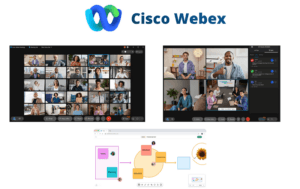
Top 5 Webex Alternatives in 2026
1. Secumeet: The Most Secure Webex Alternative for Regulated Environments
Secumeet is purpose-built for organizations where security is not a feature but a requirement. Unlike most video conferencing platforms that treat encryption as an add-on or optional layer, Secumeet applies end-to-end encryption by default across all sessions, regardless of deployment mode.
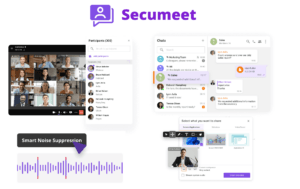
Key Features:
-
End-to-end encrypted video, audio, and chat with zero-knowledge architecture
-
Air-gapped deployment support for environments with no external internet connectivity
-
On-premises and private cloud installation with full administrative control
-
No data leaves the organization’s perimeter in self-hosted configurations
-
Secure file sharing and screen sharing within encrypted sessions
-
Role-based access control and granular meeting permissions
-
Compliance-ready architecture aligned with requirements for government and defense use cases
-
Minimal attack surface: no third-party trackers, no telemetry sent externally
-
Cross-platform clients for Windows, macOS, Linux, iOS, and Android
Strengths:
-
True zero-trust architecture from the ground up
-
Designed for environments where data sovereignty is legally mandated
-
Suitable for classified, sensitive, and restricted communications
-
Does not require internet access when deployed on-premises or in air-gapped mode
-
Simple and clean interface that reduces user training burden
Limitations:
-
Ecosystem integrations are narrower than Webex or Teams by design
-
Less suited for large-scale public-facing webinars or marketing events
-
Smaller global partner network compared to Cisco or Microsoft
Best use case
Government agencies, defense contractors, intelligence organizations, healthcare institutions handling sensitive patient data, legal firms, financial regulators, and any enterprise where data sovereignty is non-negotiable.
Insight 1: Most enterprise video conferencing platforms offer encryption in transit, not true end-to-end encryption. The distinction matters enormously in regulated sectors. Secumeet’s zero-knowledge approach means that even the platform operator cannot access session content, which is a fundamentally different security posture from Webex, Zoom, or Teams.
2. TrueConf: Enterprise-Grade Self-Hosted Video Conferencing
TrueConf is one of the most established on-premises video conferencing platforms in the market, with a strong track record in large enterprise, government, and education deployments across Europe, the Middle East, and Asia. It offers a full-featured server-based solution that gives IT teams complete control over infrastructure, data, and user management.
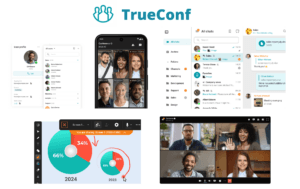
Key Features:
-
TrueConf Server: a self-hosted video conferencing server deployable on Windows Server or Linux
-
Up to 1,500 participants in a single video conference from a single server
-
4K video support and adaptive bitrate technology for varying network conditions
-
Built-in UCaaS features: video calls, group conferences, webinars, instant messaging, presence, and file sharing
-
LDAP and Active Directory integration for enterprise user management
-
SIP and H.323 gateway for interoperability with legacy video conferencing hardware
-
REST API and SDK for custom integrations and workflow automation
-
Multi-server federation for geographically distributed deployments
-
Clients for Windows, macOS, Linux, iOS, Android, and browser
-
Recording and streaming capabilities with local storage options
Strengths:
-
One of the most mature on-premises video conferencing platforms available
-
Full ownership of data with no mandatory cloud dependency
-
Strong interoperability with existing AV and UC hardware
-
Transparent per-server licensing that scales predictably
-
Active development with regular feature releases
Limitations:
-
Initial server setup requires IT resources and infrastructure planning
-
Cloud-native features are less extensive than Teams or Zoom
-
UI design is functional but less polished than consumer-oriented platforms
Best use case
Large enterprises, government bodies, educational institutions, healthcare networks, and organizations with strict data localization requirements that need a proven self-hosted platform.
Insight 2: Many organizations underestimate the total cost of ownership difference between cloud-hosted and self-hosted video conferencing. TrueConf’s per-server licensing model means that once the server is deployed, adding more users does not necessarily increase licensing costs the way per-seat SaaS models do. For organizations with hundreds or thousands of users, this can represent substantial savings over a three-to-five year horizon.
3. Microsoft Teams: The Webex Alternative for Microsoft Ecosystem Users
Microsoft Teams is the most widely deployed business communication platform globally, largely because it is bundled with Microsoft 365 subscriptions. For organizations already invested in the Microsoft ecosystem, Teams is a natural alternative to Webex.
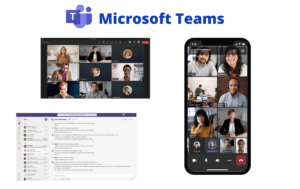
Key Features:
-
Integrated with Microsoft 365 apps (Word, Excel, SharePoint, OneDrive)
-
Video meetings, persistent chat, channels, and file collaboration in one interface
-
Teams Phone for PSTN calling with direct routing options
-
Live events and webinars for large audiences
-
Advanced admin controls via Microsoft 365 Admin Center
-
Compliance features including eDiscovery, retention policies, and audit logs
-
Azure Active Directory integration for identity and access management
-
Third-party app integrations via Microsoft AppSource
Strengths:
-
Deep integration with Microsoft productivity tools
-
Familiar interface for organizations already using Office 365
-
Strong compliance and governance features for regulated industries
-
Large ecosystem of certified hardware and ISV partners
Limitations:
-
Primarily cloud-dependent with limited true on-premises options
-
Can be complex to administer at scale without dedicated IT resources
-
Performance can degrade in large video calls compared to dedicated video platforms
-
Data residency options exist but require careful configuration
Best use case
Organizations standardized on Microsoft 365 that want a unified communication and collaboration platform without adding a separate video conferencing vendor.
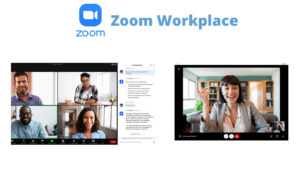
4. Zoom: The Webex Alternative for Ease of Use and Broad Compatibility
Zoom became a household name during the pandemic and has since evolved into a broader unified communications platform. It remains one of the most user-friendly video conferencing solutions available, with strong performance across a wide range of network conditions.
Key Features:
-
High-quality video and audio with AI-powered noise suppression
-
Zoom Rooms for hardware-based conference room solutions
-
Zoom Phone for cloud telephony
-
Webinar and event hosting for large audiences
-
Breakout rooms, polling, and collaborative whiteboard
-
App marketplace with hundreds of third-party integrations
-
End-to-end encryption available (opt-in, not default)
-
Admin dashboard with usage analytics and reporting
Strengths:
-
Extremely easy to use for both hosts and participants
-
Reliable performance across low-bandwidth environments
-
Strong hardware ecosystem for meeting rooms
-
Broad third-party integration library
Limitations:
-
End-to-end encryption is not enabled by default and disables some features when activated
-
Cloud-only architecture with no true self-hosted option for most customers
-
Privacy concerns have been raised in the past, though the company has made improvements
-
Per-seat pricing can become expensive at enterprise scale
Best use case
SMBs, startups, distributed teams, and enterprises that prioritize ease of use and broad compatibility over strict data sovereignty requirements.
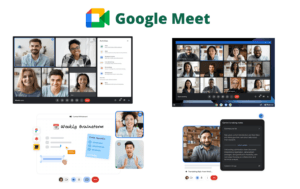
5. Google Meet: The Webex Alternative for Google Workspace Users
Google Meet is the video conferencing component of Google Workspace, formerly G Suite. It is a straightforward, browser-first platform that works well for organizations built around Google’s productivity tools.
Key Features:
-
Browser-based meetings with no client installation required
-
Deep integration with Google Calendar, Gmail, Drive, and Docs
-
Live captions powered by Google’s speech recognition
-
Noise cancellation and adaptive video quality
-
Google Workspace admin controls for meeting policies
-
Recording to Google Drive
-
Support for up to 1,000 participants in large meetings (Enterprise tier)
Strengths:
-
Zero-friction join experience via browser
-
Seamless integration with Google Workspace
-
Strong uptime and global infrastructure
-
Included in Google Workspace subscriptions at no additional cost
Limitations:
-
Cloud-only with no on-premises deployment option
-
Limited advanced security controls compared to self-hosted alternatives
-
Less suitable for organizations outside the Google Workspace ecosystem
-
Fewer enterprise-grade administrative controls than Webex or Teams
Best use case
Organizations standardized on Google Workspace that need a simple, reliable video conferencing tool without additional vendor relationships.
Detailed Feature Comparison: Secumeet and TrueConf vs. Competitors
|
Feature |
Secumeet |
TrueConf |
Microsoft Teams |
Zoom |
Google Meet |
|---|---|---|---|---|---|
|
On-premises deployment |
Yes |
Yes |
Limited |
No |
No |
|
Air-gapped deployment |
Yes |
Yes (with config) |
No |
No |
No |
|
End-to-end encryption (default) |
Yes |
Yes |
No |
No |
No |
|
Data sovereignty |
Full |
Full |
Partial |
Limited |
Limited |
|
Self-hosted server |
Yes |
Yes |
No |
No |
No |
|
Active Directory / LDAP |
Yes |
Yes |
Yes (Azure AD) |
Limited |
Limited |
|
SIP / H.323 interop |
Yes |
Yes |
Via gateway |
Via gateway |
No |
|
Max participants (single session) |
Configurable |
Up to 1,500 |
1,000 |
1,000 |
1,000 |
|
Linux client |
Yes |
Yes |
Limited |
Limited |
Browser only |
|
Open API / SDK |
Yes |
Yes |
Yes |
Yes |
Yes |
|
Webinar / broadcast mode |
Yes |
Yes |
Yes |
Yes |
Yes |
|
Compliance certifications |
Gov-grade |
Enterprise-grade |
ISO, SOC2, HIPAA |
ISO, SOC2, HIPAA |
ISO, SOC2, HIPAA |
|
Pricing model |
Per server / site |
Per server |
Per user/month |
Per user/month |
Included in Workspace |
Deployment Models Explained: A Critical Decision Factor
The deployment model is often the most important factor in enterprise video conferencing selection, yet it is frequently underweighted in generic comparison articles.
Here is how the five platforms differ in practice:
-
Cloud-only (Google Meet, Zoom for most customers): The vendor hosts everything. You have no control over where data is processed or stored. Suitable for organizations with low data sensitivity.
-
Cloud with compliance options (Microsoft Teams): Data can be configured to stay within specific geographic regions, but the infrastructure is still Microsoft-managed. Suitable for regulated industries that trust Microsoft as a processor.
-
Hybrid (TrueConf, Zoom with on-prem gateway): Core infrastructure can be self-hosted, with optional cloud federation. Suitable for enterprises that want control but also need external connectivity.
-
Fully self-hosted (TrueConf Server, Secumeet on-premises): All data stays within the organization’s own infrastructure. No external dependency. Suitable for government, defense, and highly regulated sectors.
-
Air-gapped (Secumeet): The system operates with no internet connectivity whatsoever. Suitable for classified environments, critical infrastructure, and organizations under strict security mandates.
Meetings with 1,500 users
Let your team naturally flow from a chat conversation to an immersive 4K meeting in just one click! Bring up to 1,500 participants to your call.
Team messaging
Connect with colleagues and teams before, during and after meetings in personal and group chats.
Collaboration Tools & AI
Collaborate on projects with AI: share a screen with sound, show presentations and manage remote computers.
Insight 3: Air-gapped deployment is a capability that almost no mainstream video conferencing vendor supports. Webex, Zoom, Teams, and Google Meet all require active internet connectivity to function. Secumeet’s support for fully air-gapped environments is a differentiator that is relevant to a specific but growing segment of enterprise and government buyers who cannot route communications through the public internet under any circumstances.
How to Choose the Right Webex Alternative: Evaluation Framework
Use the following criteria to narrow your selection:
|
Evaluation Criterion |
Recommended Option |
|---|---|
|
Strict data sovereignty required |
Secumeet, TrueConf |
|
Air-gapped or classified environment |
Secumeet |
|
Large on-premises enterprise deployment |
TrueConf |
|
Already on Microsoft 365 |
Microsoft Teams |
|
Ease of use is top priority |
Zoom |
|
Already on Google Workspace |
Google Meet |
|
SIP / H.323 hardware interoperability |
TrueConf, Secumeet |
|
Lowest per-user cost at scale |
TrueConf (server licensing) |
|
Fastest deployment with no IT overhead |
Zoom, Google Meet |
|
Government or defense compliance |
Secumeet |
FAQ: Alternatives to Webex
What is the best alternative to Webex for government organizations?
Which Webex alternative supports on-premises deployment?
Is there a Webex alternative with end-to-end encryption enabled by default?
Which alternative to Webex is most cost-effective for large enterprises?
Can I replace Webex with Microsoft Teams?
What is the difference between Secumeet and TrueConf?
Does any Webex alternative work in air-gapped environments?
Read also
Best Video Conferencing Software for Business Communication
HIPAA-Compliant Video Conferencing
Enterprise Video Conferencing Solutions (2026)
Office Meeting Apps: Your Complete Guide to Choosing the Right Virtual Meeting Platform
Author
Olga Afonina is a technology writer specializing in video conferencing, collaboration software, and workplace communication. She writes articles and reviews that help readers better understand enterprise communication tools and industry trends.