
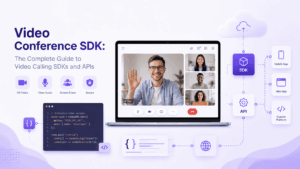
A video conference SDK is a pre-built software toolkit that lets developers embed live video, audio, and chat directly into their own application, without building the underlying real-time media engine from scratch. Instead of spending months on codecs, network adaptation, and signaling infrastructure, a team can drop in an SDK and ship working video calls in days or weeks.
This category splits into two practical camps. Cloud-hosted SDKs and APIs (Zoom Video SDK, Agora, Vonage, Amazon Chime SDK, Daily, Sinch, Stream, ZEGOCLOUD) route media through the vendor’s global infrastructure, trading some data control for speed of deployment and elastic scale. Self-hosted SDKs (TrueConf SDK, Secumeet, Jitsi) run inside the organization’s own network, which matters most for healthcare, government, finance, defense, and any team bound by strict data residency rules. Both camps solve the same underlying problem, embedding real-time video, but they solve it for different buyers.
The table below summarizes the field before the deep dive that follows.
At a Glance: Video Conferencing SDKs and APIs Compared
What Is a Video Conference SDK?
A video conference SDK (software development kit) is a bundle of libraries, code samples, and documentation that developers integrate directly into an app’s codebase to add real-time video and audio communication. Unlike a standalone video conferencing app, an SDK is invisible to the end user: it becomes part of the host application’s own interface.
A video conference SDK typically includes:
-
Media engine components that capture, encode, transmit, and decode audio and video streams
-
UI building blocks for call screens, participant tiles, and controls (mute, camera toggle, screen share)
-
Signaling logic to establish and manage call sessions between participants
-
Platform libraries for iOS, Android, web, Windows, macOS, and cross-platform frameworks like Flutter or React Native
-
Adaptive streaming logic that adjusts video quality to available bandwidth and device performance
SDKs are used to add video capability to messaging apps, telehealth platforms, e-learning portals, customer support tools, social apps, and internal enterprise software. The core value proposition is speed: building a real-time video engine from scratch typically takes six to twelve months and can cost well over $100,000 in engineering time, while integrating an SDK can bring working video calls to production in days.
The Role of Video Call API
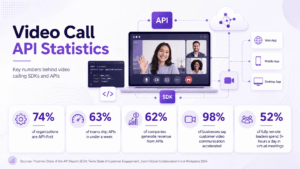
A video call API (application programming interface) is the set of endpoints and protocols that let an application communicate with a video service over the internet, usually backed by the vendor’s cloud infrastructure. Where an SDK is embedded directly into the client application, an API is more often called from a backend or middle layer to manage sessions, tokens, recordings, and participant permissions.
In practice, most modern platforms ship both: an SDK for the client-side calling experience and a server-side API for managing conferences, generating access tokens, and pulling analytics. The API is what makes a video platform programmable rather than just usable, letting a product team automate meeting creation, control who can join, trigger recordings, or route participants based on business logic.
Common jobs handled by a video call API include:
-
Creating and terminating conference rooms
-
Issuing time-limited access tokens for secure client authentication
-
Managing participant permissions and moderation actions
-
Triggering server-side recording or transcription
-
Pulling usage and quality analytics for monitoring
What Is the Difference Between SDK and API?
This is one of the most common points of confusion for teams starting a video integration project, so it deserves a direct answer.
An SDK is a toolkit that lives inside your application and does the heavy lifting of capturing, encoding, and rendering video and audio. An API is a contract that defines how your application talks to a remote service. An SDK often contains one or more APIs internally, but the reverse is not true, a raw API alone does not include the UI components or media-handling code an SDK provides.
In short: choose an SDK when you need to build and fully control the in-app calling experience. Choose an API-only approach when you need lightweight connectivity to an existing video experience without deep UI customization.
Key Factors for Selecting the Best Video Calling SDK
Not every SDK fits every project. Before comparing named vendors, it helps to score candidates against the criteria that actually predict a successful integration.
-
Deployment model: Does the project require cloud speed and scale, or self-hosted control over where data is processed and stored?
-
Platform coverage: Confirm native support for every platform in the product roadmap, iOS, Android, web, desktop, and any cross-platform frameworks in use.
-
Latency and media quality: Look for documented latency figures, adaptive bitrate handling, and behavior under poor network conditions, not just marketing claims.
-
Security and compliance: Verify encryption standards, availability of a signed Business Associate Agreement (BAA) for healthcare use cases, and compliance certifications relevant to the target industry.
-
Scalability: Check maximum participant counts per session and whether the architecture uses SFU (Selective Forwarding Unit) or MCU (Multipoint Control Unit) routing, since this affects both cost and quality at scale.
-
Customization depth: Determine whether the SDK allows full UI rebranding or locks the interface to a fixed widget.
-
Pricing model: Understand whether cost scales by participant-minute, by named user, or by server license, since these models produce very different totals at scale.
-
Interoperability: Confirm support for SIP and H.323 if the organization needs to connect legacy conferencing hardware or telephony systems.
-
Developer experience: Review documentation quality, SDK update frequency, and the responsiveness of developer support channels.
Top 12 Video Calling SDKs and Video Conferencing APIs
1. TrueConf SDK
TrueConf SDK offers flexible tools for embedding corporate video communications into third-party applications, built on a proprietary media engine developed independently rather than assembled on top of WebRTC. It pairs with the TrueConf Server API for full session and user management, and supports both self-hosted and private cloud deployment.
Key features:
-
Proprietary Scalable Video Coding (SVC) that adapts stream quality per participant in real time
-
Native mobile SDKs for Android and iOS/iPadOS, plus desktop libraries for Windows
-
SIP and H.323 support for connecting legacy conferencing endpoints
-
Conferences of up to 1,500 to 2,000 participants depending on license
-
Fully offline operation inside closed corporate networks
Cons:
-
The embedded conference widget UI has limited customization beyond branding elements
-
Initial server setup requires meaningful IT effort compared to plug-and-play cloud SDKs
-
Best suited to organizations that already need or want self-hosted infrastructure, less efficient for teams that just need a quick cloud embed
2. Secumeet
Secumeet is a self-hosted video conferencing platform built around a zero-trust session model, where each meeting generates isolated cryptographic contexts and administrators must explicitly relax default security restrictions rather than opt into them. It targets classified and highly regulated environments.

Key features:
-
Fully air-gapped deployment with no external communication required at any layer
-
REST API and SDK for custom integrations and workflow automation
-
SIP/H.323 interoperability with legacy conferencing hardware
-
LDAP and Active Directory integration for centralized identity management
-
Support for large-scale conferences with 1,000-plus simultaneous participants
Cons:
-
Documentation and public case studies are less extensive than more established enterprise vendors
-
The security-first defaults require deliberate configuration work to relax for less sensitive use cases
-
Best fit is narrow: high-security and compliance-heavy environments rather than general-purpose consumer apps
3. Zoom Video SDK
Zoom Video SDK extends Zoom’s media infrastructure to third-party applications, letting developers embed Zoom-quality video into their own product without the Zoom client shell. It became a widely recommended migration target after other CPaaS vendors scaled back their video offerings.

Key features:
-
Access to Zoom’s mature, globally distributed media infrastructure
-
SDKs for iOS, Android, web, and native desktop platforms
-
Built-in support for cloud recording and live transcription
-
Extensive documentation and a large developer community
Cons:
-
Customization of the underlying media pipeline is more limited than fully independent engines
-
Pricing can scale quickly for high-volume, participant-minute-based usage
-
Best suited to teams comfortable being tied to Zoom’s broader ecosystem and roadmap
4. Agora
Agora provides a real-time engagement platform with SDKs for video, voice, and interactive live streaming, built for consumer-scale social, gaming, and live commerce applications.
Key features:
-
Sub-400ms latency in most deployment regions
-
Extensive AR and voice effects tooling for consumer-facing apps
-
Broad SDK coverage across mobile, web, Unity, and IoT
-
Usage-based pricing that scales with participant-minutes
Cons:
-
Advanced features (AI noise suppression, virtual backgrounds) often sit behind separate add-on pricing
-
Enterprise compliance documentation can require direct sales engagement to obtain
-
Best suited to consumer and social use cases more than heavily regulated enterprise deployments
5. Vonage Video API
Vonage Video API (formerly TokBox OpenTok) is one of the longer-standing cloud video platforms, with particular strength in telehealth and customer-facing video use cases.
Key features:
-
Granular session-level controls for permissions and moderation
-
Archiving and cloud recording built into the core API
-
SDKs for web, iOS, Android, and Windows
-
Long production track record across healthcare and financial services
Cons:
-
Interface and tooling can feel less modern compared to newer entrants
-
Advanced analytics require additional configuration
-
Pricing structure can be harder to predict for highly variable usage patterns
6. Daily
Daily is a developer-first video API and SDK built directly on WebRTC, designed for teams that want a lightweight, code-centric integration rather than a heavy pre-built UI.

Key features:
-
Minimal, well-documented API surface that is fast to prototype with
-
Prebuilt call UI available for teams that want a faster start
-
Strong support for custom video/AI pipelines (transcription, recording processing)
-
Transparent, usage-based pricing
Cons:
-
Smaller ecosystem and community compared to larger incumbents
-
Enterprise-grade compliance certifications are more limited than legacy vendors
-
Best suited to technically strong teams comfortable building more of the UI themselves
7. Amazon Chime SDK
Amazon Chime SDK lets developers add real-time audio, video, and messaging to applications already built on AWS, with tight integration into the broader AWS machine learning and infrastructure stack.

Key features:
-
Native integration with AWS services (Lambda, S3, Transcribe, Rekognition)
-
Support for very large audiences via live connector streaming
-
Pay-as-you-go pricing with no long-term contracts
-
Client libraries for iOS, Android, Windows, and JavaScript
Cons:
-
Steeper learning curve for teams not already familiar with AWS tooling
-
Fewer prebuilt UI components than consumer-focused competitors
-
Best suited to organizations already standardized on AWS infrastructure
8. Microsoft Azure Communication Services
Azure Communication Services (ACS) provides video, voice, chat, and SMS APIs with native interoperability with Microsoft Teams, making it a natural choice for products that need to connect to Teams meetings directly.

Key features:
-
Native ability to join and interoperate with Microsoft Teams meetings
-
Integration with Azure’s broader identity and compliance tooling
-
SDKs for web, iOS, Android, and Windows
-
Enterprise-grade compliance certifications inherited from the Azure platform
Cons:
-
Best value is realized primarily by organizations already invested in the Microsoft ecosystem
-
Documentation spans multiple Azure products, which can complicate onboarding
-
Pricing can be harder to estimate without prior Azure billing experience
9. Sinch
Sinch is a broader CPaaS platform offering video alongside SMS, voice, and email APIs, aimed at teams that want one vendor for multiple communication channels.

Key features:
-
Unified platform for video, voice, SMS, and email under one account
-
Global carrier relationships supporting broad geographic reach
-
SDKs for mobile and web platforms
-
Consolidated billing across communication channels
Cons:
-
Video-specific tooling is less specialized than video-only vendors
-
Feature depth on the video side can lag behind dedicated video platforms
-
Best suited to teams that value channel consolidation over video-specific feature depth
10. Stream Video
Stream Video extends the Stream platform, best known for its chat SDK, into real-time video, aimed at teams that want chat and video from a single vendor with a consistent developer experience.

Key features:
-
Combined chat and video SDKs with shared design patterns
-
SDKs for React, React Native, iOS, Android, Flutter, Unity, and JavaScript
-
Free tier available alongside custom enterprise plans
-
Built-in support for healthcare, social, HR, and finance use cases
Cons:
-
Most compelling when chat is also part of the product roadmap; less differentiated as a video-only choice
-
Enterprise pricing requires direct sales conversation
-
Smaller footprint in large-scale broadcast/live-streaming scenarios compared to specialists
11. ZEGOCLOUD
ZEGOCLOUD focuses on low-latency live streaming and interactive video, popular with social, gaming, and live commerce applications that need large-audience broadcast alongside standard calls.
Key features:
-
Optimized architecture for one-to-many live streaming at scale
-
SDKs covering mobile, web, and game engine environments
-
Built-in virtual background, beauty filters, and AR effects
-
Usage-based pricing aligned with participant-minutes
Cons:
-
Enterprise compliance and data residency documentation is less mature than legacy cloud vendors
-
Best feature depth is concentrated in consumer/live-streaming scenarios rather than enterprise meetings
-
Support quality can vary by region
12. Jitsi
Jitsi Meet is a free, open-source video conferencing platform that can be self-hosted on any Linux server, maintained by 8×8, and widely used where cost is the primary constraint.
Key features:
-
Fully open-source under Apache 2.0, no licensing cost
-
Self-hostable on a single Linux server in under 30 minutes
-
Browser-based access with no account requirement
-
Active open-source community and plugin ecosystem
Cons:
-
Enterprise support requires third-party vendors or in-house expertise, since there is no official SLA
-
Advanced compliance and hardening require significant manual configuration
-
Best suited to technically capable teams, academic institutions, and privacy-first deployments with tolerance for DIY maintenance
How to Choose the Right SDK for Your Project?
There is no universally “best” SDK, only the best fit for a given set of constraints. Use this sequence to narrow the decision:
-
Start with the deployment constraint. If the product handles regulated data (health records, government communications, financial transactions) or must run in an isolated network, self-hosted options like TrueConf SDK, Secumeet, or Jitsi should be the shortlist. If speed and elastic scale matter more than data locality, cloud-hosted options open up.
-
Map platform requirements. List every client platform in the roadmap and confirm native (not just wrapped) SDK support for each.
-
Estimate real usage volume. Model expected participant-minutes or concurrent sessions to compare pricing structures realistically rather than relying on list prices alone.
-
Test under real network conditions. Run a proof of concept on the actual target network (hospital Wi-Fi, factory floor, low-bandwidth mobile) rather than a clean office connection.
-
Check compliance documentation before signing. For healthcare, confirm BAA availability. For government or defense, confirm data residency and air-gap capability in writing, not just in marketing copy.
-
Weigh customization needs against integration speed. A fully custom UI takes longer to build but avoids being locked into a vendor’s visual identity, while a prebuilt widget accelerates launch at the cost of flexibility.
Cloud-Hosted vs. Self-Hosted SDKs
The most consequential decision in this category is not which brand to pick but which deployment model fits the organization’s risk profile.
A cloud-hosted SDK means the application’s video data and core processing run on the vendor’s infrastructure. The vendor handles maintenance, scaling, and updates, which allows fast global launch but introduces vendor lock-in and reduces direct control over where data is processed and stored.
A self-hosted SDK means the video infrastructure runs on servers the organization owns or controls, whether on-premise hardware or a private cloud instance. Call data never has to leave the organization’s network, which matters most for regulated sectors, but the organization takes on responsibility for uptime, security patching, and capacity planning.
Most large organizations in 2026 are not choosing one model exclusively. A common pattern is running a cloud platform for external-facing collaboration while keeping a self-hosted system for internal communications that involve sensitive data.
Video Conferencing SDK Market Snapshot (2026)
-
Users now average close to 5.4 video calls per week, up from 3.8 in 2023, reflecting the continued normalization of video-first workflows across remote and hybrid teams.
-
Companies with 1,000-plus employees now allocate roughly $242,000 annually to video conferencing tooling and infrastructure.
-
Building a fully custom video calling feature from scratch still typically takes 6 to 12 months and can cost more than $200,000 in engineering effort, which is the core economic argument for SDK adoption.
-
Regulatory frameworks across the EU (NIS2 Directive), healthcare (HIPAA), and other regions have tightened requirements on where video metadata, recordings, and chat logs can be stored, accelerating enterprise interest in self-hosted deployment models.
Video Conferencing API & SDK: Use Cases
Video conferencing SDKs and APIs now power a wide range of product categories beyond generic meeting apps:
-
Telehealth platforms: Secure one-to-one video consultations between patients and clinicians, often requiring HIPAA-aligned infrastructure and signed BAAs.
-
E-learning and virtual classrooms: Live lecture delivery, breakout rooms, and interactive whiteboarding embedded directly into learning management systems.
-
Customer support and virtual assistance: In-app video support that lets agents see and guide customers through complex issues in real time.
-
Social and community apps: Group video chat, watch parties, and live-streaming layered on top of existing social features.
-
Enterprise internal communications: Secure, self-hosted meeting infrastructure for organizations that cannot rely on public cloud tools for sensitive discussions.
-
Government and defense communications: Fully air-gapped, on-premise video systems for classified or highly sensitive coordination.
-
Financial services: Video-based client meetings, KYC verification calls, and internal communications subject to strict data handling rules.
-
Recruitment and HR: Embedded interview scheduling and video calling directly inside applicant tracking systems.
Conclusion
A video conference SDK is what turns a generic app into one with real, embedded video and audio capability, without the year-long engineering lift of building a media engine from scratch. The right choice comes down to one central trade-off: cloud-hosted SDKs like Zoom Video SDK, Agora, Vonage, Daily, Amazon Chime SDK, Azure Communication Services, Sinch, Stream Video, and ZEGOCLOUD deliver fast deployment and elastic global scale, while self-hosted platforms like TrueConf SDK, Secumeet, and Jitsi hand full control of infrastructure and data back to the organization, which matters most in healthcare, government, defense, and finance.
For teams that need to move fast and don’t carry heavy compliance requirements, a cloud SDK is usually the pragmatic starting point. For teams operating under strict data residency, sovereignty, or air-gap requirements, TrueConf SDK and Secumeet represent the more defensible long-term choice, since data control cannot be retrofitted after a cloud vendor relationship is already in production. Whichever path fits, the evaluation checklist stays the same: confirm platform coverage, test under real network conditions, verify compliance documentation in writing, and model true usage costs before committing.
Frequently Asked Questions
What is the difference between a video conference SDK and a ready-made video conferencing app?
A ready-made app like Zoom or Google Meet is a finished product end users open directly. A video conference SDK, such as TrueConf SDK or Secumeet, is a toolkit developers embed inside their own application so video calling appears as a native feature of that product rather than a separate app.
Do I need both an SDK and an API for a video conferencing integration?
In most real deployments, yes. The SDK handles the client-side calling experience, while the API manages backend tasks like creating sessions, issuing access tokens, and controlling permissions. Platforms such as TrueConf SDK pair directly with a server API for exactly this reason, giving both the client-side controls and server-side session management.
Is a self-hosted SDK like Secumeet or TrueConf SDK more secure than a cloud-hosted one?
Self-hosted options give an organization direct control over where data is processed and stored, which reduces exposure to third-party breaches. However, security also depends on how well the deployment is configured and maintained, a poorly managed self-hosted server can be less secure than a well-run cloud platform, so the choice should be based on compliance requirements, not security alone.
Can video conferencing SDKs work without an internet connection?
Yes, for self-hosted platforms designed for that use case. TrueConf SDK and Secumeet can both operate entirely within a closed local network or VPN with no external internet dependency, which is why they are commonly chosen for air-gapped government, defense, and industrial environments. Cloud-hosted SDKs generally require an active internet connection to reach the vendor’s infrastructure.
How much does it cost to integrate a video conferencing SDK?
Cloud-hosted SDKs typically charge based on participant-minutes or monthly active users, which can range from a free developer tier to tens of thousands of dollars a month at scale. Self-hosted platforms like TrueConf SDK and Secumeet usually involve a server license and infrastructure cost, which can be higher upfront but more predictable and cost-effective at large user counts.
Which video conferencing SDK is best for healthcare applications?
Healthcare use cases generally require documented compliance support, such as a signed Business Associate Agreement. Both TrueConf SDK and Secumeet are frequently evaluated for healthcare deployments because of their self-hosted architecture, which keeps patient data inside the organization’s own network, while cloud vendors typically require a paid tier and signed agreement to meet the same requirements.
What is the difference between SFU and MCU architectures used by these SDKs?
An SFU (Selective Forwarding Unit) forwards each participant’s stream individually, which scales well but relies more on client-side processing. An MCU (Multipoint Control Unit) mixes all streams into a single output on the server, which works better for low-bandwidth participants and legacy hardware but requires more server resources. Most modern cloud SDKs use SFU architecture, while some enterprise and self-hosted platforms support both.
Author
Helga Afon is a technology writer specializing in video conferencing, collaboration software, and workplace communication. She writes articles and reviews that help readers better understand enterprise communication tools and industry trends.