
Private video meetings have evolved into a crucial part of contemporary communication. In a time when remote jobs, digital meetings, and online consultations have become commonplace, guaranteeing that these interactions remain safe is more important than ever before. Privacy and protection are no longer mere advantages – they have turned into essential standards for any business or person aiming to preserve confidentiality and safeguard private details throughout virtual exchanges.
What is Private Video Conferencing?
Private video conferencing involves encrypted, secure virtual meetings created to block unauthorized access and maintain the privacy of discussions. In contrast to regular video calls, private video conferencing platforms provide advanced security features to secure data and ensure participant protection.
The main distinction between private and conventional video conferencing lies in the degree of security. While standard platforms might offer simple privacy options, private video conferencing systems are equipped with strong encryption, access controls, and other protective measures to keep sensitive data safe. This makes private video conferencing especially crucial in situations where confidentiality is paramount—whether in healthcare, corporate meetings, or educational environments.
Examples of essential use cases for private video conferencing include:
- Business: For confidential corporate discussions, such as mergers, financial meetings, or strategic planning.
- Healthcare: When doctors and patients have consultations regarding sensitive medical data.
- Education: For private tutoring or meetings where student information must be safeguarded.
Why is Privacy Important in Video Conferencing?
The dangers associated with non-private video conferencing are considerable. In the absence of sufficient safeguards, personal or business data exchanged during a call may be exposed to unauthorized parties, risking potential data leaks. Cybercriminals can take advantage of weak security protocols to intercept communications, steal sensitive details, or even initiate phishing attacks.
A breach of privacy can lead to severe outcomes—financial losses, damage to reputation, and even legal repercussions. For instance, in 2020, a widely used video conferencing platform encountered significant criticism due to security flaws that permitted “Zoombombing” incidents, where unauthorized people accessed private meetings, causing disruptions and exposing confidential information.
Key Features of Private Video Conferencing Platforms
- Encryption: Encryption guarantees that data exchanged during a video call remains unreadable to anyone not authorized to access it. This safeguards the content of discussions from interception. It is particularly vital for protecting sensitive information, such as personal details in medical consultations or corporate strategies.
- Password Protection: Implementing unique meeting IDs and passwords adds an extra layer of security, ensuring that only authorized individuals can participate. This simple yet highly effective method helps block unwanted access.
- End-to-End Encryption: End-to-end encryption ensures that only the sender and receiver can view the message content. It blocks third parties, including the service provider, from accessing the data while it is in transit.
- Access Controls: These controls empower hosts to determine who can join a meeting, allocate roles, and set permissions for various participants. This guarantees that only those with necessary access can participate in the meeting.
- Cloud Storage Security: Meeting recordings are frequently stored in the cloud for later use. It is critical that these recordings are encrypted and securely stored to prevent unauthorized access and meet data protection requirements.
Best Platforms for Private Video Conferencing
Secumeet
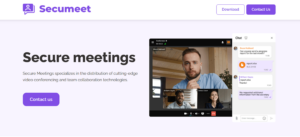
What it offers. Secumeet is positioned as a secure video‑conferencing solution suitable for business and remote work. It supports one‑on‑one video calls, group video conferences, group chats, screen sharing, and more — even on devices like Android TVs or set‑top boxes for flexible access.
Why it works for private conferencing. The idea behind Secumeet is to allow secure meetings for teams or individuals who need privacy without complex setups. Its ability to share screens, collaborate in chats, and join from a variety of devices adds flexibility — useful for remote workers, small teams, or people connecting from different environments (mobile, TV, desktop).
Trade‑offs. While Secumeet seems convenient for smaller-scale or informal use-cases (e.g., small teams, remote consultations, quick group calls), detailed public documentation about high-end security certifications, enterprise compliance (e.g. HIPAA / GDPR), or large‑scale conferencing is comparatively scarce. So if you need guaranteed compliance or enterprise-grade security, it may be less suitable than more robust platforms.
TrueConf
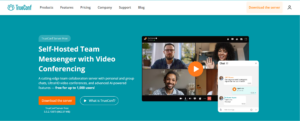
What it offers. TrueConf is a more enterprise-focused solution. It supports on-premises (self-hosted) deployment or private-cloud setups, giving organizations full control over their communications data and infrastructure. It can deliver 4K (UltraHD) video and support very large conferences — up to 1,500 participants under license — while offering collaboration tools, messaging, screen sharing, and integration with corporate systems (e.g. directory services, legacy conferencing hardware).
Why it works for private conferencing. Because TrueConf can be deployed internally (self-hosted) and operate even without internet connectivity (in a closed corporate network), it’s particularly suited for organizations with very strict privacy, regulatory compliance, or security requirements — such as government institutions, healthcare organizations, financial firms, or enterprises working with sensitive data. The ability to keep all data within the organization’s infrastructure — not relying on external cloud providers — drastically reduces exposure risks.
Trade‑offs. On the flip side, because it’s more complex (self‑hosting, server configuration, internal networking), implementing TrueConf demands more IT resources and proper setup. Smaller teams or organizations without dedicated IT staff might find it overkill or difficult to manage. The initial configuration and maintenance may be heavier than a simple “use‑from-the-cloud” alternative.
Microsoft Teams

What it offers. Microsoft Teams is widely used and deeply integrated with the Microsoft ecosystem. It combines video conferencing with persistent team chats, file sharing, document collaboration, calendar integration, and other workplace tools.For users already in the Microsoft world (Office, Outlook, SharePoint), Teams often becomes the central hub for communication and collaboration.
Why it works for private conferencing. Teams brings enterprise‑level features (when used with appropriate Microsoft 365 subscriptions) and benefits from Microsoft’s security and compliance investments. For many businesses — especially those already using Microsoft 365 — it offers a balanced mix of convenience, integration, and reasonable security measures, making it a practical solution for internal meetings, team collaboration, and hybrid working scenarios.
Trade‑offs. That said, because it’s built around cloud-based services and third-party integration models (apps, plugins, add-ons), certain security analyses highlight potential risks — especially regarding third‑party apps that might have broader permissions than strictly needed. For extremely sensitive environments (e.g. legal, defense, highly regulated data), Teams might not offer the same level of data isolation and control as a self-hosted system like TrueConf.
How to Choose the Right Private Video Conferencing Platform
When choosing a private video conferencing platform, keep in mind the following factors:
- Business Size and Industry Requirements: Larger enterprises might require more sophisticated features, such as cloud storage and adherence to industry-specific regulations (e.g., HIPAA for healthcare). In contrast, small businesses may focus on user-friendliness and cost-effectiveness.
- Security Features: Confirm that the platform provides robust encryption, end-to-end protection, and customizable access control settings.
- Customer Support: Seek platforms that offer responsive and efficient customer service to quickly address any issues that may arise.
Best Practices for Securing Private Video Conferences
- Ensure Secure Connections: Always utilize a VPN to establish a safe connection for communication.
- Limit File Sharing and Screen Sharing: Turn off file and screen sharing when unnecessary to minimize the risk of exposing sensitive data.
- Set Up Waiting Rooms: This function enables hosts to manage who can join the meeting and at what time.
- Update Software Regularly: Ensure that the video conferencing platform is kept updated to address any security vulnerabilities.
- Educate Participants: Advise participants to avoid sharing sensitive data from devices that are not protected.
Challenges in Private Video Conferencing
Despite progress in security features, challenges still persist. Technological limitations, like unstable internet connections or software malfunctions, can affect both the quality and security of a video meeting. Mistakes made by users, such as unintentionally disclosing sensitive data or neglecting to apply proper security practices, can also result in security breaches.
To address these challenges, organizations must prioritize selecting the right platform, provide ongoing user training, and establish comprehensive security protocols to achieve optimal results.
Conclusion
As remote work and online communication grow in prominence, private video conferencing has evolved into an essential tool. By selecting the appropriate platform and adhering to best practices for securing meetings, both individuals and organizations can safeguard sensitive information and ensure that their virtual exchanges stay confidential and protected. In today’s rapidly advancing digital landscape, privacy and security are not merely important—they have become vital.
Read also
Multi User Video Conferencing: A Comprehensive Guide for Business Communication
What Is Business Video Conferencing and How Does It Work?
GDPR-Compliant Video Conferencing: A Practical Breakdown for 2026
On-Premise Video Conferencing: What It Is and Who Needs It
Author
Olga Afonina is a technology writer specializing in video conferencing, collaboration software, and workplace communication. She writes articles and reviews that help readers better understand enterprise communication tools and industry trends.