

Zoom remains one of the most recognizable meeting platforms, but not every organization needs the same replacement.
Some teams want tighter Microsoft 365 integration. Others prefer Google Workspace, customer-hosted infrastructure, persistent team messaging, simpler browser joining, open-source software, or a broader unified communications platform.
That means the useful question is not:
Which platform has the same features as Zoom?
It is:
What are you trying to improve by leaving Zoom?
A better selection sequence is:
reason to switch → affected Zoom workflow → required improvement → acceptable trade-off → alternative
A Zoom alternative should solve the reason you are switching, not merely reproduce Zoom’s feature list.
Key Findings
-
Microsoft Teams is the natural alternative when Microsoft 365 integration matters more than maintaining a separate meeting platform.
-
Google Meet is a strong fit when users already work in Gmail, Google Calendar, Drive, and other Google Workspace applications.
-
TrueConf is relevant when an organization wants to replace vendor-hosted meetings with a customer-operated communication platform.
-
Secumeet fits organizations whose main requirement is persistent messaging combined with video meetings and collaboration.
-
Cisco Webex is especially relevant to enterprises with existing Cisco room and communications infrastructure.
-
RingCentral is better suited to organizations looking to consolidate meetings, messaging, and business telephony.
-
Jitsi Meet is useful when open-source software and self-hosting are more important than vendor-managed administration.
-
Whereby fits lightweight browser-based external meetings where guest friction is the primary problem.
-
Zoho Meeting is a meeting-focused option for teams that want a simpler alternative without adopting a broad UC suite.
-
Slack is relevant when Zoom-style scheduled meetings are less important than quick internal conversations.
-
Replacing all of Zoom is not always necessary. Organizations can replace only meetings, phone, chat, or another workload.
-
Switching cost can matter more than feature count because recurring meetings, recordings, room systems, phone numbers, calendars, and integrations may all need to change.
What Zoom Already Does Well
A useful comparison should start with the baseline.
Zoom is popular because it handles several important workflows well:
-
scheduled meetings;
-
external participant joining;
-
screen sharing;
-
recording;
-
webinars and larger events;
-
persistent Team Chat;
-
optional business telephony through Zoom Phone;
-
calendar integrations;
-
meeting room environments;
-
third-party integrations.
That matters because switching platforms introduces trade-offs.
A product may offer better Microsoft integration while making external meetings less straightforward.
Another may provide customer-hosted infrastructure while requiring more IT administration.
An open-source alternative may remove licensing dependencies while shifting maintenance responsibility to the customer.
The right replacement therefore improves the factor that matters without breaking Zoom workflows your organization still values.
Why Are You Looking for a Zoom Alternative?
Start here before comparing products.
This table should eliminate unsuitable products before detailed comparison begins.
Do You Need to Replace All of Zoom?
Zoom now covers several communication workloads.
Before migrating, identify which one is causing the problem.
Full Replacement
One new platform replaces:
-
meetings;
-
chat;
-
phone;
-
webinars;
-
collaboration.
This is appropriate when the organization wants to leave the Zoom ecosystem entirely.
Partial Replacement
Only one workload changes.
Examples:
-
keep Zoom Meetings but replace Zoom Phone;
-
keep external Zoom meetings but move internal collaboration to Teams;
-
replace internal meetings with a customer-hosted system while keeping Zoom for public events.
Dual-Platform Model
Two platforms serve different communication jobs.
For example:
Teams for internal collaboration + Zoom for external meetings
or:
TrueConf for private internal communication + another platform for public webinars
A dual-platform approach creates additional administration, but it can be better than forcing one product to handle every scenario.
Zoom Replacement Matrix
Best Zoom Alternatives by Use Case
Microsoft Teams
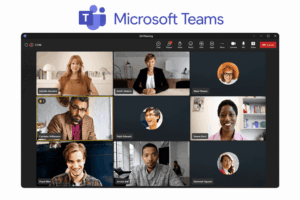
Best for: Organizations already using Microsoft 365.
Teams combines:
-
persistent chat;
-
video meetings;
-
channels;
-
files;
-
calendars;
-
business calling;
-
Microsoft 365 collaboration.
Why Choose It Over Zoom
The main advantage is ecosystem integration.
If employees already use:
-
Outlook;
-
SharePoint;
-
OneDrive;
-
Microsoft Entra ID;
-
Microsoft 365
then meetings do not have to exist in a separate communication environment.
The workflow becomes:
calendar → channel → meeting → files → follow-up
inside the same broader workspace.
What You Gain
-
tighter Microsoft 365 integration;
-
shared identity and administration;
-
persistent channel context;
-
closer connection between meetings and documents.
What You Give Up
Zoom can feel simpler for organizations where external meetings are the primary use case and broader Microsoft collaboration is not needed.
Do Not Choose It When
The organization does not use Microsoft 365 and wants a lightweight independent meeting service.
Google Meet

Best for: Organizations already centered on Google Workspace.
Google Meet connects directly with:
-
Gmail;
-
Google Calendar;
-
Google Drive;
-
Docs;
-
Sheets;
-
Slides.
Why Choose It Over Zoom
The strongest reason is reduced workflow fragmentation.
Employees can schedule and join meetings from the Google applications they already use.
Browser-based participation can also reduce the need to deploy a separate desktop meeting application.
What You Gain
-
Google Workspace integration;
-
browser-first meetings;
-
simpler calendar workflow;
-
fewer separate applications.
What You Give Up
Meet is less appropriate when the organization wants customer-operated infrastructure or a broader telephony-centered UC platform.
Do Not Choose It When
Google Workspace is not central to the organization.
TrueConf
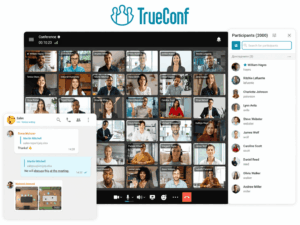
Best for: Organizations that want to replace Zoom with a customer-operated communication environment.
TrueConf combines:
-
video meetings;
-
one-to-one video calls;
-
personal messaging;
-
group chats;
-
channels;
-
content sharing;
-
user administration;
-
SIP/H.323 interoperability.
TrueConf Server can run on infrastructure controlled by the organization and can support private LAN and VPN communication.
Current server editions support conferences with up to 2,000 participants, depending on configuration and licensing.
Why Choose It Over Zoom
The main difference is architectural.
A typical Zoom workflow relies on Zoom-operated cloud services.
TrueConf allows an organization to operate the communication server itself.
This is relevant when the requirement is:
replace Zoom Meetings and Team Chat without moving communication data through a vendor-operated meeting infrastructure
What You Gain
-
customer-operated server;
-
private-network deployment;
-
messaging and video in one environment;
-
SIP/H.323 interoperability;
-
integration with existing room and communication infrastructure.
What You Give Up
The organization must manage:
-
server deployment;
-
updates;
-
monitoring;
-
backups;
-
capacity.
Do Not Choose It When
The organization wants a fully vendor-managed SaaS service with minimal internal infrastructure responsibility.
Secumeet
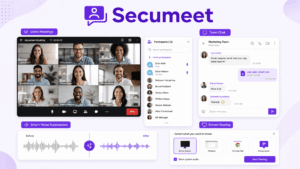
Best for: Organizations looking for a messaging and video communication alternative to Zoom.
Secumeet combines persistent communication with video meetings and collaborative tools.
Current product capabilities include:
-
personal chats;
-
group chats;
-
video meetings;
-
screen sharing;
-
presentations;
-
collaboration tools;
-
remote assistance.
The platform supports meetings with up to 1,500 participants.
Why Choose It Over Zoom
Secumeet is relevant when the main Zoom workloads being replaced are:
team messaging → video meetings → collaboration
rather than a broad Zoom Phone or room-system environment.
What You Gain
-
communication centered on persistent chats and video;
-
one environment for messaging and meetings;
-
collaboration workflows that continue before and after the call.
What You Give Up
Organizations relying heavily on:
-
enterprise telephony;
-
extensive app marketplaces;
-
complex room infrastructure
should verify those requirements separately.
Do Not Choose It When
The main objective is to reproduce every Zoom Workplace, Zoom Phone, and enterprise room capability inside one product without additional validation.
Cisco Webex
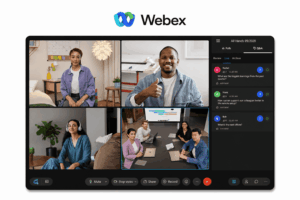
Best for: Large organizations, especially those already using Cisco collaboration and room infrastructure.
Webex combines:
-
messaging;
-
meetings;
-
business calling;
-
room systems;
-
enterprise administration.
Why Choose It Over Zoom
The biggest advantage appears when the organization already has Cisco infrastructure.
The meeting platform can become part of the same broader environment as:
-
room endpoints;
-
business telephony;
-
enterprise network systems.
Hybrid Options
Cisco also provides hybrid architectures that can keep selected communication components or media processing closer to customer infrastructure.
These should not be confused with a completely self-hosted version of the entire Webex cloud platform.
What You Gain
-
strong enterprise room integration;
-
Cisco ecosystem alignment;
-
broader enterprise communications stack.
What You Give Up
The product portfolio and administration can be more complex than a meeting-focused product.
Do Not Choose It When
The organization has no meaningful Cisco footprint and only needs simple external meetings.
RingCentral

Best for: Organizations that want to replace Zoom with a broader phone + messaging + video platform.
RingCentral is better understood as a UC platform than as a meeting-only competitor.
Its core communication model combines:
-
business telephony;
-
messaging;
-
video;
-
SMS;
-
administration.
Why Choose It Over Zoom
RingCentral becomes especially relevant when the reason for switching is not Zoom Meetings itself but the desire to consolidate communications around telephony.
What You Gain
-
voice-first unified communications;
-
meetings and messaging alongside business calling;
-
fewer separate communication vendors.
What You Give Up
Organizations that only need video conferencing may be adopting a broader platform than necessary.
Do Not Choose It When
The requirement is customer-hosted infrastructure.
Jitsi Meet
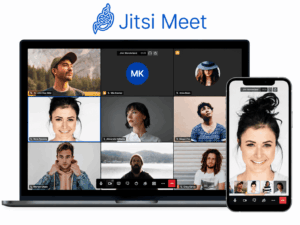
Best for: Technical teams that want open-source and self-hosted video conferencing.
Jitsi Meet provides a very different replacement model from conventional SaaS platforms.
The software can be operated on infrastructure managed by the organization.
Why Choose It Over Zoom
The main reasons are:
-
open-source code;
-
self-hosting;
-
customization;
-
ability to integrate meeting functionality into other environments.
What You Gain
-
software-level control;
-
no conventional per-seat meeting platform dependency;
-
customization potential.
What You Give Up
The customer assumes greater responsibility for:
-
deployment;
-
scaling;
-
maintenance;
-
monitoring;
-
enterprise administration.
Do Not Choose It When
The organization wants turnkey enterprise operations with minimal technical administration.
Whereby

Best for: External meetings where browser simplicity matters more than broad UC functionality.
Whereby focuses on low-friction browser meetings.
It is useful when users should be able to join a call without entering a large collaboration environment.
Why Choose It Over Zoom
The primary advantage is simplicity.
It can fit:
-
client consultations;
-
small external meetings;
-
lightweight customer conversations.
What You Gain
-
browser-oriented workflow;
-
low guest friction;
-
a narrower meeting experience.
What You Give Up
It does not provide the same breadth as an enterprise UC suite.
Do Not Choose It When
The organization needs deep:
-
telephony;
-
enterprise administration;
-
large room infrastructure;
-
internal collaboration.
Zoho Meeting
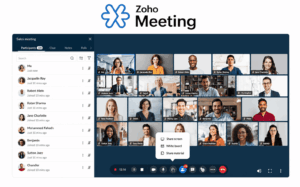
Best for: Small and mid-size teams looking for a straightforward meeting-focused alternative.
Zoho Meeting focuses more narrowly on:
-
meetings;
-
webinars;
-
screen sharing;
-
basic collaboration.
Why Choose It Over Zoom
It can be useful when the organization does not need the wider Zoom Workplace ecosystem and wants a simpler meeting product.
It is particularly relevant to teams already using other Zoho business applications.
What You Gain
-
narrower product scope;
-
Zoho ecosystem integration;
-
straightforward meeting workflow.
What You Give Up
It provides less breadth than platforms built around:
-
enterprise telephony;
-
complex room systems;
-
large unified communications environments.
Do Not Choose It When
The goal is to replace a large Zoom Workplace deployment across many communication workloads.
Slack
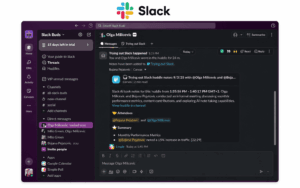
Best for: Teams that mainly need quick internal audio and video conversations rather than formal meetings.
Slack Huddles represents a different interpretation of Zoom replacement.
Instead of:
schedule → invite → formal meeting
the workflow is closer to:
chat → start huddle → talk → return to chat
Why Choose It Over Zoom
Slack is useful when employees already communicate continuously in channels and formal meeting links create unnecessary overhead.
What You Gain
-
faster spontaneous internal calls;
-
persistent messaging context;
-
tight connection between conversation and live communication.
What You Give Up
Slack Huddles should not be treated as a direct replacement for every:
-
customer meeting;
-
webinar;
-
large conference;
-
room-system workflow.
Do Not Choose It When
Formal external video meetings are the primary requirement.
Zoom vs Alternatives: What You Gain and Lose
This is more useful than asking which platform has the longest feature list.
Cloud vs Customer-Hosted Zoom Alternatives
Deployment becomes important when infrastructure is one of the reasons for leaving Zoom.
Vendor-Hosted Cloud
Examples include:
-
Teams;
-
Google Meet;
-
RingCentral;
-
Whereby;
-
Zoho Meeting.
Advantages:
-
faster deployment;
-
infrastructure operated by vendor;
-
less server administration.
Customer-Hosted
Examples include:
-
TrueConf;
-
Jitsi.
Advantages can include:
-
customer-controlled infrastructure;
-
private-network operation;
-
greater control over server placement.
Trade-offs include:
-
administration;
-
maintenance;
-
monitoring;
-
capacity planning.
The correct question is not:
Is cloud or self-hosted better?
It is:
Why is Zoom’s current deployment model a problem for us?
If it is not a problem, infrastructure should not dominate the replacement decision.
Replacing Zoom Meetings vs Zoom Workplace
A common mistake is comparing an alternative only with Zoom Meetings.
Zoom Workplace can now include multiple workloads.
If You Only Use Zoom Meetings
Focus on:
-
joining;
-
meeting duration;
-
participants;
-
recording;
-
screen sharing;
-
calendar integration.
If You Use Team Chat
Also compare:
-
persistent history;
-
group conversations;
-
search;
-
file sharing;
-
notifications.
If You Use Zoom Phone
Add:
-
PSTN;
-
phone numbers;
-
call routing;
-
queues;
-
voicemail;
-
emergency calling.
If You Use Zoom Rooms
Add:
-
room hardware;
-
interoperability;
-
device administration.
If You Use Webinars or Events
Evaluate those workloads separately.
A meeting platform can be a good Zoom Meetings alternative while being a poor Zoom Workplace replacement.
What Will Be Hardest to Migrate?
Changing the meeting client is usually the easy part.
The hidden migration work often sits around it.
Recurring Meeting Links
Existing:
-
calendar events;
-
customer invitations;
-
internal recurring meetings
may contain Zoom links that need to be replaced.
Calendar Integrations
Check:
-
Outlook;
-
Google Calendar;
-
scheduling tools;
-
CRM systems.
Recordings
Decide:
-
which recordings must remain;
-
whether they need to be exported;
-
how users will find historical content.
Rooms
Inventory:
-
Zoom Rooms;
-
conference-room endpoints;
-
controllers;
-
cameras;
-
displays.
Integrations
List:
-
CRM;
-
project management;
-
automation;
-
scheduling;
-
LMS;
-
support tools.
Zoom Phone
If used, telephony migration becomes its own project.
User Habits
External clients may already expect Zoom links.
Switching platforms changes their workflow too.
This leads to an important principle:
The best alternative on paper can still be the worst migration.
Switching Cost Matters More Than Feature Count
Suppose Platform A has more features than Zoom.
If switching requires:
-
replacing every conference room;
-
rebuilding integrations;
-
moving telephone numbers;
-
exporting recordings;
-
retraining thousands of users,
then those benefits need to justify the transition cost.
A smaller feature improvement with a simpler migration may be the better business decision.
Before selecting a vendor, calculate switching work across:
people + data + hardware + integrations + communication workflows
not just license pricing.
How to Pilot a Zoom Alternative
Do not pilot with one perfect internal meeting.
Test the workflows that make Zoom valuable today.
Test 1: External Participant
Invite someone outside the organization.
Measure:
-
number of clicks;
-
downloads;
-
account creation;
-
permissions;
-
time to join.
Test 2: Internal Team Meeting
Test:
-
scheduling;
-
screen sharing;
-
chat;
-
recording;
-
follow-up.
Test 3: Chat to Video
For communication platforms such as Teams, TrueConf, Secumeet, and Slack, test:
message → video → return to conversation
Test 4: Weak Network
Try:
-
mobile network;
-
weak Wi-Fi;
-
VPN.
Test 5: Room System
Connect the room hardware the organization actually uses.
Test 6: Recording
Confirm:
-
where it is stored;
-
who can access it;
-
how it is shared;
-
how users search for it.
Test 7: Integration
Use a real:
-
calendar;
-
CRM;
-
workflow;
-
identity provider.
A vendor demo is not a migration test.
Test 8: Support Load
Track how many users need help.
A platform can perform technically well while producing enough support friction to make rollout expensive.
Common Zoom Alternative Mistakes
Choosing by Feature Count
The alternative should improve the reason you are leaving Zoom.
Assuming Every Zoom User Needs to Move
A partial replacement may be enough.
Treating Meetings and Workplace Collaboration as the Same Requirement
A meeting application and a persistent workspace solve different problems.
Comparing Only Security Architecture
Security can be critical, but not every Zoom migration is driven by security.
Ignoring External Participants
An internal platform can perform well while creating friction for customers and partners.
Ignoring Room Hardware
Existing rooms can change the real migration cost.
Choosing Self-Hosting Because the Software License Looks Cheaper
Self-hosted infrastructure still requires:
-
servers;
-
bandwidth;
-
maintenance;
-
monitoring;
-
IT staff.
Assuming Cloud Means Less Work Everywhere
Cloud reduces server administration but may create:
-
integration;
-
identity;
-
data-governance;
-
vendor-dependency
trade-offs.
Migrating Zoom Phone and Zoom Meetings as One Project
Treat telephony separately when it has its own infrastructure and business dependencies.
Decision Matrix
Switching Checklist
Before replacing Zoom, answer:
-
Why are we leaving Zoom?
-
Which Zoom workloads do we actually use?
-
Are we replacing the whole platform or one workload?
-
How important is external participant experience?
-
Are recurring Zoom links embedded in calendars or customer workflows?
-
Which recordings must be preserved?
-
Do we operate Zoom Rooms?
-
Do we use Zoom Phone?
-
Which integrations depend on Zoom?
-
Is Microsoft 365 or Google Workspace already central?
-
Do we require customer-hosted infrastructure?
-
Do we need SIP/H.323 interoperability?
-
Which users need persistent messaging?
-
Can the replacement run alongside Zoom during migration?
-
What improvement must the new platform deliver to justify switching?
If question 15 does not have a clear answer, the organization may not have a strong reason to migrate.
Frequently Asked Questions
What is the best alternative to Zoom?
There is no universal best alternative.
Microsoft Teams is a strong choice for Microsoft 365 organizations.
Google Meet fits Google Workspace users.
TrueConf is relevant when customer-operated communications infrastructure matters.
Secumeet fits organizations primarily looking for messaging and video communication.
Webex is strong for Cisco-oriented enterprise environments, while RingCentral is more suitable when business telephony is central.
What is the best self-hosted Zoom alternative?
TrueConf is relevant to organizations that want a commercial customer-operated communication platform with messaging, meetings, and SIP/H.323 interoperability.
Jitsi is a strong option when open-source software and self-hosting are more important than turnkey enterprise administration.
Is Microsoft Teams better than Zoom?
It depends on the workflow.
Teams can be a better fit when:
-
Microsoft 365 is already central;
-
employees need persistent channels;
-
meetings should live alongside files and documents.
Zoom may remain a better fit when straightforward external meetings are the main requirement.
Is Google Meet a good Zoom alternative?
Yes, particularly for organizations already using Google Workspace.
Its strongest advantage is integration with Google Calendar and other Google productivity applications rather than simply matching Zoom feature for feature.
Can TrueConf replace Zoom?
TrueConf can replace many Zoom communication workloads, including:
-
meetings;
-
video calls;
-
persistent messaging;
-
content sharing.
It also provides a customer-operated server architecture and SIP/H.323 interoperability.
Whether it replaces the entire Zoom environment depends on which Zoom products the organization currently uses.
Can Secumeet replace Zoom?
Secumeet can be evaluated when the main workloads are:
-
persistent messaging;
-
video meetings;
-
screen sharing;
-
collaboration.
Organizations using Zoom Phone, complex room environments, or extensive third-party integrations should verify those requirements separately.
What is the best open-source Zoom alternative?
Jitsi Meet is one of the most established open-source options for organizations willing to operate their own meeting infrastructure.
The trade-off is that deployment, scaling, security maintenance, and administration become the organization’s responsibility.
Do I need to replace Zoom completely?
No.
An organization can replace only the workload causing the problem.
For example:
-
use Teams for internal collaboration;
-
keep Zoom for external meetings;
-
move private meetings to a customer-hosted platform;
-
replace Zoom Phone while retaining Zoom Meetings.
What should I check before switching from Zoom?
Focus on:
-
external joining;
-
recurring meeting links;
-
recordings;
-
calendar integration;
-
Zoom Rooms;
-
Zoom Phone;
-
integrations;
-
user training.
The feature comparison is only one part of the migration.
Is self-hosted video conferencing better than Zoom?
Not automatically.
Self-hosting gives the organization more infrastructure control but also more operational responsibility.
Choose it when customer-operated infrastructure solves a real requirement rather than treating deployment model as a universal quality ranking.
Conclusion
The best Zoom alternative is not the platform that copies the most Zoom features.
It is the platform that fixes the reason you are considering a switch without creating unacceptable new trade-offs.
If Microsoft 365 is already central, Teams may reduce communication fragmentation.
If Google Workspace defines daily work, Google Meet can simplify meetings around the existing ecosystem.
If customer-operated infrastructure is the requirement, TrueConf offers a different architecture from a conventional Zoom deployment.
If persistent messaging and video communication are the primary workloads, Secumeet provides another path.
Webex fits Cisco-oriented enterprise environments. RingCentral is relevant when telephony drives the decision. Jitsi provides an open-source/self-hosted path. Whereby emphasizes external browser simplicity. Zoho Meeting stays closer to a focused meeting product. Slack can replace formal Zoom calls for some internal chat-centric workflows.
The decision should therefore begin with:
Why are we leaving Zoom?
Then follow:
reason to switch → Zoom workload affected → required improvement → acceptable trade-off → alternative
That produces a better replacement decision than any generic ranking of ten platforms.
Author
Helga Afon is a technology writer specializing in video conferencing, collaboration software, and workplace communication. She writes articles and reviews that help readers better understand enterprise communication tools and industry trends.