
Internal communication apps help organizations share company updates, support employee discussion, reach frontline workers, coordinate daily work, and keep important information accessible across teams.
The best app depends on the communication job. A platform designed for leadership announcements is not the same as a team chat tool. A mobile employee app for deskless staff solves a different problem from a self-hosted communication system used inside a private network.
The practical question is therefore not which platform has the longest feature list, but which type of employee communication the organization needs to improve.
Best Internal Communication Apps at a Glance
Different products appear in the same category because internal communication includes several distinct jobs. Organizations should compare products that solve the same problem rather than treating every employee communication platform as interchangeable.
What Is an Internal Communication App?
An internal communication app is software that helps employees receive information, communicate with colleagues, and access work-related updates inside an organization.
Typical functions can include:
-
company announcements;
-
direct and group messaging;
-
channels or communities;
-
mobile notifications;
-
files and documents;
-
employee directories;
-
surveys and feedback;
-
voice or video communication;
-
search;
-
targeted messaging;
-
read or acknowledgement tracking.
Companies use internal communication apps to reduce dependence on email, reach employees faster, keep conversations searchable, distribute company information, and connect workers who may not have regular access to a desktop computer.
The category is broad because not every organization has the same communication problem.
Types of Internal Communication Apps
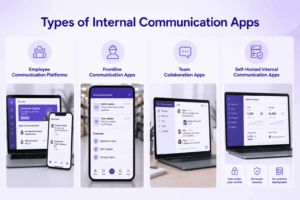
Internal communication apps generally fall into four practical groups.
Employee Communication Platforms
These tools are designed for organization-wide communication from leadership, HR, or internal communications teams.
They typically emphasize:
-
company news;
-
targeted announcements;
-
mobile delivery;
-
employee engagement;
-
analytics;
-
surveys;
-
acknowledgement or reach measurement.
Staffbase, Poppulo, and Workvivo fit this category more closely than general team chat tools.
Frontline Communication Apps
Frontline communication platforms are designed for employees who may not work from a desk or use corporate email throughout the day.
Typical users include employees in:
-
retail;
-
hospitality;
-
manufacturing;
-
logistics;
-
healthcare operations;
-
field services;
-
construction.
Mobile access, simple onboarding, push notifications, shift-related information, and access without a traditional desktop workflow are particularly important here.
Blink, Connecteam, and Beekeeper are examples.
Team Collaboration Apps
These platforms are designed primarily for employee-to-employee discussion and everyday work coordination.
They commonly provide:
-
direct messages;
-
channels;
-
threads;
-
file sharing;
-
calls;
-
meetings;
-
integrations.
Slack and Microsoft Teams are typical examples.
Self-Hosted Internal Communication Apps
Some organizations need messaging and meetings to run on infrastructure they control.
This may matter because of internal security policies, infrastructure requirements, restricted networks, or a desire to reduce dependence on public cloud communication services.
TrueConf and Mattermost are examples of platforms that can fill this role.
Key Features of an Internal Communication App
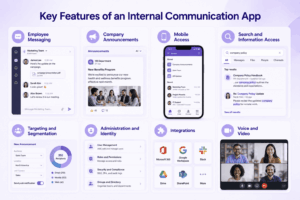
The right feature set depends on the workforce, but several capabilities are especially important.
Employee Messaging
Employees should be able to communicate directly or in groups without depending on email for every interaction.
For collaborative teams, channels or persistent group conversations can help preserve work context.
Company Announcements
Organizations often need a controlled way to publish company-wide or targeted updates.
Useful capabilities can include:
-
department targeting;
-
location targeting;
-
scheduled publication;
-
push notifications;
-
pinned notices;
-
read tracking;
-
acknowledgement.
A company announcement is a different communication job from an ordinary chat message.
Mobile Access
Mobile access is critical when part of the workforce does not spend the day at a company computer.
A useful mobile experience should consider more than simply having an iOS or Android app. Organizations should also check account creation, authentication, notification delivery, shared-device scenarios, and whether employees are allowed to use personal devices.
Search and Information Access
Important communication should remain findable after it is published.
Search becomes increasingly important when discussions, announcements, files, and project history accumulate over time.
Targeting and Segmentation
Internal communications teams may need to send information only to specific:
-
departments;
-
locations;
-
roles;
-
business units;
-
employee groups.
This reduces unnecessary communication noise and makes important updates more relevant.
Administration and Identity
Larger organizations should evaluate:
-
centralized user management;
-
SSO;
-
directory integration;
-
provisioning;
-
offboarding;
-
role-based administration;
-
external-user controls.
Integrations
An internal communication app may need to connect with HR systems, calendars, productivity suites, intranets, project tools, or other workplace applications.
Voice and Video
Not every internal communication platform needs native meetings.
However, voice or video can be useful when employees need to move from a text conversation into a live discussion without switching platforms.
Internal Communication App vs Team Chat
A team chat app and an internal communication app can overlap, but they are not always the same thing.
Team chat tools such as Slack and Microsoft Teams are primarily designed around conversation. Employees exchange messages, discuss projects, share files, and collaborate in channels.
Dedicated employee communication platforms place more emphasis on organizational reach.
For example, internal communications teams may need to:
-
publish a policy update to a specific workforce segment;
-
know who received it;
-
remind employees who did not read it;
-
measure engagement;
-
separate official company communication from everyday team discussion.
A pinned message inside a busy project channel is not equivalent to a targeted company announcement with measurable delivery.
This is why some organizations use both a corporate communication platform and a collaboration tool.
Internal Communication Apps Compared
These products are not direct substitutes in every scenario. Staffbase and Poppulo focus more strongly on controlled organizational communication, while Slack and Teams prioritize ongoing employee collaboration. TrueConf and Mattermost address organizations that want greater control over the communication infrastructure itself.
10 Best Internal Communication Apps
1. Staffbase
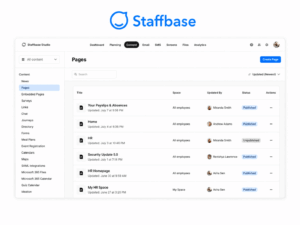
Best for: Large organizations that need structured company-wide employee communication.
Staffbase focuses on corporate news, targeted employee communication, mobile delivery, intranet functions, and communication analytics.
It is particularly relevant when internal communications teams need to publish information across departments, locations, brands, or employee groups and measure whether messages reached the intended audience.
Its main limitation is that it is not designed to replace detailed project collaboration or everyday team discussion.
2. Blink
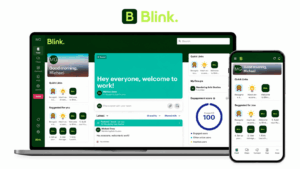
Best for: Frontline and deskless employees.
Blink is designed around mobile employee communication and provides a central feed, chat, documents, notifications, and access to workplace resources.
Its mobile-first model is particularly useful for employees who do not spend the day using a company laptop or corporate inbox.
Organizations that need deep project management or complex document collaboration will usually use additional tools alongside it.
3. Workvivo
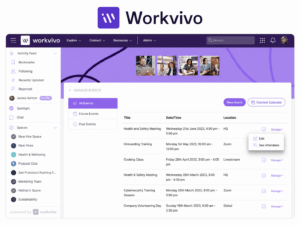
Best for: Organizations focused on employee engagement, participation, and company culture.
Workvivo combines organizational news with social-style communication such as posts, comments, reactions, recognition, events, and surveys.
This makes it useful where internal communication should encourage employee participation rather than operate only as a one-way publishing channel.
For highly controlled policy or compliance communication, organizations should confirm whether its delivery and acknowledgement controls meet the required workflow.
4. Connecteam
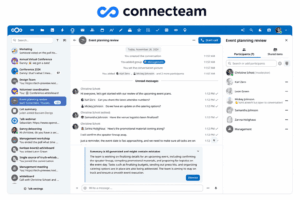
Best for: Frontline organizations that want communication and workforce operations in the same environment.
Connecteam combines company updates and employee chat with scheduling, time tracking, tasks, forms, training, checklists, and other workforce-management functions.
This can reduce the number of separate applications required by field and shift-based employees.
Its value is lower when most employees are office-based knowledge workers who do not need workforce-management functions.
5. Poppulo
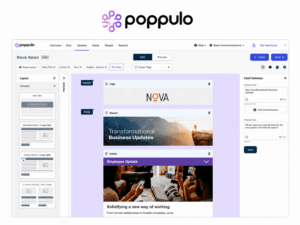
Best for: Internal communications teams that need structured campaigns and measurement.
Poppulo focuses on employee communication across multiple channels, with capabilities for segmentation, publishing, analytics, and campaign management.
It is particularly useful where communication teams need to understand who received company information and how employees engaged with it.
It is not intended to replace persistent team chat, detailed project collaboration, or native meeting platforms.
6. Microsoft Teams

Best for: Organizations already standardized on Microsoft 365.
Teams combines chat, channels, meetings, calling, file collaboration, and access to the wider Microsoft productivity environment.
Its main advantage is the connection with Microsoft identity, Outlook, SharePoint, OneDrive, and Office applications.
Teams can also be used for company announcements, but its core structure remains collaboration-centered rather than dedicated internal communications campaign management.
7. Slack
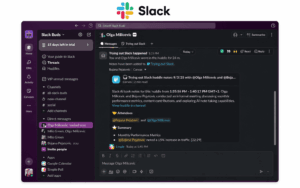
Best for: Project teams that organize everyday communication around channels and integrations.
Slack provides direct messages, channels, threads, files, workflows, integrations, and Huddles for live communication.
It works well when employees need fast discussion around projects and business applications.
However, important corporate updates can be buried inside active conversations, so organizations requiring verified delivery of official communication may need a dedicated employee communications layer.
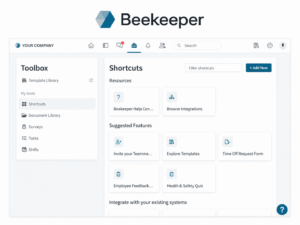
8. Beekeeper
Best for: Distributed frontline workforces.
Beekeeper focuses on mobile communication for deskless employees and is designed to connect operational teams that may not have normal access to corporate email or desktop collaboration suites.
The platform can support company updates, frontline messaging, and access to workplace information from mobile devices.
Organizations should compare its workforce and integration capabilities with products such as Blink and Connecteam based on the actual employee environment.
9. TrueConf
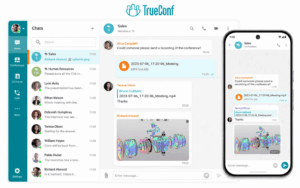
Best for: Organizations that want internal messaging and video communication on customer-controlled infrastructure.
TrueConf combines persistent personal and group chats, channels, file exchange, voice and video communication in a customer-operated environment.
Employees can move from messaging into calls or video meetings without depending on a separate meeting service. Centralized administration and directory integration also make it suitable for organization-wide employee communication environments.
The tradeoff is operational responsibility. The organization must deploy, maintain, update, and protect the communication infrastructure itself.
TrueConf is less suitable when the primary requirement is employee-news publishing, engagement campaigns, surveys, or detailed communication analytics.
10. Mattermost
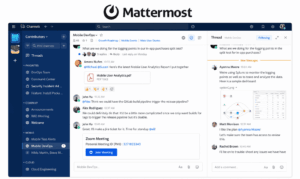
Best for: Technical, operations, security, and engineering teams that want self-hosted collaboration.
Mattermost provides channel-based messaging and can be operated on infrastructure controlled by the organization.
Its positioning is particularly relevant for technical teams, incident response, and environments where public SaaS communication is unsuitable.
It requires more internal administration than a fully managed cloud communication platform, and organizations should evaluate edition-specific identity, governance, and integration capabilities before deployment.
Alternative for Private or Restricted Environments: Secumeet

Secumeet is relevant for organizations evaluating internal messaging and live communication in controlled infrastructure environments.
It combines personal and group messaging with video meetings, screen sharing, presentations, file collaboration, and remote assistance on customer-operated infrastructure.
Its role is narrower than products such as Staffbase or Workvivo. It is primarily relevant when private deployment and controlled communication infrastructure matter more than employee engagement, campaign analytics, or a large SaaS integration marketplace.
Because public technical documentation is comparatively limited, detailed requirements such as integration support, offline dependencies, authentication architecture, and deployment behavior should be validated for the planned environment.
Meetings with 1,500 users
Let your team naturally flow from a chat conversation to an immersive 4K meeting in just one click! Bring up to 1,500 participants to your call.
Team messaging
Connect with colleagues and teams before, during and after meetings in personal and group chats.
Collaboration Tools & AI
Collaborate on projects with AI: share a screen with sound, show presentations and manage remote computers.
How to Choose an Internal Communication App
The selection process should start with the workforce and communication problem, not with the number of features.
1. Identify the Main Communication Job
Decide whether the organization primarily needs:
-
company announcements;
-
employee engagement;
-
frontline communication;
-
team collaboration;
-
self-hosted employee communication.
A platform optimized for one of these jobs may perform poorly at another.
2. Understand How Employees Access Communication
Consider whether employees:
-
use company laptops;
-
depend mainly on mobile devices;
-
have corporate email accounts;
-
share devices;
-
work in the field;
-
need access outside the company network.
A strong feature set is not useful if a significant part of the workforce cannot access the application conveniently.
3. Check Whether Important Messages Need Measurable Reach
For routine project discussion, ordinary messaging may be sufficient.
For policies, safety notices, HR announcements, or mandatory company communication, organizations may need targeting, read tracking, acknowledgement, reminders, and reporting.
4. Evaluate Administration and Integrations
Enterprise requirements may include:
-
centralized identity;
-
SSO;
-
provisioning;
-
user offboarding;
-
administrative roles;
-
retention;
-
audit controls;
-
HR integrations;
-
productivity-suite integrations.
5. Decide Where Communication Can Run
Most employee communication platforms are cloud services.
Some organizations instead require customer-operated or private infrastructure.
This choice should be made before comparing detailed product features because it can remove entire categories of products from the shortlist.
When One Internal Communication App Is Not Enough
Larger organizations often separate official corporate communication from everyday employee collaboration.
This is not necessarily unnecessary duplication.
A corporate communications team may need controlled publishing and measurable reach, while employees need a less formal environment for project discussions and meetings.
Problems appear when both systems have unclear responsibilities.
An organization should define where different types of information belong so employees know which channel contains the authoritative version.
Common Internal Communication App Selection Mistakes
Using Team Chat for Critical Company Announcements
A fast-moving team channel can be useful for discussion but poor for information that every employee must notice.
Use stronger targeting and acknowledgement controls when communication is mandatory or time-sensitive.
Ignoring Frontline Access
A desktop-focused platform can fail when a large part of the workforce depends on mobile devices, shared devices, or does not have a corporate email account.
Evaluate access conditions before comparing advanced features.
Comparing Apps Only by Feature Count
More features do not automatically mean better internal communication.
A focused employee-news platform may outperform a large collaboration suite when the main requirement is controlled organizational communication.
Adding Another Channel Without Giving It a Clear Role
A new communication app can make fragmentation worse if employees do not know whether information belongs in email, chat, an intranet, a news feed, or a project workspace.
Define what each platform owns before deployment.
Frequently Asked Questions
What is an internal communication app?
An internal communication app is software used by an organization to share company information, support employee discussion, and connect employees across teams, locations, or work environments.
What are the best internal communication apps?
Common options include Staffbase, Blink, Workvivo, Connecteam, Poppulo, Microsoft Teams, Slack, Beekeeper, TrueConf, and Mattermost.
The best choice depends on whether the organization primarily needs employee news, frontline communication, team collaboration, or self-hosted communication.
What features should an internal communication app have?
Useful features can include employee messaging, company announcements, mobile access, push notifications, targeting, search, read tracking, identity management, administration, and integrations.
Some organizations also need voice and video communication.
What is the difference between an internal communication app and team chat?
Team chat primarily supports employee-to-employee discussion.
A broader internal communication app may also support leadership announcements, audience targeting, employee engagement, communication analytics, or frontline workforce access.
Do companies need both an internal communication app and Microsoft Teams or Slack?
Sometimes.
Teams and Slack work well for everyday collaboration, while dedicated employee communication platforms can provide stronger publishing, targeting, engagement, and acknowledgement capabilities.
Large organizations often use both layers.
Can an internal communication app be self-hosted?
Yes, although most employee communication platforms are cloud-based.
Products such as TrueConf and Mattermost can be operated on customer-controlled infrastructure when deployment control is a requirement.
Conclusion
The best internal communication app depends on how information needs to move through the organization.
Staffbase and Poppulo are better suited to controlled company communication. Blink, Beekeeper, and Connecteam focus more strongly on frontline employees. Workvivo emphasizes engagement, while Slack and Microsoft Teams are centered on everyday collaboration.
TrueConf and Mattermost address a different requirement: internal communication on infrastructure controlled by the organization.
Start with the workforce, the communication job, and the required deployment model. A useful internal communication app is not the product with the most features, but the one that reaches the right employees through the right communication model without creating another ambiguous channel.
Author
Helga Afon is a technology writer specializing in video conferencing, collaboration software, and workplace communication. She writes articles and reviews that help readers better understand enterprise communication tools and industry trends.