
Free collaboration software is easy to find.
A free collaboration setup that still works after the first few weeks is harder.
One app may provide unlimited messages but restrict group calls. Another may let a team create unlimited tasks but limit storage or automations. A visual workspace may support any number of people while keeping only a few boards editable. Some products are free SaaS services; others let organizations run collaboration infrastructure themselves.
That means the useful question is not simply:
Which collaboration apps are free?
It is:
What does your team collaborate around, and which free limit is most likely to interrupt that work?
This guide compares 15 free collaboration apps across several different models: conversations, video meetings, tasks, shared documents, visual work, design and structured data.
Free plans change frequently. The limits below reflect publicly available plan information checked in September 2026.
Best Free Collaboration Apps at a Glance
Quick Picks
If you do not want to compare all 15, these are the clearest starting points:
-
Best free self-hosted collaboration: TrueConf Server Free
-
Best free team messaging: Slack
-
Best free chat with long-term history: Pumble
-
Best free all-in-one work management: ClickUp
-
Best free document collaboration: Google Docs
-
Best free visual collaboration: Miro
-
Best free video collaboration: Zoom
-
Best free design collaboration: Figma
-
Best free Kanban: Trello
-
Best free community collaboration: Discord
When the Conversation Is the Work
Some teams collaborate primarily through conversation.
Their main shared workspace is not a board or document. It is the running history of questions, decisions, files and live discussions.
1. TrueConf Server Free
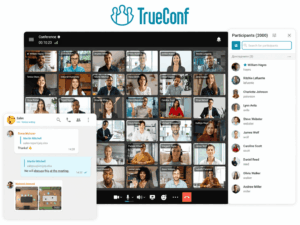
Most free collaboration apps start with the same assumption: the vendor operates the service and your team creates an account inside its cloud.
TrueConf Server Free starts somewhere else.
The organization installs its own collaboration server and creates a private environment for messaging, video meetings and corporate users.
That makes the free model unusual.
TrueConf currently positions Server Free as a free corporate messenger for up to 1,000 users, with messaging, collaboration tools, browser access, native desktop and mobile applications, Active Directory/LDAP support, SSO and SIP/H.323 interoperability. Group video conferences support up to 10 participants, while the free edition includes one guest connection and one SIP/H.323/RTSP connection.
For a small organization, that can replace a very different set of tools from Trello or Miro. The shared environment can contain group conversations, files, calls and video meetings without putting the central server entirely inside a public collaboration SaaS.
The trade-off appears before the software limit does: someone has to deploy and operate the server.
That means TrueConf Server Free makes the most sense for a team with IT capacity, a private-network requirement, or a reason to evaluate self-hosted collaboration rather than simply looking for the fastest signup process.
The free edition is valid indefinitely, although the license must be renewed periodically, and the free server requires a connection to TrueConf’s registration service for license verification.
The practical question: Do you want a free account in someone else’s workspace, or a free collaboration environment that your organization operates?
2. Slack
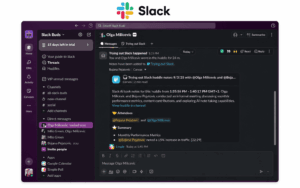
Slack Free does not feel especially limited when a team first creates a workspace.
People can open channels, send direct messages, share files, connect a limited number of apps and use one-to-one Huddles.
The restriction becomes visible later.
Slack’s free plan gives users access to the most recent 90 days of messages and files. Content older than one year is deleted from free workspaces. Free Huddles are limited to one-to-one use, and the plan supports up to 10 apps.
That creates an unusual free-plan problem.
The team does not suddenly lose the ability to collaborate. Current work continues normally. What gradually disappears is old context.
For a short-lived project, startup experiment or lightweight internal chat, this may be irrelevant.
For a team that regularly asks, “Why did we make this decision six months ago?”, accessible history becomes part of the collaboration model itself.
Slack Free therefore works best when conversation is important, but old conversation is not the organization’s long-term knowledge base.
3. Pumble
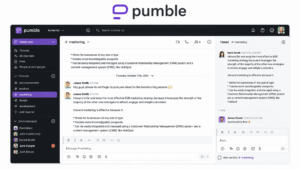
Pumble makes a different bet from Slack.
Instead of using message history as the obvious upgrade trigger, its free plan includes unlimited users, unlimited channels and unlimited message history. The free workspace also includes 10 GB of storage, direct messages, threads, voice/video messages and one-to-one meetings.
That changes the reason a team might eventually pay.
A small team can keep years of project discussion without the historical window closing behind it. The upgrade pressure comes more from richer collaboration: group meetings, screen sharing, higher storage, more integrations and additional administration features sit in paid tiers.
Pumble therefore makes particular sense when the shared conversation history itself is valuable.
If a development team, agency or small remote company mainly needs channels, direct messages and a durable record of previous discussion, the free plan can remain useful well beyond the onboarding phase.
4. Discord
Not every collaborative group looks like a company department.
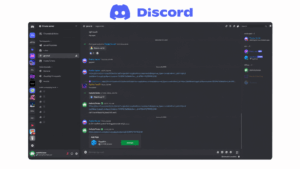
An open-source project, volunteer community, student organization or creator team may need a persistent place where people can drop into text channels, join voice rooms and organize different topics around one shared group.
Discord fits that model better than a conventional task manager.
A Discord server can contain multiple text and voice channels, and people can move in and out of voice rooms without scheduling a formal meeting first. Discord continues to offer the core server/channel model without requiring Nitro; paid Nitro tiers add enhancements such as higher-quality streaming and customization rather than creating the basic collaboration structure.
The limit is less about hitting a numerical free quota and more about outgrowing Discord’s governance model.
For a community, that may never happen.
For a company that eventually needs formal employee provisioning, enterprise retention, audit controls or detailed organizational administration, Discord starts to look less like a workplace platform and more like what it was designed to be: a highly effective persistent community environment.
When the Meeting Is the Work
Sometimes collaboration does not revolve around documents or tasks.
The shared activity is the live conversation itself.
5. Zoom Workplace
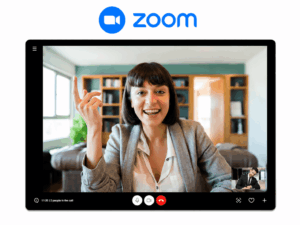
Zoom’s free plan makes the most sense when the team’s primary collaboration event is a meeting.
A sales call, weekly stand-up or quick design review can happen inside Zoom without the team first creating a project workspace.
The familiar limitation is time.
Meetings hosted by Basic users generally end after 40 minutes.
Whether that is restrictive depends entirely on the team’s behavior.
For a company where most meetings take 20 minutes, the limit may barely matter.
For workshops, training sessions, retrospectives or long customer meetings, it becomes the defining characteristic of the free plan.
That is why Zoom Free should not be judged only by whether 40 minutes sounds generous or restrictive. The better test is to look at the team’s calendar and ask how often normal meetings cross that line.
Zoom has also expanded beyond video into chat, whiteboards, documents and other collaboration features, but the strongest reason to choose the free tier remains straightforward: live meetings are the center of the workflow.
When the Task Is the Work
Other teams need collaboration to answer a different question:
Who is doing what, and what happens next?
That is where project and work-management apps become more useful than chat-first tools.
6. ClickUp
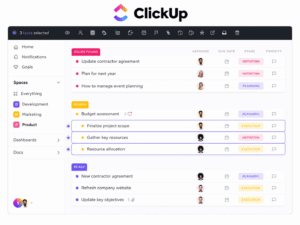
ClickUp is interesting because its free plan can absorb work that would otherwise be spread across several apps.
A small team can create tasks, lists and project spaces while also using documents and other project views. The current Free Forever plan includes unlimited tasks, with five Spaces and other usage limits; richer storage, automation, integrations, reporting and management capabilities expand in paid tiers.
Imagine a small agency currently using:
-
a spreadsheet for task ownership;
-
separate notes for project requirements;
-
chat messages for status updates.
Moving those pieces into ClickUp can create more value than simply adding another free task list.
The free plan becomes less comfortable when the team starts asking for operational sophistication: more automation, detailed dashboards, richer permissions, workload planning or larger storage.
In other words, teams do not usually outgrow ClickUp because they run out of tasks.
They outgrow it because the way they manage those tasks becomes more complex.
7. Trello
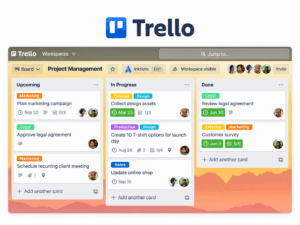
Trello works best when the team’s workflow can be drawn from left to right.
A card starts in a backlog, moves into progress, waits for review and eventually reaches done.
If that picture accurately describes the team’s collaboration model, Trello Free can cover a surprising amount of work.
The current free plan supports unlimited cards, up to 10 collaborators and 10 boards per Workspace, unlimited Power-Ups per board, 250 automation runs per month and unlimited storage with a 10 MB per-file limit.
Notice what is not usually the first problem: the number of tasks.
A team can keep adding cards.
The pressure appears when one simple board becomes several projects, more people need access, automation becomes important, or management wants fields and reporting that go beyond basic Kanban.
Trello Free is therefore strongest when a small team wants to see work moving, not build a full project-management system.
8. Asana
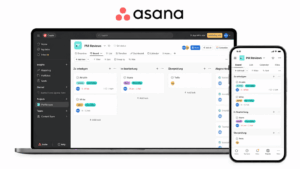
Asana solves a more structured problem than Trello.
Its center of gravity is responsibility: which person owns a task, when it is due, and how that task fits into a project.
That makes it particularly useful when collaboration fails not because people cannot talk, but because ownership is unclear.
The current Personal plan is free forever but now supports only up to two users. It includes unlimited tasks and projects, list/board/calendar views, unlimited storage with a 100 MB maximum per file, status updates and more than 100 integrations.
That two-user limit changes how Asana should be evaluated in a free-app comparison.
It is no longer the obvious free project manager for a five- or ten-person department.
It is better understood as a strong free workspace for a pair of collaborators, a founder and assistant, two-person consulting team or an individual coordinating projects with limited direct collaboration.
The free tier ends not because task management stops working, but because a third core teammate changes the economics immediately.
9. monday.com
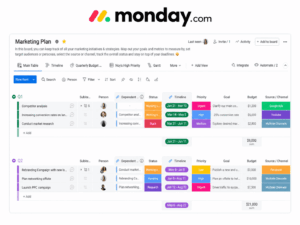
monday.com is a useful reminder that free forever does not always mean free for a team.
The free plan currently allows up to two seats, three boards and three collaborative Docs. Its support documentation also notes a 200-item limit and no guest/viewer access on the free plan.
That makes the free edition more like a live prototype of the monday.com working model.
Two people can build boards, track a small set of projects and decide whether the visual workflow suits them.
The moment the third regular collaborator appears, the product has already moved beyond its realistic free-team use case.
So monday.com belongs in this list, but for a different reason from Pumble or Google Docs.
It is useful for testing how your team wants to work, not necessarily for keeping a growing team at $0 indefinitely.
When the Content Is the Work
For some teams, collaboration happens directly inside the artifact being created.
There is no need to discuss a document somewhere else if several people can work on the document itself.
10. Google Docs and Workspace Essentials
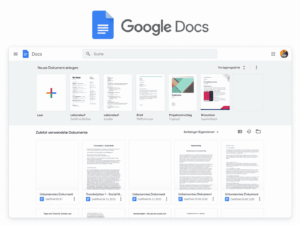
Few free collaboration workflows are easier to understand than three people editing the same document.
One person writes.
Another leaves a suggestion.
A third adds a comment.
Everyone sees the same current version instead of emailing final-v4-revised.docx back and forth.
Google Workspace Essentials currently allows teams to use Docs, Sheets and Slides with their existing work email address at no charge. Google provides 15 GB of Drive storage and says invited team members are not charged.
The strongest free feature is not storage.
It is shared authorship:
-
simultaneous editing;
-
comments;
-
suggestions;
-
version history;
-
one source of truth.
A small team can use that model for proposals, content plans, budgets, research, meeting notes or operating documents without needing a conventional project platform.
The upgrade question usually arrives later, when collaboration becomes an organizational IT problem rather than a document problem: centralized administration, larger storage pools, company-wide identity, security controls and the wider Workspace suite.
11. Notion
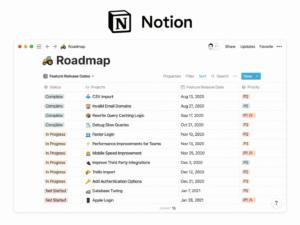
Notion becomes useful when the team’s problem is no longer “we need a document.”
It is:
We have too many documents, notes, project pages and bits of knowledge, and nobody knows where the current answer lives.
A team can build a project hub, internal wiki, meeting-note system or lightweight database inside the same page structure.
The current Free plan is generous for individuals but explicitly more constrained for teams. Notion lists unlimited pages/blocks for individuals, limited blocks when two or more members collaborate, file uploads up to 5 MB and seven days of page history.
That makes Notion’s free tier particularly good for:
-
an individual building a shared knowledge base;
-
a very small team testing a workspace;
-
a project where most people consume information and only a small core edits it.
The free experience starts to bend when Notion becomes the organization’s memory and the team needs richer permissions, longer recovery history, larger files and less restrictive multi-user collaboration.
When the Canvas Is the Work
Some collaboration is spatial.
People need to point, move, arrange, sketch, compare and build something together visually.
12. Miro
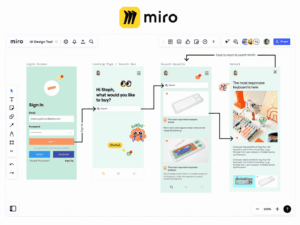
The easiest way to understand Miro Free is to think about wall space.
Your team can invite people, brainstorm, map processes and build visual plans, but only three boards remain active and editable. Other boards can exist, but the three most recently created boards are the editable working space. Miro allows unlimited team members on the free plan.
For one small team, that can be enough.
You might keep:
-
one product-planning board;
-
one workshop board;
-
one process map.
The constraint becomes awkward when every customer, project, retrospective or research initiative deserves its own living board.
Miro’s free limit is therefore less like running out of file storage and more like running out of active rooms on the wall.
That makes the upgrade trigger unusually easy to predict: count how many visual workspaces your team needs to keep editable at the same time.
13. Figma
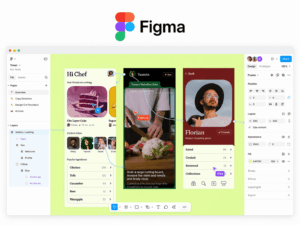
In Figma, the design itself is the conversation.
A designer edits a component.
A product manager comments on a screen.
Another teammate reviews a prototype.
Feedback happens directly on the shared object instead of being described in another tool.
Figma’s current Starter plan is free and offers unlimited drafts, while collaborative team use allows unlimited users to co-edit up to three files, with three pages per file. The free plan also has a 30-day version history and does not include team libraries or advanced security settings.
For a small product team working on one active interface, three collaborative files may be perfectly workable.
The limitation becomes structural as the design system grows.
You do not necessarily need more collaboration because more people are joining. You need it because the design itself has become a larger system: libraries, more files, richer organization, longer history and developer workflows.
That is a very different upgrade path from a chat app.
14. Canva
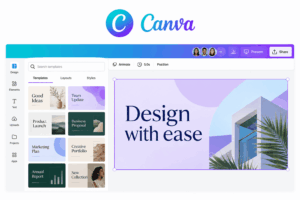
Canva’s free collaboration value appears most clearly inside a marketing workflow.
Imagine one teammate assembling a presentation, another revising copy and another preparing social assets based on the same campaign.
The shared object is not a task list. It is the creative output.
Canva currently offers a permanent Free plan with its editor, more than a thousand design types, free templates and media, a limited Brand Kit, 5 GB of cloud storage and a limited AI allowance.
For occasional creative collaboration, that can cover a lot.
The pressure to move beyond Free usually comes from the things a growing brand needs rather than basic editing itself:
-
premium assets;
-
more brand controls;
-
advanced creative tools;
-
larger-scale content production;
-
organizational workflows.
Canva Free therefore fits teams whose collaboration goal is straightforward: create and review visual content together without turning design production into a specialist-only workflow.
When the Data Is the Work
Not every team collaborates around conversation, documents or visual boards.
Sometimes the shared object is a structured set of records.
15. Airtable
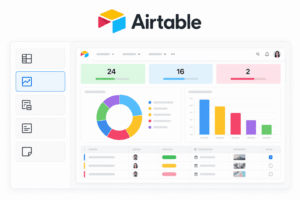
Airtable becomes interesting when an ordinary spreadsheet starts behaving like a database.
A content calendar may contain:
-
campaign;
-
asset;
-
owner;
-
status;
-
publication date;
-
linked client;
-
approval state.
A research tracker may connect companies, contacts and interviews.
An inventory may need attachments, categories and relationships between records.
That is the type of collaboration Airtable is built around.
The Free plan currently supports 1,000 records per base, 1,000 API calls per workspace per month, 1 GB of attachment storage per base and two weeks of revision/snapshot history.
A small operational database can fit comfortably inside those boundaries.
The free tier becomes restrictive not when users want more conversation, but when the dataset becomes operationally important: more records, more automation, larger attachments, more API activity or stronger governance.
Airtable is therefore a good free collaboration app when the team’s central problem is keeping structured information synchronized without building a custom system.
One Free Collaboration App or a Free Collaboration Stack?
Most teams will notice something important after reading this list:
No single free app is best at everything.
A team might naturally end up with:
-
Slack for messaging;
-
Zoom for meetings;
-
Trello for tasks;
-
Google Docs for documents;
-
Miro for workshops;
-
Canva for creative assets.
Every product can cost $0.
The stack still has a cost.
Not necessarily in subscription fees, but in:
-
context switching;
-
duplicated user accounts;
-
notifications;
-
files stored in different places;
-
separate search systems;
-
guest management;
-
lost meeting context;
-
multiple admin consoles.
A free collaboration stack works well when those boundaries are intentional.
It becomes expensive operationally when employees spend time asking:
Where did that conversation happen?
The Hidden Question: What Does Your Team Collaborate Around?
Instead of asking which app has the most features, identify the shared object.
This also explains why comparing all collaboration apps with one feature checklist is misleading.
A missing Gantt chart is irrelevant to a chat team.
A 40-minute meeting limit is irrelevant to a team that collaborates asynchronously.
Three editable boards are restrictive only if visual boards are central to the work.
What Does “Free” Actually Mean?
Free collaboration products usually fall into several models.
Free Forever SaaS
The vendor hosts the service and offers a permanent $0 tier.
Examples include:
-
Slack;
-
Trello;
-
Miro;
-
Asana;
-
monday.com;
-
Pumble.
The upgrade is triggered by a usage, feature or organizational limit.
Free Self-Hosted Vendor Edition
The software is free, but the organization operates the infrastructure.
TrueConf Server Free fits this model.
There may be no SaaS subscription, but there are still server, administration and network costs.
Free Product With Team Limits
Some products remain free but become restrictive when the number of collaborators increases.
Current examples include Asana and monday.com, both of which limit their free tiers to two users.
Free Tool Inside a Larger Ecosystem
Google Docs is a good example.
The core collaborative workflow can be free, but companies may later pay for broader identity, administration, storage and organizational services.
Which Free Limit Matters Most?
Free-plan limits affect different workflows differently.
A good free plan is not the one with the highest numbers.
It is the one whose restrictions sit outside your normal workflow.
When Should a Team Upgrade?
Paying for collaboration software makes sense when the free plan starts changing how the team works.
Typical signals include:
-
meetings are repeatedly restarted because of time caps;
-
useful project history disappears;
-
users cannot join because of seat limits;
-
teams recycle boards to stay under quotas;
-
files are stored elsewhere to avoid upload limits;
-
employees manually repeat work that could be automated;
-
guest access becomes difficult to govern;
-
administrators cannot control accounts centrally;
-
several free apps are required to complete one routine workflow.
At that point, the decision is not simply whether a paid feature is worth its monthly price.
It is whether the free limitation is creating more operational cost than the subscription would remove.
Where Secumeet Fits

Secumeet is not included in the ranked 15 because its current public offering is not presented as a conventional free SaaS collaboration tier with a published set of permanent free workspace limits.
The client application itself is available as a free download, but it connects to a Secumeet Server environment.
That makes Secumeet more relevant to a different stage of the decision.
A team may begin with several free SaaS apps and later decide that messaging, video meetings, screen sharing, presentations and content collaboration should operate inside one managed communication environment rather than across several unrelated services.
Secumeet is positioned around that integrated, server-based model.
For teams specifically searching for a free collaboration app, the products above have clearer public free-tier terms.
For organizations evaluating how collaboration should be deployed and controlled after free SaaS tools stop fitting, infrastructure, administration and communication architecture become more important than the $0 price tag.
Frequently Asked Questions
What is the best free collaboration app?
There is no single best free collaboration app for every workflow.
TrueConf Server Free is relevant for self-hosted messaging and video, Slack and Pumble for team chat, ClickUp for work management, Google Docs for document collaboration, Miro for visual collaboration, Zoom for video meetings and Figma for design.
What collaboration apps are completely free?
Several products offer permanent free tiers rather than temporary trials, including Slack, Trello, Miro, Asana, monday.com, Pumble, Figma, Airtable and Canva.
Their restrictions differ significantly, so “free forever” does not mean unlimited use.
What is the best free collaboration app for a small team?
It depends on what the team shares.
A small team centered on chat may prefer Slack or Pumble. A project-focused team may prefer ClickUp or Trello. Google Docs works well when shared documents are the center of work, while TrueConf Server Free is relevant when the team wants to operate its communication server.
Which free collaboration app has unlimited users?
Some free tools avoid a strict user cap.
For example, Pumble currently advertises unlimited users on its free plan, while Miro allows unlimited team members but restricts the number of editable boards.
This shows why user count alone is a poor way to compare free plans.
Is Slack free for teams?
Yes. Slack has a free plan.
The main current restrictions include 90-day access to message/file history, up to 10 apps and one-to-one Huddles.
Is there a free self-hosted collaboration app?
Yes.
TrueConf Server Free is a vendor-provided self-hosted communication platform with messaging, video conferencing and collaboration capabilities. Open-source platforms can provide other self-hosted models as well.
Are free collaboration apps suitable for businesses?
They can be.
Small teams may operate on free plans for long periods when the plan’s limits match their workflow.
Larger organizations are more likely to require paid capabilities around administration, SSO, retention, permissions, storage, support and compliance.
Is it better to use one collaboration app or several free tools?
Using several specialized apps can provide stronger functionality in each category.
One broader platform can reduce context switching, duplicated identity management and fragmented history.
The better model depends on whether specialization or continuity matters more to the team.
Conclusion
The best free collaboration app depends on what the team is actually collaborating around.
A team whose work lives in conversations has different requirements from one whose work lives in design files, tasks, visual boards or structured records.
That is why free plans should not be ranked only by how many features they contain.
Look instead at the normal workflow, identify the limitation most likely to interrupt it, and ask whether the team can continue working naturally after that limit appears.
The most useful free app is the one that stays out of the way of the work.
Author
Helga Afon is a technology writer specializing in video conferencing, collaboration software, and workplace communication. She writes articles and reviews that help readers better understand enterprise communication tools and industry trends.