
An enterprise communication solution is a platform, or a coordinated set of platforms, used by a large organization to manage communication among employees, customers, partners, contractors, and other stakeholders. Depending on its scope, it may cover business telephony, video conferencing, team messaging, employee communications, contact-center channels, emergency notifications, file sharing, integrations, analytics, and administration.
An enterprise communication solution can therefore be either a single UCaaS suite or a portfolio of specialized systems. A company may use one platform for phone, meetings, and chat, another for customer service, and a third for workforce-wide announcements.
This guide uses public product pages, pricing pages, security materials, and deployment documentation published by the vendors. Capabilities that are not disclosed publicly are marked Not publicly specified. Commercial terms that vary by customer, geography, edition, or contract are marked Contract-dependent.
Enterprise communication categories at a glance
A single vendor may span several categories. The examples above are broader than the detailed shortlist below. The shortlist is designed to represent the main buying models, not to serve as an exhaustive vendor directory.
Quick recommendations
What buyers should compare
Most enterprise communication products should be assessed across the following areas:
-
Channels: phone, video, chat, SMS, email, employee announcements, customer messaging, and emergency alerts.
-
Administration: user management, SSO, provisioning, policies, retention, audit logs, and delegated administration.
-
Integrations: Microsoft 365, Google Workspace, CRM, HRIS, directories, room systems, SIP infrastructure, and APIs.
-
Security: authentication, encryption, key handling, data location, guest controls, recording, and retention.
-
Deployment: public cloud, dedicated cloud, private cloud, hybrid, self-hosted, or air-gapped.
-
Operations: SLA, redundancy, monitoring, migration, support coverage, and total cost.
Definitions used in this comparison
-
Native: Delivered as a core function of the product being compared.
-
Add-on: Available from the same vendor but licensed or deployed separately.
-
Integration: Delivered through another product, service, protocol, or marketplace app.
-
Limited: Present, but narrower than the capability normally expected in that category.
-
Not a core function: Adjacent functionality may exist, but the product is not designed for that job.
-
Not available: The vendor does not publicly document the capability for the product reviewed.
Self-hosted means the customer can operate the core communication application on infrastructure under its own administrative control. A dedicated SaaS tenant, private vendor cloud, or hybrid edge component is not classified as self-hosted unless the customer operates the core application.
How the shortlist was selected
The detailed comparison includes platforms that:
-
represent one of the main enterprise communication categories;
-
have current public product or deployment documentation;
-
are relevant to enterprise procurement rather than consumer-only communication;
-
illustrate materially different deployment or operating models;
-
can be compared without implying that every platform is a direct substitute.
The platforms are not ranked from best to worst. A UCaaS suite, employee app, emergency notification system, and self-hosted collaboration server solve different problems.
Enterprise communication platforms compared
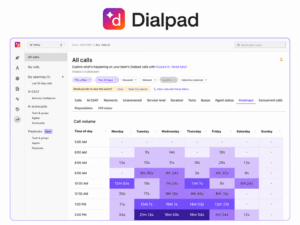
Dialpad Connect and Dialpad Support
-
Primary category: UCaaS and contact center
-
Best for: Cloud-first organizations seeking business phone, meetings, messaging, and an adjacent contact-center product.
-
Voice: Native in Dialpad Connect.
-
Video: Native meetings.
-
Team messaging: Native.
-
Employee communication: Not a core function.
-
Customer communication: Available through Dialpad Support and other customer-experience products.
-
Deployment: Vendor-managed public cloud.
-
Integrations: Salesforce, HubSpot, Zendesk, Microsoft Teams, Google Workspace, Microsoft 365, and other marketplace integrations.
-
Administration: Central administration, role-based controls, SSO, and SCIM options.
-
Security: Dialpad documents TLS for VoIP and in-transit web requests and AES-256 for application data stored on Google Cloud. Product-specific compliance applicability depends on the selected service and contract.
-
Analytics: Native call, meeting, and contact-center analytics; exact AI functions vary by product and plan.
-
Support: Plan-dependent.
-
Pricing: Dialpad publicly lists Connect Standard from $15 per user per month with annual billing and Connect Pro from $25. Contact-center products have separate per-user pricing; enterprise terms are contract-dependent.
-
Main limitations: No self-hosted core application; not an intranet or mass-notification platform.
Sources: Product, Pricing, Security, Integrations
RingCentral RingEX and RingCentral Contact Center

-
Primary category: UCaaS with a separate contact-center offering
-
Best for: Enterprises consolidating cloud phone, meetings, team messaging, and related customer communication under one vendor.
-
Voice: Native in RingEX.
-
Video: Native.
-
Team messaging: Native.
-
Employee communication: Limited to collaboration and team channels; not a full employee app or intranet.
-
Customer communication: Available through RingCentral Contact Center products.
-
Deployment: Vendor-managed public cloud.
-
Integrations: Microsoft 365, Google Workspace, CRM systems, productivity tools, APIs, and marketplace applications.
-
Administration: Multi-site administration, custom roles, permissions, and centralized management.
-
Security: Product and regional certifications should be checked against the selected RingCentral service and contract.
-
Analytics: Native communications and administration analytics; contact-center analytics are product-dependent.
-
Support: Plan- and region-dependent.
-
Pricing: Public prices vary by market. Enterprise and contact-center configurations are frequently custom-quoted.
-
Main limitations: No customer-operated self-hosted edition of the core RingEX application; advanced capabilities and contact-center functions may require separate products or higher tiers.
Sources: Enterprise product, Pricing, Security, Integrations
Microsoft Teams

-
Primary category: Collaboration suite; cloud telephony through Teams Phone
-
Best for: Organizations standardized on Microsoft 365 and Microsoft Entra ID.
-
Voice: Available through the Teams Phone add-on or qualifying Microsoft 365 plans. PSTN connectivity may use Microsoft Calling Plans, Operator Connect, or Direct Routing.
-
Video: Native.
-
Team messaging: Native.
-
Employee communication: Channels and communities are available, but Teams is not a complete employee-app or intranet replacement by itself.
-
Customer communication: Limited in the core product; broader customer-service functions require additional Microsoft or third-party products.
-
Deployment: Microsoft-managed cloud. GCC, GCC High, and DoD variants are available to eligible US government organizations, with feature differences between environments.
-
Integrations: Native Microsoft 365 ecosystem plus approved apps and Microsoft Graph.
-
Administration: Teams Admin Center and Microsoft 365 administration with Entra ID.
-
Security: Encryption is documented for meetings, chats, calls, and files. Compliance availability depends on the tenant, license, workload, and government-cloud environment.
-
Analytics: Native usage, call-quality, meeting, and administrative reporting.
-
Support: Included or enhanced according to the Microsoft plan and support agreement.
-
Pricing: Teams and Teams Phone prices vary by market and licensing bundle. In the EEA, Microsoft publicly lists standalone Teams and Teams Phone options; government plans use separate eligibility and purchasing terms.
-
Main limitations: Cloud-only core service; business telephony requires additional licensing and PSTN configuration; government-cloud features are not identical to commercial Teams.
Staffbase
-
Primary category: Employee communication and employee experience
-
Best for: Large, distributed, frontline, and deskless workforces requiring structured company-wide communication.
-
Voice: Not a core function.
-
Video: Not a core function; video content or external tools may be embedded or integrated.
-
Team messaging: Targeted channels and employee communication functions rather than a general-purpose UCaaS chat replacement.
-
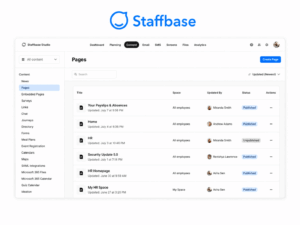
Employee communication: Native employee app, intranet, campaigns, content targeting, surveys, and analytics.
-
Customer communication: Not a core function.
-
Deployment: Vendor-managed cloud with hosting and residency options documented by Staffbase.
-
Integrations: Microsoft 365, Google Drive, ServiceNow, Box, HR systems, APIs, and SDKs.
-
Administration: Content governance, audience targeting, regional administration, user management, and analytics.
-
Security: Staffbase publicly describes SSO, passkeys, hosting-region options, ISO 27001, SOC 2 Type II, TISAX, and other controls. Applicability should be checked for the purchased product and hosting region.
-
Analytics: Native employee communication and campaign analytics.
-
Support: Contract-dependent.
-
Pricing: Custom quote. Staffbase states that pricing depends on workforce type and selected modules, with frontline pricing and optional app, intranet, email, and digital-signage components.
-
Main limitations: Does not replace a business phone system, UCaaS suite, or customer contact center.
Sources: Employee app, Pricing, Security, Integrations
Happeo
-
Primary category: Employee intranet and knowledge communication
-
Best for: Organizations seeking a centralized intranet connected to Google Workspace or Microsoft 365.
-
Voice: Not a core function.
-
Video: Available through embedded or integrated productivity-suite tools rather than as a native conferencing service.
-
Team messaging: Channels support internal communication; Happeo does not replace a complete UCaaS messaging and telephony suite.
-
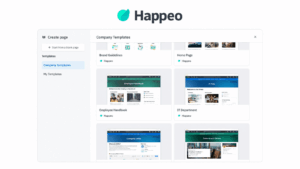
Employee communication: Native intranet pages, channels, knowledge content, mobile access, and search.
-
Customer communication: Not a core function.
-
Deployment: Vendor-managed cloud.
-
Integrations: Google Workspace and Microsoft 365, with additional chat and workflow integrations documented by Happeo.
-
Administration: Content, permissions, identity integration, and intranet governance.
-
Security: Happeo documents directory-based access and OAuth-based integrations. Certification applicability should be checked against the current trust and contract materials.
-
Analytics: Available, with scope dependent on plan and enabled modules.
-
Support: Contract-dependent.
-
Pricing: Seat-based pricing; current plan details are available from Happeo and may require a sales consultation.
-
Main limitations: Not a business telephony, native video-conferencing, contact-center, or emergency-notification product.
Sources: Product, Pricing, Google integration, Microsoft integration
Oracle Communications portfolio
-
Primary category: Communications infrastructure and orchestration portfolio
-
Best for: Large enterprises, communications service providers, and managed service providers that need to connect, secure, route, or orchestrate UC, contact-center, carrier, and PSTN environments.
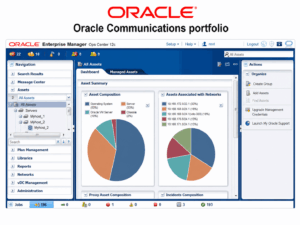
Oracle Communications is a portfolio, not one directly comparable application. This guide therefore does not score it as though it were a single alternative to Dialpad, Teams, or Secumeet.
-
Voice: Portfolio capability across session delivery, routing, orchestration, and carrier infrastructure.
-
Video: Not a single native portfolio-wide collaboration product. Video availability depends on the connected UC or contact-center service.
-
Team messaging: Not a core portfolio-wide function.
-
Employee communication: Not a core function.
-
Customer communication: Supported through communications infrastructure, orchestration, and partner contact-center environments.
-
Deployment: Product-dependent. Oracle documents cloud services, hybrid connections, on-premises UC and contact-center connectivity, and telecom infrastructure products.
-
Integrations: UC, contact-center, carrier, recording, compliance, AI, CRM, and billing environments, depending on the selected Oracle product.
-
Administration: Product-specific.
-
Security: Product-specific and contract-dependent.
-
Analytics: Product-specific.
-
Support: Enterprise contract-dependent.
-
Pricing: Custom quote or Oracle cloud/service price lists, depending on the product.
-
Main limitations: Buyers must select a specific Oracle Communications product and architecture before comparing functionality, deployment, support, or price.
Secumeet

-
Primary category: Secure, self-hosted video collaboration
-
Best for: Organizations that require meetings and messaging on customer-controlled infrastructure.
-
Voice: Not publicly specified as a full business telephony or PBX replacement.
-
Video: Native.
-
Team messaging: Native according to current product materials.
-
Employee communication: Limited; not positioned as an intranet, newsletter, or workforce campaign platform.
-
Customer communication: No publicly documented native contact-center product.
-
Deployment: Self-hosted and private-infrastructure positioning is publicly documented. Exact topology, air-gap procedure, supported operating environments, and high-availability design are contract-dependent.
-
Integrations: Public documentation is insufficient to state a complete current integration list.
-
Administration: Access-control and administrative functions are described at a high level; detailed role, logging, and policy coverage should be specified in procurement documentation.
-
Security: Security-focused positioning is public, but a complete current technical description of encryption modes, key management, recording interaction, independent certifications, and endpoint trust is not publicly specified on a dedicated product documentation page.
-
Analytics: Not publicly specified.
-
Support: Contract-dependent.
-
Pricing: Not publicly disclosed.
-
Main limitations: Public technical, pricing, integration, and support documentation is less detailed than for several larger vendors. Buyers should require a product architecture document, security white paper, deployment guide, support SLA, and bill of materials before procurement.
Sources: Product site, On-premises product context
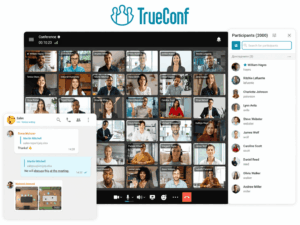
TrueConf Server
-
Primary category: Self-hosted video conferencing and team communication
-
Best for: Organizations that require video meetings, messaging, and standards-based interoperability on infrastructure they control.
-
Voice: Available through SIP/H.323 gateway and PBX integration; TrueConf Server is not presented here as a complete cloud business-phone or contact-center replacement.
-
Video: Native video calls, group conferences, webinars, browser participation, recording, and streaming, with capacity determined by edition and license.
-
Team messaging: Native personal and group chats, channels, and file sharing.
-
Employee communication: Limited to collaboration and messaging; not a full intranet or employee campaign platform.
-
Customer communication: No native contact-center product documented for TrueConf Server.
-
Deployment: Customer-operated on-premises or private infrastructure. Paid editions can operate without a permanent internet connection; offline activation and exact isolated-network procedures depend on license and deployment terms.
-
Integrations: Active Directory, LDAP, SSO, SIP, H.323, RTSP, PBX integration, APIs, calendar connectors, and related extensions.
-
Administration: Web-based server administration, user and group management, directory synchronization, policies, meeting management, monitoring, and reports.
-
Security: TrueConf documents protected signaling and media for supported protocols, authentication options, access controls, and customer-controlled deployment. Exact compliance mapping should be assessed against the deployed configuration rather than inferred from the deployment model alone.
-
Analytics: Server reports and monitoring are available; scope depends on installed components.
-
Support: Basic, Extended, and Full+ options are publicly described, with different response and service inclusions.
-
Pricing: A free edition is available. Paid licensing depends on PRO users, online-user capacity, guest connections, gateway connections, extensions, and support.
-
Main limitations: The customer operates the infrastructure; telephony beyond SIP/PBX interoperability and contact-center functions require separate systems; feature and capacity availability varies by license.
Sources: Product documentation, Pricing calculator, Licensing, SIP/H.323 gateway, LDAP and Active Directory
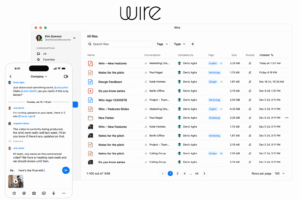
Wire for Enterprise
-
Primary category: Secure enterprise collaboration
-
Best for: Organizations requiring end-to-end encrypted messaging, calls, video, and file sharing with cloud or self-hosted deployment options.
-
Voice: Native encrypted calls.
-
Video: Native encrypted video.
-
Team messaging: Native.
-
Employee communication: Limited; not a full intranet or workforce campaign platform.
-
Customer communication: Not a native contact center.
-
Deployment: Wire documents cloud and self-hosted/on-premises options.
-
Integrations: Smaller application ecosystem than broad productivity suites; directory and enterprise integrations depend on edition and deployment.
-
Administration: Enterprise user management and administrative controls.
-
Security: Wire states that messages, calls, video, and file sharing are end-to-end encrypted and that its current platform uses Messaging Layer Security. It also publicly lists GDPR, NIS2, and ISO 27001 alignment or certification claims; buyers should map each claim to the contracting entity, service, and deployment.
-
Analytics: Limited compared with contact-center or employee-communication platforms.
-
Support: Contract-dependent.
-
Pricing: Wire lists Free, Enterprise, and On-Premises options; enterprise and self-hosted commercial terms require vendor confirmation.
-
Main limitations: Not a business phone system, contact center, or employee intranet; integrations and analytics are narrower than those of large cloud suites.
Sources: Enterprise product, Pricing, Security, MLS implementation
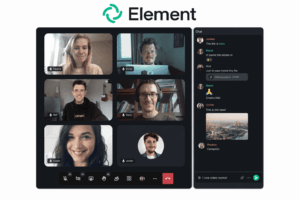
Element Server Suite
-
Primary category: Federated, Matrix-based messaging and collaboration
-
Best for: Organizations requiring open federation, self-hosting, or air-gapped operation.
-
Voice: Calls are available through Element Call and Matrix-based calling components.
-
Video: Native calling is included in current Element Server Suite offerings, but it should not be assumed to match dedicated webinar or room-video platforms.
-
Team messaging: Native.
-
Employee communication: Limited; not a complete intranet or employee campaign system.
-
Customer communication: Not a native contact center.
-
Deployment: Self-hosted; Element also documents air-gapped and fully managed options.
-
Integrations: Matrix federation and bridges, with availability and support dependent on the chosen architecture.
-
Administration: Server and organizational controls are available in commercial Element Server Suite plans.
-
Security: Matrix supports end-to-end encryption, but encryption behavior depends on room type, policy, clients, and deployment. Buyers should document the required room defaults, identity verification, key backup, federation, and retention behavior.
-
Analytics: Operational and administrative coverage depends on edition and deployment.
-
Support: Element states that Enterprise customers receive support and publishes an urgent-response target for supported enterprise deployments.
-
Pricing: Community is free and open source. Enterprise is priced per seat per month. Sovereign and air-gapped deployments are custom-quoted.
-
Main limitations: Deployment, federation, moderation, bridges, and lifecycle management require technical expertise; it is not a native PBX, contact center, or employee intranet.
Sources: Pricing, Self-hosted deployment, Server Suite, Support and SLA
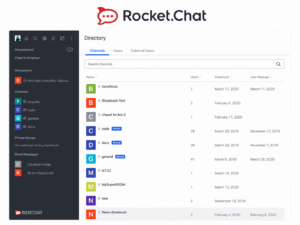
Rocket.Chat
-
Primary category: Self-managed messaging and customizable digital communication
-
Best for: Organizations needing governed team messaging, APIs, self-managed deployment, and optional customer or citizen engagement channels.
-
Voice: Available through Rocket.Chat Voice or integrations, depending on plan and deployment.
-
Video: Available through integrations such as Pexip, Jitsi, BigBlueButton, Google Meet, and Zoom; supported integrations vary by plan.
-
Team messaging: Native channels, direct messages, threads, files, search, and administrative controls.
-
Employee communication: Limited; suitable for collaboration and official channels but not a complete intranet or campaign platform.
-
Customer communication: Available through omnichannel/citizen-engagement capabilities and external channel integrations.
-
Deployment: Cloud-hosted or self-managed. Rocket.Chat also documents workflows for air-gapped workspaces.
-
Integrations: APIs, marketplace apps, CRM connectors, external messaging channels, and video integrations.
-
Administration: Workspace, identity, moderation, retention, and governance features vary by plan.
-
Security: Controls and certifications vary by product, plan, deployment, and contract. Self-management provides infrastructure control but does not itself guarantee a compliant configuration.
-
Analytics: Messaging, administration, and customer-channel analytics depend on plan.
-
Support: Included scope and response terms vary by commercial plan.
-
Pricing: A limited self-managed Starter option is available for small teams and evaluation. Commercial, government, defense, omnichannel, and higher-scale deployments use paid or custom terms.
-
Main limitations: Broad meeting functionality often depends on integrations; feature availability differs substantially among Community, Starter, commercial, and specialized plans.
AlertMedia
-
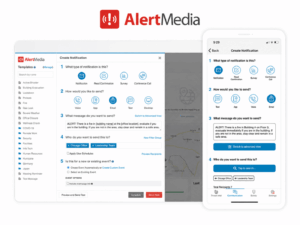
Primary category: Emergency communication and mass notification
-
Best for: Organizations requiring urgent multichannel workforce notifications, two-way communication, and acknowledgement tracking.
-
Voice: Notification channel, not business telephony.
-
Video: Not a core function.
-
Team messaging: Not a core collaboration function.
-
Employee communication: Native for urgent and operational notifications rather than general intranet publishing.
-
Customer communication: Not a contact center.
-
Channels: SMS, voice, email, mobile push, desktop alerts, Microsoft Teams, Slack, WhatsApp, digital signage, and other documented channels.
-
Deployment: Vendor-managed cloud.
-
Integrations: Workday, Oracle PeopleSoft, Microsoft Entra ID/Azure AD, ADP, Okta, Ceridian, SAP Concur, travel systems, Microsoft Teams, Slack, and others.
-
Administration: Audience management, templates, targeting, acknowledgements, and incident workflows.
-
Security: Contract- and service-dependent; buyers should review current security and trust documentation.
-
Analytics: Delivery, response, and acknowledgement reporting.
-
Support: Contract-dependent.
-
Pricing: Custom quote based on organizational requirements, audience size, locations, capabilities, and integrations.
-
Main limitations: Not a replacement for day-to-day collaboration, business phone, video conferencing, or contact-center software.
DeskAlerts
-
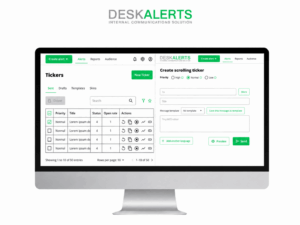
Primary category: Desktop and multichannel emergency notification
-
Best for: Organizations requiring prominent workstation alerts and targeted internal notifications.
-
Voice: Not a core business telephony function.
-
Video: Not a core function.
-
Team messaging: Not a core collaboration function.
-
Employee communication: Native alerting and notification functions.
-
Customer communication: Not a contact center.
-
Channels: Desktop alerts are the defining channel; additional mobile, SMS, email, screensaver, wallpaper, ticker, and other functions depend on edition and configuration.
-
Deployment: Cloud and on-premises availability should be selected according to the current DeskAlerts edition and contract.
-
Integrations: Directory and enterprise-system integrations are edition-dependent.
-
Administration: Targeting, scheduling, acknowledgement, and reporting functions are product-dependent.
-
Security: Current security controls and certifications should be obtained from DeskAlerts for the selected deployment.
-
Analytics: Delivery and acknowledgement reporting are available according to product configuration.
-
Support: Contract-dependent.
-
Pricing: Public calculators or package information may vary; enterprise deployment is contract-dependent.
-
Main limitations: A specialist notification system, not a substitute for UCaaS, team collaboration, video conferencing, or contact-center software.
Sources: Product, Pricing, On-premises product information
Feature and deployment comparison
Deployment models
How to choose an enterprise communication solution
-
Define the audiences: employees, frontline workers, customers, partners, contractors, and emergency recipients.
-
List required channels: phone, video, chat, SMS, email, intranet, social messaging, and urgent alerts.
-
Separate collaboration from workforce communication and customer service.
-
Decide which functions must be native and which may use add-ons or integrations.
-
Audit existing PBX, meeting, chat, intranet, CRM, HRIS, and identity systems.
-
Define deployment constraints, including whether the core application must be customer-operated.
-
Document security requirements at the feature and architecture level, not only through certification names.
-
Compare migration, support, capacity, and exit terms.
-
Calculate total cost of ownership.
-
Run a pilot with real users, networks, devices, and administrative workflows.
Procurement questions
Pricing and total cost of ownership
Pricing cannot be compared through one per-user figure because the categories use different commercial models.
-
Cloud UCaaS: user subscriptions, phone numbers, calling, contact-center seats, recording, AI add-ons, room licenses, and support.
-
Employee communication: employee licenses, implementation, content migration, integrations, branded apps, analytics, and support.
-
Self-hosted communication: software licenses, servers, virtualization, network, storage, backup, administrators, monitoring, upgrades, and support.
-
Emergency notification: audience size, regions, channels, integrations, threat-intelligence modules, and support.
-
Communications infrastructure: product licenses, traffic or capacity metrics, professional services, partner components, and support.
Self-hosting may change recurring licensing economics, but it transfers operational responsibility to the customer. It should not be treated as automatically cheaper or automatically more secure.
Frequently asked questions
What is an enterprise communication solution?
It is a platform or coordinated technology stack used to manage communication among employees, customers, partners, and other stakeholders. It may include telephony, video, messaging, employee communication, contact-center channels, emergency notifications, and administration.
What are the main categories?
The main categories are UCaaS, collaboration suites, employee communication platforms, contact centers, secure and self-hosted collaboration, emergency notification systems, and CPaaS.
Does one platform cover every category?
Usually not. A UCaaS suite may cover phone, meetings, and messaging but not workforce campaigns, emergency alerts, or a complete customer contact center. Large organizations often use a coordinated portfolio.
What is the difference between native, add-on, and integration?
A native function is part of the product. An add-on is supplied by the same vendor but licensed or deployed separately. An integration connects another product or service.
Which enterprise communication products can be self-hosted?
The products in this shortlist with a documented customer-operated core application include TrueConf Server, Element Server Suite, Rocket.Chat, Wire On-Premises, Secumeet, and selected DeskAlerts editions. Their functional scope differs substantially.
Is self-hosted communication always more secure?
No. Self-hosting provides infrastructure and data-location control, but security depends on architecture, configuration, patching, identity controls, monitoring, backup, administrator access, and operational discipline.
How should a company create a shortlist?
Start with audience, channels, native-function requirements, deployment constraints, integrations, security architecture, migration, support, and total cost. Compare products within the same category before comparing broader portfolios.
Conclusion
Enterprise communication is usually a portfolio decision rather than a search for one universal platform. Dialpad and RingCentral focus on cloud phone, meetings, messaging, and related contact-center products. Microsoft Teams fits Microsoft-centered collaboration. Staffbase and Happeo address workforce communication and intranet use cases. AlertMedia and DeskAlerts specialize in urgent notifications.
Secumeet, TrueConf Server, Wire, Element, and Rocket.Chat cover different parts of secure, private, self-hosted, or federated communication. Oracle Communications should be assessed as a portfolio of infrastructure and orchestration products, with a specific Oracle product selected before feature or pricing comparison.
The final shortlist should be based on the exact communication audience, required channels, native versus integrated functions, deployment ownership, security architecture, integrations, support, migration, and total cost. Product claims should be checked against the selected edition and contract before purchase.
Author
Helga Afon is a technology writer specializing in video conferencing, collaboration software, and workplace communication. She writes articles and reviews that help readers better understand enterprise communication tools and industry trends.