
What You Need to Know Right Now
Linux users have more instant messaging options than ever before, spanning from privacy-focused encrypted platforms to enterprise collaboration suites. The right choice depends on three factors: your security requirements, whether you need self-hosted infrastructure, and compatibility with existing workflows.
|
For maximum privacy
Signal, Session, or SimpleX
|
For business teams
TrueConf Server, Secumeet, Mattermost, or Element
|
|
For casual users
Telegram, Beeper, or Discord
|
For multi-network access
Pidgin, Beeper, or Franz
|
The Linux messaging ecosystem differs from Windows and macOS in one crucial way: native support varies wildly. Some platforms treat Linux as a first-class citizen with full feature parity, while others offer limited web wrappers or outdated clients. This guide cuts through the noise to show you what actually works.
Core Selection Criteria
Before downloading anything, ask yourself these questions:
- Do you need end-to-end encryption by default? Many platforms advertise encryption but only enable it for “secret chats” or require manual activation. Signal, Session, and Element encrypt everything automatically.
- Will you self-host or use cloud services? Self-hosting gives you complete control over data but requires technical expertise. Cloud services are easier but mean trusting third parties with your communications.
- What’s your primary use case? Video conferencing needs differ from text-heavy team collaboration. A developer Slack alternative won’t serve you well if you’re running daily video standups.
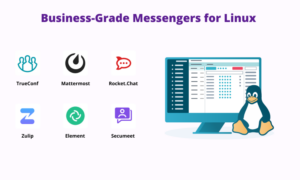
Business-Grade Solutions Comparison
| Platform | Self-Hosting | Max Participants | Video Quality | Linux Client | Notable Features |
|---|---|---|---|---|---|
| TrueConf Server | Yes | 1,500 | Up to 4K | Native | Air-gap operation, SIP/H.323 gateway |
| Secumeet Server | Yes | 1,500 | HD | Native | AI transcription, noise suppression |
| Mattermost | Yes | 200 | HD | Native | Omnichannel support, extensive plugins |
| Rocket.Chat | Yes | Unlimited | HD | Native | Customer service integration, federation |
| Element (Matrix) | Yes | Unlimited | HD | Native | Decentralized, bridges to other networks |
| Zulip | Yes | Unlimited | HD | Native | Topic-based threading, mobile-first |
TrueConf Server
TrueConf Server delivers enterprise video conferencing designed specifically for organizations that need infrastructure under their control. Installation works on major Linux distributions (Ubuntu, Debian, CentOS) with straightforward deployment via Docker or direct system packages.
The platform excels in restrictive environments. When your organization operates air-gapped networks or requires complete data sovereignty, TrueConf runs entirely offline – no external dependencies, no cloud fallbacks. Your video streams, chat logs, and file transfers never leave your perimeter.
Performance scales efficiently. A dual-core server with 4GB RAM handles 20-30 concurrent users comfortably. Scaling to hundreds requires more resources, but the architecture supports horizontal distribution across multiple servers.
The SIP/H.323 gateway integration matters more than it sounds. Legacy conference room hardware from Polycom, Cisco, or LifeSize connects directly without replacement. This saved one university $40,000 in avoided equipment upgrades when they migrated from a proprietary system.
Secumeet Server
Secumeet Server is a professionally supported video conferencing solution distributed for organizations that require controlled infrastructure and enterprise support options. It focuses on reliability, compliance, and enhanced meeting quality features.
The platform includes AI-assisted functionality such as noise suppression and automatic transcription. Noise reduction aims to minimize background disturbances during calls while preserving speech clarity. As with any AI-based filtering system, effectiveness depends on hardware, environment, and audio conditions.
Transcription features convert meeting recordings into searchable text. Accuracy varies depending on language, audio quality, and speaker clarity. Organizations should evaluate transcription quality against their specific operational needs before relying on it for compliance or documentation workflows.
The platform supports large-scale conferencing scenarios, including company-wide meetings and training sessions. Capacity and performance depend on server configuration and available bandwidth.
As with other self-hosted video solutions, deployment requires infrastructure planning, resource allocation, and ongoing system maintenance.
Mattermost
Mattermost positions itself as a self-hosted alternative to Slack, and it delivers on that promise for teams willing to manage their own infrastructure.
The omnichannel customer support functionality distinguishes Mattermost from pure team chat platforms. Web chat widgets, email threads, SMS messages, and social media inquiries flow into unified agent inboxes. Support teams maintain full context when conversations jump between channels.
Plugin architecture enables deep customization. Organizations build internal tools as Mattermost plugins rather than maintaining separate applications. One development team created a deployment approval plugin – developers request production deployments through chat, managers approve with emoji reactions, and the system triggers automated deployment pipelines.
The frequent release cycle brings improvements but demands disciplined testing. Mattermost ships updates every month, sometimes introducing breaking changes. Organizations running mission-critical communications need staging environments and rollback procedures.
Element and Matrix Protocol
Element represents a fundamentally different approach – federated communication instead of centralized platforms.
Think email for instant messaging. Just as Gmail users email Outlook users without compatibility issues, Element users communicate with anyone on the Matrix network regardless of server. Your company runs its own Matrix server, partners run theirs, but everyone connects seamlessly.
Bridges extend this concept to other platforms. Matrix-to-Telegram bridges mean you chat with Telegram users through your Element client. Bridges exist for Slack, Discord, IRC, WhatsApp, and others. Not perfect implementations, but functional enough for basic communication.
Encryption happens end-to-end by default. Even your own server administrators can’t read message contents. This appeals to organizations in regulated industries or anyone operating under hostile surveillance.
The decentralized architecture resists single points of failure. If one Matrix server goes offline, the network continues functioning. Messages route through alternative paths until connectivity restores.
Zulip
Zulip solves conversation chaos through structured threading. Instead of messages dumped into chronological channels, Zulip organizes discussions by topics within streams.
This structure scales better than traditional Slack-style channels. Teams with 100+ members maintain coherent discussions because related messages group together automatically. No more “scroll up 200 messages to find what we decided about the login refactor.”
Mobile experience matches desktop feature-for-feature. Unlike many enterprise chat platforms where mobile feels like an afterthought, Zulip designed for mobile from day one. Topic threading works identically on phones, tablets, and desktops.
Privacy-Focused Personal Messaging
| Platform | Encryption | Phone Required | Metadata | Server Architecture | Linux Support |
|---|---|---|---|---|---|
| Signal | E2E default | Yes | Minimal | Centralized | Desktop client |
| Session | E2E default | No | None | Decentralized | Desktop client |
| SimpleX | E2E default | No | None | No user IDs | Desktop client |
| Jami | E2E default | No | Minimal | Peer-to-peer | Native client |
| Tox | E2E default | No | None | Peer-to-peer | Multiple clients |
Signal
Signal established the gold standard for encrypted messaging. The protocol developed by Signal forms the foundation for WhatsApp encryption, Facebook Messenger’s secret chats, and Google’s RCS implementation.
The Linux desktop client offers full functionality – video calls, voice calls, group chats, disappearing messages, and screen sharing. No web wrapper, no missing features compared to mobile.
Sealed sender technology hides metadata from Signal’s servers. Traditional messaging reveals “who messaged whom and when” even with encrypted content. Sealed sender obscures sender identity from Signal itself, though recipient identity remains necessary for delivery.
Groups support up to 1,000 members with administrator controls, disappearing messages, and full voice/video calling. Large groups see performance degradation – hundreds of participants generate substantial notification traffic and database overhead.
Session
Session forked from Signal but removed the phone number requirement completely. Accounts generate random IDs through cryptographic key pairs. No personal information collected during registration.
The tradeoff: contact discovery becomes manual. With phone numbers, Signal automatically finds your contacts. Session requires exchanging Session IDs through other channels – QR codes, text messages, email, whatever works.
Message routing uses Lokinet, an onion routing network similar to Tor but designed specifically for messenger traffic. Your IP address stays hidden from communication partners and Session servers.
SimpleX
SimpleX takes privacy to its logical extreme – no user identifiers at all. Not email addresses, not phone numbers, not even randomly generated IDs. Each conversation creates unique queue addresses that both parties use once then discard.
This architecture prevents any platform-level contact graphs. Signal knows Alice and Bob communicate frequently (even if message content stays encrypted). SimpleX doesn’t – each message queue looks unrelated to others.
Connection establishment requires out-of-band contact sharing. Meet someone in person? Scan their QR code. Online introduction? They send you a one-time connection link. More friction than traditional messengers, but that friction buys serious privacy.
The Linux client runs natively with full feature support. File transfers, disappearing messages, group chats (up to 50 members), and voice messages all function properly.
Multi-Protocol Aggregators
Beeper
Beeper unifies 15+ messaging platforms in one interface. Connect WhatsApp, Telegram, Signal, Discord, Slack, LinkedIn, Instagram DMs, and more. All conversations appear in a single inbox with unified search and notification management.
The Linux client runs as native desktop application with full feature parity. Matrix protocol forms the underlying infrastructure, using bridges to connect external networks.
Security implications matter here. Beeper servers (or self-hosted bridges if you prefer) need access to your messaging accounts. End-to-end encryption between you and Beeper works fine, but Beeper sees message contents for non-Matrix networks.
The free tier includes all features with unlimited messages. Beeper Plus ($10/month) adds priority support and experimental features. Considering it replaces 15+ separate applications, the value proposition holds up.
Pidgin
Pidgin represents the old-school approach – multi-protocol instant messaging from the IRC era.
Native support includes XMPP/Jabber, IRC, Google Talk, and a few legacy protocols. Plugin ecosystem adds WhatsApp, Telegram, Discord, Slack, and others through third-party extensions.
Still valuable for specific use cases. XMPP power users appreciate Pidgin’s robust XMPP implementation. IRC veterans prefer native IRC support over web clients. System administrators running ancient Linux servers need lightweight options that work over SSH.
File size matters in constrained environments. Pidgin consumes 50MB of disk space and 80MB of RAM during operation. Electron-based alternatives start at 200MB disk and 300MB RAM.
Enterprise Deployment Considerations
Active Directory Integration
Business messaging platforms need identity provider integration. TrueConf Server connects directly to Active Directory and LDAP, importing organizational hierarchies and user attributes automatically.
Terminated employees lose access immediately when HR removes their AD account.
Single sign-on extends to messaging. Users authenticate once to their corporate network, then access messaging without additional credentials. Reduced password fatigue, simplified user experience, centralized access control.
Compliance and Data Retention
Regulated industries face strict communication archiving requirements. Financial services, healthcare, legal practices – all need tamper-proof message retention meeting specific retention schedules.
Self-hosted platforms offer granular control. Configure TrueConf or Mattermost to archive all communications to write-once storage. Implement retention policies matching regulatory requirements – 7 years for financial records, indefinite for legal discovery, selective deletion for GDPR compliance.
Cloud platforms complicate compliance. Where does your data physically reside? Signal stores minimal metadata on US servers. Element offers paid hosting with EU data residency. Telegram uses distributed data centers without clear regional boundaries.
Mobile Device Management
Enterprise Linux desktops represent one piece of the puzzle. Your team uses messaging on mobile devices running Android and iOS.
Coordinate client support across platforms. Verify your chosen messaging platform offers feature parity on Linux, Windows, macOS, Android, and iOS. Mattermost and Element meet this requirement. SimpleX currently lacks iOS support.
MDM integration enables remote policy enforcement. Require screen locks, prevent message forwarding, disable screenshots in sensitive channels. TrueConf and Mattermost integrate with standard MDM solutions supporting policy push to managed devices.
Common Deployment Mistakes
Mistake #1: Ignoring network requirements
Video conferencing consumes substantial bandwidth. One 720p video stream needs 1.5-2 Mbps. Conference with 10 participants viewing 9 video tiles simultaneously? 15-18 Mbps minimum.
Multiply across dozens or hundreds of concurrent users and network capacity becomes critical. Organizations deploy messaging platforms then wonder why video quality degrades during all-hands meetings. Network assessment comes first, platform deployment second.
Mistake #2: Insufficient training
Feature-rich platforms overwhelm users without proper onboarding. Zulip’s topic threading makes perfect sense after explanation. Without training, users treat it like Slack and wonder why conversations seem disorganized.
Budget time for workshops, documentation, and champions programs. Identify enthusiastic early adopters, train them thoroughly, then leverage them as peer supporters answering colleague questions.
Mistake #3: No governance policies
“We installed Mattermost, go ahead and use it” leads to chaos. Who creates channels? What happens to inactive channels? How do we handle sensitive information? When should conversations happen in messaging versus email?
Document policies before rollout. Example framework:
- Public channels for non-sensitive cross-team coordination
- Private channels require justification and periodic access review
- Confidential information uses encrypted direct messages only
- Financial data and regulated content stay in designated compliance channels with automatic archiving
Performance and Resource Usage
The following resource usage figures reflect approximate idle memory consumption measured on Ubuntu 22.04 LTS (64-bit) in early 2026. Actual usage varies depending on background processes, extensions, and active conversations.
Lightweight options (under 100MB RAM):
- Pidgin: 80MB RAM, 50MB disk
- Finch (terminal Pidgin): 30MB RAM, 40MB disk
- Irssi (IRC only): 15MB RAM, 10MB disk
Medium weight (100-300MB RAM):
- Telegram: 150MB RAM, 200MB disk
- Signal: 180MB RAM, 250MB disk
- Element: 200MB RAM, 300MB disk
Resource-intensive (300MB+ RAM):
- Beeper: 400MB RAM, 500MB disk
- Discord: 350MB RAM, 400MB disk
- Slack: 500MB RAM, 600MB disk
Electron-based applications (Signal, Element, Discord, Slack, Beeper) consume more resources because they bundle Chromium browsers. Native Qt applications (Telegram) and GTK applications (Pidgin) run leaner.
Battery life on laptops suffers with resource-heavy applications. Electron apps drain batteries faster than native alternatives during extended use. Running Slack and Discord simultaneously on a laptop cuts battery life by 20-30% compared to lightweight alternatives.
Security Hardening
Beyond choosing encrypted platforms, several practices improve messaging security:
- Enable two-factor authentication everywhere possible. Signal, Telegram, Discord, and Slack all offer 2FA. Enable it. Single-factor authentication becomes worthless when credentials leak through phishing or database breaches.
- Verify safety numbers in Signal/Session. End-to-end encryption only works when you’re actually talking to the right person. Verify safety numbers through secondary channels (phone calls, in-person meetings, secure email) to prevent man-in-the-middle attacks.
- Audit third-party bridges and plugins carefully. Beeper bridges, Pidgin plugins, Mattermost integrations – all introduce additional attack surface. Only install plugins from trusted sources. Review permissions requested by plugins.
- Segregate sensitive conversations. Use Signal for confidential discussions, Slack for routine coordination. Don’t discuss proprietary information in platforms lacking proper encryption or data residency controls.
- Configure network-level protections. Run messaging servers behind properly configured firewalls. Implement rate limiting to prevent abuse. Enable fail2ban or similar tools to block brute force attempts.
- Regular security updates matter more than platform choice. An outdated Signal client with known vulnerabilities provides less security than current Telegram despite Signal’s stronger base encryption. Enable automatic updates or establish regular update procedures.
Making the Right Choice
No single messenger serves every use case perfectly. Match platform capabilities to actual requirements rather than collecting maximum features.
- For personal use prioritizing privacy: Signal or Session
- For casual friends and family: Telegram or Beeper
- For professional teams needing self-hosting: TrueConf Server or Mattermost
- For developers and technical teams: Element or Zulip
- For maximum platform compatibility: Beeper or Franz
- For minimum resource consumption: Pidgin or Finch
The Linux messaging landscape matured significantly in recent years. Native clients with full feature parity exist for most major platforms. Self-hosting options deliver enterprise functionality without vendor lock-in.
Your choice depends on priorities. Privacy demands different platforms than convenience. Enterprise compliance requirements differ from casual personal communication. Security needs vary between financial services and creative agencies.
Start with clear requirements. Identify non-negotiables (encryption standards, compliance needs, integration requirements). Eliminate platforms failing those requirements. Test remaining options with small pilot groups before organization-wide deployment.
The right messaging platform enhances communication rather than creating obstacles. Choose wisely, but remember – the best messenger is the one your team actually uses consistently.
Author
Helga Afon is a technology writer specializing in video conferencing, collaboration software, and workplace communication. She writes articles and reviews that help readers better understand enterprise communication tools and industry trends.