

A group video calling app allows several people to join the same live video conversation from phones, computers or browsers.
But these apps are designed for very different kinds of groups.
Some start from an existing contact list or group chat. Others create a temporary meeting link that invited participants can open. Business platforms add persistent messaging, administration and organization-managed communication.
The useful question is therefore not simply which app supports the most people.
It is how the group forms, how participants join and whether communication should continue after the call.
Group Video Calling Apps at a Glance
Group video calling apps generally follow three different models.
The main difference is when the group exists.
In contact-based apps, participants usually belong to the same group before the call begins.
In link-based meeting services, the participants may only come together for a specific session.
In business communication platforms, the group, messages, files and communication history can continue between video calls.
10 Group Video Calling Apps Compared
Quick Recommendations
What Matters Most When Choosing?
Maximum participant count is only one part of the decision.
Before choosing an app, consider six questions.
-
Does the group already exist?
Existing groups usually work better with contact-based or persistent messaging apps. -
Can occasional participants join by link?
Link-based joining reduces friction for customers, candidates and external participants. -
Does everyone need an account or installed app?
Account creation and installation matter much more for occasional participants than recurring groups. -
Is there a free group-call duration limit?
A large participant limit may be less useful if longer calls require a paid plan. -
Should messages and files remain after the call?
Persistent communication matters for project teams, communities and recurring groups. -
Does an organization need to manage the group?
Business use may require managed accounts, policies, administration and infrastructure control.
Group Call vs Group Meeting
A group video call usually starts from an existing contact list, group chat or community.
A group video meeting usually starts as a separate session created through a meeting link.
Many current applications support both models, so the boundary is no longer strict.
The more useful distinction is whether participants need a group that exists before the call, only during the session or continues afterward.
Three Types of Group Video Calling App
Contact-Based Group Calling
WhatsApp, FaceTime and Signal work well when participants already share the same app, contact relationship or group conversation.
This reduces friction for recurring personal groups but makes external participation less convenient.
Link-Based Group Meetings
Google Meet, Zoom, Microsoft Teams and Jitsi are better suited to temporary groups, external participants, interviews and other situations where a meeting link is easier than creating a shared group first.
Managed Business Communication
Microsoft Teams, TrueConf and Secumeet combine video calling with persistent accounts, messaging and organization-managed communication.
This model is more relevant when the same work group needs communication to continue between calls.
Google Meet
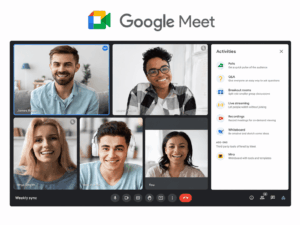
Best for: Easy browser-based group calls.
Google Meet works well when participants use different devices or do not already belong to the same group.
A personal Google account supports meetings with up to 100 participants, while free group meetings are subject to duration limits.
Its main advantage is simple link-based joining.
Main consideration: Higher capacities and additional meeting capabilities depend on the Google Workspace edition.
Zoom

Best for: Work-oriented group calls and external participants.
Zoom is built around creating a meeting and sharing a link, which is useful when callers come from different organizations or do not share an existing messaging environment.
It also provides screen sharing, host controls and broader collaboration functions.
Main consideration: Free and paid plans differ in duration, capacity and meeting features.
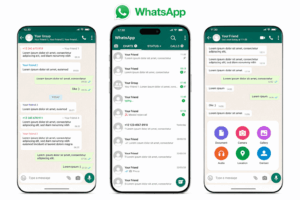
Best for: Friends, family and existing personal groups.
WhatsApp makes video calling a natural extension of an existing group chat, with little setup when everyone already uses the application.
For personal communication, this existing user base can matter more than advanced meeting controls.
Main consideration: It is primarily a personal messaging service rather than an enterprise meeting environment with centralized administration.
Microsoft Teams

Best for: Work groups already communicating in Microsoft environments.
Teams supports both direct calling from chats and meeting-style sessions created through links.
This makes it useful for recurring internal groups as well as external or scheduled meetings.
Main consideration: Participant limits, duration and advanced business capabilities depend on the specific Microsoft plan and meeting type.
FaceTime
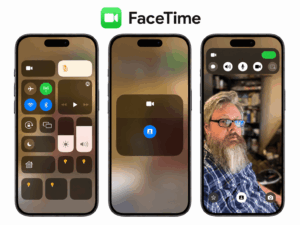
Best for: Personal groups centered on Apple devices.
Group FaceTime supports up to 32 participants and can start from Apple contacts or Messages.
FaceTime links can also be used to invite participants through supported browsers.
Main consideration: The experience remains most integrated inside the Apple ecosystem.
Signal
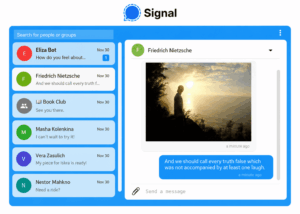
Best for: Privacy-focused group communication.
Signal combines persistent private messaging with group voice and video calling.
It also supports call links, allowing users to invite participants without relying only on an existing group conversation.
Main consideration: It provides fewer formal meeting and centralized administration features than business conferencing platforms.
Discord
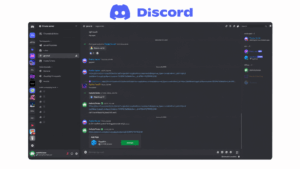
Best for: Communities, gaming groups and informal recurring groups.
Discord connects text channels with live voice and video communication inside persistent servers and group spaces.
This makes it natural for communities that already interact in the same environment between calls.
Main consideration: It is less suited to formal business meetings that require conventional scheduling, guest governance or centralized administration.
TrueConf
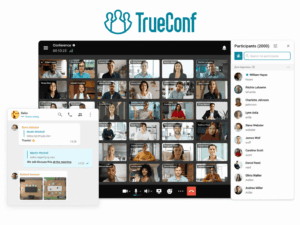
Best for: Business groups that need persistent communication and video calling on customer-operated infrastructure.
TrueConf combines group chats, voice and video communication, file exchange and centralized administration inside one corporate environment.
Its main distinction is continuity between persistent team communication and live group video calls while the organization operates the communication infrastructure itself.
Main consideration: Deployment and administration are part of the decision because the platform is designed for organization-managed communication rather than casual consumer calling.
Secumeet

Best for: Organizations that need managed messaging, large video meetings and content collaboration on customer-operated infrastructure.
Secumeet combines personal and group messaging with video meetings, screen sharing, presentations and shared content workflows.
Compared with a simple group-calling app, its role is closer to a managed business communication workspace.
Main consideration: Organizations with specific telephony, workflow or third-party integration requirements should verify those capabilities for the intended deployment.
Jitsi Meet
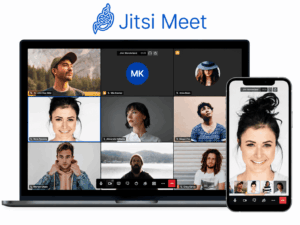
Best for: Open-source or self-hosted group video meetings.
Jitsi Meet provides browser-based video conferencing through meeting links with audio, video, screen sharing and meeting chat.
It is useful when the main requirement is the meeting itself rather than persistent surrounding communication.
Main consideration: Capacity and operational quality depend heavily on the deployment and infrastructure used.
Account, App or Just a Link?
Joining friction is one of the most practical differences between group video calling apps.
For personal groups, the easiest option is often the application everyone already uses.
For interviews, customers or one-time external groups, browser-based joining may matter more than advanced collaboration features.
For recurring work groups, installation and managed accounts are usually less problematic because participants communicate regularly.
Why Maximum Participant Count Can Be Misleading
Maximum participant capacity does not tell you how usable a service is for a particular group.
A platform may support a large number of participants while imposing shorter free-call limits, account requirements or more friction for external guests.
A 10-person family call and a 10-person project meeting therefore need different evaluation criteria even though the participant count is identical.
Frequently Asked Questions
Which group video calling apps allow guests to join by link?
Google Meet, Zoom, Microsoft Teams, FaceTime, Signal and Jitsi support link-based joining in different forms.
This is especially useful for temporary groups and external participants who are not already members of an existing chat.
Which group video calling apps work without installing software?
Browser-based meeting services such as Google Meet and Jitsi can support joining directly from a compatible browser.
Other platforms may also provide browser-based guest participation, but available functions can differ from their installed applications.
Do free group video calling apps have time limits?
Some do.
Free-call duration depends on the service, plan and type of session, so it should be checked separately from the maximum participant count.
Can group video calling apps be self-hosted or customer-operated?
Yes.
Jitsi Meet can be self-hosted as open-source conferencing software.
TrueConf and Secumeet provide customer-operated business communication environments that combine group communication with video meetings.
Which apps are better for recurring groups?
Apps with persistent messaging or existing group spaces are usually better for recurring groups because communication remains available between calls.
Examples include WhatsApp and Signal for personal groups, Discord for communities, and Microsoft Teams or TrueConf for managed work groups.
Conclusion
The best group video calling app depends less on maximum participant capacity than on how the group forms and how participants join.
Existing personal groups usually favor contact-based apps, temporary or external groups favor meeting links, and recurring business groups benefit more from persistent communication and administration.
Author
Helga Afon is a technology writer specializing in video conferencing, collaboration software, and workplace communication. She writes articles and reviews that help readers better understand enterprise communication tools and industry trends.