
Table of Contents
Video conferencing as a service (VCaaS) is a cloud delivered communication model that lets organizations run high quality video meetings, webinars, and virtual events without buying, installing, or maintaining physical video infrastructure. Instead of deploying servers, codecs, or dedicated hardware, a company subscribes to a vendor’s platform and pays for usage, seats, or features on a recurring basis.
VCaaS is the video equivalent of Software as a Service (SaaS). It fits organizations of any size, from a five person startup that needs quick one on one calls to a global enterprise running thousands of concurrent conferences across regions. The key differences between providers usually come down to security posture, scalability, deployment flexibility, and integration depth with existing IT ecosystems.
Below is a quick reference table summarizing what this guide covers, followed by detailed sections on definitions, mechanics, advantages, use cases, deployment models, top vendors, and pricing.
What Is Video Conferencing as a Service (VCaaS)?
Video conferencing as a service (VCaaS) is a cloud based delivery model in which a third party vendor hosts, operates, and maintains the entire video communication infrastructure, and customers access it through a subscription. Users connect via web browsers, desktop apps, mobile apps, or dedicated meeting room hardware, without needing to own or manage backend servers.
VCaaS differs from traditional on premise video conferencing systems in one core way: infrastructure ownership. With VCaaS, the provider handles server capacity, software updates, security patching, and uptime. The customer focuses only on using the service.
Core characteristics of VCaaS:
-
Subscription based pricing (per user, per host, or per minute)
-
Cloud hosted infrastructure managed entirely by the vendor
-
Scalable capacity that adjusts automatically to meeting size and demand
-
Cross device access from browsers, apps, and conference room systems
-
Built in features such as screen sharing, recording, chat, and virtual backgrounds
How Does VCaaS Work?
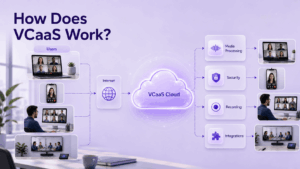
VCaaS platforms rely on real time communication protocols to transmit audio and video streams between participants through the provider’s cloud servers. The general workflow looks like this:
-
Signaling: When a user starts or joins a meeting, the client app negotiates a connection with the provider’s cloud servers using protocols such as WebRTC, SIP, or H.323.
-
Media routing: Audio and video data is compressed, encrypted, and routed through the provider’s media servers, often using a mesh, MCU (Multipoint Control Unit), or SFU (Selective Forwarding Unit) architecture to handle multiple participants efficiently.
-
Adaptive streaming: The platform automatically adjusts video resolution and bitrate based on each participant’s bandwidth and device performance.
-
Feature layer: Recording, transcription, virtual backgrounds, breakout rooms, and integrations (calendar, CRM, chat) run as cloud services layered on top of the media stream.
-
Global distribution: Most VCaaS providers use geographically distributed data centers or content delivery networks (CDNs) to reduce latency for participants in different regions.
Because everything happens in the provider’s cloud, businesses avoid the complexity of configuring firewalls, provisioning bandwidth for internal servers, or maintaining dedicated video hardware, though some vendors also offer hybrid or on premise variants for organizations with stricter data control requirements.
Advantages of VCaaS
VCaaS offers a distinct set of benefits compared to traditional, hardware based video conferencing systems. Below is a quick summary table, followed by a detailed explanation of why each advantage matters in practice.
Lower upfront investment
Traditional video conferencing systems require organizations to purchase MCUs, codecs, dedicated servers, and network appliances before a single meeting can take place. With VCaaS, this capital expenditure disappears. The provider owns and operates the infrastructure, and the customer simply pays a subscription fee, which is particularly valuable for small and mid size businesses that cannot justify a large hardware budget for communication tools.
Fast deployment
Because there is no hardware to install, configure, or test, a VCaaS platform can typically be rolled out across an entire organization within hours or days rather than the weeks or months required for an on premise buildout. Accounts can be created instantly, users can be invited through existing directories such as Active Directory or Google Workspace, and meetings can start immediately after signup, which matters most for organizations under pressure to enable remote or hybrid work quickly.
Automatic scalability
Meeting sizes and usage patterns are rarely constant. A company might need to support ten person daily standups one day and an eight hundred person town hall the next. VCaaS platforms are built on cloud infrastructure that expands and contracts capacity dynamically, so organizations never have to predict peak load, over provision hardware, or risk a meeting failing because a server ran out of resources.
Reduced IT burden
Maintaining an on premise video conferencing system means the internal IT team is responsible for firmware updates, security patches, capacity planning, and troubleshooting outages. VCaaS shifts this operational responsibility to the vendor, whose core business is keeping the platform available and secure. This frees internal IT staff to focus on higher value projects instead of routine maintenance of communication infrastructure.
Predictable costs
Capital expenditure on hardware is difficult to forecast accurately, since replacement cycles, unexpected repairs, and licensing renewals can all create budget surprises. VCaaS replaces this with a subscription model, typically billed per user, per host, or per minute, which makes monthly and annual costs far easier to forecast and allocate across departments, especially for finance teams managing SaaS budgets.
Continuous feature updates
On premise systems often require manual upgrade cycles, sometimes tied to expensive hardware refreshes, before new capabilities become available. VCaaS providers push updates directly to the cloud platform, so features such as AI generated meeting summaries, real time transcription, background noise suppression, and live translation become available to all customers automatically, without any action required from the organization’s IT team.
Device and OS flexibility
Because VCaaS is delivered through browsers, desktop apps, mobile apps, and dedicated room systems, employees, partners, and clients can join meetings regardless of the device or operating system they use. This removes compatibility friction that often exists with proprietary, hardware bound conferencing systems and makes it easier to include external participants who are not part of the organization’s internal IT environment.
Global accessibility
Most VCaaS vendors operate multiple data centers or use content delivery networks (CDNs) distributed across regions, which reduces latency and improves call quality for participants regardless of their geographic location. This is especially important for multinational companies, distributed teams, and organizations running global customer support or sales operations, where consistent meeting quality across continents directly affects productivity and client experience.
The tradeoff is that organizations depend on the vendor’s infrastructure, security practices, and service level agreements, which is why data sensitive industries often evaluate hybrid or on premise alternatives as well.
Use Cases of VCaaS
VCaaS supports a wide range of scenarios across industries:
-
Remote and hybrid work: Daily standups, one on ones, and cross office collaboration for distributed teams.
-
Corporate meetings and webinars: Board meetings, all hands calls, and large scale webinars with hundreds or thousands of attendees.
-
Customer support and sales: Video based consultations, product demos, and virtual showrooms.
-
Telehealth: Secure patient consultations and remote medical collaboration between specialists.
-
Education and training: Virtual classrooms, corporate training sessions, and certification programs.
-
Government and public sector: Interagency coordination, citizen services, and secure briefings, often requiring stricter compliance and sovereignty controls.
-
Events and virtual conferences: Multi day conferences with breakout sessions, networking rooms, and live streaming.
-
Legal and financial services: Client meetings, depositions, and regulated advisory sessions requiring encryption and audit trails.
3 Deployment Options to Consider
Not every organization should default to a pure public cloud VCaaS model. Below are the three primary deployment approaches worth evaluating before committing to a vendor.
Choosing between these models usually depends on three factors: regulatory requirements, tolerance for vendor dependency, and internal IT capacity to manage infrastructure. Vendors such as TrueConf are notable for offering all three models under one product family, including a free on premise server edition, a fully managed cloud service, and hybrid configurations.
Video Conferencing Statistics You Should Know
-
The global video conferencing market was valued at tens of billions of dollars in the mid 2020s and is projected to continue growing at a double digit compound annual growth rate through the end of the decade, driven by hybrid work adoption.
-
Cloud based (VCaaS) deployment models now represent the majority of new video conferencing purchases, outpacing traditional on premise hardware sales.
-
A large share of enterprises report using three or more video conferencing tools simultaneously, reflecting fragmentation across departments and use cases.
-
Security and data privacy consistently rank among the top three purchasing criteria for enterprise buyers evaluating video conferencing vendors.
-
Meeting fatigue and “webcam anxiety” remain widely cited employee concerns, pushing vendors to invest in AI powered features like automatic summaries, noise suppression, and lighting correction.
-
These trends explain why buyers increasingly weigh not just price and features, but also deployment flexibility, compliance certifications, and vendor transparency around data handling.
The Best Video Conferencing Software for 2026
The video conferencing market includes global mass market platforms as well as specialized vendors focused on security, sovereignty, or industry specific needs. Below is a detailed look at leading options for 2026.
Zoom
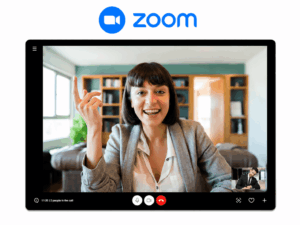
Zoom remains one of the most widely adopted platforms, known for its ease of use, large meeting capacity, AI companion features for summarization, whiteboarding, and an extensive app marketplace for integrations with CRM and productivity tools. Beyond core meetings, Zoom has evolved into a broader “Zoom Workplace” suite that bundles video, chat, phone, and productivity tools under one subscription, which makes it attractive to organizations looking to consolidate multiple communication vendors into a single platform.
Key features and capabilities include:
-
AI Companion: Automatically generates meeting summaries, action items, and smart chapters, and can answer questions about past meetings without the user needing to rewatch a recording.
-
Large meeting and webinar capacity: Supports standard meetings with hundreds of participants and webinar plans that scale up to tens of thousands of attendees for large virtual events.
-
Zoom Whiteboard: A persistent, collaborative digital whiteboard that can be used during or outside of meetings, with templates for brainstorming, planning, and diagramming.
-
Breakout rooms: Allows hosts to split large meetings into smaller discussion groups and bring participants back to the main session automatically.
-
Zoom Rooms and Zoom Phone: Extends the platform to physical conference rooms with dedicated hardware, plus a cloud based phone system for voice calls, enabling a unified communications setup alongside video.
-
Extensive app marketplace: Offers hundreds of pre built integrations with CRM platforms (Salesforce, HubSpot), productivity tools (Slack, Asana, Google Workspace, Microsoft 365), and scheduling tools, allowing meetings to connect directly into existing workflows.
-
Virtual backgrounds and immersive scenes: Lets users customize their on camera environment or place multiple participants into a shared virtual background for a more engaging presentation format.
-
Live translation and captions: Provides real time translated captions across multiple languages, helping distributed, multilingual teams communicate without a separate interpretation service.
-
End to end encryption option: Available for meetings requiring an extra layer of security, in addition to standard encryption in transit used by default.
-
Cross device reliability: Consistently ranked for call stability and low latency across desktop, mobile, and browser based clients, even on lower bandwidth connections.
Microsoft Teams

Microsoft Teams is deeply embedded in the Microsoft 365 ecosystem, combining chat, file collaboration, and video meetings in one interface, making it a natural choice for organizations already standardized on Microsoft tools. Rather than functioning as a standalone video app, Teams is positioned as a full workplace hub where meetings sit alongside document editing, task management, and enterprise search, which reduces the need to switch between separate applications during a workday.
Key features and capabilities include:
-
Native Microsoft 365 integration: Meetings connect directly with Outlook calendars, SharePoint, OneDrive, and Word, Excel, and PowerPoint, allowing participants to co-edit documents in real time during a call without leaving the meeting window.
-
Copilot AI assistant: Generates meeting notes, action items, and recaps, and can answer questions about what was discussed even for participants who joined late or missed the meeting entirely.
-
Large scale meetings and webinars: Supports standard meetings with hundreds of participants and Teams Premium or webinar features that scale to thousands of attendees, including registration pages and virtual green rooms for presenters.
-
Together mode and custom layouts: Places participants into a shared virtual background or auditorium style view to reduce meeting fatigue compared to a standard grid of video tiles.
-
Breakout rooms: Allows hosts to divide meetings into smaller groups for focused discussion and automatically merge participants back into the main session.
-
Teams Rooms and Teams Phone: Extends the platform into physical conference rooms with certified hardware, plus a cloud based calling system, enabling a single vendor approach to voice, video, and room systems.
-
Persistent chat and channels: Keeps conversations, files, and meeting recordings organized by team or project, so context is not lost after a meeting ends, unlike tools where chat and video exist as separate silos.
-
Live captions and real time translation: Provides captions in multiple languages during meetings, which is useful for global organizations and accessibility compliance requirements.
-
Enterprise grade security and compliance: Inherits Microsoft 365 compliance certifications, data loss prevention, and conditional access policies, making it a common default choice for regulated industries already using Microsoft’s security stack.
-
Deep third party app support: Integrates with tools like Salesforce, ServiceNow, Trello, and Power Platform apps, allowing workflows and approvals to be triggered directly from a chat or channel.
Cisco Webex
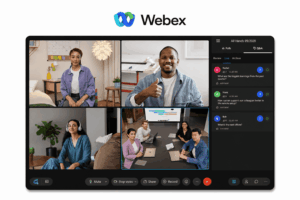
Cisco Webex targets enterprise and regulated industries with strong security certifications, AI powered noise removal, real time translation, and tight integration with Cisco’s networking and collaboration hardware. Webex has historically positioned itself around security and reliability first, which has made it a longstanding choice for banks, government agencies, healthcare providers, and large enterprises that need documented compliance and predictable performance across global offices.
Key features and capabilities include:
-
End to end encryption and compliance certifications: Supports end to end encrypted meetings along with certifications such as FedRAMP, HIPAA, and GDPR aligned controls, which matters for organizations in finance, healthcare, and the public sector.
-
AI powered audio and video enhancements: Removes background noise, cancels echo, and can isolate a speaker’s voice even in noisy environments, along with automatic framing and lighting correction on camera.
-
Real time translation: Provides live translated captions across a wide range of languages, allowing multilingual teams and international meetings to run without a separate interpreter.
-
Webex Assistant and AI summaries: Generates meeting highlights, action items, and searchable transcripts, and can answer natural language questions about what was discussed during a call.
-
Tight integration with Cisco hardware: Works natively with Cisco’s own conference room devices, desk phones, and networking equipment, giving organizations already invested in Cisco infrastructure a more unified deployment.
-
Webex Rooms and Webex Devices: Extends meetings into physical conference rooms with dedicated cameras, panels, and touch controllers designed specifically for the platform.
-
Large events and webinars: Supports webinars and virtual events scaling to tens of thousands of attendees, with registration, polling, Q&A, and analytics built in.
-
Interoperability with legacy systems: Connects with SIP and H.323 based conferencing hardware, making it easier for enterprises to bridge older room systems with newer cloud based meetings.
-
Advanced admin and network controls: Offers granular control over network routing, quality of service (QoS) settings, and detailed analytics dashboards, which appeals to IT teams managing conferencing across many global sites.
-
People Insights and workspace tools: Adds contextual information about meeting participants and integrates with digital whiteboarding and messaging within the same Webex Suite.
Google Meet
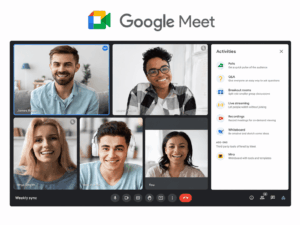
Google Meet appeals to organizations using Google Workspace, offering straightforward scheduling through Calendar, live captions, and simple browser based access without requiring app downloads. Rather than functioning as a heavyweight, feature dense platform, Meet is built around simplicity and speed, which makes it a natural fit for teams that want meetings to just work without extensive configuration or a learning curve.
Key features and capabilities include:
-
Native Google Workspace integration: Meetings are created directly from Google Calendar, Gmail, and Docs, Sheets, or Slides, so scheduling and joining a call takes only a click without switching to a separate app.
-
Browser based access: Runs entirely in the browser on desktop and mobile without requiring a downloaded client, which lowers friction for external guests joining from unmanaged devices.
-
Live captions and translated captions: Provides real time captions by default, along with translated captions in multiple languages, supporting both accessibility needs and multilingual meetings.
-
Gemini AI features: Adds AI generated meeting notes, summaries, and “take notes for me” functionality, along with background noise cancellation and automatic framing during calls.
-
Large meeting and webinar support: Standard plans support meetings with up to several hundred participants, while higher tier Workspace plans and companion streaming features allow view only broadcasts to much larger internal audiences.
-
Breakout rooms and polls: Allows hosts to split participants into smaller discussion groups and run polls or Q&A sessions directly within the meeting interface.
-
Meet hardware and room kits: Extends into physical conference rooms through Google certified devices and room kits designed to integrate directly with Workspace calendars and booking systems.
-
Security defaults: Includes encryption in transit, knocking/host approval controls for joining meetings, and anti hijacking measures enabled by default rather than requiring manual configuration.
-
Cross platform simplicity: Works consistently across Chromebooks, Android, iOS, and any modern browser, which suits organizations with a mixed device fleet or education environments using Chromebooks at scale.
-
Companion mode: Lets participants join a meeting from a personal device for chat and reactions while the main audio and video come from a shared room system, useful for hybrid meeting rooms.
RingCentral Video

RingCentral Video combines video meetings with unified communications (phone, messaging, contact center), which suits businesses looking to consolidate multiple communication channels into a single vendor. Rather than treating video as a standalone product, RingCentral positions it as one module within a broader cloud communications platform, which appeals to organizations that want phone, messaging, video, and customer contact operations managed under one contract and one admin console instead of stitching together multiple vendors.
Key features and capabilities include:
-
Unified communications platform: Combines RingCentral Video with cloud PBX phone service, team messaging, and fax under a single subscription, reducing the number of vendors an IT team has to manage.
-
Contact center integration: Connects directly with RingCentral’s contact center and customer engagement tools, allowing support agents to escalate a chat or call into a video session without switching platforms.
-
AI powered meeting insights: Generates automatic transcripts, meeting summaries, and highlights, along with sentiment and conversation analytics that can be useful for sales and customer facing teams.
-
Large meetings and webinars: Supports standard video meetings with hundreds of participants and dedicated webinar functionality for larger audiences, including registration and analytics.
-
Team messaging with persistent context: Keeps chat threads, shared files, and tasks tied to specific teams or projects, similar to a collaboration hub rather than a meeting only tool.
-
Interoperability with existing phone systems: Supports SIP trunking and integration with existing telephony infrastructure, which helps enterprises transition gradually from legacy PBX systems rather than migrating everything at once.
-
Device and desk phone ecosystem: Works with a wide range of certified desk phones, headsets, and conference room hardware, giving organizations flexibility in how they equip offices.
-
Global calling and compliance coverage: Offers phone number coverage and calling plans across many countries, along with compliance certifications relevant to regulated industries, making it suitable for multinational deployments.
-
CRM and business app integrations: Connects with tools like Salesforce, Microsoft 365, and Google Workspace, allowing calls and meetings to be logged automatically against customer records.
-
Analytics and admin dashboards: Provides detailed usage, quality of service, and adoption reporting across phone, video, and messaging, giving IT and operations teams a single view of communication activity.
TrueConf
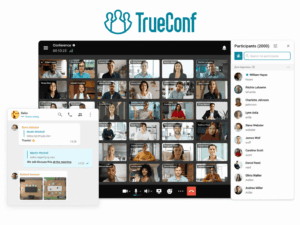
TrueConf offers a flexible product line spanning a free on premise server (TrueConf Server Free), a fully managed cloud service (TrueConf Online), and dedicated meeting room hardware and software (TrueConf Room). Its on premise server supports conferences in several layout modes (all on screen, auto selector, moderated selector, and video lecture), guest registration and PIN protected meetings, personal and group chats with file sharing, and native SIP/H.323 interoperability along with RTSP stream ingestion from IP cameras or external conferencing systems. TrueConf Room extends this with video calls and conferences up to 4K (Ultra HD) resolution, support for meetings with up to 2000 participants, QR code based control panel access, real time layout management from mobile devices, and the ability to extend an ongoing conference on the fly. For organizations that prefer a cloud first approach without managing servers, TrueConf Online provides browser and app based access with free full HD point to point calls included across all plans. This combination makes TrueConf a strong option for organizations that want to choose (or later switch) between cloud, on premise, and hybrid deployment without changing vendors.
Additional features and capabilities include:
-
Multi protocol conferencing at scale: A single TrueConf Server instance can support conferences combining TrueConf native clients, SIP/H.323 endpoints, and WebRTC participants in the same session, with documented capacity of up to roughly 400 WebRTC participants or 200 SIP/H.323 participants per server, giving IT teams a clear basis for capacity planning.
-
OAuth 2.0 based API access: TrueConf Server exposes a REST style API secured through OAuth 2.0, allowing third party systems to integrate with the video platform over HTTPS using short lived access tokens instead of exposing static logins and passwords, which supports secure automation and custom integrations (for example, monitoring systems or website click to call widgets).
-
Recording flexibility: Conferences can be recorded either locally through the TrueConf Client, where each participant can control who is allowed to record them, or centrally through the TrueConf Server web configurator, giving administrators a choice between distributed and centralized recording policies.
-
Live broadcasting to external systems: Conferences can be streamed out via RTMP, SAP, or NDI protocols directly from the operator control panel, making it possible to push a meeting or event to external streaming platforms, video walls, or production workflows.
-
Granular in call operator controls: Dedicated controls let a moderator manage each participant’s video stream, switch between camera and screen share sources, mark a “priority participant” whose feed is emphasized in the layout, and view live signaling, video, and audio stream details during the call.
-
Data at rest encryption support: Administrators can apply third party disk level encryption, including full disk hardware encryption or partition level software encryption such as BitLocker on Windows or eCryptfs on Linux, without affecting TrueConf Server functionality, which supports compliance requirements around stored recordings and meeting data.
-
Guest and access management: Public conferences can require registration or a PIN code before entry, giving administrators control over who can join without a full user account, which is useful for external facing meetings, webinars, or client calls.
-
Deployment continuity across editions: Because TrueConf Server, TrueConf Online, and TrueConf Room share the same underlying platform logic, organizations can start on a free or cloud tier and later migrate to a dedicated on premise deployment (or vice versa) without retraining users on a different interface.
GoTo Meeting
GoTo Meeting focuses on simplicity and reliability for small and mid size businesses, with one click meeting join, transcription, and integration with the broader GoTo unified communications suite. GoTo has built its reputation on straightforward, no fuss meetings rather than a large feature catalog, which appeals to smaller organizations that want a dependable tool without a steep learning curve or heavy administrative overhead.
Key features and capabilities include:
-
One click meeting join: Participants can join meetings directly from a browser or the desktop app without creating an account, reducing friction for external guests, clients, and prospects joining a call for the first time.
-
AI powered transcription and summaries: Automatically transcribes meetings and generates summaries and action items, allowing team members who missed a call to catch up quickly without watching a full recording.
-
Smart meeting assistant: Provides in meeting features such as automatic call recording, transcription, and note organization, reducing the need for a dedicated notetaker during client or internal meetings.
-
Integration with the GoTo suite: Works alongside GoTo Connect (cloud phone system), GoTo Webinar, and GoTo Resolve (IT support), allowing smaller businesses to manage phone, meetings, webinars, and remote support tools under a single vendor relationship.
-
Reliable HD video and audio: Emphasizes consistent call quality and uptime, with a track record of stable performance even on constrained internet connections, which matters for small offices without enterprise grade networking.
-
Simple scheduling tools: Includes calendar integrations with Outlook and Google Calendar, along with a personal meeting room link that stays consistent for recurring meetings with the same clients or partners.
-
Mobile first design: Offers a straightforward mobile app experience for joining, hosting, and managing meetings on the go, which suits distributed small business teams or field based staff.
-
Basic to mid tier admin controls: Provides account level management, usage reporting, and security settings without the complexity of large enterprise admin consoles, matching the needs of leaner IT teams.
-
Webinar capabilities via GoTo Webinar: For businesses that need to run larger audience events, GoTo’s webinar product extends the same ecosystem to registration pages, polls, and post event analytics.
Secumeet

Secumeet positions itself as a security and sovereignty focused video conferencing solution aimed at government bodies, defense organizations, healthcare providers, and enterprises operating under strict regulatory or data residency requirements. Its architecture emphasizes encrypted communications, controlled data hosting (including on premise or sovereign cloud options), and hardened access controls designed to minimize exposure to third party data processing. Secumeet is typically evaluated by organizations for which compliance, auditability, and infrastructure control outweigh the convenience of a fully public cloud service.
Key features and capabilities include:
-
Sovereign and on premise deployment options: Allows organizations to host the platform within their own data centers or a nationally regulated cloud environment, keeping meeting data, metadata, and recordings within a controlled jurisdiction rather than relying on a foreign or multi tenant public cloud.
-
End to end encrypted communications: Applies encryption to audio, video, and shared content throughout the session, reducing the risk of interception and limiting the ability of the platform provider or third parties to access meeting content.
-
Hardened access and authentication controls: Supports strict identity verification, role based access permissions, and meeting level access restrictions, which helps prevent unauthorized participants from joining sensitive sessions such as classified briefings or confidential board discussions.
-
Minimized third party data exposure: Designed to avoid routing traffic or metadata through external commercial cloud providers, which is a key differentiator for organizations bound by strict data residency or national security regulations.
-
Auditability and compliance readiness: Provides detailed logging and administrative oversight intended to support internal audits, regulatory reporting, and compliance reviews common in government, defense, and healthcare environments.
-
Isolated or air gapped configurations: Can be deployed in network segmented or air gapped environments for the most sensitive use cases, where connectivity to the public internet is restricted or entirely disabled.
-
Controlled integration surface: Limits reliance on external plug ins or third party marketplace integrations by default, reducing the attack surface compared to platforms built around broad ecosystem connectivity.
-
Fit for regulated sectors: Commonly considered by ministries, defense agencies, critical infrastructure operators, and healthcare organizations that must demonstrate strict control over where and how meeting data is processed and stored, rather than by organizations primarily optimizing for ease of use or ecosystem breadth.
BlueJeans by Verizon
BlueJeans by Verizon offers enterprise grade video conferencing with an emphasis on interoperability across different meeting room standards and telecom grade reliability, often chosen by organizations with legacy conferencing hardware. Backed by Verizon’s global network infrastructure, BlueJeans has built its reputation on bridging older, hardware based conferencing systems with modern cloud meetings, which makes it a practical choice for large enterprises that have invested heavily in traditional room systems over the years and cannot simply replace them overnight.
Key features and capabilities include:
-
Broad interoperability with legacy hardware: Connects natively with SIP and H.323 based room systems from vendors such as Cisco, Poly, and others, allowing older conference room equipment to join modern cloud meetings without costly hardware replacement.
-
Telecom grade network reliability: Runs on Verizon’s global network backbone, which supports consistent call quality, low latency, and strong uptime across large multinational deployments compared to platforms relying solely on third party internet routing.
-
Dolby Voice audio technology: Uses Dolby powered spatial audio to make simultaneous speakers easier to distinguish and understand, reducing the audio confusion common in large multi participant calls.
-
Smart meetings and AI highlights: Automatically generates meeting highlights, action items, and searchable transcripts, allowing participants to jump directly to key moments in a recorded session instead of rewatching the entire meeting.
-
Command Center analytics: Provides IT administrators with real time monitoring of meeting quality, device performance, and network health across the organization, which is useful for large enterprises troubleshooting issues across many offices simultaneously.
-
BlueJeans Events: Supports large scale webinars and town hall style broadcasts with moderated Q&A, producer controls, and support for large view only audiences, distinct from standard interactive meetings.
-
Cross device and room flexibility: Works across desktop, mobile, browser, and a wide range of certified conference room hardware, giving IT teams flexibility when standardizing meeting rooms across different office locations and equipment generations.
-
Enterprise security and compliance: Offers encryption, single sign on, and compliance controls suited to large regulated enterprises, alongside integration with identity providers commonly used in corporate IT environments.
-
Integration with Verizon’s broader enterprise services: Can be bundled with other Verizon enterprise network and communication services, appealing to large organizations already using Verizon for connectivity or unified communications contracts.
Whereby

Whereby is a lightweight, browser only platform designed for quick, no download meetings, popular with smaller teams, freelancers, and customer facing use cases like virtual consultations embedded directly into websites. Rather than competing on enterprise feature depth, Whereby focuses on removing friction from the joining experience, which makes it a common choice for businesses that need to get external guests, such as clients or candidates, into a call as quickly as possible without asking them to install anything.
Key features and capabilities include:
-
Fully browser based access: Runs entirely in modern web browsers on desktop and mobile with no app or plugin installation required, which significantly lowers the barrier for external participants joining from an unfamiliar or managed device.
-
Persistent, custom meeting rooms: Provides permanent room links that do not expire between sessions, allowing businesses to reuse the same URL for recurring client meetings, consultations, or office hours instead of generating a new link each time.
-
Embeddable video directly into websites: Offers an API and embed option that lets companies place a live video calling experience directly inside their own website or app, commonly used for virtual consultations, telehealth intake, or customer support widgets.
-
Custom branding: Allows businesses on paid plans to apply their own logo, background, and color scheme to meeting rooms, which supports a more professional, white labeled experience for client facing calls.
-
Simple, uncluttered interface: Keeps the meeting experience intentionally minimal, with essential controls like screen sharing, chat, and recording, avoiding the complexity of enterprise platforms built for large scale corporate use.
-
Small group optimized layout: Designed primarily around small to mid sized meetings rather than large webinars, with a video grid built for clear visibility in one on one and small group conversations.
-
Recording and cloud storage: Supports meeting recording with cloud storage on applicable plans, useful for consultations, interviews, or sessions that need to be reviewed later.
-
Lightweight integrations: Connects with everyday productivity tools such as Google Calendar and various website builders, prioritizing quick setup over deep enterprise system integrations.
-
Cost effective for small teams: Pricing is generally positioned below many enterprise platforms, making it attractive for freelancers, small agencies, and startups that need reliable video calling without paying for enterprise scale features they will not use.
Conclusion
Video conferencing as a service has become the default way most organizations approach video communication, offering fast deployment, predictable subscription pricing, and continuous feature updates without the burden of managing physical infrastructure. Choosing the right platform depends less on brand recognition and more on matching deployment model, security requirements, and scalability needs to the organization’s actual use case, whether that is daily team collaboration, large scale webinars, telehealth, or highly regulated government communication.
For most businesses, a public cloud VCaaS platform like Zoom, Microsoft Teams, or Google Meet will be sufficient. Organizations with stricter data control, compliance, or sovereignty requirements should evaluate hybrid or on premise capable vendors such as TrueConf or security focused providers like Secumeet, which allow the same collaboration experience while keeping infrastructure and data closer to internal control. Ultimately, the best video conferencing solution for 2026 is the one that balances usability, cost, and security in a way that fits the organization’s specific regulatory and operational context.
Frequently Asked Questions
Is VCaaS the same as a video conferencing app like Zoom?
Not exactly. Zoom is an example of a VCaaS product, but VCaaS is the broader delivery model describing any cloud hosted, subscription based video conferencing service. Many apps, including Zoom, Microsoft Teams, and Google Meet, operate under the VCaaS model.
Can VCaaS be used with on premise conferencing hardware?
Yes. Most VCaaS providers support integration with meeting room devices, cameras, and conferencing hardware through SIP/H.323 protocols or dedicated room systems, allowing hybrid setups that combine cloud services with physical hardware.
Is VCaaS secure enough for regulated industries like healthcare or government?
It depends on the vendor. Many mainstream VCaaS providers offer compliance certifications suitable for regulated industries, but organizations with strict data sovereignty requirements often prefer vendors offering on premise or private cloud deployment, such as TrueConf or Secumeet, instead of relying solely on public cloud infrastructure.
What is the difference between VCaaS and a hybrid deployment model?
VCaaS typically refers to a fully cloud hosted service managed by the vendor, while a hybrid deployment combines cloud services with on premise or private infrastructure, giving organizations more control over specific data or components while still benefiting from cloud scalability.
How many participants can a typical VCaaS platform support?
This varies by vendor and plan. Standard business plans often support meetings with dozens to a few hundred participants, while enterprise plans or specialized platforms can scale to thousands of participants for large webinars or virtual events.
Do I need special hardware to use VCaaS?
No. Most VCaaS platforms work with standard webcams, microphones, and any modern computer or smartphone through a browser or downloadable app. Dedicated meeting room hardware is optional and typically used to improve the experience in conference rooms rather than being required.
Author
Helga Afon is a technology writer specializing in video conferencing, collaboration software, and workplace communication. She writes articles and reviews that help readers better understand enterprise communication tools and industry trends.