12 Free Communication Apps for Teams in 2026

Team communication tools are no longer limited to simple messaging. Modern platforms combine chat, file sharing, voice calls, video meetings, screen sharing, integrations, and administrative controls in one workspace. The challenge is that free plans vary widely. Some limit meeting length or message history, while others require teams to manage their own server.

This guide compares 12 free communication apps for teams in 2026, including cloud services, open-source platforms, and self-hosted solutions. It examines what each free edition actually includes, where the main restrictions apply, and which tools are better suited to everyday messaging, group video meetings, secure collaboration, or on-premises deployment.

Best Free Communication App Shortlist

1

Slack

Use it for organizing team chat by channel and topic when video calling is a secondary need.

2

Microsoft Teams

Use it if your company already runs on Microsoft 365 and wants chat plus scheduled video meetings in one place.

3

Google Chat

Use it for lightweight messaging inside a team that already lives in Gmail and Google Calendar.

4

Zoom

Use it when video and audio call quality matters more than day-to-day text chat.

5

Discord

Use it for informal teams that want always-on voice channels people can join without scheduling a meeting.

6

Telegram

Use it for fast messaging, large file sharing and broadcasting updates to large groups.

7

Rocket.Chat

Use it if you want a fully open-source, self-hosted alternative to Slack with full control over data.

8

Mattermost

Use it for project-based team collaboration with built-in task boards, keeping in mind that video calling needs an added plugin.

9

TrueConf Server Free

Use it when you need both messaging and full video conferencing on your own server, free for up to 1,000 users.

10

Element (Matrix)

Use it for end-to-end encrypted messaging and calls across a decentralized, self-hosted or federated network.

11

Wire

Use it for encrypted team messaging and calls with guest access, especially for confidentiality-sensitive small teams.

12

Secumeet

Use it when confidentiality of internal chat, voice and video is the top priority, especially in regulated industries.

How I Chose the Best Free Communication App

Selecting these 12 tools started with defining what “free” should actually mean for a team, since a permanently free self-hosted edition and a 14-day trial disguised as a free plan solve very different problems. Each product was checked against its current free tier or free self-hosted edition using vendor pricing pages and documentation, then scored on the following criteria:

  • Core features. Does it cover persistent chat, file sharing and voice or video calling, either natively or through a supported integration.

  • Real limits. What caps apply on message history, meeting length or participant count once a team grows, and whether those limits come from a subscription tier or from the license itself.

  • Deployment model. Whether the tool runs only in the vendor’s cloud, only on your own infrastructure, or offers both, since this determines who controls uptime and data location.

  • Security and admin controls. Support for encryption, LDAP or Active Directory integration, user permissions, and enterprise protocols like SIP and H.323.

  • Fit for team size and use case. How well the tool matches an informal team, a growing company, or a regulated organization with strict data requirements.

Quick Comparison Table of 12 Free Communication Apps

App

Type

Free Tier Highlights

Video Calling

Deployment

Slack

Team chat

Limited message history, unlimited users on free plan

1:1 calls only on free tier

Cloud

Microsoft Teams

Chat + meetings

Free plan with group meetings up to 60 minutes

Yes, group video

Cloud

Google Chat

Team messaging

Included with a free Google account

Via linked Google Meet

Cloud

Zoom

Video conferencing

40-minute limit on group meetings

Yes, core feature

Cloud

Discord

Chat + voice channels

Unlimited voice channels for communities

Yes, screen share included

Cloud

Telegram

Messenger

Unlimited chats and large file sharing

Group video calls up to a moderate size

Cloud

Rocket.Chat

Open-source team chat

Free community edition, self-hosted

Via integrations

Self-hosted or cloud

Mattermost

Open-source collaboration

Free self-hosted edition, on-prem control

Requires a plugin such as Jitsi

Self-hosted or cloud

TrueConf Server Free

Corporate messenger + video collaboration tool

Free for organizations up to 1,000 users, unlimited messages

HD video conferencing

Self-hosted, on-premise

Element (Matrix)

Secure messaging

Free open-source client, decentralized network

Yes, encrypted calls

Self-hosted or cloud

Wire

Secure team messaging

Free personal plan, unlimited encrypted messaging and calls

Yes, encrypted video calls

Cloud or self-hosted

Secumeet

Secure corporate communication

Free/starter tier for small teams, on-prem option

Yes, encrypted video meetings

Self-hosted or cloud

Detailed Look at Each of the 12 Free Communication Apps

Slack Keeps Chat Organized Around Channels and Integrations

Slack

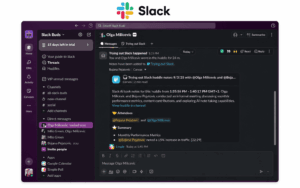
Slack organizes conversations into channels by team, project or topic, and supports direct messages, file sharing, and a large marketplace of third-party integrations for tools like calendars, ticketing systems and cloud storage. It remains one of the most widely adopted team chat platforms precisely because its free plan is unusually functional for small teams, covering most day-to-day messaging needs without asking for a credit card.

What You Get on Slack’s Free Plan

Slack’s free tier is built for teams that mainly need organized text communication with a light layer of calling and app support. On this plan a workspace gets:

  • Unlimited users and unlimited channels, so team size alone does not force an upgrade.

  • Only messages and files from the most recent 90 days remain visible and searchable. Content older than one year may be permanently deleted.

  • Up to 10 external app or service integrations connected to the workspace at once.

  • Basic two-factor authentication and standard workspace-level security settings.

Messaging and Channel Features

The core of Slack is channel-based messaging, where conversations are split into public channels, private channels, and direct messages, making it easy to separate project discussions from casual chat. Free workspaces support message formatting, emoji reactions, threaded replies to keep long discussions organized, and full-text search within the 90-day retention window. On Slack Free, collaboration with external users is limited to one-on-one direct messages rather than shared Slack Connect channels.

Voice and Video Calling on Free Slack (Huddles)

Voice and video calling on the free plan is handled through a feature called Huddles rather than traditional scheduled meetings. Huddles let two people jump into a quick audio or video conversation directly from a channel or direct message limited to 30 minutes per session, with lightweight screen sharing for fast problem-solving. The main restriction is that free-plan Huddles are limited to one-on-one conversations; group Huddles with more than two participants require a paid plan, so teams that regularly need multi-person video calls will need to pair Slack with a separate video tool such as Zoom or TrueConf.

File Sharing and App Integrations

Free workspaces include file sharing directly inside channels and direct messages, with a shared storage limit across the whole workspace rather than per user. The 10-integration cap applies to connected apps like Google Drive, Trello, or a CRM, so smaller teams with a focused toolset rarely feel the limit, while teams juggling many specialized tools tend to hit it quickly and look toward a paid tier for unlimited integrations.

Where the Free Plan Falls Short

The clearest gap in Slack’s free plan is group video and audio calling, since Huddles beyond two people are locked behind a paid subscription. The 90-day message history limit can also be a real constraint for teams that rely on searching old decisions or file attachments months after the fact, and workspaces with a broad integration stack will outgrow the 10-app ceiling faster than expected.

Microsoft Teams Bundles Chat With Office Apps

Microsoft Teams

Microsoft Teams combines persistent chat, channel-based collaboration and video meetings, and integrates tightly with Word, Excel and SharePoint. It is one of the few free communication apps that pairs a full messaging platform with genuine group video conferencing at no cost, which makes it a common default choice for small businesses already inside the Microsoft ecosystem.

What You Get on the Free Version of Microsoft Teams

The free plan is aimed at individuals, small businesses and organizations that do not yet need a full Microsoft 365 subscription. On this plan a team gets:

  • Support for up to 100 participants per meeting, which comfortably covers most small and mid-sized team calls.

  • Group video meetings capped at 60 minutes per session, after which the call is automatically ended.

  • Unlimited one-on-one chat and group chat messaging between team members.

  • 5GB of cloud storage per user for files exchanged inside chats and channels.

  • Access to Microsoft’s free web versions of Word, Excel and PowerPoint through the same Microsoft account, with links and files available from Teams.

Chat and Channel Organization

Teams structures communication around teams and channels, letting a company separate departments, projects or topics into their own dedicated spaces with pinned files, tabs and shared conversation history. Free-plan users get persistent one-on-one and group chat with message formatting, emoji reactions, @mentions and file attachments, so day-to-day text communication works similarly to the paid tiers, just without some of the advanced compliance and retention controls reserved for Microsoft 365 subscriptions.

Video Meetings and Screen Sharing on the Free Plan

Video calling is where Teams’ free plan stands out compared to many competitors, since it supports full group meetings rather than one-on-one calls only. Meetings on the free tier include screen sharing, background blur or replacement, and basic meeting chat alongside the video feed, though the 60-minute session limit means longer workshops or training sessions need to be split into multiple calls or moved to a paid plan.

Integration With Office Apps and Files

A key advantage of the free version is direct access to lightweight versions of Word, Excel and PowerPoint inside the same interface used for chat and meetings, letting a team co-edit a document without leaving the conversation. Files shared in a chat or channel are automatically stored in the associated cloud storage, keeping meeting notes, spreadsheets and presentations attached to the relevant conversation rather than scattered across email threads.

Where the Free Plan Falls Short

The clearest limitations are the 60-minute cap on group meetings and the 100-participant ceiling, both of which push growing organizations toward a paid Microsoft 365 plan once meetings regularly run longer or involve larger audiences. Administrative features such as advanced security policies, compliance tools and full Active Directory integration are also reserved for paid tiers, so companies with strict IT governance requirements typically use the free plan only as a starting point before upgrading.

Google Chat Works Well for Teams Already Using Google Workspace

Google Chat

Google Chat is included with any free Google account and integrates directly with Gmail, Google Calendar and Google Meet for video calling. It suits teams that are already inside the Google ecosystem and want lightweight messaging without installing a separate application, though its collaboration features are less specialized than dedicated enterprise chat platforms.

What You Get With a Free Google Account

Because Google Chat rides on a standard free Google account rather than a separate paid product, there is no dedicated “free plan” with its own feature list, instead the tool inherits the limits of a personal Google account. On this setup a team gets:

  • Direct messages and group messaging (Spaces) with no separate app to install, accessible from Gmail or a standalone Chat tab.

Integration with Google Meet for launching a video call directly from a chat or Space.

Each personal Google Account includes 15GB of storage shared across that user’s Gmail, Google Drive and Google Photos. .

Access to Google Docs, Sheets and Slides links shared directly inside a conversation.

Messaging and Spaces for Team Organization

Google Chat organizes group conversations into Spaces, which work similarly to channels in other platforms and can be dedicated to a project, department or topic. Within a Space or direct message, users get message formatting, emoji reactions, threaded replies, and the ability to pin important messages or files so they stay visible as the conversation grows. Google Chat provides its own conversation search, using an interface and search patterns familiar to Gmail users.

Video Calling Through Google Meet

Video calling itself is not native to Chat but is handled through a tightly linked Google Meet integration, letting a user start or join a meeting from inside a chat thread or Space with a single click. On a free personal account, group video calls are capped at 60 minutes per session once more than one other participant joins, and meetings support screen sharing and simple layout controls, though advanced meeting features like polls, breakout rooms and recording are limited to paid Google Workspace plans.

Integration With Gmail, Calendar and Docs

The strongest advantage of Google Chat is how seamlessly it sits next to Gmail and Google Calendar, letting a team schedule a meeting, get a calendar invite, and continue the conversation in Chat without switching tools. Files and links shared in a conversation connect directly to Google Docs, Sheets and Slides, so collaborators can jump straight into editing a shared document referenced in a chat thread.

Where the Free Setup Falls Short

Because Google Chat is not sold as its own dedicated product for free users, it lacks many of the administrative and collaboration controls found in specialized enterprise chat platforms, such as advanced user permissions, compliance retention policies, or deep third-party app integrations beyond Google’s own suite. The 60-minute meeting cap and shared 15GB storage limit across all Google services also mean that teams with heavier video conferencing or file storage needs will quickly outgrow a personal account and need to move to a paid Google Workspace plan.

Zoom Remains a Strong Choice When Video Quality Is the Priority

Zoom

Zoom built its reputation primarily on video and audio call quality, screen sharing and webinar-style meetings, and its free plan allows group meetings with a 40-minute cap once more than two participants join. It also offers basic chat functionality, but organizations that need Zoom mainly for calls often pair it with a separate messaging tool for day-to-day text communication.

What You Get on the Zoom Basic Plan

Zoom’s free tier, called the Basic plan, is built around getting a team into a high-quality video call as fast as possible rather than around long-term chat history or workspace management. On this plan a team gets:

  • Group meetings with up to 100 participants, though the session is capped at 40 minutes once three or more people join.

  • Meetings hosted by a Basic user, including one-on-one meetings, are generally limited to 40 minutes. .

  • Core meeting tools including screen sharing, virtual backgrounds, breakout rooms and basic in-meeting chat.

  • Access to Zoom’s lightweight team chat feature for messaging outside of scheduled calls.

Video and Audio Call Quality

Zoom’s core strength remains stable video and audio performance even on average internet connections, along with meeting tools like breakout rooms, hand-raising, and reactions that make larger group calls easier to manage than a basic video chat app. Screen sharing on the free plan supports sharing a full desktop, a single application window, or a whiteboard, which covers most presentation and training needs without requiring a paid upgrade.

The 40-Minute Limit on Group Meetings

The most well-known restriction on the Basic plan is the 40-minute cutoff for any meeting with three or more participants, after which the call ends automatically and must be restarted. One-on-one meetings are not subject to this limit and can run indefinitely, so the cap only becomes a practical problem for team standups, workshops or client calls that involve more than two people and tend to run long.

Chat and Messaging Features

Beyond video, Zoom includes a basic team chat feature that supports direct messages, group channels and file sharing, letting a team use Zoom for lightweight day-to-day text communication between scheduled calls. It is not as feature-rich as dedicated chat platforms like Slack or Microsoft Teams, lacking deeper integrations and advanced channel management, so many organizations pair Zoom’s calling strength with a separate messaging tool rather than relying on it for both.

Where the Free Plan Falls Short

Beyond the 40-minute meeting cap, in the Basic plan also available cloud recording, advanced administrative controls, and access to features like webinars or large-scale meetings with more than 100 participants, all of which require a paid plan. Teams that regularly run longer meetings, need meeting recordings for compliance, or want deeper chat and integration capabilities typically look toward a paid tier or pair Zoom with another platform for the parts it does not cover.

Discord Suits Teams That Want Always-On Voice Channels

Discord

Originally built for gaming communities, Discord has become popular with distributed teams because of its persistent voice channels that people can drop into and out of without scheduling a formal meeting, alongside text channels, screen sharing and file sharing. Its free tier has no hard cap on the number of members in a server, which makes it appealing for open communities and informal team spaces, though it lacks some enterprise administrative and compliance features.

What You Get on Discord’s Free Plan

Discord’s free tier is essentially the full product, since most of its core communication features are not gated behind a paywall the way they are on many other platforms. On this plan a team or community gets:

  • Unlimited members per server, with no artificial cap forcing an upgrade as the team grows.

  • Persistent voice channels that stay open at all times, letting people join and leave a conversation without scheduling a meeting.

  • Text channels organized by topic, along with direct messages and group DMs for smaller side conversations.

  • Screen sharing and video calling inside voice channels, including one-on-one and small group video.

  • File sharing with an upload limit per file, which is generous enough for most day-to-day documents and images.

Always-On Voice Channels Instead of Scheduled Calls

The defining feature of Discord is that voice channels behave like an always-open room rather than a meeting that needs to be scheduled and joined at a specific time. A team can keep a “watercooler” or “standup” voice channel running throughout the day, and people simply join when they want to talk and leave when they are done, which suits distributed teams that prefer informal, drop-in conversations over calendar invites.

Text Channels and Server Organization

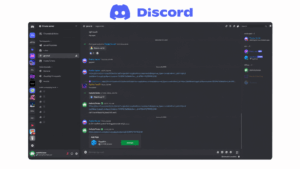
Text communication is organized into channels within a server, similar to how Slack uses channels within a workspace, allowing a team to separate discussions by project, department or topic. Free servers support message formatting, emoji reactions, threads for keeping side conversations contained, and pinned messages for surfacing important information, along with a searchable message history that is not limited by a short retention window the way some competitors are.

Screen Sharing and Video Calling

Voice channels on the free plan also support video calling and screen sharing, making it possible to jump from a voice-only conversation into a quick screen share for troubleshooting or a design review without switching tools. Video quality and screen share resolution are solid for small group calls, though very large group video sessions are better suited to a dedicated video conferencing platform built specifically for that scale.

Where the Free Plan Falls Short

Discord’s biggest gaps for business use are on the administrative and compliance side rather than in its core communication features, since it lacks tools like Active Directory or LDAP integration, granular enterprise permission structures, and formal data retention or compliance certifications that regulated industries often require. Larger organizations also tend to find its meeting-style features, such as scheduling and structured video conferencing modes, less mature than platforms built specifically for corporate video calls, which is why Discord tends to work best for informal team culture rather than as a company’s only communication platform.

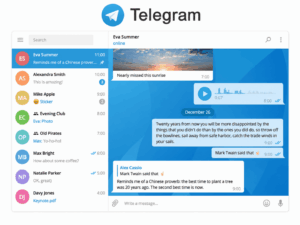
Telegram Offers Fast, Lightweight Messaging With Large File Support

Telegram

Telegram is widely used for both personal and informal business communication thanks to fast delivery, support for very large file uploads, and group and channel features for broadcasting updates to large audiences. However, because it is a consumer-focused application rather than a dedicated enterprise platform, many organizations run into limitations around administrative control, directory integration and predictable call quality, especially during periods of high demand.

What You Get on Telegram’s Free Plan

Telegram is free for all core functionality, with no separate paid tier required for the features most teams actually use day to day. On the free version a team gets:

  • Unlimited one-on-one and group chats. Groups support up to 200,000 members for large-scale discussions, while channels support one-way broadcasting to an unlimited number of subscribers.

  • Free users can send files up to 2GB each; Telegram Premium raises the limit to 4GB.

  • Channels for one-way broadcasting to an unlimited number of subscribers, useful for company-wide announcements.

Voice and video calling between individual users, plus group voice chats inside larger groups.

Cloud-based message storage accessible from unlimited linked devices at the same time.

Messaging, Groups and Channels

Telegram separates communication into three formats: private chats, groups for team or project discussion, and channels for broadcasting information outward to a large audience without allowing replies. Groups support message formatting, replies, polls, and pinned messages, making them workable as an informal team chat space, while channels are better suited to company updates, release notes or customer-facing announcements than to back-and-forth conversation.

Large File Sharing and Cloud Storage

One of Telegram’s most distinctive strengths is how easily it handles large file transfers compared to most competitors, letting teams share videos, design files or software builds directly in a chat without routing through a separate file-sharing service. Because message and file history is stored in the cloud rather than only on a device, users can access the full history of a chat or channel from any linked device without needing to keep a single device online.

Voice and Video Calling

Telegram supports one-on-one voice and video calls natively, along with group voice chats that let multiple participants join a live audio conversation inside a larger group, similar in spirit to a drop-in voice channel. Call quality is generally solid for smaller conversations, but because Telegram is built primarily as a consumer messaging app, some organizations report inconsistent call reliability during periods of high demand, which becomes a bigger concern once a team depends on it for business-critical conversations. Telegram is primarily a consumer messenger and does not provide the service-level guarantees typically expected from an enterprise communications platform.

Where the Free Plan Falls Short

Telegram’s core limitation for business use is not pricing but control, since it offers no native directory integration with systems like Active Directory or LDAP, no formal enterprise administration console, and limited tools for enforcing company-wide security or retention policies. Organizations that need predictable call quality and administrative oversight for corporate communication often find these gaps significant enough to pair Telegram with, or replace it entirely by, a dedicated business platform such as TrueConf Server, which is built specifically to address the reliability and control issues that come up when consumer messaging apps are used for corporate communication.

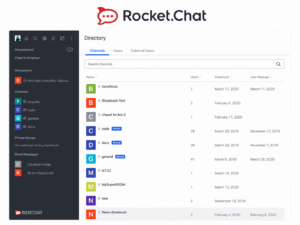
Rocket.Chat Gives Teams a Fully Open-Source Alternative to Slack

Rocket.Chat

Rocket.Chat is an open-source team chat platform that can be self-hosted for free, giving administrators full control over data storage, retention policies and integrations. It supports channels, direct messages, file sharing and a marketplace of apps, and video calling can be added through integrations, making it a flexible base for organizations that want a customizable, on-premise alternative to cloud chat tools.

What You Get on the Free Community Edition

Rocket.Chat provides a free self-managed community offering, but feature, support and service limits depend on the selected edition and current licensing terms. On this edition an organization gets:

  • Unlimited users and channels, since limits come from your own server capacity rather than a licensing tier.

  • Full ownership of message history, files and user data, since everything is stored on infrastructure the organization controls.

  • Direct messages, group channels and threaded conversations for organizing team communication by topic or project.

  • Access to the Rocket.Chat marketplace of apps and integrations for extending the platform with bots, connectors and workflow tools.

  • The ability to add video and voice calling through integrations such as Jitsi, rather than a built-in calling system.

Self-Hosting and Data Control

Because Rocket.Chat is deployed on the organization’s own server rather than a vendor’s cloud, administrators get full control over where data lives, how long it is retained, and who can access it, which is a major reason regulated industries and privacy-conscious teams choose it over a purely cloud-based chat tool. This also means the organization is responsible for its own hosting, updates and backups, which adds setup effort compared to a cloud-hosted freemium app but removes any dependency on a third-party’s uptime or data policies.

Channels, Direct Messages and Team Organization

Team communication in Rocket.Chat is structured around public and private channels, direct messages, and group DMs, giving teams the same channel-based organization model that Slack popularized. Free, self-hosted workspaces support message formatting, emoji reactions, threaded replies and full-text search across the platform’s entire history, without the short retention windows that limit some cloud-based competitors.

Adding Video Calling Through Integrations

Unlike platforms that build video conferencing directly into the core product, Rocket.Chat relies on integrations, most commonly a plugin connecting to Jitsi, to add voice and video calling to the platform. This keeps the core chat application lightweight and flexible, but it also means video features such as scheduled conferences, selector-style meeting modes, or native SIP/H.323 support are not available out of the box and depend on which integration an administrator chooses to configure.

Where the Free Plan Falls Short

Because the Community Edition is self-hosted, the main tradeoff is technical rather than financial, since a team needs the infrastructure and know-how to install, secure and maintain the server themselves, which is a bigger commitment than signing up for a cloud account. Advanced features such as enterprise-grade support, certain compliance tools, and some administrative capabilities are reserved for Rocket.Chat’s paid Enterprise tier, so organizations with strict support-level agreements or complex compliance needs may eventually need to move beyond the free edition.

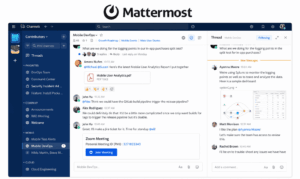
Mattermost Focuses on Project-Based Team Collaboration

Mattermost

Mattermost is a messaging platform built specifically for collaborative project work, and it can be deployed on-premise for full control over user data. Beyond personal and group chats, it includes a built-in task management feature called Boards and supports automation scripts for recurring actions, such as sending scheduled reminders to a group of users. Its main limitation is that it does not include native video calling; administrators typically add a plugin such as Jitsi to enable audio and video, but that plugin lacks several features expected from a full corporate video conferencing system, including scheduled meetings, selector-style conference modes, native SIP/H.323 support, flexible video layout controls and granular user permission settings.

What You Get on Mattermost’s Free Self-Hosted Edition

Mattermost’s open-source edition is free to deploy on your own infrastructure, with no per-user licensing fee attached to the core chat and collaboration features. On this edition a team gets:

  • Unlimited users and channels, since limits are tied to your own server resources rather than a subscription tier.

  • Full on-premise data control, keeping every message, file and user record inside the organization’s own network.

  • Personal and group chats with file sharing, message formatting and threaded replies for organizing project discussions.

  • Boards, a built-in task management feature for tracking work items directly alongside team conversations.

  • Support for automation scripts that handle recurring actions, such as sending a scheduled message to a group of users at a set interval.

On-Premise Deployment and Data Ownership

The defining advantage of Mattermost is that it is designed from the ground up for on-premise installation, which gives administrators full control over user data and ensures the platform can run entirely inside a company’s own network without depending on an external cloud provider. This makes it a common choice for organizations with strict data residency or security requirements, though a cloud-hosted version is also available for teams that would rather avoid managing their own server.

Project Collaboration With Boards and Automation

Beyond standard chat, Mattermost differentiates itself with Boards, a built-in task management tool that lets teams track project work without leaving the messaging platform, and with support for automation scripts that handle repetitive actions such as recurring reminders sent to a group of users on a set schedule. Together these features push Mattermost closer to a lightweight project management tool than a pure chat app, which is why it is often chosen by teams that want messaging and task tracking combined in one place.

The Video Calling Gap and How Teams Work Around It

Mattermost does not include native video or audio calling, so administrators typically add a plugin, most commonly one built on Jitsi, to bring calling into the platform. This plugin-based approach works for basic one-on-one or small group calls, but it falls short of a full corporate video conferencing system in several ways: it generally supports only one meeting mode where everyone sees and hears each other, with no alternative modes such as a selector-style conference; it lacks the ability to schedule a meeting for a specific date and time; its video layout controls are limited; it does not support SIP/H.323 calling by default, requiring additional software; and it offers no fine-grained control over user permissions during a call.

Where the Free Plan Falls Short

Because the core limitation is the absence of native video conferencing rather than a restriction on chat itself, teams that need robust group video calls, scheduled meetings, or SIP/H.323 connectivity alongside their chat platform often either invest additional setup effort into a stronger video integration or pair Mattermost with a dedicated video conferencing system built for that purpose, such as TrueConf Server, rather than relying on the default Jitsi plugin.

TrueConf Server Free Combines Messaging and Video Conferencing on Your Own Infrastructure

TrueConf

TrueConf Server Free is a self-hosted corporate communication platform that is free for organizations with up to 1 000 users, and TrueConf will extend that limit further for teams that contact them directly. Unlike many freemium cloud tools, it runs entirely on hardware or a virtual private server that the organization controls, which keeps chat history, video recordings and contact data inside the company’s own network. The free edition supports unlimited messages, group video conferences up to 1,000 online users and one-on-one video calls, while 10 PRO users can participate in group conferences, alongside screen sharing, presentation mode, polls, voting and reactions during meetings.

What You Get on TrueConf Server Free

TrueConf’s free edition is a full corporate communication platform rather than a stripped-down trial, and its limits are tied to the license rather than to a subscription tier or trial period. On this edition an organization gets:

  • Unlimited messages between users, with no restriction on chat history length or storage.

  • The free license includes 10 PRO users for participation in group video conferences and one guest connection.

  • Screen sharing, presentation mode, and in-meeting polls, voting and reactions available during any conference.

  • LDAP directory integration for syncing user accounts from Microsoft Active Directory or OpenLDAP.

  • Conference scheduling for specific dates and times, conference recording, multiple presence statuses, and calls to PBX and mobile numbers.

On-Premise Deployment and Data Ownership

TrueConf Server is designed to run entirely on hardware or a virtual private server that the organization controls, which keeps chat history, video recordings and contact data inside the company’s own network rather than a vendor’s cloud [1]. This makes it a common choice for organizations that need to keep corporate communication inside their own perimeter for security or regulatory reasons, and it is why TrueConf is often positioned as a direct, business-grade alternative to using WhatsApp or Telegram for corporate calls and chats when those consumer apps become unreliable.

Messaging, Address Book and Meeting Tools

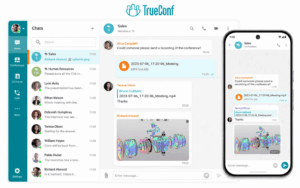
Beyond the core limits, TrueConf’s client applications let users authenticate as a TrueConf Server account, organize their address book into groups, join or start video conferences including one-on-one calls, share their screen or a presentation, participate in or create internal and public polls, exchange files and text messages, rearrange video window layouts during a call, and review the history of past messages and calls. This gives the messaging side of the platform the same persistence and organization teams expect from a dedicated chat app, rather than treating chat as a secondary feature bolted onto video calling.

Advanced Client Capabilities on Current Server Versions

When connecting to a current version of TrueConf Server or to TrueConf Enterprise, client applications unlock a further set of capabilities, including Single Sign-On and Active Directory Federation Services authentication, configurable proxy connections for restrictive network environments, automatic discovery of available servers, calls to SIP/H.323 and RTSP devices, and video conferencing at resolutions up to 4K at 60 frames per second.

Where the Free Plan Grows Into Enterprise Scale

For organizations that outgrow a single server, TrueConf supports large-scale deployments across multiple video servers with a unified address space, redundancy and load balancing, allowing bigger companies to scale the platform without fragmenting user directories or meeting infrastructure. This makes the free edition a realistic starting point that can grow into a full enterprise deployment rather than a tool a company has to abandon once it expands.

Element Brings End-to-End Encrypted Messaging to a Decentralized Network

Element

Element is a free, open-source messaging client built on the Matrix protocol, which allows organizations to either self-host their own server or connect to a federated network of independently operated servers. It supports end-to-end encrypted direct messages and group chats, encrypted voice and video calls, and file sharing, and its decentralized architecture appeals to organizations that want interoperability with other Matrix-based systems without depending on a single central provider.

What You Get on Element’s Free Plan

Element Server Suite Community is free and open source, but Element positions it primarily for non-professional deployments and evaluation rather than supported enterprise production use.. On free setup a team gets:

  • End-to-end encrypted direct messages and group chats enabled by default, rather than as an optional add-on.

  • Encrypted voice and video calling, including one-on-one and group calls, built directly into the client.

  • The choice to self-host a Matrix server for free or join an existing public server without running any infrastructure yourself.

  • File sharing inside encrypted conversations, with history stored according to whichever server the conversation lives on.

  • Interoperability with any other Matrix-based client or server, since the protocol is open rather than tied to a single vendor.

Decentralized Architecture and Server Choice

Unlike most communication apps that route every conversation through one company’s servers, Matrix is a federated protocol, meaning independently run servers can talk to each other the same way email servers do across different providers. This lets an organization either self-host its own Matrix server for full control over data, or join a public or community-run server without maintaining any infrastructure, and still communicate seamlessly with users on other Matrix servers or even bridged services like Slack and IRC.

End-to-End Encryption for Messaging and Calls

Encryption in Element is applied by default to direct messages and private rooms, covering text, files and voice or video calls rather than being an optional setting a team has to remember to enable. This makes it a natural fit for organizations that treat confidentiality as a baseline requirement rather than a premium feature, since even the server operator cannot read the content of an encrypted conversation without the appropriate keys.

Where the Free Setup Falls Short

The tradeoff for Element’s flexibility is complexity, since getting the full benefit of self-hosting requires the technical resources to run and secure a Matrix server, and organizations that skip this step by joining a public server give up some control over uptime and data location. Compared to purpose-built corporate video platforms, Element’s conferencing features are also less mature, lacking things like selector-style meeting modes, native SIP/H.323 telephony support, or the scheduling and directory-integration tools found in dedicated enterprise systems.

Wire Offers Encrypted Team Messaging and Calls With a Free Tier

Wire for Business

Wire is a secure communication platform built specifically for teams, combining end-to-end encrypted messaging, voice and video calls, file sharing and guest access into a single free-to-start app. Its free personal plan covers unlimited encrypted messaging and calls for small teams of 5 users, while features like larger group video calls, administrative controls and compliance tools are reserved for its paid business plans, making it a solid fit for smaller teams that want encryption by default without immediately committing to an enterprise contract.

What You Get on Wire’s Free Personal Plan

Wire’s free tier is aimed at individuals and small teams that want encrypted communication without paying for enterprise administration features they may not need yet. On this plan a team gets:

  • Unlimited end-to-end encrypted one-on-one and group messaging, with encryption applied by default rather than as an opt-in setting.

  • Encrypted voice and video calls, including small group calls, without a time limit on individual sessions.

  • File sharing inside encrypted conversations, keeping shared documents protected the same way messages are.

  • Guest room access, letting external collaborators join a conversation temporarily without creating a full account.

  • Access from multiple devices with synced, encrypted conversation history across each one.

Encryption Applied to Every Conversation by Default

Wire encrypts messages, calls and file transfers end-to-end automatically, meaning there is no separate “secure mode” a user has to remember to turn on before a sensitive conversation. This default-on approach is a key differentiator from mainstream chat apps that treat encryption as an advanced setting, and it is why Wire is often chosen by legal, financial and other confidentiality-sensitive teams even at the free tier.

Guest Rooms for Working With External Collaborators

A distinctive feature of Wire is the ability to create guest rooms that let external partners, clients or contractors join a specific encrypted conversation without being added as full members of the organization’s account. This gives teams a controlled way to loop in outside collaborators for a project or negotiation while keeping the rest of the organization’s internal conversations completely separate and inaccessible to them.

Voice, Video and File Sharing on the Free Tier

Beyond text messaging, the free plan includes encrypted voice and video calling suitable for small team check-ins and one-on-one conversations, along with file sharing that stays protected under the same encryption as the surrounding chat. Call quality and group size are adequate for small teams, though larger group video conferencing with more advanced meeting controls is positioned as a business-tier feature rather than something available for free.

Where the Free Plan Falls Short

The free personal plan lacks the administrative tooling that growing organizations typically need, such as centralized user management, compliance and retention controls, and support for larger group video calls, all of which are reserved for Wire’s paid business plans. Teams that start on the free tier for its encryption and guest room features often find themselves evaluating a paid upgrade once they need to manage more users or demonstrate compliance to a client or regulator.

Secumeet Positions Itself as a Security-First Corporate Communication Platform

Secumeet

Secumeet is a corporate communication platform built around the idea that messaging, voice and video should stay protected from interception and unauthorized access by default. It combines encrypted one-on-one and group messaging with encrypted voice and video calling, file exchange and presence indicators, aimed at organizations in sectors such as finance, legal services, government contracting and other regulated industries where confidentiality of internal discussions is a hard requirement rather than a nice-to-have feature.

What You Get on Secumeet’s Starter or Free Tier

Secumeet’s entry-level tier is designed to let a small team trial the platform’s security model before committing to a larger, paid deployment. On this tier a team typically gets:

  • Encrypted one-on-one and group messaging enabled from the first login, without needing to configure encryption separately.

  • Encrypted voice and video calling for team conversations, alongside standard presence indicators showing who is available.

  • File exchange inside protected conversations, keeping shared documents under the same security model as messages.

  • The option to evaluate an on-premise deployment path rather than being limited to a shared cloud environment.

  • Encrypted Messaging as the Default, Not an Add-On

  • Every conversation on Secumeet, whether a direct message or a group discussion, is protected by encryption from the outset, reflecting the platform’s core positioning around confidentiality rather than convenience features. This default-on approach is aimed squarely at teams that cannot risk an internal discussion, contract negotiation or client conversation being intercepted, and it removes the burden of manually enabling security settings that some general-purpose chat apps leave optional.

On-Premise Deployment and Control Over Encryption Keys

Beyond encrypting content in transit, Secumeet’s on-premise deployment option allows an organization to keep encryption keys, message storage and call routing entirely inside its own infrastructure rather than a third-party cloud. This matters for regulated organizations that need to demonstrate exactly where sensitive data lives and who could theoretically access it, since self-managed keys and storage remove the vendor as a potential point of exposure.

Where the Free or Starter Tier Falls Short

Because the starter tier is meant as an evaluation path rather than a full production deployment, it typically limits the number of users or advanced administrative features an organization can access before needing to upgrade. Teams that plan to roll Secumeet out company-wide, especially with on-premise key management and larger group calls, should expect to move to a paid deployment fairly quickly once they move past the initial trial phase.

Conclusion

Choosing among 12 free communication apps for teams ultimately comes down to matching each tool’s strengths to the organization’s primary needs, whether that means straightforward team messaging, dependable video conferencing, or greater control over data storage and infrastructure. Cloud-based free options such as Slack, Microsoft Teams, Zoom, Google Chat, Discord, Telegram, and Wire allow teams to start communicating with minimal setup, but their free versions usually include limits on meeting duration, message history, integrations, storage, team size, or administrative controls.

Self-hosted editions of Mattermost, Rocket.Chat, Element, TrueConf Server Free, and Secumeet can provide organizations with greater control over where communication data is processed and stored. However, available features, user limits, calling capabilities, and licensing conditions vary considerably between products and editions. Self-hosting also requires the organization to manage its own infrastructure, security, updates, and backups.

For teams that want messaging, video conferencing, and centralized administration without a recurring subscription, TrueConf Server Free is one option worth testing. Its basic server installation can take about fifteen minutes on compatible hardware or a virtual private server, although a production deployment requires additional network and security configuration. The free license supports an unlimited number of registered accounts, up to 1,000 simultaneously connected users, and 10 PRO users who can participate in group video conferences.

Whichever platform a team chooses, it is sensible to test at least two or three candidates before standardizing on one solution. Day-to-day usability, call quality, administrative requirements, deployment complexity, and compatibility with existing tools often matter more in practice than any single feature listed in a comparison table.

Frequently Asked Questions

Is TrueConf Server Free actually free forever, or just a trial?

TrueConf Server Free is a permanently free edition rather than a time-limited trial. The license has no expiration date, although it must be renewed annually through the TrueConf website. Organizations can create an unlimited number of user accounts, with up to 1,000 users logged in simultaneously. The free license also includes 10 PRO users who can participate in group video conferences, one guest connection, and one SIP/H.323/RTSP connection.

Can I get video calling in Mattermost without paying for anything extra?

Yes. Current Mattermost editions include native Mattermost Calls, so a separate Jitsi plugin is not required for basic calling. The free Mattermost Entry edition includes Calls with a 40-minute limit, although other restrictions apply, including a 10,000-message searchable history limit and community-only support. Organizations that need larger group calls, longer sessions, advanced administration, or compliance features may need a paid plan.

What is the main difference between a self-hosted free app and a cloud freemium app?

A self-hosted application runs on infrastructure controlled by the organization, such as an internal physical server, private cloud, or rented virtual server. This provides greater control over data location, network access, storage, updates, and security policies, but it also makes the organization responsible for deployment, maintenance, backups, and infrastructure security. A cloud freemium application runs on the vendor’s infrastructure and can usually be used immediately without server administration. However, free cloud plans commonly restrict meeting duration, participant capacity, message history, storage, integrations, or administrative controls. Self-hosted products can also have licensing and feature limits, so self-hosting should not be described as automatically unlimited.

Why would a company stop using WhatsApp or Telegram for work communication?

Consumer messengers may be convenient for informal communication, but they generally provide less centralized control than dedicated corporate platforms. Companies may be unable to centrally create and remove accounts, enforce retention policies, integrate a corporate directory, control where data is stored, or manage access from employee devices. Telegram also does not provide end-to-end encryption for standard cloud chats and groups. End-to-end encryption is limited to Secret Chats between individual users. Organizations with stricter security, governance, data-residency, or auditing requirements may therefore prefer a centrally administered business platform or a self-hosted communication system.

How does Secumeet compare to TrueConf for a security-focused team?

Both Secumeet and TrueConf provide on-premises communication options for organizations that want greater control over their infrastructure and data. Secumeet is positioned around protected messaging, voice and video communication, local deployment, and operation in isolated environments. However, the precise encryption scope, key-management model, supported integrations, conference capacity, and licensing conditions should be confirmed in the technical documentation for the selected Secumeet deployment. TrueConf combines on-premises messaging with video conferencing, conference scheduling, Active Directory and LDAP support, SIP/H.323 interoperability, guest access, and options for larger multi-server deployments. The appropriate choice depends on the organization’s required conference scale, network architecture, directory services, interoperability needs, and independently verified security requirements.

Do any of these free apps support integration with Active Directory or LDAP?

Yes. TrueConf Server Free includes support for Active Directory and other LDAP directories. Rocket.Chat Community supports basic LDAP and Active Directory authentication, including user login, filtering, encrypted connections, and basic user-data synchronization. More advanced functions, such as background synchronization, role mapping, and syncing LDAP groups to channels or teams, require higher plans. Mattermost Entry also supports AD/LDAP authentication and synchronization. Some advanced directory-management capabilities depend on the edition and configuration.

Which of these apps is best for a small team that mainly needs group video meetings?

The best option depends on whether the team prefers a self-hosted or cloud-based service. TrueConf Server Free is suitable for teams that want to host communication infrastructure themselves. Its free license supports up to 1,000 simultaneously connected users for messaging and one-on-one calls, while 10 PRO users can participate in group video conferences. It also includes screen sharing, presentation tools, meeting scheduling, one guest connection, and one SIP/H.323/RTSP connection. Microsoft Teams Free is a cloud-based option that supports meetings with up to 100 participants for up to 60 minutes. Zoom Basic supports up to 100 participants, but almost all meetings hosted by a free user, including meetings with one host and one participant, are limited to 40 minutes. Teams that mainly need short, browser-accessible cloud meetings may prefer Microsoft Teams or Zoom. Teams that require local deployment, longer meetings, internal data storage, or integration with corporate communication infrastructure may prefer TrueConf Server Free.