

For businesses, the category now encompasses a wide range of communication channels in addition to text messages. A modern IM chat platform may include channels, group conversations, message threads, file sharing, voice calls, video meetings, screen sharing, user presence, search, bots, workflow automation, and administrative controls. The primary distinction is in the deployment of these systems. Services such as Slack, Microsoft Teams and Google Chat are cloud-based, while TrueConf, Mattermost and Rocket.Chat can be deployed on customer-controlled infrastructure. Secumeet combines secure messaging and video collaboration for organisations that require a controlled communication environment.
This discrepancy is significant. A small marketing team may prioritise integrations and a streamlined onboarding process. In the event of a data breach, a government agency, hospital, financial institution, or industrial company may instead ask where messages are stored, who can access the server, whether the system works inside a private network, and what happens when external internet access disappears.
What IM Chat Actually Means, and Why the Definition Keeps Expanding
At its simplest, IM chat lets users exchange messages almost immediately. The sender types a message, the service delivers it to the recipient, and both sides can continue the conversation without composing formal emails.
Simple enough.
But the phrase now describes several overlapping communication models:
-
Direct messaging: A private conversation between two users.
-
Group chats for temporary discussions, small teams, or specific tasks.
-
Persistent channels: Shared spaces where messages remain searchable after the original discussion ends.
-
What about external users? Many platforms support guest accounts, federated communication, or controlled conversations with customers and contractors.
-
Automated messages from business applications, monitoring systems, bots, and AI assistants.
-
Start with text, then move into a voice or video call without changing applications.
Consumer instant messaging and business IM chat may look similar on the surface. Both have text boxes, typing indicators, attachments, and emoji reactions. Yet the administrative layer is completely different.
A business platform needs identity management, access policies, audit records, retention controls, data export, account lifecycle management, and predictable ownership of conversation history. Nobody wants to discover that a former employee still has access to a project room six weeks after leaving. Not glamorous, but important.
And there is another distinction. Live chat usually refers to communication between a company and a website visitor, often for customer support or sales. IM chat usually refers to ongoing communication between known users, such as colleagues, partners, students, clinicians, or members of an organization.
In other words, a website support bubble is not automatically an enterprise instant messenger.
The Speed Advantage Is Real, but Bad IM Chat Creates a Different Kind of Delay
The primary advantage of instant messaging (IM) lies in its ability to facilitate real-time communication, which is not necessarily a benefit of email. Both can arrive within seconds. The key benefit is a reduction in conversational friction.
An employee can ask a focused question, receive a brief response, attach a screenshot, and resolve the issue before it escalates to a meeting. This is the ideal scenario.
The unfortunate reality is that IM chat, when not managed effectively, can result in a permanent interruption to workflow. Each project is allocated a channel. Each channel is responsible for generating notifications. Key decisions can be overshadowed by reactions, automated alerts, and messages expressing gratitude.
Sound familiar?
The useful business benefits depend on how the platform is configured:
-
Shorter decision cycles. Teams can resolve routine issues without scheduling calls or exchanging long email chains.
-
Shared operational context. Channels preserve discussions, documents, corrections, and decisions in one searchable place.
-
Move urgent conversations into voice or video when typing becomes inefficient.
-
Fewer communication gaps for distributed teams. Presence indicators and mobile applications make it easier to see who is available.
-
Can a new employee understand the project history? Searchable conversations often provide the missing context.
-
Application notifications in one place. Development tools, monitoring systems, calendars, and service desks can post updates directly into relevant chats.
-
Keep sensitive discussions inside an approved corporate environment instead of allowing employees to improvise with consumer applications.
However, it should be noted that speed does have a cost. Chat encourages people to send information before they have organised it. The process of converting a five-line explanation into twelve separate notifications is time-consuming and inefficient. Then a reply is posted in the incorrect thread. This outcome is consistent with the inherent challenges associated with human nature.
The solution is to continue to use IM chat. The objective is to establish clear guidelines regarding the categorisation of conversations, with the aim of determining which conversations should be directed to direct messages, team channels, documentation systems, task trackers and meetings.
Stop trading security for convenience
Secumeet delivers enterprise video conferencing with zero cloud data exposure. Self-hosted, SIP-compatible, and audit-ready.
The Elephant in the Room: Who Controls the Messages?
Most product comparisons start with interface design and integrations. Security teams start somewhere else.
They ask:
-
Where is message content stored?
-
Which organization controls the encryption keys?
-
Can administrators define retention periods?
-
Does the platform work inside a private LAN or isolated network?
-
Are files stored with the chat data or sent to another service?
-
How are accounts connected to Active Directory, LDAP, or single sign-on?
-
What records are available for audits and investigations?
-
Depends: Can the vendor access operational metadata?
This is where cloud and self-hosted platforms diverge.
This is where the approaches of cloud and self-hosted platforms diverge.
With a conventional cloud service, the vendor operates the application and underlying infrastructure. Deployment is quick, updates are automatic, and internal IT teams manage less hardware. However, it is important to note that customers generally accept vendor architecture, service availability, regional hosting choices, licensing models and product changes.
With self-hosted IM chat, the organisation runs the server in its own data centre, private cloud, or controlled hosting environment. This provides greater control over storage, network access, backups, updates and integrations. It also transfers responsibility. The role involves securing the operating system, installing patches, monitoring capacity, testing backups and managing certificates.
There is no magic solution.
TrueConf Server, for example, is positioned as a self-hosted platform combining team messaging with video conferencing, presence, channels, file exchange, and other collaboration capabilities inside customer-controlled infrastructure. Mattermost is a collaboration and communication platform that is designed to meet the needs of businesses and organisations that require seamless connectivity and the ability to integrate third-party applications and services. Rocket.Chat offers deployment within the customer’s own infrastructure as well as managed hosting options.
In my professional opinion, the correct response to these concerns is rarely to state that “cloud is insecure” or “self-hosting is safer”. Both models have the potential to be operated in an incorrect manner. The key issue is whether the deployment model aligns with the OR.
IM Chat Statistics for 2026 Show That Messaging Is Becoming Infrastructure
Market forecasts should be handled carefully because analysts define “instant messaging,” “business messaging,” and “messaging APIs” differently. Still, the direction is consistent.
Research and Markets estimates that the instant messaging market increased from $151.85 billion in 2025 to $179.85 billion in 2026, representing reported annual growth of 18.18%. A narrower estimate from Business Research Insights values the instant messaging app market at $34.55 billion in 2026 and projects it to reach $76.83 billion by 2035.
Those numbers are not directly interchangeable. One market definition includes a wider range of services than the other.
Another useful signal comes from Infobip’s Messaging Trends 2026 report. Its analysis is based on 628 billion mobile channel interactions processed during 2025, alongside 3.8 trillion messages exchanged over a 20-year period. That is a very specific number, perhaps almost comically specific, but it makes the broader point: messaging is no longer a secondary communication feature. It is an operational layer connecting employees, customers, applications, and automated agents.
By the way, research into enterprise social platforms also suggests that these systems can create new communication links between departments and across organizational hierarchies, rather than merely replacing existing email exchanges. The referenced study evaluated communication networks across 99 companies.
The market is growing. So is the attack surface.
Why Feature Checklists Fail When Choosing an IM Chat Platform
It is evident that the vast majority of IM chat products designed for professional use offer a comprehensive range of features, including direct messages, group conversations, files, search functions and notifications. A comparison of features alone is akin to selecting a server based on the presence of a power button.
A more comprehensive evaluation involves assessing the system’s performance under real operating conditions. I was reviewing product documentation on a dual-monitor setup, with 27 browser tabs open and one office Wi-Fi connection that was proving to be rather sluggish. A comparison of the two lists did not reveal any discrepancies in the basic features. These requirements were outlined in deployment specifications, administrative boundaries, integration depth, and what each vendor considers an optional extra.
I almost overlooked mentioning message history. While this may seem obvious, it is important to note that retention rules, search limits, export options and access to older conversations can vary significantly depending on the plan and deployment.
Use the following technical criteria when creating a shortlist:
Here is the catch. Buyers often ask vendors whether a feature exists but fail to ask which subscription includes it, whether it works in self-hosted deployments, or whether it requires another licensed product.
Read the small print. Then read it again.
The 7 Best IM Chat Tools for 2026
The tools below represent different operating models rather than a universal ranking. Some prioritize ecosystem convenience. Others prioritize infrastructure control, customization, or integrated video communication.
1. TrueConf
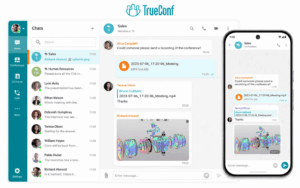
TrueConf is a communications platform for businesses that combines IM chat, group channels, file sharing, user presence, voice calls and video conferencing. TrueConf Server is designed for deployment on your own system, allowing an organisation to use messaging and meetings on their own system.
This is especially important when messaging can’t be treated as a separate cloud application. A company can use one environment for chats, employee presence, video meetings, screen sharing, and connections with existing conferencing infrastructure.
The most important features are:
-
Personal and group chats.
-
Channels for teams in different departments and projects.
-
You can also share files and images.
-
User presence and contact directory.
-
It also has built-in voice and video communication.
-
You can also choose to host your deployment yourself and control your infrastructure privately.
-
You can connect to SIP and H.323 conferencing systems using TrueConf Server.
-
Apps for your computer and phone.
Things to think about
TrueConf Server requires planning for its infrastructure, backups, updates and ongoing administration. Organisations that only use lightweight text chat may not need the full video and communications package.
2. Secumeet

Secumeet is a safe way to send messages, have meetings, and work with other people. The app lets you chat with other users, edit and delete messages, mention other users, and share your screen. You can also work on the same document with other people.
The platform is better for organisations that want to communicate internally in a controlled way, rather than for consumers. It’s best for keeping text, presence, calls and shared content in one place when they need to be managed together.
The most important features are:
-
You can send messages to one person or to a group.
-
You can also edit or delete messages that you have already sent.
-
User mentions.
-
Keep your conversation history in sync across all your devices.
-
You can see information about the user’s location and sign in to multiple devices at the same time.
-
You can also use video calls and share your screen.
-
Presentation and remote assistance tools.
-
Options for private communication.
Things to think about
Secumeet doesn’t have as many people using it as Slack, Microsoft Teams or Google Workspace. People thinking of buying this product should check the third-party integrations and deployment services that are needed during the technical evaluation.
3. Microsoft Teams
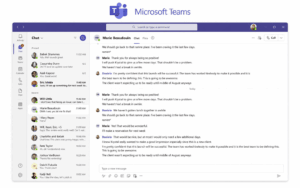
Microsoft Teams combines IM chat, channels, meetings, calls, files, applications, and Microsoft 365 collaboration. It is a natural choice for organizations already using Outlook, SharePoint, OneDrive, Microsoft Entra ID, and Microsoft 365 administration.
Teams is not merely a messenger. That is both its advantage and its problem. It can become the front end for a large portion of the Microsoft work environment, but configuration, governance, licensing, and overlapping features demand careful administration.
The most important features are:
-
Direct, group, and meeting chats.
-
Persistent channels and threaded discussions.
-
Microsoft 365 file collaboration.
-
Voice and video meetings.
-
Calendar and Outlook integration.
-
Application marketplace and workflow tools.
-
Enterprise identity, compliance, and administrative features.
-
AI-assisted features available through relevant Microsoft services and licenses.
Things to think about
Teams can feel heavy for organizations that only need straightforward IM chat. Licensing is tied to the wider Microsoft ecosystem, and some advanced functions require additional subscriptions. Cloud dependency may also rule it out for closed or isolated networks.
4. Slack

Slack is a cloud-based communication platform built around channels, direct messages, searchable history, application integrations, workflows, and increasingly AI-assisted work. Its strongest quality remains the way conversations and software notifications can coexist in shared workspaces.
For product, development, support, and digital operations teams, Slack can become something employees know like the back of their hand. But that familiarity can hide structural mess. Hundreds of channels are still hundreds of channels.
The most important features are:
-
Public and private channels.
-
Direct and group messages.
-
Threads, reactions, clips, and huddles.
-
Large integration directory.
-
Workflow automation.
-
Search across messages and files.
-
Rich interactive messages and application interfaces through Slack’s Block Kit framework.
-
AI, project, and productivity functions presented across Slack’s current platform offering.
Things to think about
Slack primarily operates as a vendor-managed cloud service, so customers have less control over the underlying infrastructure. Costs can increase with headcount, and unmanaged workspaces often accumulate duplicate channels, noisy integrations, and fragmented decisions.
5. Google Chat
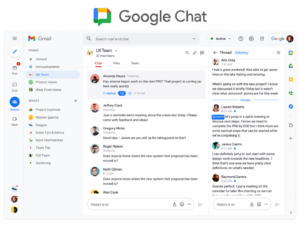
Google Chat is a messaging service that is part of Google Workspace. It supports direct conversations, group discussions, and spaces for ongoing team collaboration. Google says it is an AI-first messaging environment connected to the rest of Workspace.
It works best when users already spend their day in Gmail, Drive, Docs, Calendar, and Google Meet. In that setting, adopting a pet is very easy. If you put it outside, it’s not as good as it is inside.
The most important features are:
-
Send direct messages or group messages.
-
There are spaces for teams and projects.
-
Threaded conversations.
-
Google Drive file sharing.
-
Collaborating on tasks and workspaces.
-
You can use Google Meet to join video meetings.
-
Conversation summaries and a search function powered by AI.
-
Google says it can translate between more than 120 languages.
Things to think about
Google Chat is best as part of Google Workspace, not as a standalone messaging service. Organisations that need to install or run software without an internet connection will need a different option.
6. Mattermost

Mattermost is a tool that helps people work together. It is used in technical, operational, defence, government and other very important situations. It supports self-hosted deployment, extensible workflows, messaging channels, integrations, APIs, plugins, and connections to privately operated AI systems.
Its design makes sense for teams that want to adapt the platform around the way they already work. This software is perfect for developers, incident response teams, security operations centres, and organisations with sovereignty requirements.
The most important features are:
-
You can send direct messages to other users.
-
You can send messages to groups of users.
-
This is a deployment that is hosted on your own server.
-
Open APIs, webhooks, and plugin architecture.
-
Workflow and incident collaboration.
-
Integration with development and operations tools.
-
Here are some options for connecting AI models that are hosted privately.
-
Management by small, separate parts.
-
You can use it on your phone or on your computer.
Things to think about
Mattermost usually needs more technical expertise than a typical online chat service. Things like setting up your system, adding new features, making improvements and making sure it’s always available can require a lot of work, especially in complicated setups.
7. Rocket.Chat
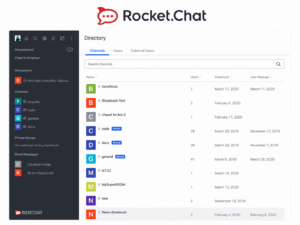
Rocket.Chat is a communications platform that allows you to send messages, make voice calls, and have video calls with other users. It also allows you to use applications and support internal and external conversations. Organisations can use it on their own computers or get a company to manage it for them.
Its most attractive feature is how easy it is to use. A business can change the environment, connect external communication channels, and control how it is used. Actually, wait. Sometimes, projects to put these plans into action end up being more flexible than the original plan.
The most important features are:
-
You can send direct messages to people, and you can also send the same message to a group of people or to a channel
-
You can also manage the deployment yourself.
-
They offer special plans that are hosted for you.
-
Talking and video calls.
-
Omnichannel customer conversations.
-
Applications, APIs, bots and integrations.
-
The ability to control where data is stored in installations that are managed independently.
-
There are options for making sure it is always available and for recovering from disasters.
Things to think about
A customised Rocket.Chat environment may need experienced administrators and developers. Some of the features that are related to security and how well the system can scale up depend on the plan you choose and the way it is set up.
How to Choose Without Regretting the Decision Six Months Later
A polished demonstration can make every IM chat platform look easy. Real selection work begins after the demonstration.
Follow this process:
-
Document the communication problem. Are employees relying on unauthorized consumer messengers, losing decisions in email, struggling with remote work, or switching constantly between chat and video tools?
-
Identify mandatory deployment conditions. Cloud may be acceptable. Private hosting may be non-negotiable.
-
Map the identity lifecycle. Test account creation, role changes, guest access, suspensions, and employee departure.
-
Choose three daily workflows, not 40 abstract features. For example, an incident escalation, a project discussion with files, and a chat that moves into a video meeting.
-
Run a controlled pilot. Include ordinary users, administrators, security staff, and at least one person who dislikes changing software. Especially that person.
-
Test poor network conditions, mobile access, message search, notifications, file recovery, and account deactivation.
-
Calculate the full cost. Include licenses, infrastructure, deployment work, integrations, support, backup storage, administrator time, and migration.
-
Review contracts, data processing terms, retention settings, export capabilities, and the procedure for leaving the platform.
Do not cut corners on migration. A technically good platform can still fail when employees cannot find old files, recreate established channels, or understand why familiar workflows disappeared overnight.
And one more thing. The platform should fit the organization’s communication culture. Software cannot repair unclear decision rights, meeting overload, or managers who send “quick question” messages at 11:47 p.m.
Anyway, technology can at least stop making those problems worse.
When Cloud IM Chat Is the Better Choice
Cloud IM chat is usually the practical option for organizations that prioritize rapid deployment, automatic updates, predictable remote access, and broad integration catalogs. Small and medium-sized companies without dedicated infrastructure teams often gain more from reducing administration than from operating their own servers.
Slack works well for integration-heavy digital teams. Microsoft Teams makes sense when Microsoft 365 already provides identity, documents, email, and meetings. Google Chat is a straightforward extension of Google Workspace.
The choice becomes weaker when the organization must operate inside a disconnected network, maintain direct control over stored messages, use a tightly defined update schedule, or integrate with specialized internal systems that cannot communicate with a public cloud service.
When Self-Hosted IM Chat Is Worth the Extra Work
Self-hosted IM chat is justified when infrastructure control solves a concrete requirement. Data sovereignty, isolated networks, internal cryptographic policies, regulated records, custom integrations, and continuity during internet outages are real reasons. A vague desire to “own the data” is not enough unless the organization is prepared to own the operational work too.
TrueConf is a strong candidate when the business wants self-hosted messaging and full video communication in the same platform. Mattermost suits technical and mission-critical workflows with extensive customization. Rocket.Chat provides a flexible communications environment with self-managed and hosted choices. Secumeet is relevant when secure messaging, presence, meetings, and collaboration need to operate as a controlled package.
The logical seam is easy to miss. Greater control creates more responsibility.
That part does not fit neatly into a product comparison table.
Conclusion
IM chat is a real-time communication system for direct messages, group conversations, persistent channels, files, application notifications, and increasingly voice, video, workflows, and AI-assisted tasks. The best platform is not the one with the longest feature page. It is the one whose deployment model, identity controls, message governance, integrations, and communication design fit the organization.
Cloud products such as Slack, Microsoft Teams, and Google Chat prioritize convenience and ecosystem access. TrueConf, Secumeet, Mattermost, and Rocket.Chat address organizations that need varying degrees of infrastructure control, customization, or private deployment. Choose based on daily workflows and operational constraints, then test the awkward details before signing anything.
Frequently Asked Questions
What is the difference between IM chat and text messaging?
IM chat uses an application and internet or private network connection to exchange messages, files, reactions, and other content. Text messaging usually refers to SMS or MMS delivered through a mobile carrier, while platforms such as TrueConf and Secumeet provide persistent business conversations across desktop and mobile devices.
Is IM chat the same as live chat?
No. Live chat usually connects a website visitor with a sales or support representative. IM chat typically supports ongoing communication between known users, such as employees using TrueConf, Secumeet, Slack, or Microsoft Teams.
What is the best IM chat tool for a small business?
Slack, Microsoft Teams, and Google Chat are convenient when a small business already uses their related cloud ecosystems. TrueConf Server Free may be considered when the company wants private messaging and video communication on its own infrastructure, while Secumeet is more relevant when secure managed communication is the priority.
Can IM chat work without the public internet?
Some self-hosted systems can operate within a local or private network after they are correctly deployed. TrueConf is designed for self-hosted communications, while Secumeet can support controlled private communication environments, subject to the selected deployment configuration.
Is IM chat secure enough for confidential business communication?
It can be, but the answer depends on encryption, access control, server security, device management, retention policies, and administrator practices. Platforms such as TrueConf and Secumeet focus on controlled corporate communication, but organizations still need proper identity management, updates, backups, and security monitoring.
Can IM chat replace email completely?
Usually not. IM chat is better for quick questions, active projects, operational coordination, and informal discussion, while email remains useful for formal external communication and longer records. Many organizations use TrueConf or Secumeet for internal real-time work while retaining email for contracts, official notices, and communication with outside parties.
Author
Helga Afon is a technology writer specializing in video conferencing, collaboration software, and workplace communication. She writes articles and reviews that help readers better understand enterprise communication tools and industry trends.