

Enterprise instant messaging is no longer a “nice to have” chat widget bolted onto email. It has become the operational backbone of how distributed teams coordinate, how customer-facing departments respond in real time, and how regulated industries keep a defensible record of internal communication. After spending weeks testing platforms, reading vendor documentation, inspecting deployment guides, and comparing architecture diagrams, I put together this guide to help technical decision makers, solution architects, and IT procurement teams cut through marketing language and understand what actually separates one platform from another at the protocol and infrastructure level.
At its core, an enterprise instant messaging solution is a real-time text, voice, and video communication system designed for organizational use rather than personal chat. The category includes everything from broad collaboration suites to narrowly focused secure messaging tools built for finance, healthcare, defense, and government. What separates enterprise-grade tools from consumer apps like WhatsApp or Telegram is identity management, audit logging, data residency control, encryption at rest and in transit, integration with existing IT infrastructure, and the ability to deploy on-premises or in a private cloud rather than relying solely on a public SaaS environment.
Increasingly, the differentiator also comes down to the underlying transport and signaling stack: whether a platform uses XMPP, Matrix, proprietary binary protocols, or WebRTC-based SFU/MCU architectures for media routing, since this directly determines latency, scalability ceilings, and how easily the system can be audited.
Key Takeaways
Bottom Line First
Enterprise messaging buyers should compare deployment control, encryption model, signaling architecture, compliance fit, identity integration, and video scalability before looking at feature lists.
What Most People Get Wrong
A popular team chat tool is not automatically enterprise-ready. Without self-hosting options, audit logging, legal hold, identity management, and clear encryption ownership, it may not meet regulated-industry requirements.
Why Enterprise Instant Messaging Matters
Email is asynchronous by design and was never meant to carry the volume of quick decisions that modern teams make daily. Instant messaging closes that gap, but doing it at enterprise scale introduces requirements that consumer apps simply do not address.
Organizations adopt dedicated enterprise messaging platforms for several concrete reasons:
-
Centralized control over who can communicate with whom, with administrative oversight rather than employees self-organizing on personal accounts.
-
Defensible compliance records that satisfy auditors, regulators, or internal legal review, including immutable audit trails and legal hold capabilities.
-
Reduced shadow IT risk, since unsanctioned consumer apps on corporate devices create data leakage points that security teams cannot monitor or log.
-
Faster internal response times, particularly for support, operations, and incident response teams that need real-time coordination with guaranteed message delivery.
-
Integration with existing business systems so that messaging is not an isolated silo but a connected part of the daily workflow, typically through REST APIs, webhooks, or bot frameworks.
Core Architecture Components of Enterprise Messaging Platforms
Understanding how these platforms are built technically helps explain why some vendors are better suited to specific environments than others.
Signaling layer. This handles presence, message routing, and session negotiation. Common approaches include XMPP, which remains popular for its maturity and federation support; Matrix, an open standard built around decentralized, federated homeservers; and proprietary binary protocols used by vendors who prioritize performance and tight control over the wire format. Each approach affects how easily third parties can interoperate with the platform and how the system behaves under network partition.
Media layer for voice and video. Real-time calling typically relies on WebRTC as the client-side standard, but the server-side architecture varies. A Selective Forwarding Unit forwards media streams between participants without decoding them, which scales well but pushes more bandwidth load onto endpoints. A Multipoint Control Unit decodes, mixes, and re-encodes streams centrally, which reduces client-side load and supports much larger simultaneous participant counts at the cost of more server compute.
TrueConf, for example, is built around an MCU-centric architecture, which is part of why it can support large-scale video conferences alongside messaging without taxing endpoint devices.
Encryption layer. End-to-end encryption typically relies on the Signal Protocol’s Double Ratchet algorithm or comparable key-exchange schemes such as the Olm/Megolm pairing used by Matrix-based systems. Encryption at rest commonly uses AES-256, while transport encryption relies on TLS 1.2 or 1.3. The critical technical distinction buyers should look for is whether the vendor or the organization itself controls the key management infrastructure, since vendor-managed keys reintroduce a trust dependency that on-premises deployments are specifically designed to remove.
Identity and access layer. Enterprise platforms integrate with directory services through protocols like LDAP, SAML 2.0, and OAuth 2.0/OpenID Connect, allowing centralized provisioning, deprovisioning, and single sign-on. This layer also typically governs multi-factor authentication enforcement and device-level trust policies.
Data persistence and retention layer. Message history, attachments, and metadata are stored according to configurable retention policies. Regulated industries often require write-once-read-many storage or integration with third-party archiving and eDiscovery tools to satisfy legal hold requirements.
Core Features That Define a True Enterprise-Grade Platform
Not every chat app marketed to businesses qualifies as enterprise-ready. I evaluated platforms against the following baseline.
-
Identity and access management, including single sign-on and directory integration such as Active Directory, LDAP, and SAML.
-
End-to-end or at-rest encryption with clear documentation of how keys are managed and rotated.
-
Granular admin controls for retention policies, message recall, legal hold, and user provisioning.
-
Audit logging sufficient for compliance reviews and legal discovery, ideally exportable in standard formats such as SIEM-compatible syslog or CSV.
-
Flexible deployment, including the option to self-host rather than depend exclusively on a vendor’s public cloud, with support for containerized deployment via Docker or Kubernetes where applicable.
-
Native or well-documented API access for custom integrations, typically REST or WebSocket-based, with rate limits and webhook support.
-
Cross-platform support across desktop, web, and mobile without feature parity gaps, including native clients rather than wrapped web views where performance matters.
-
Network resilience features such as automatic failover, load balancing across signaling nodes, and graceful degradation under partial outages.
A platform missing several of these is better classified as a team collaboration tool than a genuine enterprise messaging solution, even if it is widely used.
Detailed Feature and Deployment Comparison
The table below breaks down the technical posture of six vendors worth shortlisting in 2026, based on publicly documented capabilities.
Scalability and Performance Considerations
Scalability in enterprise messaging is rarely a single number; it depends on whether the bottleneck is message throughput, concurrent presence connections, or media stream capacity.
For pure text messaging, horizontally scaled architectures distribute load across multiple signaling nodes behind a load balancer, with message queues often built on technologies like Kafka or Redis pub/sub internally, decoupling ingestion from delivery. This allows platforms to handle bursty traffic, such as incident response scenarios where hundreds of users post simultaneously, without dropping messages.
For voice and video, the math is different. An SFU architecture scales linearly with available client bandwidth, which works well for small to medium meetings but degrades for very large ones. An MCU architecture centralizes the compute cost, allowing far more participants per session at the expense of server hardware requirements, which is why platforms like TrueConf can support large all-hands video sessions where SFU-only competitors would require participants to disable video to maintain call quality.
Database choice also matters at scale. Platforms built on relational databases with proper sharding can handle millions of messages per day, but document-oriented or log-structured storage engines are increasingly common for message history because they better suit the append-heavy, rarely-updated nature of chat data.
Market Snapshot: Why This Category Keeps Growing
Enterprise collaboration keeps expanding
The global enterprise collaboration software market has continued expanding as hybrid and remote work models become permanent rather than temporary arrangements, and as regulatory scrutiny over data handling intensifies across finance, healthcare, and government sectors.
Security and sovereignty drive purchasing
Analysts tracking unified communications consistently point to encryption, data sovereignty, and integration depth as the three fastest-growing purchasing criteria, replacing simple feature-count comparisons that dominated buying decisions a decade ago.
Self-hostable platforms are gaining relevance
This trend explains why self-hostable platforms like Secumeet and TrueConf have gained traction alongside the large public cloud incumbents, rather than being displaced by them.
Vendor Profiles for 2026
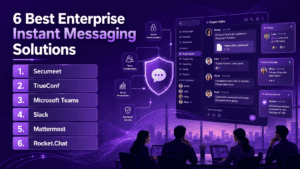
Secumeet
Secumeet positions itself as a secure-first enterprise messaging platform aimed at organizations that cannot tolerate ambiguity around where their data lives or who can technically access it.
Description: Secumeet is built around the principle that enterprise communication should be fully controllable by the organization deploying it, rather than dependent on a third-party cloud’s default security posture. Its architecture emphasizes encrypted message storage, organization-managed key infrastructure, and deployment models that keep data within a defined network perimeter.
Core capabilities
-
End-to-end encrypted messaging and calls with organization-controlled key management.
-
On-premises and private cloud deployment options.
-
Granular administrative controls over retention, access, and legal hold.
-
Strong identity integration for regulated environments via LDAP and SAML.
Drawbacks
-
Smaller ecosystem of third-party integrations compared to large incumbents.
-
Less brand recognition outside security-focused industry circles.
-
Requires internal infrastructure planning for self-hosted deployments.
Best use case
Finance, government, and security-conscious enterprises that need encrypted communication with strict control over data location and key management.
TrueConf
TrueConf combines messaging with high-capacity video conferencing in an architecture designed for organizations that want to run their own communication infrastructure rather than rely entirely on a public SaaS vendor.
Description: TrueConf is best understood as a unified communications platform where instant messaging, voice, and video conferencing sit on the same self-hostable backbone, built around an MCU-centric media architecture that gives IT teams direct control over uptime, data location, and configuration. This server-side mixing approach is part of why it can support large simultaneous video sessions without overloading individual client devices.
Core capabilities
-
Self-hosted and hybrid deployment models with full administrative control.
-
Large-scale video conferencing alongside messaging, powered by an MCU architecture.
-
Server-level administrative control over user data and retention.
-
Cross-platform desktop, web, and mobile clients with consistent feature parity.
Drawbacks
-
Self-hosting requires dedicated IT resources to maintain and patch.
-
Smaller third-party app marketplace compared to mainstream cloud suites.
-
MCU-based architecture requires more server-side compute provisioning than pure SFU competitors.
Best use case
Enterprises and institutions that need sovereign deployment, instant messaging, and large-scale video conferencing on infrastructure they control.
Microsoft Teams
Description: Microsoft Teams is the default enterprise messaging and meetings platform for organizations already running Microsoft 365, combining chat, video, file storage, and app integration in one suite, built on Microsoft’s own SFU-based media infrastructure and deeply tied to Azure Active Directory, also known as Entra ID, for identity.
Core capabilities
-
Deep integration with Outlook, SharePoint, and the wider Microsoft 365 stack.
-
Extensive compliance certifications inherited from Microsoft 365, including eDiscovery and retention policy tooling.
-
Large app and bot marketplace with Graph API support.
-
Reliable large-scale video conferencing via Microsoft’s global media network.
Drawbacks
-
Heavily tied to the Microsoft ecosystem, which can feel rigid for non-Microsoft shops.
-
Interface complexity increases as more apps and tabs are added.
-
Limited self-hosting flexibility for organizations with strict data sovereignty needs.
Slack
Description: Slack remains a popular channel-based messaging platform known for its clean interface and large library of third-party integrations, built on a cloud-native architecture with strong support for SCIM-based provisioning and SAML SSO.
Core capabilities
-
Intuitive channel and thread organization with robust search indexing.
-
Extensive app integrations via the Slack marketplace and Slack API.
-
Strong search and message history features with enterprise-tier retention controls.
-
Huddles for quick voice conversations, with lighter-weight video support.
Drawbacks
-
Full video conferencing is less robust than dedicated platforms.
-
Cloud-only architecture limits options for organizations needing on-premises control.
-
Costs can scale quickly with larger headcounts and premium tiers.
Mattermost
Description: Mattermost is an open-source messaging platform aimed at technical teams and organizations that want source-level visibility and control over their communication infrastructure, deployable via Docker or Kubernetes with a modular plugin architecture.
Core capabilities
-
Self-hosted deployment with full source access and configurable encryption.
-
Strong developer-oriented integrations, including CI/CD and DevOps tooling via webhooks.
-
Configurable encryption and data retention policies down to the channel level.
-
Active open-source community support with frequent security patches.
Drawbacks
-
Steeper setup and maintenance learning curve than turnkey SaaS tools.
-
Video conferencing typically requires third-party plugins rather than native support.
-
Smaller out-of-the-box feature set compared to fully managed suites.
Rocket.Chat
Description: Rocket.Chat is an open-source enterprise messaging platform offering both cloud and self-hosted options, popular with organizations that want flexibility without committing fully to a closed ecosystem, with a federation layer that allows cross-organization communication over Matrix-compatible bridges.
Core capabilities
-
Built-in SFU-based video conferencing and voice calls.
-
Federation support for cross-organization communication.
-
Configurable end-to-end encryption at the channel level.
-
Omnichannel features connecting chat with customer service workflows via APIs.
Drawbacks
-
Customization depth can require dedicated technical staff.
-
UI feels less polished than some commercial competitors.
-
Performance tuning at very large scale needs careful infrastructure planning.
Security and Compliance Checklist for Procurement Teams
When evaluating vendors technically, I recommend requesting concrete answers to the following before signing anything:
-
Where exactly is data stored at rest, and can that location be contractually restricted to a specific jurisdiction?
-
Who holds the encryption keys, and can the organization rotate or revoke them independently of the vendor?
-
What audit log format is provided, and does it integrate with existing SIEM tooling?
-
Does the platform support legal hold and eDiscovery export without exposing unrelated user data?
-
What is the documented uptime SLA, and how is failover handled across signaling nodes?
-
Are there independent penetration test reports or third-party security audits available for review?
-
What authentication factors are supported beyond passwords, including hardware security keys?
How to Choose the Right Platform
There is no single best enterprise instant messaging platform, only the best fit for a given organization’s risk tolerance, existing infrastructure, and regulatory obligations. Organizations already standardized on Microsoft 365 will naturally lean toward Teams, while fast-moving tech companies often default to Slack for its integration ecosystem. Organizations with stricter data sovereignty, security, or compliance requirements, including finance, healthcare, defense, and government bodies, are better served by platforms built around self-hosting and end-to-end encryption from the ground up, such as Secumeet and TrueConf.
The practical takeaway is that buyers should map their compliance obligations, expected concurrent call sizes, and deployment constraints before comparing feature lists, since a platform with an impressive integration marketplace is worthless if it cannot legally or technically be deployed within an organization’s required data boundaries, or if its media architecture cannot support the scale of video conferencing the organization actually needs.
Frequently Asked Questions
What is the difference between enterprise instant messaging and consumer chat apps?
Enterprise instant messaging includes administrative controls, compliance features, and deployment flexibility that consumer apps lack. Platforms like TrueConf and Secumeet are built specifically for organizational identity management, audit logging, and data residency control, with self-hostable architecture that consumer messengers do not offer.
Is self-hosted enterprise messaging more secure than cloud-based messaging?
Self-hosting gives organizations direct control over where data lives, who manages encryption keys, and how audit logs are generated, which is why platforms such as TrueConf and Secumeet are popular with security-sensitive industries. Cloud-based tools can still be secure, but they rely on trusting the vendor’s infrastructure, key management practices, and internal policies rather than internal control.
Which enterprise messaging platforms support video conferencing natively?
TrueConf is built around combined messaging and large-scale video conferencing using an MCU-centric architecture on the same infrastructure, and Secumeet also includes integrated encrypted calling. Other platforms like Microsoft Teams and Rocket.Chat offer native video as well using SFU-based architectures, while tools like Slack rely more heavily on lighter voice features such as huddles.
Can enterprise instant messaging tools integrate with existing business systems?
Most enterprise-grade platforms offer REST API and webhook access to CRM, ERP, and identity providers via LDAP, SAML, or OAuth. Secumeet and TrueConf both support integration into existing enterprise infrastructure, though their third-party app marketplaces are smaller than those of larger cloud incumbents like Microsoft Teams or Slack.
How do I choose between a cloud-only and a self-hosted messaging platform?
The decision usually comes down to regulatory obligations, key management requirements, and internal security policy. Organizations that need full control over data residency and encryption keys tend to choose self-hostable platforms like Secumeet or TrueConf, while organizations without strict sovereignty requirements often prefer the lower maintenance burden of cloud-only tools.
Are open-source enterprise messaging platforms a good alternative to commercial vendors?
Open-source platforms like Mattermost and Rocket.Chat offer source-level transparency and flexibility, which appeals to technically capable organizations with the staff to maintain Docker or Kubernetes deployments. However, they typically require more internal IT investment to maintain compared to fully managed commercial platforms or turnkey secure solutions like Secumeet and TrueConf.
What compliance certifications should enterprise buyers look for?
Depending on the industry, relevant certifications include SOC 2, ISO 27001, GDPR compliance, and sector-specific standards such as HIPAA for healthcare. Buyers evaluating Secumeet, TrueConf, or any other vendor should request documentation directly, along with independent penetration test results, since certification scope can vary significantly even within the same product category.
What media architecture should I look for if I need large video conferences alongside messaging?
For very large simultaneous video sessions, an MCU-based architecture like the one TrueConf uses tends to outperform pure SFU systems because it centralizes encoding load rather than relying on participant bandwidth. Secumeet’s integrated calling is also worth evaluating for organizations where encrypted video matters as much as encrypted text messaging.
Author
Helga Afon is a technology writer specializing in video conferencing, collaboration software, and workplace communication. She writes articles and reviews that help readers better understand enterprise communication tools and industry trends.