
Updated July 2026

What is an office messaging system and why is it important?
An office messaging system is a software platform that allows people to send messages, share files and work together in teams, all at the same time. Office messaging systems for businesses are different from consumer ones. They are built around admin control, compliance, data protection, and integration with company infrastructure such as Active Directory, SSO, and on-premises servers.
In 2026, people who make decisions about IT for companies will think about more than just chat features when choosing an office messaging system. It directly affects how safe and secure your system is, how well it complies with the law, and whether it can operate in a disconnected or restricted environment. More and more, companies in the government, healthcare, finance and defence industries need solutions that can be used on their own computer systems. These solutions must be checked and managed by the people who use them, not by the company that made them.
What Makes an Office Messaging System “Enterprise-Grade”
Not all messaging platforms are created equal. Consumer-grade tools like WhatsApp or Telegram may offer encryption, but they lack the administrative controls, audit trails, and deployment flexibility required in regulated industries.
Office messaging systems for businesses usually include:
-
The admin console lets you manage users, set permissions and enforce policies.
-
You can deploy it on-premise or in a private cloud to keep data within the organisation.
-
It has audit logs and compliance exports for legal and regulatory requirements.
-
It integrates with corporate directories (LDAP, Active Directory, SSO/SAML).
-
It has end-to-end encryption for messages, files and calls.
-
It has guest access controls and external communication policies.
-
It has SLA-backed uptime and vendor support.
Insight #1: Many IT teams evaluate messaging tools based on features alone and overlook data residency. In regulated sectors, it is often more important to store messages in a certain place and to be able to do forensic audits than to have a good user interface or send notifications quickly.
Vendor Profiles
Secumeet
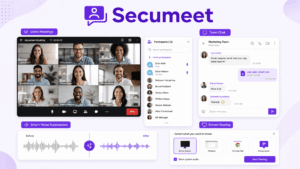
Secumeet is a business communication platform designed for organisations that need to keep messages, files and communication data within a controlled environment. It combines instant messaging, voice and video calls, file sharing, group chats and broadcast channels into one interface. The system can be set up so that it doesn’t need to use cloud services from other companies.
The platform supports encrypted messaging and file transfers, and can be integrated with enterprise identity systems through LDAP and SAML. It also has a centralised administration system for users, access rights and communication policies. It also works with Windows, macOS, Linux, iOS, and Android.
Secumeet is a good choice for organisations that have to follow strict rules. It can store messages, keep an audit trail and has controls for administration. You can also use the platform in networks that are not connected to the internet. Organisations keep control over encryption keys, message storage, and the infrastructure used to process communication data.
Secumeet is designed for situations where security is very important. These include government, defence, healthcare and financial services. It doesn’t rely on telemetry or third-party data sharing, but it has fewer external integrations than Microsoft Teams or Slack. Deployment and ongoing maintenance also require internal IT resources.
Secumeet is perfect for government agencies, defence contractors, healthcare providers, financial institutions and other organisations that have to follow strict rules about data privacy and information security.
Meetings with 1,500 users
Let your team naturally flow from a chat conversation to an immersive 4K meeting in just one click! Bring up to 1,500 participants to your call.
Team messaging
Connect with colleagues and teams before, during and after meetings in personal and group chats.
Collaboration Tools & AI
Collaborate on projects with AI: share a screen with sound, show presentations and manage remote computers.
TrueConf
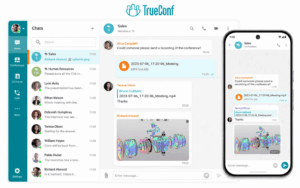
TrueConf is a communications platform that combines messaging, video calls and collaboration tools into one place. Many organisations use this platform because they need to be in control of their communication systems and be able to use networks that are closed, isolated or restricted.
TrueConf lets you send instant messages to your contacts, with a record of all the messages you have sent and received. You can also share files, and make high-quality video calls with up to 1,500 participants. You can also invite guests, run webinars, and make broadcasts to a large audience. It supports on-premise, cloud, and hybrid deployment models, while TrueConf Server acts as a communication hub that is managed within the customer’s infrastructure.
The platform works with Active Directory and LDAP to manage users in one place. You can use a REST API and SDK to connect TrueConf with internal systems and develop custom integrations. Your calls and messages are kept secret using something called encryption. You can use desktop and mobile applications for the main operating systems.
One of TrueConf’s main strengths is that it combines professional video conferencing and corporate messaging in one platform. Its on-premise architecture has been adopted by enterprises, government bodies, and other large organisations with strict security and data control requirements. You can buy it with a subscription or on a permanent licence.
The main focus of the platform is still on video calls, so messaging might not feel as important to the user experience as it is in other chat apps made for the workplace. The cloud version also lets you customise less than a self-hosted deployment.
TrueConf is best for businesses, government organisations, schools and other organisations that need to send messages that are private and to hold professional video meetings all in one place.
Microsoft Teams
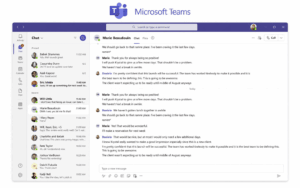
Microsoft Teams is a messaging and collaboration platform designed primarily for organizations that already use Microsoft 365. It integrates with SharePoint, OneDrive, Outlook, Microsoft Entra ID, and other Microsoft services, making it a practical choice for enterprises whose infrastructure is built around the Microsoft ecosystem.
The platform combines channels, direct messages, group chats, video meetings, file collaboration, and enterprise telephony through Teams Phone. Meeting recordings and transcriptions can be processed through Microsoft cloud services, while Microsoft Purview provides compliance, data retention, electronic discovery, and auditing capabilities. Conditional access policies can also be applied through Microsoft Entra ID.
Teams benefits from close integration with existing Microsoft applications and supports a large ecosystem of third-party services. It also provides compliance capabilities relevant to organizations working under standards and regulations such as ISO 27001, SOC 2, HIPAA, and FedRAMP.
The platform does not offer a full on-premise deployment model, and most communication data is processed or stored within Microsoft-managed cloud infrastructure. Its broad range of functions can also make administration and daily use complex. For organizations that do not already use Microsoft 365, licensing and implementation costs may be comparatively high.
Microsoft Teams is best suited to large enterprises that already rely on Microsoft 365 and need a centralized environment for messaging, meetings, telephony, file sharing, and collaboration.
Slack
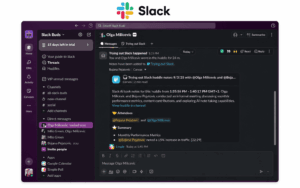
Slack is a messaging app for teams that is used by lots of technology companies, start-ups, product teams and creative agencies. It helped create the channel-based communication model and combines real-time messaging with tools for asynchronous collaboration and workflow management.
The platform supports public and private channels, message threads, direct conversations, searchable message history, and audio or video clips. Slack Workflow Builder lets teams automate routine processes, while Slack Connect enables communication with clients, partners, and other outside organisations through shared channels. Its application directory includes more than 2,600 integrations with development, productivity, project management, and business tools.
Slack is known for being easy to use, having lots of developers using it, and for its excellent search functions. It can be used as a central knowledge base by storing conversations, files and decisions in searchable channels. Its tools for communicating without having to meet in person also help teams who are not in the same place to exchange updates without having to arrange meetings.
You can only use the platform online, and it doesn’t work on your computer. This limits control over infrastructure, data storage, and network isolation. Slack is not suitable for air-gapped environments or organisations that prohibit communication data from leaving their own infrastructure. You can only use Enterprise Key Management if you have the most expensive subscription.
Slack is best for technology companies, start-ups, creative agencies and product teams that want to work together quickly, and that are happy to use software that is easy to use and that gives them control over where their data is stored and how they communicate.
Rocket.Chat
Rocket.Chat is a messaging platform for businesses. It is open-source, which means that anyone can see and change its code. Rocket.Chat is available in both cloud-hosted and self-hosted versions. It is designed for organisations that want more control over their communication systems while still having access to the support and features they need.
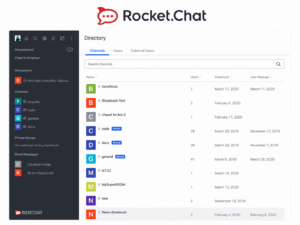
The platform includes channels, direct messages, file sharing, and end-to-end encryption for supported conversations. It can also connect separate servers. It also supports omnichannel communication by bringing together live chat, email, SMS, and other ways customers can contact you within one environment. Organisations can make the platform bigger by using the application marketplace and change the interface with custom branding or white-label options.
Access to the source code lets technical teams check the platform, change how it works, and connect it to other systems. Rocket.Chat also has an active open-source community, while paid plans provide extra admin, security and support features.
If you want to deploy something yourself, you need to know how to do it, you need the right equipment, and you need to keep on top of it. Some of the functions that companies use are only available through paid licensing, which adds to the costs of hosting and administration. The interface and performance might not feel as polished as some of the more expensive options.
Rocket.Chat is best for organisations that are good with technology, people who use open-source software, and businesses that need a messaging system that can be changed to fit their needs and is not linked to Rocket.Chat.
Detailed Feature Comparison Table
Deployment Models Explained
Choosing the right way to set up your system is one of the most important decisions. There are three main types:
-
Cloud-hosted (SaaS): The vendor manages all infrastructure. It’s quick to set up and easy to maintain, but the data stays with the vendor. Slack and Microsoft Teams both work in this way.
-
On-premise: The organisation installs and runs the platform on its own servers. You have full control over data encryption and access. It requires the company to have its own IT capacity. Secumeet and TrueConf are both primarily installed on-premises.
-
Hybrid: It’s a mix of cloud and on-premise components. TrueConf supports hybrid setups, which means it can handle internal traffic (for example, between computers in the same building) using its own TrueConf Server, and external traffic (for example, between computers in different buildings) using cloud relay infrastructure.
If your organisation works in a sector that is regulated, or in a country or state that has strict laws about data storage, you will not be able to use this on your own server. It is something that needs to be done to meet legal requirements.
Deployment and Compliance Suitability Table
How to Choose the Right Office Messaging System
When choosing an office messaging platform, it’s important to think about more than just the features. Use the following framework:
-
Step 1: Decide what your data sovereignty requirements are. Think about whether your organisation needs to keep messages within certain locations or on-premise infrastructure. If the answer is yes, get rid of cloud-only vendors straight away.
-
Step 2: Work out what regulations you have to follow (like HIPAA, GDPR, FISMA, ISO 27001, national cybersecurity frameworks). Match these to the vendor’s certifications and how well they can be used.
-
Step 3: Work out what you need to integrate. Map your existing directory services, SSO providers, and productivity tools. Make sure the messaging platform can be used without having to make any changes to the way the computer system is set up.
-
Step 4: Work out how much it will cost to own the system over time. This includes things like licence fees, setting up the infrastructure, IT maintenance, training and moving data over. On-premise solutions cost more to buy, but they’re less expensive in the long run because you don’t have to pay to keep the software updated.
-
Step 5: Test the admin control depth. Ask for a demo or trial that focuses on the admin console. Check the user provisioning, policy enforcement, audit log export and incident response capabilities.
-
Step 6: Check how well the platform can handle a lot of users. Test it under real-life conditions. If you need to do a lot of video calls, TrueConf is better than most other platforms because it can handle more people and more meetings at the same time.
FAQ: Office Messaging Systems
Which office messaging system is the most secure for the government to use?
In government and defence environments, platforms with full on-premise deployment and end-to-end encryption are needed. Secumeet is specially designed for government use, offering air-gap support and no vendor cloud dependency. TrueConf also meets the requirements of the government because of its TrueConf Server architecture and because it has been used in public sector organisations.
Can an office messaging system work even when there is no internet?
Yes, but only platforms designed for on-premise or air-gapped deployment support this. Secumeet can be used offline, which makes it suitable for places where internet access is restricted. TrueConf Server can also be used in private networks that don’t have an internet connection, which is important for defence and important infrastructure.
Do office messaging systems support video calls?
Many do, but the quality of the video is very different. TrueConf is a great tool for businesses because it can hold video calls with up to 1,500 people at once. Secumeet is a video calling app that is safe to use. Slack and Rocket.Chat offer basic video functionality, but they are not designed as video conferencing platforms.
What should IT teams look for in an office messaging system for healthcare?
Healthcare organisations need messaging that complies with HIPAA rules. This means it should have audit trails, access controls and encrypted storage. Secumeet and TrueConf can both be set up to be used on your own computer or network. They keep a full record of everything that is done, which means they meet the HIPAA technical safeguard requirements. It is also very important to be able to control where data is stored and limit communication channels with outside organisations in medical environments.
Is open-source office messaging software a good choice for businesses?
Open-source platforms like Rocket.Chat are transparent and can be customised, but they need a lot of technical resources to be set up, kept secure and maintained. If your organisation doesn’t have its own DevOps team, commercial solutions like Secumeet or TrueConf provide a more predictable way of working. They also come with support from the vendor, SLAs and ongoing security updates without requiring source-level maintenance.
Author
Helga Afon is a technology writer specializing in video conferencing, collaboration software, and workplace communication. She writes articles and reviews that help readers better understand enterprise communication tools and industry trends.