

Video conferencing has become a foundational communication infrastructure for businesses of all sizes. Whether you are connecting remote teams, running client meetings, hosting large-scale webinars, or managing distributed enterprise operations, the right video conferencing setup determines your team’s productivity, security posture, and long-term communication costs.
This guide covers everything decision-makers, IT administrators, and operations teams need to know: from choosing the right platform and deployment model to configuring hardware, securing communications, and scaling across departments.
Executive Summary
|
Topic |
Key Takeaway |
|---|---|
|
Platform types |
Cloud-hosted vs. on-premise vs. hybrid; each has different cost, privacy, and control profiles |
|
Hardware requirements |
Room systems, endpoints, cameras, and audio gear vary by room size and meeting format |
|
Security and compliance |
End-to-end encryption, data residency, and admin controls are critical for regulated industries |
|
Integration |
Your video system should connect to calendars, directory services (LDAP/AD), and existing UC tools |
|
Licensing models |
Per-user, concurrent session, and site-license models affect TCO significantly |
|
Deployment steps |
Needs assessment, platform selection, hardware procurement, pilot testing, rollout, training |
|
Key vendors |
Enterprise-grade options include TrueConf, Zoom, Microsoft Teams, Cisco Webex, and Secumeet |
What Business Video Conferencing Actually Means
Business video conferencing is not the same as consumer video calling. The distinction matters because enterprise environments require:
-
Centralized administration and user management
-
Defined access controls and meeting room policies
-
Audit logs and compliance reporting
-
Integration with existing corporate identity systems
-
Guaranteed uptime and SLA coverage
-
Support for hardware room systems alongside software clients
Consumer tools like FaceTime or standard Zoom free tier lack most of these capabilities. Business-grade platforms are architected differently from the ground up, with admin consoles, group policy enforcement, and options for on-premise or private cloud deployment.
Step 1: Assess Your Business Requirements Before Choosing Anything
Most failed video conferencing rollouts happen because organizations skip the requirements phase and jump directly to a demo or a vendor relationship. Before selecting any platform, answer the following questions.
Scale and user volume
-
How many employees need access?
-
How many simultaneous meetings typically happen across the organization?
-
Do you need support for large webinars or town halls with hundreds or thousands of attendees?
Meeting formats
-
Point-to-point calls between two people
-
Small team meetings (3 to 10 participants)
-
Large conference rooms with room systems
-
External client meetings with guests who have no account on your platform
-
Broadcast-style webinars or all-hands meetings
Meetings with 1,500 users
Let your team naturally flow from a chat conversation to an immersive 4K meeting in just one click! Bring up to 1,500 participants to your call.
Team messaging
Connect with colleagues and teams before, during and after meetings in personal and group chats.
Collaboration Tools & AI
Collaborate on projects with AI: share a screen with sound, show presentations and manage remote computers.
Compliance and data requirements
-
Are you subject to GDPR, HIPAA, SOC 2, FSTEC, or other regulatory frameworks?
-
Do you require data to remain within a specific country or region?
-
Does your security policy prohibit storing meeting data on third-party cloud servers?
Existing infrastructure
-
What calendar systems are in use (Microsoft 365, Google Workspace, Exchange)?
-
Is there an existing directory service (Active Directory, LDAP)?
-
What is the current network infrastructure, and can it handle video traffic at scale?
Step 2: Choose the Right Deployment Model
This is the most consequential decision you will make. The deployment model defines your security, control, total cost of ownership, and operational complexity.
Cloud-Hosted (SaaS)
The vendor runs the infrastructure. You pay per user or per month. Setup is fast, and maintenance is handled by the provider.
Best for: Small to mid-size businesses, organizations without dedicated IT staff, teams that prioritize speed of deployment.
Limitations: Your data travels through and is stored on the vendor’s infrastructure. You depend on the vendor’s uptime and compliance certifications. Customization is limited.
On-Premise Deployment
The entire video conferencing platform runs on servers you control, inside your own data center or private cloud. Examples include TrueConf Server, which can be deployed fully on-premise with no dependency on external services.
Best for: Government agencies, defense contractors, financial institutions, healthcare organizations, and any enterprise with strict data sovereignty requirements.
Limitations: Requires IT staff for installation, configuration, and ongoing maintenance. Higher upfront infrastructure cost.
Read also
On-Premise Video Conferencing: What It Is, Who Needs It, and Which Platforms Actually Deliver
Hybrid Deployment
A mix of on-premise core infrastructure with cloud relay or cloud features for external connectivity. This model is increasingly common in large enterprises that need internal control but also need to connect with external partners easily.
Best for: Large enterprises with complex needs, organizations transitioning from legacy systems, companies with a mix of internal and external communication requirements.
Deployment Model Comparison
|
Criterion |
Cloud (SaaS) |
On-Premise |
Hybrid |
|---|---|---|---|
|
Setup time |
Hours to days |
Days to weeks |
Weeks |
|
Data control |
Vendor-controlled |
Fully self-controlled |
Partial control |
|
IT requirements |
Low |
High |
Medium to high |
|
Monthly cost |
Predictable per-user fee |
Infrastructure + licensing |
Mixed model |
|
Compliance suitability |
Depends on vendor certs |
High (can be fully isolated) |
High with proper config |
|
Scalability |
Easy, vendor-managed |
Requires planning |
Flexible |
|
External guest access |
Native |
Requires configuration |
Configurable |
Step 3: Evaluate and Select a Platform
Once you know your deployment model, evaluate platforms against your specific requirements. Here is what to examine during evaluation.
Administration and Control
Look for a centralized admin console that lets IT manage:
-
User accounts and roles
-
Meeting room creation and access policies
-
Recording storage and retention policies
-
License assignment
Platforms like TrueConf offer full admin control including group policy management, LDAP/Active Directory integration, and user hierarchy controls. This matters significantly in enterprise environments where IT governance is non-negotiable.
Security Features
Non-negotiable security capabilities for business use:
-
End-to-end encryption for video, audio, and chat
-
Meeting room passwords and lobby/waiting room controls
-
Role-based access control (host, presenter, participant)
-
Two-factor authentication
-
Audit logs exportable to SIEM systems
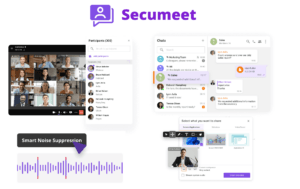
Secumeet positions itself specifically on secure communications, making it relevant for organizations where data protection is the primary driver rather than feature breadth.
Integration Capabilities
Check that the platform integrates with:
-
Calendar systems (Outlook, Google Calendar)
-
SSO providers (SAML 2.0, OAuth, Active Directory Federation Services)
-
Communication platforms (Slack, Microsoft Teams, or existing UC systems)
-
CRM or ticketing systems if relevant to your use case
Codec and Video Quality
For enterprise room systems, check support for:
-
H.264 and H.265 codecs
-
1080p and 4K video streams
-
Bandwidth optimization for low-connectivity sites
-
SIP and H.323 compatibility for connecting legacy room systems
Step 4: Plan and Procure Hardware
Software clients (desktop and mobile apps) handle most meeting scenarios, but physical room systems are essential for conference rooms, boardrooms, and executive suites.
Room Size Categories and Hardware Recommendations
|
Room Size |
Participants |
Camera Type |
Audio Setup |
|---|---|---|---|
|
Huddle room (2 to 4 people) |
Small team |
Wide-angle USB camera (e.g., Logitech Brio) |
All-in-one USB speakerphone |
|
Small conference room (5 to 8) |
Team meetings |
PTZ camera or bar camera |
Ceiling mic array or tabletop conferencing mic |
|
Medium room (8 to 15) |
Department meetings |
PTZ camera with speaker tracking |
Ceiling mic array, multiple zones |
|
Large boardroom (15 or more) |
Leadership meetings |
Multi-camera setup |
Distributed ceiling mic system |
|
Auditorium or training room |
Large group or hybrid |
Fixed and PTZ cameras |
Professional AV integration |
Hardware Components to Budget
-
Cameras (USB, IP, or SIP-based PTZ cameras)
-
Microphones and speaker systems
-
Display screens or interactive panels
-
Room booking panels for scheduling
-
Compute units (dedicated room system appliances or mini PCs)
-
Network switches and access points if room infrastructure is weak
Insight 1: Hardware standardization reduces long-term support costs dramatically. Organizations that define a single hardware stack per room category (rather than mixing brands and models) reduce IT support tickets, simplify firmware update cycles, and negotiate better vendor pricing. Define your standard before procurement, not after.
Step 5: Configure Network Infrastructure
Video conferencing is extremely sensitive to network quality. Poor configuration leads to dropped calls, pixelated video, and audio lag, which ultimately causes adoption failure regardless of platform quality.
Minimum Network Requirements
-
Stable internet connection with low latency (under 150ms round-trip for cloud)
-
Upload and download bandwidth: at minimum 3 Mbps per HD video session, 8 to 10 Mbps for 1080p
-
For on-premise: internal network with QoS configured for video traffic
Key Network Configurations
-
Enable QoS (Quality of Service) to prioritize video and audio packets over other traffic.
-
Configure firewall rules to allow required ports for your video platform (typically HTTPS 443, UDP 3478, and SIP/RTP ports for room systems).
-
Set up a separate VLAN for video conferencing traffic where possible, isolating it from general corporate traffic.
-
Test bandwidth per room before hardware installation, not after.
-
Deploy dedicated Wi-Fi access points for conference rooms using 5 GHz bands to reduce interference.
-
Use wired connections for room system compute units wherever possible.
Step 6: Run a Pilot Deployment
Never roll out organization-wide before running a structured pilot. A pilot with 10 to 30 users across different departments and room types will surface integration issues, usability problems, and network gaps before they affect everyone.
Pilot checklist:
-
Install the platform client on representative devices (Windows, macOS, mobile)
-
Configure at least one room system end-to-end
-
Test external guest access with participants outside your organization
-
Verify calendar integration is working correctly
-
Test recording, transcription, and storage if those features are required
-
Collect structured feedback from pilot users on usability and reliability
Insight 2: IT decision-makers consistently underestimate the importance of guest access configuration. Many organizations spend weeks perfecting the internal experience and then discover that external guests, partners, or clients cannot easily join meetings. Guest access typically involves different authentication flows, browser-based clients, or app download requirements. Test this explicitly during the pilot phase. Platforms like TrueConf and Secumeet offer guest link access without requiring recipients to create accounts, which significantly reduces friction for external participants.
Step 7: Implement Security and Compliance Controls
Security configuration is not optional. Set it up before full rollout.
Core Security Settings to Configure
-
Meeting passwords: Require passwords for all external or sensitive meetings
-
Lobby controls: Enable waiting rooms so hosts can admit participants manually
-
Recording policies: Define who can record, where recordings are stored, and for how long
-
Data retention: Configure automatic deletion of recordings and chat logs per your policy
-
Encryption: Verify that end-to-end encryption is enabled, not just transport encryption
-
User provisioning: Use SCIM or LDAP sync to automate user account creation and deactivation
-
MFA enforcement: Require multi-factor authentication for all accounts, especially admin accounts
Compliance Mapping
|
Regulation |
Key Requirement |
Platform Capability to Verify |
|---|---|---|
|
GDPR |
Data residency in EU, right to erasure |
Data center location, deletion API |
|
HIPAA |
Encryption, audit logs, BAA availability |
E2E encryption, audit log export |
|
SOC 2 |
Security controls, availability SLA |
Vendor SOC 2 report availability |
|
FSTEC (Russia) |
Certified software, on-premise deployment |
FSTEC certification, on-premise option |
|
ISO 27001 |
Information security management |
Vendor certification status |
Step 8: Train Users and Drive Adoption
Technology rollout without training results in low adoption and shadow IT (employees defaulting to personal tools). Build a structured onboarding plan.
Training Approach by Role
End users:
-
30-minute live demo covering core workflows: joining, hosting, screen sharing, chat
-
Short reference guide (PDF or internal wiki page) covering top 10 actions
-
Video tutorials for async reference
Meeting hosts and team leads:
-
Full walkthrough of host controls: muting, recording, breakout rooms, participant management
-
Training on meeting scheduling via calendar integration
IT administrators:
-
Deep training on admin console, user management, policy configuration
-
Network troubleshooting procedures
-
Escalation path with vendor support
Insight 3: Adoption is driven by managers, not IT. When managers visibly use the platform for their own team meetings and hold people accountable for using it, adoption accelerates. When IT rolls out a tool and then “encourages” usage from the sidelines, adoption stalls. Build manager enablement into your rollout plan explicitly. Make it easy for team leads to schedule and run meetings from day one, and adoption will follow organically.
Step 9: Monitor, Measure, and Optimize
After rollout, establish ongoing monitoring to identify quality issues, underutilized licenses, and emerging needs.
Metrics to Track
-
Meeting quality scores (packet loss, latency, jitter per session)
-
Active user rate (percentage of licensed users hosting or joining meetings weekly)
-
Support ticket volume related to video conferencing
-
Room system utilization by room and time of day
-
Recording storage consumption vs. budget
Most enterprise platforms provide admin dashboards with these metrics. Platforms like TrueConf include built-in monitoring and reporting tools that IT teams can use to proactively identify network or device issues.
Use monthly reviews to:
-
Right-size licenses (remove unused seats, add where needed)
-
Identify rooms that need hardware upgrades
-
Detect users who have not received adequate training
-
Plan for capacity increases before peaks (end of quarter, annual events)
Stop trading security for convenience
Secumeet delivers enterprise video conferencing with zero cloud data exposure. Self-hosted, SIP-compatible, and audit-ready.
FAQ: Video Conferencing for Business
What is the difference between cloud and on-premise video conferencing for business?
How many Mbps of bandwidth does business video conferencing require?
Can external guests join meetings without creating an account?
What security features should a business video conferencing platform have?
How do I connect legacy SIP or H.323 room systems to a modern video conferencing platform?
What is the typical cost structure for business video conferencing?
How long does it take to fully set up business video conferencing?
Read also
How to Choose Video Conferencing Software for Business
Video Conferencing Features for Business: Complete Guide and Vendor Comparison
Why Enterprises Need an On-Premise Unified Communication App?
Cloud vs On-Premise Video Conferencing: A Complete Guide for Enterprise Decision-Makers
Author
Olga Afonina is a technology writer specializing in video conferencing, collaboration software, and workplace communication. She writes articles and reviews that help readers better understand enterprise communication tools and industry trends.