
Zero trust messaging applies zero trust security principles to business chat, file sharing, voice, and video communication. The basic idea is that a successful login, a company-owned laptop, or a connection from the corporate network should not automatically make a user or device trusted.
NIST describes zero trust in similar terms: trust should not be granted solely because a person or asset is inside a particular network or belongs to the organization. Authentication and authorization apply to both users and devices, while access is focused on individual resources rather than broad network segments.
For messaging, this changes the security question. Instead of asking only “Is this conversation encrypted?”, organizations also need to ask who can reach it, from which device, under what conditions, and how quickly that access can be removed.
Quick Summary: What Matters Most
-
Zero trust messaging is not the same as encrypted messaging. Encryption protects message content. Zero trust also limits which identities, devices, sessions, and permissions can reach that content.
-
End-to-end encryption alone is not enough. If stolen credentials allow an attacker to register a legitimate endpoint, the encryption may still work correctly while the wrong person gains access.
-
A practical zero trust messaging model evaluates identity, device, access rights, session state, content protection, storage, administration, and infrastructure.
-
Corporate LAN or VPN access should not be treated as proof of trust. NIST explicitly moves zero trust away from location-based assumptions.
-
Self-hosting and zero trust solve different problems. Self-hosting determines who operates the infrastructure; zero trust determines how access is granted and revoked.
-
Device identity should be evaluated separately from user identity. A valid employee account can still be used from an unexpected or compromised endpoint.
-
The most useful test is what happens when a laptop is stolen, an employee leaves, a contractor’s access expires, a server is compromised, or an administrator account is taken over.
-
Platforms worth evaluating include Secumeet, TrueConf Server, Wire, Element, Rocket.Chat, and Mattermost. They are not interchangeable: each places its strongest controls at different parts of the trust chain.
A concise way to describe the difference is:
Encryption answers who can read a message. Zero trust asks who should be allowed to reach that message in the first place.
Zero Trust Messaging Platforms to Consider
There is no universal “best zero trust messenger.” Some products reduce trust in intermediary infrastructure through end-to-end encryption. Others provide stronger device verification, granular authorization, customer-controlled deployment, or policy enforcement based on user and device attributes.
That makes a security ranking less useful than an architectural comparison.
Secumeet

Secumeet is relevant when zero trust messaging is part of a wider requirement to keep business communication inside an environment controlled by the organization.
Its role is broader than secure text chat. Secumeet combines messaging, video communication, file exchange, user management, and private deployment, which means the organization can treat messaging and meetings as parts of the same controlled communication environment instead of distributing them across unrelated public services.
From a zero trust perspective, this matters because access control does not stop at the chat window. The organization also needs to decide who can use the communication system, which groups they belong to, which resources they can reach, and where the underlying infrastructure operates.
Secumeet materials describe on-premises and isolated-network scenarios together with enterprise directory integration and controlled access. Its strongest fit is therefore where the organization wants the communication boundary and the infrastructure boundary to remain closely aligned.
Functions relevant to a zero trust architecture include:
-
organization-managed user identities;
-
directory integration;
-
controlled group and communication access;
-
private messaging and file exchange;
-
video meetings inside the same communication environment;
-
customer-controlled deployment;
-
operation without depending on a public messaging cloud;
-
centralized administration.
Secumeet should not be described as “zero trust because it is self-hosted.” That would collapse two different concepts. Its relevance is that private deployment gives the organization control over an additional trust boundary, while identity and access policies determine who is allowed to use that infrastructure.
This makes Secumeet particularly relevant to organizations where the requirement is not simply “encrypt our chats,” but rather:
Keep business communication, its users, and the infrastructure carrying it inside one managed security environment.
TrueConf Server

TrueConf Server occupies a related but broader communications-infrastructure role. Messaging is part of a self-hosted unified communications platform that also covers video conferencing, corporate directories, meeting rooms, guest communication, and integration with SIP/H.323 systems.
For zero trust, its strongest area is the connection between enterprise identity, communication permissions, and customer-operated infrastructure.
TrueConf Server supports LDAP and LDAPS integration with systems including Active Directory, OpenLDAP, 389 Directory Server, and FreeIPA. Administrators can manage accounts and groups, assign group rights, configure SSO, and connect external two-factor authentication providers such as AD FS or Keycloak.
Those capabilities are directly relevant to zero trust because access can follow the organization’s existing identity structure instead of creating a disconnected set of messaging accounts.
The platform also supports:
-
centralized user and group administration;
-
LDAP/LDAPS directory integration;
-
SSO;
-
integration with two-factor authentication providers;
-
group rights and access management;
-
PIN-protected conferences;
-
guest access for selected conferencing scenarios;
-
SIP/H.323 interoperability;
-
encrypted media transport for supported protocols;
-
OAuth 2.0 API access;
-
deployment inside customer-controlled infrastructure.
TrueConf becomes particularly relevant when secure messaging cannot be separated from the organization’s broader communication architecture. A company may need corporate chat, but it may also have meeting rooms, IP telephony, SIP/H.323 endpoints, internal video infrastructure, and private networks.
Wire
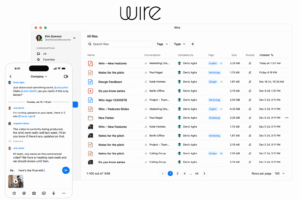
Wire is one of the clearest candidates when the threat model puts heavy emphasis on content confidentiality and endpoint identity.
Wire uses end-to-end encryption by default for messages, media, calls, and file sharing. This reduces the amount of trust placed in intermediary infrastructure because communication content is designed to be decrypted by participants rather than by the service carrying the conversation.
Its zero trust relevance becomes stronger at the device layer.
Wire allows users to verify conversation partners through device fingerprints and alerts them when a contact begins using a new device after verification. Its ID Shield feature uses certificate-based checks to help verify identity without requiring users to compare fingerprints manually every time. Users can also view and manage the devices connected to their own accounts.
Relevant controls include:
-
E2EE for messages;
-
E2EE for files and media;
-
encrypted voice and video calls;
-
device fingerprint verification;
-
notification when verified contacts add devices;
-
certificate-based identity verification through ID Shield;
-
multi-device inventory and management;
-
enterprise-oriented identity and administration.
This combination is important because it separates two questions that are often mistakenly treated as one.
A user can be authenticated, but the device participating in an encrypted conversation still needs to be trusted.
Wire is therefore especially interesting where the threat model includes compromised infrastructure, sensitive external collaboration, impersonation, or unauthorized endpoints.
Element

Element takes device-level trust even further because encryption and endpoint identity are closely tied to its Matrix architecture.
Element uses end-to-end encryption by default and decrypts messages on individual devices rather than treating the user account itself as the only cryptographic endpoint. It then adds cross-signed device verification, allowing users to verify their own devices and those belonging to conversation partners through QR codes or emoji comparisons.
If an unexpected device appears, users can verify whether it is legitimate. If a previously trusted device is lost or compromised, that trust can be revoked.
This is particularly relevant to zero trust because:
A trusted account does not automatically imply that every device attached to that account should remain trusted forever.
Element also brings several other relevant controls into the same architecture:
-
default E2EE;
-
cross-signed device verification;
-
private invite-only rooms;
-
SSO;
-
encrypted voice and video;
-
self-hosting;
-
air-gapped deployment;
-
private and open federation;
-
data retention and enterprise controls;
-
DLP and antivirus options in encrypted environments.
Federation is another important difference.
Element can connect organizations running separate Matrix infrastructure. Closed federation can be limited to an invite-only ecosystem while each organization retains control of its own deployment and data.
This makes Element particularly relevant where zero trust requirements extend beyond one company and into cross-organizational communication without collapsing all participants into a single centrally operated workspace.
Rocket.Chat
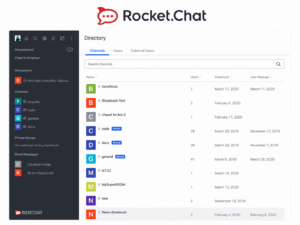
Rocket.Chat is particularly strong where zero trust needs to be translated into granular access policy.
Its security controls span authentication, authorization, endpoints, sessions, rooms, and deployment. Authentication options include password policies, MFA, SSO, LDAP, OAuth, and OpenID. After authentication, RBAC and ABAC can be used to determine what users are actually allowed to do.
The distinction between RBAC and ABAC is important.
RBAC answers questions such as:
What can someone with this role do?
ABAC can go further:
Does this user’s current set of attributes permit access to this resource?
Rocket.Chat’s ABAC implementation can use attributes synchronized from LDAP, and changes such as termination, role downgrade, or clearance removal can trigger updated enforcement.
Device management adds another zero trust layer. Administrators can inspect connected devices, including client, operating system, last login, device ID, and IP address, and can log a device out to terminate its session.
Relevant functionality includes:
-
MFA;
-
SAML, LDAP, OAuth, and OpenID authentication;
-
RBAC;
-
custom roles on supported plans;
-
ABAC;
-
private, read-only, and broadcast rooms;
-
device inventory;
-
remote session termination;
-
login detection;
-
personal access-token management;
-
E2EE for supported conversations;
-
audit and retention capabilities;
-
self-managed deployment;
-
air-gapped options for specialized environments.
Rocket.Chat therefore fits especially well when the zero trust requirement is not simply stronger encryption but:
Continuously deciding who can access which communication based on organizational policy.
Mattermost

Mattermost currently provides one of the most explicit mappings between collaboration software and zero trust maturity.
Its documentation describes controls across users, devices, networks, applications, and data rather than treating zero trust as a single feature. The platform starts with familiar controls such as SSO, MFA, guest accounts, RBAC, TLS, and audit logging, then extends into directory synchronization, ABAC, channel-level access policies, infrastructure controls, and context-aware enforcement.
At the more advanced end, Mattermost documents Zero Trust Channel Access, where access policies can evaluate credentials, clearances, device posture, network attributes, and environmental information when users enter a channel.
That is particularly close to the conceptual zero trust model because the decision is no longer simply:
Is this a valid Mattermost user?
It becomes:
Does this identity, device, and current context satisfy the policy for this particular communication resource?
Other relevant capabilities include:
-
SSO and MFA;
-
AD/LDAP synchronization;
-
RBAC;
-
ABAC;
-
guest accounts;
-
channel-level access policy;
-
audit logging;
-
compliance export;
-
mobile security controls;
-
shared and federated channels;
-
self-hosted deployment;
-
air-gapped and disconnected environments;
-
FIPS-oriented deployments;
-
data-spillage workflows;
-
burn-on-read messaging in selected enterprise configurations.
Mattermost is consequently most relevant to environments where communication is tied to operations, security incidents, government workloads, critical infrastructure, or other contexts where authorization may depend on more than static group membership.
Its documentation also makes an important point applicable to every product in this list:
No single messaging product delivers zero trust on its own.
Zero trust emerges from the combination of messaging, identity, endpoint security, policy, infrastructure, and operational processes.
Which Platform Fits Which Zero Trust Requirement?
The shortlist becomes clearer when the organization starts with the trust boundary it cares about most.
This is not a security ranking. An organization may reasonably evaluate several of them because zero trust architectures rarely depend on one control.
What Is Zero Trust Messaging?
Zero trust messaging is not a separate communication protocol or a universally defined software category. It is the application of zero trust principles to systems that carry messages, files, calls, meetings, and communication history.
The traditional trust model often looks roughly like this: an employee authenticates, enters the corporate environment, and is then trusted to use whatever communication resources their account exposes.
Zero trust narrows that assumption.
A successful login proves something about identity, but not everything. The device may still be unknown. The employee’s role may have changed. The requested conversation may contain information the person no longer needs. A session that was legitimate several hours ago may no longer be legitimate now.
NIST frames zero trust around protecting resources rather than network segments and explicitly rejects the idea that network location or organizational ownership creates automatic trust.
For business messaging, a more realistic access path therefore looks like:
Identity + Device + Policy + Resource → Access decision
rather than:
Inside workspace → Trusted
Why Encryption Alone Does Not Create Zero Trust
Encryption and zero trust overlap, but they solve different problems.
Suppose an employee uses an end-to-end encrypted messenger. An attacker steals the employee’s credentials, signs in from another device, and the platform accepts that endpoint.
The cryptography may still work perfectly. Messages remain encrypted in transit and are decrypted only at participating endpoints.
The problem is that the attacker has become one of those endpoints.
That gives us two different security questions:
Encryption: who has the cryptographic ability to read the content?
Zero trust: which person and which endpoint should be authorized to reach that content?
This is why features such as device verification, endpoint inventory, session revocation, MFA, and scoped permissions matter alongside message encryption.
The Three Main Trust Boundaries in Business Messaging
A messaging environment contains dozens of individual controls, but most of them can be understood through three larger boundaries.
Identity Boundary
The first question is who is requesting access.
A business messaging platform may rely on:
-
company accounts;
-
SSO;
-
MFA;
-
LDAP or Active Directory;
-
automated provisioning;
-
user roles;
-
guest identities;
-
rapid deprovisioning.
Identity is not permanent. Employees move teams, projects end, contractors leave, and responsibilities change. Zero trust assumes access should change with them.
Device Boundary
A legitimate identity may still appear on an illegitimate endpoint.
That is why device trust should be considered separately.
A zero trust-oriented communication architecture may need:
-
device inventory;
-
endpoint verification;
-
device certificates;
-
managed-device requirements;
-
session termination;
-
lost-device revocation;
-
posture checks.
Element’s cross-signed verification and Wire’s device fingerprint model illustrate two ways of making endpoint trust visible rather than relying solely on account credentials.
Communication Boundary
Once the user and endpoint have been accepted, the next question is what they should actually see.
Access to the application does not need to mean access to every:
-
room;
-
project channel;
-
file;
-
call;
-
meeting;
-
archive;
-
administrative resource.
This is where RBAC, ABAC, private rooms, guest scopes, group membership, and contextual policies become important.
A useful summary is:
Verify the identity, evaluate the endpoint, then grant only the communication access that is actually required.
Why Being Inside the Corporate Network Is Not Enough
Traditional enterprise security relied heavily on the boundary between inside and outside.
That assumption is increasingly weak. Employees work remotely, contractors connect through VPNs, applications sit in cloud environments, mobile devices move between networks, and attackers who compromise an internal endpoint may already be operating from a supposedly trusted location.
NIST explicitly describes zero trust as a move away from granting implicit trust based on physical or network location.
For messaging, LAN access can still be useful context, but it should not answer the entire security question.
A person sitting at headquarters may be using a compromised laptop. A remote employee may be completely legitimate. A contractor using an approved VPN may still need access to only one project room.
Network position is therefore evidence, not identity.
Five Incidents Reveal More Than a Feature Checklist
Long security feature lists can make products look similar. Real incidents expose the differences much more clearly.
A New Device Appears
An employee already has a valid account but signs in from an unfamiliar laptop.
Does the platform simply accept it? Does MFA apply? Is the device visible to the user or administrator? Does it need separate verification before joining encrypted communication?
This scenario tests whether the platform distinguishes user trust from device trust.
A Laptop Is Lost
The device was legitimate yesterday. It should no longer be trusted today.
Can administrators or users identify it and terminate the session? Can trust be revoked without disabling every other device? Will the lost laptop continue receiving new information?
This tests whether authorization can actually be withdrawn.
An Employee Leaves
Terminating an employee should affect more than their password.
Organizations may need to remove:
-
account access;
-
active sessions;
-
project memberships;
-
device authorization;
-
guest relationships;
-
API tokens.
Directory integration is valuable here because communication access can follow the broader identity lifecycle.
A Contractor Needs One Project
A contractor who needs one project room for two months should not necessarily receive the same communication visibility as a permanent employee.
A zero trust-oriented design should make it possible to reduce the scope of access instead of creating a broadly trusted internal identity.
An Administrator Is Compromised
This is one of the most revealing scenarios.
What can an administrator see or change? Can the account export communication history, enter private spaces, change retention, create identities, or weaken security settings?
E2EE can reduce the content visible to server-side actors. Role separation and granular administrative permissions can limit what one administrator can change.
Zero trust therefore also has an administrative trust boundary.
What Should a Zero Trust Messenger Include?
Instead of looking for one “zero trust” checkbox, evaluate the full communication lifecycle.
Not every organization needs the strongest possible implementation in every category.
There are also real architectural trade-offs. Strict end-to-end encryption can make centralized search, content inspection, legal discovery, moderation, or some DLP workflows more difficult. Very strict device controls can also increase user friction.
The right design depends on what the organization needs to protect and which actors it is unwilling to trust.
Zero Trust Messaging vs Secure Messaging
“Secure messaging” is a broad category. It can mean encrypted transport, encrypted storage, E2EE, secure authentication, or simply stronger administration than a consumer chat app.
Zero trust messaging adds another question:
How narrowly is trust granted around the communication?
A secure messenger may protect the message itself. A zero trust-oriented environment also considers whether the current identity, endpoint, session, role, and context still justify access.
A useful distinction is:
Secure messaging protects communication. Zero trust messaging also constrains the trust surrounding communication.
Zero Trust Does Not Mean Distrusting Users Forever
The name can make zero trust sound as though employees should constantly be challenged before they can communicate.
That is not the goal.
Good systems try to keep verification unobtrusive while the conditions remain normal. If the employee is still active, the device remains approved, the session looks normal, and the user still belongs to the project, there may be no reason to interrupt the conversation.
Reevaluation becomes important when conditions change: a new device appears, a role changes, a session becomes suspicious, a guest invitation expires, or an account is disabled.
The principle is therefore not:
never allow trust
but:
never make trust permanent simply because it existed before.
A Practical Zero Trust Messaging Test
Before choosing a platform, ask the vendor to explain what happens in these situations:
-
A legitimate employee signs in from a new device.
-
A laptop with an active messaging session is stolen.
-
An employee changes role or department.
-
A contractor needs access to one project for a limited period.
-
The messaging server is compromised.
-
An administrator account is taken over.
These questions reveal more than a generic claim of being “zero trust ready.”
One platform may have excellent E2EE but limited centralized endpoint policy. Another may offer highly detailed ABAC and device controls while using a different content-encryption model. A third may give the organization complete control over deployment but depend heavily on the surrounding identity architecture for access enforcement.
Those differences are precisely what a zero trust assessment should expose.
FAQ
What is zero trust messaging?
Zero trust messaging applies zero trust security principles to business chat, files, calls, and other communication. Instead of trusting a user because they logged in or are connected to the corporate network, access can depend on identity, device, permissions, session context, and the specific communication resource being requested.
Is zero trust messaging the same as end-to-end encryption?
No. End-to-end encryption determines who can decrypt message content. Zero trust determines which identities and devices should be allowed to access communication resources. The two approaches can complement each other.
Does zero trust messaging require self-hosting?
No. Self-hosting determines who operates the infrastructure, while zero trust determines how access is granted, limited, and reevaluated. A cloud platform can enforce zero trust controls, and a self-hosted platform can still rely on excessive implicit trust.
Why is device verification important?
A valid account does not prove that every device using it should be trusted. Device verification or device management creates a separate security decision and makes it possible to identify or revoke unexpected endpoints.
What features should a zero trust messaging platform have?
Important controls include SSO and MFA, directory integration, device management or verification, session revocation, least-privilege access, RBAC or ABAC, encryption, guest controls, audit logging, and clear deployment and storage policies.
What are some zero trust messaging platforms?
Platforms worth evaluating include Secumeet, TrueConf Server, Wire, Element, Rocket.Chat, and Mattermost. They differ in their emphasis on infrastructure control, end-to-end encryption, device trust, federation, access policy, and enterprise communications.
Is Secumeet suitable for zero trust messaging?
Secumeet can fit a zero trust-oriented architecture when private deployment, managed business identities, controlled access, messaging, and video communication need to operate within an organization-controlled environment. The final zero trust posture depends on the surrounding identity, endpoint, and access policies.
How does TrueConf Server fit a zero trust strategy?
TrueConf Server is relevant when messaging and video communication need to run on customer-controlled infrastructure and integrate with enterprise identity systems, private networks, meeting rooms, or SIP/H.323 environments. LDAP/LDAPS, SSO, external two-factor authentication, group rights, and centralized administration can form part of a broader zero trust architecture.
Conclusion
Zero trust messaging is best understood as a change in where a communication system places trust.
A conventional model may treat a successful login or position inside the corporate network as enough. Zero trust breaks that decision into smaller questions: which user, which device, which conversation, which session, and which permissions are valid now?
Encryption remains important, but it answers only the content-protection part of the problem. Self-hosting gives an organization greater control over infrastructure, but it does not automatically determine who should have access inside that infrastructure.
That is why the most useful evaluation follows the full path:
identity → device → authorization → content → storage → infrastructure → administration
The platforms in this article emphasize different parts of that chain. Secumeet is especially relevant when messaging and meetings need to remain within a controlled private environment. TrueConf Server extends that model into broader self-hosted enterprise communications and video infrastructure. Wire focuses strongly on E2EE and endpoint identity, while Element combines encrypted communication with explicit device verification and federation. Rocket.Chat provides detailed RBAC, ABAC, device, and session controls, and Mattermost takes zero trust further into contextual access policies for sovereign and mission-oriented environments.
The best choice is therefore not the vendor with the longest security feature list. It is the platform whose trust boundaries match the threats, infrastructure, and communication model your organization actually has.
Author
Helga Afon is a technology writer specializing in video conferencing, collaboration software, and workplace communication. She writes articles and reviews that help readers better understand enterprise communication tools and industry trends.