You have probably seen articles that start with a big number: “The video conferencing market will hit $X billion by 2030!” This is not one of those articles. If you are reading this in 2026, you already know the market is huge. What you really need is simple, clear guidance on a choice that is trickier than it looks—and easier to mess up than most teams realize.
Here is the truth: picking a video platform is not really about which one has the crispest video, the prettiest buttons, or the longest list of features. Those things matter, but they are not the main event. The real question is simpler and more important: Who can see your meeting data? What rules protect it? And where does that data actually live after the call ends? Get that part wrong, and no amount of fancy AI summaries will save you during a compliance review.
That is why we took a close, practical look at five platforms that real enterprise teams are choosing right now: Secumeet, TrueConf, Zoom, Microsoft Teams, and Cisco Webex. These are not just five versions of the same tool. They represent five different ways of thinking about security, control, and how work gets done. And those differences? They matter far more than most comparison guides will tell you.
Executive Summary
|
Platform |
Best For |
Deployment |
Core Differentiator |
Starting Price |
|---|---|---|---|---|
|
Secumeet |
Defense, government, intelligence-adjacent organizations |
On-premise only, private network |
Zero vendor data access, customer-held keys, air-gap capable |
Enterprise pricing on request |
|
TrueConf |
Enterprise, government, healthcare, education |
On-premise, cloud, hybrid |
On-premise depth without feature sacrifice, 1,500 participants, SIP/H.323 native |
From $3.89/user/month (server license) |
|
Zoom |
Any organization prioritizing adoption speed and integration breadth |
Cloud |
Frictionless UX, widest app marketplace, mature AI Companion |
Free to $19.99+/user/month |
|
Microsoft Teams |
Organizations running on Microsoft 365 |
Cloud, GCC/DoD tiers |
M365 workspace coherence, Copilot contextual intelligence |
Included in M365 / from $4/user/month |
|
Cisco Webex |
Large enterprise with Cisco infrastructure, multilingual global teams |
Cloud, Video Mesh hybrid, on-premise |
Hardware ecosystem depth, real-time translation, FedRAMP |
Free to $25+/user/month |
The short answer: Data governance requirements determine the shortlist before features enter the picture. For organizations where meeting data must stay on their own infrastructure, TrueConf and Secumeet are purpose-built for that constraint. For Microsoft 365 shops, Teams has gravity that is hard to argue against. For maximum adoption speed and integration flexibility, Zoom is the benchmark. For enterprises with existing Cisco infrastructure and serious multilingual communication needs, Webex is the strongest fit.
Stop trading security for convenience
Secumeet delivers enterprise video conferencing with zero cloud data exposure. Self-hosted, SIP-compatible, and audit-ready.
What Video Chat Software Actually Is in 2026
The phrase “video chat software” undersells what these platforms have become. The category has expanded from point-to-point video calls into full communication operating systems: persistent team workspaces, cloud telephony, AI-assisted knowledge capture, event hosting, contact center infrastructure, and hardware management layers for physical meeting rooms.
That expansion has two important consequences for buyers. First, the platform you choose now is harder to replace in two years than the platform you chose in 2020, because it is woven into more workflows. Second, the security and compliance surface area of these platforms is vastly larger than it was when “video conferencing” just meant a call.
Understanding the fundamental product split helps frame every comparison that follows:
-
Cloud-first platforms (Zoom, Teams, Google Meet) run on vendor infrastructure. Onboarding takes hours, not weeks. Scaling is automatic. The platform updates itself. In exchange, every audio stream, chat message, recording, and AI-generated transcript passes through and rests on servers the vendor controls. The vendor defines the retention policy, the encryption model, the key management scheme, and the access controls. Customers can configure within those parameters. They cannot step outside them.
-
Infrastructure-sovereign platforms (TrueConf, Secumeet, and partially Webex via Video Mesh) allow or require the organization to run the communication stack on its own hardware or private cloud. Deployment takes longer and requires capable IT staff. In exchange, the organization controls exactly where every byte lives, who can access it, how long it is retained, and what logging is applied. No vendor ever touches the content.
This split is not a matter of preference. It is a compliance boundary. Organizations in defense supply chains, national government, classified research, or sensitive financial services often have no legal path to cloud-first platforms regardless of feature quality. Acknowledging that upfront eliminates a lot of wasted evaluation time.
Insight 1: “Encrypted” Is Not the Same as “Private,” and Most Buyers Conflate the Two
The word “encryption” appears in the marketing materials of every platform in this comparison. It is nearly meaningless as a differentiator unless you ask two follow-up questions: who holds the encryption keys, and where does key exchange happen?
In standard cloud conferencing implementations, the vendor manages the encryption infrastructure. Traffic is encrypted in transit so that third parties on the network cannot intercept it. But the platform operator, the vendor, holds the keys that protect content at rest and often participates in the session key establishment. From a technical standpoint, the vendor could access meeting content if compelled to do so by a legal process, internal policy change, or breach of the key management system.
This is not a hypothetical concern. US cloud providers operate under legal frameworks that can compel disclosure of customer data held on their infrastructure, including communications data, to government authorities under certain conditions. European organizations dealing with cross-border data flows have encountered exactly this issue with FISA 702 exposure. The contractual language in vendor BAAs and DPAs shifts liability but does not change the underlying architecture.
Genuine end-to-end encryption, where the customer holds the keys and the vendor’s servers relay encrypted packets they cannot decrypt, is architecturally different. Secumeet implements this. TrueConf in on-premise mode implements this. No cloud-native platform in this comparison implements it by default; they offer it as an optional mode that trades away certain features like server-side recording and AI transcription.

For buyers in regulated industries: when a vendor says “encrypted,” ask specifically whether they hold the encryption keys, whether their infrastructure can decrypt session content under any circumstances, and whether they have received legal process requests for customer communication data in the past 24 months and what they produced. The answers should inform your architecture decision more than any feature comparison.
Best Video Chat Softwares in 2026: Platform Reviews
Secumeet: The Platform That Treats “Zero Trust” as an Architecture, Not a Buzzword

Most enterprise software vendors use “zero trust” as a positioning term. Secumeet uses it as a design constraint. The platform is built around a single non-negotiable premise: the vendor should have no technical ability to access customer communication content under any circumstances, including legal compulsion, because access should be architecturally impossible, not merely contractually prohibited.
This is a meaningful distinction. Contractual prohibitions can be amended, overridden by legal process, or violated by a breach. An architecture where the vendor’s servers relay encrypted data they cannot decrypt provides a fundamentally stronger guarantee. Secumeet sits firmly in the second category.
How the deployment model works:
Secumeet is installed entirely within the customer’s network perimeter. There is no cloud component, no licensing callback, no telemetry, and no external service dependency once the platform is operational. Audio streams never leave the organization’s infrastructure. Video packets are routed between participants on the customer’s own servers. Chat messages are stored on customer-controlled storage. The vendor ships software; once deployed, the vendor is operationally irrelevant.
This architecture enables a security capability that cloud platforms cannot replicate: genuine air-gap operation. Secumeet can run on networks with no internet access whatsoever, which makes it suitable for classified government environments, military networks, industrial control system zones, and any facility operating under strict network segmentation requirements.
Core capabilities:
-
End-to-end encrypted audio and video with cryptographic keys that never leave the customer’s infrastructure
-
Full platform operation without internet connectivity
-
Zero vendor metadata collection: the vendor cannot see who is communicating with whom, when, or for how long
-
Secure external participant access without requiring external account creation or cloud routing
-
Granular audit logging configurable to the organization’s specific forensic and compliance requirements
-
Native integration with enterprise PKI infrastructure and internal identity providers including LDAP, Active Directory, and SAML-compliant IdPs
-
Administrative policy controls for session recording, participant permissions, and content handling
-
Configurable data retention with no vendor-imposed minimum or maximum
The honest limitations:
Secumeet’s architecture requires real IT operational capacity. Someone in your organization needs to provision the server, configure network routing, integrate the identity provider, and manage ongoing maintenance. This is not unusual for enterprise infrastructure, but it is different from configuring a SaaS account. Organizations without a dedicated IT security team will find the operational requirements challenging.
The platform does not offer a broad third-party integration ecosystem. There is no Salesforce connector, no Slack bridge, no Google Workspace integration. This is partly a consequence of the security model: integrations with external SaaS platforms would create data flows that the platform’s architecture is explicitly designed to prevent.
Secumeet also currently offers no AI meeting assistant. This is not an oversight. AI inference requires computation, and computation at scale currently means sending data to external infrastructure. Until on-premise AI inference reaches sufficient maturity, adding an AI assistant would require architectural compromises that the platform explicitly avoids. Organizations evaluating Secumeet should account for this in their AI productivity planning.
Ideal deployment profile:
Defense contractors operating under ITAR, EAR, or equivalent export control regimes. Government ministries and agencies whose procurement policy prohibits commercial cloud services for sensitive communications. Intelligence community adjacent organizations. Law firms managing nationally significant litigation where communication channel security is a material legal risk. Financial institutions with internal policies that prohibit third-party processing of deal-sensitive information. Critical infrastructure operators where communication security is a material operational risk category.
Meetings with 1,500 users
Let your team naturally flow from a chat conversation to an immersive 4K meeting in just one click! Bring up to 1,500 participants to your call.
Team messaging
Connect with colleagues and teams before, during and after meetings in personal and group chats.
Collaboration Tools & AI
Collaborate on projects with AI: share a screen with sound, show presentations and manage remote computers.
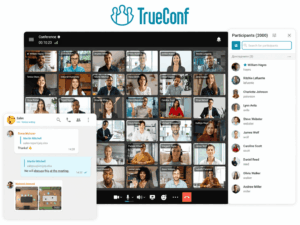
TrueConf: Twenty Years of On-Premise Engineering, Delivered With Modern UX

TrueConf was building enterprise video infrastructure before Zoom existed as a company. That is worth stating plainly, because the vendor’s history shapes its product in ways that matter practically. TrueConf has built server software for demanding deployment environments, including military networks, federal government agencies, hospital systems, and large industrial enterprises across Europe, Asia, and the Middle East, for two decades. The platform carries institutional knowledge about what breaks in constrained networks, what compliance teams actually need to see in audit logs, and what happens to a video call on a 2 Mbps satellite link.
In 2026, TrueConf represents the best answer to a question that used to have a bad answer: what is the on-premise enterprise video platform that does not feel like a decade-old product? The historical tradeoff of choosing self-hosted video was accepting a generation of feature lag. TrueConf has systematically closed that gap.
The transport layer matters more than most reviews acknowledge:
TrueConf built its own video transport protocol rather than relying on WebRTC. This is a significant architectural choice with real operational consequences. WebRTC is excellent for browser-based communication over well-provisioned networks. It degrades more sharply than purpose-built protocols on high-latency, packet-loss-prone, or bandwidth-constrained connections.
TrueConf’s SRTP-over-TLS implementation was optimized specifically for the kinds of network environments where enterprise deployments actually happen: corporate WAN links with variable quality, VPN tunnels with added latency, remote sites on shared internet connections, and satellite or cellular backhaul. Organizations that have attempted to deploy WebRTC-based platforms in distributed enterprise environments and found quality unacceptable in certain locations will find TrueConf’s transport layer notably more resilient.
Deployment architecture:
TrueConf Server runs as a standalone application on Windows Server or Linux, as a virtual machine on VMware or Hyper-V, or as a containerized deployment. In on-premise mode, the server handles all signaling, media processing, recording storage, user authentication, and administration internally. No traffic leaves the customer’s network.
|
Deployment Mode |
Data Location |
Internet Required |
Best Fit |
|---|---|---|---|
|
On-premise server (bare metal or VM) |
Customer infrastructure |
No |
Maximum control, air-gapped environments |
|
Hybrid (on-premise server + cloud overflow) |
Split by admin configuration |
Yes (for cloud component) |
Scalability with baseline data control |
|
TrueConf Cloud |
TrueConf data centers |
Yes |
Fastest deployment, minimal IT overhead |
|
Multi-server enterprise cluster |
Customer data center |
No |
Very large organizations, 5,000+ users |
Feature depth at scale:
-
Video conferences with up to 1,500 fully interactive participants in a single session on premium server configurations
-
4K video with adaptive bitrate management for participants on constrained connections
-
End-to-end encrypted sessions in on-premise mode with organization-controlled key management
-
Persistent team chat with threaded messages, file sharing, and full-text search across history
-
Built-in webinar mode with separate presenter and audience roles, Q&A management, and recording
-
Native SIP and H.323 gateway for integrating legacy conference room hardware endpoints
-
AI meeting assistant with transcription, summarization, and keyword extraction running on the customer’s own server infrastructure
-
Full LDAP and Active Directory integration with group-based policy and role-based access control
-
Native clients for Windows, macOS, Linux, iOS, Android, and browser-based access without plugin installation
-
Room system management for hardware conference room endpoints
-
Administrative analytics covering usage patterns, infrastructure load, meeting history, and user activity
The SIP interoperability point deserves more attention than it typically receives:
Enterprise organizations that have been running video infrastructure for more than five years almost always have hardware endpoints in conference rooms: Cisco TelePresence systems, Polycom Group Series units, Lifesize devices, or generic SIP room kits. Cloud platforms treat these devices as a problem to be solved with a third-party gateway or connector. TrueConf integrates with them natively, through the same administrative interface that manages software endpoints.
This matters for migration planning. An organization moving from an aging Cisco TelePresence deployment to TrueConf does not need to replace conference room hardware on day one. Existing devices register to the TrueConf server and participate in conferences immediately. Hardware replacement can then happen on a normal refresh cycle rather than as an emergency migration cost.
AI that stays on your infrastructure:
TrueConf’s AI assistant is architecturally unusual in this comparison. In on-premise deployments, the inference model runs on the customer’s server, not on an external AI cloud service. Meeting transcription, summarization, and keyword extraction happen entirely within the customer’s network. No transcript content is transmitted to the vendor or any third-party inference provider.
This matters for organizations that want AI productivity features but operate under data handling policies that prohibit sending communication content to external services. Every other platform in this comparison that offers AI features routes transcript data through external inference infrastructure. TrueConf’s on-premise AI is the only implementation that does not.
The capability set is currently narrower than Microsoft Copilot. The architecture is the only one in this comparison that does not require a data sovereignty compromise to enable it.
TCO reality:
TrueConf Server licenses on a concurrent connection model. A 2,000-person organization with 250 peak concurrent video users licenses 250 connections, not 2,000 named seats. That structural difference compounds significantly over a multi-year term. At 1,000 users, a self-hosted TrueConf deployment typically produces lower 3-year TCO than equivalent Zoom or Webex subscriptions, even after factoring in server hardware and IT operational overhead. The break-even point against per-user cloud pricing typically falls between 150 and 300 concurrent users.
Who this is for:
Government agencies and ministries. Healthcare networks with patient communication data residency requirements. Universities running research communications across secure network segments. Large manufacturers with distributed plant sites and legacy conference room hardware. Enterprise IT teams that have concluded that perpetually paying per-user-per-month for infrastructure they do not control is not the right long-term position.
Zoom: Dominant by Design, Not Default

Zoom became a verb before it became a platform strategy, and that trajectory tells you something important about the product. Zoom was not adopted by enterprise IT departments because of superior procurement processes or Gartner positioning. It was adopted because individual users found it demonstrably easier to use than every alternative, and critical mass of user preference eventually forced organizational endorsement. That bottom-up adoption dynamic shaped everything about how the product is built.
In 2026, Zoom has expanded well beyond meetings into a full unified communications stack. But the core product DNA, making communication frictionless from the perspective of the person joining a call, remains the primary competitive asset. No other platform in this comparison has a guest join experience that approaches Zoom’s.
What “frictionless” actually means in practice:
When a Zoom meeting link lands in an external participant’s inbox, they can join from a browser with one click, no account required, no app installation forced. The experience on macOS, Windows, iOS, Android, and Linux is consistent enough that participants do not need to be coached through platform-specific quirks. Meeting links work. Audio works without configuration steps. The camera activates predictably.
This sounds unremarkable until you have watched a client call fall apart for eight minutes because someone’s Webex client has not been updated since 2022, or because a Teams guest access token expired, or because a TrueConf web client is blocked by the participant’s corporate browser policy. Zoom has invested more product engineering effort into eliminating those failure modes than any other platform in this comparison, and it shows in the data: Zoom consistently scores highest on end-user satisfaction in enterprise IT surveys.
Architecture and infrastructure:
Zoom operates a globally distributed cloud infrastructure with regional data centers across six continents. The platform uses a proprietary video codec with advanced loss concealment and adaptive quality management that has been tuned across hundreds of billions of meeting minutes. Geographic data routing controls allow administrators to restrict which regional data centers process and store meeting content, addressing GDPR and national data residency requirements for many, though not all, organizational contexts.
Zoom does not offer customer-controlled infrastructure. All meeting processing occurs on Zoom’s systems. End-to-end encryption mode is available but disables server-side recording and AI-generated transcription because those features require server-side content access. Organizations that need both E2EE and AI features cannot have both simultaneously on Zoom.
Zoom AI Companion: the most ecosystem-integrated AI assistant:
Zoom AI Companion has matured into the most deeply integrated meeting AI among cloud-native platforms. The distinction worth understanding is that AI Companion operates across the entire Zoom workspace, not just inside meeting windows. It can surface action items from a meeting in a Zoom Team Chat thread. It can draft a follow-up email based on meeting notes. It can answer questions about meeting content after the session ends through a natural language interface. The intelligence spans the workspace rather than sitting isolated inside individual meeting recordings.
For organizations with high meeting volume and distributed teams, the difference between a transcription service that produces a wall of text and an AI assistant that identifies decisions, extracts action items, and makes content queryable is significant and measurable in how reliably information from meetings translates into actual follow-through.
Integration ecosystem:
Zoom’s app marketplace contains more than 2,500 integrations. The practical implication is that the friction cost of connecting Zoom to existing organizational tooling is lower than any alternative in this comparison. Salesforce activity logs, Asana task creation, ServiceNow ticket opening, HubSpot deal tracking, GitHub repository links: all exist as native integrations without custom API development. For organizations with complex software ecosystems, this breadth reduces deployment resistance and accelerates adoption.
Where Zoom falls short:
Every byte of Zoom meeting content lives on Zoom’s infrastructure. For organizations with data governance policies that prohibit third-party processing of communication content, Zoom is not an option regardless of feature quality. Zoom for Government achieves FedRAMP Moderate authorization, which addresses many US federal requirements, but it does not constitute customer-controlled infrastructure.
Zoom’s workspace features have improved but remain less coherent than Microsoft Teams for organizations whose documents, email, calendar, and identity already live in the Microsoft ecosystem. Using Zoom as a primary workspace alongside Microsoft 365 introduces integration overhead that Teams eliminates by design.
Microsoft Teams: Embedded Infrastructure, Not Just Another App

Teams is not the best video conferencing tool in this comparison. It is, for a large portion of the enterprise market, the most defensible platform choice regardless of that fact. Understanding why requires understanding what Teams actually is.
Teams is not primarily a video conferencing application. It is the workspace layer of Microsoft 365, and video conferencing is one of its functions. When an organization runs Teams, it is running a system where meetings, persistent chat, document collaboration, calendar, task management, telephony, identity, compliance enforcement, data loss prevention, and eDiscovery all share the same infrastructure, the same administrative console, the same policy framework, and the same AI orchestration layer. No other platform in this comparison provides that degree of operational coherence across an organization’s entire communication surface area.
The consequence is that Teams’ competitive position is strongest not in individual feature comparisons but in total workflow integration. Replacing Teams requires replacing all of those functions simultaneously, which is why Teams retention rates in Microsoft 365 organizations are high even among users who prefer the meeting experience of competing platforms.
The Microsoft 365 gravity effect:
If your organization runs Exchange for email, SharePoint for document management, OneDrive for file storage, and Azure Active Directory for identity, Teams does not require integration with those systems. It is those systems. A Teams meeting can include a document from the participant’s OneDrive with real-time co-editing. A Teams channel conversation maintains full thread history alongside the files shared in it, the meetings held about it, and the tasks assigned within it. Identity and access policies set in Azure AD apply immediately to Teams without additional configuration.
For IT administrators, this means Teams requires significantly less integration engineering to deliver a coherent employee experience than any platform that sits outside the Microsoft ecosystem. For security teams, it means that the compliance and audit tooling already built for Microsoft 365 email and documents applies automatically to Teams communications.
Copilot in Teams: contextual intelligence at enterprise scale:
Microsoft 365 Copilot in Teams operates with a contextual data advantage that no other AI meeting assistant can currently match. When Copilot generates a post-meeting summary, it has access to the document that was shared in the meeting, the previous channel discussion about the same topic, the calendar context of who was invited and who was unavailable, and the action items from prior related meetings. It can identify that a decision made in today’s call contradicts a commitment recorded in a meeting three weeks ago.
This capability only materializes for organizations that live in Microsoft 365. If team documents are in Google Drive, project tracking is in Asana, and customer records are in Salesforce, Copilot’s contextual intelligence is reduced to what it can see within the meeting itself, which is not significantly different from Zoom AI Companion. The value is in the data integration, not in the model.
Compliance infrastructure:
Teams inherits Microsoft 365’s compliance tooling: eDiscovery, legal hold, retention policies, sensitivity labels, data loss prevention rules, communication compliance monitoring, and audit logging. For regulated industries that already use these controls for email and documents, applying equivalent governance to video and chat communications requires configuration, not new infrastructure procurement. This significantly reduces the compliance engineering cost of deploying Teams compared to any platform that requires building compliance tooling from scratch.
Honest assessment of weaknesses:
Teams is the most complex product in this comparison for end users who only need video meetings. The application surface area is large, and the learning curve is steeper than Zoom. Guest access, while functional, involves more steps than Zoom’s single-link join experience. Teams performs less consistently than Zoom on non-Windows operating systems and in browser-based access scenarios.
Teams requires Microsoft cloud infrastructure. There is no customer-hosted Teams server, no air-gap-capable Teams deployment, and no architecture in which meeting data does not pass through Microsoft’s systems. Organizations with data sovereignty requirements that preclude Microsoft cloud processing cannot use Teams regardless of compliance tier.
Cisco Webex: The Veteran That Learned From Being Disrupted

There is an honest version of Webex’s story that most vendor-written content does not tell. Zoom ate a significant portion of Webex’s market in 2019 and 2020 by offering a better user experience at a lower price point. Cisco’s response was to invest heavily in product modernization, AI capabilities, and hardware ecosystem deepening, the areas where Cisco’s engineering depth and infrastructure relationships give it durable advantages that a software-only competitor cannot quickly replicate.
In 2026, that investment has paid off in measurable ways. Webex is no longer the clunky legacy platform it was when Zoom was emerging. It is a credible, modern enterprise communication platform with capabilities in real-time translation, hardware integration, and deployment flexibility that no other platform in this comparison matches.
The Video Mesh architecture: a genuinely unique middle path:
Every other platform in this comparison is binary: cloud or on-premise. Webex offers a third option through Video Mesh, which deserves more attention than it typically receives in vendor comparisons.
Video Mesh allows organizations to deploy media processing nodes within their own infrastructure, meaning that audio and video between participants on the same corporate network never leave the corporate infrastructure. Signaling and control functions remain in the Webex Cloud, so Cisco manages the administrative overhead of running a control plane. But the actual media, the streams that contain conversation content, route locally when participants are on the same network.
For organizations with large on-site workforces, this architecture meaningfully reduces cloud exposure without requiring the IT overhead of running a fully self-hosted platform. It is not equivalent to TrueConf or Secumeet on-premise deployment, because signaling still touches Cisco’s cloud. But it is a substantively different security posture than fully cloud-routed media.
|
Webex Deployment Option |
Media Location |
Control Plane |
IT Overhead |
Best For |
|---|---|---|---|---|
|
Webex Cloud |
Cisco infrastructure |
Cisco cloud |
Low |
Standard enterprise deployment |
|
Webex Video Mesh |
On-premise nodes (local media) |
Cisco cloud |
Medium |
Organizations reducing cloud media exposure |
|
Webex Dedicated Instance |
Single-tenant Cisco cloud |
Cisco cloud |
Low-Medium |
Highly regulated industries |
|
Webex for Government |
FedRAMP High Cisco environment |
Cisco cloud |
Low |
US federal agencies |
Core capabilities:
-
Video meetings up to 1,000 simultaneous participants, with Webex Events scaling to 10,000 in broadcast format
-
Webex AI Assistant with real-time transcription, meeting summaries, and live translation across more than 100 languages
-
Native integration with Cisco collaboration hardware: Webex Board, Desk, and Room series devices with one-touch meeting join
-
Webex Slido embedded natively for polling, Q&A, word clouds, and audience interaction without third-party login
-
Enterprise-grade noise elimination and voice optimization with measurably lower background audio intrusion than WebRTC-based platforms in open-plan environments
-
End-to-end encryption mode with zero-trust architecture configuration
-
Native SIP and H.323 gateway for legacy hardware endpoints
-
Full enterprise telephony via Webex Calling with direct routing and operator connect options
-
Compliance toolkit with eDiscovery, retention policies, legal hold, and DLP integration
Real-time translation as a genuine operational differentiator:
Webex AI Assistant’s live translation capability covers more than 100 languages and operates at lower latency than competing implementations. For multinational enterprises that conduct regular cross-language meetings, this is not a nice-to-have. It is the difference between meetings that require pre-arranged interpretation infrastructure and meetings that work natively for participants in Tokyo, Berlin, Sao Paulo, and Mumbai simultaneously.
Microsoft Teams Copilot offers translation capability, but Webex’s implementation has demonstrated stronger accuracy for non-European language pairs in enterprise evaluations, particularly for languages with significant structural differences from English. For organizations with substantial Asia-Pacific or Latin American operations, this distinction is worth testing directly with representative content.
The hardware ecosystem argument:
Webex’s integration with Cisco collaboration hardware is the most deeply engineered in this comparison. Cisco Webex Room kits provide automatic camera framing that tracks active speakers without manual camera operation. Webex Board devices combine interactive whiteboarding, video conferencing, and persistent workspace display in a single unit. Room occupancy sensing built into Cisco hardware feeds utilization data directly into Webex analytics, enabling data-driven decisions about physical office space allocation.
For organizations that are simultaneously standardizing conference room hardware and selecting a video platform, the Webex-Cisco hardware pairing eliminates an integration layer that exists for every other platform. Room management, device health monitoring, firmware updates, and meeting join are all managed from the same Webex Control Hub administrative console.
Where Webex is genuinely weaker:
Webex is the most expensive platform in this comparison at comparable feature tiers. The full enterprise suite combining Meetings, Calling, Devices, and Webex AI features can cost two to three times the equivalent Zoom or Teams deployment. Organizations without significant Cisco infrastructure investment will not realize the hardware integration benefits that justify that premium.
The Webex interface is modern but still requires more orientation than Zoom for users unfamiliar with the platform. Third-party integrations number around 500, which is functional but less than a quarter of Zoom’s marketplace depth. And while Webex Dedicated Instance provides strong compliance capabilities, it does not offer the full customer infrastructure control that TrueConf or Secumeet provide.
Full Feature Comparison
|
Capability |
Secumeet |
TrueConf |
Zoom |
Microsoft Teams |
Cisco Webex |
|---|---|---|---|---|---|
|
Max interactive participants |
Network-defined |
1,500 |
1,000 (Enterprise) |
1,000 (10K view-only) |
1,000 (10K events) |
|
On-premise deployment |
Yes |
Yes |
No |
No |
Partial (Video Mesh) |
|
Air-gapped / no-internet operation |
Yes |
Yes |
No |
No |
No |
|
Always-on E2EE |
Yes |
Yes (on-premise) |
Optional mode |
Optional mode |
Optional mode |
|
Customer-held encryption keys |
Yes |
Yes (on-premise) |
No |
No |
No |
|
AI meeting assistant |
No (by design) |
Yes (runs on-premise) |
Yes (AI Companion) |
Yes (Copilot) |
Yes (AI Assistant) |
|
Real-time translation |
No |
Yes |
Yes |
Yes (Copilot) |
Yes (100+ languages) |
|
Native SIP / H.323 |
Yes |
Yes |
Via third-party |
Via gateway |
Yes |
|
Integrated telephony / PSTN |
No |
Via SIP trunk |
Yes (Zoom Phone) |
Yes (Teams Phone) |
Yes (Webex Calling) |
|
Purpose-built room hardware |
No |
TrueConf Room ecosystem |
Zoom Rooms ecosystem |
Teams Rooms ecosystem |
Cisco Webex devices (native) |
|
Webinar / broadcast |
No |
Yes |
Yes (50,000) |
Yes (10,000) |
Yes (10,000) |
|
Persistent team workspace |
No |
Yes |
Yes |
Yes |
Yes |
|
Third-party app integrations |
None |
Yes |
2,500+ |
700+ |
500+ |
|
Free tier |
No |
Yes |
Yes (40 min cap) |
Yes (limited) |
Yes (40 min cap) |
|
FedRAMP authorization |
No |
Yes |
Yes (Zoom Gov) |
Yes (GCC High) |
Yes (Webex Gov) |
|
HIPAA BAA available |
N/A |
Yes |
Yes |
Yes |
Yes |
Insight 2: At Scale, On-Premise Economics Are Structurally Different, Not Just Cheaper
The TCO argument for on-premise video conferencing is frequently made but rarely quantified with enough specificity to be useful. Here is the structure of the calculation.
Cloud video platforms charge per named user per month, indefinitely. The cost is linear and permanent. It grows with headcount and does not decrease without cutting access. For a 1,000-person organization on Zoom Business at $19.99/user/month, the subscription cost over three years is $719,640, before storage overages for recorded meetings.
TrueConf Server licenses concurrent connections, not named users. A 1,000-person organization with 200 peak concurrent video users licenses 200 connections. At approximately $3.89/user/month in subscription model applied to those 200 connections, annual cost is $9,336. Server hardware for a deployment of this scale: $8,000 to $15,000 for a properly spec’d server with redundancy. IT staff time for ongoing management: 2 to 4 hours per week for a competent administrator, which represents a fraction of an FTE. Three-year total cost of ownership including hardware, licensing, and allocated IT overhead: typically $60,000 to $90,000, roughly one-eighth the Zoom subscription cost for the same organizational scale.
The calculation is not universally favorable for on-premise. It shifts toward cloud when: the organization genuinely lacks IT staff to manage a server, when data center or co-location costs are unusually high, when meeting usage is sporadic enough that concurrent connection counts are very low, or when the organization values the zero-overhead update model of cloud platforms highly enough to pay a premium for it.
The practical break-even between TrueConf on-premise and cloud-native platforms at standard enterprise pricing falls consistently between 150 and 300 concurrent users. Below that threshold, cloud per-user pricing is competitive. Above it, self-hosted economics dominate.
This is not an argument that on-premise is always better. It is an argument that the TCO analysis is almost always worth running before defaulting to cloud.
How to Choose: A Decision Framework
The framework below is sequenced deliberately. Each step eliminates categories before the next step begins.
-
Determine your data governance hard constraints first. Ask your legal, security, and compliance team: can meeting audio, video, and chat content be processed by a third-party cloud provider? Can it be stored outside the organization’s own infrastructure? If the answer to either is no without qualification, your evaluation starts and ends with TrueConf and Secumeet. Do not waste evaluation cycles on platforms that cannot clear this gate.
-
Map your existing infrastructure investment. Do you run Microsoft 365? Teams is almost certainly already licensed and deployed; the switching cost to a different platform is real, and the integration value is concrete. Do you have Cisco network hardware and conference room endpoints? Webex’s hardware integration will deliver ROI that a software-only alternative cannot. Do you have an existing SIP-based conference room infrastructure? TrueConf or Webex handle this natively; Zoom requires a third-party connector.
-
Assess your meeting scale, format mix, and external participant patterns. Very large internal all-hands meetings favor TrueConf’s 1,500-participant on-premise capability or Teams/Webex for cloud-hosted scale. Frequent external client calls where participants should not need accounts or app installations favor Zoom’s guest join experience. Regular multilingual cross-border meetings favor Webex’s translation capabilities. High-frequency large internal webinars favor TrueConf’s included webinar functionality without per-event licensing.
-
Identify the specific compliance certification you need. FedRAMP High for US federal work: Teams GCC High or Webex for Government. GDPR with EU data residency: verify per-vendor data routing and storage geography, ask for data processing agreements with explicit geographic commitments. Air-gapped or classified network operation: TrueConf or Secumeet only. HIPAA with BAA documentation: Zoom for Healthcare, Teams, or Webex. HIPAA with no vendor involvement in data: TrueConf on-premise removes the BAA requirement architecturally.
-
Run a structured pilot against real use cases, not demo scenarios. Design the pilot around four test cases: a standard internal team meeting, an external participant call with someone outside the organization, a large-format all-hands or department meeting, and a conference room hardware integration test. Measure adoption data, IT support ticket volume, and end-user satisfaction. A platform that scores well in a vendor-run demo but generates high IT support volume in production is not a good fit regardless of its feature list.
Insight 3: AI in Video Conferencing Is Three Different Products Wearing the Same Label
By 2026, every platform in this comparison offers an “AI meeting assistant.” The marketing language is nearly identical across vendors. The underlying products are not.
There are three distinct categories of AI implementation in video conferencing, and they deliver different things:
-
Workspace-contextual AI (Microsoft 365 Copilot in Teams) connects meeting content to the broader organizational data ecosystem. It knows what documents were shared, what previous decisions were made in related meetings, what tasks are pending, and what emails were exchanged about the same topic. When it summarizes a meeting, the summary is contextually situated in the ongoing work, not just a transcript of words spoken in a 60-minute window. This capability is genuinely powerful for organizations where Teams is the center of daily work. It is significantly less useful for organizations that keep their documents in Google Drive and their tasks in Jira.
-
Workspace-integrated AI (Zoom AI Companion) connects meeting intelligence to the platform’s own chat, whiteboard, and calendar features. Summaries surface in Team Chat. Action items persist across the workspace. The “Ask AI Companion” interface makes historical meeting content queryable in natural language. This is a meaningful capability that improves information retention without requiring organizational commitment to a specific document management ecosystem.
-
Sovereign AI (TrueConf on-premise AI assistant) runs the inference model on the customer’s own server infrastructure. No content is transmitted to external services. The capability set, transcription, summarization, keyword extraction, is narrower than the workspace-contextual implementations above, but the architecture is the only one in this comparison that does not require sending communication content outside the organization’s control to enable AI features. For organizations with data handling policies that would prohibit the other approaches, this is the only viable option.
Conclusion
Choosing video chat software in 2026 is no longer a question of which platform has the most features or the cleanest interface. The decisive factor is architectural: where does your meeting data live, who controls the encryption keys, and what legal framework governs access to your communications. Getting that foundation wrong invalidates every other advantage a platform might offer.
For organizations with strict data sovereignty requirements, infrastructure-sovereign platforms like TrueConf and Secumeet provide the only viable path, offering full operational control without compromising on modern collaboration capabilities. For Microsoft 365 environments, Teams delivers unmatched workflow coherence. For maximum adoption speed and integration breadth, Zoom remains the benchmark. For enterprises with existing Cisco infrastructure and multilingual needs, Webex offers a uniquely flexible middle path through Video Mesh.
The economic case for on-premise deployment is structurally different at scale, not merely cheaper. Organizations with 150+ concurrent users should run a detailed TCO analysis before defaulting to per-seat cloud subscriptions. Similarly, the term “AI meeting assistant” now describes three fundamentally different implementations: workspace-contextual, workspace-integrated, and sovereign. Buyers must ask where AI inference physically occurs and who retains access to processed outputs.
Final recommendation: Start your evaluation with compliance constraints, not feature lists. Map your existing infrastructure investments. Pilot against real use cases, not vendor demos. The platform that clears your governance gate, integrates with your ecosystem, and performs reliably in production is the right choice—regardless of marketing claims or market share.
In an era where communication platforms have become central nervous systems for enterprise work, the cost of a wrong decision compounds across security, compliance, productivity, and budget. A disciplined, architecture-first evaluation process is the most reliable safeguard against that risk.
FAQ: Everything You Need to Know
What is the most secure video conferencing platform in 2026?
Can TrueConf run without any internet connection?
What actually separates Zoom from Microsoft Teams for a sophisticated enterprise buyer?
How does TrueConf compare to Cisco Webex for large organizations that want some on-premise control?
Which platforms support large-scale webinars, and what are the practical participant limits?
What is the right platform for a healthcare organization in 2026?
When does paying for enterprise video conferencing make more sense than scaling a free tier?
Author
Olga Afonina is a technology writer specializing in video conferencing, collaboration software, and workplace communication. She writes articles and reviews that help readers better understand enterprise communication tools and industry trends.