
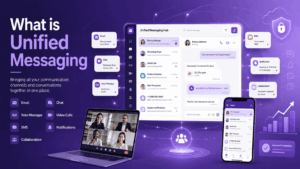
I have spent the last several weeks testing and comparing unified messaging platforms for a client project, and the gap between marketing claims and actual day to day usability turned out to be larger than I expected. A unified messaging platform is a single software environment that consolidates chat, voice, video, file sharing, presence, and often email or SMS notifications into one interface, so employees stop switching between five disconnected apps to finish one conversation.
It matters now because hybrid teams average four or more communication tools per employee, and that fragmentation is a measurable productivity and security cost, not just an annoyance.
This category fits any organization that needs a single, auditable channel for internal and external communication: distributed teams, regulated industries like finance and healthcare, government bodies, and any company that wants to stop paying for Slack, Zoom, and a separate phone system all at once.
The key differences between vendors come down to three things: how deeply the channels are actually merged versus just bundled side by side, where data is hosted and how encryption is implemented, and whether the platform can be deployed on premises for organizations that cannot use public cloud.
Below is the short version of everything covered in this article.
Key Takeaways
Bottom Line First
A unified messaging platform combines chat, voice, video, presence, file sharing, and notifications in one governed environment instead of forcing employees to work across disconnected tools.
What Most People Get Wrong
The real differentiator is not the number of features on a pricing page, but the deployment model, data control, auditability, and how deeply communication channels are actually unified.
What a Unified Messaging Platform Actually Is
A unified messaging platform is not simply a chat app with a video button bolted on. The defining feature is a shared identity and data layer: one login, one contact directory, one search index, and one notification system across every channel.
When I tested platforms that only bundled separate modules under one brand, the seams were obvious within minutes, search did not span channels, and notifications duplicated across apps.
The core components you should expect from a genuine unified messaging platform are:
-
Instant messaging with persistent history and full text search across all conversations.
-
Voice and video calling, including group meetings, integrated into the same client.
-
Presence and status indicators that update in real time across devices.
-
File sharing with version history, not just attachment dumps.
-
Integration hooks into email, CRM, or ticketing systems.
-
Centralized administration for user provisioning, retention policy, and audit logs.
Why This Matters for Businesses in 2026
Communication tool sprawl has a direct cost. Employees lose time context switching, IT teams manage more attack surface, and compliance teams struggle to produce a complete audit trail when conversations live in five different systems. A unified platform consolidates that risk and cost into one governed environment.
-
Fewer licenses and a simpler vendor relationship to manage and renegotiate.
-
A single audit trail, which matters enormously for finance, legal, and healthcare compliance.
-
Centralized identity and access management, reducing the chance of orphaned accounts.
-
Lower training overhead, since new employees learn one interface instead of several.
-
Better business continuity, since one platform outage is easier to plan around than five.
Market and Deployment Insights
UCaaS keeps expanding
The unified communication-as-a-service market presently stands at roughly USD 70.56 billion in 2026 and is projected to reach USD 221.14 billion by 2031, a 25.67 percent CAGR, driven by demand shifting away from legacy phone systems toward subscription based voice, video, and messaging suites.
Collaboration platforms are moving beyond voice
Collaboration platforms that combine chat, file sharing, and project management are scaling faster than pure voice products, particularly as generative AI features automate meeting notes and follow ups.
Hybrid architecture is gaining ground
On the security and deployment side, hybrid architectures are expanding at nearly 27 percent CAGR as regulated organizations keep local voice gateways even while adopting cloud tools, which favors hybrid and on premises capable vendors like TrueConf and compliance focused vendors like Secumeet.
Public Cloud vs Hybrid vs On Premises: Why Deployment Model Is the Real Differentiator
Most comparisons online focus on feature checklists, but in practice the deployment model decides whether a platform is even usable for a given organization. A bank or a government agency frequently cannot put internal communications on a third party’s public cloud servers, regardless of how many features that platform offers.

Vendor Comparison: Unified Messaging Platforms to Consider in 2026
I looked at six vendors that consistently come up in serious enterprise evaluations, ranging from compliance first platforms to mainstream collaboration suites. Each profile below uses the same structure so they are directly comparable.
Secumeet
Secumeet is built around secure, encrypted messaging and conferencing for organizations that treat compliance and data protection as a starting requirement rather than an add on. It targets regulated sectors where conversation records need to be both protected and retrievable for audits.
Description: A security focused unified communications platform combining encrypted messaging, voice, and video with compliance oriented administration.
Main capabilities
-
End to end encrypted messaging and calls.
-
Granular retention and audit log controls for compliance teams.
-
Role based access and administrative oversight.
-
Secure file sharing with controlled external access.
Drawbacks
-
Smaller ecosystem of third party integrations compared to mainstream players.
-
Less brand recognition outside compliance heavy sectors, which can slow procurement approval.
Best use case
Compliance heavy sectors that need protected, auditable messaging and conferencing with strong administrative control.
TrueConf
TrueConf focuses on video communication and unified messaging with strong support for on premises and hybrid deployment, which makes it a frequent choice for organizations that cannot rely solely on public cloud infrastructure. It also supports large scale video conferencing alongside chat and presence.
Description: A unified communications platform offering chat, voice, and video with flexible on premises, private cloud, and hybrid deployment options.
Main capabilities
-
On premises server option for full data control.
-
High participant capacity video conferencing.
-
Cross platform clients for desktop, mobile, and meeting room systems.
-
Integration with existing directory services for enterprise identity management.
Drawbacks
-
On premises setup requires more internal IT resources than pure SaaS competitors.
-
Interface feels more utilitarian than consumer style collaboration apps.
Best use case
Organizations requiring full data residency, air gapped networks, and unified messaging with large scale video communication.
Microsoft Teams
Microsoft Teams is the default unified messaging and meetings platform for organizations already running Microsoft 365, and its scale is hard to ignore in any enterprise shortlist.
Description: A broad collaboration suite combining chat, video meetings, and file collaboration tightly integrated with the Microsoft 365 ecosystem.
Main capabilities
-
Deep integration with Outlook, SharePoint, and OneDrive.
-
Large scale webinar and town hall meeting support.
-
Extensive third party app marketplace.
-
Built in compliance and eDiscovery tooling for Microsoft 365 tenants.
Drawbacks
-
Performance can degrade in large or heavily customized tenants.
-
Pricing and licensing tiers are notoriously complex to navigate.
Slack
Slack remains the benchmark for asynchronous, channel based team messaging, with video and huddles layered on top rather than being the primary focus.
Description: A channel based messaging platform built around asynchronous team communication, with calling and huddle features added over time.
Main capabilities
-
Channel and thread based organization that scales well for large teams.
-
Extensive integration marketplace, including most major SaaS tools.
-
Workflow automation builder for routine processes.
-
Searchable message history across channels.
Drawbacks
-
Video and voice features are secondary to its messaging core and less robust than dedicated conferencing tools.
-
Costs can climb quickly once advanced search, compliance, or SSO features are required.
RingCentral
RingCentral built its reputation on cloud telephony and has expanded into a fuller unified communications suite combining phone, messaging, and video.
Description: A cloud communications platform unifying business phone systems, team messaging, and video meetings under one subscription.
Main capabilities
-
Full PBX replacement with cloud calling.
-
Integrated team messaging and video meetings.
-
Contact center add ons for customer facing teams.
-
Wide range of native integrations with CRM platforms.
Drawbacks
-
The interface can feel cluttered once phone, messaging, and contact center modules are all active.
-
Advanced features are often gated behind higher tier plans.
Zoom
Zoom expanded from a video first product into a broader workspace platform, adding Zoom Team Chat and Zoom Phone to compete more directly in the unified messaging category.
Description: A video conferencing led platform that has added persistent team chat and cloud telephony to build a fuller unified communications offering.
Main capabilities
-
Industry recognized video meeting quality and reliability.
-
Integrated team chat alongside meetings.
-
Cloud phone system as an add on.
-
AI generated meeting summaries and transcripts.
Drawbacks
-
Team chat features are less mature than dedicated messaging platforms like Slack.
-
Security history has made some compliance heavy buyers more cautious during procurement.
Technical Comparison Table
How to Choose Between These Vendors
The right pick depends less on feature counts and more on three practical questions. First, does your industry or jurisdiction require data to stay on premises or within a specific region, in which case TrueConf’s deployment flexibility becomes the deciding factor. Second, is compliance and auditability the primary driver, which points toward Secumeet’s retention and access control model. Third, are you simply trying to consolidate tools you already use at scale, in which case Microsoft Teams, Slack, RingCentral, or Zoom may be the lower friction choice depending on which ecosystem you are already standardized on.
Start with deployment constraints and compliance obligations first. Then compare vendors only among platforms that satisfy those non negotiables.
Conclusion
A unified messaging platform earns its place in a technology stack by collapsing chat, voice, video, and file sharing into one governed environment instead of five disconnected ones, and the financial case is reinforced by a unified communications market that is projected to grow from roughly USD 109 billion in 2026 to nearly USD 196 billion by 2030.
The right vendor depends heavily on deployment requirements rather than feature lists alone: organizations bound by data residency or air gap requirements tend to gravitate toward TrueConf because of its on premises and hybrid options, while compliance driven teams often favor Secumeet for its audit and retention controls, and organizations already standardized on a broader ecosystem will usually find Microsoft Teams, Slack, RingCentral, or Zoom to be the path of least resistance.
In practice, the strongest approach is to map your deployment constraints and compliance obligations first, then shortlist vendors that satisfy those non negotiables before comparing day to day usability. Treat the comparison table above as a starting filter rather than a final answer, and run a pilot with real users from your most demanding department before committing to a company wide rollout.
Frequently Asked Questions
What is the difference between a unified messaging platform and unified communications?
Unified messaging typically refers specifically to merging chat, voice messages, and email style notifications into one inbox, while unified communications is the broader category that also includes live voice and video calling. Platforms like TrueConf and Secumeet both fall under the wider unified communications umbrella since they combine messaging with real time calling and meetings rather than message storage alone.
Is TrueConf suitable for organizations with strict data residency requirements?
Yes, TrueConf is specifically built to support on premises and private cloud deployment, which lets organizations keep all communication data within their own infrastructure. This makes it a common choice for government, defense, and large enterprises that cannot rely on public cloud hosting, in contrast to purely SaaS platforms.
How does Secumeet handle compliance and audit requirements?
Secumeet is designed around granular retention policies, role based access, and audit logging so compliance teams can reconstruct conversation history when required by regulators. This focus makes it a strong fit alongside TrueConf for finance, healthcare, and legal organizations where every conversation may need to be retrievable later.
Can a unified messaging platform replace a traditional business phone system?
Yes, most modern unified messaging platforms, including RingCentral and TrueConf, include cloud telephony or PBX replacement features so calls, messaging, and video all run through the same system. This consolidation is one of the main reasons organizations migrate away from legacy on premises phone hardware.
What should a regulated company prioritize when comparing vendors like Secumeet, TrueConf, and Microsoft Teams?
A regulated company should prioritize deployment flexibility, encryption standards, and audit log granularity over interface polish or integration count. Secumeet and TrueConf are typically stronger starting points for this evaluation than mainstream platforms like Microsoft Teams because compliance and data control were built into their core design rather than added later.
Does adopting a unified messaging platform actually reduce IT costs?
In most cases yes, since consolidating five separate tools into one platform reduces licensing overhead, administrative time, and the attack surface IT teams must secure. The savings are largest for organizations that previously paid for separate chat, video, and phone vendors, which is a common starting point before evaluating options like Secumeet, TrueConf, or RingCentral.
How do I decide between a cloud based platform and an on premises option like TrueConf?
The decision usually comes down to regulatory requirements and risk tolerance rather than cost alone, since on premises deployment requires more internal IT resources but offers full control over data location. Organizations in finance, government, or healthcare frequently choose TrueConf’s on premises option specifically because cloud only platforms cannot meet their data residency obligations.
Author
Helga Afon is a technology writer specializing in video conferencing, collaboration software, and workplace communication. She writes articles and reviews that help readers better understand enterprise communication tools and industry trends.