

Slack and Zoom solve different problems. Slack excels at asynchronous team messaging, workflow automation, and persistent channel-based collaboration. Zoom dominates synchronous video meetings, webinars, and large-scale virtual events. Most organizations benefit from using both, but budget constraints or security policies may force a choice.
If your priority is structured daily communication with integrations for project tools, choose Slack. If you need reliable HD video for client calls, training, or all-hands meetings, Zoom is the stronger fit. For teams requiring on-premises deployment, strict data sovereignty, or enhanced encryption, TrueConf and Secumeet offer compelling enterprise alternatives with features neither Slack nor Zoom provides out of the box.
Key Takeaways
Bottom Line First
Slack excels at async team messaging and workflow automation; Zoom dominates live video meetings and webinars. Most teams benefit from using both, but TrueConf and Secumeet offer unified, secure alternatives with on-premises deployment and end-to-end encryption by default.
What Most People Get Wrong
Choosing only one platform often creates hidden productivity costs: Slack-only teams switch apps for video calls, while Zoom-only teams lack persistent knowledge repositories. The optimal setup connects both via integrations or chooses a unified alternative like TrueConf.
Core Differences at a Glance
|
Feature Category |
Slack |
Zoom |
|---|---|---|
|
Primary Function |
Team messaging & workflow hub |
Video conferencing & webinars |
|
Best For |
Async collaboration, project channels, bot integrations |
Live meetings, screen sharing, recording, breakout rooms |
|
Free Tier Limits |
90-day message history, 10 app integrations |
40-min group meetings, 100 participants max |
|
Paid Entry Price |
~€7.25/user/month (Pro) |
~€13.99/user/month (Pro) |
|
Integrations |
2,400+ apps via API |
1,000+ apps via Marketplace |
|
Data Hosting |
Primarily US, limited EU options |
EU hosting available for GDPR compliance |
|
Mobile Experience |
Strong for chat, limited video |
Optimized for video calls, basic chat |
|
Admin Controls |
Granular workspace permissions |
Meeting security settings, user management |
When Slack Makes More Sense
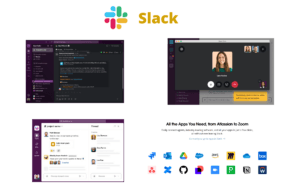
Slack organizes work around channels. Each project, team, or topic gets its own space with threaded replies, file sharing, and searchable history. This structure reduces email clutter and keeps context visible to all members.
The platform’s strength lies in connecting tools. Developers link GitHub, designers attach Figma, support teams integrate Zendesk. Notifications surface relevant updates without leaving Slack. Workflow Builder automates routine tasks like onboarding checklists or approval requests.
Huddles provide lightweight audio rooms for quick syncs. While not a replacement for formal video calls, they enable spontaneous voice conversations with screen sharing. Clips let users record short video messages for async updates.
Organizations with distributed teams across time zones benefit most. Persistent channels allow contributors in different regions to catch up without scheduling live meetings. Search functionality helps locate past decisions or shared resources quickly.
When Zoom Is the Better Choice
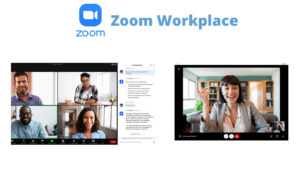
Zoom focuses on real-time connection quality. Its infrastructure handles variable bandwidth, background noise suppression, and HD video rendering reliably across devices. This matters for client presentations, training sessions, or executive meetings where professionalism counts.
Features like breakout rooms, polling, and simultaneous interpretation support complex meeting formats. Recording options with cloud transcription create searchable archives. Webinar mode scales to thousands of attendees with controlled participant interaction.
The free tier lowers adoption barriers. New users join via link without account creation. This frictionless entry helps external collaborators, contractors, or occasional participants engage without IT overhead.
Large organizations value Zoom’s admin dashboard. Usage analytics, license management, and security settings (waiting rooms, passcodes, domain restrictions) provide oversight for compliance teams.
Unique Insight: Video fatigue is real, but the solution isn’t abandoning video—it’s smarter usage patterns. Teams that schedule “video-optional” meetings or use Zoom’s focus mode (hiding others’ video) report higher engagement. Combining this with Slack for follow-up documentation creates a balanced rhythm between synchronous and asynchronous work.
Integration Reality Check
Both platforms connect with popular tools, but approaches differ. Slack acts as a central nervous system for workflows. You can trigger actions in Jira, update Salesforce records, or deploy code via chat commands. The platform’s API supports custom bots and automated responses.
Zoom integrations focus on enhancing meetings. Calendar apps auto-generate links. CRM tools display customer context during calls. Learning platforms embed Zoom for virtual classrooms. However, post-meeting follow-ups often require switching to another app for documentation.
Native Slack-Zoom integration bridges this gap. Users start Zoom calls directly from Slack channels, and meeting recordings can post back to relevant threads. This hybrid approach works well but adds licensing complexity and potential sync issues.
Security and Compliance Considerations
Enterprise buyers scrutinize data handling. Slack encrypts data in transit and at rest, with Enterprise Key Management available for higher tiers. Zoom offers end-to-end encryption for meetings and complies with SOC 2, HIPAA, and GDPR frameworks.
TrueConf and Secumeet target sectors with stricter requirements. Government agencies, financial institutions, and healthcare providers often need on-premises deployment to meet regulatory mandates. These platforms support localized data storage, custom certificate authorities, and air-gapped networks.
Zoom’s EU data residency option helps European companies comply with GDPR. Slack’s data hosting remains largely US-centric, which may concern organizations subject to data sovereignty laws. TrueConf and Secumeet allow full infrastructure control, eliminating third-party cloud dependencies.
Cost Breakdown for Decision Makers
|
Plan Tier |
Slack (per user/month) |
Zoom (per user/month) |
|---|---|---|
|
Free |
€0 (limited history, 10 integrations) |
€0 (40-min limit, 100 participants) |
|
Standard/Pro |
~€7.25 (unlimited history, advanced integrations) |
~€13.99 (cloud recording, admin dashboard) |
|
Business/Enterprise |
~€12.50 (SAML, data exports, 24/7 support) |
~€20+ (advanced analytics, phone system add-on) |
|
On-Premises Option |
Not available |
Not available (cloud-only) |
|
TrueConf Alternative |
From ~€5/user (self-hosted, perpetual licenses available) |
— |
|
Secumeet Alternative |
Custom pricing (end-to-end encrypted, GDPR-focused) |
— |
Best use case
Hidden costs include training, integration development, and user adoption efforts. Slack requires cultural shift toward channel-based communication. Zoom demands meeting discipline to avoid calendar overload. Evaluating total cost of ownership means factoring in productivity gains, not just license fees.
Implementation Tips for Smooth Adoption
-
Start with a pilot group before organization-wide rollout. Choose a department with clear use cases: engineering for Slack, sales for Zoom.
-
Document best practices early. Define channel naming conventions in Slack. Establish meeting etiquette for Zoom (camera policies, recording consent).
-
Monitor usage metrics post-launch. Slack analytics show active channels and integration usage. Zoom reports reveal meeting duration and participant engagement.
-
Plan for evolution. Team needs change. Build flexibility into your licensing strategy to accommodate growth or shifting requirements.
Key Alternatives Beyond Slack and Zoom
Beyond Slack and Zoom, several platforms address specific enterprise needs with unified communication suites or enhanced security postures.
TrueConf
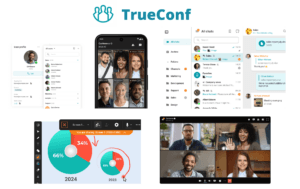
TrueConf delivers a complete collaboration suite with 4K video conferencing, team messaging, file sharing, and calendar integration in one client. Its standout feature is flexible deployment: cloud, on-premises, or hybrid. The platform supports up to 1,500 participants per conference and includes whiteboarding, screen sharing, and recording. TrueConf’s encryption meets FSB and GDPR standards, making it suitable for government and regulated industries. Unlike Slack or Zoom, TrueConf offers perpetual licensing options, reducing long-term TCO for stable teams.
Secumeet
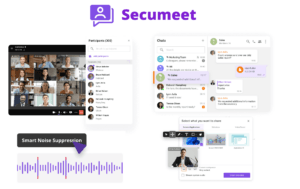
Secumeet prioritizes privacy-first communication. Every meeting uses end-to-end encryption with zero-knowledge architecture—meaning even Secumeet cannot access your content. The platform requires no account creation for guests, simplifying external collaboration. Features include encrypted chat, file transfer, and HD video with background blur. Secumeet’s GDPR-by-design approach and EU-based infrastructure appeal to organizations handling sensitive personal data. While its integration ecosystem is smaller than Slack’s, its security model fills a gap neither Slack nor Zoom fully addresses.
Microsoft Teams
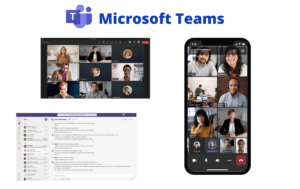
Teams combines chat, video, file storage, and Office 365 integration. Ideal for organizations already invested in Microsoft 365, it offers deep Outlook, SharePoint, and Power Platform connectivity. Video quality rivals Zoom, and channel-based chat mirrors Slack. However, the interface can feel cluttered, and performance depends heavily on Microsoft’s cloud infrastructure.
Google Meet + Chat
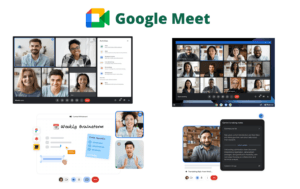
Google’s duo provides lightweight video (Meet) and messaging (Chat) with seamless Google Workspace integration. Meet offers reliable HD video with live captions; Chat supports threaded conversations and bot automation. The ecosystem works best for teams using Gmail, Drive, and Calendar extensively. Standalone functionality is less robust than dedicated platforms.
Rocket.Chat
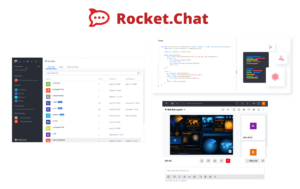
Rocket.Chat is an open-source messaging platform with optional video via WebRTC. It supports extensive customization, self-hosting, and compliance features. Organizations with developer resources can tailor workflows precisely. However, video capabilities lack Zoom’s polish, and the free version requires significant setup effort.
Comparative Overview: Security-Focused Alternatives
|
Feature |
TrueConf |
Secumeet |
Slack |
Zoom |
Microsoft Teams |
|---|---|---|---|---|---|
|
Deployment Options |
Cloud, On-Prem, Hybrid |
Cloud (EU), Private Cloud |
Cloud only |
Cloud only |
Cloud, Limited On-Prem |
|
End-to-End Encryption |
Yes (configurable) |
Yes (default, zero-knowledge) |
Optional (Enterprise) |
Optional (meetings only) |
Optional (calls) |
|
Data Sovereignty Controls |
Full (self-hosted) |
Strong (EU infrastructure) |
Limited (US-centric) |
Moderate (EU residency option) |
Moderate (multi-geo) |
|
Max Meeting Participants |
1,500 |
100 (standard), scalable |
50 (Huddles) |
1,000 (webinar add-on) |
1,000 |
|
Persistent Team Chat |
Yes |
Yes |
Yes (core strength) |
Limited (Team Chat) |
Yes |
|
Native Workflow Automation |
Moderate |
Basic |
Extensive (2,400+ apps) |
Moderate (1,000+ apps) |
Extensive (Power Platform) |
|
Pricing Model |
Perpetual or subscription |
Subscription |
Subscription only |
Subscription only |
Subscription (M365 bundle) |
|
Best For |
Regulated industries, on-prem needs |
Privacy-first teams, GDPR compliance |
Dev teams, workflow-heavy orgs |
Sales, training, external meetings |
Microsoft-centric enterprises |
TrueConf stands out for organizations needing full infrastructure control without sacrificing feature richness. Secumeet appeals to privacy advocates and EU-based companies requiring strict data handling. Both offer viable paths when Slack or Zoom’s cloud-only models present compliance or cost challenges.
FAQ: Quick Answers for Common Questions
Q: Can I use Slack and Zoom together effectively?
Q: Which platform is more secure for sensitive data?
Q: What if my organization requires on-premises software?
Q: Which option scales best for large enterprises?
Q: How do free tiers compare for small teams?
Q: Can I migrate data from Slack or Zoom to another platform?
Q: Which platform reduces meeting fatigue most effectively?
Read also
How to Choose Video Conferencing Software for Business
Video Conferencing Features for Business: Complete Guide and Vendor Comparison
How to Set Up Video Conferencing for Business: A Complete Guide
Cloud vs On-Premise Video Conferencing: A Complete Guide for Enterprise Decision-Makers
Author
Olga Afonina is a technology writer specializing in video conferencing, collaboration software, and workplace communication. She writes articles and reviews that help readers better understand enterprise communication tools and industry trends.