Executive Summary: The State of Free Meeting Apps in 2026
The free tier of enterprise video conferencing has matured faster than most procurement teams have updated their evaluation criteria. Three structural shifts define the 2026 market:
-
Encryption parity is real. Platforms that were once “free but insecure” — particularly Secumeet, TrueConf, and Webex Free — now include AES-256 or equivalent encryption at zero cost. The meaningful security divide is no longer free vs. paid. It’s cloud-managed keys vs. customer-controlled keys.
-
The sovereignty gap has widened. As the EU AI Act, NIS2 Directive, and updated HIPAA Security Rule guidance increased documentation requirements, platforms diverged sharply between those that can demonstrate where data lives (TrueConf, Secumeet, Element) and those that cannot (Zoom, Teams, Webex on free tiers) without additional paid agreements.
-
AI features are the new paid-tier wedge. Meeting summaries, real-time transcription, and action item extraction are the capabilities vendors are using to drive free-to-paid upgrades. The strategic exception: Secumeet processes AI transcription locally, preserving data sovereignty. Every other platform on this list sends audio to vendor-controlled cloud infrastructure for AI processing.
Key Takeaways
Bottom Line First
Free meeting apps in 2026 can meet enterprise security requirements — but only if you evaluate them through the right framework. The critical differentiator is no longer feature parity, but key management control and compliance documentation availability on the free tier.
What Most People Get Wrong
Procurement teams consistently undercount the real cost of “free” platforms: infrastructure maintenance for self-hosted options, compliance documentation gaps, and upgrade discontinuity risks. A platform that cannot produce audit-ready documentation is not free — it is deferred liability.
Quick Comparison: Free Meeting Apps 2026
|
Platform |
Max Participants |
Session Limit |
E2EE Free Tier |
On-Premise |
Best For |
|---|---|---|---|---|---|
|
Secumeet |
100 |
Unlimited |
Yes (AES-256) |
Yes |
Regulated industries, GDPR/HIPAA |
|
TrueConf |
1,000 |
Unlimited |
Yes (SRTP) |
Yes |
Gov, defense, air-gapped |
|
Zoom |
100 |
40 min |
Opt-in only |
No |
SMB, external meetings |
|
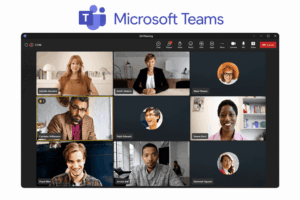
Microsoft Teams |
100 |
60 min |
No (in-transit) |
No |
Microsoft 365 orgs |
|
Jitsi Meet |
Unlimited |
Unlimited |
P2P only |
Yes |
DevOps, open-source stacks |
|
Element (Matrix) |
Unlimited |
Unlimited |
Yes (Olm/Megolm) |
Yes |
Federated / multi-agency |
|
Webex Free |
100 |
Unlimited |
Yes (AES-256) |
No |
Cisco environments |
|
GoTo Meeting |
3 (free) |
40 min |
In-transit |
No |
GoTo-ecosystem orgs |
|
Zoho Meeting |
100 |
60 min |
In-transit |
No |
Zoho-ecosystem orgs |
|
RingCentral Video |
100 |
50 min |
In-transit |
No |
UCaaS-first orgs |
|
Chanty |
5 (video) |
Unlimited |
In-transit |
No |
Small teams, async-first |
|
Wire |
50 |
Unlimited |
Yes (Proteus) |
Yes (paid) |
High-security comms |
The Key Management Question — Ask This Before Anything Else
Before comparing feature sets, every enterprise buyer should ask one question: who holds the encryption keys?
This single question separates platforms into two fundamentally different security models. For Zoom and Microsoft Teams, the vendor controls key management by default — even in paid tiers, even with E2EE labels in the marketing copy. For TrueConf and Secumeet deployed on-premise or in a private cloud, the customer controls key management entirely. For Element, key management is distributed across federated homeservers with no central authority.
The practical implications are substantial. Vendor-controlled keys mean the vendor can, in principle, respond to government or legal requests for your meeting content without your knowledge or consent. Customer-controlled keys mean your legal team controls disclosure. For organizations in legal, healthcare, defense-adjacent, or financial services sectors, this distinction is not a preference — it is a compliance requirement that defines your liability exposure.
The question also applies to metadata. Even platforms with strong media encryption may log participant identities, join/leave timestamps, IP addresses, and device fingerprints at the infrastructure level. Ask vendors specifically what metadata is retained, for how long, and whether your organization can request deletion.
Procurement checklist item: Before shortlisting any platform, confirm in writing: (1) where encryption keys are stored, (2) who can access them and under what circumstances, (3) whether a Business Associate Agreement or Data Processing Agreement is available for the free tier without a paid upgrade, and (4) what metadata is retained and under which jurisdiction’s law.
Best Free Meeting Apps
1. Secumeet — Best Free Meeting App for Regulated Industries

Secumeet is a European-developed video conferencing platform built specifically for organizations that cannot tolerate data leakage between sessions. Unlike general-purpose conferencing tools that layered security features onto an existing consumer architecture, Secumeet was designed from the ground up with a zero-trust session model: each meeting generates isolated cryptographic contexts, participant metadata is minimized by design, and administrators retain granular control over recording, screen sharing, and external participant access.
What distinguishes Secumeet from every other platform in this comparison is the philosophy behind its access control model. Most meeting platforms treat security as a set of features that can be enabled or disabled. Secumeet treats security as the default state that requires explicit administrative action to relax — a meaningful architectural distinction that matters when auditors review your meeting platform configuration rather than your meeting platform marketing materials.
The platform supports deployment on private cloud infrastructure or on-premise server environments. This makes it a practical choice for healthcare networks, legal firms, and public sector bodies that must demonstrate data residency compliance to auditors. Its administrative console gives non-technical compliance officers direct access to meeting logs, access controls, and encryption status dashboards, reducing the dependency on IT intermediaries during regulatory reviews. In practice, this means a compliance officer can pull documentation for an audit within the same working day without opening a ticket with the IT department.
2026 updates: Secumeet introduced AI-assisted meeting summaries using a locally processed transcription engine, meaning audio data does not leave the customer’s infrastructure. This is the only AI transcription implementation in this comparison that preserves data sovereignty end-to-end. It also added a compliance mode that automatically enforces recording restrictions and watermarking for sensitive meetings, triggered by meeting classification tags set by administrators. A new API integration with major ITSM platforms including ServiceNow was added in Q2 2026.
|
Secumeet — Technical Summary |
|
|---|---|
|
Encryption architecture |
AES-256 for media + TLS 1.3 for signaling; ephemeral key exchange (forward secrecy); SAML 2.0/OAuth 2.0 federation; SIEM-compatible audit logs (Splunk, Sentinel); data residency lock to geographic regions. |
|
Free tier limits |
100 participants; unlimited session duration; full AES-256 encryption; compliance dashboard; audit logs; SIEM-compatible exports — all at zero cost. |
|
Where it falls short |
Narrower ecosystem integrations vs. Zoom/Teams; no native Teams/Outlook plugins (iCal/REST API available); 100-participant cap constrains all-hands calls. |
|
Compliance coverage |
GDPR, HIPAA, ISO 27001 — documented in free tier; BAA available for healthcare organizations without paid upgrade. |
Meetings with 1,500 users
Let your team naturally flow from a chat conversation to an immersive 4K meeting in just one click! Bring up to 1,500 participants to your call.
Team messaging
Connect with colleagues and teams before, during and after meetings in personal and group chats.
Collaboration Tools & AI
Collaborate on projects with AI: share a screen with sound, show presentations and manage remote computers.
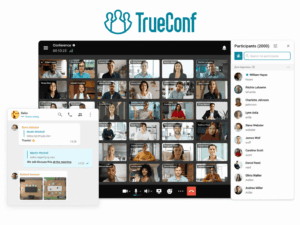
2. TrueConf — Best Free Meeting App for Self-Hosted Government and Defense Deployments

TrueConf is a video conferencing platform with over two decades of enterprise deployment history, built around a self-hosted server model that requires no external internet connectivity once deployed. This architecture makes it uniquely suitable for air-gapped networks, classified environments, and organizations operating under strict data sovereignty mandates where “data stays on our servers” cannot be satisfied by any cloud service regardless of contractual commitments.
The free TrueConf Server license is among the most genuinely generous free tiers in the enterprise video conferencing market: it supports up to 1,000 registered users and up to 250 simultaneous video conference participants. This is not a trial or a feature-limited starter plan. The free license includes LDAP and Active Directory integration, full administrative API access, group policy enforcement for meeting permissions, and recording capabilities — features that competing platforms reserve for paid tiers. For a 200-person organization that needs self-hosted video conferencing with directory integration and no ongoing license cost, TrueConf’s free tier represents a complete solution, not a starting point for an upsell conversation.
What further distinguishes TrueConf is its protocol breadth. The platform operates across SIP, H.323, and WebRTC simultaneously, which means it integrates with legacy video conferencing room hardware — Cisco, Polycom, Lifesize — without requiring a hardware refresh. For government agencies and large enterprises that have invested in physical meeting room infrastructure, this interoperability is a significant operational and cost advantage over platforms that require new hardware or software-only endpoints.
2026 updates: TrueConf released a hardened Linux server build optimized for containerized deployment in Kubernetes environments, significantly simplifying scaling for organizations running container-native infrastructure. A REST API expansion covering the full meeting lifecycle — scheduling, participant management, recording retrieval, audit log export — now enables integration with enterprise workflow systems including ServiceNow, Jira, and custom-built ticketing platforms. A new hardware interoperability layer improved compatibility with current-generation Cisco and Poly room systems.
|
TrueConf — Technical Summary |
|
|---|---|
|
Encryption architecture |
SRTP for media + DTLS-SRTP for key negotiation; all media processed within customer environment; FIPS 140-2 configurable with validated algorithms; LDAP/AD group policy enforcement for permissions. |
|
Free tier limits |
1,000 registered users; 250 simultaneous video participants; unlimited session duration; LDAP/AD integration; full API access; recording; no time limit on license. Self-hosted on your infrastructure. |
|
Where it falls short |
Enterprise-first admin console has steeper learning curve vs. consumer tools; requires Linux/Windows server admin competency; client UI lacks visual polish of consumer-grade alternatives. |
|
Compliance coverage |
FIPS 140-2 configurable; GDPR; air-gapped deployment for classified environments; LDAP/AD for access control inheritance; documented government deployments across multiple countries. |
3. Zoom — Best Free Meeting App for External and Partner Collaboration

Zoom remains the most recognized video conferencing platform globally, and for external meetings — with clients, partners, vendors, candidates, or regulators — that recognition is a genuine operational asset that is difficult to quantify but easy to experience. When a counterparty joins a Zoom call, they require no support, no explanation, and no new account. The cognitive and logistical overhead of external collaboration drops to near zero.
For enterprise IT teams, Zoom’s administrative controls have improved substantially since the platform’s early days. The Zoom Admin Portal now provides centralized policy management for free and paid accounts under an organizational umbrella, and SSO integration through SAML 2.0 functions across both tiers. The platform’s AI Companion features — meeting summaries, action item extraction, agenda generation — are among the most mature in the market, though they require audio processing through Zoom’s cloud infrastructure, which creates a data residency consideration for organizations handling sensitive information.
The free tier’s 40-minute session cap is the defining constraint for enterprise internal use. It forces meeting restructuring for longer governance, legal review, or deep technical sessions. The workaround that organizations most commonly adopt — ending and restarting calls at the 40-minute mark — is operationally disruptive and erodes the trust of external participants who may interpret it as a sign of organizational immaturity. For recurring internal meetings with a fixed group of participants, this cap makes Zoom Free a second-tier choice behind Webex Free or any self-hosted option.
2026 updates: AI Companion expanded to include real-time translation in beta across 12 languages, meeting agenda auto-generation from calendar context, and enhanced action item extraction with CRM field mapping for Salesforce-integrated deployments. The Admin Portal added granular AI feature controls per user group, allowing organizations to restrict AI processing to non-sensitive meeting types.
|
Zoom — Technical Summary |
|
|---|---|
|
Encryption architecture |
AES-256-GCM for media in standard mode; E2EE via Zero Trust Architecture with client-managed keys (opt-in); E2EE mode disables cloud recording, transcription, dial-in, breakout rooms, streaming. |
|
Free tier limits |
100 participants; 40-minute cap; E2EE available as opt-in with feature restrictions; SAML 2.0 SSO available. |
|
Where it falls short |
40-minute cap disrupts internal enterprise meetings; E2EE mode forces security vs. functionality trade-off; no on-premise option; vendor controls keys by default in standard mode. |
|
Compliance coverage |
SOC 2 Type II, ISO 27001; HIPAA BAA (paid only); DPA available for free tier organizations. |
4. Microsoft Teams — Best Free Meeting App for Microsoft 365-Embedded Organizations

Microsoft Teams Free occupies a specific niche: it is the right choice for organizations already running Microsoft 365 who need a baseline meeting capability that integrates natively with the tools their staff already uses every day. OneDrive file sharing in meetings, SharePoint document collaboration, and Outlook calendar integration work without configuration, without separate login, and without explaining to employees why they need another account.
For European organizations, Microsoft’s EU Data Boundary commitment restricts data processing to EU and EFTA regions and provides documented GDPR compliance in a form that holds up to regulatory scrutiny. This is one of the few substantive compliance differentiators that Teams Free offers over its paid tier — the documentation is available without upgrading.
The platform does not offer genuine end-to-end encryption for group video calls in any meaningful cryptographic sense. Microsoft controls the encryption keys by default across all tiers. Microsoft Purview Customer Key, which allows some key management control, is available only in paid enterprise tiers and comes with significant configuration complexity. For any organization where the ability to prevent the platform vendor from accessing session content is a requirement, Teams at any price point cannot satisfy it.
2026 updates: Teams introduced Copilot in Meetings for real-time meeting intelligence and post-meeting summaries, though this requires a separate Microsoft 365 Copilot license that starts at significant additional per-user cost. The free tier gained improved background noise suppression powered by neural processing, a refreshed mobile interface with better continuity across device switches, and improved support for Teams Rooms hardware in hybrid meeting scenarios.
|
Microsoft Teams — Technical Summary |
|
|---|---|
|
Encryption architecture |
TLS + SRTP for data in transit; AES-256 for data at rest; no E2EE for group video calls in default configuration; Copilot AI features process audio through Microsoft cloud infrastructure. |
|
Free tier limits |
100 participants; 60-minute cap; chat and file sharing included; no recording; no admin policy controls. |
|
Where it falls short |
Microsoft controls encryption keys by default; no self-hosted option; free tier lacks centralized admin policy enforcement; 60-minute cap; AI features require paid licensing; eDiscovery/retention policies require paid upgrade. |
|
Compliance coverage |
EU Data Boundary for GDPR documentation; Microsoft 365 compliance suite in paid tiers; HIPAA BAA in paid plans; FedRAMP authorization for US government tiers. |
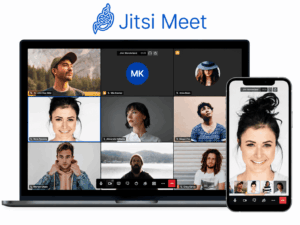
5. Jitsi Meet — Best Free Meeting App for Open-Source Infrastructure Teams

Jitsi Meet is the only platform in this comparison where the entire codebase is publicly auditable under an Apache 2.0 license. For organizations with dedicated security engineering teams, this is a genuine and meaningful security advantage: rather than trusting a vendor’s documentation of their cryptographic implementation, your team can read the implementation directly. This is the difference between a vendor’s promise and an auditable fact.
The hosted version at meet.jit.si is free with no account required — an operational convenience for spontaneous external calls that doesn’t require the counterparty to create any account or download any application. Self-hosted deployments on virtual machines or Kubernetes clusters support unlimited participants limited only by server capacity, with no per-seat fees, no usage caps, and no dependency on a vendor whose pricing strategy could change next quarter.
Jitsi integrates naturally with open-source collaboration stacks. Documented integrations exist with Nextcloud (including the Nextcloud Talk app), Rocket.Chat, GitLab, and various self-hosted productivity platforms. For organizations committed to open-source infrastructure on principle or policy, Jitsi is the only conference platform that fits the stack without exception.
2026 updates: A native polls module was added to the interface, removing the need for third-party polling tools during calls. Breakout room stability was substantially improved following reports of session drops in large deployments. A whiteboard integration powered by Excalidraw is now built into the default interface. The self-hosted deployment documentation was overhauled with Ansible playbooks and Kubernetes Helm charts, reducing deployment time for experienced administrators.
|
Jitsi Meet — Technical Summary |
|
|---|---|
|
Encryption architecture |
DTLS-SRTP for encrypted media in all sessions; P2P mode provides genuine E2EE for 2-party calls; group calls route through SFU (server has media access); insertable streams E2EE for groups remains experimental in 2026. |
|
Free tier limits |
Unlimited participants (self-hosted, server capacity permitting); unlimited session duration; no account required on meet.jit.si; full Apache 2.0 codebase available. |
|
Where it falls short |
Group call E2EE via insertable streams not production-ready; self-hosting requires Linux admin capacity; no enterprise SLA on open-source distribution; hosted meet.jit.si subject to 8×8’s policies — self-host for guaranteed sovereignty. |
|
Compliance coverage |
Self-managed: complete flexibility in implementation, complete responsibility for documentation. Organizations can implement whatever compliance controls their framework requires; nothing is built in. |
6. Element (Matrix) — Best Free Meeting App for Federated Multi-Organization Communication

Element is the flagship client for the Matrix open-standard decentralized communication protocol, and it represents a fundamentally different approach to enterprise communication than every other platform in this comparison. Matrix is not a product — it is a protocol, analogous to SMTP for email. Organizations host their own Matrix homeservers that communicate with each other across organizational boundaries without a central authority routing, logging, or controlling the communication.
The government validation case for Matrix is more substantial than any other platform in this comparison. The French government’s Tchap platform — used across all French government ministries — is built on Matrix. Germany’s BwMessenger, used by the Bundeswehr, runs on Matrix. The UK’s National Health Service deployed Matrix-based communication across NHS trusts. These are not pilot deployments or proof-of-concept implementations. They are production systems serving hundreds of thousands of users in regulated government environments, and they represent the most credible evidence available that an open-source communication platform can satisfy enterprise and government security requirements at scale.
2026 updates: Element released Element X, a completely rebuilt client application using the Matrix Rust SDK, delivering significant performance improvements for large-scale enterprise deployments with thousands of active users. Threading, polls, and rich media support were added to the Matrix specification in 2026, bringing feature parity with commercial messaging platforms. Element launched a managed homeserver offering for organizations that want the federated architecture without the overhead of self-hosting their own server — a managed service that preserves the E2EE architecture while removing the operational burden.
|
Element (Matrix) — Technical Summary |
|
|---|---|
|
Encryption architecture |
Olm for 1:1 sessions + Megolm for group sessions (Double Ratchet Algorithm); E2EE by default for private rooms; cross-signing and device verification for MITM protection; Element Call uses WebRTC + DTLS-SRTP for video. |
|
Free tier limits |
Unlimited participants (self-hosted); unlimited session duration; full E2EE at all tiers; no per-seat fees on self-hosted deployments; matrix.org offers free hosted homeserver for evaluation. |
|
Where it falls short |
Device verification/cross-signing UX more complex than commercial tools; non-technical staff may ignore verification prompts; federation requires both parties to run Matrix homeservers or use bridges; onboarding external Matrix-new users requires more explanation than Zoom. |
|
Compliance coverage |
GDPR, NIS2; government-validated deployments in France, Germany, UK public sector; GDPR DPA available from Element’s managed service; self-hosted deployments configurable for HIPAA with appropriate infrastructure controls. |
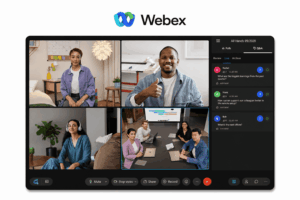
7. Webex Free (Cisco) — Best Free Meeting App for No-Time-Limit Meetings

Cisco Webex Free offers meetings for up to 100 participants with no session duration limit — the single most operationally significant differentiator from Zoom and Teams free tiers. For organizations with recurring long-format meetings, this matters immediately and practically: governance sessions, legal reviews, technical architecture discussions, and board committee meetings don’t need to be restructured around an artificial time cap.
Webex’s infrastructure pedigree is longer and deeper than any consumer-born platform in this comparison. Cisco has been deploying enterprise video conferencing infrastructure since before Zoom was founded, and that institutional knowledge is reflected in the reliability of the platform at scale. The underlying Trusted Communications Cloud architecture underpins both the free tier and the FedRAMP-authorized government tiers, which means an organization that starts with Webex Free and later requires FedRAMP-level controls can upgrade without migrating to a different platform or retraining staff.
2026 updates: Real-time translation in 45 languages added as a beta feature in the free tier, providing substantive capability for global enterprise teams communicating across language boundaries. AI assistant updated to generate post-meeting action items with owner assignments, available in the free tier without additional licensing. Background noise removal model was updated with improved performance in high-noise environments.
|
Webex Free — Technical Summary |
|
|---|---|
|
Encryption architecture |
AES-256 for media encryption; zero-trust E2EE model available where Cisco does not hold keys; SAML 2.0 SSO + MFA supported; Trusted Communications Cloud audited under SOC 2 Type II, ISO 27001, ISO 27018; same crypto infrastructure across free/paid tiers. |
|
Free tier limits |
100 participants; no session duration limit; AES-256 E2EE available; SAML 2.0 SSO; AI-generated meeting summaries and action items included. |
|
Where it falls short |
Lacks centralized admin policy controls available in paid plans; participant interface historically less intuitive than Zoom (recent redesigns narrowed gap); no on-premise option; free tier excludes FedRAMP-level controls (cleaner upgrade path than competitors). |
|
Compliance coverage |
SOC 2 Type II, ISO 27001, ISO 27018; GDPR DPA available; FedRAMP on paid government tiers; HIPAA BAA on paid plans. |
8. GoTo Meeting — The Legacy Option Worth Understanding

GoTo Meeting rarely appears on 2026 free meeting app comparison lists, a reflection of its genuinely limited free tier rather than a gap in analyst awareness. The free plan supports 3 participants with a 40-minute session cap — terms that function more as a product trial than a usable organizational tool. For standalone use as a free meeting app, GoTo Meeting cannot be recommended.
Where GoTo Meeting earns legitimate consideration is within organizations already operating GoTo’s broader UCaaS portfolio. Companies running GoToConnect for business telephony, GoTo Webinar for large-format broadcasts, or LogMeIn-inherited remote access tools find that GoTo Meeting’s video conferencing integrates into a single administrative console, a unified billing relationship, and a consistent support channel. For IT procurement teams managing vendor relationships and support contracts, consolidation onto the GoTo stack can reduce operational overhead in ways that pure feature comparisons don’t capture.
GoTo Meeting’s desktop client and room system integrations have a long enterprise deployment history. Organizations with physical meeting room infrastructure built around GoTo hardware can avoid a costly hardware refresh by maintaining GoTo Meeting as the video layer, even as they evaluate other platforms for software-only meetings.
2026 status: GoTo continued its product portfolio consolidation, improving administrative integration between GoTo Meeting, GoToConnect, and GoTo Webinar under a unified admin console. Hardware room system support was updated for current-generation conference room displays and cameras. The free tier terms have not materially expanded since 2024.
|
GoTo Meeting — Technical Summary |
|
|---|---|
|
Encryption architecture |
TLS for signaling + AES-128 for meeting media in transit; no true E2EE — GoTo controls keys by default; cannot satisfy E2EE requirements at any price point. |
|
Free tier limits |
3 participants; 40-minute cap; no cloud recording. |
|
Where it falls short |
Free tier too restricted for genuine team use; no E2EE at any tier; no on-premise option; vendor controls keys; 3-participant cap eliminates it from most real-world meeting scenarios. |
|
Compliance coverage |
SOC 2 Type II; GDPR DPA available; HIPAA BAA on paid plans. |
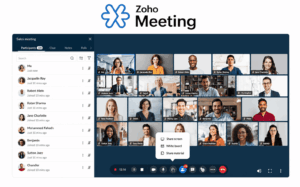
9. Zoho Meeting — Best Free Meeting App for Zoho-Ecosystem Organizations

Zoho Meeting is systematically absent from enterprise free meeting app comparisons in 2026, which is a meaningful blind spot given the scale of Zoho’s enterprise customer base. Zoho One — the comprehensive business application suite — is used by tens of thousands of organizations globally, particularly in Asia-Pacific, the Middle East, and among small-to-mid-size enterprises that built their operations on Zoho CRM, Zoho Projects, and Zoho Books without adopting Microsoft or Google as the core productivity layer.
For those organizations, the calculus is different from what most comparison guides assume. Connecting a third-party meeting platform — Zoom, Webex, Teams — to a Zoho-native workflow requires API configuration, credential management, and ongoing integration maintenance. Zoho Meeting’s native integration eliminates that overhead entirely: meeting links appear automatically in Zoho CRM contact records, meeting notes sync to Zoho Projects, calendar events create automatically in Zoho Calendar, and post-meeting follow-ups route through Zoho Cliq. For an organization that has already standardized on Zoho, this integration depth has operational value that exceeds Zoho Meeting’s raw feature set.
2026 updates: An improved AI meeting summary feature was added, processing audio through Zoho’s cloud infrastructure to generate post-meeting notes. Mobile experience updates improved call quality and interface responsiveness on iOS and Android. Enhanced integration with Zoho CRM added automatic meeting logging to contact activity timelines.
|
Zoho Meeting — Technical Summary |
|
|---|---|
|
Encryption architecture |
TLS for signaling + AES-128 for media in transit; in-transit encryption only — no true E2EE; Zoho controls keys; cannot satisfy E2EE requirements for regulated organizations. |
|
Free tier limits |
100 participants; 60-minute cap per session; basic recording on paid tiers only. |
|
Where it falls short |
No E2EE; no on-premise option; vendor controls keys; 60-minute session cap; recording requires paid plan; not suitable for regulated industries requiring compliance documentation beyond GDPR and SOC 2. |
|
Compliance coverage |
GDPR DPA available; SOC 2 Type II (paid plans); ISO 27001. |
10. RingCentral Video — Best Free Meeting App for UCaaS Consolidation Decisions

RingCentral Video (formerly Glip) is consistently underrepresented in free meeting app comparisons because technology analysts tend to evaluate it through the wrong lens. As a standalone video conferencing tool, it is not the most capable option in the free tier market. Evaluated as the video layer of a broader Unified Communications as a Service (UCaaS) decision, it becomes the most relevant option for a specific and large class of enterprise buyer: organizations evaluating a consolidated phone, messaging, and video platform and using the free tier to validate the video experience before committing to a full UCaaS purchase.
RingCentral’s broader platform — business telephony, contact center, SMS, fax, and video conferencing under a single administrative layer with a single support relationship — is one of the most widely deployed UCaaS stacks in the enterprise market. Organizations currently running separate vendors for voice and video collaboration frequently find that UCaaS consolidation reduces total cost of ownership and administrative overhead, even when the individual components are individually inferior to best-in-class standalone tools. RingCentral Video’s free tier allows IT teams to evaluate the video experience in real operational conditions before making a UCaaS commitment.
2026 updates: RingCentral AI Assistant for meeting summaries and transcription was added across all tiers, processing audio through RingCentral’s cloud infrastructure. Contact center video integration was improved with new coaching and monitoring capabilities. Salesforce integration was updated to support automatic opportunity updates based on meeting metadata.
|
RingCentral Video — Technical Summary |
|
|---|---|
|
Encryption architecture |
TLS + SRTP in transit; AES-256 at rest; no true E2EE — RingCentral controls keys; cannot satisfy E2EE requirements for regulated environments at any tier. |
|
Free tier limits |
100 participants; 50-minute cap; unlimited persistent team messaging included. |
|
Where it falls short |
No E2EE at any tier; no on-premise option; vendor controls keys; free tier admin controls are limited; 50-minute session cap; not competitive as standalone free meeting app vs. purpose-built conferencing tools. |
|
Compliance coverage |
HIPAA BAA on paid plans; SOC 2 Type II; GDPR DPA available; FedRAMP on government tiers. |
11. Chanty — Best Free Meeting App for Small Teams Prioritizing Async-First Communication

Chanty is essentially absent from enterprise free meeting app roundups, which accurately reflects its positioning: it is not an enterprise platform and makes no claim to be one. It is a small-team collaboration tool designed for organizations of 10 to 50 people where the communication model is async-first, video calls are used for focused synchronous interaction rather than as the primary channel, and the complexity overhead of deploying Zoom, Teams, or Webex is disproportionate to the need.
The free tier supports video calls for up to 5 participants — a limitation that makes Chanty unsuitable for full-team meetings at any organization larger than a very small team. What the free tier does provide is a clean, integrated communication environment: unlimited messaging history (a notable differentiator from some competitors that cap message history on free tiers), voice messages, task assignments with deadline tracking, and audio/video calls in a single interface. For a founding team, a small agency, or an early-stage engineering team, this integration of async and sync communication in one tool reduces the number of applications staff need to context-switch between.
2026 status: Chanty released improved video call quality on the free tier and added thread-based messaging to organize conversation context. The mobile application was updated for improved async voice message playback controls.
|
Chanty — Technical Summary |
|
|---|---|
|
Encryption architecture |
TLS for signaling + AES-256 for data at rest; in-transit encryption only — no E2EE; Chanty controls keys; not suitable for any regulated workload. |
|
Free tier limits |
5 participants for video calls; unlimited session duration; unlimited messaging history; 1 integration included. |
|
Where it falls short |
5-participant video cap makes it unsuitable for whole-team meetings; no E2EE; no compliance documentation; no on-premise option; no enterprise admin controls; not an enterprise product. |
|
Compliance coverage |
GDPR (basic); no industry-specific compliance documentation available. |
12. Wire — Best Free Meeting App for High-Security Teams

Wire is the platform most enterprise security buyers recognize by name but have never properly evaluated for video conferencing. Its public reputation was established through its end-to-end encrypted messaging — used by journalists, legal teams, and government officials for sensitive communications — and its video conferencing capability is a natural extension of that same cryptographic foundation rather than a separately architected feature.
The free tier supports video calls for up to 50 participants with end-to-end encryption enabled by default, not as an opt-in feature that disables other functionality. This is the key operational distinction from Zoom’s E2EE mode: Wire’s encryption does not require a trade-off with recording capabilities or call features. Every Wire call is E2EE by default, whether the participants are a small team of three or a 50-person all-hands.
Wire’s enterprise security positioning has been validated through adoption in sectors where communication security has legal and national security implications. The Wire for Government product line, launched in 2025, provides EU-hosted infrastructure with additional compliance documentation for European government procurement. The BSI C5 certification — the German Federal Office for Information Security’s cloud security standard — is one of the more rigorous cloud certifications available and provides a credible basis for public sector evaluation.
2026 updates: Wire for Government launched as a dedicated product line with EU-hosted infrastructure, BSI C5 certification, and simplified procurement documentation for European government tenders. Federation support was improved, allowing Wire deployments across organizational boundaries to communicate with E2EE preserved. The mobile client was updated with improved background audio handling for calls taken on mobile devices.
|
Wire — Technical Summary |
|
|---|---|
|
Encryption architecture |
Proteus protocol for messaging (independent Double Ratchet implementation); DTLS-SRTP for video media; E2EE on by default for all communication types; Proteus independently audited with public reports; Wire has no access to E2EE session keys. |
|
Free tier limits |
50 participants; unlimited session duration; E2EE on by default for all communication; cloud-hosted (Wire operates infrastructure on free tier); self-hosted deployment requires paid license. |
|
Where it falls short |
Free tier is cloud-hosted with Wire controlling infrastructure — sovereignty-conscious orgs need paid self-hosted tier for full data control; self-hosting requires paid license (unlike TrueConf/Jitsi); smaller integration ecosystem; onboarding external Wire-new users requires more friction than Zoom. |
|
Compliance coverage |
GDPR, ISO 27001, BSI C5 (German federal cloud security standard), NIS2 alignment; Wire for Government with EU-hosted infrastructure. |
Security Architecture Reference Table
|
Platform |
Media Encryption |
Key Control (Free) |
Group E2EE |
Self-Hosted |
FIPS 140-2 |
|---|---|---|---|---|---|
|
Secumeet |
AES-256 + TLS 1.3 |
Customer (on-premise) |
Yes |
Yes |
On request |
|
TrueConf |
SRTP + DTLS-SRTP |
Customer (self-hosted) |
Yes |
Yes (free) |
Yes |
|
Zoom |
AES-256-GCM |
Vendor / Customer (E2EE opt-in) |
Opt-in, features limited |
No |
No |
|
Microsoft Teams |
TLS + AES-256 |
Vendor |
No |
No |
No |
|
Jitsi Meet |
DTLS-SRTP |
Customer (self-hosted) |
Experimental |
Yes |
No |
|
Element |
Olm/Megolm + DTLS-SRTP |
Customer |
Yes |
Yes |
No |
|
Webex Free |
AES-256 |
Vendor / Customer (E2EE mode) |
Yes |
No |
No |
|
GoTo Meeting |
AES-128 + TLS |
Vendor |
No |
No |
No |
|
Zoho Meeting |
AES-128 + TLS |
Vendor |
No |
No |
No |
|
RingCentral Video |
AES-256 + TLS |
Vendor |
No |
No |
No |
|
Chanty |
AES-256 + TLS |
Vendor |
No |
No |
No |
|
Wire |
Proteus + DTLS-SRTP |
Vendor (free) / Customer (paid) |
Yes (default) |
Paid only |
No |
Compliance and Deployment Reference Table
|
Platform |
On-Premise |
GDPR Documentation |
HIPAA BAA |
NIS2 |
Air-Gapped |
|---|---|---|---|---|---|
|
Secumeet |
Yes |
Yes (free tier) |
Yes (free tier) |
Yes |
No |
|
TrueConf |
Yes (free) |
Yes |
Configurable |
Yes |
Yes |
|
Zoom |
No |
DPA available |
Paid only |
Partial |
No |
|
Microsoft Teams |
No |
EU Data Boundary |
Paid only |
Yes (M365) |
No |
|
Jitsi Meet |
Yes |
Self-managed |
Self-managed |
Self-managed |
Yes |
|
Element |
Yes |
Yes |
Self-managed |
Yes |
Yes |
|
Webex Free |
No |
DPA available |
Paid only |
Partial |
No |
|
GoTo Meeting |
No |
DPA available |
Paid only |
No |
No |
|
Zoho Meeting |
No |
DPA available |
Paid only |
Partial |
No |
|
RingCentral Video |
No |
DPA available |
Paid only |
No |
No |
|
Chanty |
No |
GDPR basic |
No |
No |
No |
|
Wire |
Paid only |
Yes |
No |
Yes |
No |
The Four-Stage Enterprise Decision Framework
Rather than evaluating twelve platforms simultaneously, apply these filters in sequence. Each stage eliminates options and reduces the decision to a manageable shortlist.
-
Stage 1: Data sovereignty requirement. Does your organization require that communication data — including metadata, session records, and encryption keys — remain within a specific physical or legal jurisdiction? If yes, eliminate all cloud-only platforms. Retain TrueConf, Secumeet, Jitsi Meet, and Element. Wire joins this group if you purchase the paid self-hosted license.
-
Stage 2: Compliance documentation requirement. Does your industry require documented evidence of specific frameworks? HIPAA with a documented BAA available on the free tier narrows the field to Secumeet and TrueConf. FIPS 140-2 points directly to TrueConf. GDPR with data residency guarantees is satisfied by Secumeet, TrueConf, and Element with self-hosting. NIS2 alignment is documented by Secumeet, TrueConf, Element, and Wire. ISO 27001 and SOC 2 documentation is available from Webex, RingCentral, and Zoho, but only for paid tiers — factor in the upgrade timeline when modeling compliance coverage.
-
Stage 3: Infrastructure capacity. Does your IT team have capacity to deploy and maintain self-hosted infrastructure? If yes, TrueConf, Jitsi Meet, and Element become fully viable — and TrueConf’s 1,000-user free license makes it genuinely cost-free for most organizations. If no, Secumeet’s managed private cloud provides sovereignty without self-hosting overhead. Wire’s cloud-hosted free tier provides default E2EE without infrastructure if sovereignty requirements are satisfied by EU hosting.
-
Stage 4: Ecosystem integration requirement. Is deep integration with an existing platform stack required? Microsoft ecosystem → Teams, with Zoom for external meetings. Zoho ecosystem → Zoho Meeting. UCaaS consolidation decision → RingCentral Video as the evaluation vehicle. Custom enterprise integrations with IT capacity → TrueConf’s expanded REST API covers ServiceNow, Jira, and custom workflows. Secumeet’s API covers major ITSM connectors as of Q2 2026.
The Real Cost of Free: What Procurement Teams Consistently Undercount
Free meeting apps in 2026 carry cost components that don’t appear in vendor pricing pages.
-
Infrastructure cost for self-hosted platforms. TrueConf and Jitsi Meet are zero-license-cost platforms, but they require server infrastructure, maintenance, and staff time. For a 200-person organization, a properly configured TrueConf deployment requires roughly 4–8 hours of initial setup and 1–2 hours per month of maintenance. That is real cost, even when it doesn’t appear in a vendor invoice. Factor it into your total cost of ownership calculation before declaring a self-hosted platform “free.”
-
Compliance documentation cost. Some platforms reserve compliance documentation — BAAs, DPAs, formal audit reports — for paid tiers. A free tier may be technically compliant with a regulatory framework while being unable to produce the documentation that an auditor requires to confirm it. Secumeet and TrueConf are notable exceptions: both include documentation in the free tier specifically because compliance officers need evidence, not just architecture. This distinction has operational value that free-tier checklists typically miss.
-
Upgrade discontinuity cost. Moving from a free tier to a paid tier on cloud-only platforms often activates compliance features retroactively, with no guarantee that the pre-upgrade period is covered. Organizations in regulated industries that deploy a non-compliant platform “temporarily” and then upgrade when requirements formalize frequently discover that the documentation gap from the pre-upgrade period creates liability that the upgrade cannot retrospectively cure. Model your compliance coverage timeline from day one.
-
The cost of a data breach attributable to platform choice. GDPR fines are calculated as a percentage of global annual turnover, with maximum penalties reaching 4% of global revenue or €20 million, whichever is higher. A free platform that cannot demonstrate adequate technical and organizational measures for data protection is not free — it is deferred liability on your organization’s balance sheet. The legal cost of defending an inadequate platform choice in a regulatory investigation will exceed the annual cost of any paid platform on this list.
Stop trading security for convenience
Secumeet delivers enterprise video conferencing with zero cloud data exposure. Self-hosted, SIP-compatible, and audit-ready.
Use Case Recommendations: Which Free Meeting App for Which Scenario
-
Healthcare network with HIPAA requirements: Secumeet for its documented BAA on the free tier and clean compliance dashboard. TrueConf as the alternative for hospital systems requiring complete network isolation from the internet, particularly in environments with strict network segmentation between clinical and administrative systems.
-
Government agency with NIS2 or data sovereignty obligations: TrueConf for single-agency internal communication, leveraging the 1,000-user free license and air-gapped deployment capability. Element (Matrix) for cross-agency federated communication where multiple organizations need to communicate without a central authority — the model proven by France’s Tchap and Germany’s BwMessenger.
-
Law firm or financial services with client confidentiality requirements: Wire for default E2EE with minimal configuration overhead. Secumeet if compliance documentation alongside encryption is required. Jitsi Meet for organizations with IT capacity to self-host and the need for auditable open-source code.
-
Mid-size enterprise outside the Microsoft or Google ecosystem: Evaluate TrueConf for internal meetings — the 1,000-user free license with full encryption and LDAP integration covers most mid-size organizations completely. Pair with Webex Free for external meetings where the no-time-limit policy accommodates longer client sessions.
-
Startup or small team outside large ecosystem platforms: Chanty for async-first teams under 10. Zoho Meeting for teams already using Zoho CRM or Zoho One. RingCentral Video for teams evaluating UCaaS consolidation as they grow.
-
Enterprise with deep Microsoft 365 investment: Teams Free for internal collaboration, Zoom Free for external-facing meetings where participant familiarity matters, Webex Free as an alternative external platform with no time limit.
-
DevOps or engineering team with open-source infrastructure commitment: Jitsi Meet, self-hosted, integrated with Nextcloud or Rocket.Chat. The Apache 2.0 license satisfies open-source policy requirements that restrict use of proprietary software.
-
High-security communications teams (legal, executive, M&A, policy): Wire for default E2EE without configuration overhead and without the feature trade-offs that Zoom’s opt-in E2EE mode imposes.
Frequently Asked Questions
FAQ: Everything You Need to Know
Can free meeting apps genuinely meet enterprise security requirements in 2026?
What is the difference between in-transit encryption and end-to-end encryption in meeting platforms?
Which free meeting platform is best for HIPAA compliance?
TrueConf supports 1,000 users for free — is there a catch?
Why do GoTo Meeting and Zoho Meeting appear here when their free tiers are so limited?
Is Wire suitable for enterprise use on the free tier?
What is the right architecture for a mature enterprise in 2026?
About This Evaluation
This guide was compiled using vendor technical documentation, published security architecture whitepapers, publicly available compliance certifications, and deployment references from government and enterprise sources current as of Q2 2026. Platform capabilities in the free meeting apps category change frequently — verify current tier limits, free license terms, and compliance documentation directly with vendors before making procurement decisions. No vendor paid for inclusion in this guide or influenced the evaluation criteria.
Author
Helga Afon is a technology writer specializing in video conferencing, collaboration software, and workplace communication. She writes articles and reviews that help readers better understand enterprise communication tools and industry trends.