
Finding free video conferencing is easy. Finding a platform that also lets you record meetings without immediately moving to a paid plan is much harder.
Recording is one of the features providers often use to separate free and commercial plans. A service may allow dozens of participants to join a meeting at no cost while keeping cloud recording, transcripts, storage, or even the Record button itself behind a subscription. Other platforms take a different approach and provide local recording for free but leave file management to the user.
That is why the phrase free video conferencing with recording should be evaluated as a separate category rather than as a synonym for free video meetings.
The first question is whether recording is actually included in the free option. The next is where the resulting file is stored: on the user’s computer, in the provider’s cloud, or on infrastructure operated by the organization itself. Meeting duration, participant limits, server requirements, and storage then determine whether the platform is practical for a real workflow.
Free Video Conferencing With Recording at a Glance
The table reveals an important distinction. Zoom and Webex are the clearest examples of traditional free SaaS products where users can host a meeting and create a local recording without buying a subscription. Jitsi, BigBlueButton, and TrueConf Server Free can also support recording without a recurring meeting subscription, but they move more responsibility to the organization because the conferencing environment or recording infrastructure is self-hosted.
Secumeet belongs to another category again. Its client is available for free, but the communication environment depends on Secumeet Server. It therefore makes more sense as an option for organizations evaluating private conferencing infrastructure than as a direct alternative to Zoom Basic.
Google Meet, Microsoft Teams Free, and Zoho Meeting are useful reference points because they demonstrate the most common trap in this market: the meeting can be free while native recording is not.
1. Zoom
Zoom is probably the simplest place to start if the requirement is straightforward: host a free meeting and save a native recording to a computer.
Free Basic accounts support local recording through the Zoom desktop application. Instead of being uploaded automatically to Zoom’s cloud, the meeting is converted and stored on the host’s device. For interviews, lessons, consultations, project meetings, and other occasional sessions, this workflow is often enough. The user gets a recording without needing to buy cloud storage or a higher meeting tier.
The trade-off is that free recording does not remove the other restrictions of the Basic plan. Group meetings are still time-limited, and local recording is primarily a desktop workflow. Organizations that need long sessions, centralized recording management, automatic transcripts, or cloud-based access will quickly move beyond what the free tier provides.
Zoom therefore works best when the real requirement is free meeting + local recording, not unlimited meeting + managed recording archive.
2. Webex
Webex follows a similar model and is one of the strongest alternatives to Zoom for this particular query.
Its free plan supports multiparty meetings and allows recordings to be saved to the user’s computer. This makes it useful for teams that want a mainstream business conferencing platform without paying simply to preserve a copy of the meeting.
The distinction between local and cloud recording is again important. Free users can record locally, but centralized cloud recording belongs to a different service level. That means a small team can easily capture an interview or client call, while a company that wants recordings to be automatically stored, shared, retained, or processed will need a more advanced plan.
Webex is therefore a good fit for short business meetings where recording matters but a full post-meeting content workflow does not.
3. Jitsi Meet
Jitsi approaches the problem from a completely different direction.
Instead of offering a conventional SaaS free tier with a fixed feature matrix, Jitsi is an open-source conferencing ecosystem. Organizations can use public Jitsi services or deploy the platform themselves, while recording can be added through the Jibri component.
This means Jitsi can support a genuinely flexible recording architecture, but only if the deployment is designed for it. A company can keep conferencing and recording infrastructure under its own control, decide where files are stored, and avoid tying the workflow to a commercial cloud subscription.
The price of that flexibility is operational responsibility. Recording is not something every public Jitsi deployment automatically exposes, and self-hosted Jibri requires server resources, configuration, storage, and maintenance.
Jitsi therefore makes the most sense for technical teams that interpret “free” as open-source software they can operate themselves, rather than as a fully managed service provided at no cost.
4. BigBlueButton
BigBlueButton is also open source, but its strongest use case is much more specific: online education and training.
The platform was designed around virtual classrooms rather than general-purpose business meetings. Recording can capture much more than a basic video layout. Depending on the session, playback may include audio, webcams, slides, whiteboard activity, chat, and other elements of the original class.
That makes BigBlueButton particularly useful for universities, schools, training providers, and organizations that need to preserve a structured learning session rather than simply create an MP4 file of the speaker grid.
As with Jitsi, the software itself can be free while the overall deployment is not costless. Someone still has to provide servers, storage, administration, and maintenance. For an organization already prepared to run its own learning infrastructure, that trade-off may be worthwhile. For a user who simply wants to click a link and record a short meeting, it is unnecessarily complex.
5. TrueConf Server Free
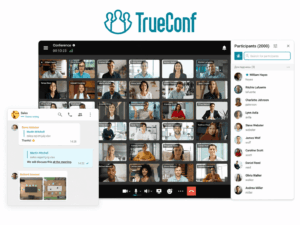
TrueConf Server Free represents another self-hosted approach, but it is aimed more at corporate communications than at open-source infrastructure projects.
Instead of using a public meeting cloud, an organization installs the communication server on its own infrastructure. The international free edition supports up to 1,000 simultaneously connected users for messaging and related communication scenarios, while group video conferencing in the free edition is limited to 10 PRO users.
That distinction matters because the number of server users and the number of participants in a free group conference are not the same thing.
Recording is available both through TrueConf client applications and on the server, depending on the workflow. This allows organizations to combine conferencing, messaging, file exchange, screen sharing, browser participation, and recording inside one customer-controlled environment.
The key advantage is not simply that a meeting can be recorded. It is that the organization can keep the conferencing system and its data inside infrastructure it operates itself. This is useful when the requirement is closer to free self-hosted corporate communications with recording than to a consumer-oriented public meeting service.
The limitation is equally clear. TrueConf Server Free is not a replacement for Zoom Basic when someone needs a large free cloud meeting with no infrastructure work. The organization provides the server, storage, network, and administration, and the free group-conferencing capacity is limited.
6. Secumeet
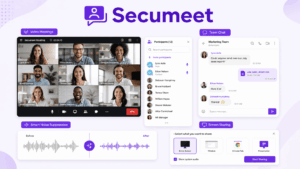
Secumeet is relevant for a similar reason, but it should be positioned carefully.
The platform combines video meetings with personal and group messaging, screen sharing, presentations, file exchange, and other collaboration features inside a server-based communication environment. Recording fits into that broader model as part of the organization’s private collaboration workflow rather than as a standalone free SaaS feature.
The Secumeet client itself can be downloaded for free, but the complete communication environment depends on Secumeet Server. That means the word “free” has a different meaning here than it does with Zoom Basic or Webex Free.
For an organization already evaluating private conferencing infrastructure, Secumeet can be relevant because recordings remain connected to a wider environment of meetings, chats, files, and ongoing communication. In this scenario, the important question is not merely whether the client costs anything. It is how the server is licensed, what recording capabilities are included in the selected edition, and what infrastructure the organization needs to provide.
Secumeet therefore belongs in this comparison as a private server-based alternative, but it should not be described as a simple free public conferencing service.
7. Google Meet
Google Meet is one of the clearest examples of why free conferencing and free recording should be treated separately.
A standard Google account gives users access to free video meetings, but native recording is restricted to eligible paid Google offerings. Someone who only looks at the meeting price could therefore assume that Meet solves the query, only to discover later that the built-in recording option is unavailable.
It is still possible to record a Meet session using operating-system or third-party screen-recording tools where appropriate, but that is a different workflow. The recording is no longer being provided natively by Google Meet, and the user becomes responsible for the capture process.
For teams already working inside Google Workspace, upgrading may be reasonable. For someone whose main requirement is free native recording, Zoom or Webex is a more direct answer.
8. Microsoft Teams Free
Microsoft Teams Free presents a similar situation.
The platform supports free meetings and collaboration, but native recording is associated with eligible Microsoft 365 subscriptions rather than the ordinary free meeting experience. Teams therefore works well as a free communication platform, but it is not one of the strongest matches when recording itself is the deciding factor.
This matters because Teams is often included automatically in generic lists of free conferencing tools. For the narrower query free video conferencing with recording, however, the evaluation needs to be stricter.
If the organization already has a qualifying Microsoft subscription, the distinction may be irrelevant in practice. For a user starting from a genuinely free account, it is important.
9. Zoho Meeting
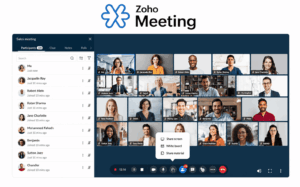
Zoho Meeting also offers a capable free conferencing tier, but recording is not part of the standard free workflow.
The free version can still be useful for teams that need meetings, screen sharing, VoIP, chat, and moderator controls. Recording becomes relevant when they move to a paid plan.
This makes Zoho another good example of the broader market pattern: free meetings are common; free native recording is not.
Local, Cloud, and Customer-Hosted Recording
The word “recording” is often treated as a single feature, but in practice there are three very different models.
With local recording, the meeting is saved directly to the host’s computer. Zoom Basic and Webex Free are the clearest examples. This model is convenient because no cloud recording subscription is required, and the user immediately controls the resulting file. It works particularly well for occasional meetings, interviews, or classes.
The disadvantage appears when recording volume grows. Files accumulate on individual devices, someone has to upload or distribute them manually, and there may be no centralized retention policy or backup.
With cloud recording, the conferencing provider processes and stores the recording online. This makes sharing, transcription, search, summaries, and centralized access much easier, but cloud recording is frequently one of the paid features that separates free and commercial plans.
A third model appears in self-hosted environments. Platforms such as TrueConf Server, Secumeet, Jitsi, and BigBlueButton can place conferencing and recording infrastructure under the organization’s control. This can be useful when recordings need to remain inside a private network or when the company wants greater control over storage and administration.
However, customer-hosted recording is not automatically cheaper. The organization pays indirectly through server resources, storage, backup, network capacity, and IT work.
The practical question is therefore not simply:
Does the platform record meetings?
It is:
Where is the recording created, who controls it, and who is responsible for storing it afterward?
What Does “Free” Actually Mean?
One of the biggest reasons comparisons in this category become confusing is that providers use the word free for very different models.
Zoom and Webex provide a traditional free SaaS tier. The vendor operates the infrastructure, and the user accepts the limits of that free plan.
Jitsi and BigBlueButton are different. They are open-source platforms, so the software can be used without a commercial license, but the organization still needs infrastructure to operate it.
TrueConf Server Free uses another model: a vendor-supported server product with a permanent free edition and defined capacity restrictions.
Secumeet is different again. The client is available for free, but the full environment depends on Secumeet Server.
Putting all four models into a single column marked simply Free: Yes hides more than it explains.
A more useful distinction is:
free hosted service → free software → free server edition → free client
Understanding which category a platform belongs to makes the rest of the comparison much easier.
How to Choose Free Video Conferencing With Recording
The selection process should begin with the recording workflow, not with the popularity of the platform.
First, verify that recording is included in the free option you are actually considering. A general product page saying that a platform “supports recording” is not enough. The relevant question is whether that feature is available without upgrading.
Then determine what type of recording the workflow requires. A local file may be ideal for an occasional interview, while a company recording dozens of meetings each week may need centralized storage, permissions, retention, and backup.
Meeting duration is the next practical filter. Zoom and Webex offer straightforward free recording, but their free meetings are time-limited. That is usually acceptable for short calls and interviews but can become restrictive for training sessions, workshops, lessons, or long project discussions.
Participant capacity also needs to be evaluated together with recording. A platform can have excellent recording functionality and still be unsuitable if the free meeting size is too small. Conversely, a large free participant allowance is less useful if recording requires an upgrade.
Finally, organizations should decide who should operate the infrastructure. A vendor-hosted service is easier to start with, while a self-hosted environment gives the organization more control over networks, storage, and administration.
Which Platform Should You Choose?
For the simplest free cloud-hosted experience, Zoom and Webex remain the strongest starting points because users can host a meeting and create a local recording without buying a separate recording subscription.
Jitsi is more appropriate for technical teams that want an open-source conferencing stack and are willing to build or maintain the recording environment themselves.
BigBlueButton is particularly strong for education because the recording can preserve a richer virtual-classroom experience rather than only a conventional meeting video.
TrueConf Server Free fits organizations that want recording inside a self-hosted corporate communication environment and can work within the free group-conferencing limits.
Secumeet is more relevant when the organization is already evaluating a private server-based communication platform where meetings, messaging, files, and recordings need to remain part of one controlled environment.
Google Meet, Microsoft Teams Free, and Zoho Meeting are still useful free conferencing platforms, but they become weaker answers when native free recording is mandatory.
FAQ
Can you record a video conference for free?
Yes. Some platforms provide native recording without requiring a paid meeting plan. Zoom Basic and Webex Free are two mainstream examples that support local computer recording, while self-hosted platforms can offer different recording models depending on their deployment.
Which free video conferencing apps include recording?
Zoom and Webex are among the clearest public-cloud options with free local recording. Jitsi, BigBlueButton, and TrueConf Server Free can also support recording in self-hosted environments, although their deployment requirements are different.
Does Secumeet support meeting recording?
Secumeet includes recording within its broader server-based communication environment. Because the client depends on Secumeet Server, organizations should verify server licensing, recording entitlements, participant limits, and infrastructure requirements for the edition they plan to use.
Can I record Google Meet for free?
Native recording is not included with a standard free Google account. Users need an eligible Google subscription for built-in recording, although third-party or operating-system recording tools may provide an alternative workflow where appropriate.
Can I record Zoom meetings for free?
Yes. Zoom Basic supports local computer recording through supported desktop applications. Cloud recording is a separate paid capability.
Does Webex Free include recording?
Yes. Webex Free supports recordings saved locally to a computer. Users who need centralized cloud recording should evaluate other service tiers.
Does Microsoft Teams Free include recording?
Native recording is not generally part of the ordinary free Teams experience. Recording is associated with eligible Microsoft 365 subscriptions.
What is the difference between local and cloud recording?
Local recording saves the meeting directly to a user’s device, while cloud recording is processed and stored by the conferencing provider. Local recording can be simpler and cheaper for occasional use, while cloud recording is more convenient for centralized sharing, retention, and post-meeting processing.
Can self-hosted video conferencing record meetings?
Yes. Self-hosted platforms can support local or server-side recording depending on their architecture. The organization is then responsible for the server resources, storage, maintenance, and retention policies required by the recording workflow.
Conclusion
The key issue in free video conferencing with recording is not whether a platform can host a meeting for free. Many can.
The real question is whether the recording workflow remains free as well.
For most individual users and small teams, Zoom and Webex are the easiest answers because both provide local recording inside a familiar vendor-hosted service.
Organizations with different infrastructure requirements may prefer Jitsi, BigBlueButton, TrueConf Server Free, or Secumeet, but these platforms should not be compared as though they were identical free SaaS products. Their value comes from greater control over deployment and recording infrastructure, which also means more responsibility for hosting and administration.
Google Meet, Teams Free, and Zoho demonstrate the opposite model: the meeting itself can be free while native recording belongs to a paid tier.
A practical comparison therefore follows this order:
Is the meeting free? → Is native recording free? → Where is it stored? → How long can the meeting run? → How many people can join? → Who operates the infrastructure?
Once those questions are answered, most of the apparent complexity disappears.
Author
Helga Afon is a technology writer specializing in video conferencing, collaboration software, and workplace communication. She writes articles and reviews that help readers better understand enterprise communication tools and industry trends.