
Video conferencing security is often reduced to one question: is the meeting encrypted?
Encryption matters, but it protects only one part of a much larger system. A meeting can use strong encryption and still expose confidential information because an attacker stole an employee account, a meeting link was forwarded, an unexpected guest was admitted, an AI assistant received the transcript, or a recording remained accessible long after the call ended.
A more useful way to assess security is to follow the meeting from beginning to end:
identity → meeting access → live media → shared content → stored data → infrastructure
Each stage introduces a different trust decision and a different type of risk.
That distinction matters because the right security model is not the same for every organization. A routine team call, a board meeting, a legal consultation, and a conference inside an isolated government network may all need different combinations of authentication, encryption, recording, interoperability, AI features, and infrastructure control.
Quick Summary: What Matters Most
-
Video conferencing security is a chain of controls, not a single encryption feature. Identity, meeting access, participant permissions, media protection, recordings, endpoints, and infrastructure all matter.
-
A secure platform can still produce an insecure meeting. A compromised account, leaked invitation, excessive guest permissions, unsafe endpoint, or exposed recording can bypass otherwise strong platform security.
-
End-to-end encryption provides stronger media isolation, but it can reduce functionality. Recording, transcription, AI assistants, PSTN, SIP/H.323 interoperability, and some browser or room-system scenarios may depend on the service being able to process meeting media.
-
The strongest encryption mode is not always the most appropriate meeting mode. Security should match the sensitivity and operational requirements of each meeting.
-
AI assistants should be treated as participants. A note-taking bot or meeting copilot may receive audio, transcripts, files, or summaries and can introduce another storage and processing boundary.
-
Interoperability can move the security boundary. A meeting connected to a telephone gateway, external transcription service, or legacy video system may inherit some of the security properties of that external component.
-
Security controls are stronger when administrators can enforce them centrally. A mandatory lobby or recording policy is more reliable than asking every host to configure it manually.
-
The meeting does not stop being a security problem when the call ends. Recordings, transcripts, AI summaries, chat, files, and metadata may remain sensitive long after the live session.
-
Cloud and self-hosted conferencing move trust to different places. Cloud platforms shift more infrastructure responsibility to the provider; self-hosted systems provide more customer control but also more operational responsibility.
-
Secumeet is particularly relevant when video meetings and messaging need to operate inside a private organization-controlled communication environment.
-
TrueConf Server fits organizations that need customer-operated video infrastructure, enterprise identity integration, private-network operation, and interoperability with existing room or SIP/H.323 systems.
A useful rule is:
A secure meeting can fail even when the media is encrypted if identity, access, endpoint, or stored-data controls are weak.
Secure Video Conferencing Platforms to Consider
No single platform is the most secure for every threat model. Products differ in where they place trust, whether infrastructure is provider-operated or customer-controlled, how identities are managed, and what happens when stronger encryption is enabled.
This is not a ranking. The useful question is:
Which security boundary does your organization need to control most strongly?
1. Secumeet
Best for: organizations that want video meetings and persistent communication inside a privately controlled environment

Secumeet fits scenarios where security requirements extend beyond individual calls to the surrounding communication environment. Instead of treating video conferencing as an isolated service, it brings meetings, team messaging, and related collaboration into the same controlled environment.
That matters because sensitive information rarely exists only while cameras are on. Employees may discuss a topic in chat before a meeting, exchange files during it, and continue the discussion afterward. If each stage moves through a different platform, security teams must manage several identity systems, storage locations, retention models, and infrastructure boundaries.
Secumeet’s strongest security position is therefore communication-boundary and infrastructure control, rather than the idea that one encryption feature can protect every part of the workflow.
Relevant use cases include:
-
privately controlled communication infrastructure;
-
internal video meetings;
-
persistent business messaging;
-
centralized user management;
-
files and collaboration around meetings;
-
deployment scenarios that reduce dependence on public communication services.
This model is particularly relevant for government, regulated industries, critical infrastructure, and organizations where where communication runs matters almost as much as how media is encrypted.
Private deployment still does not make every meeting secure automatically. Identity policies, administrative roles, guest access, endpoints, and data retention remain important.
Meetings with 1,500 users
Let your team naturally flow from a chat conversation to an immersive 4K meeting in just one click! Bring up to 1,500 participants to your call.
Team messaging
Connect with colleagues and teams before, during and after meetings in personal and group chats.
Collaboration Tools & AI
Collaborate on projects with AI: share a screen with sound, show presentations and manage remote computers.
2. TrueConf Server
Best for: organizations that need video conferencing security as part of customer-operated enterprise communications infrastructure
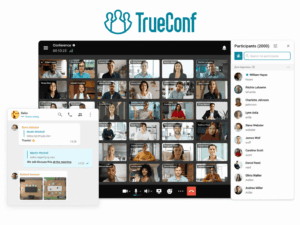
TrueConf Server approaches security at the infrastructure level. The platform can operate inside an organization’s own network, including environments where external internet connectivity is restricted or unavailable.
That makes it relevant when conferencing needs to fit into existing enterprise systems rather than operate as a standalone cloud application.
Security-related capabilities can include:
-
self-hosted deployment;
-
operation inside private networks;
-
LDAP/LDAPS integration;
-
SSO;
-
external MFA integration;
-
centralized user and group policies;
-
guest restrictions;
-
conference PINs;
-
configurable recording and chat retention;
-
differentiated administrator roles;
-
SIP/H.323 interoperability;
-
integration with existing enterprise communications infrastructure.
TrueConf is particularly useful where video conferencing has to coexist with meeting rooms, PBX systems, SIP/H.323 endpoints, enterprise directories, and private network policies.
3. Webex
Best for: organizations that need verifiable Zero-Trust E2EE for highly sensitive meetings
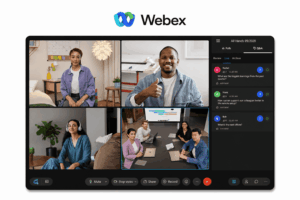
Webex provides a security model in which organizations can use stronger end-to-end protection for meetings where limiting the service provider’s ability to access media is particularly important.
Its Zero-Trust approach can also include participant verification mechanisms that help users confirm they are connected to the expected encrypted meeting.
The trade-off is functionality. Features that require the conferencing service to process decrypted media may become unavailable or limited.
That can include capabilities such as:
-
cloud recording;
-
transcription;
-
AI functions;
-
telephone participation;
-
SIP-based interoperability.
Webex is therefore a good example of a broader principle:
The stronger the isolation of meeting media from the service, the fewer service-side functions can operate on that media.
This architecture fits high-sensitivity meetings where confidentiality is more important than the full cloud feature set.
4. Microsoft Teams
Best for: organizations where meeting security is part of Microsoft identity, compliance, and policy management

Teams derives much of its security value from the broader Microsoft ecosystem.
Identity can be governed through Microsoft Entra, while administrators can apply policies around meeting access, lobbies, presenters, recording, external participants, and other meeting behavior.
Teams also supports an E2EE mode for meetings that need stronger media confidentiality.
The important trade-off is that some capabilities cannot work normally when the service cannot process the meeting media. Depending on the meeting mode, this can affect functions such as:
-
recording;
-
transcription;
-
captions;
-
AI assistance;
-
PSTN;
-
some collaboration features.
For large organizations, this allows a layered model: ordinary meetings can retain cloud functionality while selected high-sensitivity meetings use stronger protection.
That is often more practical than trying to force every business conversation into the same security configuration.
5. Zoom
Best for: organizations that need flexible security controls for meetings with external participants

Zoom’s security model is particularly relevant to meetings that regularly include customers, partners, applicants, contractors, or other outside participants.
Controls can include:
-
Waiting Room;
-
passcodes;
-
authenticated-user requirements;
-
domain restrictions;
-
meeting locking;
-
participant removal;
-
host-controlled sharing;
-
administrator-enforced meeting settings.
Zoom also offers stronger end-to-end encryption modes for meetings where media isolation has higher priority.
As with other E2EE systems, stronger encryption can restrict functionality that depends on cloud-side media processing or bridging to external systems.
Zoom is therefore a good fit when organizations need to choose meeting by meeting between broad accessibility and stronger isolation.
6. Pexip
Best for: organizations that need controlled infrastructure without giving up enterprise video interoperability
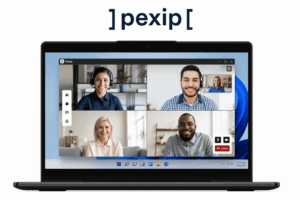
Pexip is especially relevant where security requirements include both infrastructure control and support for existing video environments.
It can be deployed in customer-controlled architectures and is designed for interoperability with enterprise conferencing systems and room endpoints.
This matters for organizations that cannot simply replace every existing video system with one cloud client.
Typical scenarios include:
-
government;
-
defense;
-
critical infrastructure;
-
large enterprises with existing room systems;
-
sovereign deployment requirements;
-
hybrid environments where interoperability remains essential.
Its main security advantage is therefore not one isolated feature. It is the ability to place video infrastructure inside a network and governance model the organization already controls.
What Is Video Conferencing Security?
Video conferencing security is the combination of technical and administrative controls used to protect participants, meeting content, accounts, stored data, and conferencing infrastructure.
The most common mistake is treating a meeting as a single object.
In reality, a conference has a lifecycle. Someone creates it, invitations are distributed, participants authenticate, devices connect, media is exchanged, users share information, external services may process the meeting, recordings or transcripts may be created, and data may remain stored afterward.
Security can fail at any one of those stages.
A useful model is therefore:
Identity → Meeting Access → Media → Content → Infrastructure
1. Identity: Who Is the User?
Security starts before anyone clicks Join.
If an attacker controls a legitimate employee account, strong encryption does not prevent that person from joining meetings the account is authorized to attend.
The identity layer therefore needs controls such as:
-
MFA;
-
SSO;
-
enterprise directories;
-
secure account recovery;
-
session management;
-
employee offboarding;
-
administrator-role separation.
For businesses, identity protection can be more important than a meeting password because a compromised authenticated account may appear completely legitimate to the conferencing platform.
2. Meeting Access: Which Meeting Can They Enter?
A valid user should not automatically be allowed into every meeting.
Meeting-level controls can include:
-
unique meeting identifiers;
-
passcodes;
-
waiting rooms or lobbies;
-
authenticated-user requirements;
-
guest restrictions;
-
host approval;
-
meeting locks;
-
participant verification.
The appropriate combination depends on the meeting.
A public webinar and a confidential executive discussion should not have identical entry rules.
3. Media: Who Can Access the Live Conversation?
This is where encryption matters most.
Audio, video, screen sharing, and other real-time streams need protection while crossing networks and conferencing infrastructure.
But the phrase encrypted meeting can describe several architectures.
Transport or service-managed encryption may protect media while still allowing the conferencing service to process it.
E2EE moves the boundary closer to the participating endpoints by preventing intermediary infrastructure from decrypting protected meeting media.
Neither model is universally appropriate. The right choice depends on which functions the meeting needs.
4. Content: What Happens Around and After the Call?
Modern conferencing platforms create much more than live audio and video.
A meeting may generate:
-
recordings;
-
transcripts;
-
AI summaries;
-
chat messages;
-
files;
-
whiteboards;
-
screenshots;
-
participant lists;
-
metadata.
Some of those assets may exist for months or years after a 30-minute conversation.
That leads to one of the most important principles in video conferencing security:
The meeting does not stop being a security problem when the call ends.
Stored information needs its own permissions, sharing rules, retention periods, and deletion process.
5. Infrastructure: Who Operates the Meeting Environment?
The final boundary is the conferencing infrastructure itself.
With SaaS, the provider operates most of the platform and the organization relies on the provider’s security controls.
With self-hosted conferencing, the customer gains more control over servers, networks, storage, and traffic flows, but also accepts responsibility for patching, monitoring, certificates, backups, availability, and configuration.
Neither model is automatically secure.
They place trust in different locations.
The Biggest Video Conferencing Security Risks
Most conferencing incidents do not require anyone to break the encryption algorithm. More often, attackers or users bypass technical protections through identity, access, endpoints, or stored data.
Compromised Accounts and Invitations
Stolen credentials can provide legitimate-looking access to meetings, recordings, contacts, or administration. A forwarded meeting link can create a similar problem when possession of the link is enough to enter.
MFA, SSO, authentication requirements, waiting rooms, and rapid session revocation reduce this risk.
Excessive Participant Permissions
Not every participant needs permission to share a screen, upload files, record, invite others, or admit guests.
Separating host, presenter, and participant permissions reduces both accidental exposure and deliberate disruption.
Phishing and Malicious Meeting Links
Attackers can imitate legitimate meeting invitations and direct users to fake login pages or malicious downloads.
The conferencing service itself may never be compromised. The attacker exploits the fact that employees routinely click links that look like meeting invitations.
Endpoint and Screen-Sharing Exposure
Even perfect E2EE cannot protect a meeting once its content is decrypted on a compromised device.
Malware, outdated clients, unmanaged endpoints, notifications, unrelated browser tabs, and accidental desktop sharing can all expose information without attacking the conferencing infrastructure.
Encryption protects data between endpoints; endpoint security determines what happens once the data reaches them.
Recordings, Transcripts, and Stored Content
A sensitive conversation may last an hour while its recording remains accessible for years.
Organizations therefore need to decide:
-
who can record;
-
where recordings are stored;
-
who can share them;
-
how transcripts are protected;
-
how long meeting artifacts are retained;
-
when they are deleted.
AI Assistants Are Participants Too
AI meeting assistants introduce a security boundary that traditional conferencing guidance often treats as a productivity feature rather than an access decision.
A note-taking bot may join a meeting, receive audio, generate a transcript, produce a summary, identify action items, and store that information somewhere outside the original conferencing environment.
From a security perspective, that assistant is effectively another participant.
Before allowing an AI assistant into sensitive meetings, organizations should ask:
-
Who authorized it to join?
-
Which meetings can it join automatically?
-
Does it receive audio, video, chat, files, or only a transcript?
-
Where is the transcript processed?
-
Where are summaries stored?
-
Which users can access them?
-
How long is the data retained?
-
Is another service provider now processing confidential meeting content?
-
Can administrators disable AI assistants centrally?
This creates a useful distinction:
An AI meeting feature may operate inside the conferencing interface while still creating a new data-processing boundary.
For routine internal calls, that may be acceptable.
For legal discussions, board meetings, incident response, M&A negotiations, or other sensitive conversations, an automatic AI attendee may fundamentally change the meeting’s threat model.
Encryption Is Not a Yes-or-No Feature
One of the least useful procurement questions is:
“Is the platform encrypted?”
Most serious enterprise conferencing systems encrypt meeting traffic in some form.
The more useful question is:
Where does encryption terminate, and who has access to the keys or decrypted media?
A simplified comparison looks like this:
E2EE is therefore not simply a checkbox representing “more security.”
It changes the architecture.
Why E2EE Can Disable Recording, AI, and Interoperability
Cloud recording needs access to meeting media.
Transcription needs access to audio.
AI assistants need meeting content to create summaries or recommendations.
PSTN and SIP/H.323 gateways may need to convert media between systems that do not participate in the same E2EE architecture.
That is why stronger E2EE modes can restrict these functions.
The general principle matters more than any one product:
The strongest encryption mode is not always the most functional meeting mode.
A board meeting discussing an acquisition may happily give up recording and AI for stronger confidentiality.
A weekly sales meeting may need searchable transcription, CRM workflows, and an AI summary more than it needs E2EE.
Both can be valid security decisions.
Interoperability Can Move the Security Boundary
A conferencing platform rarely operates completely alone.
A meeting may connect to:
-
a PSTN gateway;
-
a SIP or H.323 endpoint;
-
a room system;
-
an external transcription service;
-
an AI assistant;
-
a live translation service;
-
a recording platform;
-
a streaming service.
Each connection can extend the meeting beyond the security boundary of the original platform.
Consider two simplified flows:
E2EE meeting → telephone gateway → public telephone network
and:
Private meeting → transcription bot → external cloud storage
The conferencing platform may protect its own segment correctly while the connected service follows a different security model.
That leads to another useful rule:
A secure conference can inherit the security properties of the least controlled service connected to it.
This does not mean interoperability is inherently unsafe. It means interoperability should be treated as an architectural decision rather than a convenience feature.
Organizations with SIP/H.323 rooms, PSTN requirements, AI services, or external recording systems should therefore evaluate the complete media and data path, not only the primary conferencing product.
When Should You Use E2EE?
E2EE makes the most sense when the organization specifically wants to reduce the conferencing provider’s ability to access live meeting media.
Typical examples include:
-
board discussions;
-
M&A negotiations;
-
sensitive legal meetings;
-
security incident response;
-
confidential executive communication;
-
defense or government discussions;
-
high-value intellectual property;
-
investigative communication.
The decision should follow the threat model rather than the assumption that every call needs the most restrictive mode available.
When Standard Encryption May Be More Practical
Service-managed encrypted meetings may be more practical when teams rely heavily on:
-
cloud recording;
-
live transcription;
-
AI summaries;
-
compliance recording;
-
PSTN participation;
-
SIP/H.323 endpoints;
-
large room-system deployments;
-
browser access;
-
third-party integrations.
This does not mean those meetings are unencrypted.
It means the architecture allows the conferencing service to perform functions that require access to media.
The practical decision is often:
content isolation vs service-side functionality
rather than:
secure vs insecure
Secure Defaults Matter More Than Host Memory
Many conferencing security controls can technically exist while still being unreliable in practice.
A platform may offer a waiting room, restricted screen sharing, stronger authentication, recording controls, or guest policies — but if every host must remember to enable them manually, security depends on individual behavior.
Enterprise security is stronger when administrators can define and enforce defaults.
Examples include:
-
requiring authentication for selected meeting types;
-
making a lobby mandatory;
-
restricting anonymous participants;
-
limiting screen sharing to hosts or presenters;
-
disabling recording by default;
-
controlling whether external AI assistants may join;
-
enforcing stronger encryption for specific groups;
-
restricting guest capabilities;
-
applying retention policies centrally.
This creates an important distinction:
A security feature is much stronger when administrators can enforce it than when every host must remember to enable it.
When comparing platforms, organizations should therefore ask not only “Does this feature exist?” but also:
“Can our administrators make this the default?”
That question is especially important for large organizations where hundreds or thousands of employees create meetings independently.
Before, During, and After the Meeting
A practical way to apply these controls is to divide security by the meeting lifecycle.
Before the Meeting
Most high-impact decisions happen before anyone connects.
Organizations should decide:
-
who can create meetings;
-
whether MFA or SSO is required;
-
whether guests may join;
-
whether users must authenticate;
-
whether a lobby is mandatory;
-
whether meeting IDs may be reused;
-
which encryption mode applies;
-
whether recording is allowed;
-
whether AI assistants may join;
-
which policies administrators enforce automatically.
This stage determines the baseline security posture before the host has to make any manual decision.
During the Meeting
Once the meeting starts, security becomes more contextual.
Hosts may need to:
-
verify unexpected participants;
-
lock the meeting;
-
remove someone;
-
restrict screen sharing;
-
control recording;
-
limit file exchange;
-
assign presenter privileges;
-
identify unexpected bots or assistants;
-
respond to disruptive behavior.
High-sensitivity meetings may require stricter participant verification than routine internal calls.
After the Meeting
The live media may disappear, but the security lifecycle continues.
Check what happens to:
-
recordings;
-
transcripts;
-
AI summaries;
-
chat;
-
files;
-
whiteboards;
-
attendance reports;
-
metadata.
Access and retention should match the sensitivity of the meeting rather than simply following the longest storage period a platform offers.
Cloud vs Self-Hosted Video Conferencing Security
The cloud-versus-self-hosted debate is often framed too simply.
A cloud platform is not automatically insecure because another company operates the servers, and a self-hosted system is not automatically secure because it runs inside the organization.
The architectures shift responsibility.
The decision becomes especially important for organizations with strict data-sovereignty, private-network, or air-gap requirements.
The stronger formulation is:
Cloud and self-hosted conferencing do not represent “less secure” and “more secure.” They place trust in different parts of the architecture.
How to Choose a Secure Video Conferencing Platform
Instead of starting with product names, start with the meetings that need protection.
1. Who Needs to Join?
Internal employees, anonymous webinar attendees, contractors, customers, AI assistants, and room systems create very different access requirements.
The more external the audience, the more important flexible but enforceable guest controls become.
2. How Sensitive Is the Meeting Content?
A routine project update does not necessarily need the same security mode as an acquisition discussion.
Classify meeting types before imposing one configuration across the whole organization.
3. What Happens to the Meeting Afterwards?
If recording, transcription, or AI summaries are required, determine:
-
where the resulting data is stored;
-
who can access it;
-
who can share it;
-
how long it is retained;
-
whether another service provider processes it.
If recordings are unnecessary, disabling them removes an entire category of persistent risk.
4. Do You Need E2EE?
Do not ask only whether the feature exists.
Ask:
-
which meetings support it;
-
which clients support it;
-
which features disappear;
-
whether guests can participate;
-
whether room systems remain compatible;
-
whether PSTN still works;
-
how participants verify the encryption mode.
5. Do You Need SIP, H.323, PSTN, or Existing Room Systems?
Interoperability can conflict with the strongest E2EE models.
If the organization already owns significant conferencing hardware, this requirement may influence architecture more than an isolated security feature.
6. Can Security Policies Be Enforced Centrally?
Check whether administrators can enforce:
-
authentication;
-
lobby behavior;
-
guest permissions;
-
recording rules;
-
screen-sharing restrictions;
-
encryption policies;
-
AI assistant access;
-
retention.
Security that depends on every host making the correct decision is harder to scale.
7. Who Should Operate the Infrastructure?
For many businesses, managed cloud conferencing is appropriate.
For others, traffic or stored data must remain inside private infrastructure.
That is not merely a deployment preference.
It changes the trust boundary.
A Practical Video Conferencing Security Checklist
Before approving a platform, verify these areas:
The most secure configuration is the one that matches the organization’s real threats without making normal communication unusable.
Five Questions Security Pages Often Do Not Answer
Vendor security pages can be detailed while still leaving practical questions unresolved.
What Happens If a Valid Account Is Compromised?
Encryption does not help if the platform correctly authenticates an attacker as a legitimate employee.
Look at MFA, session revocation, identity lifecycle, device policy, and administrator controls.
What Happens If Someone Forwards the Invitation?
The answer reveals whether meeting access depends mainly on possession of a URL or on stronger participant verification.
What Happens If the Conferencing Service Is Compromised?
This is where the distinction between service-managed encryption and E2EE becomes particularly important.
What Happens After the Recording or AI Summary Is Created?
A strongly protected live meeting can still produce a broadly accessible recording, transcript, or summary.
Those artifacts deserve their own permissions and retention model.
What Happens If the Internet Is Unavailable or Untrusted?
For some organizations, this is simply an availability question.
For private or isolated environments, it can determine whether the entire conferencing architecture is suitable.
FAQ
What is video conferencing security?
Video conferencing security is the combination of identity, access, encryption, participant controls, endpoint protection, data governance, and infrastructure measures used to protect meetings and the information created around them.
Is video conferencing secure?
It can be. Security depends on both the platform and how it is configured. Strong encryption alone does not prevent compromised accounts, unauthorized participants, insecure endpoints, inappropriate AI access, accidental screen sharing, or exposed recordings.
What are the biggest video conferencing security risks?
Common risks include account compromise, unauthorized meeting access, phishing, excessive participant permissions, vulnerable endpoints, screen-sharing exposure, insecure recordings and transcripts, and third-party services that extend the meeting beyond its original security boundary.
Is end-to-end encryption necessary for video conferencing?
Not for every meeting. E2EE is particularly useful when meeting content should remain inaccessible to the conferencing service itself. Routine business meetings may instead prioritize recording, transcription, AI, PSTN, interoperability, or browser access.
What is the difference between encryption and end-to-end encryption?
Standard meeting encryption can protect media while allowing conferencing infrastructure to process it. With E2EE, protected media is encrypted between participating endpoints so intermediary services do not normally possess the keys needed to decrypt it.
Does E2EE disable video conferencing features?
It can. Features such as cloud recording, transcription, AI assistants, PSTN, SIP/H.323 interoperability, and some browser or room-system scenarios may require the service to process meeting media and therefore may be unavailable in stronger E2EE modes.
Are AI meeting assistants a security risk?
They can introduce an additional data-processing boundary. An AI assistant may receive meeting audio, transcripts, chat, or other content and store derived information outside the original meeting environment. Organizations should control which assistants may join sensitive meetings and where their data is processed and retained.
Is self-hosted video conferencing more secure?
Not automatically. Self-hosting provides more control over infrastructure, data location, and network architecture, but it also makes the organization responsible for configuration, patching, certificates, monitoring, backups, and operational security.
What is the best secure video conferencing platform?
The answer depends on the threat model. Secumeet is relevant for private communication environments, TrueConf Server for customer-operated enterprise video infrastructure, Webex for Zero-Trust E2EE, Teams for Microsoft identity and governance, Zoom for flexible external-meeting controls, and Pexip for customer-controlled enterprise interoperability.
How can I make a video meeting more secure?
Use strong authentication, control who can join, enforce guest and presenter permissions, select an appropriate encryption mode, keep endpoints updated, control AI assistants and integrations, minimize unnecessary recording, and protect stored meeting data after the call ends.
Conclusion
Video conferencing security is not one setting and it is not one encryption algorithm.
A meeting crosses several boundaries:
identity → access → media → content → infrastructure
It may also cross additional boundaries through AI assistants, telephone gateways, room systems, transcription tools, and other integrations.
A weakness in any one of them can undermine protections elsewhere. Strongly encrypted media does not stop an attacker using a stolen account. A protected meeting does not prevent an exposed recording. E2EE does not secure a compromised endpoint. A private conferencing system can still send sensitive content to an external AI assistant if policy allows it.
The most useful purchasing question is therefore not:
“Which platform has the strongest security feature?”
It is:
“Where does our organization need trust to stop?”
For some teams, the answer is provider-managed cloud conferencing with centralized identity and meeting policies. For others, it is selective E2EE. Organizations with private-network, sovereignty, or infrastructure requirements may need the conferencing service itself under customer control.
Once that boundary is clear, comparing platforms becomes much easier.
Author
Helga Afon is a technology writer specializing in video conferencing, collaboration software, and workplace communication. She writes articles and reviews that help readers better understand enterprise communication tools and industry trends.