
An internal messenger is a communication system employees use for everyday work: direct messages, group chats, team channels, file sharing, quick calls, and discussions that would otherwise be scattered across email, personal messaging apps, and meetings.
For a small team, that may sound like little more than business chat. As the organization grows, the messenger takes on a different role. Project decisions stay in channels, files remain attached to discussions, new employees search old conversations for context, and administrators need to know who still has access after people change teams or leave the company.
That is why choosing an internal messenger is not mainly about finding the nicest chat interface. The more important questions are who controls employee identities, how communication history is preserved, which people can access which spaces, whether messaging and meetings belong to the same environment, and who operates the underlying infrastructure.
Quick Summary
-
An internal messenger is a company-controlled communication environment for direct messages, group chats, channels, files, search, and often voice or video communication.
-
The biggest difference from a personal messenger is ownership and control. In a business messenger, the organization can manage identities, permissions, employee offboarding, history, guests, and administrative policies.
-
A useful internal messenger has four jobs: conversation, context, identity, and continuity.
-
Searchable history matters because chat eventually becomes part of the company’s working memory. Losing the history can mean losing decisions, explanations, files, and project context.
-
Not everything belongs in the messenger. Contracts, payroll records, CRM data, source code, and regulated records usually belong in specialized systems. The messenger should preserve communication context without replacing every system of record.
-
Cloud platforms such as Slack and Microsoft Teams are easier to adopt when vendor-hosted infrastructure is acceptable. Mattermost, Rocket.Chat, Element, TrueConf Server, and Secumeet become more relevant when private or self-hosted communication is part of the requirement.
-
Secumeet is best considered as a private persistent business communication environment combining messaging, meetings, files, and centralized administration.
-
TrueConf Server fits organizations where internal messaging needs to become part of broader enterprise video and communications infrastructure, including meeting rooms, SIP/H.323, and private networks.
A useful rule is:
An internal messenger becomes business infrastructure when losing the chat history would mean losing organizational knowledge.
Best Internal Messenger Platforms to Consider
The platforms below represent different models rather than seven variations of the same cloud chat product.
1. Secumeet

Best for: private internal communication where messaging and meetings should remain inside one managed environment
Secumeet fits organizations that do not want internal messaging to exist as a separate public-cloud chat service. Its role is closer to a private communication environment where employees can move between persistent messages, group conversations, files, and video meetings without fragmenting work across unrelated tools.
From an internal-messenger perspective, the important part is continuity. A discussion can begin in a personal or group chat, continue in a meeting, and remain associated with the same company-managed communication environment afterwards.
Relevant capabilities include:
-
personal and group messaging;
-
persistent conversation history;
-
file exchange;
-
voice and video meetings;
-
centralized user administration;
-
private deployment;
-
enterprise directory integration;
-
organization-controlled communication infrastructure.
Secumeet is particularly relevant when the requirement is not simply “employees need chat”, but rather “internal communication should remain under organizational control.”
That gives it a different position from Slack or Teams. The latter are primarily vendor-operated SaaS environments, while Secumeet is more relevant when infrastructure ownership itself is part of the purchasing decision. Secumeet’s own internal-communications material also emphasizes deployment model as an important distinction between employee communication platforms.
Meetings with 1,500 users
Let your team naturally flow from a chat conversation to an immersive 4K meeting in just one click! Bring up to 1,500 participants to your call.
Team messaging
Connect with colleagues and teams before, during and after meetings in personal and group chats.
Collaboration Tools & AI
Collaborate on projects with AI: share a screen with sound, show presentations and manage remote computers.
2. TrueConf Server
Best for: organizations where internal messaging is part of a larger enterprise communications system
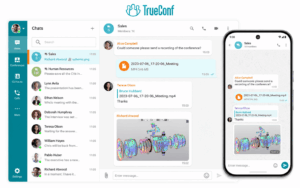
TrueConf Server is not only a messenger. It combines persistent chat with video conferencing, corporate directories, meeting-room scenarios, guest communication, and interoperability with SIP/H.323 systems.
This makes it a good fit when the company does not want one platform for internal chat, another for video meetings, and a third for installed conferencing infrastructure.
For internal messaging, relevant capabilities include:
-
personal and group chats;
-
file sharing;
-
enterprise user directories;
-
LDAP/LDAPS integration;
-
centralized administration;
-
messaging within customer-controlled infrastructure;
-
video conferencing from the same communications environment;
-
private-network operation.
TrueConf supports LDAP and LDAPS integration with Active Directory, OpenLDAP, 389 Directory Server, and FreeIPA. Its server architecture also supports SIP, H.323, WebRTC, OAuth 2.0 API access, and encrypted media transport for supported protocols.
These capabilities matter when internal messaging sits next to existing PBX systems, meeting rooms, conference terminals, or isolated corporate networks.
The useful distinction is:
Secumeet is primarily a private internal communication environment; TrueConf Server is internal messaging as part of broader enterprise video and UC infrastructure.
3. Slack
Best for: channel-based internal communication with a large integration ecosystem
Slack remains one of the clearest examples of a chat-first internal messenger.
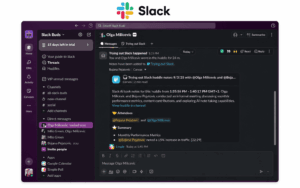
Its basic model revolves around channels organized around teams, projects, or topics, combined with direct messages, search, file sharing, Huddles, and an extensive integration ecosystem. Slack currently advertises more than 2,600 app integrations and provides Workflow Builder for automating routine processes.
For internal communication, Slack is particularly strong in three areas.
First, channel structure makes communication visible beyond individual inboxes. Teams can create spaces for departments, projects, incidents, customers, or recurring processes.
Second, searchable history turns Slack into an organizational knowledge source. Paid plans provide unlimited message history, while the Free plan exposes only the most recent 90 days and permanently removes content older than one year.
Third, integrations and workflows allow notifications and actions from other business systems to appear inside the same communication environment.
Relevant capabilities include:
-
direct messages;
-
group conversations;
-
public and private channels;
-
threads;
-
file sharing;
-
searchable history;
-
Huddles for audio/video collaboration;
-
Slack Connect for external collaboration;
-
app integrations;
-
Workflow Builder;
-
retention and enterprise governance controls on higher plans.
Slack fits particularly well when the company accepts a vendor-hosted SaaS model and wants internal messaging to act as a hub connecting many other cloud applications.
The trade-off is that communication remains inside Slack’s cloud infrastructure, and cost scales primarily through recurring per-user plans.
4. Microsoft Teams
Best for: internal messaging inside a Microsoft 365 organization
Teams becomes especially attractive when the organization’s identity, documents, calendars, and productivity applications already live inside Microsoft 365.
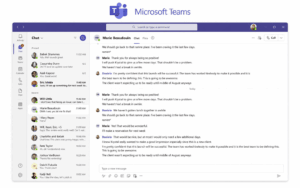
Its internal communication model combines private chat with teams and channels. Microsoft describes chat, teams, and channels as the cornerstone of the product: employees can communicate privately, organize long-running project spaces, share files, and move directly into meetings.
The biggest difference from a standalone messenger is that Teams communication is closely connected to the Microsoft 365 environment.
Files shared in channels are stored in SharePoint, while files shared through private or group chats are stored through OneDrive for Business.
That makes Teams particularly useful when conversations are closely linked to:
-
Word, Excel, and PowerPoint files;
-
SharePoint;
-
OneDrive;
-
Microsoft calendars and meetings;
-
Entra-managed organizational identities.
Teams also supports standard, private, and shared channels. Private channels limit content to selected team members, while shared channels can support cross-organizational collaboration when the required B2B configuration is enabled.
External collaboration is fairly granular. Companies can use external access for chat and calls, guest accounts for deeper access to teams and files, or shared channels for selected cross-company collaboration.
For an organization already invested in Microsoft 365, Teams can therefore reduce the need for a separate internal messenger. For companies outside that ecosystem, its strongest advantage becomes less significant.
5. Mattermost
Best for: self-hosted internal messaging in technical, regulated, or operational environments
Mattermost is built around channels but places much more emphasis than typical SaaS messengers on customer-controlled deployment and operational workflows.
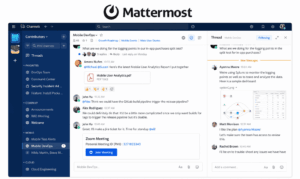
Its Channels product includes:
-
one-to-one messaging;
-
group messaging;
-
public and private channels;
-
threaded discussions;
-
file sharing;
-
search;
-
desktop, web, and mobile access.
Mattermost Calls adds audio calls and screen sharing directly alongside channel conversations, so a real-time discussion can remain connected to the surrounding text context. Group calls and additional recording/transcription capabilities depend on the plan and deployment.
Where Mattermost becomes especially interesting as an internal messenger is deployment and governance. It can be self-hosted with the organization retaining control of its data, and current enterprise capabilities include granular controls around channel membership, file access, and security policies.
That makes it a strong candidate when the internal messenger is used by:
-
engineering teams;
-
DevOps and incident-response groups;
-
government organizations;
-
regulated industries;
-
teams operating private or restricted infrastructure.
Mattermost is less about recreating a consumer chat experience and more about making persistent internal communication part of operational infrastructure.
6. Rocket.Chat
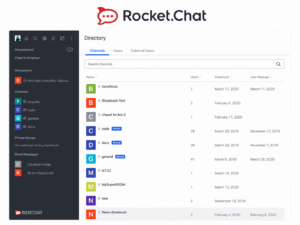
Best for: organizations that want a customizable, self-managed internal messenger
Rocket.Chat is another channel-oriented platform, but its strongest differentiator is deployment flexibility and policy control.
It supports self-hosted environments and is frequently positioned for enterprise and regulated deployments where organizations want to keep messaging infrastructure under their own control. Rocket.Chat’s own 2026 platform comparisons emphasize self-hosting, air-gapped operation, E2EE, customer-controlled encryption keys, audit logging, and governed extensibility.
As an internal messenger, Rocket.Chat can support the familiar core model:
-
direct messages;
-
group communication;
-
channels;
-
files;
-
search;
-
voice/video capabilities;
-
integrations;
-
access controls.
The key difference is that companies can combine those functions with self-managed infrastructure and more detailed policy enforcement.
This makes Rocket.Chat relevant where administrators need more control over how the internal communication environment is operated and extended, rather than simply consuming a fixed SaaS workspace.
It is particularly suitable for organizations that want something structurally similar to channel-based cloud messengers but need more control over data residency, infrastructure, authentication, or integrations.
7. Element
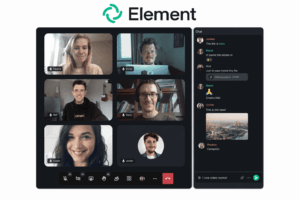
Best for: encrypted internal messaging across independently controlled environments
Element is different from most internal messengers because it is based on Matrix, a federated communication protocol.
Instead of assuming that every employee or partner must belong to one centrally operated workspace, Matrix allows organizations to operate separate servers while still communicating across them.
That creates a distinctive internal-communications model for organizations that need:
-
persistent messaging;
-
private and group rooms;
-
file exchange;
-
voice/video communication;
-
E2EE;
-
self-hosting;
-
federation between organizations.
Element becomes particularly useful when independence between organizations matters. A company, public agency, contractor, or partner can retain its own infrastructure while participating in shared communication spaces.
This is fundamentally different from a conventional SaaS workspace where everyone ultimately communicates through one provider’s service.
Rocket.Chat’s current enterprise comparison also identifies Element/Matrix as offering self-hosting, E2EE, customer-controlled keys, and native Matrix federation.
For a conventional small business, federation may add architecture the company does not need. For organizations that care about encrypted cross-company communication or infrastructure independence, it can be a defining advantage.
Which Internal Messenger Model Fits Your Company?
The vendor is only part of the decision. It is useful to identify the architecture first.
Cloud SaaS
Examples: Slack, Microsoft Teams
Best when:
-
quick deployment matters;
-
public cloud is acceptable;
-
internal IT wants minimal infrastructure responsibility;
-
the company already uses a large SaaS ecosystem.
The trade-off is that communication infrastructure remains provider-operated and recurring cost usually grows with licensed users.
Private or Self-Hosted Messenger
Examples: Secumeet, TrueConf Server, Mattermost, Rocket.Chat
Best when:
-
infrastructure control matters;
-
messaging must work inside private networks;
-
data location is important;
-
the organization already operates internal IT infrastructure.
The trade-off is additional responsibility for deployment and administration.
Federated Messenger
Example: Element / Matrix
Best when separate organizations need to communicate while retaining independent infrastructure and identity boundaries.
This model can be especially useful for partnerships, public-sector ecosystems, or other environments where putting every participant inside one central workspace is undesirable.
What Is an Internal Messenger?
An internal messenger is a company communication platform used for day-to-day employee conversations.
At minimum, it usually provides direct and group messaging. Modern business messengers often add channels, threads, file sharing, search, voice or video calls, integrations, and administrative tools.
The important word is internal.
An employee can already send a message through WhatsApp, Telegram, Signal, SMS, or email. What changes with a business messenger is that communication becomes connected to the organization rather than to employees’ personal accounts.
That gives the company control over questions such as:
-
Who has an account?
-
Which teams or channels can they access?
-
What happens when they leave?
-
Is conversation history retained?
-
Can administrators manage external guests?
-
Where is communication data stored?
-
Can the organization export or migrate its history?
This is why an internal messenger is better understood as communication infrastructure, not merely as another chat application.
An Internal Messenger Has Four Jobs
Most feature comparisons begin with direct messages and channels. A more useful model is to ask what job those features perform.
1. Conversation
The first job is obvious: employees need a low-friction way to communicate.
This includes quick questions, project discussions, announcements, group conversations, and direct messages.
The messenger is often more efficient than email because small interactions do not require a subject line, formal thread, or growing chain of recipients.
2. Context
Fast messaging alone is not enough.
Useful internal communication keeps related messages, replies, files, and decisions together so another employee can understand what happened later.
Channels and threads help create this context, while search makes it retrievable.
Without context, fast chat simply produces another stream of information employees need to reconstruct manually.
3. Identity
A business messenger should know who belongs to the organization.
That becomes important for:
-
employee onboarding;
-
team membership;
-
guest access;
-
permissions;
-
organizational directories;
-
offboarding.
Personal messengers are usually controlled by the individual account holder. An internal messenger should make identity an organizational asset.
4. Continuity
Employees leave. Teams reorganize. Projects end. Managers change.
The communication should not disappear every time the people involved change.
A well-managed internal messenger preserves enough history for a new employee to understand why a decision was made without finding the original participant and asking them to reconstruct the conversation.
This is where messaging begins to overlap with organizational knowledge.
Internal Messenger vs Personal Messenger
The difference is not that one can send messages and the other cannot.
It is primarily about who controls the communication environment.
A personal messenger may still use excellent encryption. That does not automatically make it a good internal business messenger.
For an organization, the important difference is:
Who controls identity, access, and communication history?
Internal Messenger vs Email, Intranet, and Project Management
Internal messaging overlaps with several other business tools, but it should not replace all of them.
The boundaries are increasingly blurred. Slack now has lists and canvases. Teams combines chat with files and meetings. Mattermost joins messaging and calls.
That does not mean every interaction should be moved into the messenger.
The most useful principle is:
The internal messenger should preserve communication context without becoming the system of record for every business process.
What Should Stay in the Messenger?
Internal messaging works particularly well for information that is conversational and benefits from shared context.
Typical examples include:
-
daily coordination;
-
project discussion;
-
quick questions;
-
technical troubleshooting;
-
lightweight approvals;
-
meeting follow-up;
-
status updates;
-
shared files used during a conversation;
-
discussions around a decision.
A project manager might ask whether a release can move to Friday, discuss the implications with several employees, and later confirm the decision in the same channel.
Keeping that conversation together is useful because the reasoning behind the decision remains visible.
What Should Live Somewhere Else?
Other information benefits from a structured system of record.
Examples include:
-
signed contracts;
-
payroll information;
-
formal HR records;
-
CRM customer records;
-
source code;
-
structured tasks and dependencies;
-
regulatory archives;
-
accounting data.
Employees can discuss these items in the messenger, but the authoritative record should remain in the appropriate system.
This distinction prevents a common failure mode: turning chat history into an unstructured database for everything the company knows.
Why Message History Becomes Company Memory
A new internal messenger may initially be evaluated as a communication tool.
After several years, it often contains something much more valuable:
-
why a project changed direction;
-
which workaround solved a recurring problem;
-
why a customer received an exception;
-
who approved a decision;
-
which files were used;
-
what happened during an incident.
At this point, message history has become part of the organization’s working memory.
This is why search and retention policies matter.
Slack illustrates the difference clearly: the Free plan exposes only 90 days of message and file history, while paid plans provide unlimited history.
Whether unlimited retention is desirable depends on the organization, but the decision should be deliberate.
Deleting old communication can reduce stored data and compliance exposure. Keeping it can preserve valuable business context.
The important point is that history is not merely a convenience feature once employees make decisions inside the messenger.
Essential Features of an Internal Business Messenger
A useful internal messenger does not need every possible collaboration feature, but several capabilities matter repeatedly across organizations.
Direct and Group Messaging
Employees should be able to move quickly between one-to-one conversations and group discussions without creating unnecessary formal meetings.
Channels or Persistent Spaces
Channels organize communication around departments, projects, topics, incidents, or teams.
They are especially useful because knowledge becomes visible to the group rather than trapped inside private inboxes.
Threads
Threads reduce noise by keeping a side discussion connected to the message that started it.
They become increasingly valuable as channel activity grows.
Searchable History
Search should cover more than message text.
Depending on the product, employees may need to locate:
-
people;
-
messages;
-
channels;
-
files;
-
links;
-
previous decisions.
Search quality becomes more important as the messenger gets older.
File Sharing
Documents frequently appear during discussion, so file exchange needs to preserve the relationship between the file and the conversation around it.
Calls and Video Meetings
Many conversations become too complex for text.
Moving into an audio or video call without losing the surrounding communication context reduces friction.
This is one reason platforms such as Secumeet, TrueConf Server, Teams, and Mattermost increasingly combine messaging with real-time communication.
Organizational Identity
For larger deployments, integration with an organizational directory can simplify onboarding, account management, and offboarding.
Guest and External Access
Companies often need to communicate with:
-
contractors;
-
customers;
-
suppliers;
-
partners.
Guest access should make that possible without automatically exposing the entire internal workspace.
Administration and Retention
Administrators may need control over:
-
account lifecycle;
-
group membership;
-
posting rights;
-
data retention;
-
exports;
-
audit information;
-
connected applications.
The more important the messenger becomes to daily work, the more important these controls become.
Cloud vs Self-Hosted Internal Messenger
Deployment is one of the largest architectural differences between internal messaging products.
Cloud Messenger
With Slack or Microsoft Teams, the vendor operates the underlying communication service.
This generally means faster adoption and less infrastructure work for internal IT.
The trade-off is that the organization depends on the provider’s infrastructure, commercial model, and service availability.
Self-Hosted Messenger
With platforms such as TrueConf Server, Mattermost, Rocket.Chat, or privately deployed communication environments such as Secumeet, more infrastructure responsibility stays with the customer.
This can make sense when:
-
communication must remain inside corporate infrastructure;
-
public cloud access is restricted;
-
the company has specific data-control requirements;
-
internal systems already need integration with private communications infrastructure.
Self-hosting is not automatically safer or cheaper. It changes who controls and operates the system.
Five Ways an Internal Messenger Can Fail Without Going Offline
Messaging software does not need to suffer an outage to stop working well for the organization.
1. Context Failure
Employees exchange thousands of messages, but nobody can find the final decision later.
The messenger is technically working, yet the communication has become disposable.
2. Identity Failure
An employee or contractor changes role or leaves, but access remains because account management is disconnected from the company’s identity lifecycle.
3. Channel Failure
Important decisions happen in private messages while the people who need them remain in a project channel.
The problem is not message delivery. It is information placement.
4. History Failure
Old communication disappears before the organization realizes it needs it, or the search system is too weak to retrieve useful context.
5. Infrastructure Failure
The messenger becomes business-critical, but the organization’s deployment or vendor model no longer matches its security, network, or operational requirements.
These failure modes explain why choosing an internal messenger purely from a feature checklist can be misleading.
How to Choose an Internal Messenger
A practical selection process starts with the company’s communication model rather than a vendor shortlist.
Who controls employee identities?
Determine whether accounts will be managed manually, through SSO, through LDAP/Active Directory, or through another identity system.
What happens when someone leaves?
Check how quickly accounts, sessions, groups, and historical access can be revoked.
How much history should remain searchable?
Some companies need long-term communication continuity. Others deliberately use shorter retention periods.
Does messaging need built-in voice and video?
If employees frequently move from chat to meetings, using one environment can reduce fragmentation.
Do external people need access?
Consider whether contractors and partners need direct messages, individual channels, meetings, or full workspace membership.
Does the company need private deployment?
If communication must run inside a corporate or isolated network, this requirement immediately narrows the platform list.
Which integrations actually matter?
A catalog containing thousands of integrations is useful only if it includes the systems employees genuinely use.
Can communication data be exported or migrated?
Internal messaging may become one of the company’s largest repositories of informal knowledge. Migration should therefore be considered before the organization becomes dependent on the platform.
FAQ
What is an internal messenger?
An internal messenger is a business communication platform used by employees for direct messages, group chats, channels, file sharing, search, and often voice or video communication. Unlike personal messaging apps, it usually gives the organization control over user identities, permissions, history, and administration.
What is the best internal messenger for business?
There is no single best option. Slack is strong for SaaS integrations and channel workflows, Microsoft Teams fits Microsoft 365 environments, Secumeet is relevant for private messaging and meetings, TrueConf Server combines messaging with enterprise video infrastructure, Mattermost and Rocket.Chat provide self-hosted options, and Element is useful for encrypted federated communication.
What is the difference between an internal messenger and email?
Email is well suited to formal asynchronous correspondence, especially across organizations. An internal messenger is usually better for fast employee coordination, group discussion, persistent channels, and shared conversational context.
Can an internal messenger replace email?
It can reduce internal email significantly, but it usually does not replace email completely. External correspondence, formal notices, and workflows built around email may still require it.
Can an internal messenger be self-hosted?
Yes. Platforms such as TrueConf Server, Mattermost, Rocket.Chat, and Element support self-hosted or customer-controlled deployment models. Secumeet is also relevant when private organizational deployment is part of the requirement.
Why is message history important in an internal messenger?
Employees increasingly make decisions and share project context inside messaging channels. Searchable history allows colleagues and future team members to recover those discussions rather than relying on individual memory.
Is an internal messenger the same as an intranet?
No. An intranet usually publishes structured company information, policies, news, and reference content. An internal messenger is designed for conversational communication and day-to-day coordination.
Should companies use personal messengers for internal communication?
Personal messengers can work for small informal teams, but organizations have less control over identities, offboarding, permissions, retention, and business communication history. A dedicated internal messenger is usually easier to govern as the company grows.
Conclusion
An internal messenger begins as a way for employees to exchange messages, but its role changes as more work moves into it.
Channels accumulate project history. Files become attached to decisions. New employees search old discussions. Managers need to remove access when people leave. Conversations move between text, voice, and video.
At that point, the key question is no longer whether the product has direct messages or group chats. Most modern platforms do.
The better questions are:
Who controls identity?
Who owns the communication history?
Can employees recover context later?
Can the company manage external access and offboarding?
Does communication need to remain on private infrastructure?
Should messaging and meetings belong to the same environment?
Slack and Teams work well when organizations want mature vendor-hosted ecosystems. Mattermost and Rocket.Chat are stronger candidates when self-management and policy control matter. Element provides a different model built around encrypted federated communication.
Secumeet fits organizations that want persistent messaging and meetings inside a private communication environment, while TrueConf Server becomes particularly relevant when internal messaging needs to connect with broader enterprise video infrastructure, meeting rooms, private networks, and existing UC systems.
The best internal messenger is therefore not necessarily the platform with the largest feature list. It is the one that preserves conversation, context, identity, and continuity in the way the organization actually works.
Author
Helga Afon is a technology writer specializing in video conferencing, collaboration software, and workplace communication. She writes articles and reviews that help readers better understand enterprise communication tools and industry trends.