
Instant messaging apps for business give employees a shared space for real-time conversations, group discussions, files and workplace communication.
Most business messaging apps provide direct messages, group chats, notifications, file sharing and some form of voice or video calling. The important differences are what surrounds the chat: conversation structure, meetings, integrations, administration, security, deployment and message history.
Some tools are built around channels and SaaS integrations. Others belong to Microsoft or Google productivity suites. Some focus on self-hosted infrastructure, while others combine persistent messaging with video meetings in one communication environment.
Choosing the best business instant messaging software should therefore start with how the team works rather than with the longest feature list.
Best Business Messaging Apps at a Glance
Quick Recommendations
What Is Business Instant Messaging?
Business instant messaging is real-time digital communication designed for workplace use.
A business messaging platform usually includes:
-
direct and group messages;
-
channels or shared spaces;
-
threads;
-
file sharing;
-
search;
-
employee directories;
-
notifications;
-
voice or video calls;
-
guest access;
-
administration;
-
integrations.
The main difference from a consumer messenger is that business communication usually belongs to an organization-managed workspace rather than an employee’s personal account.
This affects onboarding, offboarding, access control and ownership of workplace communication.
How We Compare Business Messaging Apps
Four criteria usually separate similar-looking products.
Conversation Model
Some platforms organize communication around channels, others around rooms, group chats or project spaces.
This affects how easy it is to find context later.
Live Communication
Teams often need to move from text into voice, video, screen sharing or presentations.
The important question is whether this happens inside the same environment or through another application.
Deployment and Administration
Business messaging can be vendor-hosted, self-hosted, customer-operated or federated.
For some organizations this is secondary. For others, infrastructure, identity and data-location requirements determine the shortlist immediately.
History and Cost
Check message-history limits, retention, export options, file storage and which features move behind paid tiers.
A free plan can become unsuitable long before the team reaches a user limit.
1. Slack
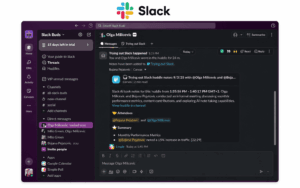
Best for: Teams that rely heavily on channels, integrations and workflow automation.
Slack is built around public and private channels, direct messages and threads. It works particularly well when discussions are divided by project, department, client or topic.
Its main differentiator is the integration ecosystem. Slack connects team chat with development, CRM, project-management, support and automation tools.
Huddles add lightweight voice, video and screen sharing without requiring a formal meeting.
Strengths
-
mature channel and thread model;
-
large integration ecosystem;
-
strong search;
-
external collaboration;
-
workflow automation.
Main consideration
The free tier limits accessible message history, while paid plans become more expensive as the number of employees grows.
Choose Slack when: integrations and structured team chat matter more than customer-operated infrastructure.
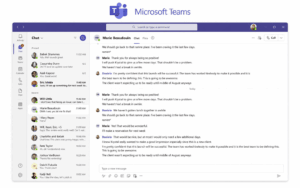
Best for: Organizations already using Microsoft 365.
Teams combines channels, direct chat, video meetings, calls, files and calendars with Microsoft 365 applications.
Its main advantage is the surrounding ecosystem. Employees can discuss a document, open it, schedule a meeting and continue the conversation within the same broader workplace environment.
Strengths
-
deep Microsoft 365 integration;
-
persistent team spaces;
-
native meetings and calls;
-
enterprise identity integration.
Main consideration
Teams can be unnecessarily complex for organizations that do not already depend on Microsoft’s productivity ecosystem.
Choose Teams when: Microsoft 365 is already central to the workplace.
3. Google Chat
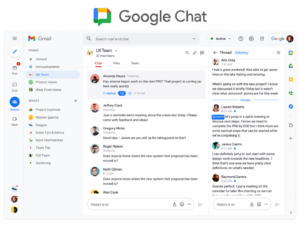
Best for: Organizations centered on Google Workspace.
Google Chat provides direct messages, Spaces, threads, files and search, with live meetings handled through Google Meet.
Its value comes mainly from integration with Gmail, Drive, Docs and Calendar.
Strengths
-
simple interface;
-
Google Workspace integration;
-
strong search;
-
easy file collaboration.
Main consideration
Google Chat is significantly more compelling inside Google Workspace than as a standalone messaging platform.
Choose Google Chat when: the organization already relies heavily on Google’s productivity tools.
4. Secumeet

Best for: Organizations that want persistent messaging and video meetings inside the same communication environment.
Secumeet combines personal and group messaging with video meetings, file exchange, screen sharing, presentations and content collaboration.
The main distinction is continuity. A team can keep a persistent conversation and move into live video when text is no longer enough, then continue the discussion afterward without changing communication context.
Strengths
-
persistent personal and group messaging;
-
native video meetings;
-
screen and presentation sharing;
-
customer-operated deployment;
-
communication before and after meetings.
Main consideration
Organizations that depend heavily on a large SaaS integration marketplace should validate the specific integrations they need.
Choose Secumeet when: messaging and live video collaboration need to remain part of the same managed communication environment.
5. TrueConf
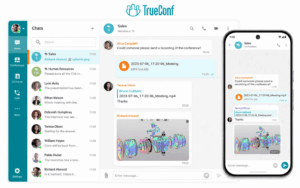
Best for: Enterprise instant messaging combined with video communication on organization-controlled infrastructure.
TrueConf Server combines personal and group chats, channels, file exchange, voice calls and video conferences in a customer-operated environment.
The platform can operate inside a corporate network and supports enterprise directory integration as well as SIP/H.323 interoperability.
Strengths
-
personal and group messaging;
-
company-wide channels;
-
native video calls and conferences;
-
customer-operated deployment;
-
private-network operation;
-
directory integration;
-
SIP/H.323 interoperability.
Main consideration
TrueConf is a stronger fit for organizations that need a full enterprise communication platform than for teams looking only for a lightweight SaaS chat app.
Choose TrueConf when: messaging, video conferencing and infrastructure control need to be part of the same enterprise system.
6. Pumble
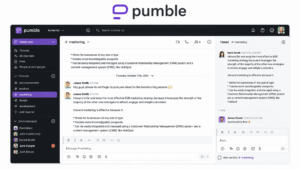
Best for: Remote and hybrid teams comparing messaging platforms primarily by price and message-history limits.
Pumble uses channels, threads, direct messages, files and calls.
Its main differentiator is an accessible free tier and fewer restrictions around searchable message history than some established competitors.
Strengths
-
free option;
-
persistent message history;
-
familiar channel-based workflow;
-
voice and video communication;
-
relatively low paid-plan entry price.
Main consideration
Its integration ecosystem and broader enterprise stack are smaller than those of Slack, Teams or Google Workspace.
Choose Pumble when: price and message-history access are major criteria.
7. Mattermost
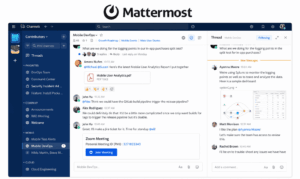
Best for: Engineering, DevOps and self-hosted environments.
Mattermost combines channels, direct messaging and threads with deployment options suited to organization-controlled infrastructure.
It is especially relevant to developer workflows, operational collaboration and teams that need more infrastructure control than a standard SaaS messenger provides.
Strengths
-
self-hosted deployment;
-
open-source options;
-
developer-oriented integrations;
-
persistent conversations.
Main consideration
Self-hosting requires internal resources for deployment, upgrades, monitoring and availability.
Choose Mattermost when: infrastructure control and engineering workflows are major requirements.
8. Rocket.Chat
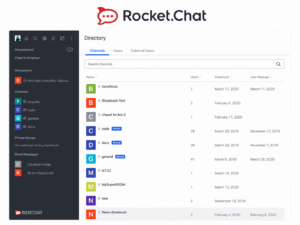
Best for: Organizations that need customizable self-managed communication.
Rocket.Chat provides direct messages, channels and broader workplace communication in cloud and self-managed deployments.
It is useful when the organization wants to adapt the messaging environment rather than accept a fixed SaaS architecture.
Strengths
-
self-managed option;
-
flexible configuration;
-
internal and external communication scenarios;
-
open-source ecosystem.
Main consideration
Deployment and customization require more administration than a lightweight cloud messenger.
Choose Rocket.Chat when: customization and infrastructure control matter more than the fastest setup.
9. Element
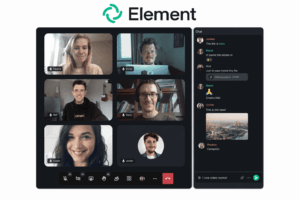
Best for: Organizations interested in federated and open communication architecture.
Element is based on the Matrix protocol and supports self-hosting and federation between compatible servers.
Strengths
-
Matrix federation;
-
self-hosting;
-
open ecosystem;
-
persistent rooms;
-
voice and video communication.
Main consideration
Federation and self-hosting introduce more architectural decisions than centralized SaaS messaging.
Choose Element when: open protocols and distributed control are core requirements.
10. Discord

Best for: Voice-first groups, communities and informal teams.
Discord combines text channels, persistent communities, voice channels, video and screen sharing.
Its strongest distinction is always-available voice communication: users can enter a voice channel without scheduling a formal meeting.
Strengths
-
voice-first communication;
-
persistent community spaces;
-
text, voice and video together;
-
low barrier to joining.
Main consideration
Discord is community-oriented rather than designed primarily for enterprise administration and governance.
Choose Discord when: informal real-time communication matters more than enterprise controls.
11. Chanty
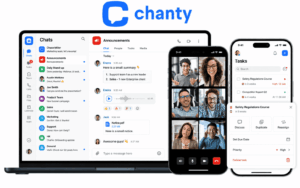
Best for: Small teams that want messaging and lightweight task management.
Chanty combines chat with built-in task functionality through its Teambook workspace.
Strengths
-
simple messaging;
-
lightweight task management;
-
centralized workspace;
-
voice and video communication.
Main consideration
Its integration ecosystem is smaller than those of the largest workplace platforms.
Choose Chanty when: a small team wants chat and basic task coordination in one product.
Which Business Messaging App Is Best for Your Team?
There is no universal best app. The platforms solve overlapping but different communication problems.
Office and Interoffice Instant Messaging
Office instant messaging and interoffice messaging are essentially workplace messaging focused on communication between employees, departments or company locations.
A useful office messaging system should provide direct and company group chats, searchable history, employee accounts, files, mobile and desktop access and live communication.
For organizations with several offices, identity management and deployment often matter more than where employees are physically located.
Messaging Apps for Engineering Teams
Engineering teams often prioritize integrations, searchable technical discussions, APIs, incident workflows and self-hosting.
Slack is strong for SaaS integrations, Mattermost for controlled technical environments and Rocket.Chat for customizable self-managed deployments.
Cloud vs Self-Hosted Business Messaging
For a small distributed company, cloud messaging may be the simpler choice.
For organizations with private-network or infrastructure-control requirements, deployment can become an early selection filter.
What Makes Business Instant Messaging Secure?
A secure business messaging app should be evaluated across the complete communication environment.
Check:
-
identity and access controls;
-
encryption;
-
administrative permissions;
-
message and file retention;
-
auditability;
-
deployment and data location.
Encryption alone does not determine whether a messaging platform is appropriate for sensitive business communication.
Free Business Messaging Software: What Should You Compare?
A free plan may be limited by:
-
users;
-
message history;
-
storage;
-
calls;
-
integrations;
-
administration;
-
guest access;
-
advanced search.
The useful question is:
Which limit will we hit first?
Free and entry-level plans can also restrict AI summaries, transcription, advanced search, administration or workflow automation, so compare the tier the organization will actually use.
Business Messaging vs Consumer Messaging
The distinction becomes especially important when employees leave the organization and access to workplace communication must be removed centrally.
When Chat Should Become a Call
Chat is useful for quick questions, updates and lightweight coordination.
A call becomes more useful when a discussion requires rapid clarification, screen sharing, visual material or extensive back-and-forth.
This is where platforms that connect persistent messaging with live video become different from pure chat tools.
Teams, Secumeet and TrueConf all support workflows where communication can move from messaging into live calls.
What Features Should Business and Enterprise Messaging Software Have?
A useful baseline includes:
-
direct and group messaging;
-
channels or shared spaces;
-
threads;
-
file sharing;
-
search;
-
notifications;
-
employee directories;
-
mobile and desktop applications;
-
voice or video calling;
-
account administration.
Enterprise instant messaging may additionally require:
-
SSO;
-
LDAP or directory integration;
-
audit logs;
-
guest controls;
-
configurable retention;
-
APIs and webhooks;
-
self-hosted deployment;
-
private-network operation.
Common Business Messaging Mistakes
Before selecting a platform, verify whether messages and files can be exported and what happens when the subscription or deployment is terminated.
Frequently Asked Questions
What is the best instant messaging app for business?
There is no single best choice.
Slack is strong for integrations, Teams for Microsoft 365, Google Chat for Workspace, Secumeet for messaging combined with video collaboration, TrueConf for enterprise communication on controlled infrastructure, and Mattermost or Rocket.Chat for self-hosted scenarios.
What is the best free instant messaging software for business?
Compare user limits, message-history restrictions, calls, storage, integrations, administration and advanced search.
The most useful free plan is the one whose limits do not interfere with the team’s actual workflow.
What is an office instant messenger?
An office instant messenger is a workplace communication system used for direct messages, group chats, files and internal coordination.
The term overlaps with business messaging software, interoffice chat and corporate instant messaging.
What is the difference between business and personal messaging?
Business messaging uses an organization-managed workspace with centralized accounts, administration, integrations and access controls.
Personal messaging is primarily built around individual user accounts.
Can business instant messaging be self-hosted?
Yes.
Mattermost, Rocket.Chat and Element support self-hosted models. TrueConf and Secumeet provide customer-operated communication environments that combine messaging with live communication.
What should an enterprise look for?
Enterprise requirements often include centralized identity, access policies, retention, auditability, SSO, directory integration, APIs, guest governance and infrastructure-control options.
Conclusion
The best instant messaging app for business depends less on the number of chat features than on the communication environment around them.
Slack is strongest when integrations drive the workflow. Microsoft Teams and Google Chat make sense inside established productivity suites. Pumble and Chanty offer lighter options for cost-sensitive teams. Mattermost, Rocket.Chat and Element provide more control over architecture and deployment.
TrueConf fits organizations that want enterprise messaging, video conferencing and infrastructure control in one system.
Secumeet fits teams that want persistent business messaging and live video collaboration in the same managed environment.
A useful selection sequence is:
conversation model → live communication → security → deployment → history → cost
Once those requirements are clear, the shortlist becomes much smaller.
Author
Helga Afon is a technology writer specializing in video conferencing, collaboration software, and workplace communication. She writes articles and reviews that help readers better understand enterprise communication tools and industry trends.