
Large participant video conferencing should not be compared by one maximum-attendance number.
A platform may support 1,000 people in a meeting, but that number says little about what those 1,000 people can actually do.
Can everyone speak?
How many people can send video?
Can attendees share screens?
Are most participants interactive, or are they primarily watching a small group of presenters?
For large meetings, capacity is better described by four numbers:
total attendees → active speakers → interactive participants → view-only attendees
These four numbers define the participant topology of the event.
A 1,000-person training session, a 1,000-person company briefing and a 1,000-person webinar can therefore require different conferencing platforms even though the headline audience size is identical.
This guide compares eight platforms around that distinction.
Large Participant Video Conferencing Platforms Compared
Capacity varies by license, meeting type and deployment.
The important distinction is whether the published maximum represents interactive participants, controlled attendees or a primarily view-only audience.
Before Comparing Participant Limits, Define Four Numbers
A large meeting should be specified before a platform is selected.
Total attendees
How many people need to enter the meeting at peak concurrency?
This is the number vendors usually publish.
It is also the least useful number when considered alone.
Active speakers
How many people are expected to speak or send video during the same part of the meeting?
A 1,000-person executive briefing might have only five active speakers.
A 500-person training session may require dozens of participants to become active at different times.
Those are very different media workloads.
Interactive participants
How many users need more than passive viewing?
Interaction may include:
-
speaking;
-
turning on video;
-
screen sharing;
-
chat;
-
hand raising;
-
breakout rooms;
-
whiteboards;
-
presenter promotion.
This number often determines whether the event needs a true large meeting or a webinar-style format.
View-only attendees
How many people primarily need to watch and listen?
Large view-only audiences can usually scale much further than fully interactive meetings because the platform does not have to treat every attendee as an equal media source.
These four numbers are more useful than asking only:
Does this platform support 1,000 participants?
Interactive Meeting vs Moderated Meeting vs Broadcast
This distinction explains why a platform advertising 10,000 webinar attendees cannot be compared directly with one supporting 2,000 conference participants.
The first number may represent a predominantly receiving audience.
The second may represent a much more interactive meeting environment.
1. Zoom
Best for: Large external meetings, training and public-facing events
Interactive capacity: Up to 1,000 with standard Large Meeting add-ons, with selected Zoom Events configurations supporting larger meeting sessions
Larger audience option: Zoom Webinars and Events
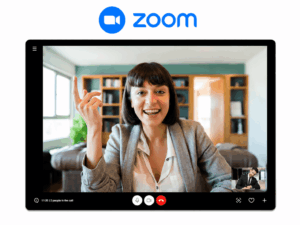
Zoom is useful when an organization needs both conventional large meetings and presenter-led events.
Large Meetings extends the normal Zoom meeting model, so participants remain part of an interactive conference rather than being placed automatically into a webinar audience.
That makes it suitable for large training sessions, company meetings and meetings where many participants may need to speak or collaborate.
For larger audiences, Zoom provides webinar and event formats that separate presenters from attendees.
Main limitation: Large Meeting capacity and webinar or event capacity should not be treated as interchangeable. They use different participant roles and can require different licenses.
Sources: Zoom meeting participant limits · Zoom Large Meeting licensing · Zoom Events session capacity
2. Microsoft Teams

Best for: Large internal meetings in Microsoft 365 organizations
Interactive capacity: Up to 1,000 interactive participants
Larger audience option: Up to 10,000 total attendees using view-only overflow in supported large meetings
Teams is particularly relevant when the large audience consists primarily of employees already using Microsoft 365.
A large meeting can remain connected to organizational identity, calendars, chat and the wider Microsoft collaboration environment.
Microsoft states that up to 1,000 invitees can participate interactively using chat, audio and video. Once the meeting reaches 1,000 participants, additional attendees can join as view-only up to 10,000.
This creates a useful distinction between a department meeting where participants need to contribute and a company-wide presentation where most employees only need to watch.
Main limitation: Capacity, overflow behavior and event functions vary by license and meeting type.
Source: Microsoft Teams large meetings and events
3. Cisco Webex
Best for: Enterprise large meetings and formal webinars
Interactive capacity: Up to 1,000 in Webex Meetings
Larger audience option: Webex Webinars up to 100,000 attendees
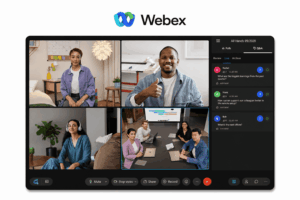
Webex supports both large collaborative meetings and more tightly controlled events.
Webex Meetings is the relevant comparison when participants need conventional meeting interaction.
Webex Webinars uses a different participant model, with hosts and panelists separated from the larger attendee audience.
Cisco currently documents a maximum of 1,000 participants for Webex Meetings and up to 100,000 attendees for Webex Webinars, depending on purchased capacity.
This makes Webex a practical option for organizations that need both employee meetings and external events without forcing both use cases into the same conference format.
Main limitation: Meeting capacity and webinar capacity are separate concepts. Buyers need to compare the mode that matches the required participant roles.
Sources: Webex maximum participant limits · Webex Webinars overview
4. Google Meet
Best for: Large meetings inside Google Workspace
Interactive capacity: Up to 1,000 on selected enterprise editions
Larger audience option: View-only participation and live streaming on eligible Workspace editions
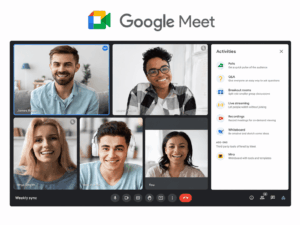
Google Meet can support large meetings while remaining closely integrated with Calendar and the wider Google Workspace environment.
Google Workspace Enterprise Plus currently supports meetings with up to 1,000 participants. Google also notes that after the first 500 participants, the next 500 can join as view-only in relevant 1,000-participant configurations.
Enterprise editions can also provide live streaming to much larger audiences, with Enterprise Plus supporting up to 100,000 in-domain or trusted-domain viewers.
That makes the distinction between interactive participation and audience scale especially important.
Main limitation: Participant capacity and large-audience capabilities differ substantially between Workspace editions.
Sources: Google Meet participant limits · Google Workspace Meet feature comparison
5. TrueConf Server
Best for: Large meetings on customer-operated infrastructure
Interactive capacity: Up to 2,000 participants depending on license and conference mode
Participant model: Interactive and moderated conference modes
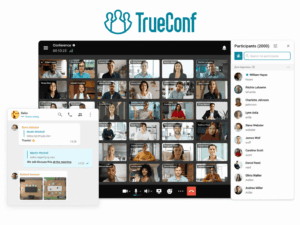
TrueConf Server takes a different approach because the conferencing environment runs on infrastructure controlled by the organization.
Current TrueConf documentation states that moderated role-based conferences and smart meetings can reach up to 2,000 participants depending on the license. The same documentation specifies up to 49 speakers in moderated role-based conferences and smart meetings.
That distinction is particularly useful for large meetings.
A large company briefing may include 2,000 connected participants without requiring 2,000 simultaneous speakers or video sources.
TrueConf also combines conferencing with persistent messaging and interoperability with SIP/H.323 systems, which can be relevant when large meetings are part of a broader customer-operated communications environment.
Main limitation: Large customer-hosted deployments require appropriate server resources, network capacity and administration.
Source: TrueConf Server Administrator Guide
6. Secumeet Server

Best for: Large internal meetings on customer infrastructure
Interactive capacity: Up to 1,500 participants according to vendor materials
Participant model: Server-based meeting environment
Secumeet Server is relevant when an organization wants large video meetings to remain part of a customer-operated communication environment.
The official product page states that Secumeet can schedule or launch conferences with up to 1,500 participants. It also lists personal and group messaging, screen sharing, presentations, content collaboration and remote assistance.
The 1,500-participant figure should still be treated as a platform maximum rather than a complete sizing specification.
A large deployment should define how many people need to be active speakers, how many primarily receive media and how many simultaneous conferences need to run.
Main limitation: Public documentation provides less detail about capacity by individual participant topology than the documentation available for several larger cloud platforms.
Source: Secumeet Server product capabilities
7. 8×8
Best for: Large meetings inside a broader cloud communications environment
Interactive capacity: Up to 500 active participants
Larger audience option: Very Large Meetings up to 10,000 total attendees
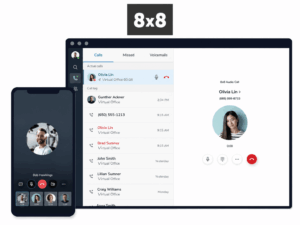
8×8 is relevant when video is already part of a broader environment that includes business telephony and messaging.
Its Very Large Meetings model provides a particularly clear example of participant topology.
8×8 documents up to 10,000 total attendees in VLM mode, but no more than 500 can be active participants at a given time. The remaining users join as viewers and can be promoted by moderators when interaction is required.
This is more informative than simply saying that the product supports 10,000 participants.
Main limitation: The 10,000 figure represents a mixed audience of active participants and viewers, not 10,000 equally interactive endpoints.
Sources: 8×8 Very Large Meetings documentation · 8×8 large meeting capabilities
8. Pexip Infinity
Best for: Distributed large video infrastructure and room-system interoperability
Interactive capacity: Deployment-dependent
Participant model: Defined by infrastructure, license and conference topology
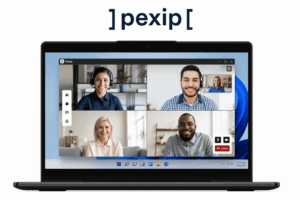
Pexip Infinity differs from fixed-capacity SaaS meeting platforms because capacity is determined by the infrastructure deployed by the organization.
Pexip documentation states that practical capacity depends on server specifications, hardware configuration, call type, resolution, presentation streams and the number of conferencing nodes.
The deployment can also scale horizontally by adding Conferencing Nodes or by bursting into cloud infrastructure when capacity is required.
The software license separately limits the number of concurrent calls across the deployment.
This makes Pexip relevant when the requirement is not simply “buy a 1,000-person meeting plan” but to design distributed conferencing capacity across multiple locations.
Main limitation: Capacity planning is an infrastructure design exercise rather than a simple fixed-attendee plan comparison.
Sources: Pexip Infinity capacity planning · Pexip Infinity features and specifications · Pexip Infinity licensing
Which Format Fits Your Event?
The event format should narrow the shortlist before the highest participant number is compared.
For example, a 600-person training session can require more conferencing functionality than a 5,000-person product launch.
The training session may need participants to speak, join breakout groups and interact with instructors.
The product launch may need only a small speaker group and a large receiving audience.
The larger event can therefore be easier to scale.
Participant Count Is Not the Only Capacity Limit
Large meetings can reach another limit before they reach the advertised attendee maximum.
Simultaneous video is one example. A platform may allow 1,000 people into a conference without displaying or receiving 1,000 active video feeds at once. Active-speaker layouts and controlled participant roles reduce media load and make the meeting manageable.
Moderation capacity is another. A technically supported 2,000-person meeting still needs enough hosts or moderators to manage questions, speaker permissions and disruptive participants.
For customer-operated systems, infrastructure capacity also matters. Server resources, bandwidth, topology and concurrent meetings can affect practical scale even when the software license permits a larger audience.
The useful capacity question is therefore:
Can the platform support this number of participants in the roles and interaction pattern our event requires?
Frequently Asked Questions
What is the best video conferencing platform for large groups?
It depends on how interactive the group needs to be.
Zoom, Microsoft Teams, Google Meet and Webex are common options for large cloud meetings.
TrueConf and Secumeet are relevant when large meetings need to run on customer-operated infrastructure, while Pexip is suited to distributed private video environments and interoperability.
For very large predominantly passive audiences, webinar or event formats are usually more appropriate than fully interactive meetings.
How many participants can join a large video conference?
Enterprise platforms commonly support hundreds or around 1,000 interactive participants, while some customer-operated systems support higher conference capacities.
TrueConf, for example, supports conferences with up to 2,000 participants depending on license and conference mode, while Secumeet advertises platform capacity of up to 1,500.
Webinar and broadcast audiences can be much larger because most attendees are not treated as fully interactive video participants.
What is the difference between an interactive meeting and a webinar?
An interactive meeting allows more participants to speak, transmit video, share content or otherwise collaborate.
A webinar normally separates a small presenter or panelist group from a larger audience that primarily watches and listens.
The webinar model can therefore scale to larger audiences with less moderation and media complexity.
Can Zoom or Microsoft Teams support 1,000 participants?
Yes.
Zoom supports 1,000-participant Large Meeting configurations, with selected higher-capacity meeting options also available through certain Zoom Events licenses. Microsoft Teams supports up to 1,000 interactive participants, with additional attendees joining as view-only up to 10,000 in supported configurations.
Can large video conferences be self-hosted?
Yes.
TrueConf Server, Secumeet Server and Pexip Infinity are examples of platforms that can operate on customer-controlled infrastructure.
In a self-hosted deployment, practical capacity depends on both software licensing and the infrastructure used to process meeting media.
Conclusion
Large participant video conferencing should be selected by participant topology, not the largest attendee number on a product page.
Before comparing vendors, define four numbers:
total attendees → active speakers → interactive participants → view-only attendees
A 1,000-person training session, a 1,000-person executive briefing and a 1,000-person webinar may require different products even though their total audience is identical.
Once those roles are clear, participant limits become useful rather than misleading.
Author
Helga Afon is a technology writer specializing in video conferencing, collaboration software, and workplace communication. She writes articles and reviews that help readers better understand enterprise communication tools and industry trends.