
A free video conferencing tool is only useful as long as its free limits match the meeting you need to run.
That sounds obvious, but most comparisons stop at two numbers: meeting duration and participant capacity.
Those numbers matter, but they do not describe the complete meeting workflow.
A platform may let 100 people join for free but end the meeting after 40 minutes. Another may support an hour but exclude recording. A browser-based service may be easy for external guests, while a self-hosted product can avoid conventional SaaS meeting limits but requires server infrastructure and administration.
The more useful question is therefore:
Where does the free workflow actually stop?
For this comparison, the free workflow covers six stages:
create → invite → join → meet → capture → continue
That means we looked at whether you can create the meeting without paying, invite outside participants, join without unnecessary friction, complete a normal session, keep a recording or meeting output where available, and continue working after the call.
The result is not one universal winner. Different free tools stop at different points.
Free Video Conferencing Tools Compared
Google states that a free Meet host can run meetings for up to 100 participants for up to 60 minutes. Microsoft documents the same 100-participant and 60-minute limits for Teams Free, while its comparison page shows that meeting recording is not included in the free edition.
Free plans and policies change. The figures above reflect publicly available information checked in August 2026.
1. Google Meet: Best for Simple One-Hour Browser Meetings
Free model: Vendor-hosted free tier
Realistic free use: Team meetings, study sessions and ordinary calls lasting less than one hour
Free boundary: 60-minute group meetings and paid-only business functions
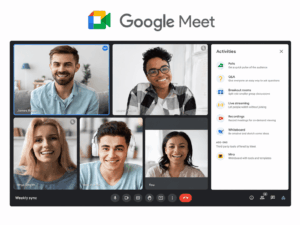
Google Meet is one of the easiest free options to understand.
Anyone with a Google Account can create a free video meeting for up to 100 participants and run a group meeting for up to 60 minutes. Google also allows browser participation, while Workspace organizers can invite people who do not have Google accounts.
That makes Meet practical for a recurring 30-minute team call, a tutoring session or a short client discussion.
The important limitation appears when the workflow extends beyond the live call.
Long workshops cross the 60-minute boundary, while recording and more advanced administrative functions move into paid Google Workspace offerings.
So Google Meet’s free boundary is not participant capacity for most small teams. It is usually meeting length or the first business feature needed after the meeting.
2. Microsoft Teams Free: Best When the Conversation Continues After the Call

Free model: Vendor-hosted free tier
Realistic free use: Meetings plus ongoing chat for small groups
Free boundary: 60 minutes, no meeting recording and fewer advanced meeting controls
Microsoft Teams Free supports meetings for up to 100 participants and up to 60 minutes. Microsoft also confirms that people can join a Teams Free meeting without creating an account.
Its main distinction is what happens around the meeting.
Teams Free includes persistent chat and file storage, so the communication does not need to disappear when the call ends. That makes it more useful than a meeting-only product when a small group wants to discuss something before the call and continue afterward.
But the free boundary appears quickly if the meeting itself needs to become a formal business record.
Microsoft’s current subscription comparison lists meeting recording as unavailable in Teams Free. Breakout rooms and several more advanced meeting controls are also excluded.
For a small working group, that may not matter. For training, recorded consultations or structured company meetings, it can be the reason to move beyond Free.
3. Zoom: Best for Familiar Short External Meetings
Free model: Vendor-hosted free tier
Realistic free use: Interviews, consultations, check-ins and short meetings with outside participants
Free boundary: Group meeting duration
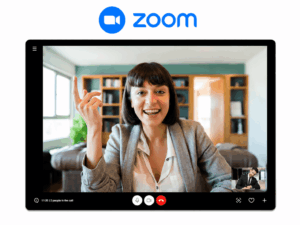
Zoom’s advantage is not that its free limits are unusually generous.
They are not.
Its advantage is that many external participants already recognize the Zoom meeting workflow, and a meeting invitation can be sent to people outside your organization without requiring them to become part of your internal workspace.
The free Basic tier supports up to 100 participants, but the well-known restriction is group meeting duration: meetings hosted by free Basic users are generally capped at 40 minutes.
That creates a very clear free boundary.
A 20-minute interview fits.
A 30-minute sales call fits.
A 90-minute workshop does not.
This is why comparing Zoom only by its 100-participant headline can be misleading. For many users, time will interrupt the workflow long before capacity does.
4. Webex: Best for Short Meetings That Need More Meeting Controls
Free model: Vendor-hosted free tier
Realistic free use: Structured short meetings with screen sharing and collaboration
Free boundary: 40-minute meeting duration
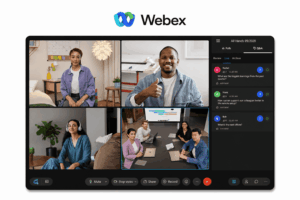
Webex Free follows a similar high-level model to Zoom: a vendor-operated service with a free meeting tier and a relatively short group-session limit.
Its current free offering supports up to 100 attendees with a 40-minute meeting limit.
Where Webex becomes interesting is the set of collaboration functions available around that meeting. Depending on the current regional offer, users can access screen sharing, whiteboarding, messaging and local recording without moving immediately to an enterprise deployment.
That gives Webex a different free workflow from a product where recording is the first paid boundary.
However, the 40-minute clock remains the decisive restriction for longer discussions.
If your typical meeting is 25 minutes, that limit may be irrelevant.
If your company runs hour-long project reviews, it becomes the defining feature of the free plan.
5. Zoho Meeting: Best for Small Businesses That Need a Conventional Free Meeting Tool
Free model: Vendor-hosted free tier
Realistic free use: Client calls and internal meetings up to one hour
Free boundary: 60-minute sessions and paid advanced functionality
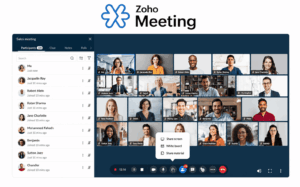
Zoho Meeting is a useful middle ground between lightweight free calling and a larger collaboration suite.
Its current free offering supports meetings with up to 100 participants and sessions of up to 60 minutes.
Participants can join from a meeting invitation without needing their own paid Zoho Meeting subscription, making it practical for small-business calls involving customers or partners.
The free offering also covers the core workflow needed for an ordinary meeting: create a session, invite participants, join from common devices and collaborate during the call.
The boundary appears when the organization needs longer sessions or more advanced meeting, recording, storage or administrative capabilities.
Zoho therefore makes most sense when a business already knows that its normal meeting fits comfortably inside one hour.
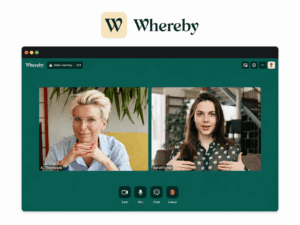
6. Whereby: Best for Very Small, Low-Friction Browser Calls
Free model: Vendor-hosted free tier
Realistic free use: One-to-one and very small browser meetings
Free boundary: Participant count and duration
Whereby illustrates why the word free is not enough to compare meeting tools.
It is built around a simple browser meeting experience, which can be attractive for client calls where asking a guest to install another application would add unnecessary friction.
But the current free offer is intentionally small.
It supports one room with up to four attendees and meetings lasting up to 30 minutes.
That means Whereby can be a good free tool for:
-
one-to-one consultations;
-
short interviews;
-
three-person project calls;
-
testing the platform before purchasing it.
It is not a realistic free replacement for a 20-person team meeting.
Here the free boundary is immediate and easy to understand:
the fifth participant or minute 31.
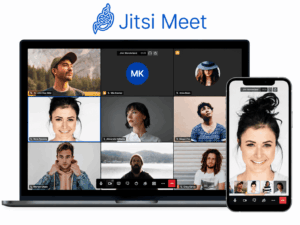
7. Jitsi Meet: Best When “Free” Means Open Source Rather Than Freemium
Free model: Open-source software with a public meeting service
Realistic free use: Account-free meetings or self-hosted conferencing
Free boundary: Infrastructure and operational responsibility
Jitsi Meet changes the meaning of free.
It is open-source software, and Jitsi also provides a public meeting service. The project describes Jitsi Meet as free to use and does not require an account for standard meetings. It supports browser meetings, screen and presentation sharing, custom meeting URLs and integrated chat.
If you use the public service, the workflow resembles an ordinary web conferencing tool.
If you self-host Jitsi, the economics are completely different.
There is no conventional per-host SaaS subscription or 40-minute timer imposed by a commercial free tier, but that does not make the deployment costless.
The organization becomes responsible for:
-
server resources;
-
bandwidth;
-
configuration;
-
scaling;
-
updates;
-
monitoring;
-
availability.
This is Jitsi’s real free boundary.
You stop paying primarily in software license fees and start paying in infrastructure and operational effort.
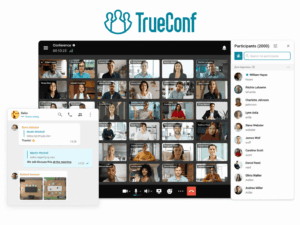
8. TrueConf Server Free: Best for a Small Self-Hosted Group That Also Needs Messaging
Free model: Permanent free self-hosted vendor edition
Realistic free use: Internal messaging, one-to-one video and small group conferences on a customer-operated server
Free boundary: 10 group-conference PRO users, one browser guest and server administration
TrueConf Server Free is not a cloud freemium service.
The organization installs its own conferencing and messaging server.
The current free license includes up to 1,000 simultaneously online users for personal and group chats and one-to-one video calls, while 10 PRO users can participate in group video conferences. The free edition also includes one SIP/H.323/RTSP connection and one browser guest connection.
That produces a very different free workflow.
A company can operate a persistent internal communication environment instead of creating isolated free meetings on a public SaaS service.
The free edition also does not use the same conventional 40- or 60-minute group-call cap found in many cloud free tiers.
9. Secumeet: Best for Evaluating a Server-Based Meeting and Messaging Environment

Free model: Free client download connected to a Secumeet Server deployment
Realistic free use: Evaluation of Secumeet meetings, messaging and collaboration
Free boundary: Public server licensing terms need to be confirmed
Secumeet needs to be treated differently from Google Meet, Zoom or Microsoft Teams because its publicly documented free offer is not presented with the same simple SaaS plan matrix.
The official download page provides Secumeet clients for free and states that connection to Secumeet Server 5.0 or later is required.
The platform itself combines personal and group messaging with video meetings, screen sharing, presentations and remote assistance. Current product materials state support for meetings with up to 1,500 participants.
What Does “Free” Actually Mean?
The products above use at least four different definitions of free.
Treating them as one category hides some of the most important differences.
Free SaaS Tier
The vendor operates the service and absorbs the infrastructure cost.
In exchange, the free account normally has restrictions around:
-
meeting duration;
-
participant capacity;
-
recording;
-
storage;
-
administration;
-
advanced collaboration.
Google Meet, Teams Free, Zoom, Webex, Zoho Meeting and Whereby broadly fit this model.
The advantage is simplicity.
You create an account and start a meeting without operating infrastructure.
The trade-off is that the vendor decides where the free boundary sits.
Open-Source Software
The software license itself can be free while operating the service is not.
Jitsi Meet is the clearest example here.
Self-hosting can replace subscription restrictions with different costs:
-
compute;
-
bandwidth;
-
storage;
-
monitoring;
-
maintenance;
-
administrator time.
So “no license fee” and “no cost” are not the same claim.
Free Self-Hosted Vendor Edition
A commercial vendor can also provide a permanently free edition of server software with explicit capacity restrictions.
TrueConf Server Free follows this model.
Instead of imposing a short meeting timer, the vendor limits specific types of users and connections.
This is useful because the free boundary becomes part of the server license rather than a clock counting down during every meeting.
Free Client With Server Requirements
A client application can be free to download while the complete service still depends on a server license.
Secumeet currently fits this category more clearly based on its public documentation.
That distinction matters.
A free application is not automatically the same thing as a free conferencing deployment.
Which Free Tool Fits the Meeting You Actually Run?
The easiest way to understand free plans is to stop comparing abstract feature lists and run them against real meetings.
Scenario 1: A 15-Minute Weekly Team Stand-Up
Assume:
-
8 employees;
-
one recurring meeting;
-
15 minutes;
-
screen sharing occasionally;
-
no recording.
The free time limits of Zoom, Meet, Teams, Webex and Zoho are effectively irrelevant.
None of them should interrupt this workflow because of meeting duration or participant capacity.
The choice therefore moves to the surrounding environment.
If the team already lives in Microsoft products, Teams Free is logical.
If it works in Google services, Meet is simpler.
If outside guests frequently join, Zoom’s familiar invitation workflow may matter more.
This illustrates an important point:
a free limitation that your meeting never reaches has almost no decision value.
Scenario 2: A 90-Minute Client Workshop
Assume:
-
12 participants;
-
90 minutes;
-
external guests;
-
screen sharing;
-
no desire to restart the meeting.
Now the result changes completely.
Zoom’s 40-minute free group limit no longer fits.
Webex’s 40-minute free limit does not fit.
Google Meet and Teams Free reach their 60-minute boundaries before the workshop is complete.
Zoho Meeting’s one-hour free meeting model creates the same problem.
Participant capacity looks generous across all of them, but it is irrelevant because duration breaks the workflow first.
This is precisely why a single “100 participants” column cannot tell you which free tool is usable.
Scenario 3: A First-Time External Interview
Assume:
-
interviewer;
-
candidate;
-
45 minutes;
-
no shared workspace;
-
candidate has never used your internal tools.
Now guest friction matters more than large-meeting features.
The questions become:
-
Can the candidate open a link?
-
Is an account required?
-
Is an application download required?
-
Can the browser access the required meeting functions?
A tool with fewer enterprise functions can be the better free option if it removes unnecessary steps from a one-time external meeting.
Scenario 4: An Internal Communication Environment
Assume:
-
the organization wants persistent messaging;
-
employees make one-to-one calls;
-
small group video meetings are required;
-
IT can operate a server;
-
communication should not depend entirely on separate public meeting rooms.
Now comparing Zoom’s 40 minutes with Meet’s 60 minutes is the wrong comparison.
Jitsi, TrueConf Server Free and a Secumeet server deployment belong to a different operating model.
The free boundary moves away from meeting time and toward:
-
server resources;
-
license capacity;
-
guest connections;
-
administration;
-
maintenance.
The right tool therefore depends not only on the meeting, but also on who is expected to operate the service.
When a Free Video Conferencing Tool Stops Being Free in Practice
A price of $0 does not mean the workflow has no cost.
The cost simply appears somewhere else.
Restarting Meetings
If a free meeting ends before the work is finished, employees may reconnect and continue.
That technically avoids a subscription fee.
It also interrupts discussion, forces participants to rejoin and creates a poor experience for external guests.
The real cost is disruption.
Missing Recording
A free plan can handle the live conversation perfectly but fail at the next step if the organization needs a recording.
Teams Free is a good example: Microsoft provides free meetings, but meeting recording is not part of the free edition.
If every important meeting needs to be retained, recording rather than conferencing can become the upgrade trigger.
Guest Friction
An internal team may tolerate a specific account or application because employees use it every day.
A customer, candidate or partner may not.
If every external participant needs troubleshooting before joining, the nominally free tool creates support work elsewhere.
Self-Hosting
Open-source and free server editions remove some software charges but introduce infrastructure responsibility.
Someone still needs to handle:
-
installation;
-
updates;
-
certificates;
-
backups;
-
monitoring;
-
capacity;
-
network configuration.
For an organization with existing IT infrastructure, this may be acceptable or even preferable.
For a three-person business that simply wants a meeting link, it can cost more operationally than a paid SaaS subscription.
How We Selected These Tools
A product did not qualify merely because it offered a temporary trial.
The comparison includes products that provide at least one of the following:
-
a continuing free SaaS tier;
-
open-source conferencing software;
-
a permanent free server edition;
-
a publicly available free client connected to a server-based conferencing environment.
Temporary paid-plan trials are not treated as equivalent to a free plan.
We also distinguish platform capacity from free-plan capacity. A vendor advertising support for 1,000 or 1,500 participants does not mean that the same capacity is included at no cost.
Where public licensing information is incomplete, the table says so instead of converting a platform maximum into an unsupported free limit.
Frequently Asked Questions
What are the best free video conferencing tools?
For conventional cloud meetings, Google Meet, Microsoft Teams Free, Zoom, Webex and Zoho Meeting are strong general-purpose options.
Whereby is better suited to very small browser meetings.
Jitsi Meet is relevant when open-source software or self-hosting matters.
TrueConf Server Free represents a different model: a free customer-operated conferencing and messaging server with defined group-conference limits.
Secumeet can also be evaluated as a server-based communications platform, although its current public materials do not describe the free server entitlement as clearly as the mainstream free plans in this comparison.
Which free video conferencing tools support 100 participants?
Google Meet and Microsoft Teams Free both officially support meetings with up to 100 participants in their free offerings. Google limits free group meetings to 60 minutes, and Microsoft documents the same maximum duration for Teams Free.
Zoom, Webex and Zoho Meeting also currently provide free meeting options around the 100-participant level, but their duration and feature restrictions differ.
A 100-participant allowance should therefore be treated as only one part of the free workflow.
Which free video conferencing tool has the longest meetings?
There is no useful single answer because SaaS free plans and self-hosted products use different restriction models.
Among mainstream cloud free tiers, group meetings commonly stop after 40 or 60 minutes.
Open-source and free server products can avoid conventional SaaS time limits, but they introduce other boundaries such as server capacity, licensing and administration.
Is Google Meet free?
Yes.
Google states that anyone with a Google Account can host a meeting for up to 100 participants for up to 60 minutes at no cost. One-to-one calls have a different duration allowance.
Longer meetings and functions such as recording and additional business controls require paid offerings.
Is Microsoft Teams free for video conferencing?
Yes.
Microsoft Teams Free supports meetings with up to 100 participants for up to 60 minutes. Meeting recording is not included in the Free edition.
Teams Free also provides persistent chat, which can make it useful when participants need to continue communicating after the call.
Are there free video conferencing tools without a 40- or 60-minute limit?
Yes, but they may use a different business model.
Jitsi Meet is open-source, so a self-hosted deployment is not governed by a conventional SaaS meeting timer.
TrueConf Server Free also uses license limits rather than the common 40- or 60-minute group meeting cap. Its free license includes 10 PRO users for group conferences.
The absence of a short meeting timer does not mean there are no other restrictions.
Is free video conferencing suitable for business?
Yes, when the free boundary falls outside the company’s normal workflow.
A small team holding 20-minute internal meetings may not need a paid platform at all.
A company running 90-minute recorded client workshops can reach several free boundaries at once.
The useful comparison is therefore not:
Is this video conferencing tool free?
It is:
Can we complete our normal meeting workflow before the free part ends?
Conclusion
The best free video conferencing tool is not the product with the largest headline participant number.
It is the product whose free boundary interferes least with the meetings you actually run.
For cloud tools, that boundary is often meeting duration, recording or an advanced business feature. For open-source and self-hosted products, it moves toward infrastructure, administration and license capacity.
Before choosing, map one real meeting from beginning to end:
create → invite → join → meet → capture → continue
Then identify the first stage where the tool asks you to pay, change the workflow or operate additional infrastructure.
That point tells you more about the practical value of a free video conferencing tool than a generic feature checklist.
Author
Helga Afon is a technology writer specializing in video conferencing, collaboration software, and workplace communication. She writes articles and reviews that help readers better understand enterprise communication tools and industry trends.