

Intranet messaging is the backbone of internal communication for organizations that need secure, controlled, and structured team collaboration without relying on public cloud services or consumer apps. Unlike general-purpose messengers such as Slack or WhatsApp, intranet messaging platforms operate within a company’s own network perimeter, whether that means an on-premises server, a private cloud, or a hybrid deployment. This distinction matters enormously for enterprises in regulated industries, government agencies, defense contractors, healthcare providers, and any organization that takes data sovereignty seriously.
If you are evaluating intranet messaging solutions for 2026, the market has matured significantly. You now have access to platforms that combine real-time chat, video conferencing, file sharing, task management, and directory integration in a single on-premise or self-hosted package. The question is no longer whether intranet messaging works, but which platform fits your security model, deployment requirements, and budget.
This article explains what intranet messaging is, why organizations adopt it, what to look for when choosing a platform, and provides an honest vendor overview for 2026, including Secumeet, TrueConf, and five other leading solutions.
Executive Summary
What Is Intranet Messaging?
Intranet messaging refers to any real-time or asynchronous communication system deployed inside an organization’s private network, rather than relying on third-party public infrastructure. It gives employees a way to send messages, share files, hold video calls, and coordinate work, all within a controlled environment where the organization owns the data and controls access.
The key word here is intranet. The system either lives entirely inside the corporate network, runs on company-owned servers, or is hosted in a private cloud environment where the organization retains full administrative authority. No third party, including the vendor, has access to message content.
This is fundamentally different from SaaS collaboration tools like Microsoft Teams in the standard cloud configuration or Slack, where user data resides on vendor-controlled servers and is subject to the vendor’s privacy policies, law enforcement requests, and potential service outages.
Core Components of an Intranet Messaging System
A mature intranet messaging platform typically includes:
-
Real-time chat, including channels, direct messages, and group threads
-
Video and audio conferencing
-
File sharing and document collaboration
-
User directory integration, including Active Directory and LDAP
-
Role-based access control
-
Message encryption at rest and in transit
-
Audit logs and compliance reporting
-
Mobile access via apps that communicate with internal servers
-
API integrations with internal tools such as CRM, ERP, and ticketing systems
Why Organizations Choose Intranet Messaging Over Public Cloud Tools
The decision to run internal communications on a self-hosted intranet system rather than a SaaS platform comes down to a few clear priorities.
Data sovereignty is the most common driver. Organizations in the EU subject to GDPR, financial institutions under SOX or PCI DSS, healthcare providers under HIPAA, and government agencies operating under national security requirements cannot afford to have sensitive communications processed on third-party infrastructure. When you run intranet messaging on your own servers, every message, every file, and every call record stays under your control.
Security and compliance follow closely. On-premises intranet messaging allows organizations to define their own encryption standards, integrate with internal identity providers, enforce message retention policies, and generate audit logs that satisfy compliance auditors. You decide who gets access, from which devices, and under what conditions.
Network reliability is another factor. A self-hosted intranet messaging system does not depend on internet connectivity. If an ISP outage, cyberattack, or regional internet disruption occurs, internal communications remain fully operational because they run on the local network.
Customization and integration round out the picture. When you control the platform, you can integrate it with internal systems that would never be exposed to a public SaaS tool, configure custom workflows, and adapt the system to your organizational structure without being constrained by a vendor’s roadmap.
Intranet Messaging Market in 2026: Key Statistics
The enterprise collaboration software market has seen consistent growth driven by hybrid work, geopolitical concerns about data localization, and a wave of high-profile cloud security incidents.
These numbers explain why the on-premises and self-hosted messaging segment is outpacing overall collaboration market growth. The cost of getting data security wrong has never been higher, and the regulatory environment is tightening globally.
What to Look for When Choosing an Intranet Messaging Platform
Before reviewing specific vendors, here is a framework for evaluating intranet messaging platforms in 2026. These are the criteria I applied when reviewing each platform below.
-
-
Deployment flexibility — Can it run fully on-premises, in a private cloud, or in a hybrid configuration? Does it require internet access to function?
-
Security architecture — Is encryption enforced end-to-end? What happens to encryption keys, and who controls them?
-
Directory and identity integration — Does it support Active Directory, LDAP, SAML 2.0, or OAuth for SSO?
-
Scalability — Can it handle your user count without degradation? What are the published limits?
-
Video and audio conferencing — Is this native or a third-party integration? What quality and capacity does it support?
-
Admin controls and audit capabilities — Can administrators monitor, archive, and manage communications in line with compliance requirements?
-
Mobile support — Does the mobile client work inside the corporate network without routing traffic through vendor infrastructure?
-
Licensing model — Is it perpetual, subscription, or open source? What are the total cost of ownership implications?
-
Vendor track record — How long has the vendor been in the enterprise market? Do they have references in your industry?
-
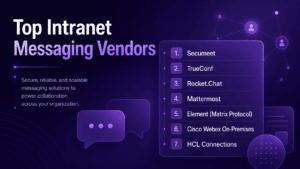
Top Intranet Messaging Vendors for 2026
1. Secumeet
Description
Secumeet is a security-first intranet messaging and collaboration platform built specifically for organizations that operate in high-confidentiality environments. The product is designed around the principle that no message, file, or call metadata should ever leave the organization’s controlled infrastructure. Secumeet targets government agencies, defense contractors, legal firms, financial institutions, and enterprises with strict data residency requirements.
What distinguishes Secumeet from generic self-hosted messaging tools is its emphasis on operational security at every layer: from the network transport to the storage layer to the administrative interface. The platform is engineered for environments where a data breach is not just a compliance problem but a mission-critical risk.
Best use case
High-confidentiality environments that require on-premises or air-gapped communication, strict access controls, and full ownership of message, file, and call data.
Key Features
-
Full on-premises and air-gapped network deployment support
-
End-to-end encryption for messages, files, and voice/video calls
-
Zero-trust architecture with granular role-based access control
-
Integration with enterprise identity providers, including Active Directory, LDAP, and SAML
-
Secure file sharing with version control and access logging
-
Compliance-ready audit trails covering all communication events
-
Encrypted video conferencing for internal and external participants
-
Mobile clients that communicate exclusively with the organization’s own servers
-
Administrative dashboard with real-time monitoring and user management
Limitations
-
Smaller ecosystem of third-party integrations compared to mainstream SaaS platforms
-
Onboarding and initial configuration require dedicated IT involvement
-
User interface, while functional, is less polished than consumer-grade tools
-
Pricing is enterprise-tier and may be outside the range of smaller organizations
2. TrueConf
Description
TrueConf is a unified communications platform developed by a Russian software company with significant enterprise deployments across Europe, the Middle East, and Asia. TrueConf’s core strength is its fully on-premises deployment model for video conferencing combined with a complete messaging layer, making it one of the most capable self-hosted unified communications suites available in 2026.
The platform is particularly well-suited for organizations that need enterprise-grade video conferencing, not just messaging, without routing any communication through vendor-controlled cloud infrastructure. TrueConf has built a reputation in government and enterprise markets for supporting large-scale deployments with strong administrative controls.
Best use case
Organizations that need self-hosted unified communications with strong video conferencing capacity, internal messaging, directory integration, and support for large-scale enterprise deployments.
Key Features
-
Fully on-premises or private cloud deployment with no mandatory cloud dependency
-
Up to 1,500 participants in a single video conference from the server
-
Real-time messaging integrated with the video conferencing layer
-
Support for 4K video, SVC, H.264, and H.265 codecs
-
Integration with Active Directory, LDAP, and SAML for SSO
-
Federated communication with external TrueConf servers
-
Rich admin console with detailed session analytics and user management
-
Clients for Windows, macOS, Linux, Android, iOS, and browser-based access
-
Hardware room system support and SIP/H.323 gateway compatibility
-
API and SDK for custom integrations and workflow automation
Limitations
-
The messaging feature set, while solid, is less feature-rich than dedicated messaging-first platforms
-
The user interface has a traditional enterprise feel rather than a modern consumer-style experience
-
Requires adequate server infrastructure to handle large concurrent video sessions
-
Some third-party integrations require additional configuration effort
3. Rocket.Chat
Description
Rocket.Chat is an open-source team communication platform with a strong self-hosted deployment option. It is one of the most widely adopted open-source alternatives to Slack in the enterprise market. Organizations can deploy Rocket.Chat on their own servers and retain full control over data, while benefiting from a large open-source community and a broad ecosystem of integrations.
Best use case
Teams that want open-source messaging, broad integrations, omnichannel communication, and the ability to host collaboration infrastructure on their own servers.
Key Features
-
Open-source codebase with enterprise support tier available
-
On-premises, private cloud, and hybrid deployment options
-
Omnichannel support for internal messaging and external customer communications
-
Federation with Matrix protocol for cross-organizational messaging
-
Extensive bot and automation framework
-
Native video and audio calling via Jitsi or native WebRTC
-
Marketplace of integrations covering hundreds of enterprise tools
-
End-to-end encryption for direct messages
-
Livechat and helpdesk functionality built in
Limitations
-
End-to-end encryption does not cover all channel types, which requires careful configuration
-
Self-hosting at scale demands meaningful DevOps resources
-
Performance can degrade with large teams without proper server tuning
-
Enterprise features require a paid license on top of the open-source base
4. Mattermost
Description
Mattermost is an open-source messaging platform that positions itself as a developer-first alternative to Slack, designed from the ground up for self-hosted deployment. It has found strong adoption in technology companies, government agencies, and defense-adjacent organizations that need full data control combined with deep workflow integrations.
Best use case
Technical teams, DevOps departments, incident response groups, and government organizations that need self-hosted messaging with workflow automation and compliance controls.
Key Features
-
Self-hosted deployment on Linux, Docker, Kubernetes, or bare metal
-
Developer-oriented functionality with slash commands, webhooks, and APIs
-
Playbooks for structured incident response and workflow automation
-
Integration with DevOps tools such as GitHub, GitLab, Jira, and PagerDuty
-
Granular permission system with team and channel-level controls
-
Compliance export for message archiving and eDiscovery
-
Mobile apps that route exclusively through the organization’s server
-
High availability and clustering support for enterprise deployments
-
US government edition with FedRAMP and IL4 support
Limitations
-
Video conferencing is not native and depends on third-party integrations
-
The interface is optimized for technical users and may require training for non-technical staff
-
Operational complexity is higher than SaaS alternatives
-
Community edition lacks enterprise compliance and access control features
5. Element (Matrix Protocol)
Description
Element is the flagship client for the Matrix open-standard protocol for decentralized, federated communication. Organizations that deploy Element on their own homeserver get a messaging platform that can communicate securely with other Matrix-compatible servers, including external partners, without routing traffic through any single vendor’s infrastructure.
Best use case
Organizations that need decentralized, federated communication across internal teams and trusted external partners while retaining control over their own homeserver.
Key Features
-
Built on the open Matrix protocol, enabling federated communication across organizations
-
Full end-to-end encryption via the Signal Protocol, including Olm and Megolm
-
Self-hosted homeserver, such as Synapse or Dendrite, with no vendor dependency
-
Cross-signing and device verification for cryptographic identity management
-
Bridges to connect with external platforms such as Slack, Teams, IRC, and XMPP
-
Government-grade deployment options with Element One and Element Enterprise
-
Secure messaging for sensitive discussions with key management under admin control
-
Active development with strong European government adoption, including France and Germany
Limitations
-
Federation, while powerful, adds architectural complexity to manage
-
Encryption key management requires user awareness to prevent lockout scenarios
-
The Matrix ecosystem still has performance challenges at very large scale
-
Bridges to external platforms can introduce security exceptions that require policy decisions
6. Cisco Webex On-Premises
Description
Cisco Webex offers an on-premises or hybrid deployment path through Webex Calling Private Edition and Unified Communications Manager. For enterprises already invested in Cisco networking infrastructure, this represents a natural path to controlled internal messaging and unified communications.
Best use case
Large enterprises already invested in Cisco networking, telephony, and room system infrastructure that need a hybrid or on-premises unified communications path.
Key Features
-
Deep integration with Cisco networking and telephony infrastructure
-
Hybrid cloud and on-premises deployment with centralized management
-
Enterprise-grade security with Cisco’s TrustSec and security fabric
-
Persistent messaging, file sharing, and whiteboarding
-
High-quality video conferencing with hardware room system support
-
Full PSTN integration and enterprise telephony features
-
Strong compliance and archiving capabilities for regulated industries
Limitations
-
Total cost of ownership is among the highest in the market
-
Requires significant Cisco infrastructure and expertise to operate
-
On-premises configuration is complex and typically requires Cisco partners
-
Feature updates arrive slower on the on-premises path than on the cloud version
7. HCL Connections
Description
HCL Connections is an enterprise social and collaboration platform with a long history, originally IBM Connections, now developed and maintained by HCL Technologies. It is designed for large enterprises that need a comprehensive intranet portal combining messaging, communities, wikis, blogs, file libraries, and social networking inside a controlled environment.
Best use case
Large enterprises that need a broader intranet portal with communities, wikis, blogs, file libraries, and internal social collaboration rather than only messaging.
Key Features
-
On-premises or private cloud deployment for full data control
-
Integrated intranet portal with communities, forums, wikis, and activity streams
-
Enterprise-grade file sharing and document collaboration
-
Integration with Microsoft Office and other productivity tools
-
LDAP and SAML-based identity management
-
Mobile apps with offline access capability
-
Extensible component framework for custom intranet applications
-
Strong audit and compliance features inherited from IBM heritage
Limitations
-
The user experience feels dated compared to modern collaboration tools
-
Adoption among younger workforces can be challenging due to the traditional interface
-
Customization requires significant development resources
-
The product’s market position is less prominent than it was during the IBM era
Vendor Comparison Table
How to Choose the Right Intranet Messaging Platform for Your Organization
Not every platform is the right fit for every organization. Here is how to narrow the field:
-
If maximum security and air-gapped deployment are non-negotiable, Secumeet and Mattermost government edition are the strongest options.
-
If you need enterprise-grade video conferencing integrated with messaging, TrueConf offers the most capable self-hosted video layer on the market, particularly at scale.
-
If you want open-source flexibility and broad integrations, Rocket.Chat or Mattermost give you the most customization headroom.
-
If cross-organizational federated messaging is important, Element built on Matrix is architecturally the most advanced option.
-
If you are already deep in the Cisco ecosystem, Webex On-Premises is the natural choice despite its cost.
-
If you need a full enterprise intranet portal, not just messaging, HCL Connections provides the broadest set of social and collaborative intranet features.
Key Takeaways
Bottom Line First
Choose the platform based on your deployment model, security requirements, and primary communication scenario. Secumeet is best suited for high-confidentiality environments, while TrueConf is strongest when self-hosted messaging must be combined with large-scale video conferencing.
What Most People Get Wrong
Intranet messaging is not just “Slack on your own server.” The main value is infrastructure control: data ownership, local network operation, internal identity management, auditability, and reduced dependence on vendor-controlled cloud systems.
Conclusion
Intranet messaging in 2026 is not a single product category but a spectrum of solutions, ranging from security-hardened platforms for classified environments to open-source tools built for developer-driven organizations. The common thread is that organizations choose these platforms because they need to own their data, control their communications infrastructure, and meet compliance requirements that public cloud tools cannot satisfy.
The vendors covered in this article represent the strongest options available for enterprise deployment in 2026. Secumeet stands out for organizations where security is the overriding priority, offering a purpose-built architecture for high-confidentiality environments. TrueConf leads the field for organizations that need on-premises unified communications with best-in-class self-hosted video conferencing capacity. For organizations with different priorities, whether open-source flexibility, federated architecture, DevOps integration, or enterprise portal functionality, Rocket.Chat, Mattermost, Element, Cisco Webex, and HCL Connections each offer compelling and mature platforms.
Frequently Asked Questions
What is the difference between intranet messaging and regular enterprise messaging apps like Slack?
Intranet messaging platforms are deployed inside an organization’s own network infrastructure, meaning the company owns and controls all data, servers, and access points. Slack, Microsoft Teams in standard configuration, and similar SaaS tools store data on vendor-controlled cloud servers. Platforms like TrueConf and Secumeet are specifically built to operate without any dependency on vendor infrastructure, which is essential for organizations with strict data sovereignty requirements.
Can intranet messaging platforms work without internet access?
Yes, this is one of their primary advantages. A properly deployed on-premises intranet messaging system operates entirely within the local network and does not require internet connectivity to function. TrueConf, for example, supports fully isolated deployments where servers and clients communicate only over the internal network. Secumeet is specifically designed for air-gapped environments where no internet connection exists at all.
How do intranet messaging platforms handle mobile access?
Most modern intranet messaging platforms offer mobile apps for iOS and Android that connect to the organization’s internal server rather than a vendor cloud. This typically requires a VPN or Mobile Device Management solution when employees are off-site. TrueConf’s mobile client connects to the organization’s own TrueConf server, and Secumeet’s mobile implementation follows the same principle, ensuring that no message traffic passes through any external infrastructure.
What compliance certifications should I look for in an intranet messaging platform?
Depending on your industry, look for evidence of FIPS 140-2 or FIPS 140-3 encryption compliance, ISO 27001 certification, SOC 2 Type II reports, HIPAA-compatible configurations, and FedRAMP authorization if you are in the US public sector. Secumeet and TrueConf both target regulated and government markets, so they provide documentation relevant to these frameworks. Always request specific compliance documentation from vendors during the evaluation process.
How many users can a self-hosted intranet messaging server support?
Capacity depends heavily on the server hardware you allocate and the platform’s architecture. TrueConf, for instance, supports up to 1,500 simultaneous video conference participants from a single server, and messaging capacity scales with server resources. Mattermost and Rocket.Chat support clustering for horizontal scalability into tens of thousands of users. Secumeet is designed for enterprise-scale deployments where performance and security must be maintained simultaneously. Always test under realistic load conditions before full rollout.
Is open-source intranet messaging software as secure as proprietary platforms?
Open-source platforms like Mattermost and Rocket.Chat can be highly secure, but security depends on how they are deployed and maintained rather than the source code being open or closed. A poorly configured open-source deployment is less secure than a well-configured proprietary one. Proprietary platforms like Secumeet and TrueConf offer the advantage of dedicated security engineering teams and defined support contracts. Open-source solutions offer the advantage of community audit and the ability to inspect the code directly. Both models can meet enterprise security requirements when properly implemented.
What is the typical cost of deploying an intranet messaging platform on-premises?
Costs vary widely. Open-source platforms like Mattermost and Rocket.Chat have free community editions, with enterprise licenses starting around $3 to $10 per user per month for premium features. Proprietary platforms like TrueConf typically license by concurrent users or server capacity rather than per-seat subscription, which can be more economical for large organizations. Secumeet operates on an enterprise pricing model with quotes based on organizational size and deployment requirements. Factor in server hardware, IT administration time, and ongoing maintenance when calculating total cost of ownership.
Author
Helga Afon is a technology writer specializing in video conferencing, collaboration software, and workplace communication. She writes articles and reviews that help readers better understand enterprise communication tools and industry trends.